
Specs are compiled from manufacturer listings and verified buyer reviews and can change over time — please confirm the key details on the product page before buying.
You want smooth frames at 1080p without paying for 4K hardware you will never use. That is the whole trick with a 1080P Gaming Computer: the graphics card decides almost everything, the processor matters second, and the RAM and storage numbers on the box decide how long the machine feels quick. Below are thirteen prebuilts that actually clear the 1080p bar, sorted by what each one is genuinely good at.
This guide is built by comparing the manufacturers’ published specifications and the patterns across verified customer reviews, so you get each pick’s real strengths and trade-offs instead of marketing spin.
Start with the graphics card, then check the processor and cooling, because those three decide whether a machine holds steady frame rates in demanding titles or drops frames the moment a scene gets busy. The right 1080p gaming computer keeps settings high for years instead of months.
Top Picks

How To Choose The Best 1080P Gaming Computer
A 1080p gaming PC is a balancing act. The graphics card has to push enough frames for a 1920×1080 monitor (a screen with roughly two million pixels), and everything around it has to keep that card fed. Get the balance wrong and you either overspend on a card your monitor can’t show off, or you bottleneck a good card with a slow chip.
Start with the graphics card, not the case lights
The graphics card, or GPU (the chip that draws every frame), sets your ceiling. Cards in this group range from the GeForce RTX 3050 up to the Radeon RX 9070 XT, and each step up buys you more headroom for high settings. Video memory matters too: an 8GB card has room for larger textures, while a 6GB card makes you drop texture settings sooner in newer titles. Ray tracing (lighting calculated per pixel for realistic reflections) is supported across the RTX cards here and on the Radeon card, though it costs frames.
Match the processor to how you actually play
The processor, or CPU (the chip that runs the game’s logic and your background apps), decides how smooth things stay when Discord, a browser and a game client are all open. A 6-core, 12-thread Ryzen 5 5500 handles that load fine. A 10-core Intel i5-14400F or an 8-core Ryzen 7 gives you more room for streaming and editing at the same time. Clock speed helps, but core count is what keeps background apps from stealing frames.
Decide how much storage you can live with
A 512GB SSD (solid state drive, the fast storage that replaces a spinning hard disk) holds a handful of large games. A 1TB or 2TB drive means you stop uninstalling titles to make room. Every machine here uses SSD storage, so boot times are quick across the board — the difference is how many installs fit before you need a second drive.
Check the cooling and the upgrade path
Air cooling with multiple fans keeps noise down and clocks steady. Before you buy, look at the power supply wattage and the RAM slot count, because those two details decide whether you can drop in a stronger graphics card or more memory later without replacing the whole machine.
Side-by-Side Comparison
| Model | Best For | Graphics Card | Processor | RAM / Storage | Amazon |
|---|---|---|---|---|---|
| Olialia Gaming PC (RTX 3060 Ti)★ Best Overall | Highest frames per dollar | RTX 3060 Ti, 8GB GDDR6 | Ryzen 5 5500, 4.2 GHz | 16GB / 512GB SSD | Amazon |
| LXZ Gaming Desktop PCBest Value | Memory-heavy workloads | RTX 3050, 8GB GDDR6 | Ryzen 7 4700LE, 4.2 GHz | 16GB DDR4 / 512GB NVMe SSD | Amazon |
| STGAubron Gaming PC DesktopStarter Kit | Plug-and-play starter kit | RTX 3050, 6GB | Ryzen 5 5500, 4.2 GHz | 16GB DDR4 / 512GB SSD | Amazon |
| ZYNEEX Prebuilt Gaming Desktop | Fastest boot and load times | RTX 3050, 6GB GDDR6 | Ryzen 5 5500, 4.2 GHz | 16GB DDR4 3200MHz / 1TB NVMe SSD | Amazon |
| HP Victus Prebuilt Gaming Desktop | Small desk footprint | GTX 1660 SUPER, 6GB GDDR6 | Intel i5-14400F, 4.7 GHz | 16GB DDR4 / 512GB PCIe SSD | Amazon |
| CyberPowerPC (RTX 5060) | Quiet everyday 1080p play | RTX 5060, 8GB GDDR7 | Intel i5-14400F, 2.5 GHz | 16GB DDR5 / 1TB PCIe 4.0 NVMe | Amazon |
| Skytech Gaming PC Desktop | Glass-case showpiece | RTX 5060, 8GB GDDR7 | Ryzen 7 5700, 4.6 GHz | 16GB DDR4 3200 / 1TB NVMe SSD | Amazon |
| CyberPowerPC (RTX 5060 Ti) | Streaming plus gaming | RTX 5060 Ti, 8GB | Ryzen 7 8700F, 4.1 GHz | 16GB DDR5 / 1TB PCIe 4.0 NVMe | Amazon |
| HP OMEN 45L | Heavy multitasking | GTX 1660 SUPER, 6GB GDDR6 | Intel i7-12700KF, 12 cores | 32GB DDR4 / 1TB PCIe Gen4 NVMe | Amazon |
| YAWYORE Gaming PC | Multi-monitor desk setups | RTX 5060, 8GB GDDR7 | Ryzen 7 5700X, 4.6 GHz | 32GB DDR4 3200MHz / 1TB NVMe | Amazon |
| KOTIN Gaming PC Desktop | Easy first prebuilt | RTX 5060 Ti, 8GB GDDR7 | Ryzen 7 8700F, 5 GHz | 16GB DDR5 / 1TB Gen4 NVMe | Amazon |
| Alienware Aurora | Quiet high-end tower | RTX 5070 | Intel Core Ultra 7 265F, 5.3 GHz | — | Amazon |
| ASUS ROG GM700 | Flagship no-compromise build | Radeon RX 9070 XT PRIME OC | Ryzen 7 9800X3D, 5.2 GHz | 32GB DDR5 / 2TB PCIe Gen4 SSD | Amazon |
Detailed Reviews
1. Olialia Gaming PC RTX 3060 Ti
Our pick — 4.5+★ from 150+ verified ratings; the strongest balance of quality and price.
The card that punches above its generation — an RTX 3060 Ti doing the heavy lifting at 1080p.
This is the pick that makes the most sense for a pure 1080p player. The GeForce RTX 3060 Ti holds 8GB of GDDR6 memory (the card’s own dedicated video storage), so large game textures load without the stutter that smaller-memory cards show. The listing claims the card’s raw power beats newer entry-level GPUs, and it also pushes smooth 60+ FPS at 2560×1440 with DLSS (an upscaling feature that renders at a lower resolution and sharpens the image). For a 1080p monitor, that means you have headroom sitting unused — the best kind of headroom.
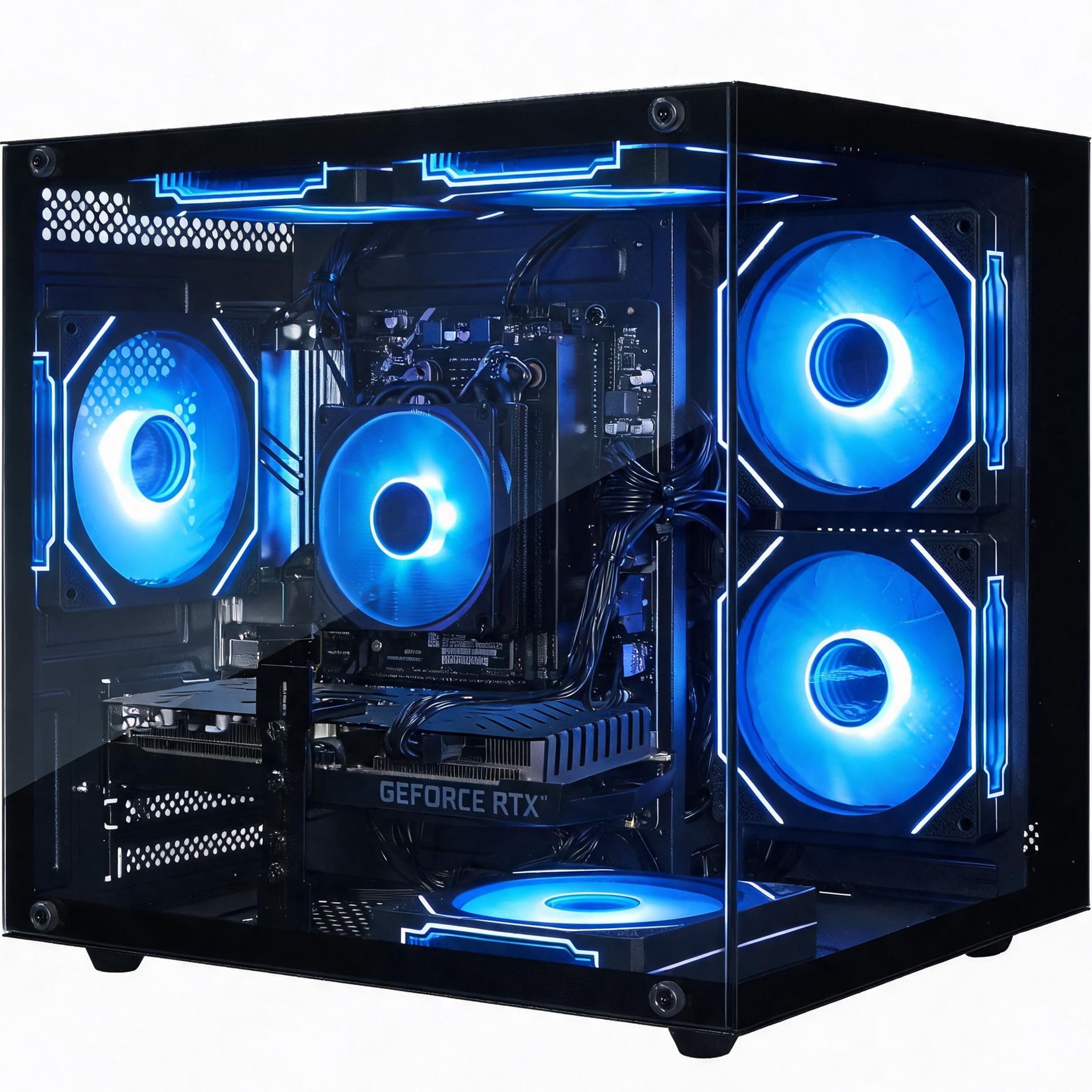
The AMD Ryzen 5 5500 underneath runs 6 cores and 12 threads up to 4.2GHz, paired with 16GB of brand-new RAM and a 512GB SSD. That combination is what makes the machine feel instant when you boot Windows 11 or launch a game. Around it sits a compact mid-tower with dual tempered glass panels, 6 adjustable RGB fans and an RGB CPU cooler, plus dust filters and ventilated top and side panels for airflow. Front and rear USB 3.0 and 2.0 ports, HDMI, DisplayPort and Ethernet cover your monitor, headset and wired connection, and a 1-year manufacturer warranty covers repairs performed in the United States.
Owners single out the build quality: the machine arrives feeling properly assembled rather than thrown together. One honest catch: 512GB of storage fills up quickly once you install a couple of modern AAA titles, so budget for a second drive or plan to rotate your library.
Where it pulls ahead
- RTX 3060 Ti with 8GB GDDR6 gives you frame headroom a 6GB card cannot match
- Ryzen 5 5500 at 4.2GHz with 6 cores and 12 threads keeps background apps from stealing frames
- 6 RGB fans plus dust filters and ventilated panels keep airflow high and noise low
- Windows 11 preinstalled, so it boots straight into a game library
What to plan around
- 512GB SSD is tight for a modern library of large installs
- Glass on two sides means you will be wiping fingerprints off it
Buy this one if: your monitor is 1080p and you want maximum frames for the money with room to spare.
Look elsewhere if: you want to install a dozen large games without touching a second drive.
2. LXZ Gaming Desktop PC, Ryzen 7 4700LE, GeForce RTX 3050 8GB
Eight cores and eight gigabytes of video memory in a white tower built for more than just games.
You get more texture headroom at 1080p here: this machine’s RTX 3050 carries 8GB of video memory, versus the 6GB card in the ZYNEEX build further down. That extra memory keeps textures sharp instead of trimming them. It supports ray tracing (lighting that mimics real-world reflections) and DLSS (AI upscaling that boosts frame rate) as well. The AMD Ryzen 7 4700LE does the processing with 8 cores and 16 threads, a 3.6GHz base frequency and a 4.2GHz max boost, built on a 7nm Zen 2 architecture at a 65W TDP (thermal design power — roughly how much heat it throws off). Lower heat means the fans do not have to spin as hard to stay ahead of it, so the tower runs quieter during long sessions.
Around that sits 16GB of DDR4 2666MHz low-latency RAM for multitasking and a 512GB NVMe PCIe SSD (a drive that talks to the board over a fast PCIe lane instead of a slower SATA cable). Seven RGB cooling fans handle airflow, and WiFi 6 (the newer wireless standard) plus a Gigabit LAN port cover online play. HDMI, DVI and multiple USB ports give you monitor and peripheral connections without an adapter. It is also the most general-purpose machine in this group — livestreaming, video edits, remote work and schoolwork all land inside its range.
The trade-off to know about: the 4700LE runs at a lower base clock than the 5500-based builds nearby, so pure single-game frame chasing favors the Olialia pick. For a mixed work-and-play desktop, the extra cores here do more for you.
Reach for this if: you stream, edit, or work on the same machine you game on and want eight cores to share the load.
Think twice if: your only goal is squeezing the last few frames out of a 1080p shooter.
3. STGAubron Gaming PC RTX 3050
Comes with the keyboard and mouse — plug in a monitor and you are already playing.
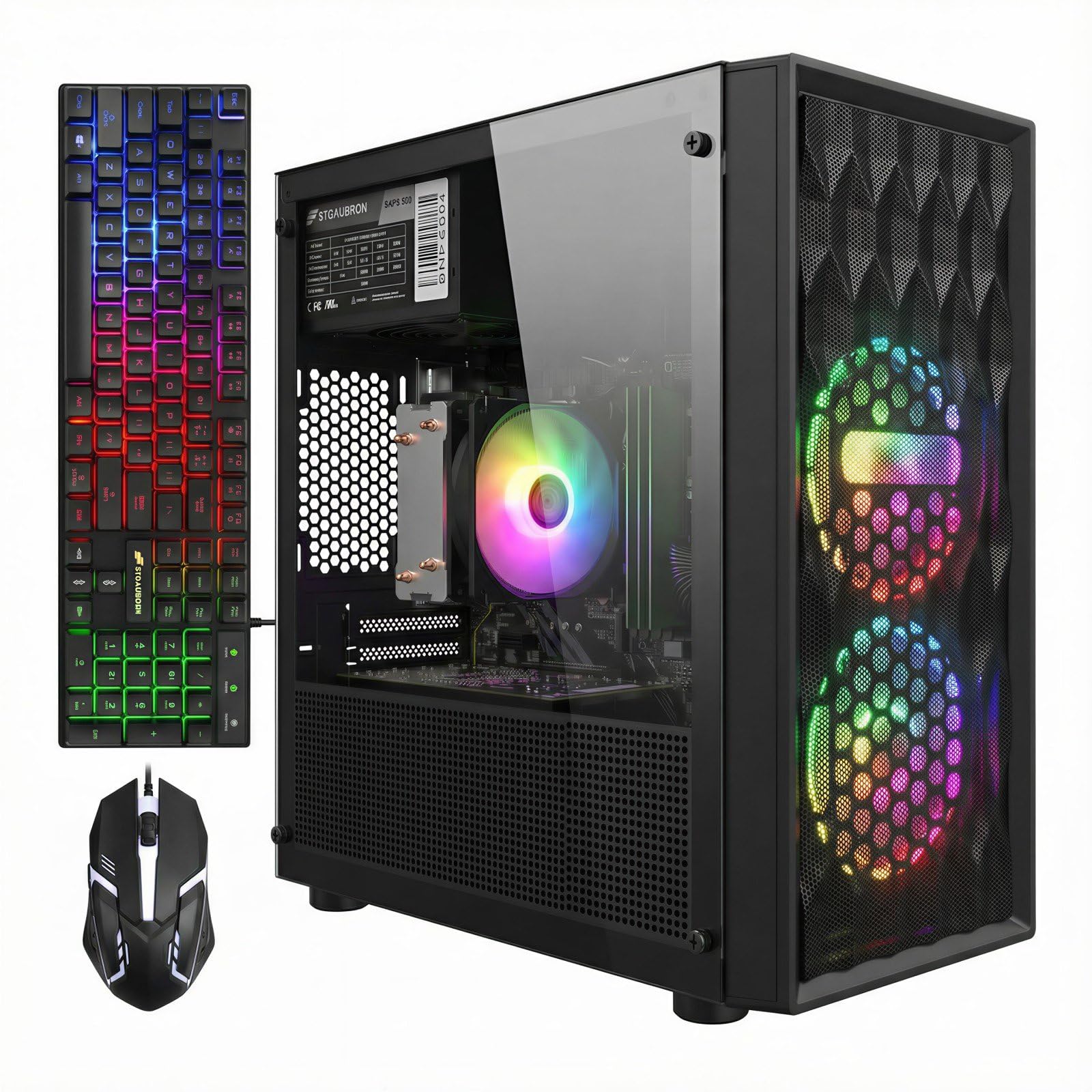
The spec sheet here is familiar: an AMD Ryzen 5 5500 up to 4.2GHz with 6 cores and 12 threads, 16GB of DDR4 memory and a 512GB SSD, running Genuine Windows 11 Home. The GeForce RTX 3050 with 6GB of video memory handles the frame drawing, and the listing names a long list of titles it claims 60+ FPS in, from Fortnite and Warzone to Elden Ring and Hogwarts Legacy. WiFi 6 and Bluetooth 5.2 cover wireless peripherals and networking, with HDMI, DisplayPort and an RJ-45 Ethernet port on the back.
What makes this one different is the box contents. An RGB gaming mouse and keyboard ship with the tower, plus two RGB case fans and ARGB lighting. There is a 1-year parts and labor warranty and free lifetime tech support behind it. Owners respond most to the build quality, which reads as a solid base-level machine rather than a generic box. Reliability is more of a split picture: plenty of units run games exactly as advertised, and some arrive with unexpected shutdown problems, so a careful setup check in the return window is worth your time.
Networking is the other spot to watch. WiFi reception draws a genuinely mixed response, with solid connections on one side and dropped signals on the other. Wired Ethernet is the safe route if your desk allows it.
Setup reality: everything except a monitor is in the box, which is exactly what a first prebuilt buyer needs.
Worth knowing: the 6GB card here trails the 8GB RTX 3050 in the LXZ build on texture headroom, so future titles may need a settings trim sooner.
The right first tower: for a buyer who wants one order to cover the whole desk setup.
Not your pick: if you need a wired-grade connection and only have WiFi available.
4. ZYNEEX Prebuilt Gaming Desktop RTX 3050
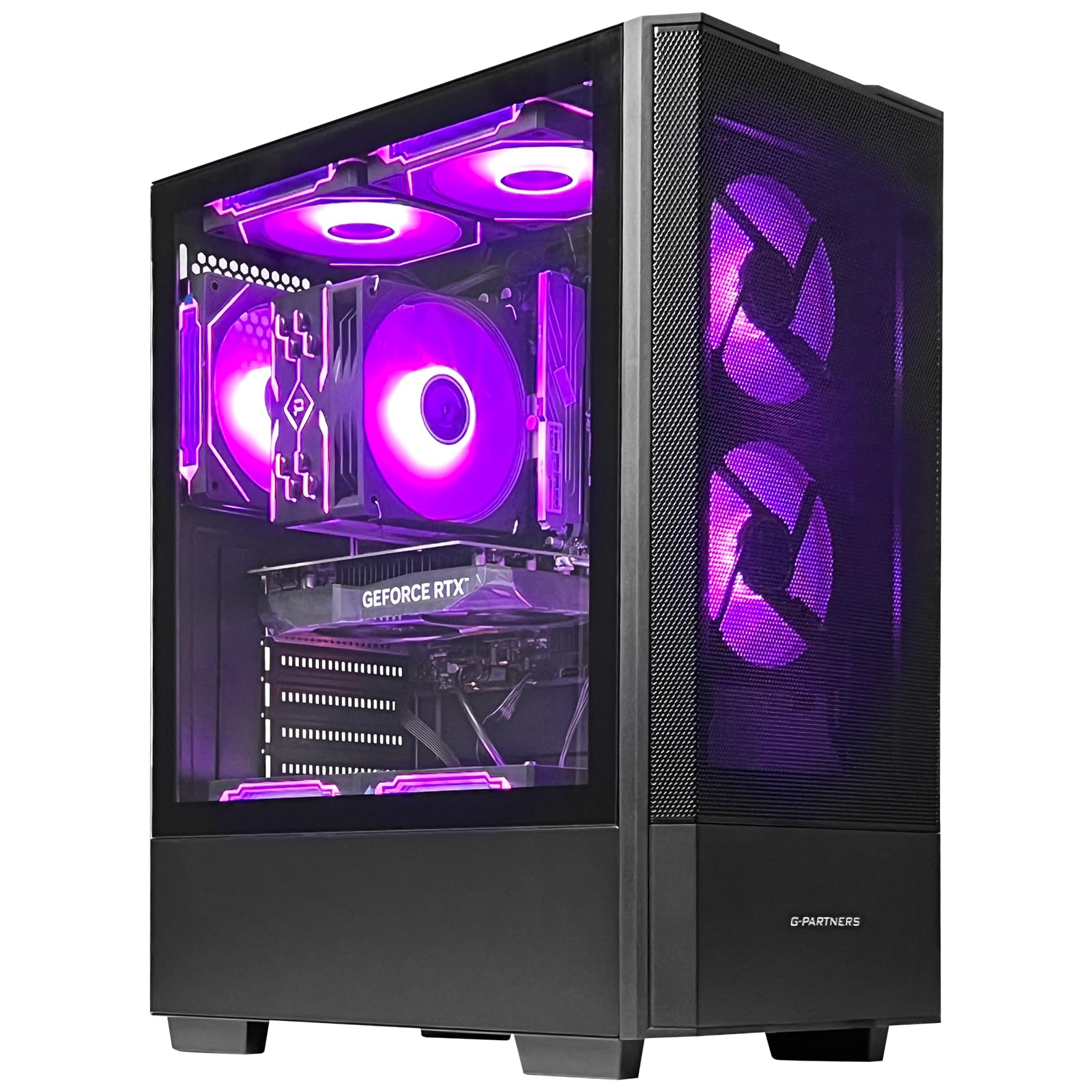
The storage upgrade the other budget builds skip — a full terabyte on NVMe.
Most 1080p prebuilts at this level hand you 512GB and let you figure out the rest. ZYNEEX fits a 1TB NVMe SSD instead, which is the difference between installing your whole library and rotating it every few weeks. The RAM story is similar: 16GB of DDR4 running at 3200MHz, a faster spec than the 2666MHz memory in the LXZ build, which helps when game launchers, browser tabs and a voice call are all open.
Games and background apps share the load here: the AMD Ryzen 5 5500 runs at 6 cores, 12 threads and up to 4.2GHz, so a game plus a browser and voice chat stay smooth. The GeForce RTX 3050 6GB GDDR6 draws the frames and supports ray tracing at 1080p Resolution Maximum 1920×1080, so you can turn on realistic lighting without dropping below Full HD. An ARGB air cooling system (addressable RGB fans you can color-control) with multiple fans keeps it stable and quiet through marathon sessions. Built-in WiFi, USB ports, HDMI and DisplayPort cover your monitor and peripherals, and the box includes the power cord, a screwdriver and a user manual — the screwdriver is a small, thoughtful touch if you plan to add anything later.
Performance is what carries this one. It lands at 4.5+ stars overall, the highest rating among the budget tier here. Setup is another clean win — it goes together quickly and boots correctly the first time for most buyers.
Where the money went: a terabyte of NVMe storage and faster DDR4 memory, both of which you feel every single day rather than only in benchmarks.
Fair warning: the 6GB RTX 3050 leaves less texture headroom than the 8GB cards on this list, so future AAA releases may ask you to lower a setting or two.
Best matched to: a player who keeps a large library installed and hates uninstalling to make room.
Be aware: you are trading a little video memory for a lot more drive space than the Olialia build offers.
5. HP Victus Prebuilt Gaming Desktop
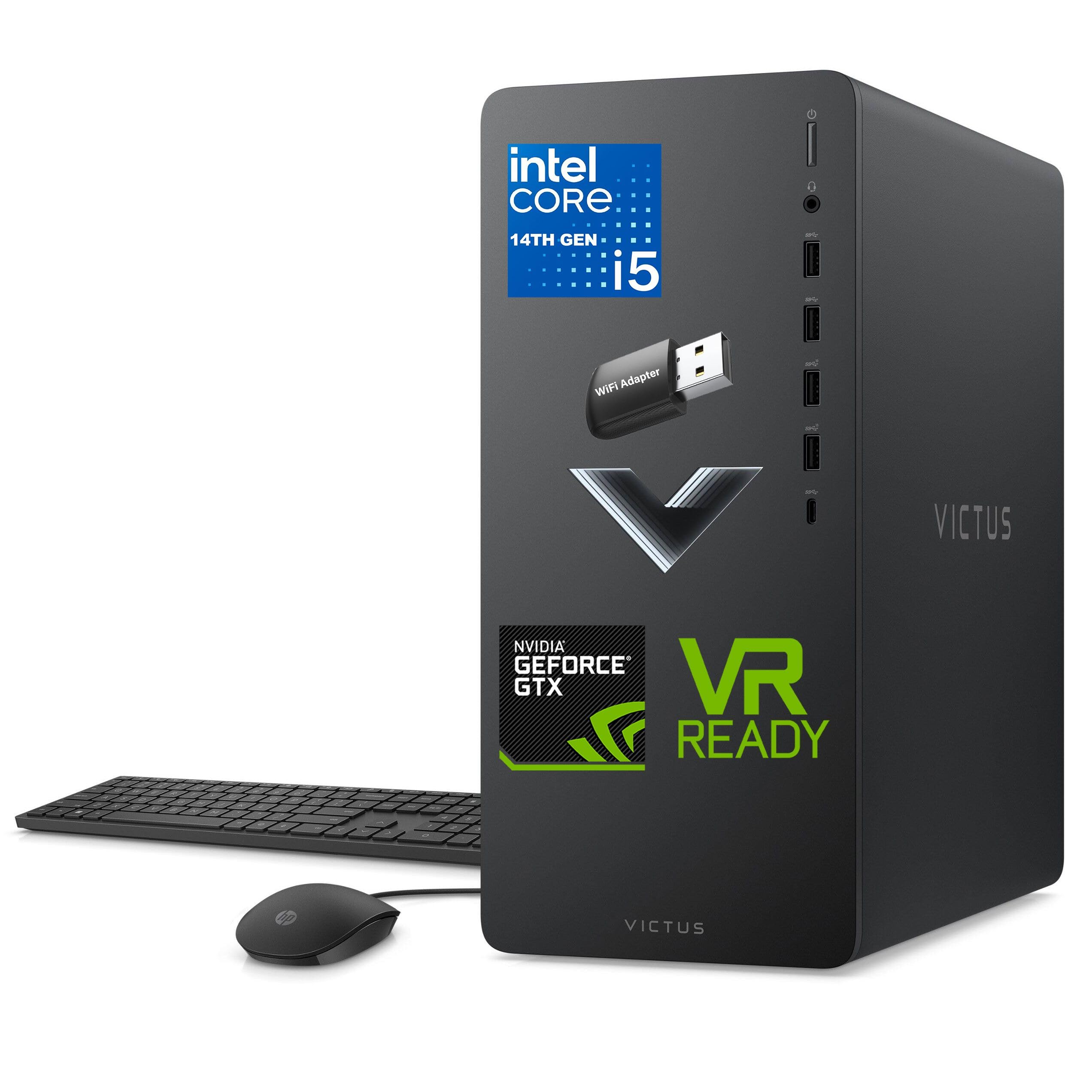
A 15-liter tower that slides under a desk and a 10-core chip that stays awake under pressure.
The processor is the star here. Intel’s i5-14400F runs 10 cores — 6 Performance cores and 4 Efficient cores — with 16 threads and a boost to 4.7GHz. That 4.7GHz figure beats the 4.2GHz ceiling on the Ryzen 5 5500 builds around it, and the 20MB cache keeps game clients, Discord and a browser from stepping on each other. The base clock sits at 1.8GHz for everyday schoolwork and streaming.
Graphics come from the NVIDIA GeForce GTX 1660 SUPER with 6GB of GDDR6, aimed squarely at 1080p AAA gaming. It is the older card in this lineup, so expect to run newer titles at moderate settings rather than maximum. Around it the Victus packs 9 USB ports split front and rear — including USB Type-C 3.2 Gen 2 — so headset, mouse, keyboard and an external drive all connect without a hub. HDMI, DisplayPort, DVI and RJ-45 Ethernet cover a second screen and a wired link. The whole tower measures 11.7 x 13.2 x 6.1 inches and weighs 11.3 lbs, small enough for a cramped desk.
Two limits worth naming. A 400W power supply covers the installed parts, but swapping in a stronger graphics card later means upgrading that unit too. And enough buyers report the packaging arrangement rather than the machine itself, so check every cable and connection on arrival.
Desk-space winner: at 15 liters and 11.3 lbs it tucks beside a monitor instead of dominating the room, and 9 USB ports mean no dongle sprawl.
The upgrade ceiling: the 400W power supply is the first thing you replace if you ever want a bigger card.
Suits you best: if square footage is your real constraint and you want the newer Intel platform with the fastest boost clock on this page.
Skip if: you plan to drop in a high-end graphics card later without touching the power supply.
6. CyberPowerPC Gaming PC RTX 5060
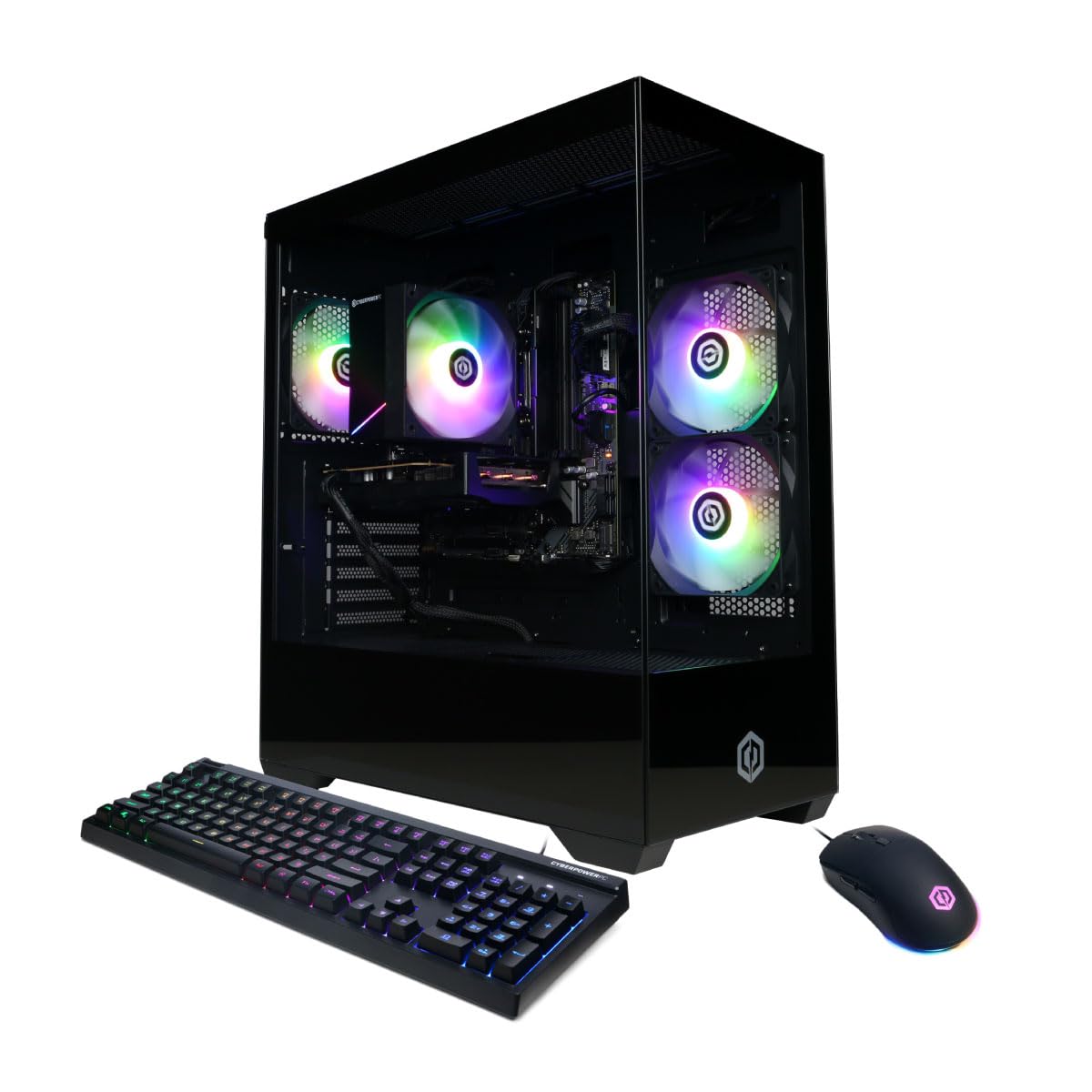
A current-generation card plus DDR5 memory — the modern baseline done properly.
Two things separate this build from the older-generation machines nearby. First, the GeForce RTX 5060 carries 8GB of GDDR7 memory — the newest memory type on this list and a step beyond the GDDR6 in the RTX 3050 and RTX 3060 Ti cards. Second, the 16GB of DDR5 memory (the newer RAM generation, replacing DDR4) with an Intel B760 chipset. The i5-14400F does the processing at 10 cores, matching the HP Victus chip but paired with newer memory and a newer graphics card.
Storage is a full 1TB PCIe 4.0 NVMe SSD, so game loads are short and your library has room. Connectivity is generous: 2 USB-A 3.2 ports, 6 USB-A 2.0 ports, 1 LAN, WiFi 6 and Bluetooth 5.3, plus 7.1 channel audio. A tempered side panel with custom RGB lighting shows off the internals, and a keyboard and mouse ship in the box. The 1-year parts and labor warranty comes with free lifetime tech support.
Owners mention performance well above what the spec sheet suggests, and the RGB-lit tempered glass case draws compliments of its own. It nets 4.0+ stars across a healthy review pool. The catch is quiet: only two USB-A 3.2 ports means fast external drives and fast peripherals compete for those slots, so the six USB 2.0 ports fill up with your slower devices.
Standout advantages
- RTX 5060 with 8GB GDDR7 is the newest memory type in this lineup
- 16GB DDR5 memory and 1TB PCIe 4.0 NVMe SSD — both modern generation
- WiFi 6 and Bluetooth 5.3 handle wireless controllers and headsets cleanly
- Tempered glass panel with custom RGB, plus keyboard and mouse included
Where it asks a little patience
- Just two USB-A 3.2 ports, so fast devices share a short list of slots
- Six USB 2.0 ports are slower by design
The modern default: a sensible pick when you want current-gen graphics and DDR5 memory without stepping into flagship territory.
Consider another route if: your peripheral collection is heavy on fast USB drives.
7. Skytech Gaming PC Desktop RTX 5060
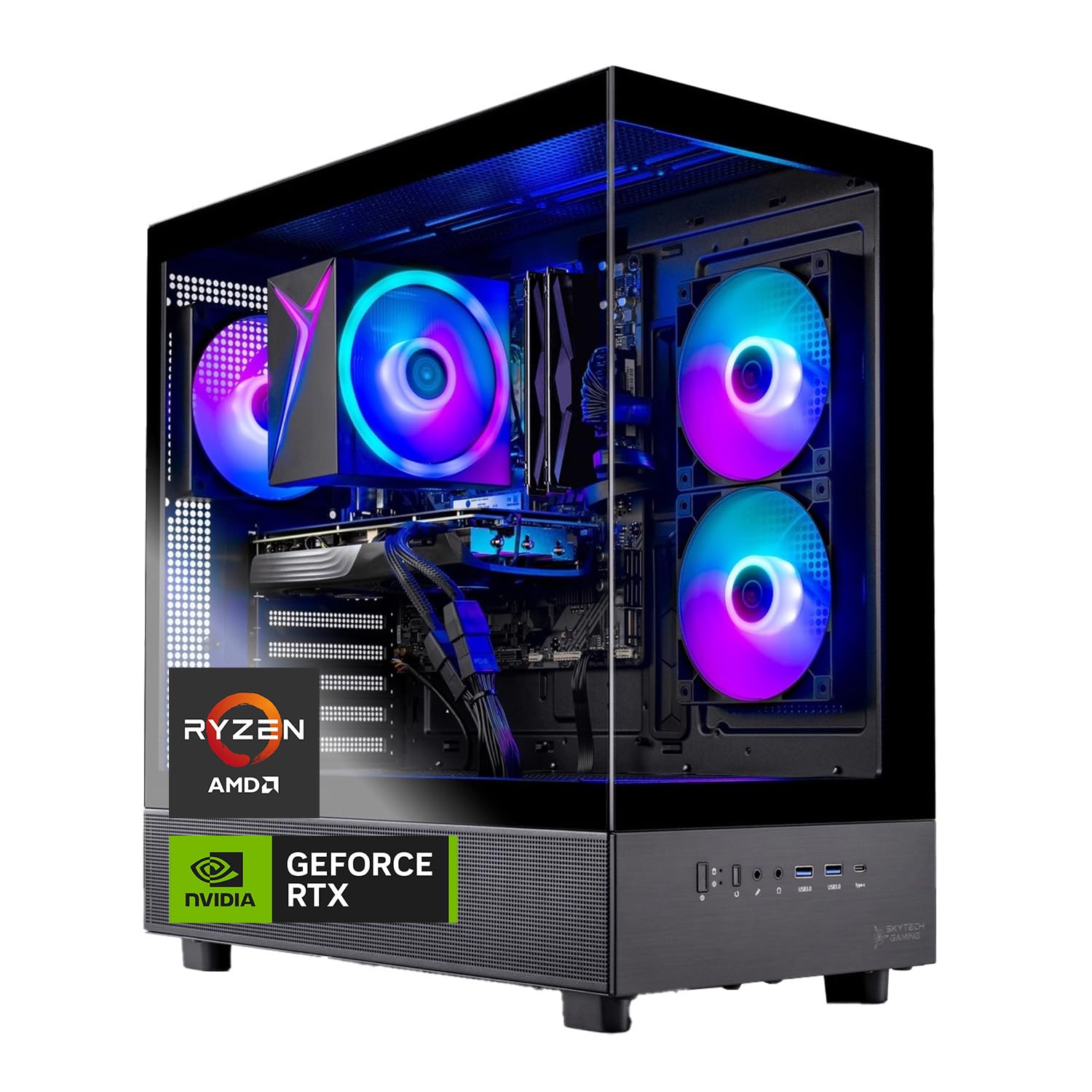
A glass-paneled Azure tower that people compliment before they check the frame rate.
The processor is an AMD Ryzen 7 5700 running 3.7GHz with a 4.6GHz Turbo Boost, a step above the 4.2GHz Ryzen 5 5500 chips sprinkled through this list. Graphics come from the NVIDIA GeForce RTX 5060 with 8GB of GDDR7, and the listing notes the card brand may vary. Storage is a 1TB NVMe M.2 SSD, with 16GB of DDR4 3200 memory wearing a heat spreader. A high-performance air cooler and ARGB fans handle thermals in the Skytech Azure case with tempered glass. Assembly happens in the USA, and a 1-year warranty on parts and labor plus free technical support backs it up. A gaming keyboard and mouse are included.
What draws people in first is the case — the appearance gets near-universal praise, and the machine is described as fast in games. The category that generates the most discussion overall is performance, and it splits cleanly down the middle: plenty of customers note smooth play, while a portion hit machines that do not run at all. That split is the caveat you carry with this pick, and it is why checking the unit thoroughly in the return window matters here more than on a bland-looking tower.
One quirk outside the machine itself: the listing’s Wi-Fi specification is Wi-Fi 5 (802.11ac), one generation behind the WiFi 6 on several builds nearby. If your router is newer, a cheap USB adapter closes that gap.
Why the glass sells it: the RGB-lit Azure chassis is the sort of tower you leave visible rather than hide under a desk.
Honest caveat: performance reports split between flawless and dead-on-arrival, so a full post-arrival test matters.
Made for you if: the machine doubles as display piece and the 4.6GHz Ryzen 7 with a 1TB drive appeals.
Pick differently if: a straightforward out-of-the-box track record matters more to you than the glass and the lighting.
8. CyberPowerPC Gaming PC RTX 5060 Ti
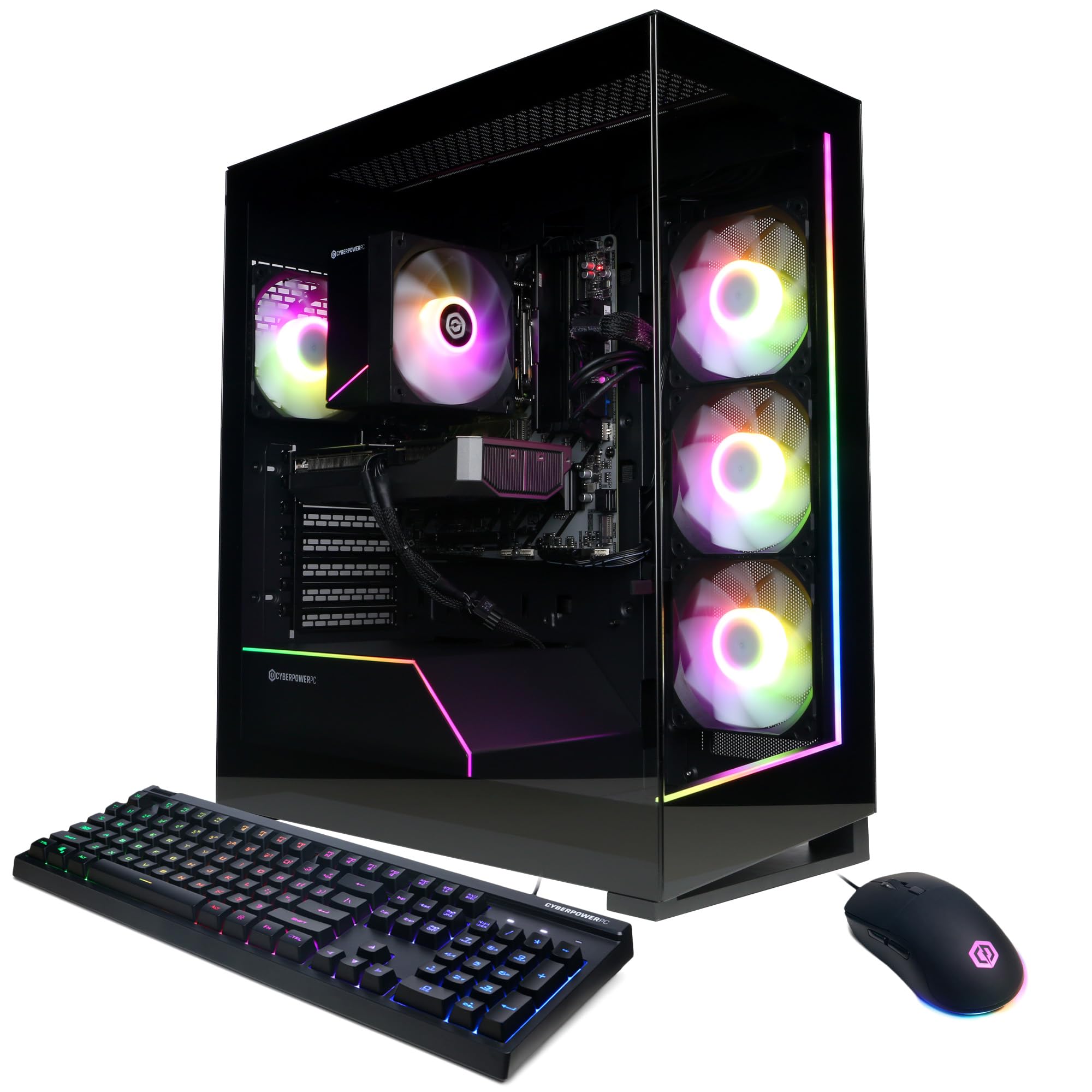
The Ryzen 7 8700F and RTX 5060 Ti combination that makes streaming and gaming at the same time feel calmer.
Where the other CyberPowerPC on this list runs an i5, this one steps up to an AMD Ryzen 7 8700F at 4.1GHz with 8 cores on the AMD B850 chipset. That extra core count is what keeps an encoding stream from eating into your frame rate. The GeForce RTX 5060 Ti with 8GB of graphics memory is the step-up graphics card in this generation, and the 16GB of DDR5 memory plus a 1TB PCIe 4.0 NVMe SSD mirrors the newer-generation spec sheet. Windows 11 Home comes preinstalled.
The connectivity is genuinely generous: 2 USB-C 3.2 ports, 4 USB-A 3.2 ports and 2 USB-A 2.0 ports, plus 1 LAN, WiFi 6, Bluetooth 5.3 and 7.1 channel audio. A tempered side panel with custom RGB lighting shows the internals, and the box includes a keyboard and mouse. The warranty runs 1 year on parts and labor with free lifetime tech support.
The honest read: there are no verified customer reviews for this exact configuration, so you are buying on the specifications rather than a track record. That is a fair trade for a machine set up for streaming — but if you want the comfort of a widely reviewed model, the CyberPowerPC RTX 5060 build sits closer to a proven quantity.
The streaming math: 8 Ryzen cores plus a 5060 Ti gives the encoder enough room to work without stealing frames from the game.
Consider this: a new configuration with no review history yet, so weigh specs over a proven record.
Pick it for: anyone who games and streams from the same machine and wants both to run smoothly.
Hold off if: you want the reassurance of an established, widely reviewed build before you commit.
9. HP OMEN 45L Gaming Desktop, 32GB RAM, 1TB SSD, Intel Core i7

Thirty-two gigabytes of memory and twelve Intel cores — this tower is built for doing three things at once.
Heavy multitasking is the reason to pick this one: the 12th Gen Intel Core i7-12700KF does the processing with 12 cores, 20 threads and a turbo up to 4.90GHz backed by Intel Turbo Boost Max 3.0 (a feature that pushes clock speed when cooling allows) and a 25MB cache. Some listing fields push the maximum toward 5 GHz, but the verified specification sheet says 4.90GHz. The 32GB of DDR4 memory is the headline for a reason: it is double what most builds on this page carry, and it is what lets video edits, 3D renders and multiple open programs coexist with a game running in the background.
Storage and power are where this tower earns its place: a 1TB PCIe Gen4 NVMe SSD (fast flash storage on the newer Gen4 standard) loads games quickly, and an 800W 80 Plus Gold certified power supply with 90% efficiency leaves headroom for upgrades. Graphics are handled by the NVIDIA GeForce GTX 1660 SUPER with 6GB of GDDR6 — the same card as the HP Victus. That means excellent 1080p performance in the titles the listing names, but this is not the tower for pushing maximum settings in the newest AAA releases. The port selection is broad: USB-C 3.2 Gen 1, USB-A 3.2 Gen 2, DVI, HDMI, DisplayPort and RJ-45 Gigabit Ethernet (wired network). OMEN Light Studio software controls the RGB across connected devices, and a tempered black glass front cover sits over a locked side panel.
Owners single out the build quality, which reads closer to a mid-range gaming PC than its price suggests. The split-honest part is upgradeability: the processor is soldered and not upgradeable, so any future performance boost has to come from memory or graphics. Graphics draws some mixed notes as well, which lines up with the older 6GB card.
Where the money lands: 32GB of DDR4 and 12 Intel cores make this the strongest workstation-and-gaming crossover on the page.
Locked in: the soldered processor means upgrades go through RAM and graphics only.
The multitasker’s machine: built for someone who games on one window while editing or rendering in another.
Not the frame-chaser’s pick: the 6GB GTX 1660 SUPER is one generation behind the newer cards here.
10. YAWYORE Gaming PC, AMD Ryzen 7 5700X, GeForce RTX 5060
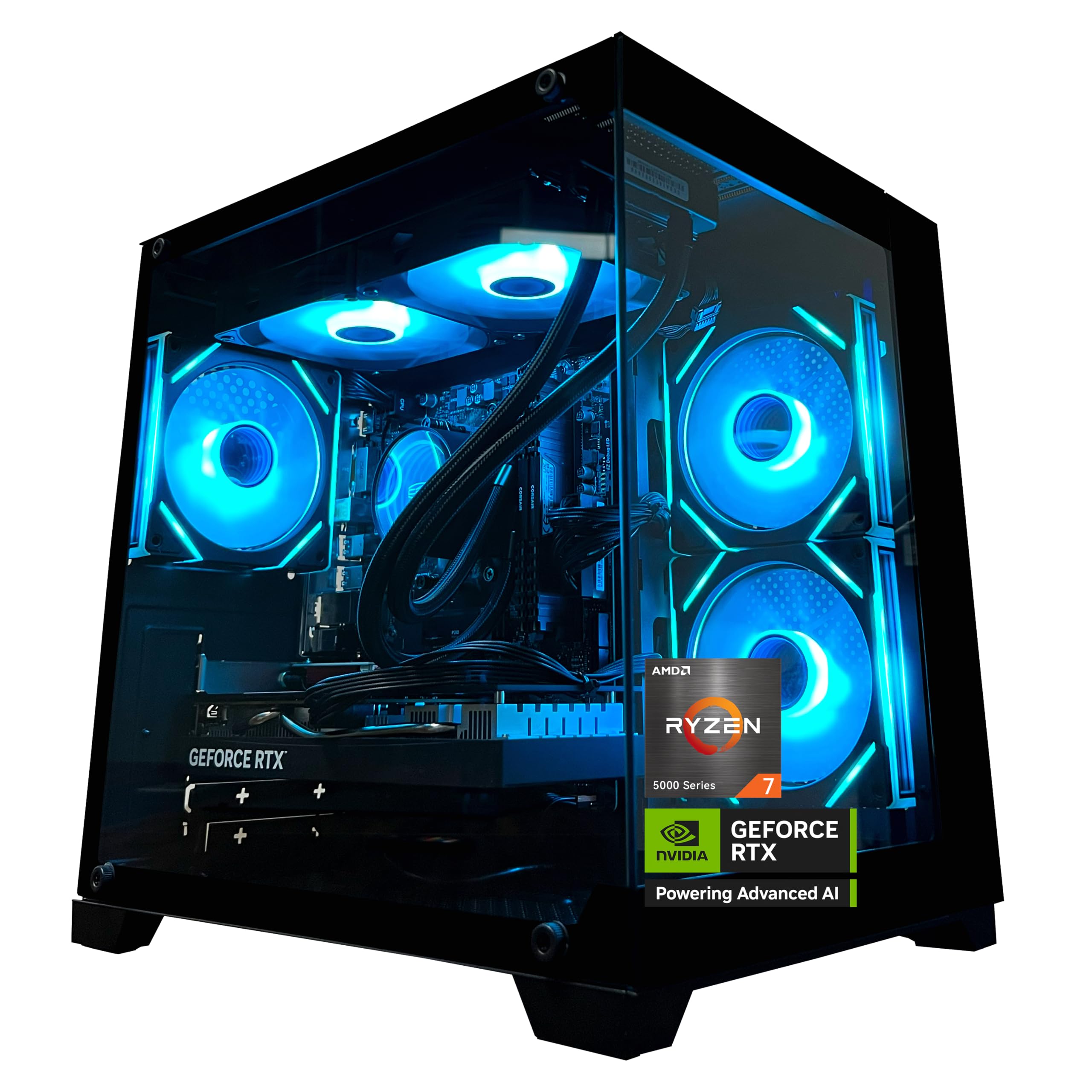
A full 32GB of DDR4 and an MSI motherboard in a build that treats every connector like it matters.
Start with the processor: an AMD Ryzen 7 5700X with 8 cores and 16 threads boosting to 4.6GHz, which is a higher clock than the 4.2GHz Ryzen 5 chips on the budget end of this list. That chip sits in an MSI B550M-A PRO motherboard — a big name in motherboards, and a reassuring part to see under the lid. Memory is 32GB of DDR4 3200MHz across two sticks, with a 1TB M.2 NVMe PCIe SSD. A 650W 80 Plus Bronze certified power supply covers the load.
The graphics card is an NVIDIA GeForce RTX 5060 with 8GB of GDDR7, and the listing notes the card brand may vary. It supports DLSS 4 (multi frame generation, an AI-driven upscaling feature), ray tracing and Reflex 2 delay reduction. A liquid cooler with ARGB fans and a remote control handles thermals, and built-in WiFi plus Bluetooth cover wireless peripherals. The compatibility list runs from headphones and monitors to printers, projectors and TVs, so multi-monitor or living-room setups are in reach. Note the shipping detail: the chassis includes shock-absorbing foam that must be removed before use.
Owners give the Ryzen 7 5700X and RTX 5060 pairing strong marks for performance and value, and the ARGB-lit case finds fans too. The recurring gripe is picky rather than structural: it ships with transient WiFi and Bluetooth — which work, but expect to manage connections.
Why it earns its place
- Ryzen 7 5700X with 8 cores and 16 threads at 4.6GHz
- 32GB of DDR4 3200MHz memory alongside a 1TB M.2 NVMe SSD
- RTX 5060 with 8GB GDDR7 and DLSS 4 support
- Liquid cooler with ARGB fans and remote control
The honest eyebrow-raise
- Wireless networking is the weak point here — expect occasional connection management
- Remove the shock-absorbing foam before first boot, or the machine will not start properly
The overall winner for most desks: 32GB of memory, 8 cores and a current-gen card cover gaming, streaming and multi-monitor work without a compromise you will feel.
Look elsewhere if: you rely entirely on WiFi and do not want to babysit connections.
11. KOTIN Gaming PC Desktop RTX 5060 Ti
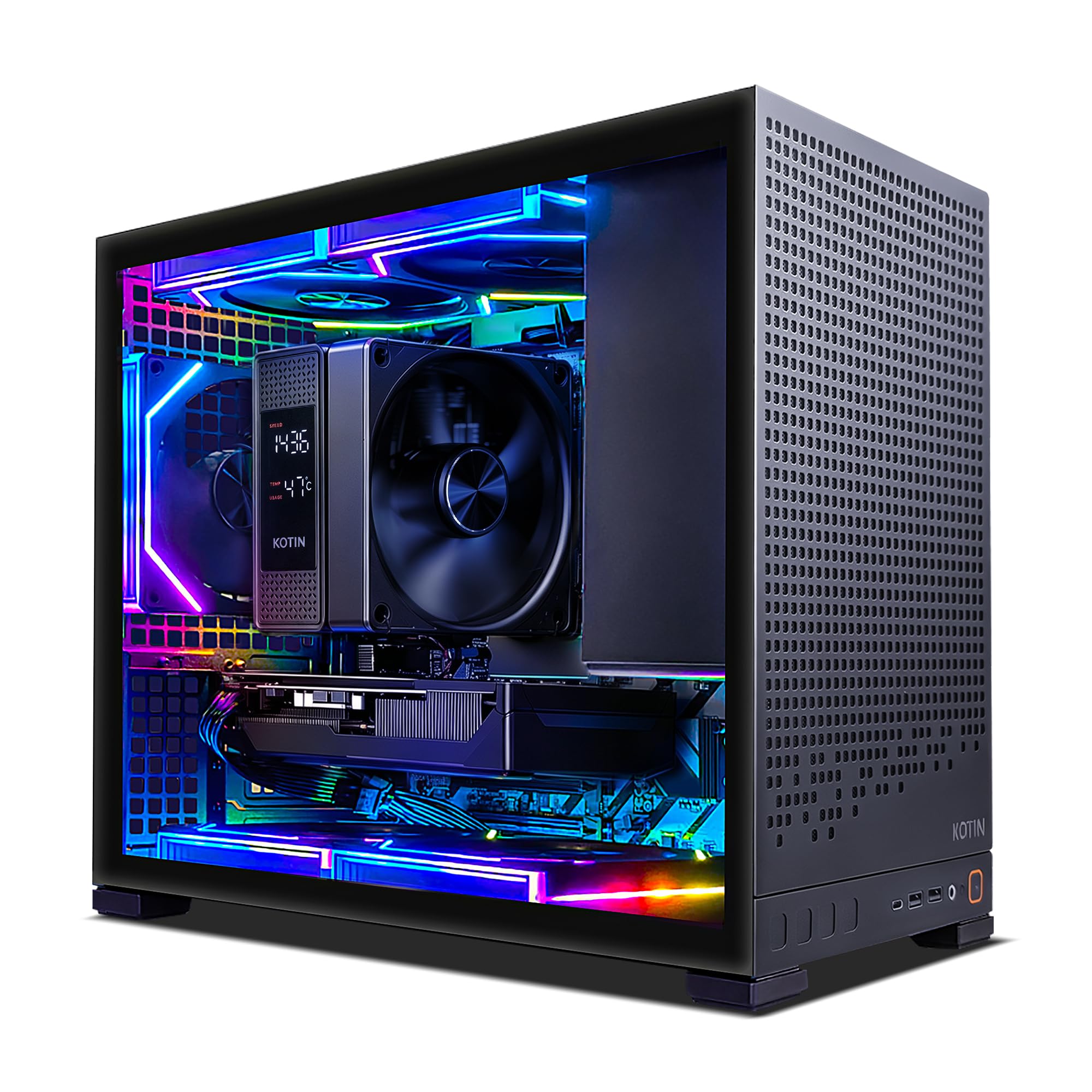
Assembled in the USA, professionally tested, and set up so a first-timer gets to gaming quickly.
You get smooth play above Full HD here: the Ryzen 7 8700F and GeForce RTX 5060 Ti 8GB combination gives this tower responsive speed at 1080p and 1440p, with DLSS 4 (AI upscaling that lifts frame rate) and ray tracing support for smoother visuals. The 16GB of DDR5 memory and 1TB PCIe Gen4 NVMe SSD keep boot times and game loads short, so you spend less time on loading screens. The 650W 80 PLUS Gold power supply, four DDR5 DIMM slots and three M.2 SSD slots leave room for upgrades later.
Cooling is where this build shows its planning. A CPU air cooler with 6 copper heat pipes sits under a digital temperature display, working alongside five 120mm ARGB fans to keep airflow steady through long sessions. WiFi 6 and Bluetooth cover online play and wireless peripherals. It arrives with Windows 11 Home preinstalled and a 1-year limited warranty with free technical support.
Setup earns the most praise: it goes together fast and boots straight into Windows 11. Performance and value both get strong marks too, with owners describing gaming sessions that run the way the listing promised. One quirk worth reading before you plug in: you have to connect your monitor to the graphics card ports on the lower back of the PC, not the motherboard ports above them, or you will get no display. VGA and DVI monitors need an HDMI or DisplayPort adapter.
The cooling detail: 6 copper heat pipes and a digital temperature readout are spec-sheet touches you rarely see in this tier.
Read the note: plugging into the wrong video port is the single most common reason this tower shows a blank screen.
Right for a first-time builder: it arrives tested and preinstalled, so setup is a cable job rather than a project.
Watch this: confirm your monitor uses HDMI or DisplayPort before ordering, or add an adapter.
12. Alienware Aurora Gaming Desktop RTX 5070
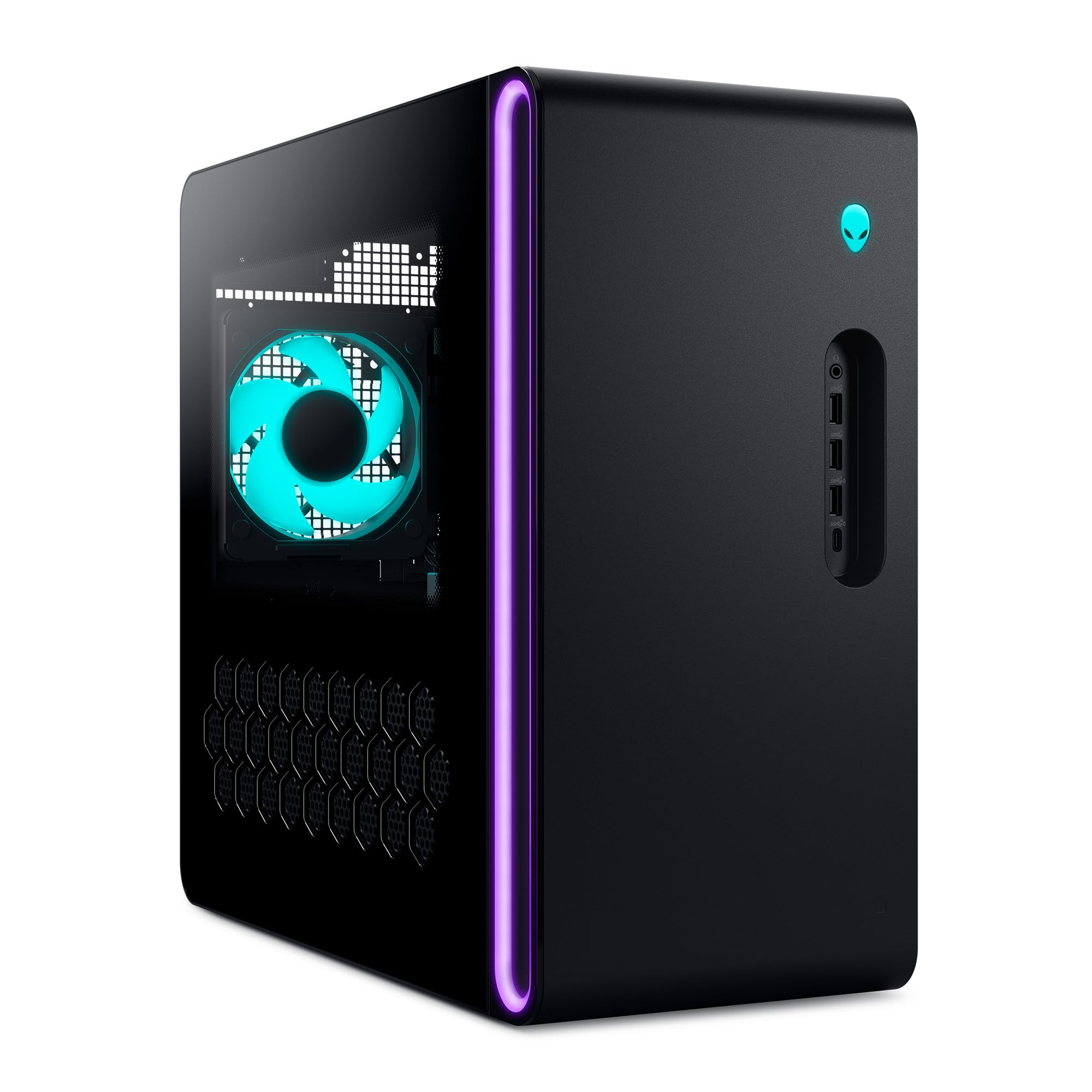
The tower that runs cool and stays quiet while the RTX 5070 does its work.
The NVIDIA GeForce RTX 5070 here is built on the Blackwell architecture — the newest graphics generation in this lineup and the reason this tower carries a premium tag. The Intel Core Ultra 7 265F does the processing with a boost up to 5.3GHz, the highest clock on this page alongside the KOTIN build. An air-cooled chassis with a matte basalt black finish and customizable AlienFX lighting zones handles the case, and Alienware Command Center software lets you set performance modes and lighting profiles across your library.
What makes this machine distinctive is how it behaves under load. Quiet operation gets near-universal praise, and running temperatures stay cool rather than ramping the fans up to a roar. Performance is described as flawless and fast without stutters. A 1-year onsite service plan comes with it, meaning Dell comes to your home, office or location of choice if a covered hardware issue cannot be resolved remotely.
The caveats are real but narrow. Storage capacity draws mixed notes, with enough buyers wishing the machine had four RAM slots that it belongs in your pre-purchase checklist — check the slot count against what you plan to add. A separate cluster of notes flags inaccurate product descriptions, so verify the exact configuration you receive against the listing before you rely on it.
The real appeal: quiet operation at 5.3GHz boost and an RTX 5070 — a tower you can sit beside for hours without hearing it.
Verify before you commit: confirm the RAM slot count and the exact configuration you will receive.
For the noise-sensitive gamer: a premium tower that stays cool and quiet with a current-gen graphics card inside.
Worth a second look first: if you plan to expand memory heavily, verify the slot layout before buying.
13. ASUS ROG GM700 Gaming Desktop
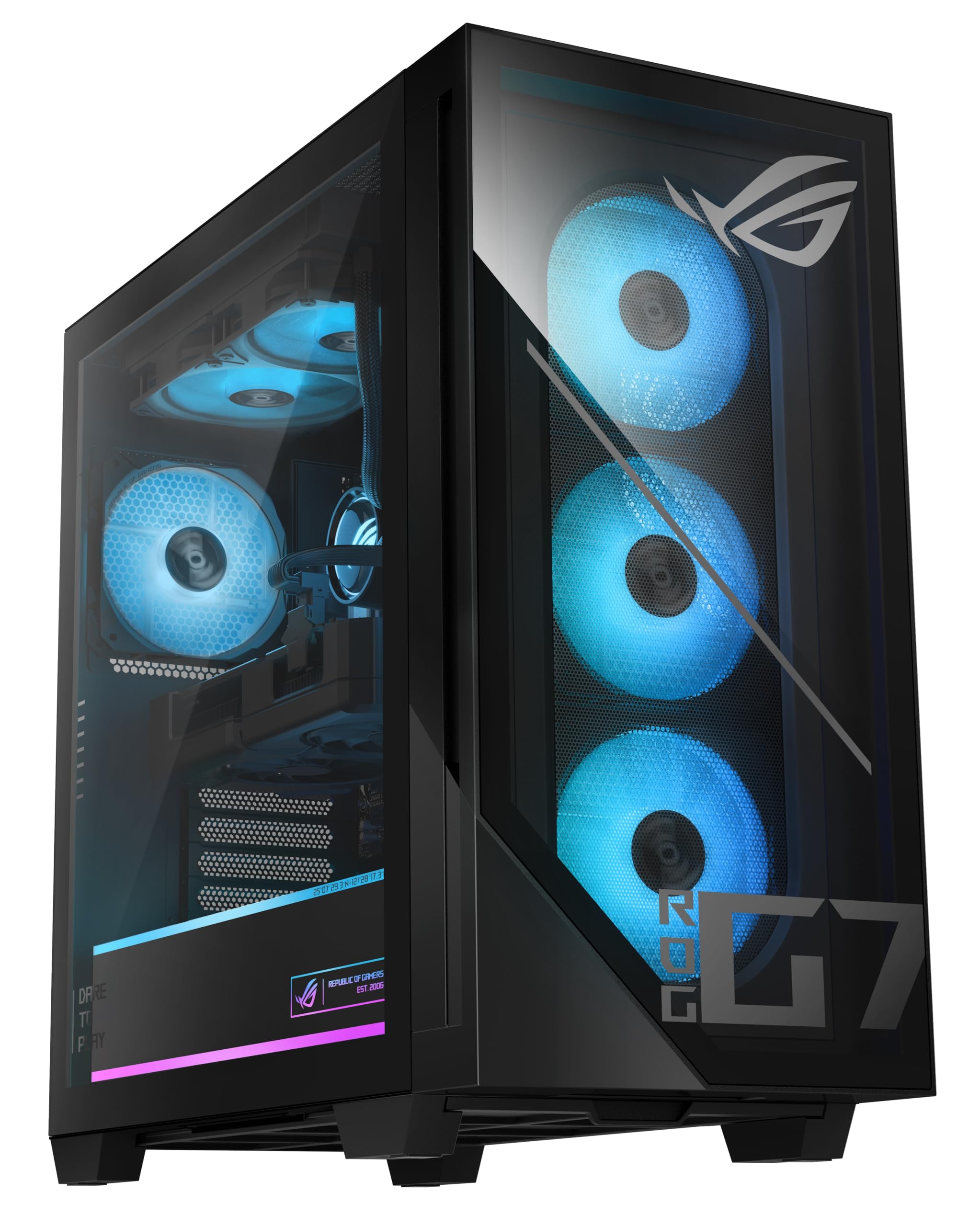
A Ryzen 7 9800X3D and Radeon RX 9070 XT — the flagship that treats 1080p as a light warm-up.
This is the top of the tree, and the specifications read like it. The AMD Ryzen 7 9800X3D boosts to 5.2GHz with a 96MB cache, the largest cache figure on this page by a wide margin. The AMD Radeon RX 9070 XT PRIME OC graphics card brings enhanced ray tracing and AV1 encoding (a newer video format for streaming and recording), and 32GB of DDR5 memory keeps heavy workloads moving. Storage is 2TB of PCIe Gen 4.0 SSD — double the space of most builds here, so your whole library fits without a second drive.
The experience lands where the specs suggest. On games it delivers good frame rates on most titles, with performance described as one of the machine’s real strengths. An RGB keyboard and mouse ship in the box. Windows 11 Home comes preinstalled and the machine is built for gaming, multitasking and content creation at once.
The honest edge is reliability. That is the one area where the picture splits: plenty of units run exactly as expected, and some arrive with systems that crash outright. Value also draws a divided response, with some buyers finding it a good deal and others calling it expensive. For a flagship price, that split is worth weighing against the generous 32GB of RAM and 2TB storage.
The spec that carries it: 96MB of cache on the Ryzen 7 9800X3D is the biggest cache number on this page, and 2TB of storage means no immediate drive upgrade.
The real trade-off: reliability reports split between flawless and crashing, so buy where returns are easy.
For the buyer who wants it all: flagship processing, 32GB of DDR5 and 2TB of storage in one tower.
Weigh the price against confidence: if a spotless reliability record matters most, the mid-range picks here carry less risk.
Know the Specs
Graphics Card and Video Memory
The graphics card, or GPU, draws every frame, and its video memory is the dedicated pool it fills with textures. An 8GB card like the RTX 3060 Ti or RTX 5060 holds more texture detail before it has to trim quality, so walls and clothing stay sharp in busy scenes. A 6GB card like the RTX 3050 6G or GTX 1660 SUPER starts letting details slip sooner. The newer the card generation, the better it handles modern features like ray tracing (realistic lighting) and DLSS-style upscaling (AI frame-rate boosting). For 1080p, a card with 8GB of video memory is the safer long-term bet.
Processor Cores and Clocks
The processor, or CPU, runs the game’s logic and everything else you have open. Cores are independent workers and threads are the queues they pull from — so a 6-core, 12-thread chip like the Ryzen 5 5500 handles a game plus a browser and a voice chat at once, while a 10-core or 8-core chip leaves more room for streaming and editing. Clock speed (in GHz) sets how fast each core ticks, which shows up in snappy menus and fast scene loads. Neither number alone is the whole story — the pairing matters.
Common Questions
What graphics card do I need for 1080p gaming?
Is a 6GB graphics card still enough for 1080p?
How much RAM do I actually need in a gaming PC?
Will a 512GB SSD fill up too fast?
Do I need a specific monitor to use these gaming PCs?
Can I upgrade a prebuilt gaming PC later?
Is a Ryzen 5 or Ryzen 7 better for gaming?
Does ray tracing matter at 1080p?
Which 1080p gaming PC is the quietest?
Do these prebuilts come with Windows and a keyboard?
Why does my gaming PC turn on but show no display?
The Bottom Line
For most people building a 1080p setup, the 1080p gaming computer winner is the Olialia Gaming PC with the RTX 3060 Ti, because its 8GB GDDR6 card gives you real frame headroom and the Ryzen 5 5500 keeps background apps off your frame rate. If you want more memory and newer-generation parts for streaming and multitasking, the YAWYORE tower pairs 32GB of DDR4 with a Ryzen 7 5700X. And for the player who keeps a big library and wants the largest drive here without paying flagship money, the ZYNEEX build fits a full 1TB NVMe SSD and faster DDR4 3200 memory into the budget tier.
The Olialia build sits at 4.5+ stars across 100+ ratings, the highest-rated pick on this page.
How we choose
We do not accept paid placement. Every pick is matched to a real buyer and a real use-case; we do not hands-on test units.
Sources
Specifications: manufacturer listings and product documentation. Review insights: verified customer reviews, as of November 2026. Pricing: not shown on this page (it changes often); check the current price via the retailer link.
As an Amazon Associate, Gamepad Test earns from qualifying purchases. This does not affect which products we feature.