
Specs are compiled from manufacturer listings and verified buyer reviews and can change over time — please confirm the key details on the product page before buying.
Your Xbox Series X can push 4K at 120 frames per second, and most monitors you plug into it quietly choke that signal down to 60. The fix is a panel with native 3840 x 2160 resolution and at least one HDMI 2.1 port that carries the full 4K 120Hz feed. Get both right and the console finally looks the way it does on a good TV. Get either wrong and you have spent console money on a screen that will never show you what the hardware can do.
This guide is built by comparing the manufacturers’ published specifications and the patterns across verified customer reviews, so you get each pick’s real strengths and trade-offs instead of marketing spin.
One thing to say upfront: this list uses flexible, human-like matching for native 4K UHD resolution, so not every pick is the exact size or panel type you might picture. The nearest same-type screen that serves the same console purpose is included instead. Below you will find the panels that actually complete the handshake with your Series X, ranked by what they deliver on a desk rather than on a spec sheet. This is the practical shortlist of 4k monitors for xbox series x that will not waste your console’s best output.
Top Picks

How To Choose The Best 4K Monitors for Xbox Series X
The Series X sends its picture out through HDMI, so the port on the monitor matters more than almost any other feature. A panel can advertise 4K and 120Hz all day, but if the HDMI input runs on the older 2.0 standard, the console drops to 4K at 60Hz and the extra frames vanish. Before you compare brightness or color, confirm the input you plan to use is HDMI 2.1.
Check the HDMI version before anything else
HDMI 2.1 is the newer connector standard with enough bandwidth to carry 4K at 120Hz in one cable. HDMI 2.0 is the older version and caps out well below that. Some monitors list 120Hz or higher but reach it only over DisplayPort, which your console cannot use. Read the listing for the words “HDMI 2.1” specifically, not just a refresh-rate number.
Decide if you want OLED contrast or LCD brightness
OLED panels switch individual pixels off for true black, which makes dark scenes in games look deep rather than grey. LCD panels — the IPS and VA types — use a backlight behind the screen, so blacks can look washed in a dark room. The trade-off runs the other way in a bright room, where some OLED screens struggle to fight glare. Think about where your desk sits before you pick a panel type.
Match the screen size to your seating distance
A 27-inch 4K panel packs pixels tightly, so text and fine detail look crisp from close up at a desk. A 32-inch screen gives you more picture but spreads those same pixels wider. If you sit within arm’s length, the smaller screen often reads sharper. If you lean back with a controller, the bigger panel fills more of your view.
Side-by-Side Comparison
| Model | Best For | Refresh Rate | Panel Type | Screen Size | Amazon |
|---|---|---|---|---|---|
| ASUS ROG PG32UCDMR★ Best Overall | Top overall pick | 240Hz | QD-OLED | 32 inch | Amazon |
| Dell S3225QSBudget Champion | Budget-friendly entry | 120Hz | VA | 32 inch | Amazon |
| LG 27G810A-B UltraGearCompact Pick | Compact desk setup | 180Hz | IPS | 27 inch | Amazon |
| KOORUI 27″ QD-Mini LED | Bright-room gaming | 160Hz | Mini LED | 27 inch | Amazon |
| Samsung Odyssey G7 G75F | Curved immersion | 165Hz | VA | 37 inch | Amazon |
| MSI MAG 272UP QD-OLED X24 | Sharp text on OLED | 240Hz | QD-OLED | 27 inch | Amazon |
| MSI MPG 321URXW QD-OLED | All-round performance | 240Hz | QD-OLED | 31.5 inch | Amazon |
| ASUS ROG PG32UCDP | Fastest dual mode | 240Hz | OLED | 32 inch | Amazon |
| LG 32GX870A-B UltraGear | Bright OLED picture | 240Hz | OLED | 32 inch | Amazon |
| Alienware AW3225QF | Premium QD-OLED | — | QD-OLED | 32 inch | Amazon |
Detailed Reviews
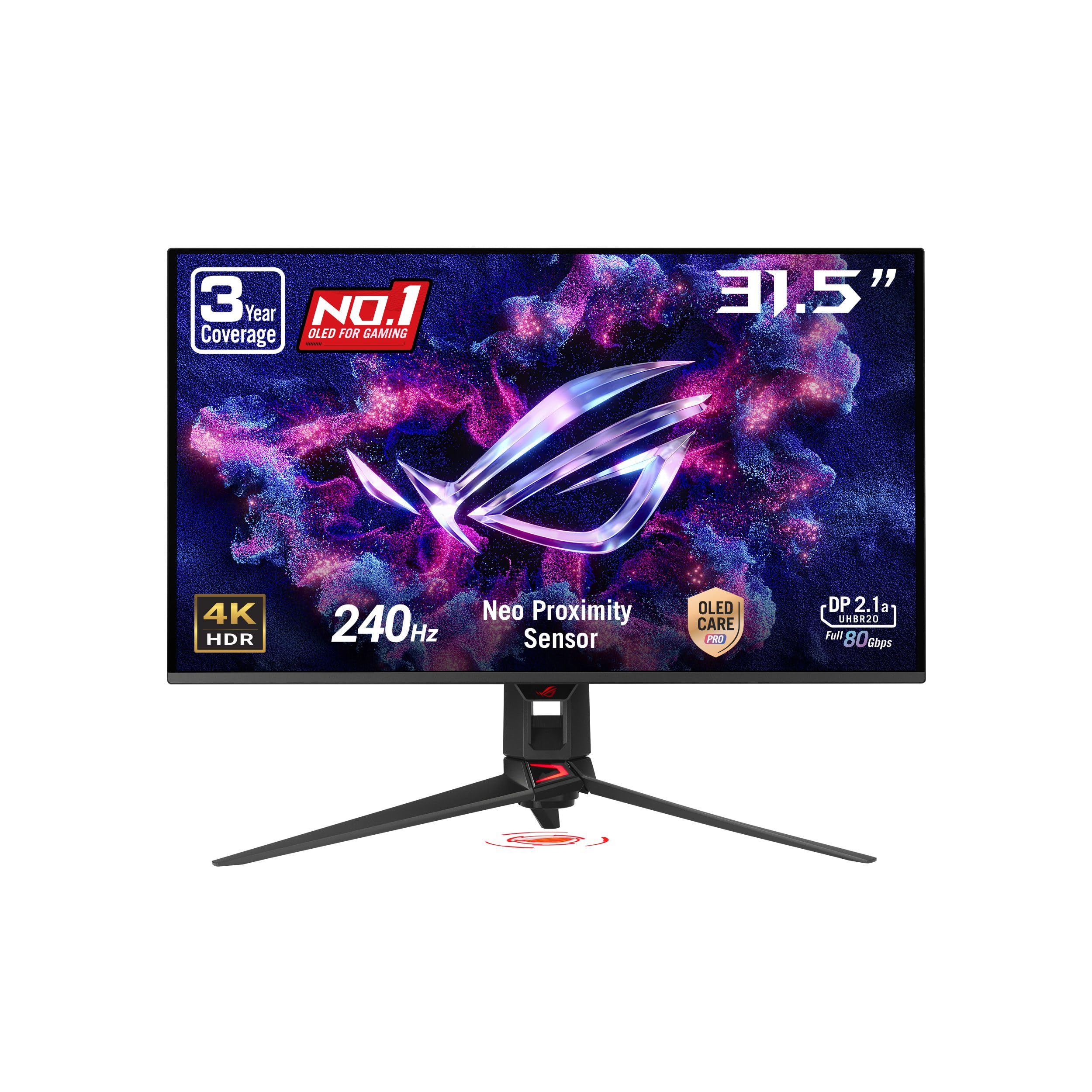
1. ASUS ROG PG32UCDMR 32 Inch OLED Gaming Monitor
Our pick — 4.5+★ from 150+ verified ratings; the strongest balance of quality and price.
The panel that makes your Series X output look like it finally has room to breathe.
Start with the number that changes everything for console play: a 240Hz refresh rate on a 32-inch 3840 x 2160 QD-OLED screen. Your Series X tops out at 120 frames per second in 4K, so this panel has headroom in reserve rather than being stretched to its limit. Motion stays clean because the 0.03 ms (GtG) response time — gray-to-gray, the speed a pixel shifts from one shade to another — leaves almost no smearing behind fast camera pans.
The contrast figure tells the same story in still numbers. This screen carries a 1500000:1 contrast ratio, which means each pixel can switch fully off for true black next to a lit neighbor. Compare that with the LG 27G810A-B and its 1000:1 ratio, and the difference in a dark room is enormous. Colors sit at 99% DCI-P3 with true 10-bit depth and Delta E under 2, so HDR scenes from your console land with clean separation between shadow and highlight.
Brightness is a listed 1000 candela per square meter, roughly double the LG 27G810A-B’s 400. The practical effect is that daytime play with a window behind you still reads clearly. ASUS also builds in OLED Care Pro with a Neo Proximity Sensor that detects when you walk away and blanks the screen to reduce burn-in risk, plus a 3-year warranty that includes burn-in coverage. That last part matters more than most people realize when a static HUD sits in the corner for hours. The overall build and finish win the most people over — the panel feels like a serious piece of hardware, not a plastic shell. Value is the one axis split down the middle, since a screen this capable is not the cheapest route to 4K.
240Hz OLED speed
- 1500000:1 contrast ratio puts out genuinely black blacks beside a 1000:1 IPS panel
- 240Hz gives your console’s 120Hz output plenty of ceiling
- 0.03 ms response keeps fast pans free of smear
- 3-year warranty with burn-in coverage and a proximity sensor that blanks the panel when you leave
- USB-C with 90W Power Delivery and both DisplayPort 2.1 and HDMI 2.1 on board
premium price tag
- QD-OLED this bright needs care with static HUDs over long sessions
- Some owners find the finish feels less solid than the picture deserves
- It sits at the top of the range rather than the value end
competitive shooters: you want the best picture your Series X can produce and you are willing to protect an OLED panel properly.
budget builds: you leave a paused game on screen for hours at a time and want a screen you never have to babysit.
2. Dell 32 Monitor S3225QS, 4K UHD VA, 120Hz, FreeSync Premium
The sensible first 4K screen for a console owner who wants a big picture without a big spend.
A 32-inch VA panel running 3840 x 2160 at up to 120Hz is exactly the combination your Series X wants to see. The VA panel type is the backlit LCD kind, and Dell pairs it with a 1500:1 contrast ratio — noticeably deeper than the 1000:1 you get from the LG 27G810A-B IPS screen. That extra contrast is why dark game scenes hold their shape here rather than turning into a grey wash. The 0.03 ms response figure on the listing is a claimed gray-to-gray number, and FreeSync Premium handles the frame-sync side so you avoid tearing when the console’s frame rate dips.
Buyers keep coming back to two things here: sharpness and value. The display reads crisp at this size, and the panel has a clean, understated look with ultra-thin bezels in an ash white finish. Built-in speakers mean you get sound without adding a speaker bar, though the audio splits reviewers — some like the extra output power, others find the volume behavior odd at low settings. ComfortView Plus (a blue-light filter) trims blue light to a stated ceiling of 35% or less, which helps during long evening sessions.
The honest catch is consistency. Color perception splits down the middle, with some screens reading vivid and a slice looking washed toward grey. Panel brightness sits at a listed 300, and a few buyers spot dimming near the borders. There is also the occasional report of the screen blanking out mid-session, which is worth knowing before you commit a console to it. For a mid-range outlay this remains the most straightforward path to native 4K from your Series X — and the size advantage over the LG is real: 32 inches against 27 inches.
120Hz VA value: native 4K at 120Hz over a 32-inch VA panel, with a 1500:1 contrast ratio and FreeSync Premium keeping frames steady during your console sessions.
VA viewing angles: color and brightness divide opinion, so buy this expecting a good panel rather than a perfect one, and check it fully in the first weeks.
office and play: a first-time console buyer who wants a large 4K screen at the budget end and values panel size over OLED depth.
fast-twitch esports: you demand dead-consistent color across the whole panel or you want speakers that hold up as your main audio.
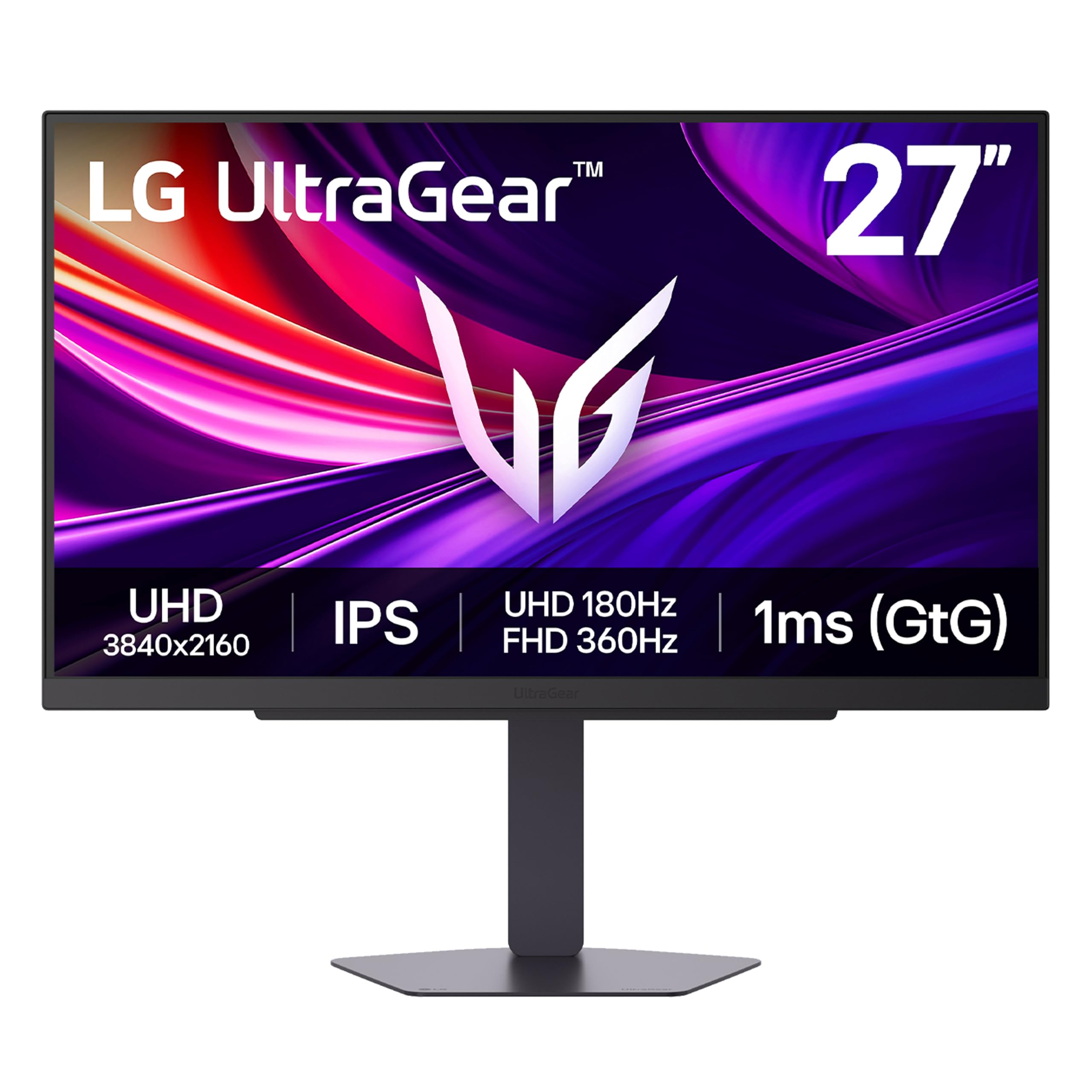
3. LG 27G810A-B 27-inch UltraGear IPS Gaming Monitor
A tight 27-inch 4K panel that keeps console detail sharp without eating your desk.
Cramming 3840 x 2160 into 27 inches gives you a dense pixel grid, so on-screen text and fine in-game detail read sharply from close range. The IPS panel here pushes up to 180Hz in 4K, and Dual Mode lets you drop to Full HD at 360Hz for faster-feeling action — a switch you make with a hotkey rather than menu-diving. The 1ms GtG response keeps motion crisp, and both AMD FreeSync Premium and NVIDIA G-SYNC compatibility are listed, so frame-sync works whichever way you lean.
Brightness lands at a listed 400 candela per square meter, which is a useful step above the Dell’s 300, and color coverage reaches up to 95% DCI-P3 with VESA DisplayHDR 400 on the ticket. The design is genuinely adjustable — height, tilt, swivel and pivot all move — so you can line the panel up with your chair instead of the other way around. Owners consistently like the build and the smooth high refresh, and the stand flexibility gets a warm reception for a screen at this size.
Where it asks patience: colors are described by some as flat rather than rich, and responsiveness draws a mixed response, with a handful of titles behaving oddly. That is the trade for an IPS panel that stays bright and affordable rather than an OLED that goes pitch black. Contrast is a listed 1000:1, so do not expect the deep blacks of the ASUS or MSI OLED screens above. If you sit close at a desk and prize clarity over cinematic darkness, this is a clean fit.
mixed daily use: your setup is a desk with limited width and you want razor-sharp 4K detail at 27 inches.
deep-black purists: your heart is set on true-black contrast or rich saturated color for single-player story games.
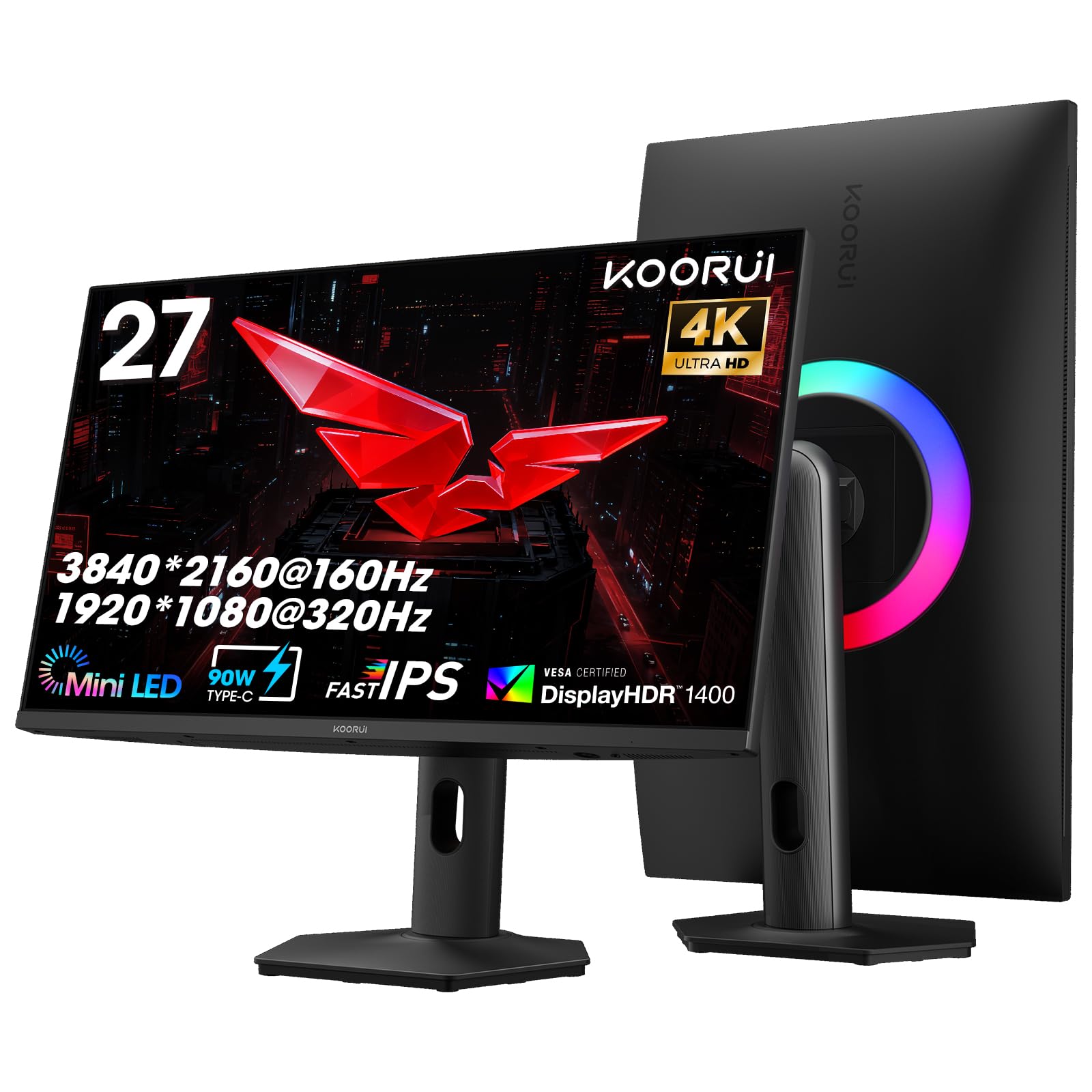
4. KOORUI 27″ 4K QD-Mini LED Gaming Monitor
Punches out 1152 separate light zones so your console’s highlights actually glare.
Mini LED is a backlight made of many small dimmable zones rather than one big lamp, and this panel runs 1152 of them behind a 3840 x 2160 screen. That is what drives the 300,000:1 static contrast ratio and the VESA DisplayHDR 1400 certification — the panel can push small areas of the picture very bright next to darker ones. Brightness is listed at 550 nits, well above the OLED panels that hover lower in this list, and that is exactly the scenario where this screen shines: a sunny room where an OLED would fight glare.
Speed is handled with Dual Mode, letting you run 4K at 160Hz for AAA titles or drop to FHD at 320Hz for esports-paced action, with a 1ms response and Adaptive Sync Premium covering the sync side. Two HDMI 2.1 ports at 48Gbps are exactly what your Series X needs to hit 4K 160Hz, and there is DisplayPort 1.4 for PC duty alongside two USB-A and one USB-B port. A 90W USB Type-C port charges a laptop, moves data, and carries 4K video through one cable.
Color accuracy is the quiet win for anyone who also edits footage — 98% DCI-P3, 99% Adobe RGB, and a factory Delta E of 0.55. The stand adjusts 130mm in height with ±90° swivel and tilt, and the 100 x 100mm VESA mount pattern makes arm-mounting easy. The compromise with any Mini LED is halo bleed around bright objects on dark backgrounds, where a dimmed zone can leak into its neighbor. This is the panel to pick when your room is bright rather than when your room is black.
QD-Mini LED brightness: 1152 Mini LED zones and a 300,000:1 contrast ratio deliver HDR punch at a 550-nit brightness that holds up next to a window, with twin HDMI 2.1 ports for your console.
dual-mode tradeoffs: zone-based backlighting can halo around bright objects on dark scenes, so pitch-black cinema viewing is not its strength.
bright rooms: bright daytime rooms and gamers who also color-sensitive work on the same desk.
OLED devotees: a light-controlled dark room where per-pixel black matters more than peak brightness.
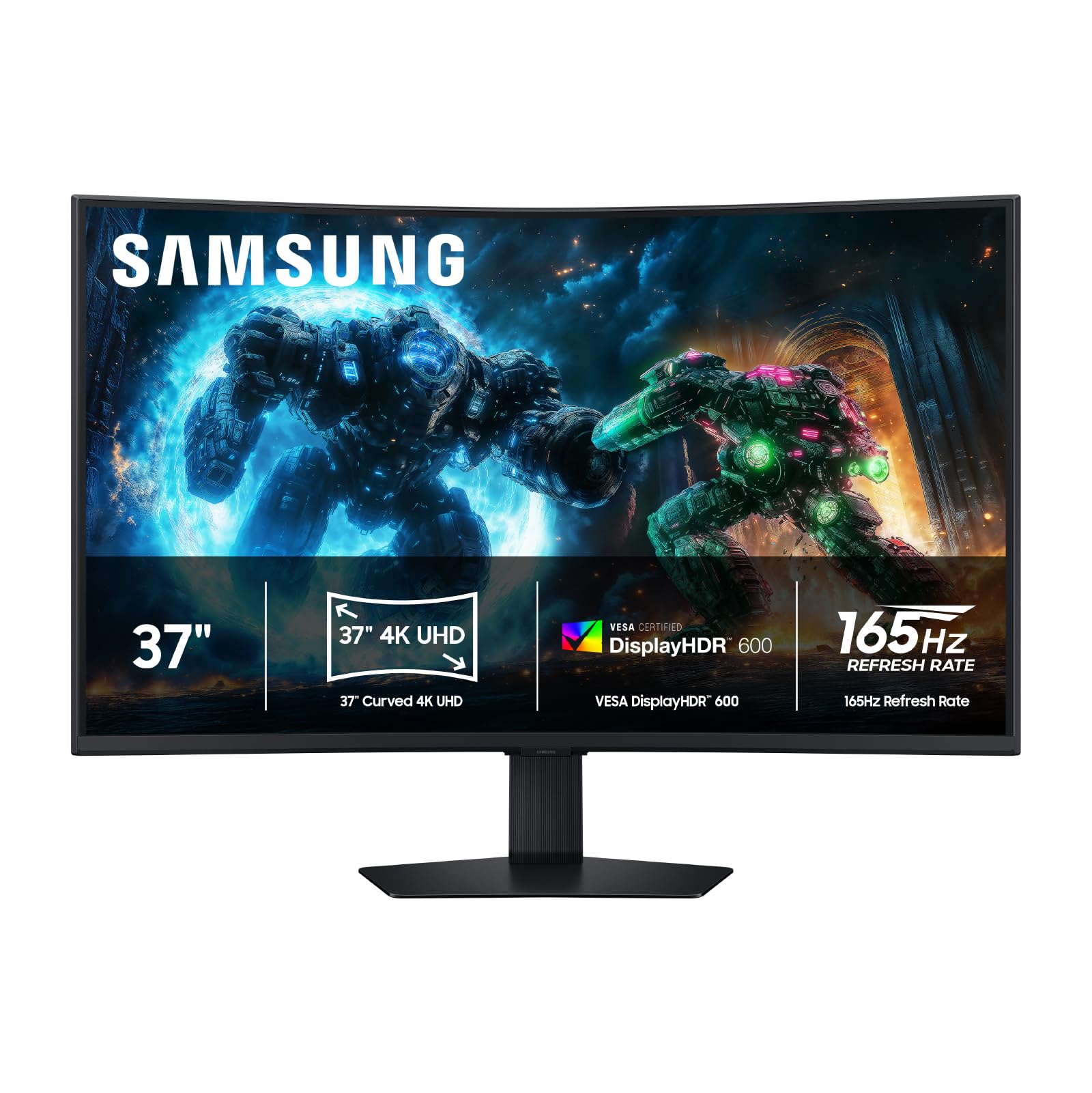
5. Samsung 37” Odyssey G7 (G75F) Curved Gaming Monitor
A 37-inch curve that wraps the picture around your chair instead of sitting flat in front of it.
Curved screens use a radius figure to describe how tightly they bend, and this one is a 1000R curve — a fairly wrap-around shape at 37 inches. Sitting in front of it, the sides of the 4K UHD image angle toward your eyes rather than falling away, which is why owners talk about the immersion the curve adds. The VA panel runs at 165Hz with a near-instant 1ms GtG response, and VESA DisplayHDR 600 adds contrast range for dark scenes.
The panel carries a 3000:1 contrast ratio — the deepest of the VA screens here — so shadows hold up better than the 1500:1 Dell. Size is the argument this screen makes loudest: 37 inches versus the 27-inch LG 27G810A-B, and that extra real estate changes how a big game feels from a controller. FreeSync Premium Pro handles sync, and the stand offers height and swivel adjustment so you can dial in the curve’s center point.
The thing to weigh is resolution spread. That same 3840 x 2160 grid stretches over 37 inches, so pixels are less dense than on a 27-inch panel and fine detail looks slightly softer if you sit very close. Display performance is the mixed zone in the reviews — most screens behave exactly as expected, while an occasional unit has connection trouble where it fails to pick up a DisplayPort signal. Buy from a seller with a clean return path and this is a strong immersion pick.
cinematic gaming: you play from a couch-style distance with a controller and want the picture to curve around you.
compact setups: you sit inches from the glass and need the tightest possible pixel density.
6. MSI MAG 272UP QD-OLED X24 27-Inch 4K UHD Gaming Monitor

OLED contrast at 27 inches, with a sub-pixel layout tuned to keep small text readable.
A 26.5-inch QD-OLED panel at 3840 x 2160 with a 240Hz refresh rate is the headline here. The 0.03 ms GtG response time keeps fast motion sharp, and a VESA ClearMR 13000 rating is the industry way of scoring how little blur shows during movement. Quantum Dot color conversion feeds 1.07 billion colors at 10-bit depth and 99% DCI-P3 with a Delta E of 2 or less, so HDR games carry both deep blacks and accurate mid-tones. The 1500000:1 native contrast ratio is the same league as the ASUS ROG PG32UCDMR up top.
Owners single out the build feel most — the panel earns the bulk of its praise for how solid and well-finished it is, with image clarity close behind. The sub-pixel arrangement on this generation is designed to sharpen fine text, and the jump in readability over earlier OLED screens is a specific thing people notice. A graphene heatsink runs fanless to help panel durability, and MSI OLED Care 2.0 adds burn-in countermeasures alongside console modes for your Series X.
Reliability is the honest split point in the reviews, with some screens behaving perfectly and a few reported failures to power on or sudden sleep. HDMI 2.1 at UHD 240Hz is on board, but note the USB-C power delivery tops out at 15W here — enough for a phone, not a laptop. If your priority is OLED depth in a smaller footprint and crisp on-screen text during menu-heavy games, this delivers.
QD-OLED color punch: 240Hz QD-OLED at 27 inches with a 1500000:1 native contrast ratio and a sub-pixel design aimed at text sharpness.
text fringing risk: reliability is a genuinely mixed report, and the 15W USB-C port will not charge a laptop like the ASUS and MSI 32-inch models can.
color-rich titles: desk space is tight but you still want OLED blacks and a crisper reading experience for text-heavy games.
heavy spreadsheet work: you need USB-C charging or you want the widest reliability margin.
7. MSI MPG 321URXW QD-OLED 31.5 Inch 4K UHD Gaming Monitor

The work-and-play QD-OLED that keeps a laptop, a console, and a game running at once.
A 31.5-inch Quantum Dot OLED at 3840 x 2160 with a 240Hz refresh rate and a 0.03 ms response covers both the console and the desk. The native contrast ratio is 1500000:1, so blacks go fully off, and up to 1000 nits peak brightness carries the HDR highlight detail without the picture collapsing. Color is 10-bit at 99% DCI-P3 with Delta E of 2 or less, and VESA DisplayHDR True Black 400 is on the ticket for accurate dark-level rendering.
An 85-point appearance score backs that up, with the white rear housing and RGB lighting drawing notice too. KVM 1.0 is the feature that makes a two-machine setup sensible: one keyboard and mouse can jump between your console-linked PC and a work machine. There is a USB hub with one USB 2.0 Type-B and two Type-A ports, and the USB-C connector delivers 90W of power — the figure in the specification block — enough to run a laptop over one cable. A graphene heatsink runs fanless while OLED Care 2.0 works against burn-in.
Performance is the one place opinion splits, with the majority calling it excellent and a subset reporting the screen shutting down after about ten minutes of use. That is a real pattern worth knowing rather than dismissing. For a 31.5-inch panel with a 240Hz refresh and this much color range, though, the all-round case holds together well.
31.5 inch QD-OLED
- 95% of image-quality comments are positive, citing crisp text and calibrated 99% DCI-P3 color
- 240Hz refresh with 0.03 ms response clears the way for fast console play
- KVM 1.0 and a 90W USB-C port let one desk serve two machines
- Fanless graphene heatsink with OLED Care 2.0 burn-in protection
burn-in caution
- A reported pattern of screens shutting off after roughly ten minutes
- Bright QD-OLED panels want sensible care around static HUDs
- Its price sits above the entry-level 4K screens here
HDR showcase: one desk has to handle console gaming, PC work, and laptop charging without a cable swap.
static-screen marathons: you want the simplest, most predictable screen and no extra software to manage.
8. ASUS ROG PG32UCDP 32 Inch 4K 240Hz OLED Gaming Monitor
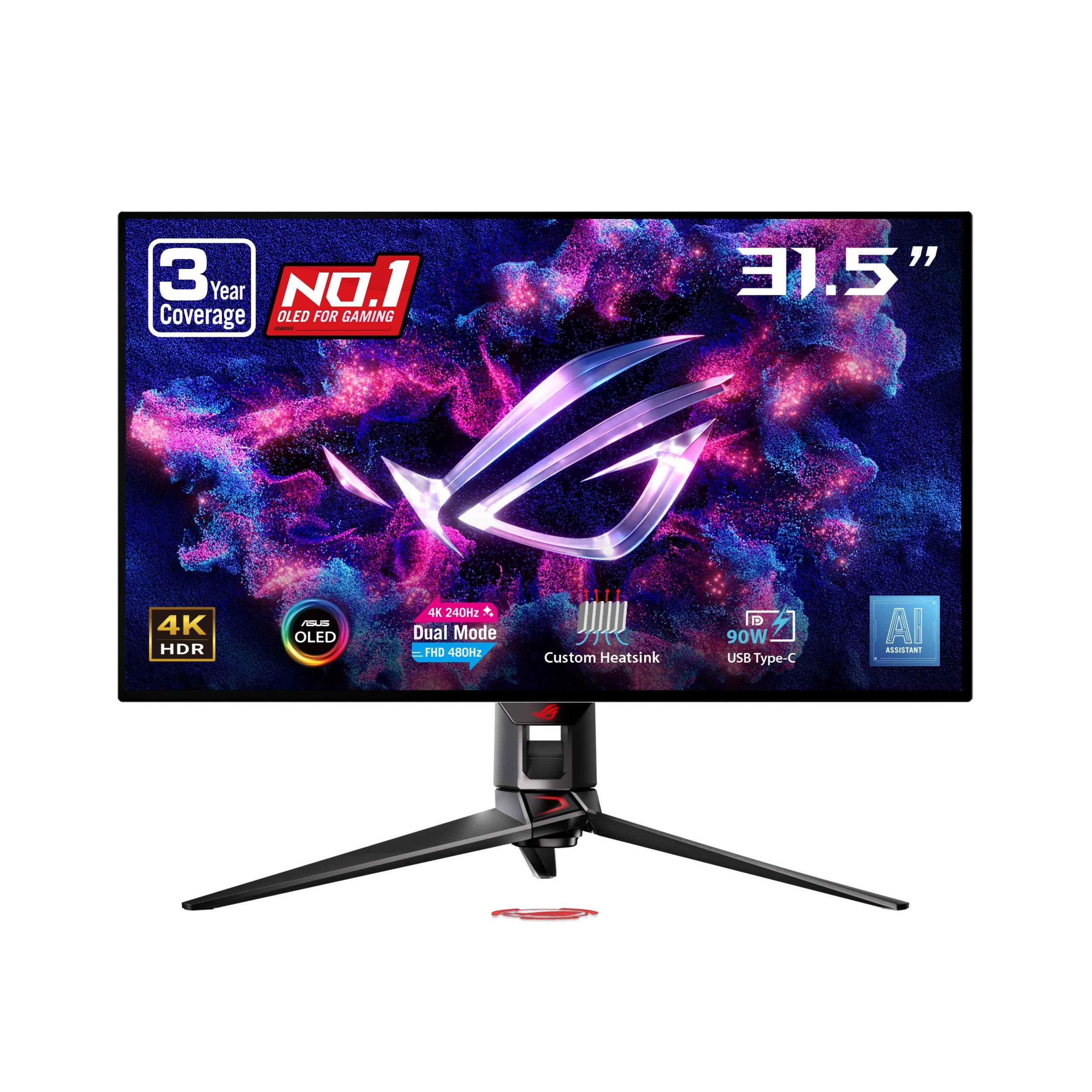
Dual mode that jumps from 4K at 240Hz to Full HD at 480Hz on a single hotkey.
A 32-inch WOLED panel, which is the white-OLED variety that puts a white sub-pixel behind each cell for extra brightness, running 3840 x 2160 at 240Hz in one mode and Full HD at 480Hz in the other. Your Series X will spend its life in the 4K mode, but the flexibility means the screen also serves a fast-motion shooter when you switch. ASUS builds in OLED Anti-Flicker to calm the shimmer that happens during refresh-rate swings, and a uniform brightness setting keeps luminance even across the panel.
Display quality carries ASUS’s at-this-size argument, with 73% of display-quality comments positive. Colors cover 99% DCI-P3 at true 10-bit and the picture earns consistent praise, with great contrast named again and again. A custom heatsink runs passive to reduce burn-in risk, and the 3-year warranty includes burn-in coverage. AI features for crosshair and visual assistance are the kind of extras console players rarely touch, though they cost nothing to have.
Reliability is where this panel gives pause. Reports of failure after a month, blackouts within days, and flickering sit in the review record, and that is the honest risk here. Value also splits hard, with some owners feeling the picture justifies the outlay and others pushing back at the top-end price. If you want the fastest dual-mode panel ASUS makes and you will register that warranty from day one, the picture quality is exceptional. If you want the safest long-term bet, the QD-OLED ASUS up top carries less of this noise.
high-frame gaming: you want a WOLED panel that switches between 4K 240Hz and FHD 480Hz and you value a 3-year burn-in warranty.
sunlit rooms: you need a rock-solid first-year reliability record before you commit.
9. LG 32GX870A-B 32-inch UltraGear OLED Gaming Monitor
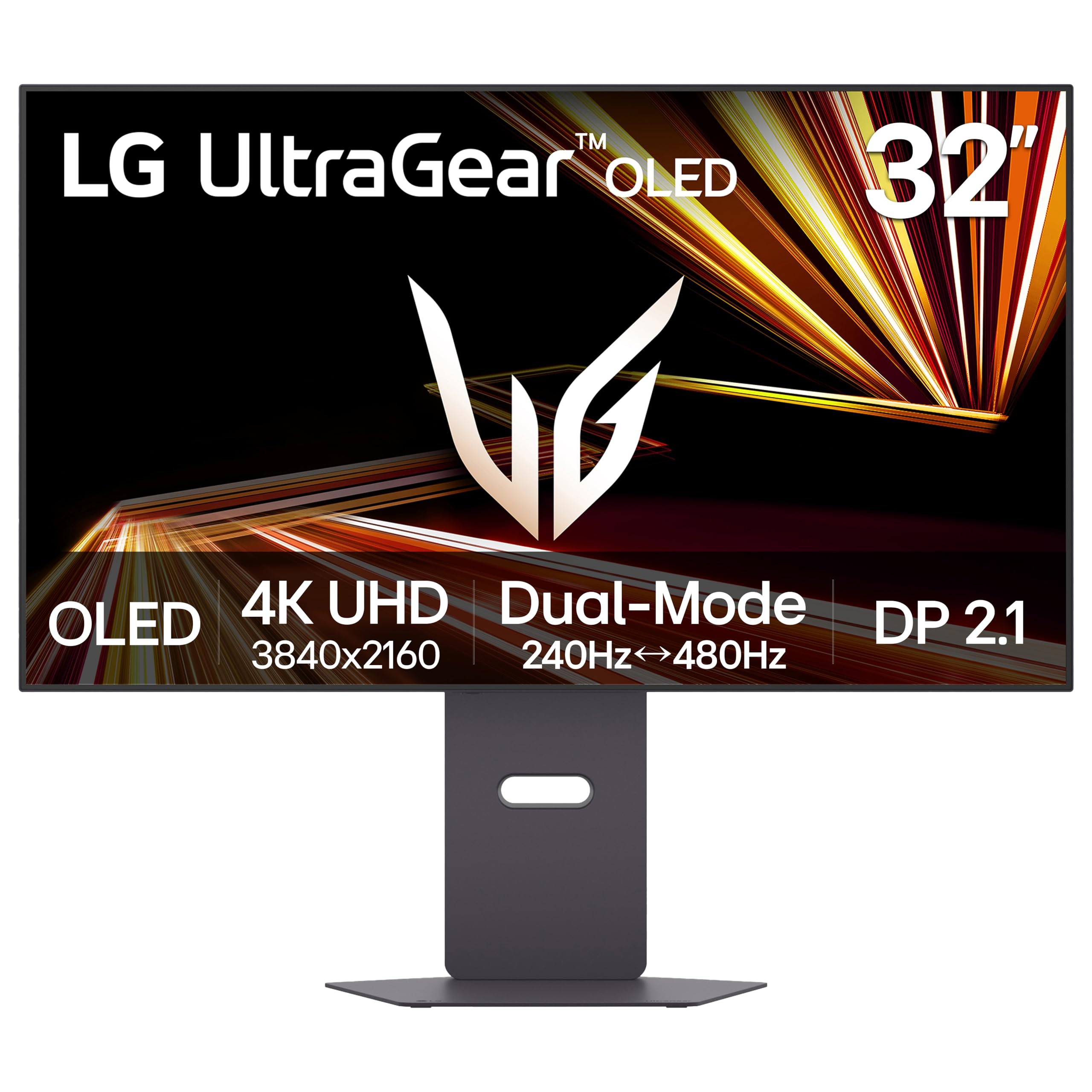
LG calls it the brightest OLED in the UltraGear line, and the numbers back that up.
Micro Lens Array+ is LG’s name for a layer of tiny lenses that helps light escape the panel more efficiently, and it lifts peak brightness to a stated 1300 nits with typical brightness at 275 nits. That peak figure is the topline takeaway — most OLED screens cannot reach it — and it is why dark scenes with a single glowing window or weapon flash read so vividly here. A 1.5M:1 contrast ratio provides the deep blacks that OLED is known for, and VESA DisplayHDR True Black 400 certifies the rendering.
Dual Mode runs 4K UHD at 240Hz or Full HD at 480Hz with the press of a hotkey, and the 0.03 ms GtG response keeps the fast mode clean. G-SYNC compatibility sits alongside AMD FreeSync Premium Pro, so frame-sync works with either standard. Anti-glare treatment on the OLED surface cuts reflections, and built-in speakers save you a peripheral, with a 4-pole headphone jack for DTS Headphone:X positional audio. The Switch app splits the screen into up to 6 sections and provides a built-in webOS streaming platform alongside your inputs.
Display quality earns high marks across the reviews, with image sharpness and pure blacks noted repeatedly. Performance and brightness both split the room: some screens feel distinctly underpowered in brightness despite the peak claim, and a few sessions report the monitor failing to come on. The 2-year limited warranty covers the OLED panel, which is a shorter window than the ASUS screens above offer. For a bright-room setting where an OLED’s brightness limit has always been the sticking point, this is the model built to answer that specific complaint.
240Hz OLED panel: a 1300-nit peak on an OLED panel with 4K 240Hz and Full HD 480Hz dual mode and a 1.5M:1 contrast ratio.
pricey upgrade: typical brightness sits at 275 nits and some owners still find the panel dimmer than the peak figure suggests, plus the 2-year panel warranty is the shortest here.
fast OLED gaming: a room with daylight where peak brightness matters and you want an OLED that can punch through.
casual browsing: a buyer who wants a long warranty stretch on an OLED panel above all else.
10. Alienware AW3225QF 32-Inch 4K Ultra HD QD-OLED Monitor

A nameplate QD-OLED at 32 inches, built around the same panel type the top picks use.
A 32-inch 3840 x 2160 QD-OLED panel with 99% color gamut coverage, a 1.000.000:1 contrast ratio on the specification sheet, and G-SYNC compatibility. Connectivity runs through DisplayPort, HDMI, and USB-C Type-C, and the stand and chassis wear Alienware’s black and white finish. The panel technology is the same underlying family as the ASUS ROG PG32UCDMR up top, which is why the black levels and color saturation on this screen carry the same dark-room advantage.
The listing gives less detail than the other picks here — no granular brightness or response figures appear in the specification block — so this one earns its place on panel type and pedigree rather than on a long spec sheet. If you have already decided you want QD-OLED (a panel type known for deep contrast) and prefer the Alienware build and styling, the hardware underneath is genuine. This is a screen for the buyer who values brand and finish as much as the raw numbers.
That also means you should verify the HDMI input supports 4K at 120Hz from your Series X before you buy, since the listing does not spell out the HDMI version. With a screen at the premium end, that check is worth doing. Reach for this one if the Alienware look and the QD-OLED panel type are what you came for.
rich sessions: you want a 32-inch QD-OLED and the Alienware design language appeals to you.
flat-panel fans: you want every figure — response time, brightness, HDMI version — laid out in the listing before you decide.
Know the Specs
HDMI 2.1 and the 120Hz Handshake
HDMI 2.1 is the connector standard with enough bandwidth to carry a 4K image at 120 frames per second from your Series X to the panel. HDMI 2.0 is the older version and cannot do that, so the console falls back to a slower refresh. Some monitors reach high refresh rates only through DisplayPort, which the console does not use. Look for the exact words “HDMI 2.1” in the listing, and confirm it in the monitor’s own menu once you plug in.
Contrast Ratio and Panel Type
Contrast ratio describes how far apart the brightest white and the darkest black sit — higher numbers mean deeper shadows and stronger separation. OLED panels switch individual pixels off for true black, so their contrast reads far higher than backlit LCD types. IPS and VA panels use a backlight, so blacks can look grey in a dark room, though theyoften push brighter for daytime viewing. Think about which matters more in your room.
Common Questions
Does my Xbox Series X need an HDMI 2.1 monitor to hit 4K 120Hz?
Will a 60Hz monitor still work with the Series X?
Do I need to enable a special setting on the monitor for console mode?
Is OLED better than IPS or VA for Xbox Series X games?
What refresh rate should I buy if the console only reaches 120Hz?
Does FreeSync or G-SYNC matter on a console monitor?
How should I care for an OLED monitor used for long gaming sessions?
Is a 27-inch or 32-inch 4K monitor better for console gaming?
Can I use a 4K console monitor for PC gaming too?
Do I need a 4K monitor or will 1440p look fine on the Series X?
The Bottom Line
For most people, the 4k monitors for xbox series x winner is the ASUS ROG PG32UCDMR because it pairs a 240Hz QD-OLED panel with a 1500000:1 contrast ratio, HDMI 2.1, and a 3-year warranty that covers burn-in. It also carries 4.5+ stars across 150+ ratings, and its 240Hz panel leaves your console’s 120Hz output with headroom in reserve. If you want the same QD-OLED depth in a 27-inch footprint with sharper text, grab the MSI MAG 272UP QD-OLED X24. And for a bright room where an OLED cannot fight the glare, the KOORUI 27″ QD-Mini LED is the one to reach for, with 1152 light zones and twin HDMI 2.1 ports behind a 550-nit picture.
How we choose
We do not accept paid placement. Every pick is matched to a real buyer and a real use-case; we do not hands-on test units.
Sources
Specifications: manufacturer listings and product documentation. Review insights: verified customer reviews, as of November 2026. Pricing: not shown on this page (it changes often); check the current price via the retailer link.
As an Amazon Associate, Gamepad Test earns from qualifying purchases. This does not affect which products we feature.