
Specs are compiled from manufacturer listings and verified buyer reviews and can change over time — please confirm the key details on the product page before buying.
You want smooth games without draining your savings, and that is genuinely possible once you know where the money goes. On these discount gaming computers, smooth play versus stutter usually depends on two parts: the graphics card and how much video memory it carries. Get those right and you can spend less on the rest. Below are 11 real desktops, with each spec explained in plain words and the trade-offs spelled out honestly.
This guide is built by comparing the manufacturers’ published specifications and the patterns across verified customer reviews, so you get each pick’s real strengths and trade-offs instead of marketing spin.
A prebuilt desktop skips the assembly, the cable routing and the first-boot troubleshooting. Below you’ll find how to weigh a processor against a graphics card, which upgrades actually matter later, and where the honest limits sit. Everything you need to compare discount gaming computers side by side is laid out in one place.
Top Picks
How To Choose The Best Discount Gaming Computers
Buying a gaming desktop on a value budget is mostly about avoiding one costly mistake: paying for a strong processor while the graphics card holds everything back. Games lean hardest on the graphics card, so that is the part to protect. Everything else — the case lights, the fan count, the glass panels — is decoration you can take or leave.
Start with the graphics card and its video memory
The graphics card does the heavy lifting of drawing each frame. Its video memory, called VRAM, is the short-term parking lot where it keeps textures so it does not have to fetch them from the main drive. More VRAM (measured in GB) generally means newer games with detailed textures load in smoother. RTX 3050, RTX 3060 Ti, RTX 5060 and RX 580 cards all appear in this list, and each carries either 6GB or 8GB. When you compare two machines, check this number before anything else.
Then judge the processor by cores and boost speed
The processor is the traffic controller for everything else — the game, your voice chat, your browser tabs. A 6-core, 12-thread chip like the Ryzen 5 family handles a game plus streaming comfortably. More cores (the 8-core Ryzen 7 chips here) give you breathing room for video editing or a second monitor full of apps. Boost speed, shown in GHz, is how fast a single task can sprint when needed. A higher boost helps snappy menu navigation and fast turns in competitive shooters.
Do not overlook storage or RAM
An NVMe SSD is a fast storage stick the size of a stick of gum, and it makes Windows boot in seconds instead of minutes. Capacities here run from 256GB to 1TB, so think about how many large games you keep installed at once. RAM is the workspace your apps share, and 16GB is a comfortable floor for gaming with a few tabs open. A 32GB machine gives you headroom for editing or many apps. Neither number will rescue a weak graphics card, so treat them as comfort, not power.
Side-by-Side Comparison
All three spec columns below use the same units across every row so you can scan the trade-offs honestly. Graphics memory is the GB of video memory on the card, Processor is the chip and its boost clock, and Storage is the SSD capacity.
| Model | Best For | Graphics Memory | Processor | Storage | Amazon |
|---|---|---|---|---|---|
| Prebuilt Gaming PC, Ryzen 5 5600GT★ Best Overall | Everyday gaming and schoolwork | Integrated | Ryzen 5 5600GT, up to 4.6GHz | 256GB SSD | Amazon |
| LXZ Gaming PC DesktopBest RGB Showpiece | RGB showpiece build | 8 GB | Ryzen 5 4500, up to 4.2GHz | 512GB NVMe SSD | Amazon |
| STGAubron Gaming PC DesktopBest Bundle Value | Bundled keyboard and mouse | 8 GB | Core i7, up to 3.9GHz | 1TB SSD | Amazon |
| Pebuilt Gaming PC, RTX 3050 | 1080p AAA gaming | 8 GB GDDR6 | Ryzen 7 4700LE, up to 4.2GHz | 512 GB NVMe SSD | Amazon |
| ZYNEEX Prebuilt Gaming Desktop | Quiet gaming and streaming | 6 GB GDDR6 | Ryzen 5 5500, up to 4.2GHz | 1TB NVMe SSD | Amazon |
| Gaming PC Prebuilt, RTX 3060 Ti | 2K gaming on a budget | 8 GB GDDR6 | Ryzen 5 5500, up to 4.2GHz | 512GB SSD | Amazon |
| HP OMEN 40L Gaming Desktop | Easy upgrades later | 6 GB GDDR6 | Ryzen 7 5700X, up to 4.6GHz | 512GB NVMe SSD | Amazon |
| CyberPowerPC RTX 5060 | Latest-gen value | 8 GB GDDR7 | Intel Core i5-14400F | 1TB PCIe 4.0 NVMe SSD | Amazon |
| CyberPowerPC RTX 5060 Ti | Smooth gameplay from the start | 8 GB GDDR7 | Ryzen 7 8700F, 4.1GHz | 1TB PCIe 4.0 NVMe SSD | Amazon |
| HP OMEN 45L Gaming Desktop | Heavy multitasking and editing | 6 GB GDDR6 | Intel Core i7-12700KF, up to 4.90 GHz | 1TB PCIe Gen4 NVMe SSD | Amazon |
| YAWYORE Gaming PC, RTX 5060 | Big RAM for editing | 8 GB GDDR7 | Ryzen 7 5700X, up to 4.6GHz | 1TB M.2 NVMe SSD | Amazon |
Detailed Reviews
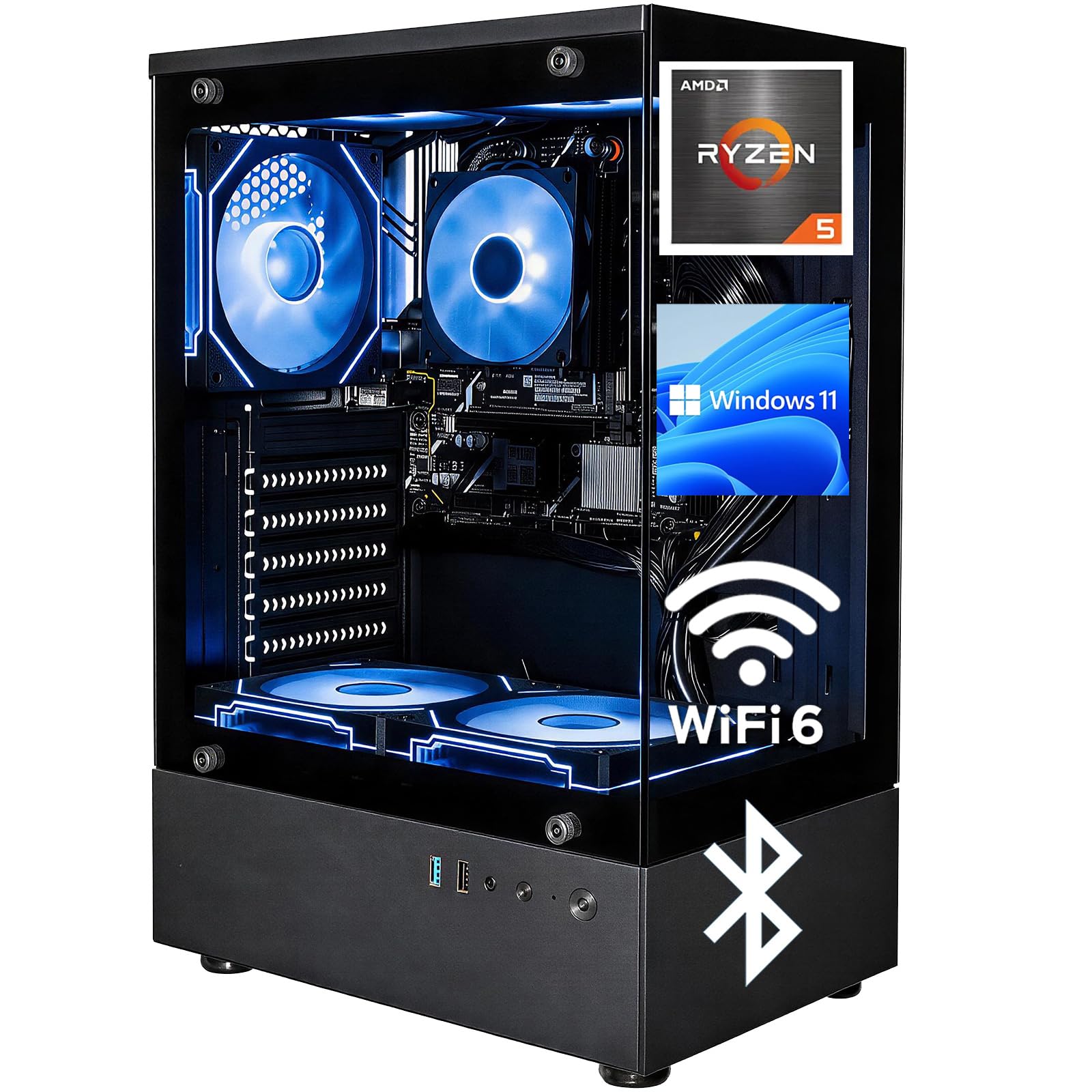
1. Prebuilt Gaming PC, Ryzen 5 5600GT, 6-Core, 12-Thread
Our pick — 4.5+★ from 250+ verified ratings; the strongest balance of quality and price.
A six-core starter desktop for school nights, streaming and casual games — no dedicated card inside.
This one earns its spot on cache: 19 MB of cache — fast on-chip memory that saves the processor a trip to the slower main memory — the largest of any desktop on this list. The processor is an AMD Ryzen 5 5600GT with 6 cores and 12 threads, running at 3.6 GHz and reaching up to 4.6 GHz. Those 12 threads let you keep a game running while Discord and a browser stay open behind it. It holds 4.5+ stars across thousands of owner ratings, and it is the cheapest desktop on this list. You will see that 19 MB cache come up again against the STGAubron below.
Be clear about what it does not have: a dedicated graphics card. It runs on integrated Radeon graphics, which is enough for supported games, web browsing, schoolwork and media, but not for demanding AAA titles at high settings. Storage is a 256GB PCIe SSD, which boots quickly but fills up fast once you install a couple of big games. The upside is the 8GB of RAM and Intel Wi-Fi 6 networking, so wireless play and browsing stay steady.
Buyers keep coming back to how well it fits a home setup: the case lights up with software-controlled ARGB fans, and the tower weighs 6.18 kg, so you can shift it between a study desk and a living-room corner. The honest trade-off is a 256GB drive and integrated graphics, which force you to be choosy about what you install. Treat it as a capable everyday PC that plays supported games, not a machine for the newest release on maximum settings.
What earns it the top spot
- 6 cores and 12 threads up to 4.6 GHz keep a game plus chat apps moving together
- 19 MB cache is the highest figure on this list, which speeds up repeated lookups
- Wi-Fi 6 and Bluetooth mean you can connect without hunting for a cable
- 6.18 kg tower slots onto a small desk or into a study corner
The honest limits
- Integrated Radeon graphics, so heavy AAA games at high settings are out
- 256GB SSD leaves little room once two or three large games are installed
- No dedicated card means VRAM is shared with system memory
Reach for this if: your gaming skews casual and supported, and you want one tidy desktop for homework, streaming and browsing.
Look elsewhere if: you plan to install demanding AAA titles, because the integrated graphics and 256GB drive will set the ceiling.
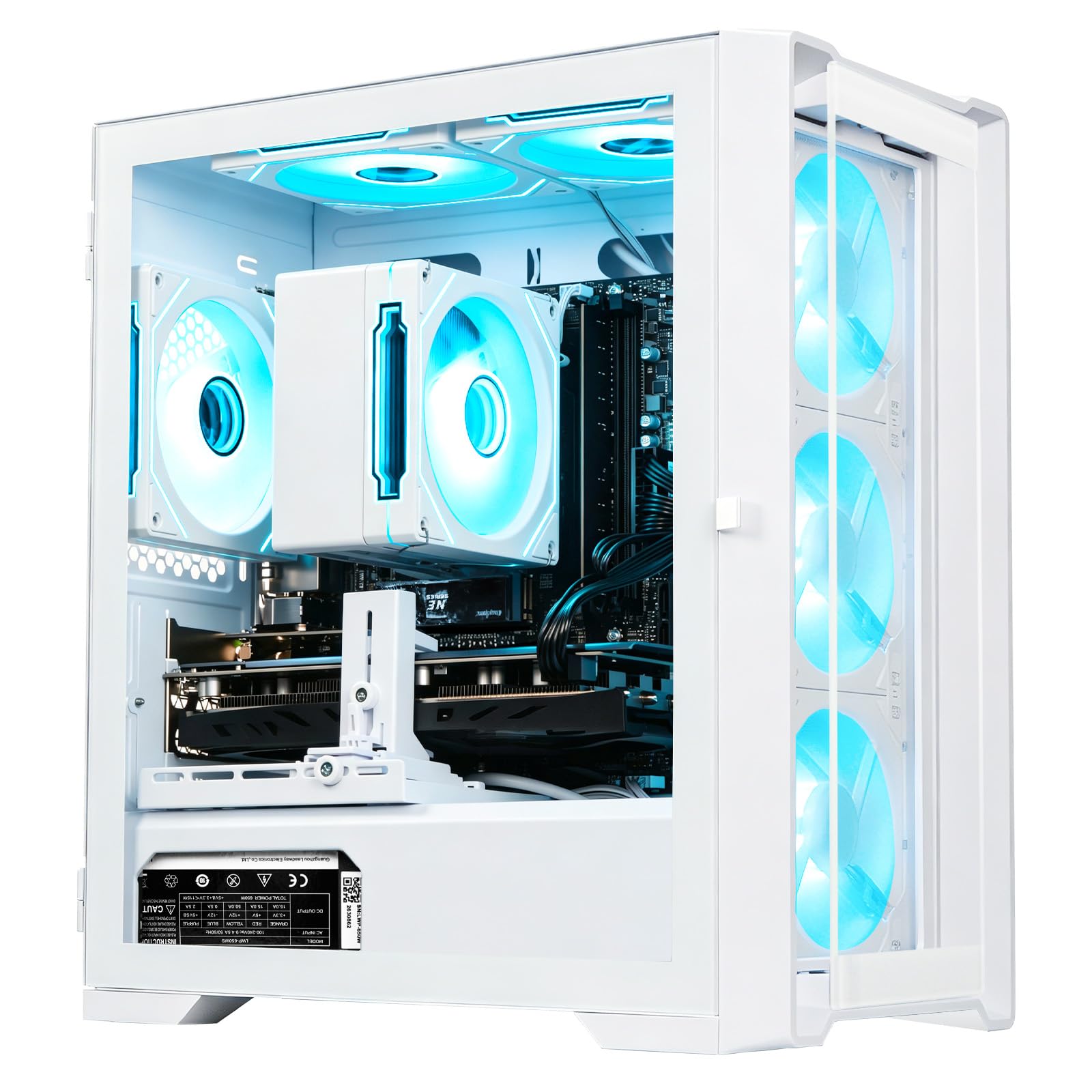
2. LXZ Gaming PC Desktop — Ryzen 5 4500, RX580 8GB
Three glass panels, five fans, and a dedicated 8GB card — the one your friends will notice first.
This is the desktop you buy when the look of the machine matters as much as the frame rate. It ships in white with a chassis glazed on three sides, so the internal hardware is on show. Five RGB fans throw light through that glass, and the effects are adjustable to your taste. That glass does double duty, helping heat escape during long sessions.
Under the glass sits an RX580 with 8GB of dedicated video memory — the AMD Radeon RX 580. That is a real, separate card, so it carries its own memory rather than borrowing from the system. Compare that to the STGAubron’s 8GB card, which is matched with only 8 MB of processor cache, and the LXZ’s 16 GB of cache memory gives it more headroom for keeping tasks moving. The AMD Ryzen 5 4500 runs at up to 4.2 GHz with 6 cores and 12 threads, and 16GB of DDR4 sits alongside a 512GB NVMe SSD. Performance is the thing buyers mention most, and the boot and load speed lands right behind it.
The trade-off to know about is the graphics card’s vintage. The RX 580 is described by its own listing as an entry-level model that supports real-time ray tracing and DLSS, and it is fine for mainstream games but not for pushing modern AAA titles at their highest presets. One line of the listing also mentions a 1TB drive while the spec sheet lists 512GB — go by the 512GB figure and plan your library around it. Value opinions among owners are mixed, so buy this for the card, the memory and the way it looks, not as the cheapest possible route in.
Where the value sits: a dedicated 8GB card, 16GB of RAM and a 512GB NVMe drive together in a case built to be looked at.
What to weigh: the RX 580 is an older generation, so treat high-preset modern titles as a stretch rather than a given.
Fits best: someone who wants a display-worthy desktop with a real graphics card inside and a white finish that stands out.
Think twice: if you expect the newest AAA games at maximum settings, the older RX 580 will be the bottleneck.
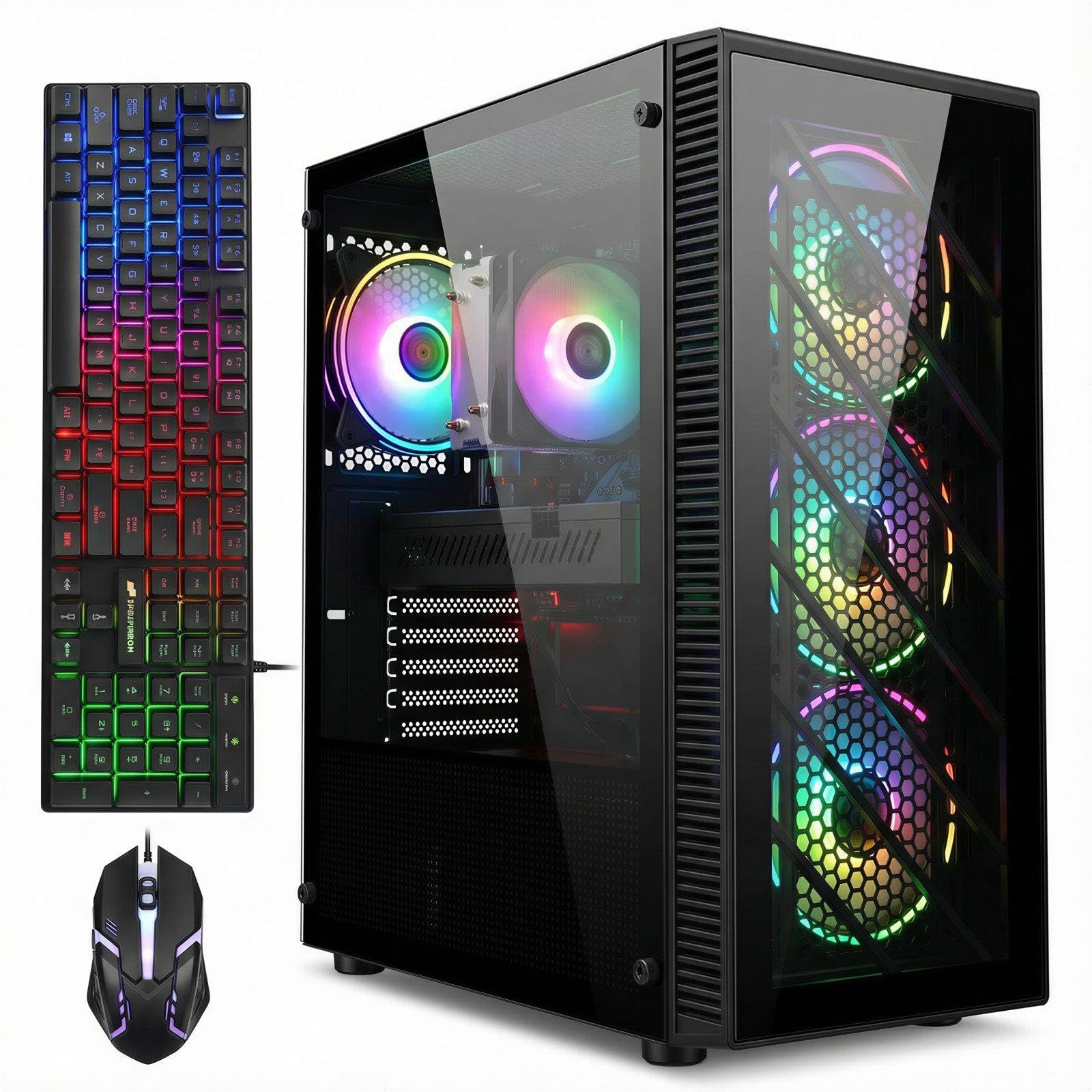
3. STGAubron Gaming PC Desktop — Core i7, RX 590 8G, 32G RAM
Thirty-two gigabytes of RAM, a full terabyte of SSD, and the keyboard and mouse already in the box.
The things that make this one stand out are space and completeness. It carries 32GB of memory and a 1TB solid state drive, which is far more room for games and files than the LXZ’s 512GB. It also ships with an RGB gaming mouse and keyboard, so the day it lands you plug in and play. The Intel Core i7 runs at up to 3.9 GHz, paired with an AMD Radeon RX 590 8GB GDDR5 card for gaming, study, streaming or photo and video editing.
Buyers are consistently happy with the build, describing it as a solid base-level gaming machine that runs games beautifully. Speed draws praise too: 9 of the 10 owners who mention it come away impressed. The one number where patience matters is cache memory: 8 MB against the Ryzen 5 5600GT’s 19 MB, the widest cache gap on this list. That smaller buffer shows up mostly in how briskly the system juggles many open tasks at once.
Two more things worth knowing before you buy. Reliability gets mixed feedback — most report excellent runs, but a few mention the computer stopping unexpectedly, so register the one-year parts and labor coverage and lean on the free lifetime tech support if something acts up. Wi-Fi 6 is built in, and connectivity is where some buyers report dropouts while others get quick, solid reception. If a wired Ethernet cable is an option in your room, use it and the wireless question mostly disappears.
The standout: 32GB RAM and a 1TB SSD at a mid-tier price, plus the peripherals already included.
The follow-up question: is 8 MB of cache enough? For everyday gaming and streaming, yes — just do not expect it to juggle heavy creative apps as smoothly as a larger-cache chip.
Worth it for: a first gaming rig where you want the memory, storage and accessories handled in one purchase.
Less ideal for: anyone who needs rock-solid wireless every time, since ethernet is the more dependable route here.
4. Pebuilt Gaming PC — GeForce RTX 3050 8GB, Ryzen 7 4700LE
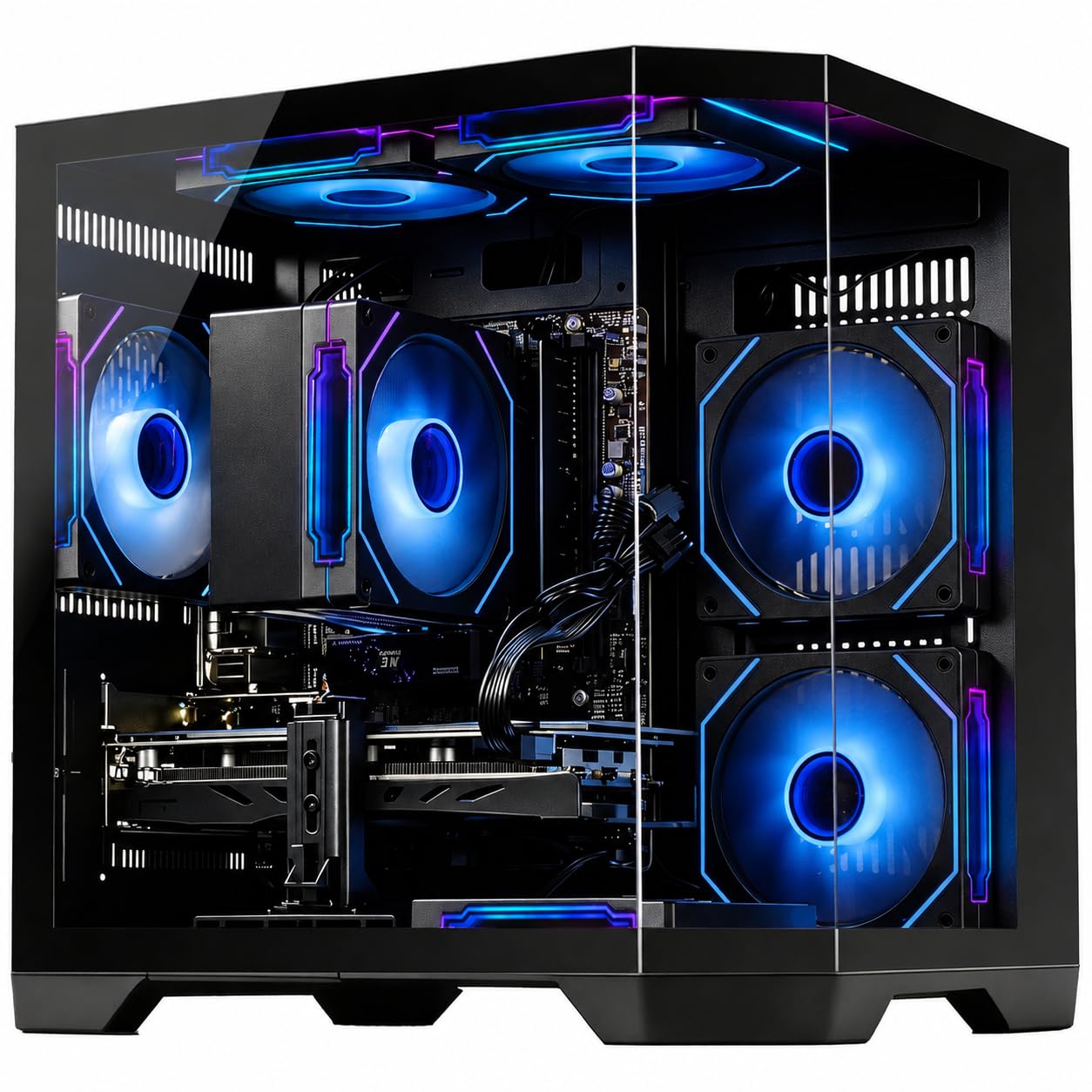
An 8-core processor and a ray-tracing card that targets smooth 1080p in demanding titles.
Two numbers do the talking here: 8 cores and 16 threads on the Ryzen 7 4700LE, and 8GB of GDDR6 video memory on the GeForce RTX 3050. The GHZ ceiling is 4.2, and the eight cores give this machine more parallel lanes than the six-core chips around it. If you stream while you play or edit video on the side, that extra headroom is the reason to choose it. Its listing targets 55-60 FPS in AAA titles at 1080p and 90-100 FPS in Apex Legends with DLSS on, and its 8GB of GDDR6 beats the 6GB cards here for modern textures.
It also reaches a maximum display resolution of 3840×2160, which is the sharpest ceiling on this list and twice the 1920×1080 that the STGAubron tops out at. Storage is a 512 GB NVMe M.2 SSD for fast boots and quick game loads, and 16GB of dual-channel DDR4 at 3200MHz keeps multitasking responsive. Wi-Fi 6 handles the networking, so wireless play stays stable without an adapter.
Owners consistently report the performance meets expectations, and every owner who mentions value comes away positive. As with any prebuilt at this tier, plan your library around 512GB rather than expecting endless room. And while the 4700LE hits 4.2 GHz, the Ryzen 5 5500 on the ZYNEEX below is a newer-generation chip at the same clock, so weigh core count against architecture if you are torn between the two.
Why it earns a spot
- 8 cores and 16 threads at up to 4.2GHz handle gaming plus streaming at once
- 8GB GDDR6 with real-time ray tracing and DLSS support
- 3840×2160 max resolution — the highest ceiling on this list
- Wi-Fi 6 built in, so no dongle needed
Where it falls short
- 512 GB of storage closes in fast with large modern games
- An older-generation Ryzen than the 5500 in similar-priced picks
A strong match for: players who stream or edit while they game and want a card with ray tracing and an 8GB buffer.
Pass on it: if you keep a huge game library installed, because 512 GB will not hold it all.
5. ZYNEEX Prebuilt Gaming Desktop — Ryzen 5 5500, RTX 3050 6GB
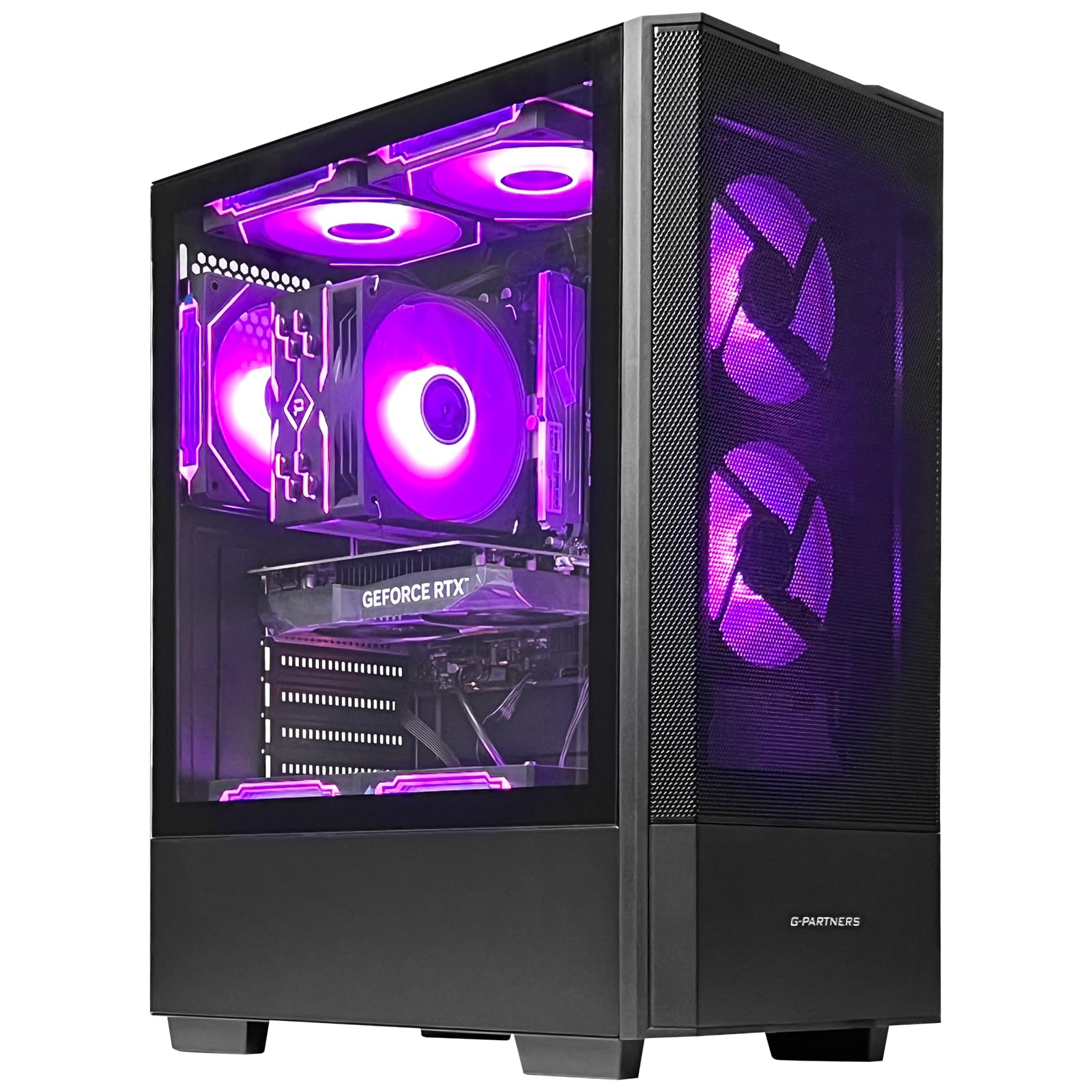
A full terabyte of fast storage and an air-cooled tower that stays quiet through marathon sessions.
Storage is where this one pulls ahead. A 1TB NVMe SSD holds a serious game library without the constant uninstalling the 512GB machines force on you. The AMD Ryzen 5 5500 pairs 6 cores and 12 threads up to 4.2GHz with 16GB of DDR4 at 3200MHz, which covers gaming and 4K video editing. The GeForce RTX 3050 brings 6GB of GDDR6 and ray tracing, aimed at high-frame-rate 1080P play.
The cooling setup is a real talking point: an ARGB air system with multiple fans built to hold performance and stay low on noise through long gaming sessions. That matches what owners mention — performance is the thing they praise most, and ease of setup comes second, with people noting it is simple to get running. The 1920×1080 maximum resolution fits the 3050’s 6GB card well, since that card is happiest at 1080p.
Here is the honest comparison to make: the Pebuilt above carries 8GB of video memory on its RTX 3050 against this one’s 6GB, and more VRAM helps with heavily textured modern games. If you want the bigger buffer, the Pebuilt wins that particular number. If storage and a quiet machine matter more, this one gives you 1TB and a full 16MB of cache — double the 8 MB you get on the Pebuilt. Built-in Wi-Fi, Bluetooth, USB, HDMI and DisplayPort round it out, so monitors and peripherals connect without fuss.
What buyers notice: it performs well and sets up fast — plug in, power on, and you are gaming.
The trade-off: 6GB of VRAM instead of 8GB, so the very latest texture-heavy titles need settings toned down a notch.
Pick this if: your game library is large and you want a quiet tower with a full 1TB of fast storage.
Keep looking if: you want the biggest video-memory buffer for the newest games, where the Pebuilt’s 8GB has the edge.
6. Gaming PC Prebuilt — RTX 3060 Ti, Ryzen 5 5500
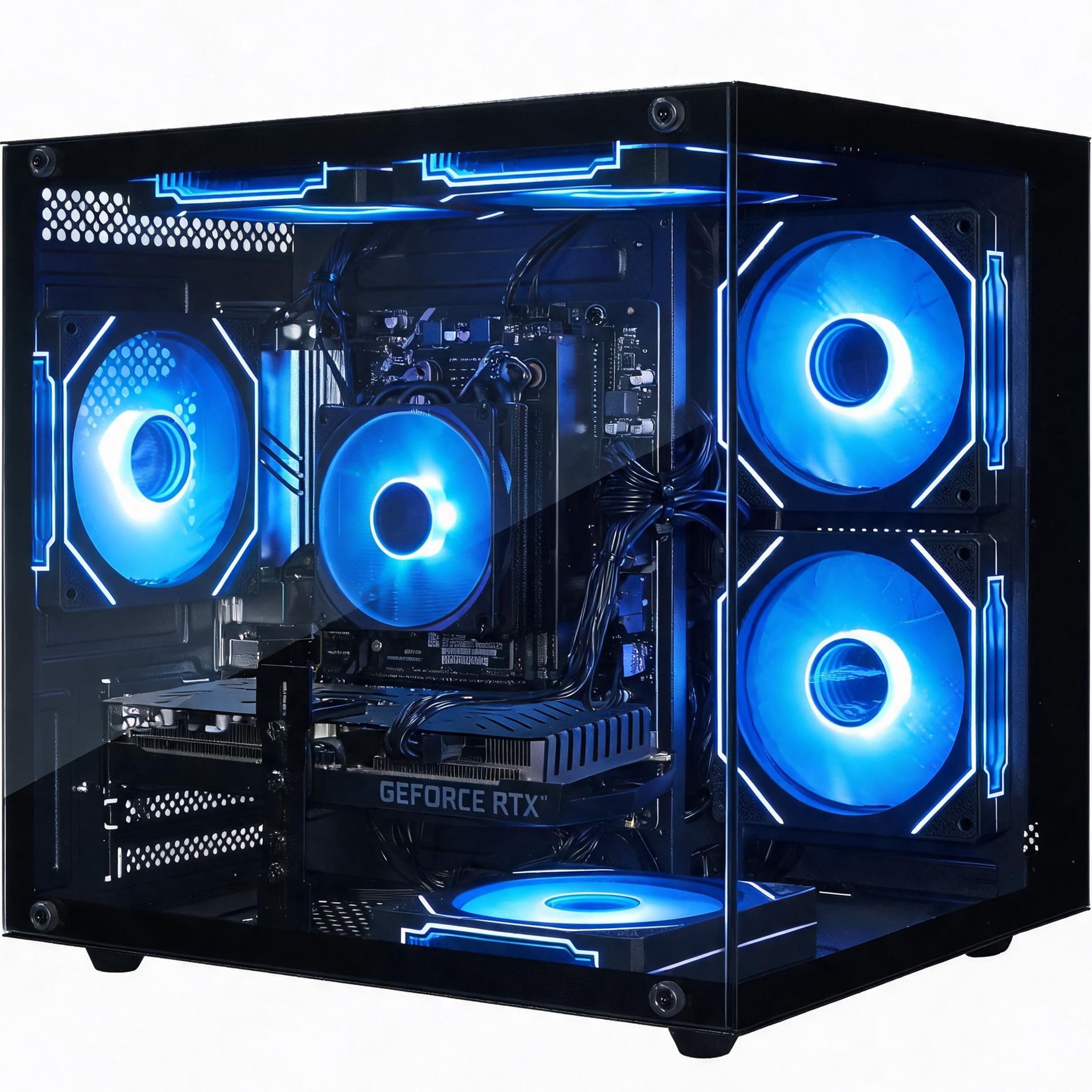
The card here is the star — a 3060 Ti pushing for smooth 2K frames in heavy AAA titles.
The RTX 3060 Ti carries 8GB of GDDR6 and is built to max out 1080p or hold 60+ FPS at 1440p in AAA titles like Black Myth: Wukong with DLSS on. Its listed maximum resolution is 2560×1440, which is exactly the 2K target this card aims at. The Ryzen 5 5500 runs 6 cores and 12 threads up to 4.2GHz, paired with 16GB of RAM and a 512GB SSD. That storage figure is the one area where the Pebuilt’s 512 GB NVMe sits level with it.
The build makes a statement. A compact mid-tower uses a dual-chamber layout with tempered glass on two sides, lit by six adjustable RGB fans and an RGB CPU cooler. A multi-fan layout with ventilated top and side panels moves air across the GPU and CPU, and dust filters help keep maintenance simple. It arrives with Windows 11 installed, backed by a one-year manufacturer’s warranty with repairs and replacements performed in the United States.
Where the card really separates itself is memory speed. The 3060 Ti uses GDDR6, listed right on the spec sheet, while the newer RTX 5060 machines further down run GDDR7 — but those pair it with 8GB as well, and this one competes by raw price-to-performance. Owners describe the quality as excellent and the functionality as sound, and the shared note is that it does what it claims. If 2K gaming is the goal, this card is the reason to choose it over the 3050 machines.
The case for it
- RTX 3060 Ti targets 60+ FPS at 1440p in demanding AAA games
- Six adjustable RGB fans plus an RGB CPU cooler inside a dual-glass tower
- One-year warranty with repairs and replacements performed in the US
- Dust filters and ventilated panels keep long sessions cool
What to accept
- 512GB SSD fills quickly with a 2K-sized game library
- GDDR6 memory rather than the newer GDDR7 on higher-tier picks
Made for: gamers chasing smooth 2K frames who want a card that overdelivers for its position on the price ladder.
Not quite: if storage is your priority, a 1TB machine further down gives you more room for the same kind of money.
7. HP OMEN 40L Gaming Desktop — Ryzen 7 5700X, GTX 1660 SUPER
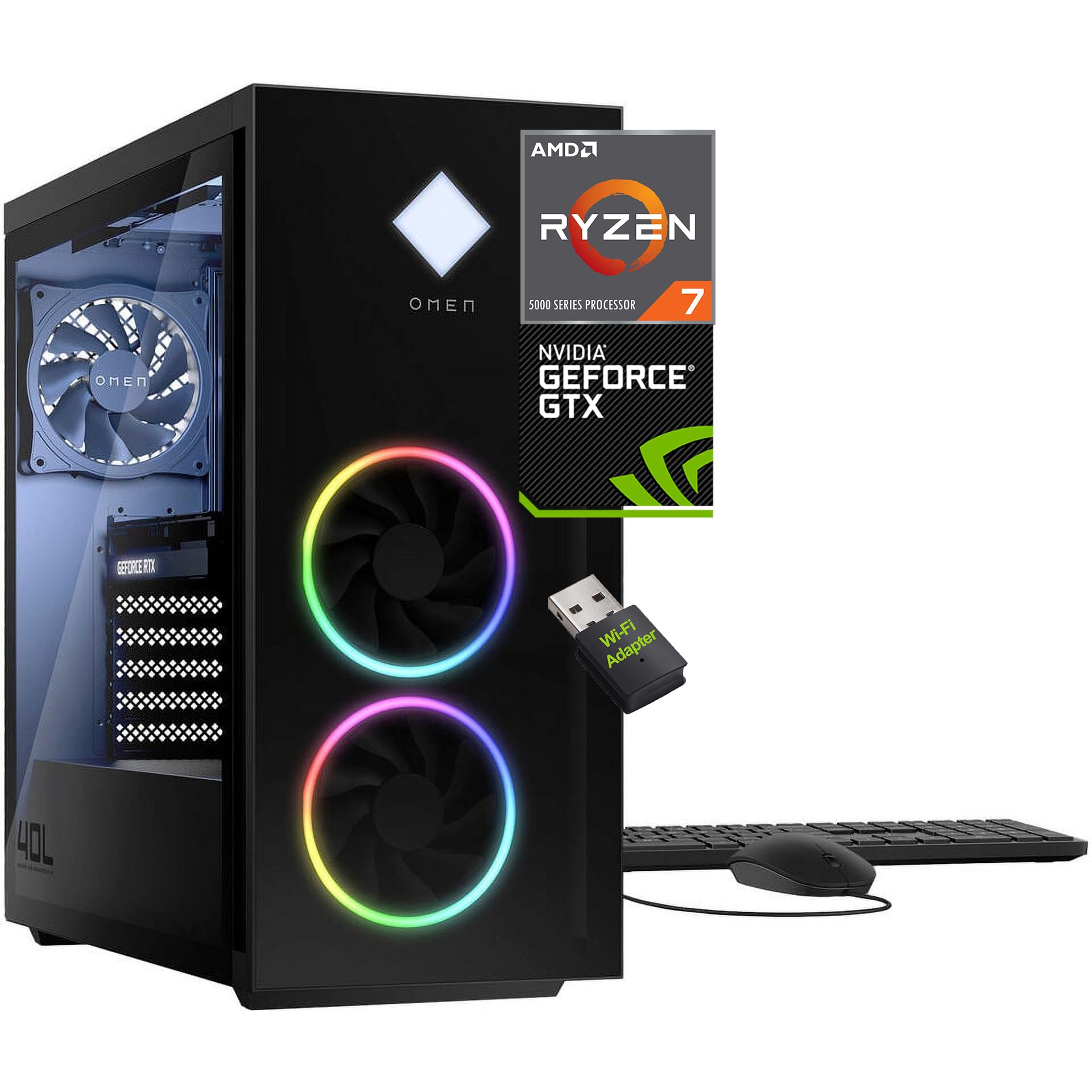
Built to be opened and upgraded later, with an 8-core chip and 32MB of cache to grow into.
The processor is the long-term bet here: a Ryzen 7 5700X with 8 cores and 16 threads up to 4.60GHz and 32MB of cache — the largest cache figure of any desktop on this list. That headroom is what you keep for competitive gaming, streaming and multitasking. That 32MB dwarfs the 8 MB on the STGAubron and the 16 MB on the ZYNEEX, and that gap is where the OMEN’s advantage really lives.
A dedicated GeForce GTX 1660 SUPER with 6GB of GDDR6 (graphics memory) handles the visuals, and it connects via DVI, HDMI or DisplayPort so you can build the multi-monitor setup you want. 16GB of DDR4 and a 512GB PCIe NVMe M.2 SSD (fast solid-state storage) keep games, apps and tabs moving, so load times stay short. A 600W power supply backs it all up. The part that matters most for a discount buy is the tool-less chassis — HP designed it so you can open the case and swap parts without tools, which is exactly what you want if you plan to add a stronger card in a year or two.
Owners describe it as a great basic PC that works well as a home computer, compact enough to take almost no space while still offering generous storage. It is also quiet, which is a common note among owners. On connectivity, the WiFi situation is the one to plan around: a wireless USB adapter is bundled, and some customers note the WiFi not working, so a wired ethernet connection is the more reliable path. Register the HP keyboard and mouse combo that comes in the box, and keep the Light Studio app handy if you like controlling the RGB.
The smart-buyer angle: tool-less access plus a 600W supply means a future graphics-card upgrade is a real option, not a dream.
The caveat: the bundled wireless adapter is the weak link — plan on ethernet for steady online play.
Ideal for: someone who wants a brand-name tower they can open, service and upgrade themselves over time.
Skip the urge if: you need to be fully wireless on day one, since the included adapter leaves some owners wanting.
8. CyberPowerPC Gaming PC — Intel Core i5-14400F, RTX 5060 8GB
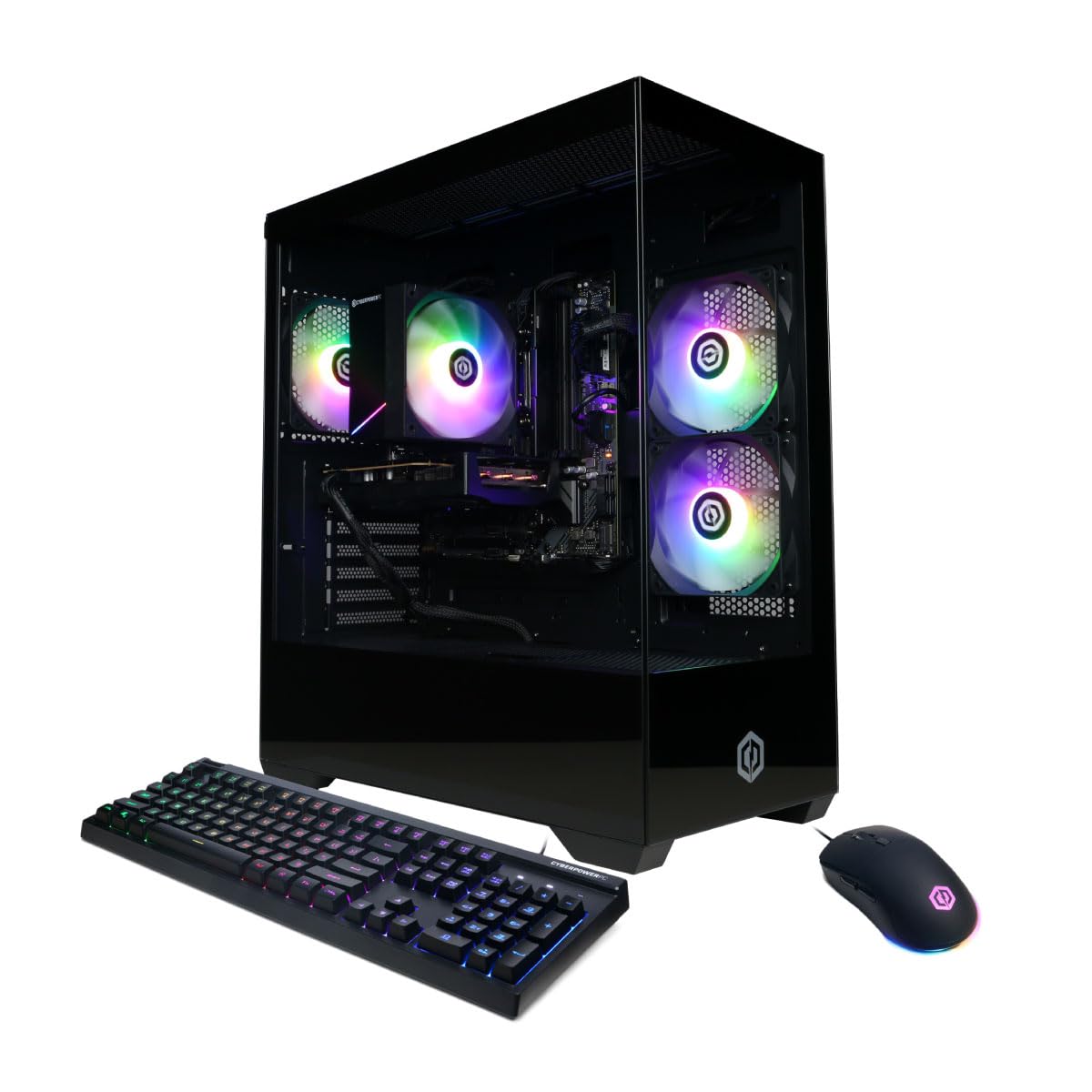
This one skips the older parts — a current RTX 5060 card, GDDR7 memory and DDR5 RAM.
Newest-generation parts at a mid-tier position are the story. The NVIDIA GeForce RTX 5060 carries 8GB of GDDR7 — the fastest memory type in this list — and the Intel Core i5-14400F brings 10 cores on the B760 chipset. It pairs 16GB of DDR5, the newer memory standard, with a 1TB PCIe 4.0 NVMe SSD. Three of these specs (GDDR7 video memory, DDR5 RAM, PCIe 4.0 storage) are a clean step up from the older DDR4 and GDDR6 machines around it.
What owners consistently report is performance, first and last — the machine simply runs well, and value for money comes up next in their favor. Appearances get a warm reception too, thanks to a tempered side panel and custom RGB lighting. The keyboard and mouse come in the box. The graphics outputs are one HDMI and two DisplayPort, so a triple-monitor arrangement is on the table, and connectivity includes Wi-Fi 6 and Bluetooth 5.3.
The clock speed on the spec sheet only lists the base figure, not a maximum, so if a high boost clock is your personal buying trigger, the Ryzen 7 machines above spell that number out more clearly. Otherwise, for a current-generation parts stack — GDDR7, DDR5, PCIe 4.0 — this is one of the freshest configs here. There is one year of parts and labor coverage and free lifetime tech support.
What stands out: GDDR7 video memory and DDR5 system memory make this the most current platform on the list.
Worth knowing: no max boost clock is listed for the processor, so compare raw core counts if clock speed is your deciding number.
Right for you if: you want current-generation parts and a big game drive without jumping to premium-tier territory.
Read past it if: you specifically want a printed boost clock to compare, since this listing shows base speed only.
9. CyberPowerPC Gaming PC — Ryzen 7 8700F, RTX 5060 Ti 8GB
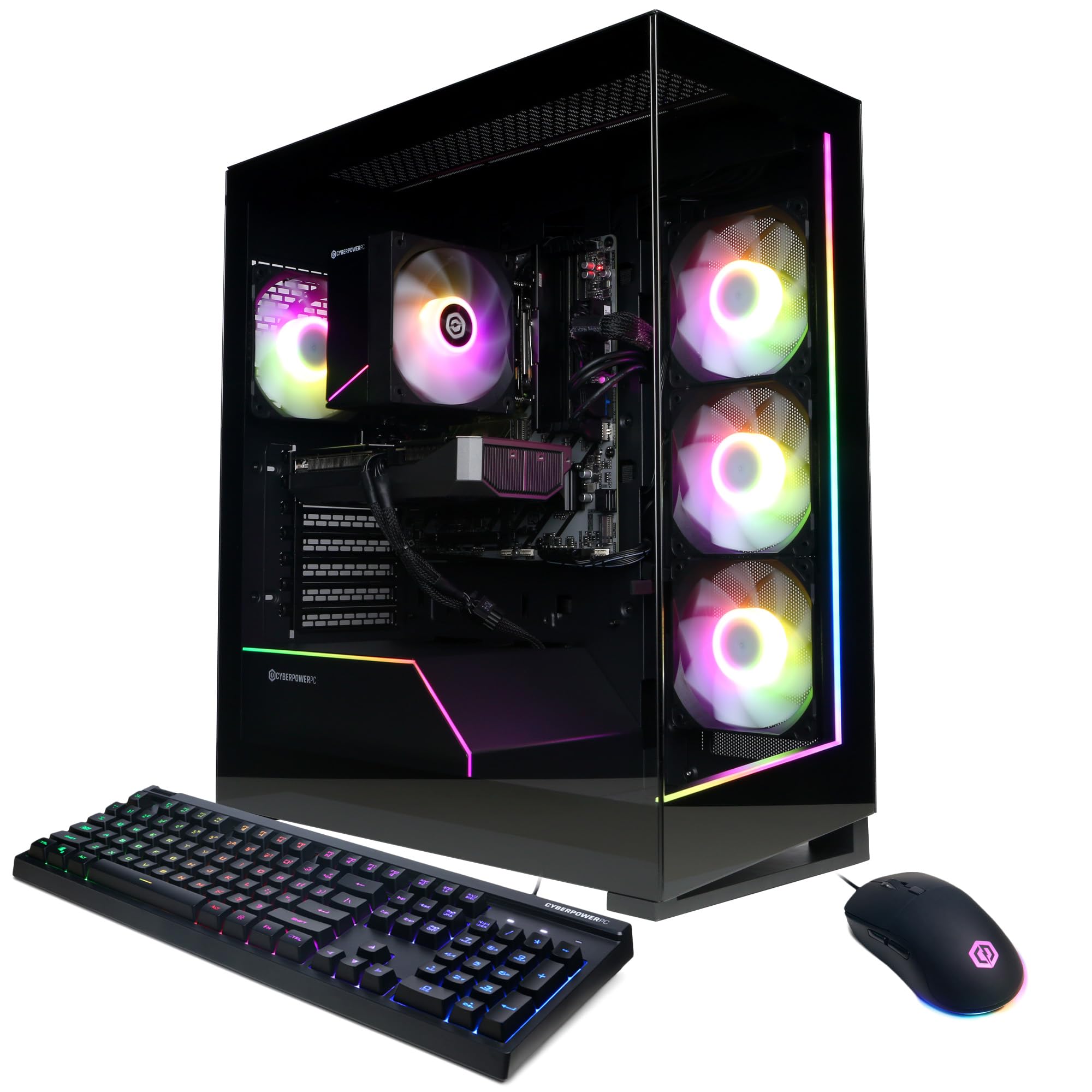
A Ryzen 7 and a 5060 Ti that owners say plays everything smoothly from the first plug-in.
Two upgrades set this above the standard RTX 5060 model above it: the card becomes an RTX 5060 Ti, and the processor becomes a Ryzen 7 8700F with 8 cores. Both cards carry 8GB of GDDR7 (graphics memory), so the Ti suffix means more raw rendering muscle rather than a bigger memory pool. The AMD B850 chipset, 1TB PCIe 4.0 NVMe SSD and 16GB of DDR5 complete the picture. Ports are plentiful: 2 USB-C 3.2, 4 USB-A 3.2, 2 USB-A 2.0, a LAN and Wi-Fi 6 with Bluetooth 5.3.
Gameplay is what buyers mention most, and nearly all of it is glowing — the machine runs games smoothly and owners would recommend it. The setup is famously easy: plug it in and go. Value is another consistent positive, and the look draws compliments, thanks to a tempered side panel and custom RGB lighting.
Expect the occasional system that needs a little settling — performance mentions are overwhelmingly positive, but not universally so. That is why the one-year parts and labor warranty and free lifetime tech support matter. Compared to the RTX 5060 standard model, you are paying for the Ti card and the newer B850 chipset. Compared to the OMEN 40L above, this pairs a newer processor generation with the newer memory.
Reasons it earns the spot
- RTX 5060 Ti graphics with 8GB GDDR7 plus a Ryzen 7 8700F 8-core processor
- 1TB PCIe 4.0 NVMe SSD for games and projects with room to spare
- Plenty of USB-C and USB-A ports plus Wi-Fi 6 and Bluetooth 5.3
- Reviewers point out it plays their games smoothly and is easy to set up
What to weigh
- Sits toward the upper end of the mid-tier band
- A small handful of owners need support to get a unit settled
The one to grab: if smooth, trouble-light gameplay on a modern card and processor is the whole priority.
Look past it: if the RTX 5060 standard model already covers your needs, since the Ti premium is real money.
10. HP OMEN 45L Gaming Desktop

Twelve cores, thirty-two gigabytes of RAM and an 800W supply for editing and marathons.
This is the multitasker of the group. The Intel Core i7-12700KF packs 12 cores and 20 threads with turbo speeds up to 4.90 GHz, 25MB of cache and Intel Turbo Boost Max 3.0. That 4.90 GHz headline is the highest clock figure on this list, and 20 threads is where the “extreme multitasking” claim comes from — gaming, streaming and editing at once without a visible slowdown. The 32GB of DDR4 matches the STGAubron for memory room, so heavy workloads have space to breathe.
Graphics come from a GeForce GTX 1660 SUPER with 6GB of GDDR6, aimed at strong 1080p performance in titles like Fortnite, Apex Legends, Valorant and Call of Duty. Storage is a 1TB PCIe Gen4 NVMe M.2 SSD for fast boots and quick game loads, and an 800W 80 Plus Gold power supply carries 90% efficiency. Cooling is liquid, designed to keep temperatures steady through long sessions, and the front panel is tempered black glass with a water-based paint finish on the top and side.
Buyers praise the build and the performance — Valorant at over 144 fps comes up — but several note the GTX 1660 SUPER is not the strongest card for a machine at this price. If you are buying mainly to edit video or run heavy apps, the processor and RAM make it a strong fit. If pure gaming frames at maximum quality are the goal, a machine with a newer card buys you more.
What it nails: 12 cores, 20 threads, 32GB of RAM and liquid cooling — a genuine creator’s loadout.
The honest split: the GTX 1660 SUPER is solid at 1080p but is not the star here; the processor and memory are.
Made for: editors, streamers and multitaskers who want serious processing and memory headroom in one tower.
Not the pick: if 1080p frames on a top card matter more than raw core count, aim for one of the newer-GPU machines.
11. YAWYORE Gaming PC — Ryzen 7 5700X, RTX 5060 8GB, 32GB RAM
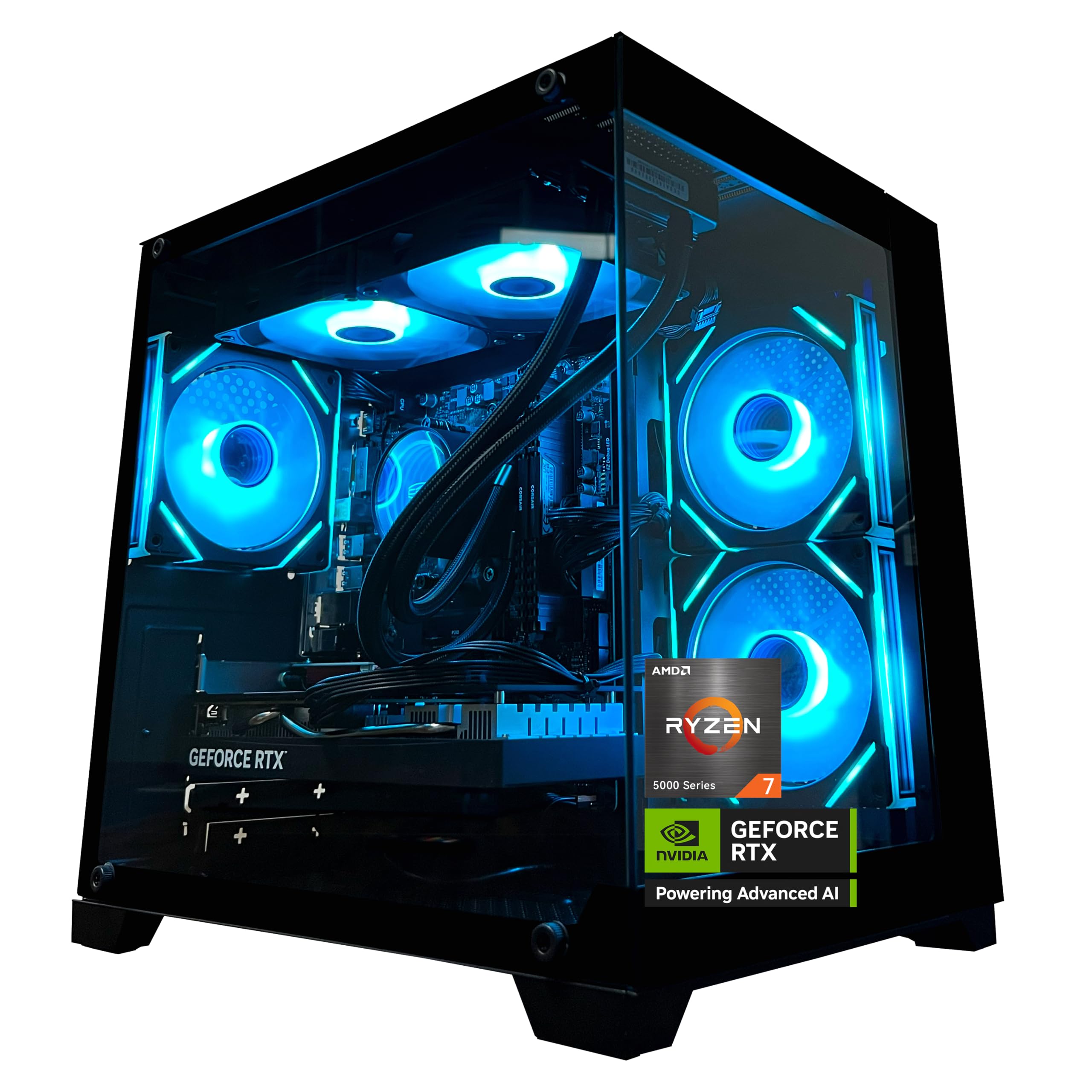
Thirty-two gigabytes of RAM and a GDDR7 card — the most memory-blessed machine in the group.
This desktop bundles a lot of headroom. The Ryzen 7 5700X delivers 8 cores and 16 threads up to 4.6GHz, paired with 32GB of DDR4 at 3200MHz (16GB x 2) and a 1TB M.2 NVMe drive. The GeForce RTX 5060 carries 8GB of GDDR7, with DLSS 4 (AI upscaling that boosts frame rates), ray tracing and Reflex 2 delay optimization listed on the spec sheet. SSD capacity here matches the CyberPowerPC models, and the 32GB of RAM is double what the ZYNEEX carries, giving you more room for editing apps or a browser full of tabs.
The MSI B550M-A PRO motherboard provides a dependable foundation, and a 650W power supply with 80 Plus Bronze certification handles the power draw. Built-in WiFi and Bluetooth make wireless peripherals and networking straightforward. The package includes a liquid cooler with ARGB fans and a remote control for lighting, so you can dial in the look without digging through software.
Owners describe the performance as exceptional and great for gaming, and the machine starts up quickly. Versatility earns a mention too. Notably, the graphics card brand may vary according to the listing, so if you have a preference, that is the one wildcard here. Also check for the shock-absorbing foam inside the chassis and remove it before your first power-on, as the listing specifically asks. Between this and the CyberPowerPC RTX 5060 above, this one doubles the system RAM while both share the same 8GB GDDR7 card.
What puts it up top
- 32GB of DDR4 RAM doubles the room for editing and multitasking
- RTX 5060 8GB GDDR7 with DLSS 4, ray tracing and Reflex 2
- 1TB M.2 NVMe SSD holds a large library
- Liquid cooler with ARGB fans and remote control included
What to keep in mind
- The graphics card brand may vary, so confirm before ordering
- Remove the shipping foam from inside the case before first use
- 650W Bronze power is modest for future high-end upgrades
A smart match: for creators and multitaskers who want 32GB of RAM and a GDDR7 card with liquid cooling.
Second-guess it: if you insist on a specific graphics card brand, since the listing notes the brand may vary.
Know the Specs
Video Memory (VRAM)
VRAM is the short-term storage built into the graphics card, and it holds textures so the card does not have to keep fetching them. More VRAM generally lets newer games with detailed textures run smoother. This list runs from integrated graphics on the Ryzen 5 5600GT up to 8GB of GDDR7 on the RTX 5060 and RTX 5060 Ti models. A 6GB card like the RTX 3050 in the ZYNEEX handles 1080p well; an 8GB card gives more room for demanding titles. The letter code matters too — GDDR7 is a newer, faster memory type than GDDR6 or GDDR5, though all three carry the same “GB” capacity figure.
Processor Cores and Cache
Cores are the number of jobs the processor can work on at once, and threads are the finer subdivisions of those jobs. A 6-core, 12-thread chip covers a game plus voice chat well; an 8-core or 12-core chip gives breathing room for streaming and editing. Boost speed, printed in GHz, is how fast a single task can sprint. Cache is fast on-chip memory that saves trips to slower main memory, and it varies widely here — from 8 MB on the STGAubron to 32 MB on the HP OMEN 40L. A bigger cache helps the processor keep several tasks snappy at once.
Storage: NVMe vs SSD Capacity
An SSD is a fast storage drive with no moving parts, and NVMe is a faster connection standard for it. The capacity number is how many games and files fit, and that is the figure you will feel day to day. A 256GB drive on the Ryzen 5 5600GT fills after a couple of large games, while a 1TB drive on the STGAubron, ZYNEEX, CyberPowerPC models and YAWYORE holds a full library. A PCIe 4.0 NVMe drive, as on the CyberPowerPC picks, moves data faster still, which shows up as quicker load screens.
RAM and the Power Supply
RAM is the shared workspace for your open apps, and 16GB is a comfortable floor for gaming with a browser open. A 32GB machine like the STGAubron, HP OMEN 45L or YAWYORE gives editing and heavy multitasking more room. The power supply, listed in watts and by certification, feeds the whole system and sets a limit on future upgrades. A 600W supply on the OMEN 40L, a 650W on the YAWYORE, and an 800W 80 Plus Gold on the OMEN 45L each leave different headroom if you plan to add a stronger card later.
Common Questions
Will a discount gaming PC run the newest AAA games at high settings?
What is the difference between integrated and dedicated graphics?
Is 8GB of video memory enough for modern gaming?
Do I need 32GB of RAM or is 16GB enough?
Can I upgrade a prebuilt gaming desktop later?
How much SSD storage do I need for a game library?
Is a newer graphics card like the RTX 5060 better than an older RTX 3050?
What does a Wi-Fi 6 desktop mean for online gaming?
Does a liquid cooler matter on a gaming PC?
Should I buy a prebuilt or build a gaming PC myself?
The Bottom Line
For most people shopping discount gaming computers, the discount gaming computers winner is the Prebuilt Gaming PC with Ryzen 5 5600GT because it delivers the largest cache on this list at 19 MB and a 6-core, 12-thread processor up to 4.6 GHz for everyday gaming, streaming and schoolwork. Just be sure its integrated graphics and 256GB drive match the games you play. If you want a dedicated card for heavier titles, the Pebuilt Gaming PC with RTX 3050 pairs 8GB of video memory with an 8-core processor. And for a machine built to be upgraded over the years, the HP OMEN 40L gives you tool-less access and a future-ready 600W supply.
How we choose
We do not accept paid placement. Every pick is matched to a real buyer and a real use-case; we do not hands-on test units.
Sources
Specifications: manufacturer listings and product documentation. Review insights: verified customer reviews, as of November 2026. Pricing: not shown on this page (it changes often); check the current price via the retailer link.
As an Amazon Associate, Gamepad Test earns from qualifying purchases. This does not affect which products we feature.