
Specs are compiled from manufacturer listings and verified buyer reviews and can change over time — please confirm the key details on the product page before buying.
You want to build or buy a gaming rig that hits smooth frames at 1440p without guessing which graphics card (the chip that draws every frame) and processor (the chip that feeds it) actually match. This guide breaks down eleven real gaming desktops by their specs and what owners actually experience, so you can tell a genuinely balanced build from one that looks good on paper. The short answer: the RTX 3060 Ti build leads the pick list for value at 1440p.
This guide is built by comparing the manufacturers’ published specifications and the patterns across verified customer reviews, so you get each pick’s real strengths and trade-offs instead of marketing spin.
Each entry here tells you the GPU, the CPU, the memory, and where the build honestly falls short.
Top Picks

How To Choose The Best DIY Gaming Computer
The biggest mistake beginners make is treating the graphics card as the whole build. A fast GPU fed by a weak processor stutters in crowded scenes, and a strong CPU waiting on a slow card wastes its headroom. These picks work because the two chips are matched.
Start with the graphics card and its memory
Graphics memory — VRAM, the card’s own video memory — sets your ceiling. An 8GB card handles 1440p comfortably; a 16GB flagship like the RTX 5080 is built for 4K Ultra HD. Pick your target resolution first, then match the card.
Then check the processor’s cores and clock speed
Cores spread the workload, and clock speed sets how fast each core works. A 6-core Ryzen 5 powers mainstream gaming fine; an 8-core chip like the Ryzen 7 9800X3D is what competitive players reach for. Six cores is plenty for most buyers.
Look at cooling and upgrade room
A tower that stays cool keeps its clock speeds steady during long sessions. Check how many memory and drive slots the motherboard gives you before you buy, so future upgrades don’t force a rebuild.
Side-by-Side Comparison
| Model | Best For | GPU / VRAM | CPU | Memory | Amazon |
|---|---|---|---|---|---|
| Gaming PC Prebuilt, RTX 3060 Ti, Ryzen 5 5500★ Best Overall | Balanced 1440p value | RTX 3060 Ti / 8GB | Ryzen 5 5500, 4.2 GHz | 16GB RAM, 512GB SSD | Amazon |
| ZYNEEX Prebuilt Gaming DesktopEasiest Start | Fuss-free 1080p first build | RTX 3050 / 6GB | Ryzen 5 5500, 4.2 GHz | 16GB DDR4, 1TB NVMe SSD | Amazon |
| iBUYPOWER Element SEBundle Included | Starter kit with peripherals | RTX 3050 / 6GB | Ryzen 5 8400F, 4.7 GHz | 16GB DDR5, 1TB NVMe SSD | Amazon |
| CyberPowerPC i5-14400F / RTX 5060 | 4K-capable mid build | RTX 5060 / 8GB | Intel i5-14400F, 10 cores | 16GB DDR5, 1TB NVMe SSD | Amazon |
| MSI Codex R2 | Quiet daily driver | RTX 5060 / 8GB | Intel i5-14400F, 4.7 GHz | 16GB DDR5, 1TB SSD | Amazon |
| KOTIN Ryzen 7 8700F / RTX 5060 Ti | Faster 1440p / esports | RTX 5060 Ti / 8GB | Ryzen 7 8700F, 5 GHz | 16GB DDR5, 1TB SSD | Amazon |
| Alienware Aurora | Polished premium tower | RTX 5070 | Intel Ultra 7 265F, 5.3 GHz | — | Amazon |
| KOTIN RTX 5070 / Ryzen 7 9700X | High-refresh 1440p and 4K | RTX 5070 / 12GB | Ryzen 7 9700X, 5.5 GHz | 32GB DDR5, 1TB NVMe SSD | Amazon |
| MSI Codex Z2 | Big storage for streamers | RTX 5070 / 12GB | Ryzen 7 8700F, 5 GHz | 32GB DDR5, 2TB SSD | Amazon |
| Skytech Gaming PC Desktop | 4K Ultra flagship frames | RTX 5080 / 16GB | Ryzen 7 9850X3D, 5.6 GHz | 32GB DDR5, 2TB NVMe SSD | Amazon |
| CLX Set Gaming PC | Top-tier X3D build | RTX 5080 / 16GB | Ryzen 7 9800X3D, 5.2 GHz | 32GB DDR5, 2TB NVMe SSD | Amazon |
Detailed Reviews
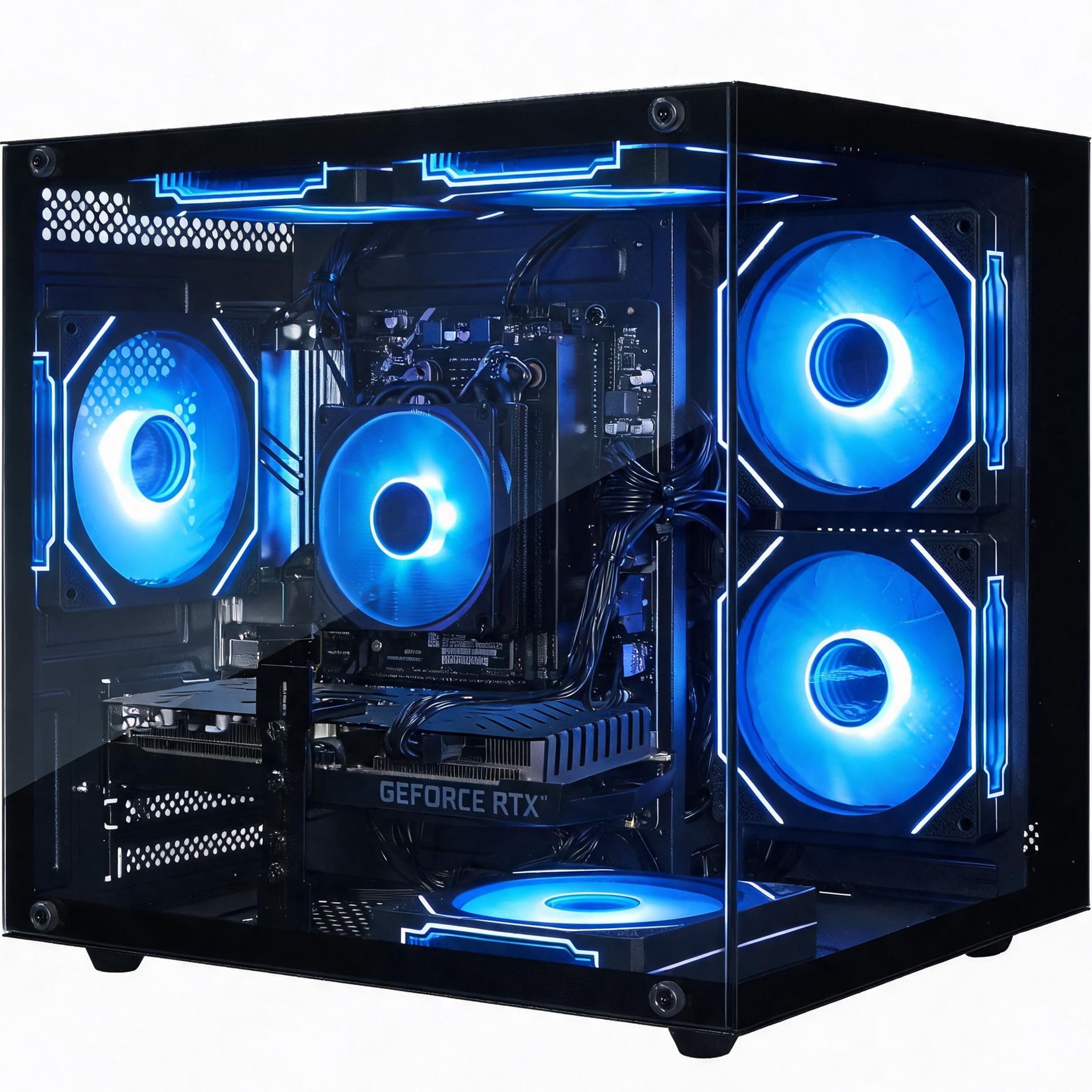
1. Gaming PC Prebuilt, RTX 3060 Ti, AMD Ryzen 5 5500, 16GB RAM
Our pick — 4.5+★ from 150+ verified ratings; the strongest balance of quality and price.
An 8GB RTX 3060 Ti that punches past its price class at 1440p
Your first serious rig should start here. The RTX 3060 Ti gives you 8GB of GDDR6 graphics memory (video memory that holds game textures), so you can run max settings at 1080p or hold 60+ FPS at 1440p (2K) in AAA titles with DLSS — a card feature that boosts frame rate by rendering at lower resolution and upscaling. That makes a smooth 1440p desktop the balance.
The AMD Ryzen 5 5500 processor (6 cores, 12 threads, up to 4.2 GHz) is the quiet hero here. Compared to the RTX 3060 Ti’s raw output, that CPU keeps frames arriving without a bottleneck. Paired with 16GB of brand-new RAM and a 512GB SSD, boot-ups are snappy and load times stay short. Multi-fan cooling with ventilated top and side panels moves air across the GPU and CPU, and dust filters keep the internals cleaner over time.
You also get dual tempered glass panels, six adjustable RGB case fans, and an RGB CPU cooler — cosmetic touches that change nothing about frame rate but make the tower a showpiece. Windows 11 comes pre-installed, and the rear I/O covers HDMI and DisplayPort for multi-monitor setups plus wired Ethernet.
Where the value sits
- 8GB RTX 3060 Ti rated for max settings at 1080p and 60+ FPS at 1440p
- Ryzen 5 5500 with 6 cores and 12 threads up to 4.2 GHz
- Six RGB fans plus dust filters for steady airflow
- Windows 11 pre-installed and ready to game
What to weigh first
- 512GB SSD fills fast with a modern AAA library
- 16GB RAM leaves room for a later upgrade
Best matched to: a first builder or a buyer who wants verified 1440p frames without tinkering.
Think twice if: you need a terabyte of storage out of the gate — the 512GB drive is the one real limit.
2. ZYNEEX Prebuilt Gaming Desktop, Ryzen 5 5500, RTX 3050 6GB
A plug-and-play tower that boots smooth and stores your whole backlog
If you want to skip the build entirely, this is the one to point at. The RTX 3050 with 6GB GDDR6 delivers high-frame-rate 1080p gaming and supports ray tracing — the lighting technique that makes reflections and shadows look natural. Its 1920×1080 maximum resolution tells you the target plainly: this is a full-HD machine, not a 4K one.
What wins people over is the out-of-box setup: plug in a monitor and it boots straight to Windows. It’s praised for performance above all, and it’s consistently described as easy to set up and a nice computer for the money. The 16GB of DDR4 3200MHz RAM and 1TB NVMe SSD (fast flash storage that loads games quickly) mean rapid load times and comfortable room for a large library. A 6-core Ryzen 5 5500 up to 4.2GHz keeps the whole thing snappy.
Its cache is 16 MB versus the 32 MB on the MSI Codex R2 — a smaller mid-tier buffer, which matters more for CPU-heavy workloads than for gaming. Cooling comes from an ARGB air system with multiple fans, and Wi-Fi is built in so you don’t need a cable to your router.
Straight read: this is a 1080p tower tuned for convenience, not a 1440p workhorse. Buy it for the easy setup and roomy drive, and set your expectations at full-HD frames.
Reach for this if: your monitor is 1080p and you’d rather play tonight than build all weekend.
Look elsewhere if: you already own a 1440p display and want to push it — the 6GB RTX 3050 tops out at 1920×1080.
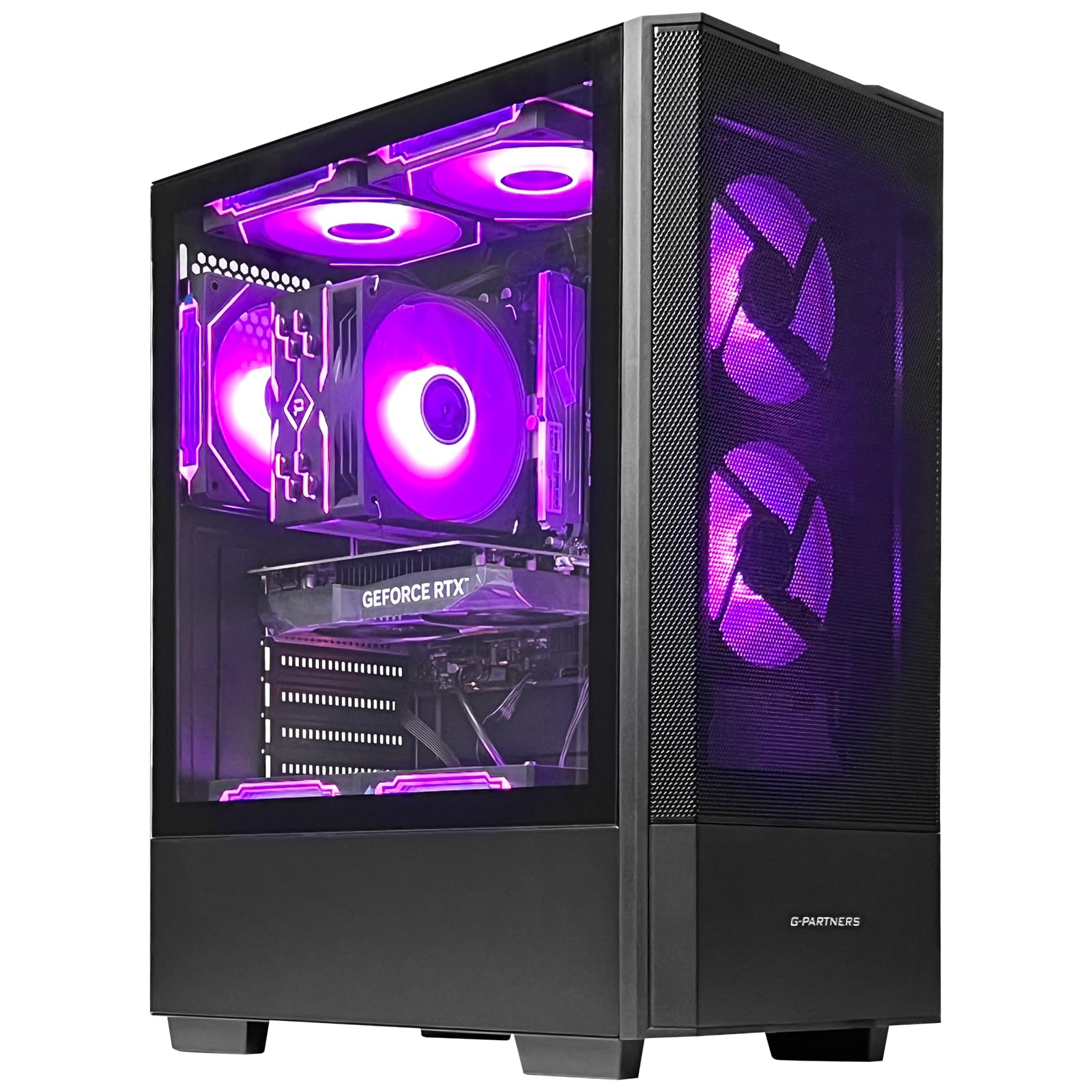
3. iBUYPOWER Element SE Gaming PC Desktop
The starter box that hands you the keyboard and mouse too
Buy this and you’re gaming without shopping for peripherals. iBUYPOWER throws in a free gaming keyboard and an RGB mouse, so the wedge-shaped cost of a gaming setup shrinks. Under the glass sits a Ryzen 5 8400F clocked to 4.7 GHz, paired with an RTX 3050 6GB GPU and 16GB of DDR5 4800MHz memory — newer-generation RAM that moves data faster than DDR4.
The Ryzen 5 8400F and RTX 3050 6GB are what buyers praise, alongside how quietly the tower runs. Owners describe strong processor, GPU, and RAM performance and a machine that runs super quiet. What also lands well is the value — it reads as a great buy for the money, with easy setup and lights you can show off.
The honesty note lives in the power supply. Reliability is a genuinely mixed picture here — some units run great from the start, and the power supply in particular draws recurring complaints of going bad. That’s not a universal outcome, but it’s the one component to inspect on arrival. Storage is a 1TB NVMe SSD with room for your library.
Caveat to own: the power supply is the weak link that shows up repeatedly, so test the machine hard during any warranty window before you trust it long-term.
Worth it for: a beginner who wants keyboard, mouse, and tower in one go with DDR5 memory.
Pass if: you want a power supply with a spotless track record — this one’s the recurring weak spot.
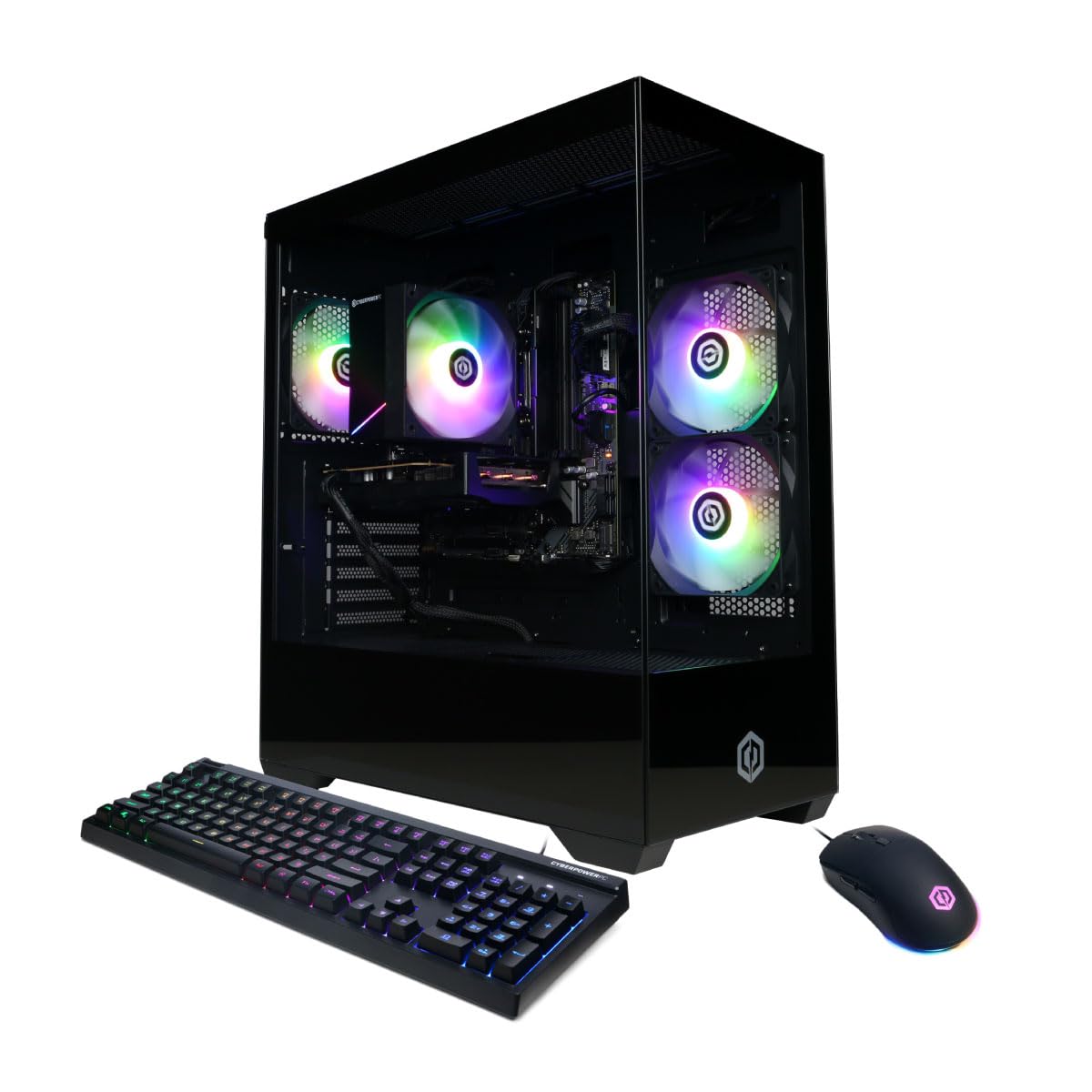
4. CyberPowerPC Gaming PC, Intel Core i5-14400F, RTX 5060 8GB
A 10-core Intel build rated for 3840×2160 displays
The headline here is headroom. This tower’s maximum resolution is 3840×2160 — double the 1920×1080 ceiling of the ZYNEEX — so it’s built to drive a 4K monitor. That comes from the RTX 5060 with 8GB of GDDR7 (the newest, fastest generation of graphics memory), backed by an Intel Core i5-14400F with 10 cores.
Ten cores is the number that lasts. Compared with the 6-core Ryzen 5 5500 in the RTX 3060 Ti build, that’s 10 cores versus 6 — more room for streaming, editing tabs, and game launchers all at once. The B760 chipset motherboard, 16GB of DDR5 RAM, and 1TB PCIe 4.0 NVMe SSD round out a build that loads fast and multitasks without a sweat.
Owners single out the 10-core i5-14400F and RTX 5060 for steady frame rates in reviews. Owners also like the appearance and find it a good value, and setup is easy. Connectivity is fully modern: Wi-Fi 6 (faster wireless for lower-latency online play), Bluetooth 5.3, and a 7.1 channel audio output. A keyboard and mouse come included.
Why it holds up
- 3840×2160 max resolution for 4K monitors
- 10-core i5-14400F spreads multitasking load
- 8GB GDDR7 graphics memory and Wi-Fi 6
The trade
- 8GB VRAM is fine at 1440p, tighter for heavy 4K texture work
- 16GB memory leaves headroom to expand later
Suits you if: you want a 4K-ready monitor match and a 10-core CPU for editing on the side.
Hold off if: you’re chasing the highest frame rates at 1440p — a stronger GPU tier does more for that.
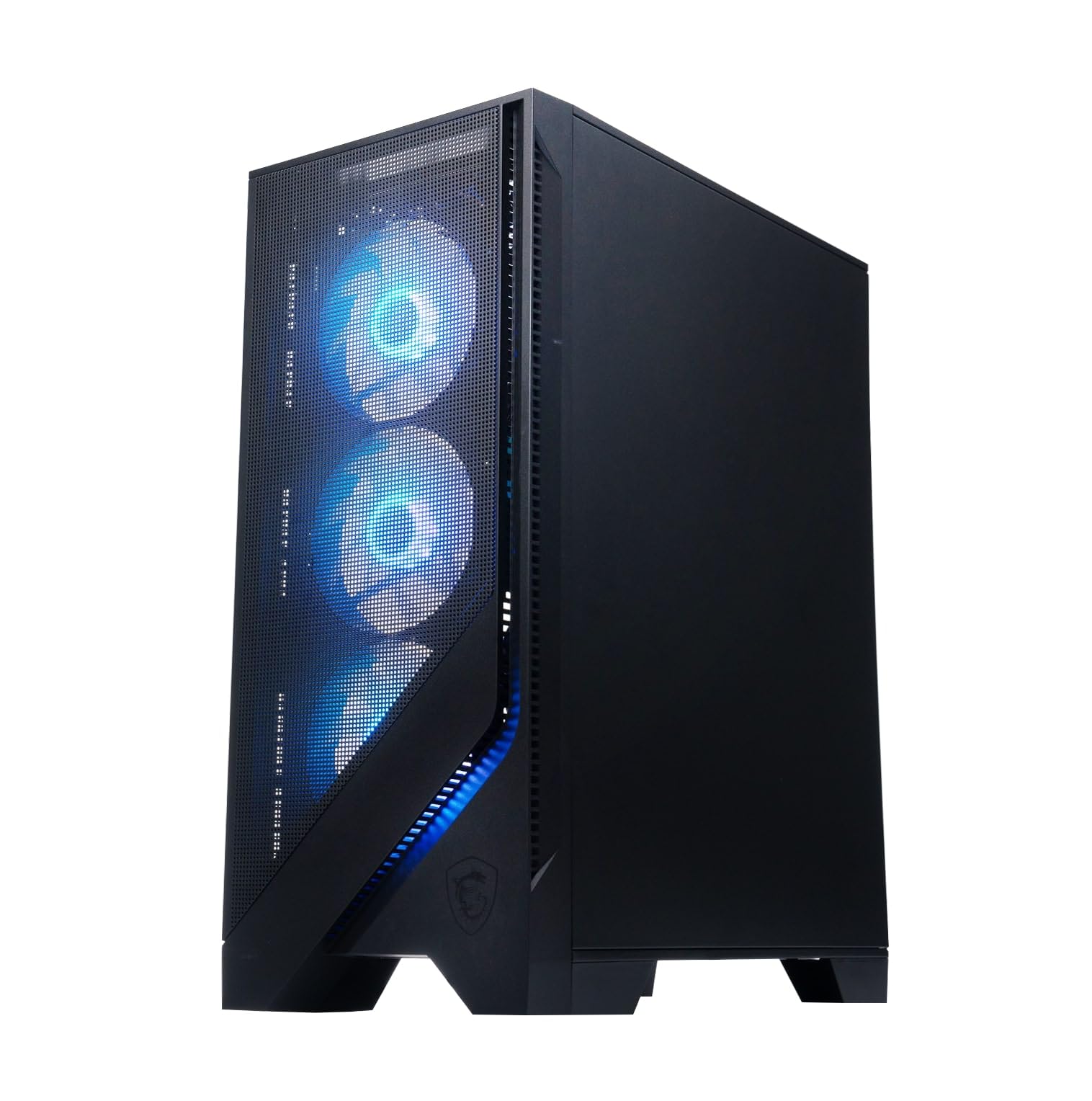
5. MSI Codex R2 Gaming Desktop, Intel i5-14400F, RTX 5060
A tower built like a brick and tuned to run near-silent
What wins people over here is how solid it feels. Build quality is the thing everyone raves about, and it reads as a rock solid machine that runs exceptionally well. The spec behind that steadiness: the Intel Core i5-14400F hits 4.7 GHz and carries 32MB of cache — twice the 16MB in the ZYNEEX, giving the CPU more fast working memory.
Its RTX 5060 with 8GB of GDDR7 handles the graphics, and 16GB of DDR5 plus a 1TB SSD keep game loads quick. Cooling is handled by an RGB CPU air cooler plus four system fans — three front, one rear — pulling cool air in and pushing heat out. Four fans tuned this way are why it stays quiet under load.
The design is deliberately simple: Windows 11 Home, a built-in RGB lighting button to cycle options, and MSI Center software for finer control. It sets up quickly and lands as good value. One spec sheet line reads 1920×1080 as the maximum resolution, so treat this as a strong 1080p and 1440p machine rather than a 4K one.
Standout spec: a 4.7 GHz i5 with 32MB cache and four fans — the quiet, cool daily-driver combination that most mid builds don’t nail this well.
Choose this for: a bedroom or shared-space setup where fan noise actually matters.
Keep looking if: you’re set on a 4K display — the listed resolution here tops out at 1920×1080.
6. KOTIN Gaming PC Desktop, Ryzen 7 8700F, RTX 5060 Ti 8GB
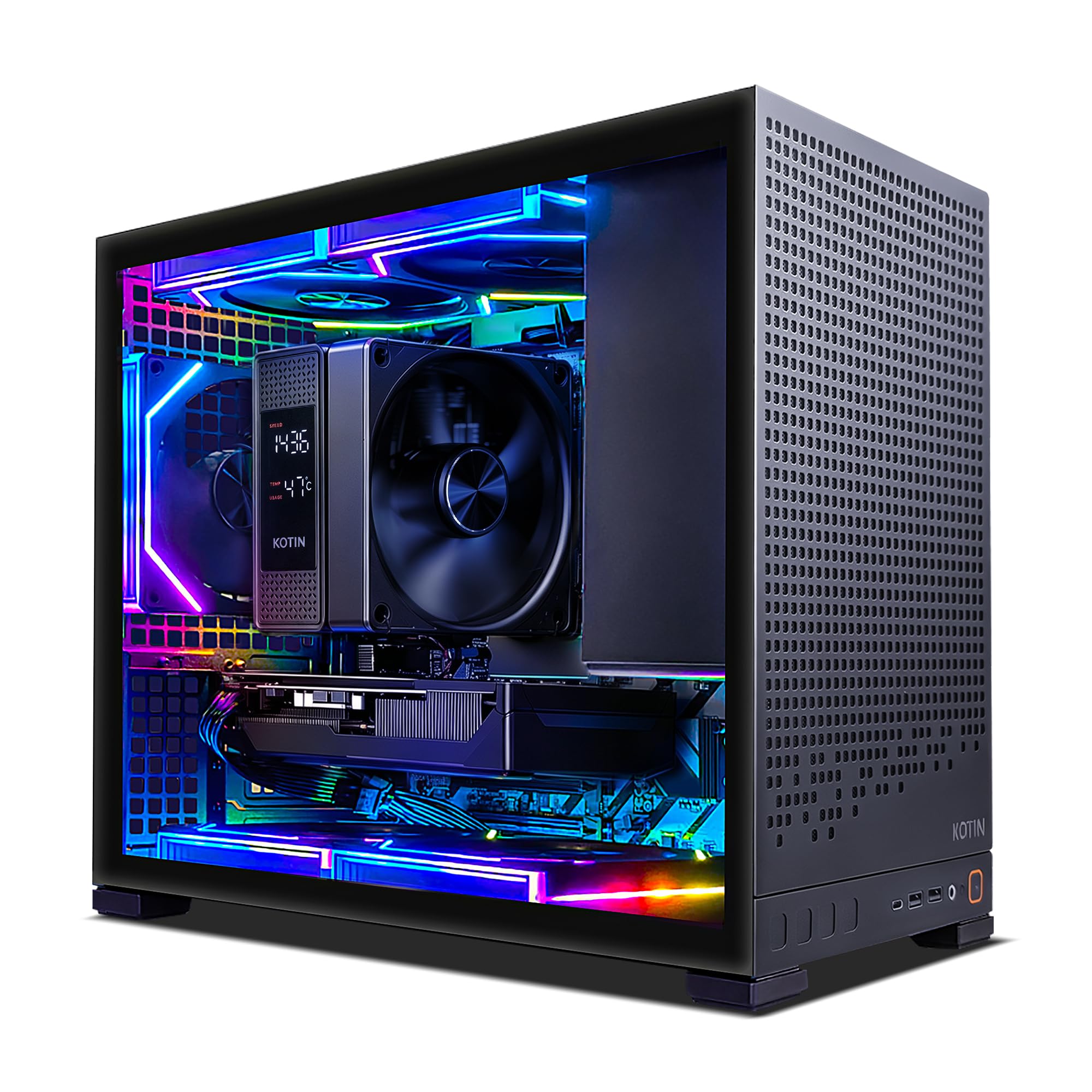
An 8-core Ryzen and a Ti-card tuned for esports and 1440p
This is the build you point at if you play fast games. The Ryzen 7 8700F runs at up to 5 GHz across its cores, and the RTX 5060 Ti packs 8GB of GDDR7 to keep 1080p and 1440p competitive titles and AAA hits fluid. DLSS 4 and ray tracing support smooth out the visuals.
The graphics memory gap is real: 8GB here versus 6GB on the ZYNEEX — 33% more headroom for high-resolution textures. Cooling is serious for this tier, with a CPU air cooler using 6 copper heat pipes and a digital temperature display, plus five 120mm ARGB fans. A 650W 80 PLUS Gold power supply (an efficiency rating meaning it wastes less power as heat) gives you stable wattage with room to spare.
Upgrades are the quiet perk. Four DDR5 DIMM slots and three M.2 SSD slots mean future RAM or storage needs an add-in, not a new tower. Owners mostly talk about the performance, and it earns praise for ability and for being easy to set up.
One setup note matters: plug your monitor into the graphics card ports on the lower back (the horizontal row), not the motherboard ports on the vertical row, or you’ll get no display. VGA or DVI monitors need an HDMI or DisplayPort adapter.
Upgrade path: four DDR5 slots and three M.2 slots — room to grow into a bigger card or more storage down the line without replacing the whole machine.
Pick this for: esports and 1440p AAA play with an easy path to upgrade RAM and storage.
Skip if: you’re not comfortable checking rear ports — plugging into the motherboard row is the common no-display mistake here.
7. Alienware Aurora Gaming Desktop
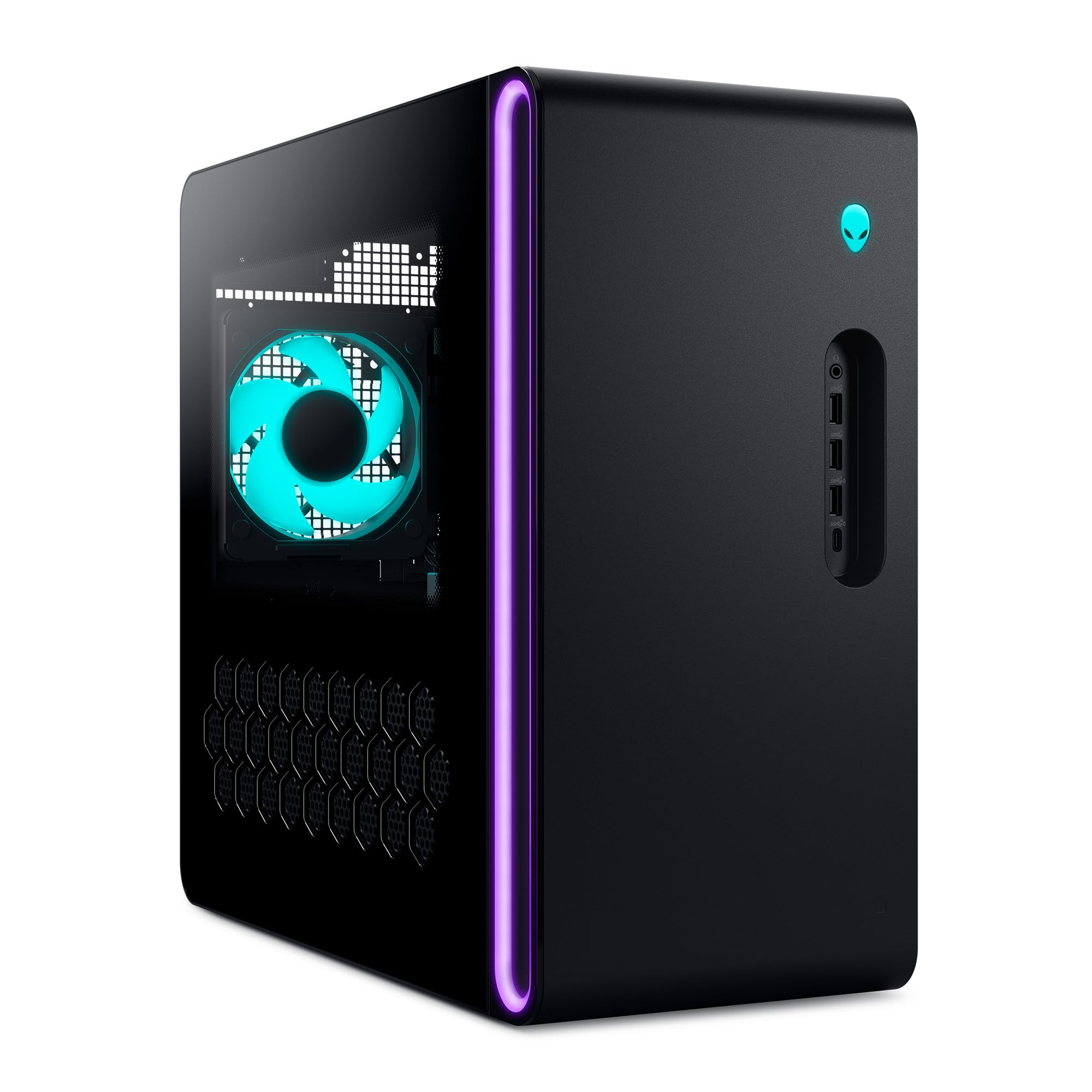
A matte-black flagship chassis with lighting you can command
The Core Ultra 7 265F and RTX 5070 deliver stutter-free frames, and the matte-black chassis matches that polish. The Intel Core Ultra 7 265F runs up to 5.3 GHz, feeding an NVIDIA GeForce RTX 5070 that uses the Blackwell architecture — the generation that drives both standard rendering and ray-traced visuals. It drives a 3840×2160 display ceiling, so 4K is firmly in scope.
Alienware leans into the software side with Command Center: custom AlienFX lighting zones, monitored performance modes, and per-game profiles you can save. Two things owners consistently appreciate are that it runs cool and that it stays fast without stutters. The tower’s quiet too, and it lands as worth the money.
The honesty sits in two spots. Storage capacity draws mixed feelings, with a wish for more RAM slots among the gripes. Separately, some report specs that don’t match the listing — so confirm the exact card and memory on arrival. Dell’s 1 year onsite service is the backstop, sending a technician to your location if a covered issue can’t be fixed remotely.
What lands well
- RTX 5070 on Blackwell architecture, up to 5.3 GHz CPU
- 3840×2160 display ceiling for 4K play
- Command Center profiles and AlienFX lighting control
Check before you commit
- Storage shown as a mixed area — buyers want more expansion
- Some units arrive not matching the listed specs
Made for: gamers who want a finished, quiet 4K performer with lighting they can program.
Before you buy: verify the card and memory on the unit against the listing, since mismatches do surface.
8. KOTIN Prebuilt Gaming PC RTX 5070
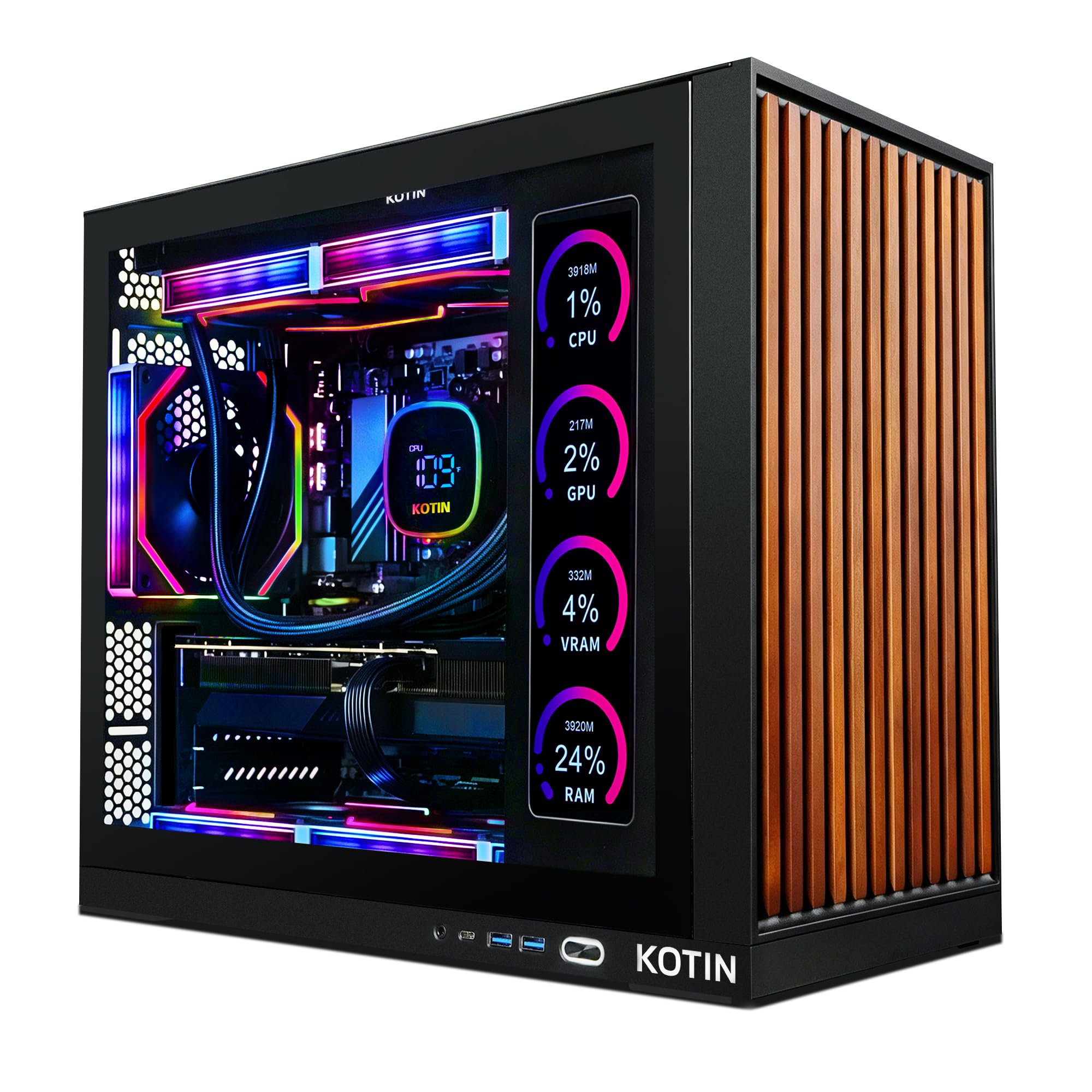
A 12GB 5070 build with a screen on the tower itself
The RTX 5070 12GB with GDDR7 graphics memory is the centerpiece, paired to an 8-core Ryzen 7 9700X running up to 5.5 GHz. That combination gives you real headroom for 1440p and 4K gameplay, streaming, and creative work. Twelve gigabytes of graphics memory versus the 8GB on the KOTIN 5060 Ti — and particularly the 6GB on the ZYNEEX — gives you 33% more on the low end for high-resolution textures.
The odd-one-out feature is the built-in 11.3-inch smart display. It shows real-time CPU and GPU temperatures, usage, and even weather while you play. Airflow comes from a 360mm AIO liquid cooler (a sealed water loop that runs heat away from the CPU) plus an 850W 80 PLUS Gold power supply, with Wi-Fi 7 handling the connection. A 32GB DDR5 kit and 1TB PCIe 4.0 NVMe SSD keep multitasking and loads quick.
People find it performs better than their previous setup and consider it well worth the money. Setup is straightforward, the graphics read as phenomenal, and it stays quiet and cool. One recurring note is that reliability splits both ways — some run beyond expectations, while others mention crashes. The rear-port rule applies too: connect the monitor to the graphics card’s horizontal port row, not the motherboard’s vertical row.
Worth knowing: the smart screen is genuinely useful for tracking temps in real time, not just a gimmick — but treat the power reliability as the thing to test hard early on.
For the builder who likes a look: a 12GB 5070 and a live telemetry screen make this a battlestation centerpiece.
Weigh the risk: crashes come up in some accounts, so buy where returns are painless.
9. MSI Codex Z2 Gaming Desktop

Two terabytes and 32GB of RAM for a library that never stops growing
Space is the whole point here. The 2TB SSD and 32GB of DDR5 memory mean you won’t be uninstalling games to make room, and you won’t feel the pinch of multitasking a dozen browser tabs beside a game. The AMD Ryzen 7 8700F packs 8 cores and 16 threads boosting to 5.0 GHz for that load.
The NVIDIA GeForce RTX 5070 handles visuals on the Blackwell architecture and pushes a 3840×2160 ceiling, while 12GB of GDDR7 graphics memory keeps modern titles fed. Its fan setup — an ARGB air cooler plus four system fans, three front and one rear — keeps the tower cool and quiet.
Owners praise performance most, and the gaming side specifically earns strong marks for running titles flawlessly. Setup and appearance get a warm read too. Where the picture is mixed is reliability — some machines run great from day one, while others report stopping after a few months or crashing when launching programs. It’s an occasional outcome, not the norm, but a reason to test thoroughly and keep the warranty in reach.
The honest scale: this is a big-storage, big-memory build with a strong CPU and GPU pairing. Budget a couple of early stress sessions to confirm yours is one of the solid ones.
Ideal for: a streamer or collector whose library is measured in hundreds of gigabytes.
Book the caveat: reliability is a coin-flip per unit, so buy where returns are easy and test it on arrival.
10. Skytech Gaming PC Desktop
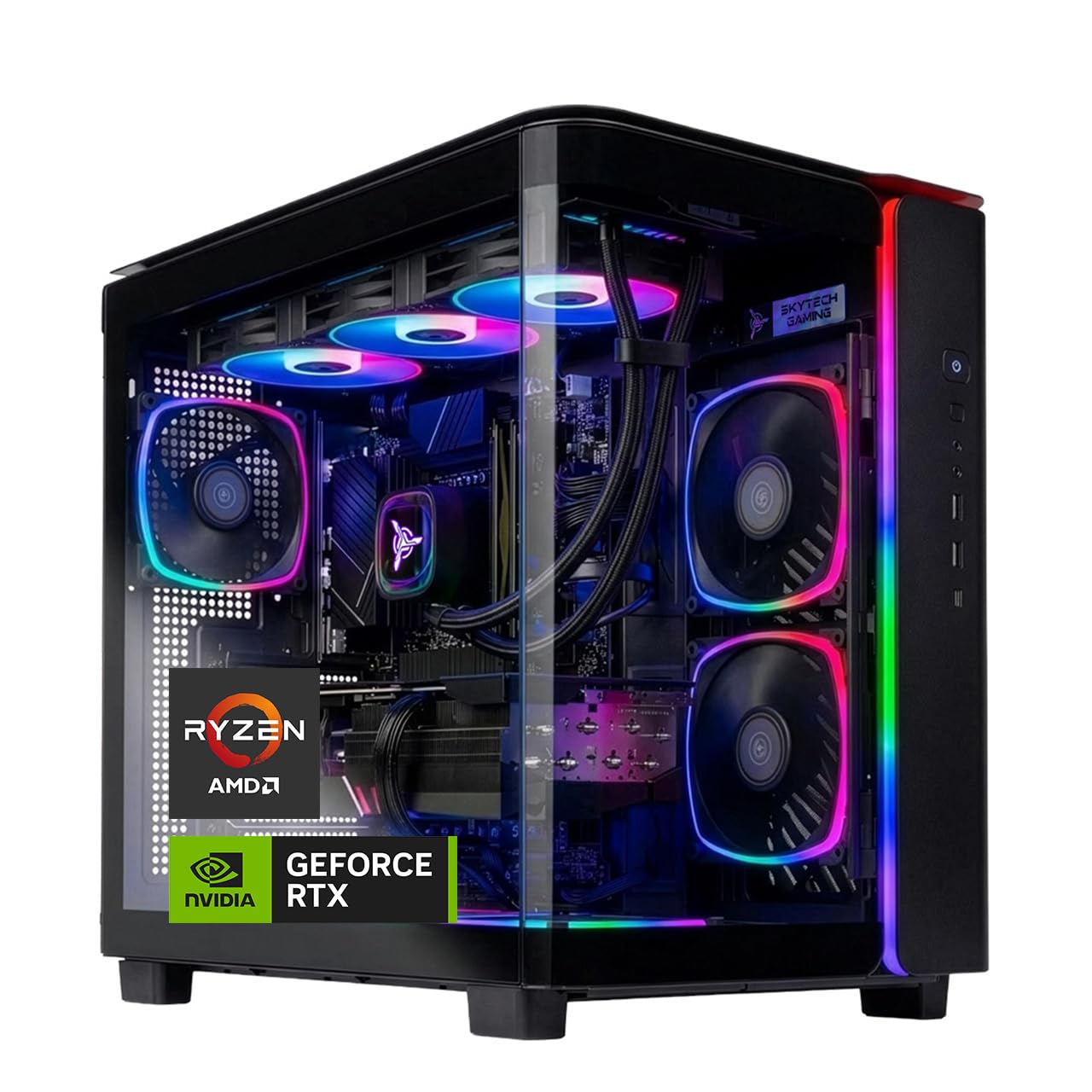
A 16GB RTX 5080 build aimed squarely at 4K Ultra
If you want the highest frame rates without compromise, this is where the tier opens up. The NVIDIA GeForce RTX 5080 carries 16GB of GDDR7 graphics memory — double the 8GB of the RTX 5060 cards earlier in this list — and pairs with an AMD Ryzen 7 9850X3D boosting to 5.6 GHz. That’s a build rated to run titles like Elden Ring and Cyberpunk 2077 at Ultra settings and 4K Ultra HD at smooth 60+ FPS.
Cooling is liquid, not air. A 360mm AIO liquid cooler with ARGB fans replaces the traditional air cooler, and the point is sustained speed without throttling — the CPU and GPU staying unrestricted by heat. The 32GB of DDR5 6000 RGB memory has a heat spreader, and the 2TB NVMe M.2 SSD stores a full library with room to spare.
The King 95 case shows it off in black, and a keyboard and mouse come included. Wi-Fi is 802.11ac, so it’s solid but not the newest wireless standard — a detail worth knowing if your router favors newer bands.
The spec that carries it: 16GB of GDDR7 on a 5080 and a 360mm liquid loop — a combination built to hold 4K Ultra frames through long sessions.
For the 4K Ultra buyer: a flagship GPU, a liquid-cooled CPU, and a 2TB drive in a showcase case.
Check the network: Wi-Fi here is 802.11ac — a cable or a newer-band router keeps it current.
11. CLX Set Gaming PC, AMD Ryzen 7 9800X3D, RTX 5080, 2TB NVMe

The X3D processor with a mountain of cache behind it
One number defines this machine: 96MB of cache. That’s the largest CPU fast-working-memory pool on this list — the MSI Codex Z2 carries a fraction of that — and it’s what the 9800X3D design leans on for smooth, consistent gaming. The Ryzen 7 9800X3D runs at 4.7 GHz base, boosting to 5.2 GHz, and the GeForce RTX 5080 carries 16GB of graphics memory to drive 4K frames.
Cooling is a 360mm AIO liquid loop, which keeps the CPU steady through long sessions. The 32GB of DDR5 memory handles multitasking, and the 2TB NVMe M.2 SSD holds a large library with quick load times. Wi-Fi and wired networking are both on board so you can connect either way.
This is the top of the tier, and the build reflects it — quality craftsmanship and a company position on support. Its appeal is for someone who wants the X3D cache advantage and the flagship 5080 without assembling anything themselves.
Why the cache matters: 96MB of CPU cache is what makes an X3D chip feel consistently responsive in games that lean on the processor — here paired with a 16GB 5080 and a 360mm liquid cooler.
The fit: a serious gamer who wants the X3D architecture and a flagship card in a finished build.
Consider first: the wireless connection is the basic tier, and a wired line suits high-refresh play better.
Know the Specs
Graphics memory (VRAM) and resolution
VRAM is the graphics card’s own memory, and it sets the resolution ceiling. An 8GB card like the RTX 5060 handles 1440p comfortably; a 16GB card like the RTX 5080 is built for 4K Ultra HD. Match the card to the monitor you plan to use, then let the rest of the build follow.
CPU cores and clock speed
Cores spread the workload across the processor; clock speed (in GHz) sets how fast each core runs. A 6-core Ryzen 5 handles mainstream gaming, while an 8-core chip like the Ryzen 7 9800X3D adds headroom for streaming and heavier tasks. More cores help when you run games and other apps together.
Common Questions
Is a prebuilt better than building my own gaming PC from scratch?
Will an RTX 5060 handle 1440p gaming smoothly?
Do these gaming PCs come with Windows installed?
What is ray tracing and do I need it?
Why do I get no display after connecting my monitor?
Can I upgrade the RAM and storage later?
Is liquid cooling better than air cooling for a gaming PC?
How much RAM do I actually need for gaming?
What does the 80 PLUS Gold rating on a power supply mean?
Should I buy a 1080p build or go straight to 4K?
The Bottom Line
For most buyers, the diy gaming computer winner is the RTX 3060 Ti build. It pairs a verified 1440p-class graphics card with a 6-core CPU and six-fan cooling, so you get a balanced tower. It also carries the top rating on this list: 4.5+ stars across 160+ owners. Want the largest CPU cache and a 16GB flagship card for 4K Ultra? Grab the CLX Set. For a quiet daily driver with a 32MB cache and four fans, reach for the MSI Codex R2.
How we choose
We do not accept paid placement. Every pick is matched to a real buyer and a real use-case; we do not hands-on test units.
Sources
Specifications: manufacturer listings and product documentation. Review insights: verified customer reviews, as of November 2026. Pricing: not shown on this page (it changes often); check the current price via the retailer link.
As an Amazon Associate, Gamepad Test earns from qualifying purchases. This does not affect which products we feature.