
Specs are compiled from manufacturer listings and verified buyer reviews and can change over time — please confirm the key details on the product page before buying.
If you want the most frames per dollar and you never plan to move the machine, a gaming computer tower is the better buy — the parts are bigger, they cool more easily, and upgrades are possible later. If you actually carry your setup to a desk, a friend’s house, or a dorm, a gaming laptop wins by default because a tower does not travel. That single question decides most of this list before any spec gets compared.
This guide is built by comparing the manufacturers’ published specifications and the patterns across verified customer reviews, so you get each pick’s real strengths and trade-offs instead of marketing spin.
You get eleven real machines below, from a 6GB desktop GPU to a 5070 tower. Each listing spells out the display refresh rate, graphics memory, and storage, so you can pick the shape that fits how you play. This gaming computer vs laptop breakdown starts with the honest answer: pick the form factor before the spec sheet.
Top Picks

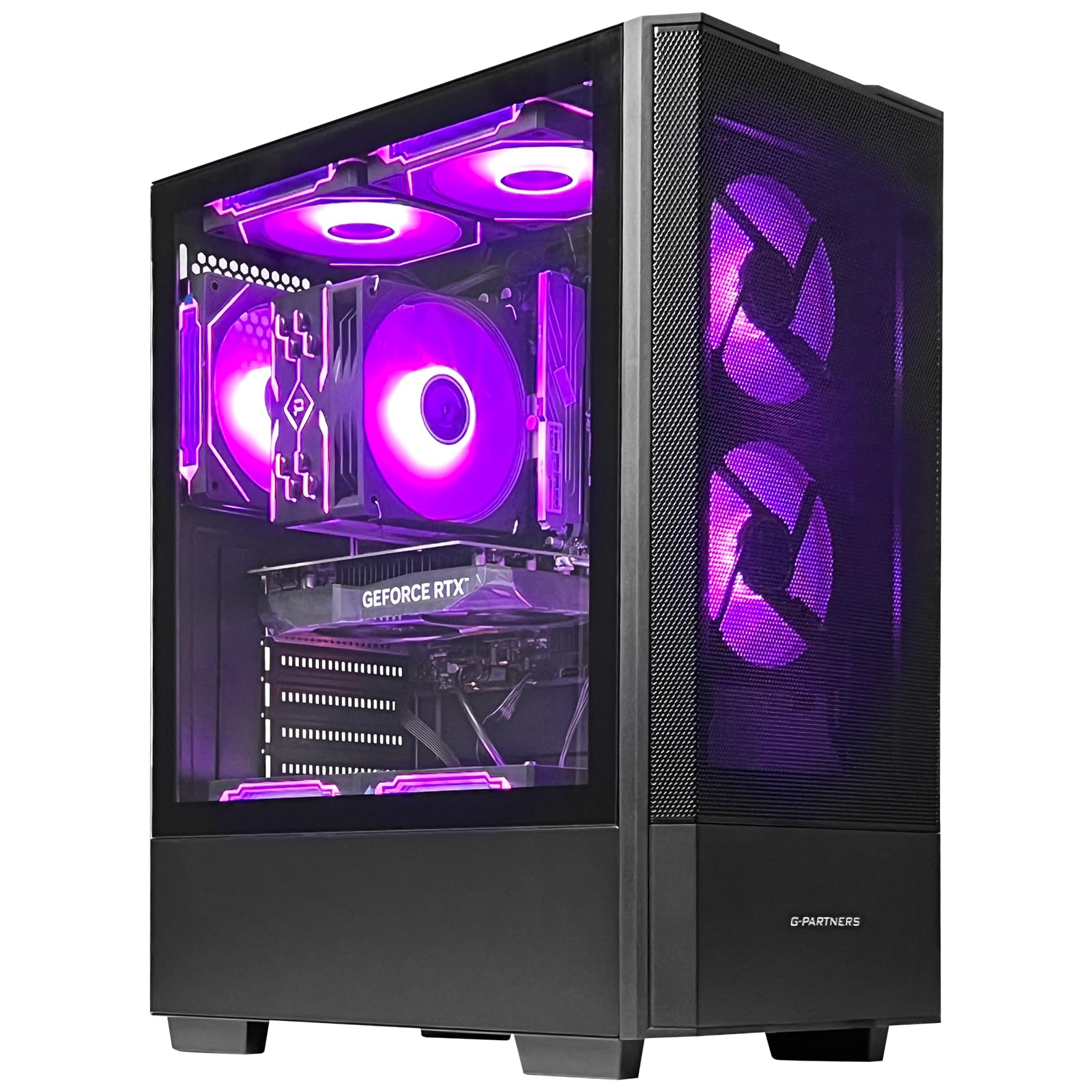

How To Choose Between a Gaming Tower and a Gaming Laptop
Start with where the machine lives. A tower stays on one desk and plugs into a wall socket, so it can use a full-size graphics card with its own cooling. A laptop folds shut and runs off a battery, which is why the same graphics card name often delivers less inside a thin chassis.
Do you move the machine or the chair?
If the computer never leaves a desk, a tower gives you more headroom for later upgrades. The HP OMEN 40L, for instance, uses a tool-less chassis so you can swap parts without a screwdriver. If you carry it to classes, a LAN event, or a relative’s house, pick a laptop and accept the trade-offs.
What the refresh rate actually changes
Refresh rate is how many times per second the screen redraws, measured in hertz (Hz). A 165Hz panel redraws 165 times a second, so fast motion looks smoother and your aim tracks cleanly. On this list the Acer Nitro V 15 runs at 165Hz while the Lenovo LOQ sits at 144Hz.
Graphics memory in plain terms
Graphics memory, or VRAM, is a separate pool the graphics card uses for textures and frames. The RTX 3050 towers here carry 6GB, the RTX 5060 CyberPowerPC carries 8GB, and the MSI Codex Z2’s RTX 5070 carries 12GB. More VRAM helps at higher resolution and with heavier texture packs.
Storage and RAM decide your patience
An SSD (solid-state drive) stores your games and boots Windows in seconds because it has no moving parts. RAM is the working memory that holds whatever is open right now. A 1TB SSD holds a big library, and 16GB of RAM keeps a game and a browser side by side.
Side-by-Side Comparison
| Model | Best For | Graphics | Memory | Storage | Amazon |
|---|---|---|---|---|---|
| Acer Nitro V 15 (ANV15-52-586Z)★ Best Overall | Laptop-first gamers on a mid budget | RTX 4050, 194 AI TOPS | 8GB DDR5 (2 slots, max 32GB) | 512GB PCIe Gen 4 SSD | Amazon |
| ZYNEEX Prebuilt Gaming DesktopEasiest Start | First tower, plug and play | RTX 3050, 6GB GDDR6 | 16GB DDR4 3200MHz | 1TB NVMe SSD | Amazon |
| iBUYPOWER Element SE (ESA5N3501)Desk-Ready Bundle | Desk setup with keyboard and mouse included | RTX 3050, 6GB GDDR6 | 16GB DDR5 4800MHz | 1TB NVMe SSD | Amazon |
| HP OMEN 40L | Upgrade-friendly 8-core tower | GTX 1660 SUPER, 6GB GDDR6 | 16GB DDR4 | 512GB PCIe NVMe SSD | Amazon |
| Lenovo LOQ (RTX 4050) | Frequent travel with a dedicated GPU | RTX 4050, 6GB GDDR6 | Up to 64GB DDR5 | Up to 8TB PCIe M.2 SSD | Amazon |
| CyberPowerPC (i5-14400F / RTX 5060) | Big-VRAM desktop on a mid budget | RTX 5060, 8GB GDDR7 | 16GB DDR5 | 1TB PCIe 4.0 NVMe SSD | Amazon |
| Acer Nitro V 16S AI (ANV16S-41-R2AJ) | High-refresh laptop with 32GB RAM | RTX 5060 Laptop GPU, 572 AI TOPS | 32GB DDR5 5600MHz | 1TB PCIe Gen 4 SSD | Amazon |
| ASUS ROG Strix G16 (G615JMR-AS74) | Serious gaming laptop with Wi-Fi 7 | RTX 5060 Laptop GPU | 16GB DDR5-5600MHz | 1TB PCIe Gen 4 SSD | Amazon |
| HP OMEN 45L | Big RAM and storage for creators | GTX 1660 SUPER, 6GB GDDR6 | 64GB DDR4 | 2TB PCIe Gen4 NVMe SSD | Amazon |
| Alienware Aurora (RTX 5070) | Quiet premium 5070 tower | RTX 5070 | Intel Core Ultra 7 265F | — | Amazon |
| MSI Codex Z2 (R7-8700F) | Top-tier 5070 tower with 12GB VRAM | RTX 5070, 12GB | 32GB DDR5 | 2TB SSD | Amazon |
Detailed Reviews
1. Acer Nitro V 15 Gaming Laptop (ANV15-52-586Z)
Our pick — 4.5+★ from 400+ verified ratings; the strongest balance of quality and price.
The laptop that puts a 165Hz panel on your lap without asking for premium money
Here is the pick that settles the whole tower-versus-laptop argument for most people. The Nitro V 15 packs a 15.6-inch Full HD screen running at 165Hz — that is 165 screen redraws per second, so fast camera turns stay smooth instead of smearing. Pair that with the RTX 4050’s 194 AI TOPS (a measure of how many AI operations per second the graphics chip can handle) and you have a machine that plays modern titles cleanly at 1080p.
What wins people over is raw performance — it is the most-discussed strength on this machine by a wide margin, and the second theme is straightforward value. The other half of the spec sheet matters too: 8GB of DDR5 memory across two slots that take up to 32GB, plus a 512GB PCIe Gen 4 SSD for fast loads. The 82.64% screen-to-body ratio means thin bezels, so the 15.6-inch panel feels bigger than the chassis suggests. Wi-Fi 6 and Killer Ethernet E2600 Gigabit keep online play stable on couch or café networks, and one Thunderbolt 4 port carries power, data, and video in a single cable.
The catch is thermal character, and it is worth knowing before you buy. Play for about 15 minutes on a demanding title and the chassis warms noticeably, and the fans announce themselves under load. That is the normal cost of squeezing desktop-class graphics into a portable body. If you mostly play at a desk anyway, a tower like the CyberPowerPC below gives the same graphics class more breathing room.
What earns it the top slot
- 165Hz Full HD panel keeps fast action readable and aim tracking tight
- RTX 4050 with 194 AI TOPS handles 1080p gaming plus video and photo editing
- Two DDR5 slots accept up to 32GB, so RAM is upgradeable later
- Thunderbolt 4 folds charging, data, and display into one port
What you give up
- The chassis runs hot and the fans get loud during long sessions
- 512GB of storage fills quickly with modern game installs
- 8GB of memory is the starting point, not a comfortable ceiling
Go for this if: you want one machine for games, editing, and the road, and you value a high refresh screen over a bigger case.
Think twice if: you play marathon sessions on a fixed desk — a tower cools itself more easily at the same graphics tier.
2. ZYNEEX Prebuilt Gaming Desktop PC (Ryzen 5 5500 / RTX 3050)
A whole tower that boots straight into a game library without a single build step
If the idea of assembling a PC makes your eyes glaze over, this is the shortcut. The Ryzen 5 5500 is a 6-core, 12-thread processor reaching up to 4.2GHz — twelve threads means the chip can juggle a game, a voice chat, and a browser without choking. Compare that clock to the iBUYPOWER Element SE below at 4.7 GHz and you can see exactly what the step-up buys.
Owners keep coming back to performance, and setup is the second thing they call out again and again — you plug in the power cord, connect a monitor to HDMI or DisplayPort, and you are playing. The GeForce RTX 3050 with 6GB of GDDR6 (dedicated graphics memory) handles high-frame-rate 1080P gaming with ray tracing switched on, so lighting effects stay smooth. Storage is a full 1TB NVMe SSD, so your library has room from day one, and 16GB of DDR4 3200MHz memory keeps loads quick. ARGB air cooling with multiple fans holds steady through long sessions.
Where it falls short of the pricier towers is graphics memory and generation. The 6GB RTX 3050 here is a smaller pool than the 8GB RTX 5060 in the CyberPowerPC, which matters if you push texture settings high. The cache figure also lands at 16 MB against the HP OMEN 40L’s 32 MB, so heavy multitasking has less elbow room. For 1080p play at sensible settings, none of that changes the experience much.
Value read: this is the entry point where a tower makes its case — you get a discrete graphics card, 16GB of RAM, and a 1TB SSD in one box with no build risk.
The honest limit: 6GB of graphics memory and a 16 MB cache mean you are buying a 1080p machine, not a 1440p one.
Reach for this if: you want a first tower that works on day one and you play at 1080p.
skip it if: you already plan to push high textures and want the 8GB card.
3. iBUYPOWER Element SE Gaming PC (ESA5N3501)
A tower, a keyboard, and a mouse in one box — the whole desk covered at once
The 4.7 GHz boost clock on the Ryzen 5 8400F is the number to notice here. Against the ZYNEEX above at 4.2 GHz, that is a measurable step up in how quickly the processor finishes each task. Around it you get 16GB of DDR5 4800MHz memory, a 1TB NVMe SSD, and an RTX 3050 with 6GB of GDDR6. The bundled keyboard and RGB mouse mean you are not shopping for peripherals afterward, and the tempered-glass case with 16-color RGB lighting gives the build a look you can actually show off.
Connections are generous: 6 USB 3.1 ports, a gigabit RJ-45 Ethernet jack, 802.11AC Wi-Fi, and onboard audio. There is no bloatware pre-installed, which means the machine boots to a clean Windows 11 Home desktop. Owners consistently describe it as quick to set up and genuinely quiet in normal use.
Now the part you should weigh carefully. The power supply is the recurring sore spot — a cluster of complaints center on it failing, and reliability chatter overall splits down the middle rather than leaning positive. That is a real consideration on a desktop where the power supply feeds a 6GB graphics card. Windows 11 Home already covers the essentials if you prefer the safer route.
The case for it
- 4.7 GHz Ryzen 5 8400F outpaces the 4.2 GHz chip in the ZYNEEX
- Keyboard and RGB mouse included, so nothing extra to buy
- 1TB NVMe SSD plus 16GB DDR5 4800MHz covers games and multitasking
- Ships with no bloatware on Windows 11 Home
The reservations
- Power supply failures are the most common complaint on this model
- RTX 3050 with 6GB is a 1080p card, not a high-texture machine
- Reliability feedback is genuinely split rather than reassuring
Best fit for: a first desk setup where the included peripherals and clean Windows install save real effort.
Worth pausing over: the power supply record — if you want the fewest moving-part risks, the CyberPowerPC below is the calmer pick.
4. HP OMEN 40L Gaming Desktop PC (Ryzen 7 5700X)
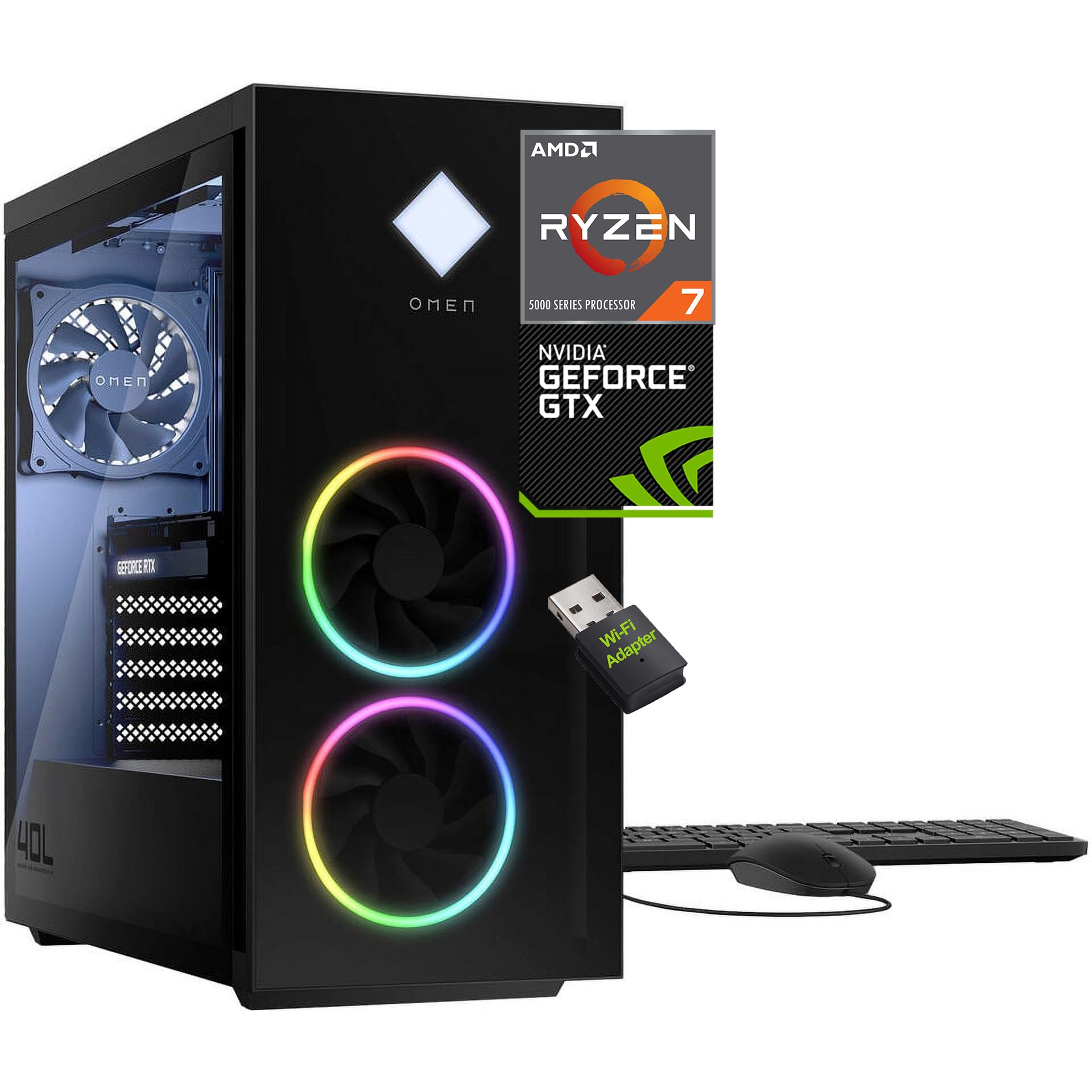
An 8-core tower you can open without a screwdriver and grow for years
Thirty-two megabytes of cache is the standout figure on this tower, and it doubles what the ZYNEEX offers at 16 MB. That cache is a fast scratchpad next to the processor, so more of it means fewer slow trips to main memory during heavy multitasking. The AMD Ryzen 7 5700X brings 8 cores and 16 threads up to 4.60GHz, which is genuinely roomy for streaming while you play.
The chassis is the other argument. A tool-less design means you pop panels off by hand rather than hunting for a screwdriver, which matters if you plan to add storage or swap graphics down the road. A 600W power supply leaves headroom, the active fan-sink cooling with 4-pin fan control holds performance under load, and OMEN Light Studio lets you sync RGB across connected gear. You also get an HP wired keyboard and mouse plus a bundled wireless USB Wi-Fi adapter in the box. Owners describe it as quiet, compact enough to take almost no desk space, and quick to set up.
The graphics card is the honest limitation. A GeForce GTX 1660 SUPER with 6GB anchors this to 1080p play, and it is an older generation than the RTX cards elsewhere on this list. Wi-Fi is the other weak spot — connectivity problems come up repeatedly, which is why the bundled adapter is worth using rather than assuming the built-in radio will cooperate.
Why it stands out: a 32 MB cache and 8-core processor give this genuine longevity, and the tool-less case makes the upgrade path simple instead of intimidating.
The trade-off: the GTX 1660 SUPER keeps it a 1080p machine, and Wi-Fi reliability is the recurring complaint.
Pick this one if: you want a tower you will open up and upgrade rather than replace.
Look elsewhere if: you need strong built-in Wi-Fi from the start or you play above 1080p.
5. Lenovo LOQ Gaming Laptop (RTX 4050 / Ryzen 5 7235HS)
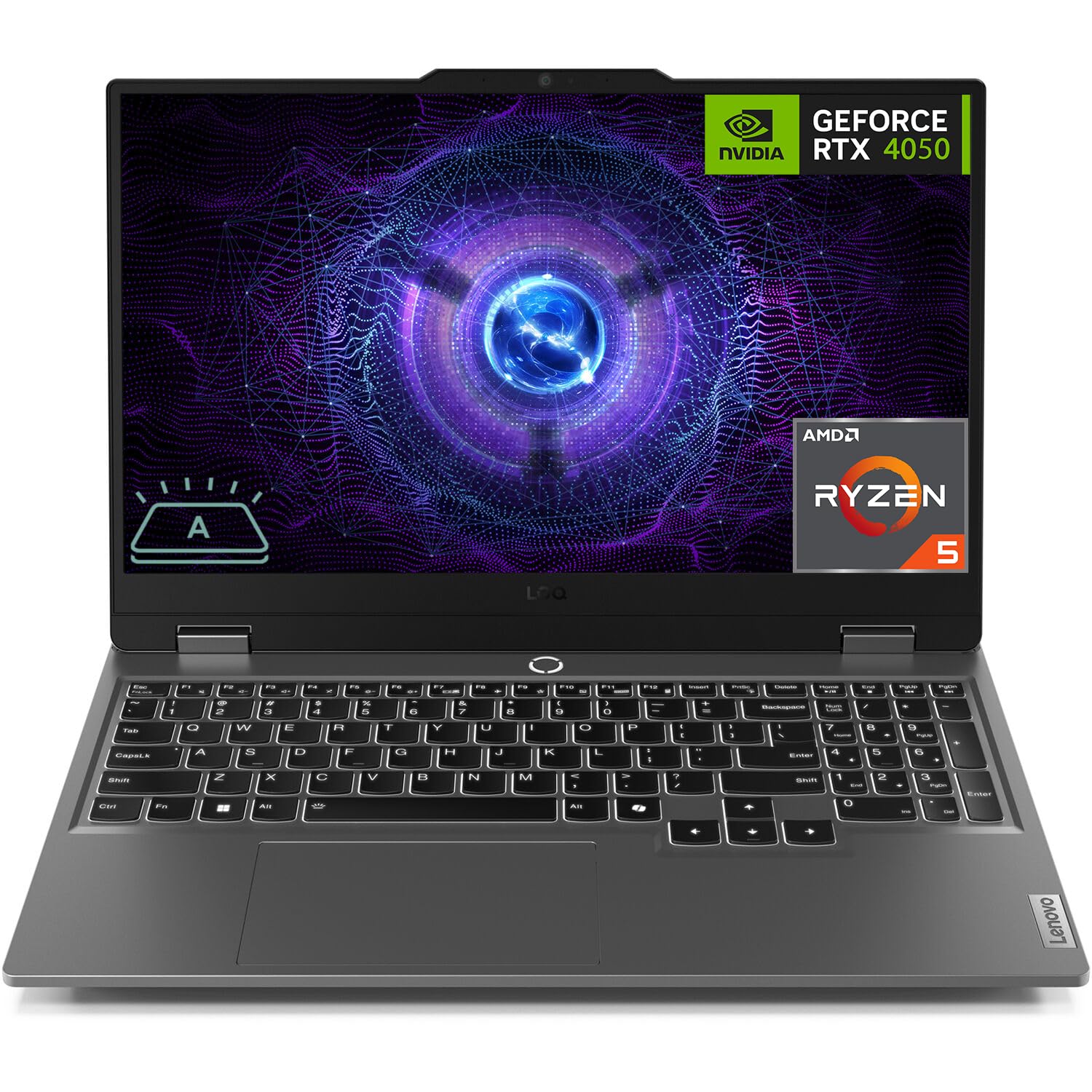
The laptop built to be opened up — memory and storage stretch far past the usual ceiling
Most gaming laptops cap you at 32GB of memory. This one goes to 64GB of DDR5 RAM and up to 8TB of PCIe M.2 SSD storage, which is the kind of headroom you usually only find in a tower. The 15.6-inch Full HD IPS panel is anti-glare and rated at 300 nits (a brightness measure — 300 nits stays readable in a normally lit room), and it refreshes at 144Hz with G-SYNC smoothing out frame pacing.
Under the hood sits an AMD Ryzen 5 7235HS with 4 cores and 8 threads reaching 4.2 GHz, backed by 8 MB of L3 cache plus 2 MB of L2. The GeForce RTX 4050 with 6GB of GDDR6 handles the graphics load. Around the edges you get one USB-C, three USB-A, HDMI, an Ethernet RJ45 jack, a headphone/mic combo, Wi-Fi 6, and Bluetooth 5.2, so wired networking is available when the Wi-Fi gets crowded. What people notice most is how smoothly it runs — no stutter, no lag between clicks.
Here is the comparison that stings a little: the Acer Nitro V 15 above runs its panel at 165Hz against this one’s 144Hz, so Acer leads on raw smoothness. Value is also the split topic here rather than a clean win, with some feeling the asking figure is high for the parts inside. If you never plan to open the case, that upgrade headroom is money you are not using.
Where it pulls ahead
- Memory scales to 64GB DDR5 and storage to 8TB, unusual for a laptop
- G-SYNC on a 144Hz IPS panel keeps frame pacing even
- Wired Ethernet RJ45 plus Wi-Fi 6 covers both network routes
- Anti-glare 300-nit screen holds up away from a dark room
What to weigh
- 144Hz sits below the 165Hz panel on the Acer Nitro V 15
- Value opinions split — the upgrade ceiling only pays off if you use it
- 4 cores is a lighter processor than the 8-core towers here
Made for: the player who treats a laptop like a small tower and will actually add memory and storage later.
Not the one for: anyone who wants the smoothest possible panel or the strongest value per part.
6. CyberPowerPC Gaming PC (i5-14400F / RTX 5060 8GB)
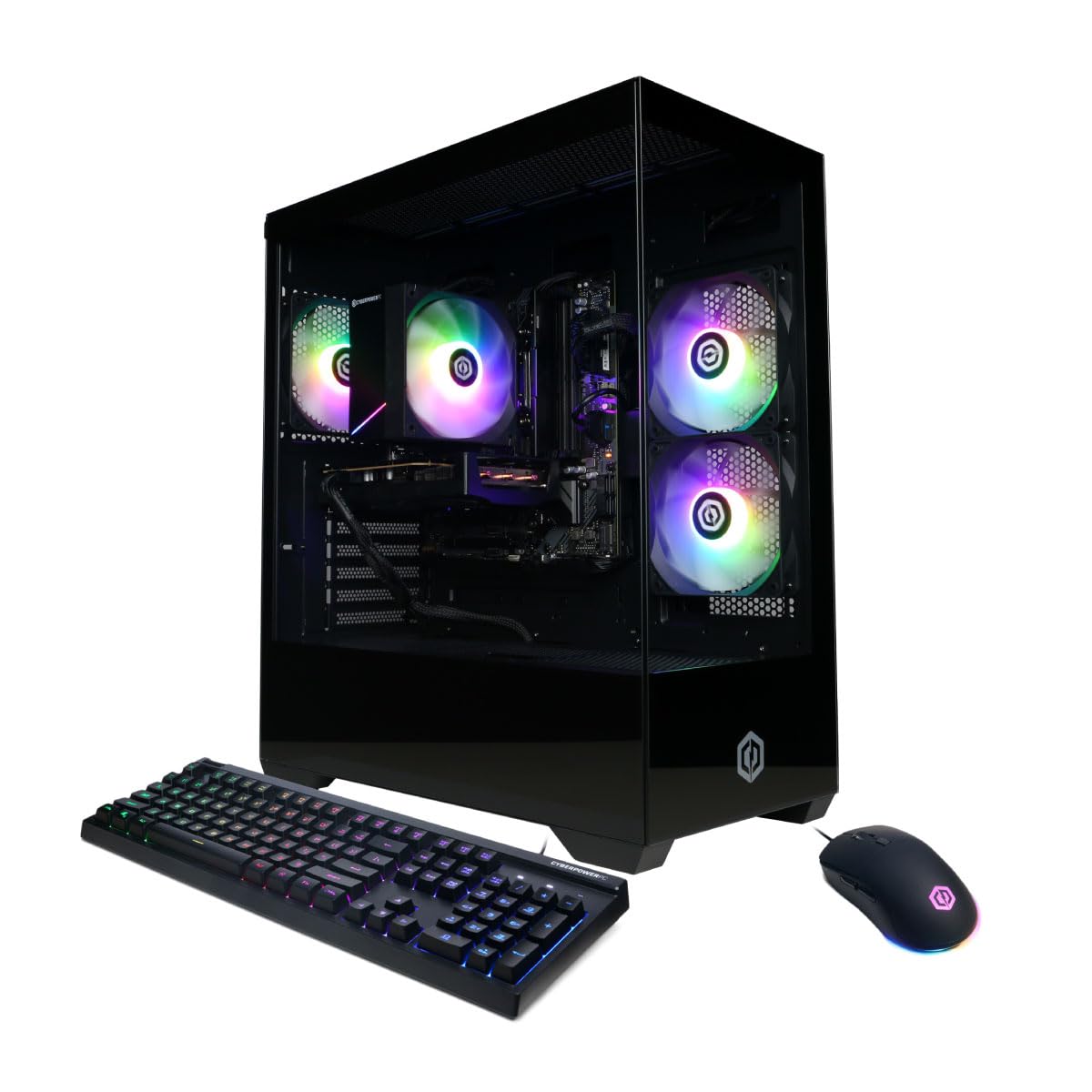
An 8GB card in a mid-range tower — the VRAM jump the 6GB desktops can’t match
This is the tower that quietly fixes the biggest complaint about the entry desktops. Its GeForce RTX 5060 carries 8GB of GDDR7 graphics memory where the RTX 3050 towers settle for 6GB, and GDDR7 is a newer memory type than the GDDR6 in those machines. That extra pool is what lets you nudge texture settings higher without the card spilling into slower system memory.
The rest of the build supports the card sensibly: an Intel Core i5-14400F with 10 cores on the B760 chipset, 16GB of DDR5, and a 1TB PCIe 4.0 NVMe SSD running Windows 11 Home. Outputs are one HDMI and two DisplayPort, so a multi-monitor desk is straightforward. Wi-Fi 6 and Bluetooth 5.3 handle wireless, and there are 2 USB-A 3.2 ports up front with 6 USB-A 2.0 ports for the rest of your gear. Performance is what people talk about most, with value and appearance following, and setup lands as a clean experience rather than a project.
Compared with the Acer Nitro V 16S AI laptop below, this tower is a different trade entirely — same 8GB of graphics memory class, but here the card has real airflow around it instead of a thin laptop chassis, so it stays cooler under load. The 1-year parts and labor warranty with lifetime tech support is the safety net. What you sacrifice is portability, in full.
Standout detail: GDDR7 memory at 8GB puts this a generation ahead of the 6GB GDDR6 towers on this list, and the tempered side panel with custom RGB makes it a desk piece too.
Where it stops: 16GB of DDR5 is enough for gaming but not generous, and this tower will never leave the desk.
Right call for: a fixed desk where you want more graphics memory than the budget towers offer.
Wrong call for: anyone who needs the machine to fold up and travel.
7. Acer Nitro V 16S AI Gaming Laptop (ANV16S-41-R2AJ)
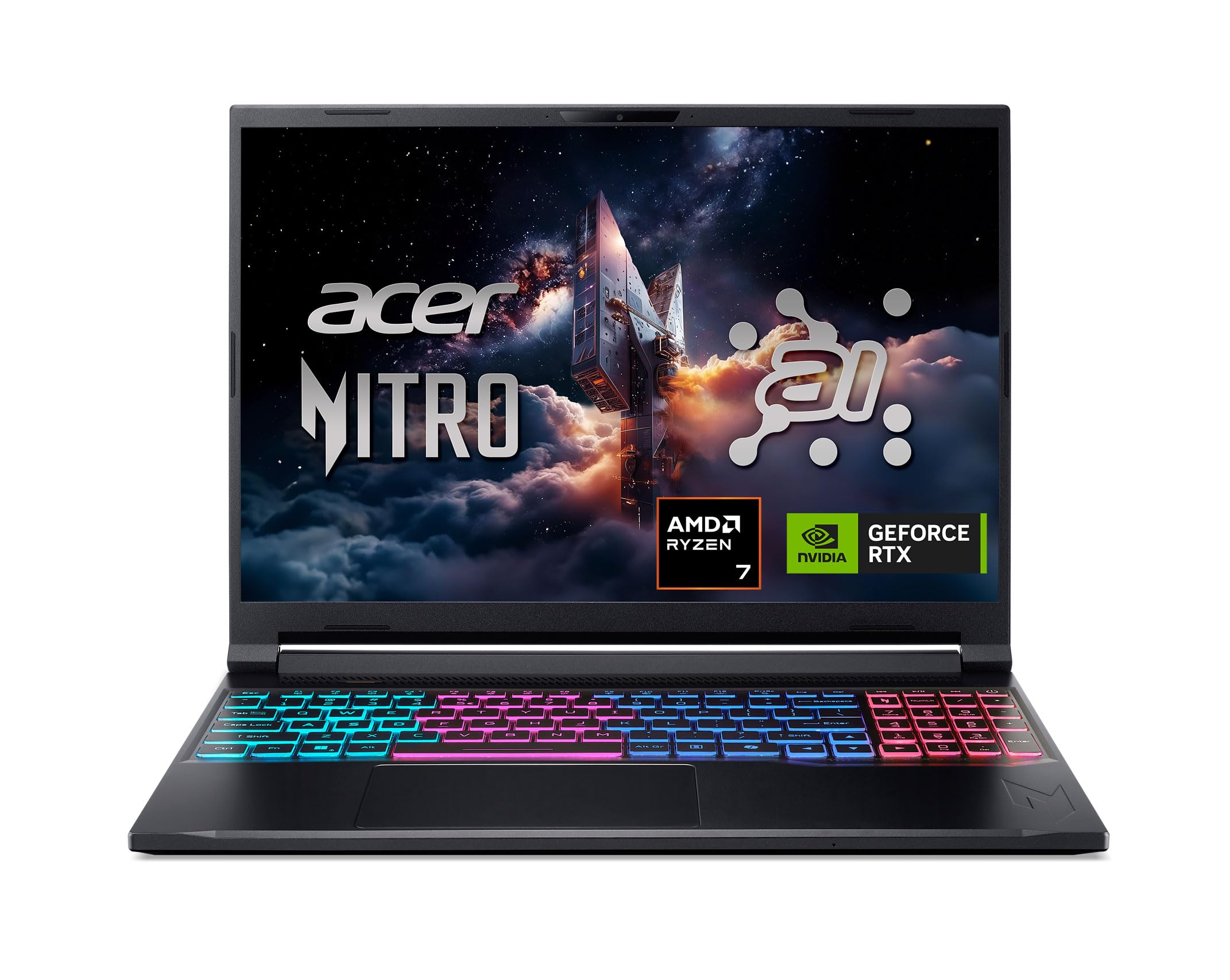
180Hz, 100% sRGB, and 32GB of memory — a laptop that acts like a workstation
Two numbers set this machine apart from every other laptop here. The 16-inch WUXGA screen runs 1920 x 1200 at 180Hz — that extra vertical height gives you more visible game world than a standard 1920 x 1080 panel, and 180 redraws a second is the smoothest on this list. It also covers 100% sRGB (a color range measure), so the colors you see are close to what the creators intended.
Memory is the second standout: 32GB of DDR5 5600MHz across two slots, with one PCIe M.2 slot still open for expansion alongside the 1TB Gen 4 SSD. The Ryzen 7 260 processor reaches 5.1 GHz with 24 MB of L3 cache, and the GeForce RTX 5060 Laptop GPU brings 572 AI TOPS plus Blackwell architecture with DLSS 4 for AI-assisted frame generation. Performance is the headline strength by a long way, followed by value and gaming performance. Owners talk about solid build quality and games running exactly as they should.
The trade-off is heat and battery, and both are real. Under load this machine runs hot, and battery drain under heavy play is significant — some heavy-session play does not last long on the cell. Fan noise is a split topic, some finding it quiet and others finding the fans loud with thin built-in audio. For a laptop pushing a 5060 at 180Hz, that is a fair exchange rather than a fault.
Why creatives like it
- 180Hz WUXGA panel is the fastest here, and 100% sRGB suits editing work
- 32GB DDR5 5600MHz with one M.2 slot still free for expansion
- RTX 5060 Laptop GPU with 572 AI TOPS and DLSS 4
- Ryzen 7 260 boosts to 5.1 GHz with 24 MB L3 cache
What to plan around
- Heat builds under sustained load and the fans can get loud
- Battery life under play is short, so keep the adapter close
- Built-in speakers are thin compared with the rest of the package
Suits you if: you edit video or photos on the same machine you game on and want the best screen in this lineup.
Not for you if: you play unplugged for long stretches and hate fan noise.
8. ASUS ROG Strix G16 (G615JMR-AS74)
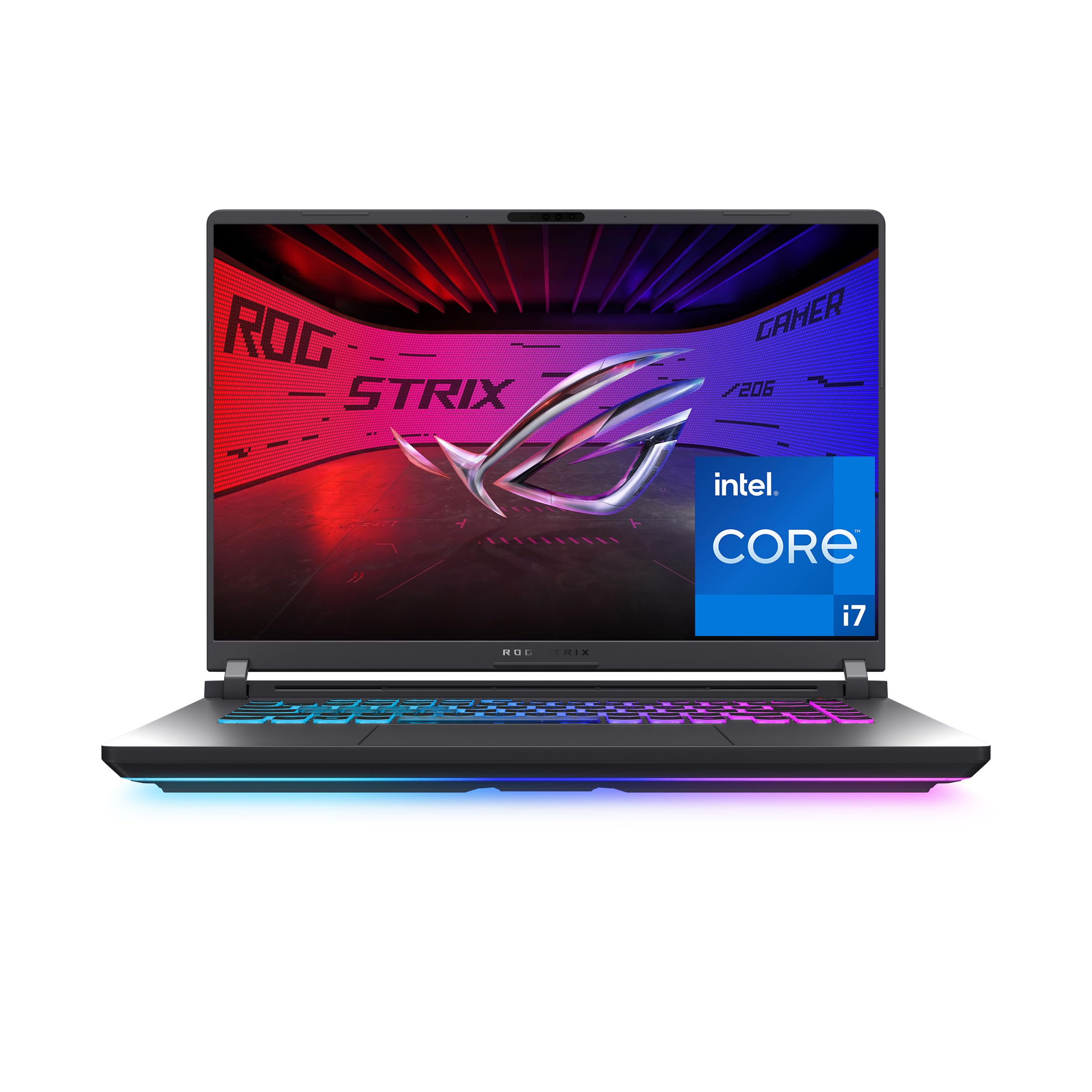
Liquid metal and three fans — the laptop that treats heat as the enemy
Cooling is where this machine spends its budget. An end-to-end vapor chamber spreads heat across the whole chassis, tri-fan technology moves air through it, and Conductonaut extreme liquid metal sits directly on the chipset to pull heat away faster than standard paste. On a gaming laptop, staying cool is what keeps frame rates from sagging after the first ten minutes, so this is not decoration.
The 16-inch FHD+ 165Hz panel adds a new ACR film that improves contrast and cuts glare, and the 3ms response time keeps motion tight. Inside you get an Intel Core i7-14650HX boosting to 5.2 GHz with 16GB of DDR5-5600MHz and a 1TB PCIe Gen 4 SSD. Wi-Fi 7 is the newest wireless standard here. Owners describe it as a genuinely capable gaming machine with fast uploads and downloads, and the picture quality draws consistent praise.
Look at the battery figure before you plan a trip. This machine lists 2 hours of battery life against 50 hours of standby, which means it is a plug-in laptop in practice. Performance feedback also splits, with some reporting crashes when launching games, and cooling opinions divide between those who find it runs cool and those who find the heat extreme. The 360° RGB light bar with Stealth Mode is a nice touch for anyone who takes it into a professional setting.
The defining feature: a vapor chamber, three fans, and liquid metal on the chipset — a cooling stack you rarely see at this tier.
The honest catch: 2 hours of rated battery life makes this a desk-bound laptop, and stability reports are mixed enough to warrant a return window.
Choose it if: you want a 16-inch gaming laptop with serious thermal engineering and the latest Wi-Fi standard.
Pass on it if: you need real battery runtime away from a socket.
9. HP OMEN 45L Gaming PC (i7-12700KF / 64GB / 2TB)
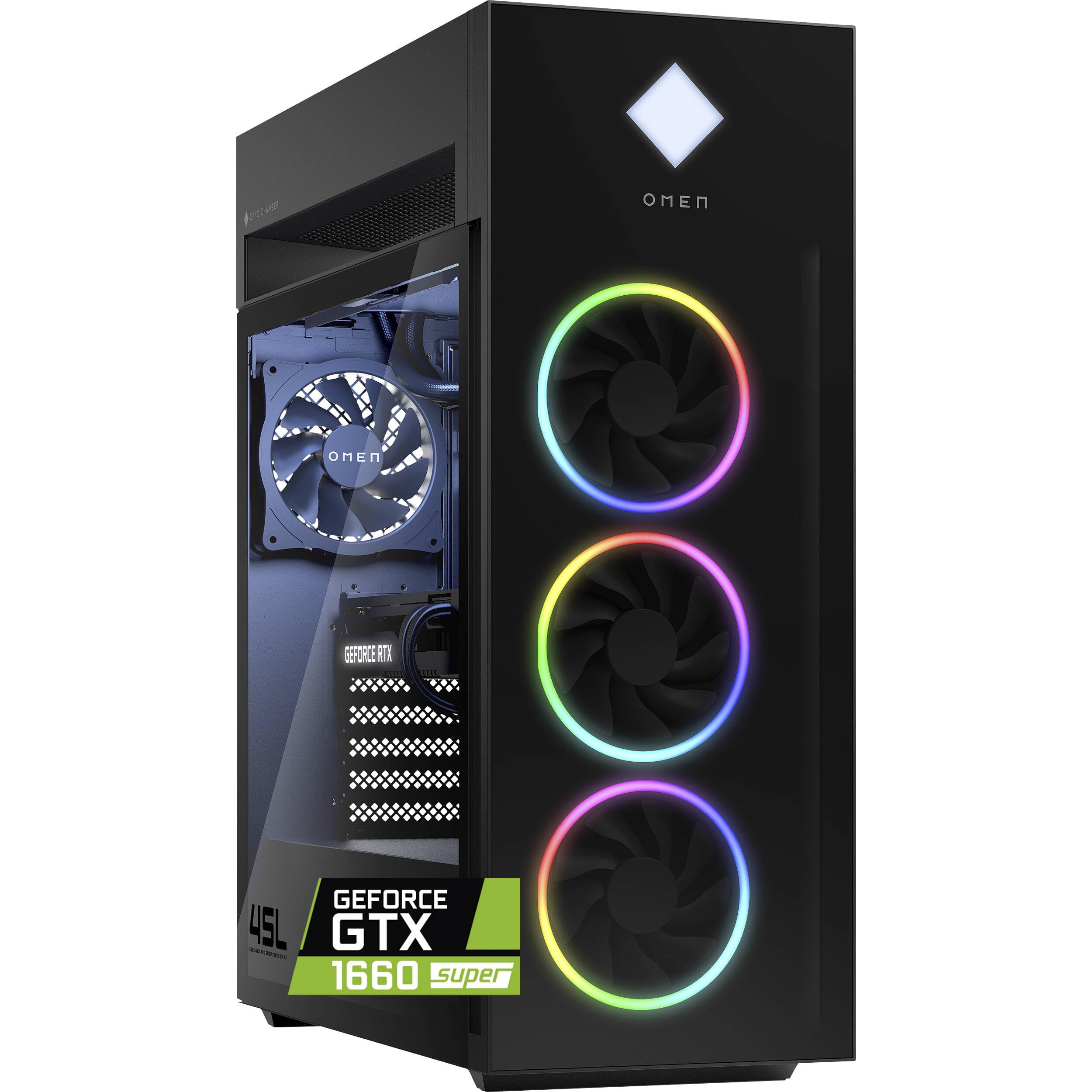
Sixty-four gigabytes of memory and a 2TB Gen4 drive — this tower is built for creators
If your day involves rendering, editing, or thirty browser tabs beside a game, this is the tower that will not flinch. The Intel Core i7-12700KF runs 12 cores and 20 threads up to 4.90GHz through Intel Turbo Boost Max 3.0, and the 25 MB cache keeps the pipeline fed. Around it sits 64GB of DDR4 memory and a 2TB PCIe Gen4 NVMe SSD — the largest memory pool on this list by a clear margin.
Connectivity is unusually complete. Ten USB ports total include 2 USB 3.2 Gen1 Type-A and 2 USB 2.0 up front with HP Sleep and Charge, plus 4 USB 3.2 Gen2 Type-A, 2 USB 3.2 Gen1 Type-C, and Gigabit Ethernet around the back. A wireless Wi-Fi adapter, headphone/mic combo jack, and 5.1 surround sound with DTS:X Ultra round it out. The 800W 80 Plus Gold power supply is rated at 90% efficiency, leaving headroom for a future graphics card upgrade., and a tempered glass front panel with OMEN Light Studio RGB finishes the look. Buyers report 120-130 fps in Modern Warfare and 140+ fps in lighter titles.
Two things temper the enthusiasm. The GeForce GTX 1660 SUPER with 6GB is outmatched by the RTX 5070 cards further down this list, so this tower’s horsepower is aimed at multitasking rather than maximum scenery detail. Heat and noise also split opinion, with some measuring high CPU temperatures and fans that get genuinely loud. In a workstation role that rarely matters; in a quiet bedroom it does.
Where it shines
- 64GB DDR4 plus a 2TB Gen4 NVMe SSD handles editing and rendering alongside play
- 12-core i7-12700KF boosts to 4.90GHz with 25 MB cache
- 10 USB ports including Type-C and Gigabit Ethernet
- 800W 80 Plus Gold power supply at 90% efficiency leaves upgrade room
The reality check
- GTX 1660 SUPER with 6GB trails the RTX 5070 towers on graphics
- CPU temperatures and fan noise come up as the common gripe
- All that memory is wasted if you only ever game
Built for: creators and streamers who run heavy production work and gaming from the same desk.
Overkill for: pure gamers, who would get more frames from an RTX card and fewer gigabytes of RAM.
10. Alienware Aurora Gaming Desktop (RTX 5070)
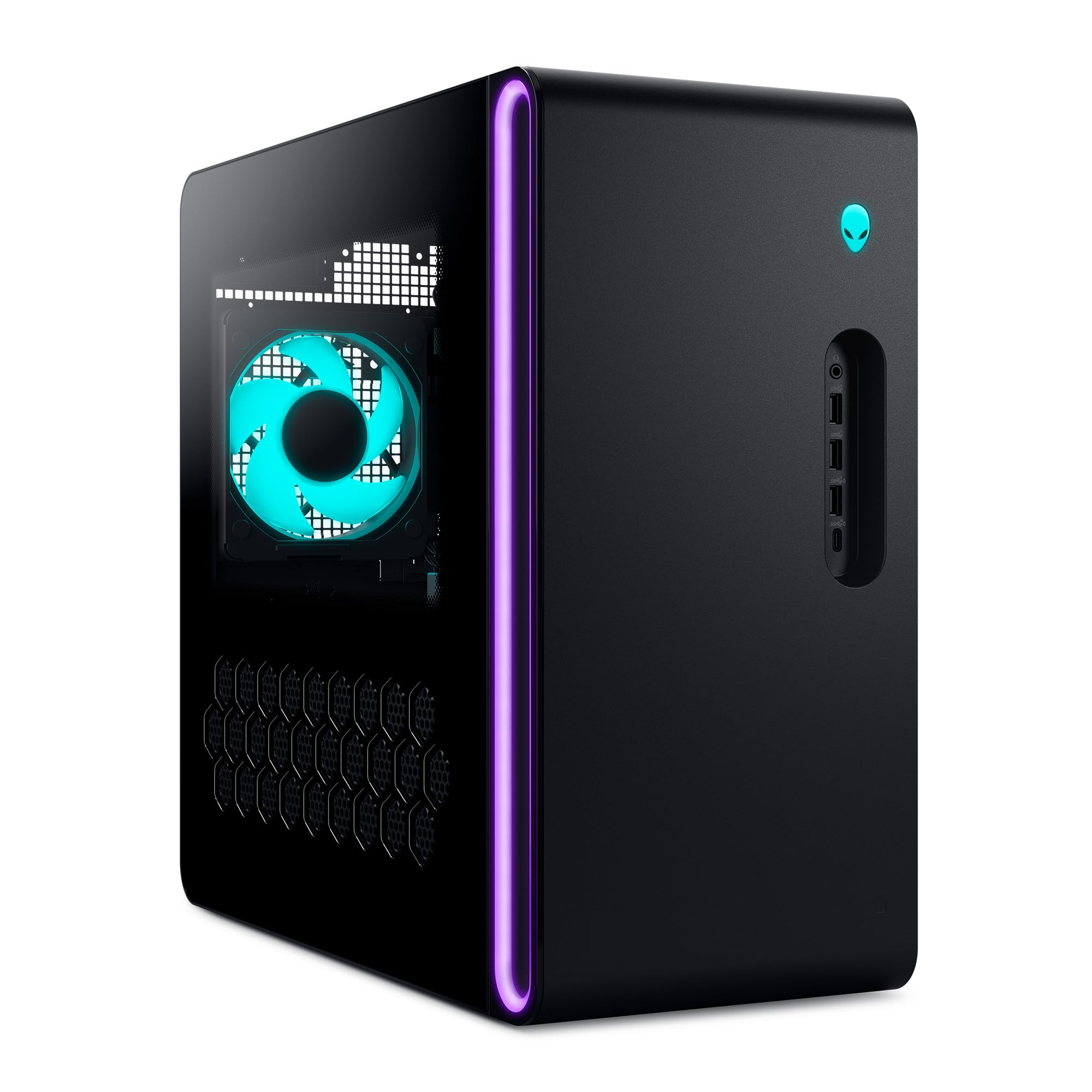
A 5070 tower that runs cool and stays quiet — the premium pick for a shared room
Quiet operation is the trait that defines this one, and it comes from restraint rather than brute force. The NVIDIA GeForce RTX 5070 handles graphics on Blackwell architecture, while the Intel Core Ultra 7 265F boosts to 5.3 GHz with a 66 MB cache. Around them, a matte basalt black chassis carries customizable AlienFX lighting zones including the stadium light ring.
What buyers value most is how it performs without making a scene — no stutter, cool running temperatures, and speed that simply keeps up. Alienware Command Center software is where you tune things: set AlienFX lighting across the ecosystem, switch performance modes between power states, and build custom profiles per game. A 1-Year Onsite Service from Dell sends a technician to your home or office when a covered hardware fault cannot be fixed remotely.
The caveats are worth knowing before you commit. Storage capacity draws mixed reactions, with several wishing the design offered more RAM slots, and some report the listing’s specifications not matching what arrived. The chassis is set up for air cooling with speakers onboard. Compared with the MSI Codex Z2 below, this tower’s 5070 runs with less graphics memory stated — check that detail against your resolution plans.
Best-loved quality: it runs cool and near-silent while holding a steady frame, which is exactly what a tower sharing a living space needs.
The honest caveat: expansion is limited on RAM slots, and listing accuracy has been questioned — confirm the exact configuration when you order.
Ideal for: a premium desk in a shared room where quiet running and onsite service matter more than expansion.
Less ideal for: anyone planning to stack in more memory later.
11. MSI Codex Z2 Gaming Desktop (R7-8700F / RTX 5070 / 2TB)

Twelve gigabytes of graphics memory and 32GB of DDR5 — the heaviest hitter here
The 12GB of graphics memory on this GeForce RTX 5070 is the largest pool in this entire lineup, and it is where the money goes. That figure beats the Alienware Aurora’s 5070 configuration and doubles the 6GB on the entry towers. Bigger graphics memory means high-resolution textures load without spilling into slower memory, so the machine holds its quality at higher settings.
Behind it sits an AMD Ryzen 7 8700F with 8 cores and 16 threads boosting to 5.0 GHz and an 18 MB cache, paired with 32GB of DDR5 memory and a 2TB SSD. Cooling uses an ARGB fan air cooler plus four system fans — three pulling air in at the front and one pushing heat out the back. The MSI LED button cycles lighting options and MSI Center software goes deeper. Owners say it runs everything they throw at it, including heavy titles, and describe it as quiet, easy to set up, and cool under pressure. The RTX 5070’s Blackwell architecture is the generational step behind that headroom.
Reliability is the topic that splits here, with the reported failure pattern arriving after months of use rather than on day one. That makes the return window and warranty worth confirming before purchase. If you want the biggest graphics memory pool available and you are ready to hold the maker accountable on support, this tower delivers the most raw capability per desk.
Why it earns top performer
- 12GB of graphics memory on the RTX 5070 is the largest pool in this lineup
- 8-core Ryzen 7 8700F boosts to 5.0 GHz with an 18 MB cache
- 32GB DDR5 plus a 2TB SSD means no immediate upgrades needed
- Four system fans plus an ARGB air cooler keep it cool and quiet
The caveat to hold onto
- Reliability reports split, with failures described after months of use
- Air cooling only — no liquid loop on a top-tier tower
- It is the heaviest spend on this list, so confirm support terms first
This is your machine if: you want the biggest graphics memory pool on the page and a tower that stays cool while doing it.
Hold off if: long-term reliability confidence outweighs raw capability for you.
Know the Specs
Graphics Memory (VRAM) in GB
VRAM is the private pool your graphics card uses to hold textures and finished frames. A 6GB card like the RTX 3050 or GTX 1660 SUPER handles 1080p comfortably, while the 8GB RTX 5060 and the 12GB RTX 5070 give you room to push texture settings higher. Think of it as counter space in a kitchen — more room means you can lay out more at once without shuffling.
Refresh Rate in Hertz
Refresh rate counts how many times per second the screen redraws. A 165Hz panel redraws 165 times a second, so a fast turn looks fluid instead of smeared. Higher numbers help most in shooters and racing games. On this list the range runs from 144Hz on the Lenovo LOQ to 180Hz on the Acer Nitro V 16S AI.
Processor Cores, Threads, and Clock Speed
Cores are the physical workers inside the processor; threads are the queues each core can handle at once. An 8-core, 16-thread chip like the Ryzen 7 5700X can run a game and a stream encoder side by side. Clock speed in GHz is how fast each worker cycles — 4.2 GHz versus 4.7 GHz is a visible difference in how snappy menus and loads feel.
SSD Type and Capacity
An SSD stores your games and Windows itself with no moving parts, which is why booting takes seconds. PCIe Gen 4 drives move data faster than older generations, and laptop makers here quote up to 8TB of expansion on the Lenovo LOQ. Capacity matters more than raw speed once you pass a certain point — a 512GB drive fills after a handful of modern titles.
Common Questions
Is a gaming computer tower better than a gaming laptop for the same graphics card?
How much graphics memory do I need for 1080p gaming?
Does a 165Hz display make a real difference over 144Hz?
How long does a gaming laptop battery actually last during play?
Can I upgrade the RAM and storage in a gaming laptop?
Is liquid cooling worth it on a gaming desktop?
What is a good cache size on a gaming processor?
Do I need Wi-Fi 7 or is Wi-Fi 6 enough for online gaming?
Will a tower fit under a normal desk?
Can a gaming laptop replace a desktop for streaming?
The Bottom Line
For most people asking the tower-or-laptop question, the answer is the Acer Nitro V 15 — it pairs a 165Hz Full HD screen with an RTX 4050 at 194 AI TOPS (a measure of AI processing speed), and it is the crowd favorite here at 4.5+ stars across 400+ ratings. That combination covers gaming, editing, and travel in one purchase, which is exactly why it takes the top spot over machines with more raw horsepower.
If your machine never leaves a desk, reach for the CyberPowerPC — 8GB of GDDR7 graphics memory in a mid-range tower is the cleanest step past the 6GB entry desktops. And if you produce video or stream for hours, the HP OMEN 45L with 64GB of DDR4 and a 2TB Gen4 SSD is the one that will not slow you down.
The pattern across all eleven picks is simple: towers buy you cooling and upgrade headroom, laptops buy you freedom to move. Decide which of those you actually use, and the spec sheet sorts itself out. Whichever shape you land on, check the return window before your first long session — that is the cheapest insurance in this category.
How we choose
We do not accept paid placement. Every pick is matched to a real buyer and a real use-case; we do not hands-on test units.
Sources
Specifications: manufacturer listings and product documentation. Review insights: verified customer reviews, as of November 2026. Pricing: not shown on this page (it changes often); check the current price via the retailer link.
As an Amazon Associate, Gamepad Test earns from qualifying purchases. This does not affect which products we feature.