
Specs are compiled from manufacturer listings and verified buyer reviews and can change over time — please confirm the key details on the product page before buying.
You want a tower that boots fast, holds 1440p frame rates, and doesn’t sound like a hairdryer on a summer afternoon. The problem is that two desktops on the same page can share a GPU name yet wildly different memory and cooling. This guide walks through eleven prebuilts pick by pick, translates the jargon into what you actually see on screen, and names the single model that suits your setup.
This guide is built by comparing the manufacturers’ published specifications and the patterns across verified customer reviews, so you get each pick’s real strengths and trade-offs instead of marketing spin.
Some rigs here shove 12GB of video memory against the wall; others are quietly built for streaming, editing, and everyday multitasking. Either way, you’ll finish with a shortlist you can act on. The picks below are the best gaming desktops worth your money if real frame rates and a quiet case are what you’re after.
Top Picks
How To Choose The Best Gaming Desktops
Buying a prebuilt tower is mostly a game of matching three numbers to the screen you actually own. Video memory decides how much detail fits in memory at once. The GPU model decides raw frame rate. The CPU decides whether you can stream, edit, or multitask while a game runs. Everything else — RAM, storage, cooling — is either headroom you’ll want later or noise you’ll notice daily.
Video memory is the 1440p gatekeeper
Video memory, usually shortened to VRAM, is the dedicated pool of memory sitting on the graphics card. It holds the textures and details of the scene in front of you. An 8GB card is common on mid-range builds. A 12GB card gives you more headroom for high-detail 1440p settings and larger texture packs. If your monitor is 1080p, 6GB is workable. If you’re eyeing 1440p at high settings, put the card’s VRAM figure near the top of your checklist.
Cooling: air versus liquid, and who it really serves
Air cooling uses metal fins and spinning fans to pull heat off the CPU. Liquid cooling runs coolant through a pump block and a radiator, moving heat to the outer edge of the case. Across the review pages, heat is the single most-discussed variable — some owners celebrate warm-but-stable operation while others chase down high temperature readings. A 240mm or 360mm liquid cooler simply moves more heat than a small air block, and a case with three front intake fans and one rear exhaust moves that hot air out. What you’re really buying is less fan noise under sustained load.
Read the storage number, not the word “fast”
NVMe SSD is the modern standard and the interface that makes Windows 11 feel instant. A 1TB drive is the practical everyday size for a game library plus your work files. A 2TB drive means you stop uninstalling games every few months. Some pages list a smaller drive and leave you to spot it — those are the builds where the storage becomes your first upgrade.
Side-by-Side Comparison
| Model | Best For | GPU / VRAM | CPU & Boost Clock | RAM / Storage | Amazon |
|---|---|---|---|---|---|
| HP OMEN 40L★ Best Overall | Quiet all-rounder build | GTX 1660 SUPER / 6GB GDDR6 | Ryzen 7 5700X / 4.6 GHz | 32GB DDR4 / 1TB NVMe | Amazon |
| ZYNEEX Prebuilt RTX 3050Entry Point | First-time 1080p setup | RTX 3050 / 6GB GDDR6 | Ryzen 5 5500 / 4.2 GHz | 16GB DDR4 / 1TB NVMe | Amazon |
| Olialia RTX 3060 Ti2K Bargain | 1440p on a budget | RTX 3060 Ti / 8GB GDDR6 | Ryzen 5 5500 / 4.2 GHz | 16GB DDR4 / 512GB SSD | Amazon |
| MSI Codex R2 (i5-14400F) | Silent desk companion | RTX 5060 / 8GB | Intel i5-14400F / 4.7 GHz | 16GB DDR5 / 1TB SSD | Amazon |
| CyberPowerPC RTX 5060 Ti | Mixed gaming and streaming | RTX 5060 Ti / 8GB GDDR7 | Ryzen 7 8700F / 4.1 GHz | 16GB DDR5 / 1TB PCIe 4.0 | Amazon |
| Alienware RTX 5060 Ti | Living-room looks | RTX 5060 Ti / 8GB | Intel Ultra 7 265F / 5.5 GHz | DDR5 / SSD | Amazon |
| HP OMEN 45L | Heavy multitasking and editing | GTX 1660 SUPER / 6GB GDDR6 | Intel i7-12700KF / 5 GHz | 64GB DDR4 / 2TB PCIe NVMe | Amazon |
| iBUYPOWER Element | High-refresh 1440p play | RX 9070 GRE / 12GB | Ryzen 9 9900X / 5.6 GHz | 16GB DDR5 / 1TB NVMe | Amazon |
| Dell Tower Ultra 7 | Workstation that games | RTX 5060 / 8GB GDDR7 | Intel Ultra 7 265F / 5.3 GHz | 32GB DDR5 / 1TB NVMe | Amazon |
| Alienware Aurora RTX 5070 | Long sessions, low temps | RTX 5070 / 12GB | Intel Ultra 7 265KF / 5.5 GHz | DDR5 / SSD | Amazon |
| MSI Codex Z2 | Peak frame rates with room to spare | RTX 5070 / 12GB | Ryzen 7 8700F / 5 GHz | 32GB DDR5 / 2TB SSD | Amazon |
Detailed Reviews
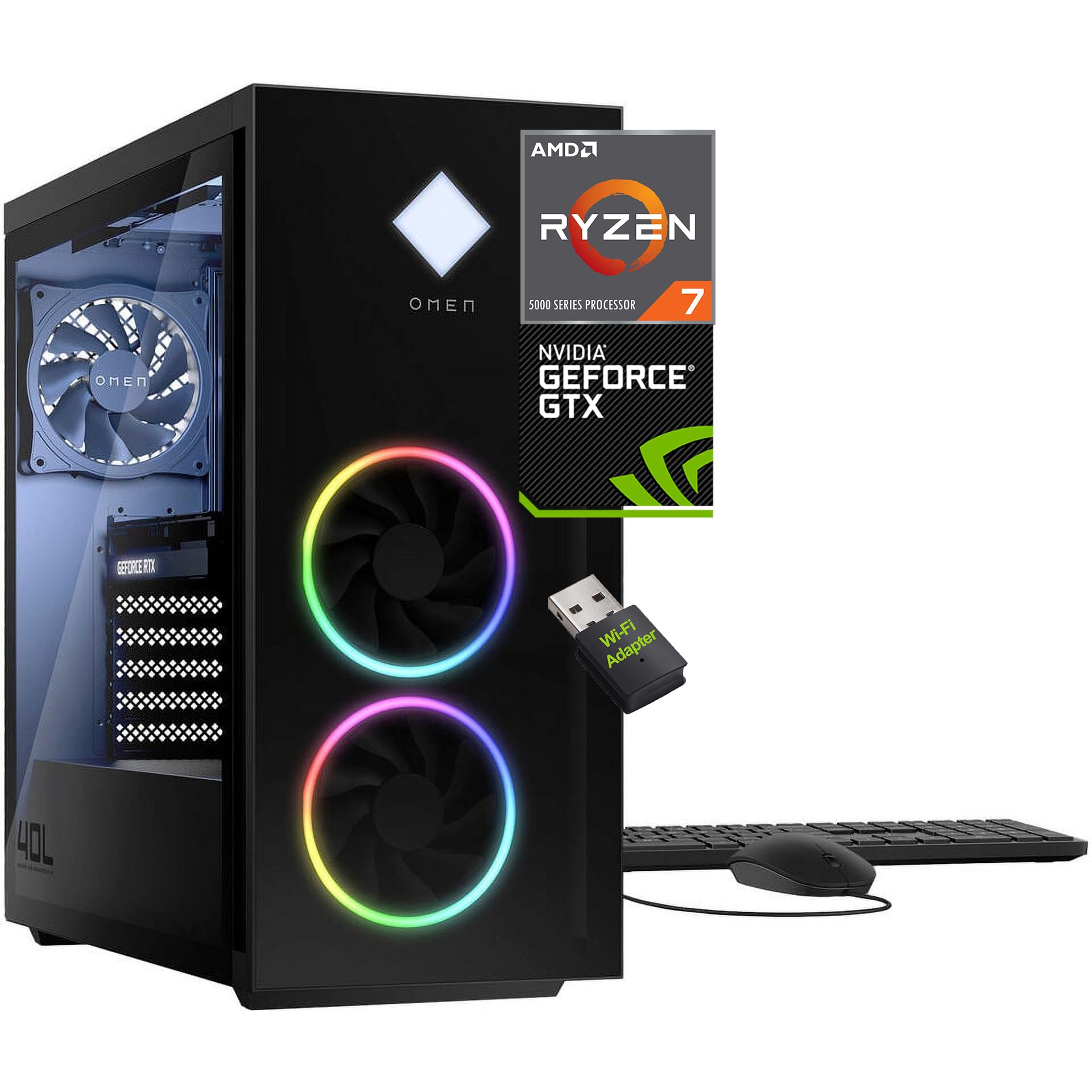
1. HP OMEN 40L Gaming Desktop PC
Our pick — 4.5+★ from 400+ verified ratings; the strongest balance of quality and price.
Thirty-two gigabytes of memory and a chassis you can open without a screwdriver.
This is the tower for the person who wants to stop thinking about specs for the next few years. The AMD Ryzen 7 5700X runs 8 cores and 16 threads at up to 4.60GHz, so a game, a browser full of tabs, and an editing timeline can all sit open at once without the machine gasping. Stacked against the ZYNEEX prebuilt below, the OMEN carries 36 MB of cache memory against that tower’s 16 MB — a much bigger staging area for the data the CPU grabs next, which is exactly the kind of headroom that keeps a busy desktop from bogging down.
Storage is the quieter win. A 1TB PCIe NVMe M.2 SSD cuts load screens down, and with 32GB of DDR4 memory on top, the machine shrugs at the sort of multitasking that makes a 16GB build start swapping. Under load, the active fan-sink cooling with 4-pin fan control is designed to hold performance steady rather than letting it sag. Reviews echo that picture: what wins people over is the overall quality of the build, and the recurring mood on the review pages is a home computer that runs quietly and takes up very little desk space.
The catch is the graphics card. The GeForce GTX 1660 SUPER carries 6GB of GDDR6 memory and it is the oldest GPU on this list — it handles 1080p and doesn’t pretend otherwise, and it sits well short of the 8GB RTX 5060 Ti in the CyberPowerPC further down. Connectivity also has a wrinkle: the machine ships with a bundled wireless USB Wi-Fi adapter rather than built-in wireless, and the WiFi setup is the one thing buyers keep flagging as the weak link. You also get a 600W power supply and an HP wired keyboard and mouse in the box, so the desk is ready on day one.
Where the OMEN 40L earns its spot
- 8-core Ryzen 7 5700X boosting to 4.60GHz with 32MB cache
- 32GB DDR4 plus a 1TB NVMe SSD — real multitasking headroom
- Tool-less chassis design makes future upgrades quick
- OMEN Light Studio controls RGB across connected devices
What to weigh before you click
- GTX 1660 SUPER with 6GB GDDR6 is a 1080p card, not a 1440p one
- Wireless comes from a bundled USB adapter, not built-in Wi-Fi
- 600W supply leaves limited ceiling for a much bigger GPU later
Pick it for: a busy household desk where gaming, streaming video, and twenty browser tabs share the same machine and noise matters.
Think twice if: your monitor is 1440p and you want high detail on new releases — that’s a job for the 12GB cards here.
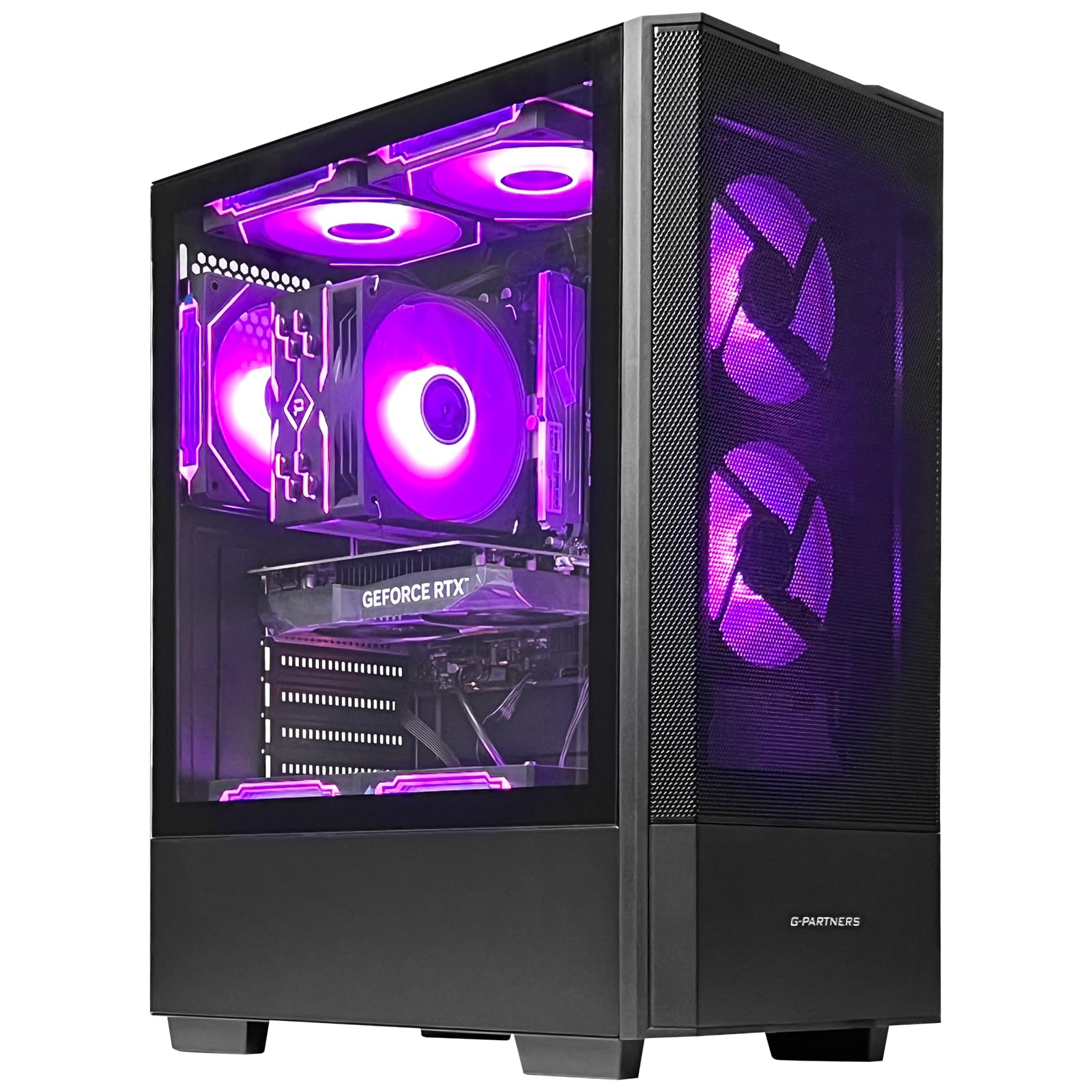
2. ZYNEEX Prebuilt Gaming Desktop, Ryzen 5 5500, RTX 3050
The plug-and-play path onto a 1080p desk with ray tracing switched on.
Six cores and twelve threads at up to 4.2GHz from the Ryzen 5 5500, paired with a GeForce RTX 3050 carrying 6GB of GDDR6 — that’s the recipe here, and it’s aimed squarely at a 1080p monitor. The display resolution maximum is listed at 1920×1080, so this build is honest about where it lives. Ray tracing is supported, which means reflections and lighting in compatible titles get the nicer treatment without you touching a settings menu.
Where it surprises is the memory and storage pairing. You get 16GB of DDR4 at 3200MHz plus a 1TB NVMe SSD — the same 1TB capacity the far pricier OMEN 40L carries, and double the 512GB in the Olialia build next in this list. That means your library fits before you’ve bought anything extra. The ARGB air cooling uses multiple fans to hold steady under long sessions, and Wi-Fi is built in, so no dongle dangling off the back.
Performance is what this community talks about, and the tone is consistent: a machine that does what a gaming PC should. Setup gets the same warm treatment — plug it in and go. The honest limit is the card itself. Six gigabytes of VRAM is a 1080p budget, and modern textures at 1440p will push it. Connectivity covers Bluetooth, USB, and Wi-Fi, and the box includes the power cord, a screwdriver, and a manual for anyone who wants to look inside.
The value read: you’re buying 1TB of storage, 16GB of 3200MHz memory, and a ray-tracing-capable card in one box — the components that usually get cut first in this tier are all present.
The honest fine print: the RTX 3050 with 6GB is a starting point, not a finish line. Plan on 1080p high settings rather than 1440p, and this tower will keep you happy for a long time.
Right call for: a first gaming PC on a 1080p screen, or a second machine for a bedroom desk where the ARGB lighting is half the fun.
Look elsewhere when: you already own a 1440p monitor and want to feed it properly.
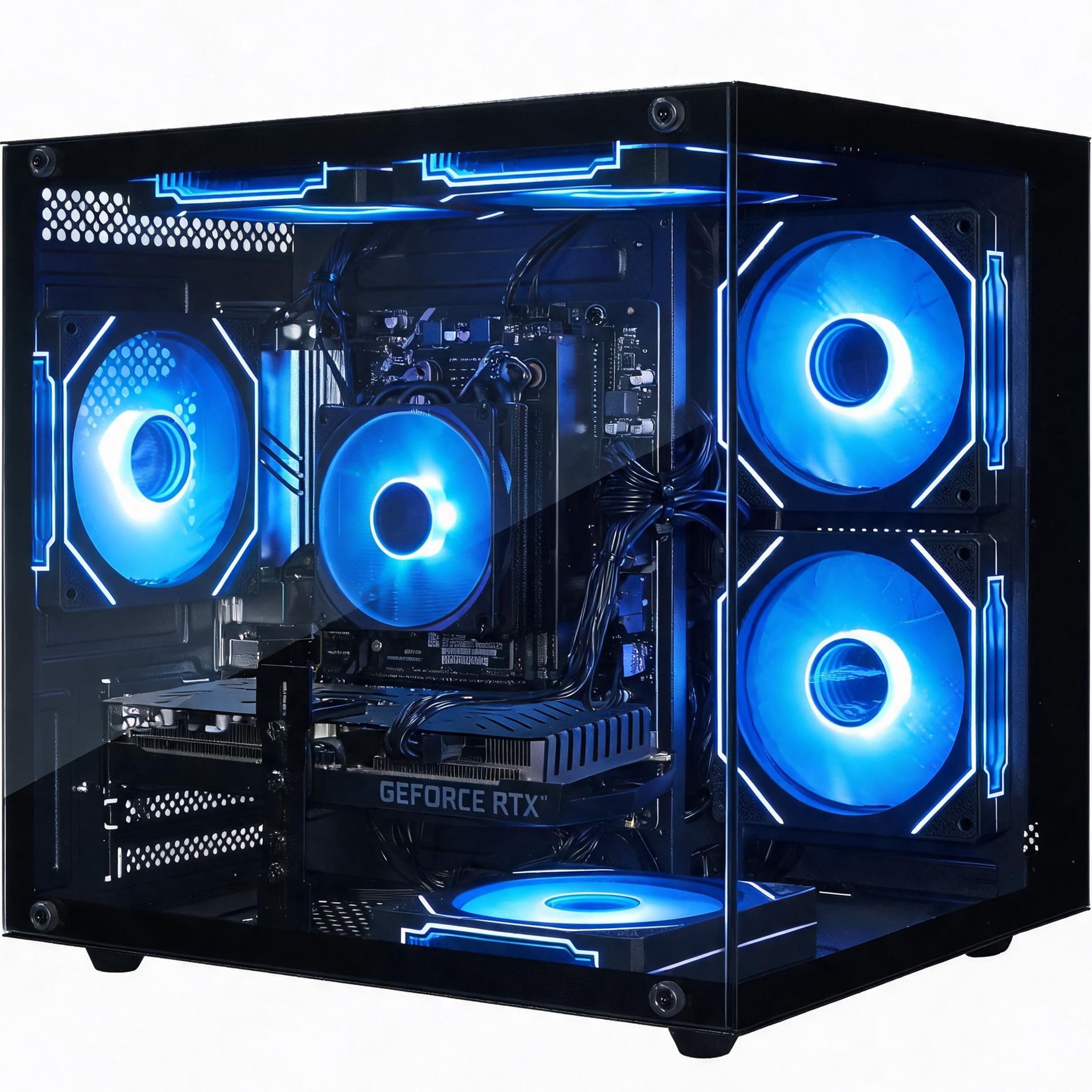
3. Olialia Gaming PC Prebuilt, RTX 3060 Ti, Ryzen 5 5500
An eight-gigabyte RTX 3060 Ti inside a glass box that shows off six RGB fans.
Here’s the 1440p argument made on a mid-tier budget. The GeForce RTX 3060 Ti carries 8GB of GDDR6 and the listing claims smooth 60+ FPS at 1440p (2K) in AAA titles with DLSS switched on — DLSS being the upscaling tech that renders a scene at lower resolution and reconstructs it, buying you frames without shrinking the image. The display resolution maximum is listed at 2560×1440, so the machine is specced for that panel. For anyone stepping up from a 1080p laptop screen, this is the cheapest route to 2K play in this lineup.
The Ryzen 5 5500 underneath runs 6 cores and 12 threads at up to 4.2GHz — identical silicon to the ZYNEEX above — paired with 16GB of RAM and a 512GB SSD. That storage figure is the one place this build gives ground away: half the 1TB in the ZYNEEX, so a big library means managing installs. Cooling is handled by a multi-fan layout with ventilated top and side panels, and the dual-chamber mid-tower wears dual tempered glass panels so the six adjustable RGB case fans and RGB CPU cooler are on full display.
Owners are clearly taken with the build quality and how it functions day to day. The dual glass is also the practical trade-off — more surface to keep clean and more care needed when moving the tower. Windows 11 comes pre-installed, the rear I/O includes HDMI and DisplayPort for multi-monitor work, and the 1-year manufacturer warranty covers repairs and replacements performed in the United States. Ports cover USB 3.0 and 2.0, plus Bluetooth, Ethernet, and Wi-Fi.
What lands well
- RTX 3060 Ti with 8GB GDDR6 aimed at 1440p gaming
- Six adjustable RGB fans plus an RGB CPU cooler
- Dust filters and ventilated top and side panels for airflow
- 1-year warranty with US-based repairs
Where it asks you to compromise
- 512GB SSD is the smallest storage in this group
- Two glass panels need gentle handling and regular dusting
- Ryzen 5 5500 tops out at 4.2GHz — fine for gaming, tighter for heavy editing
Buy this one if: a 1440p monitor is already on your desk and you want the graphics card to be the star of the show.
Skip the glass version if: the tower lives somewhere it’ll get knocked, or you’d rather not budget for an extra drive within the first year.
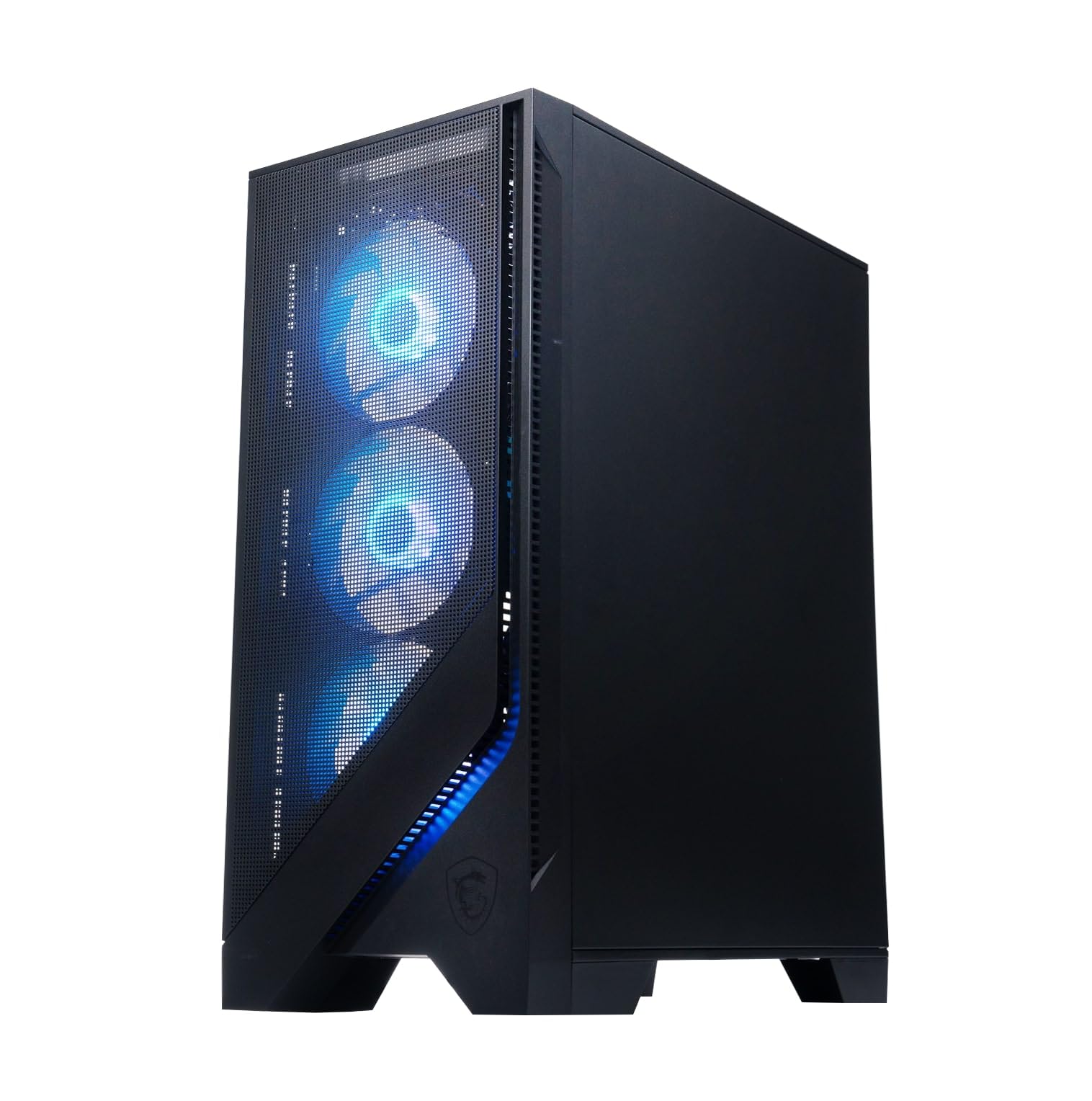
4. MSI Codex R2 Gaming Desktop, Intel i5-14400F, RTX 5060
Four fans, DDR5 memory, and a 4.7GHz boost that stays out of earshot.
Start with the clock speed, because it’s the highest of the mid-range group. The Intel i5-14400F boosts to 4.7GHz — ahead of the 4.2GHz Ryzen 5 5500 in both towers above and clear of the 4.1GHz Ryzen 7 8700F in the CyberPowerPC, though it trails the 5.5GHz Intel Ultra 7 chips in the premium picks. Its hybrid architecture splits work between performance and efficiency cores, which is why the machine stays responsive when a game, a chat app, and a browser are all running.
The graphics side pairs a GeForce RTX 5060 with 8GB of video memory and DDR5 system memory at 16GB. DDR5 is the newer memory generation and the reason this tower sits a step ahead of the DDR4 builds on spec sheets, even where the gigabyte count matches. Cooling is where MSI puts its emphasis: an RGB CPU air cooler plus four system fans, three pulling air in at the front and one pushing heat out the back. Owners describe exactly that experience — rock-solid build quality from the start, easy setup, and operation quiet enough to forget about.
The 1TB SSD covers a normal library, and Windows 11 Home comes pre-installed with an MSI LED button on the case to cycle lighting, plus MSI Center software for finer control. The system ships with a keyboard and mouse. If there’s a hesitation, it’s that the RTX 5060’s 8GB sits well behind the 12GB cards near the top of this list — fine for 1080p and good for 1440p with settings trimmed, not a max-detail 1440p machine.
Why it suits a shared desk: four fans doing quiet work beats two fans doing loud work, and the DDR5 memory means the platform itself is the current generation. Connectivity runs through Bluetooth, HDMI, LAN, USB, and Wi-Fi.
The realistic expectation: treat the 8GB RTX 5060 as a high-refresh 1080p card with 1440p on the table at reduced texture settings.
Best fit: someone whose tower sits in a shared room, where fan noise during a three-hour session is the thing that would drive everyone else up the wall.
Not the pick for: maxed-out 1440p texture work — look at the 12GB cards instead.
5. CyberPowerPC Gaming PC, Ryzen 7 8700F, RTX 5060 Ti 8GB
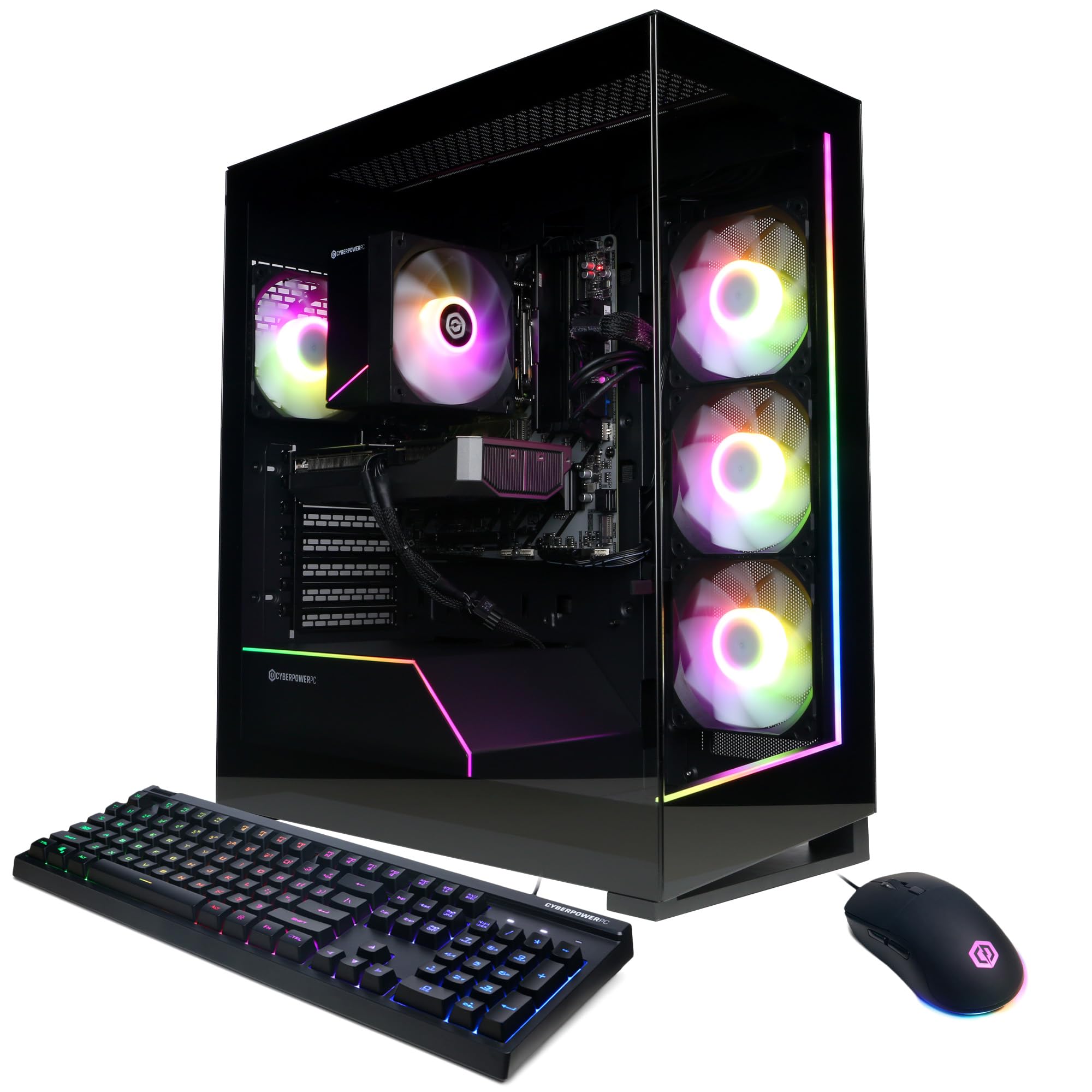
Eight cores for the game, the stream, and the voice chat all at once.
Two numbers tell you who this tower is for. The Ryzen 7 8700F runs 8 cores at 4.1GHz, and the GeForce RTX 5060 Ti carries 8GB of GDDR7 — GDDR7 being the newest generation of graphics memory, tuned for more bandwidth than the older GDDR6 on several builds here. If you play while streaming or recording, that core count is the difference between a smooth broadcast and a stuttering one. The graphics card’s 8GB is also a step beyond the 6GB in the OMEN 40L, giving more room for detailed textures before quality has to come down.
Connectivity is unusually complete for this tier. You get WiFi 6 and Bluetooth 5.3 built in, two USB-C 3.2 ports, four USB-A 3.2 ports, two USB-A 2.0 ports, a LAN port, 7.1 channel audio, and one HDMI plus two DisplayPort outputs for a multi-monitor battlestation. The 1TB PCIe 4.0 NVMe SSD handles fast boot and load times, and the AMD B850 chipset anchors the platform. A tempered side panel and custom RGB lighting finish the look, with a keyboard and mouse included.
The tower runs quietly through long sessions, and gameplay is the topic that dominates its review pages — people are happy with how titles actually play. The standing caveat is reliability, discussed with a split voice on the review pages, so a longer warranty matters; CyberPowerPC backs this one with 1 year of parts and labor plus free lifetime tech support. Appearance also gets a nod, which is fair given the tempered glass and RGB treatment.
What it brings to the desk
- 8-core Ryzen 7 8700F built for gaming plus streaming at once
- RTX 5060 Ti with 8GB of GDDR7 graphics memory
- WiFi 6 and Bluetooth 5.3 both built in
- 1 year parts and labor with free lifetime tech support
What to keep in mind
- Reliability gets a split verdict across the review pages
- 8GB of VRAM is generous at 1080p but not a 1440p high-texture guarantee
- 4.1GHz boost clock is the lowest of the eight-core options here
Worth it for: a streamer or a heavy multitasker who wants the game and the capture software running on separate cores.
Weigh the alternative if: the tower is purely a game machine — the MSI Codex R2 clocks higher for less.
6. Alienware Gaming Desktop, RTX 5060 Ti, Intel Ultra 7 265F
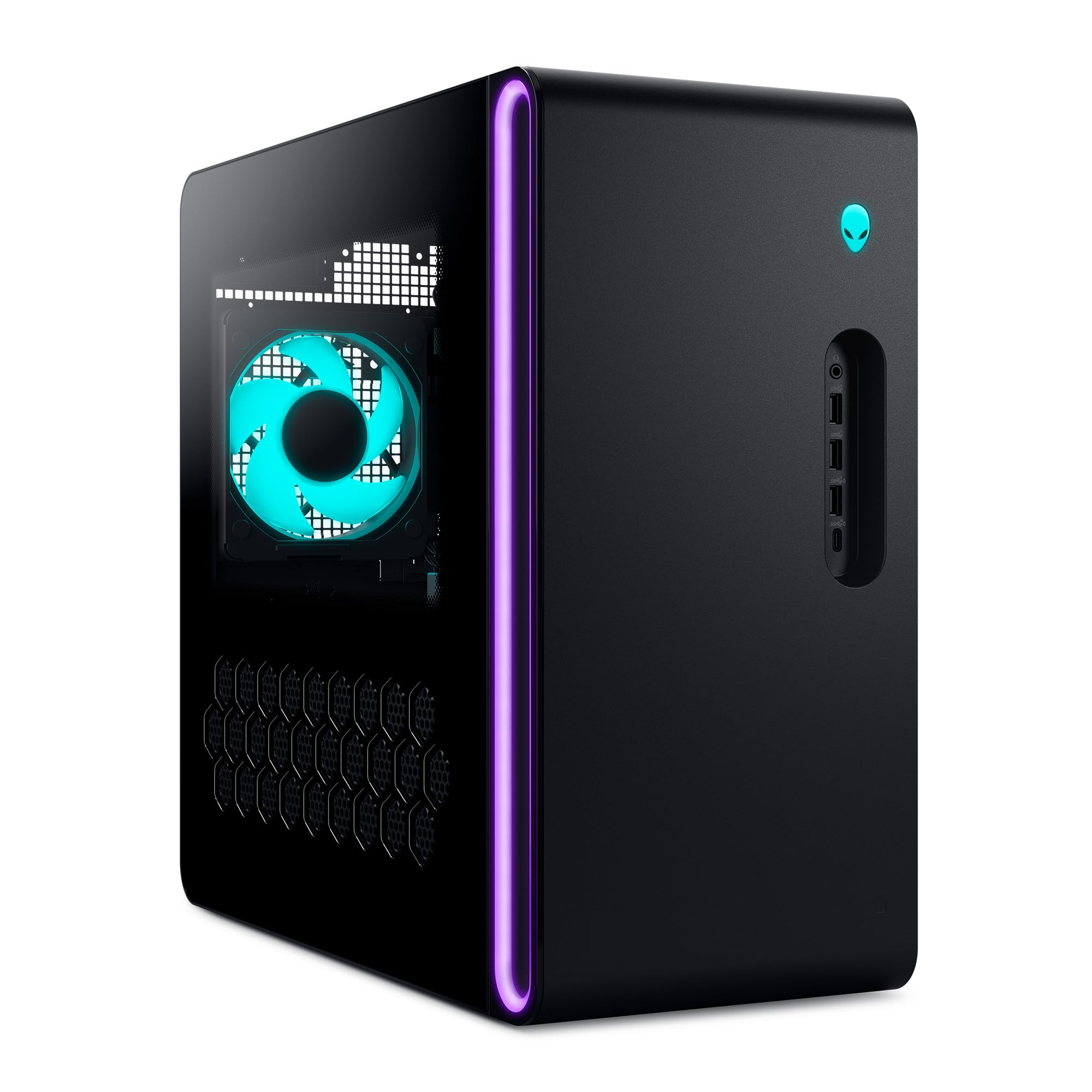
Matt basalt black, stadium lighting, and a 5.5GHz Ultra 7 under the shell.
The Intel Core Ultra 7 265F boosts to 5.5GHz, which is the highest clock of anything on this list besides its own Aurora sibling. NVIDIA’s Blackwell architecture underpins the RTX 5060 Ti, and the chassis itself is the other half of the pitch: a matte “basalt black” finish with customizable AlienFX lighting zones, stadium lighting included.
Alienware Command Center is the software layer. It lets you edit AlienFX lighting across the ecosystem, switch between performance modes for different power states, and save custom game profiles for your whole library. There’s no fingerprint reader, and no display in the box — this is a tower only. Setup and quiet operation are both recurring themes once the machine is running, and performance is the aspect that carries the most weight with owners.
The 8GB of graphics memory on the RTX 5060 Ti is a genuine ceiling compared with the 12GB cards further down this list, so max-detail 1440p is a conversation rather than a promise. Dell’s side of the deal is strong, though: 1 year of onsite service means a technician comes to your home, office, or location of choice if a covered hardware issue can’t be fixed remotely. A wired Dell keyboard and mouse ship in the box alongside the documentation and power cord.
The design argument: a 5.5GHz Ultra 7 265F with AlienFX zones and stadium lighting is a machine you show people, not just one you sit behind.
The spec-sheet reality: 8GB of VRAM puts a hard ceiling on ultra-texture 1440p work, so size your monitor expectations accordingly.
Choose it when: the machine is visible, the desk is in a shared space, and onsite service is worth real money to you.
Pass it over if: you’re chasing raw texture headroom — the 12GB builds here give you more for the same kind of money.
7. HP OMEN 45L Gaming PC, Intel i7, Liquid Cooled, 64GB RAM
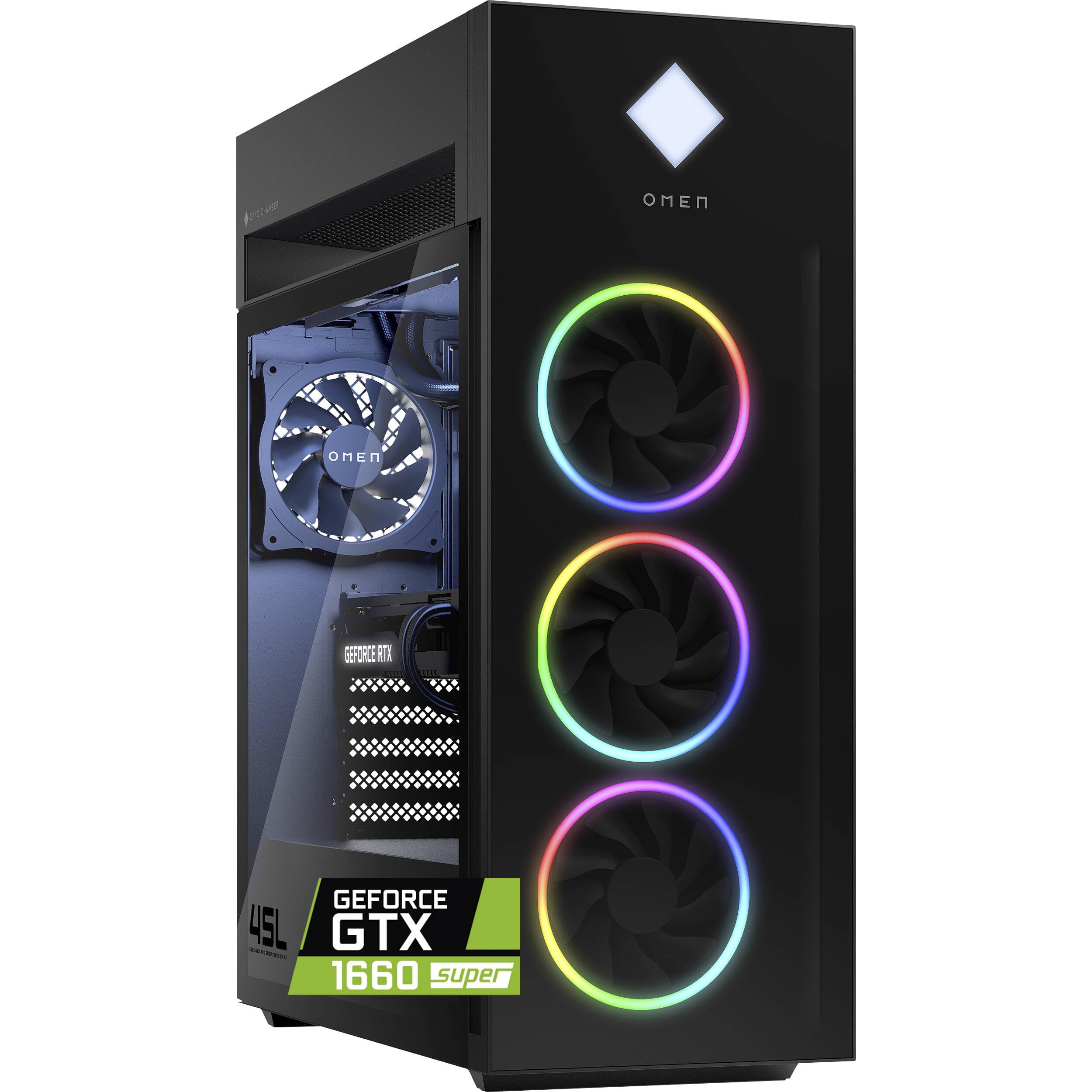
Sixty-four gigabytes of memory and two terabytes of Gen4 storage in one tower.
This build is for the person who renders video, runs virtual machines, or keeps fifty browser tabs alive while a game loads in the background. The Intel Core i7-12700KF runs 12 cores and 20 threads with a boost up to 4.90GHz via Intel Turbo Boost Max 3.0 and 25MB of cache, on the Intel Z690 chipset in a MicroATX frame. Add 64GB of DDR4 and the multitasking ceiling moves well past anything else here — the Dell and MSI Z2 top out at 32GB.
Storage is the other headline. A 2TB PCIe Gen4 NVMe SSD, which HP lists as up to 2x the speed of Gen3 drives, means a large game library and a video project folder can coexist. The supply is an 800W 80 Plus Gold unit that HP says runs at 90% efficiency, giving upgrade headroom a 600W unit simply doesn’t. Around the edges you get 10 USB ports including USB-C, Gigabit Ethernet, a wireless Wi-Fi adapter, DTS:X Ultra 5.1 surround through OMEN Audio Control, and a tempered glass front panel with OMEN Light Studio RGB control.
Frame rates are where this tower has real fans — Modern Warfare running in the 120-130 fps range and other titles past 140 frames per second get mentioned with genuine satisfaction, and speed is praised consistently. The honest caution sits with heat and noise: CPU temperature readings near 98 degrees Celsius come up, and fan noise gets described in extremes on both sides. The GTX 1660 SUPER with 6GB is also the limiting component for gaming, despite the CPU and memory being workstation-class. Pair it with a 1080p panel and it flies; pair it with a 1440p high-refresh screen and the card becomes the bottleneck.
Where it flat-out wins
- 12-core i7-12700KF with 20 threads boosting to 4.90GHz
- 64GB DDR4 alongside a 2TB PCIe Gen4 NVMe SSD
- 800W 80 Plus Gold supply leaves room for a GPU upgrade
- 10 USB ports including USB-C, plus Gigabit Ethernet
The trade-offs you should know
- GTX 1660 SUPER with 6GB GDDR6 trails the modern GPUs here
- Heat and fan noise split opinion sharply across the review pages
- All that memory and storage is overkill if you only game
Built for: editors, streamers, and 3D workers who need 64GB of memory and 2TB of fast storage more than they need a top-tier GPU.
Wrong tool if: the tower exists for gaming alone — you’d be paying for memory you never touch.
8. iBUYPOWER Element Gaming PC, Ryzen 9 9900X, RX 9070 GRE
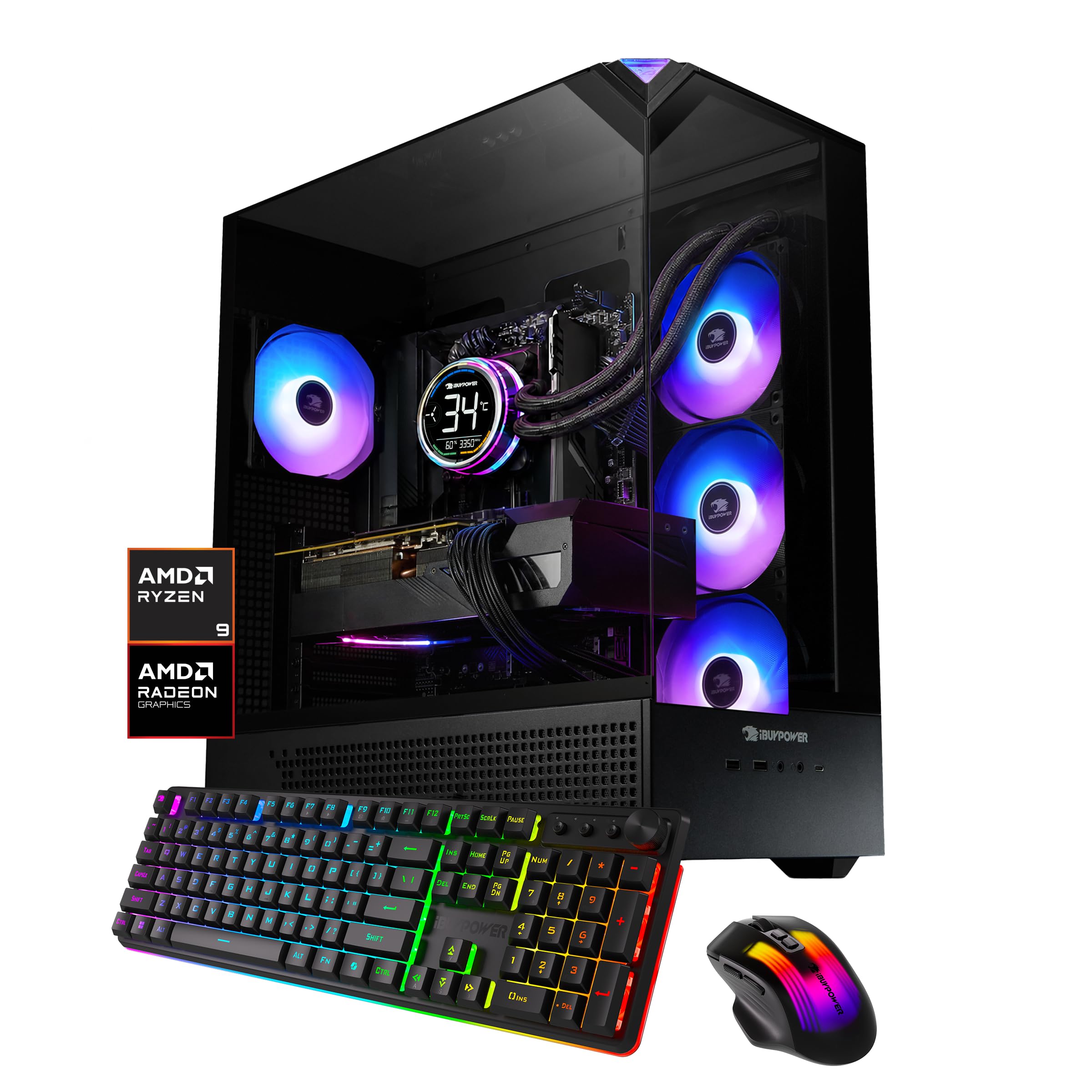
A twelve-gigabyte Radeon and a twelve-core Ryzen 9 in a glass display case.
Twelve gigabytes of VRAM is the number to fix on. The AMD Radeon RX 9070 GRE carries 12GB of dedicated video memory, which is double the 6GB in the HP OMEN 40L and half again the 8GB in the CyberPowerPC and Alienware builds. That extra pool is what lets high-detail 1440p textures load without being scaled back. iBUYPOWER frames it as high-refresh 1440p play at high settings with 100+ FPS on most titles, and AMD FSR Redstone uses machine learning on the GPU to raise frame rates and sharpen detail in supported games.
The processor matches the ambition: the Ryzen 9 9900X runs 12 cores and 24 threads at up to 5.6GHz, paired with 16GB of DDR5. The cooling is a 360mm liquid cooler with an LED display on the block that tracks performance, plus an ARGB light strip behind tempered glass panels and the Element case itself. A 1TB NVMe SSD handles storage with room to add a second drive later. On the desk you get Wi-Fi 5 (802.11ac) and Bluetooth with antennas included, 6 USB 3.1 ports, gigabit Ethernet, and an RGB keyboard and mouse.
This is among the most heavily reviewed towers in the group, and the consensus lands where you’d hope: it does what a mid-grade gaming system should, setup is straightforward, and it runs most games at 100 fps or more. What’s worth watching is the 1TB drive worth of storage — some owners wish for more room, and adding a second drive is the answer iBUYPOWER has already built an opening for. The 1-year parts and labor warranty is included, and the system is hand assembled and tested in California with US-based support.
Frame-rate engine: 12GB of GDDR6 VRAM plus a 12-core Ryzen 9 9900X at 5.6GHz is a combination built for high-refresh 1440p rather than 1080p compromise.
Housekeeping: 16GB of DDR5 is the entry point for this platform, and 1TB of storage fills faster than you’d expect with modern install sizes — plan the second drive.
This is your tower if: you own a high-refresh 1440p monitor and want the VRAM to feed it without turning settings down.
Hold off when: you need a huge game library from the start — the MSI Codex Z2 doubles the storage.
9. Dell Tower Desktop, Intel Ultra 7 265F, RTX 5060, 32GB, 1TB
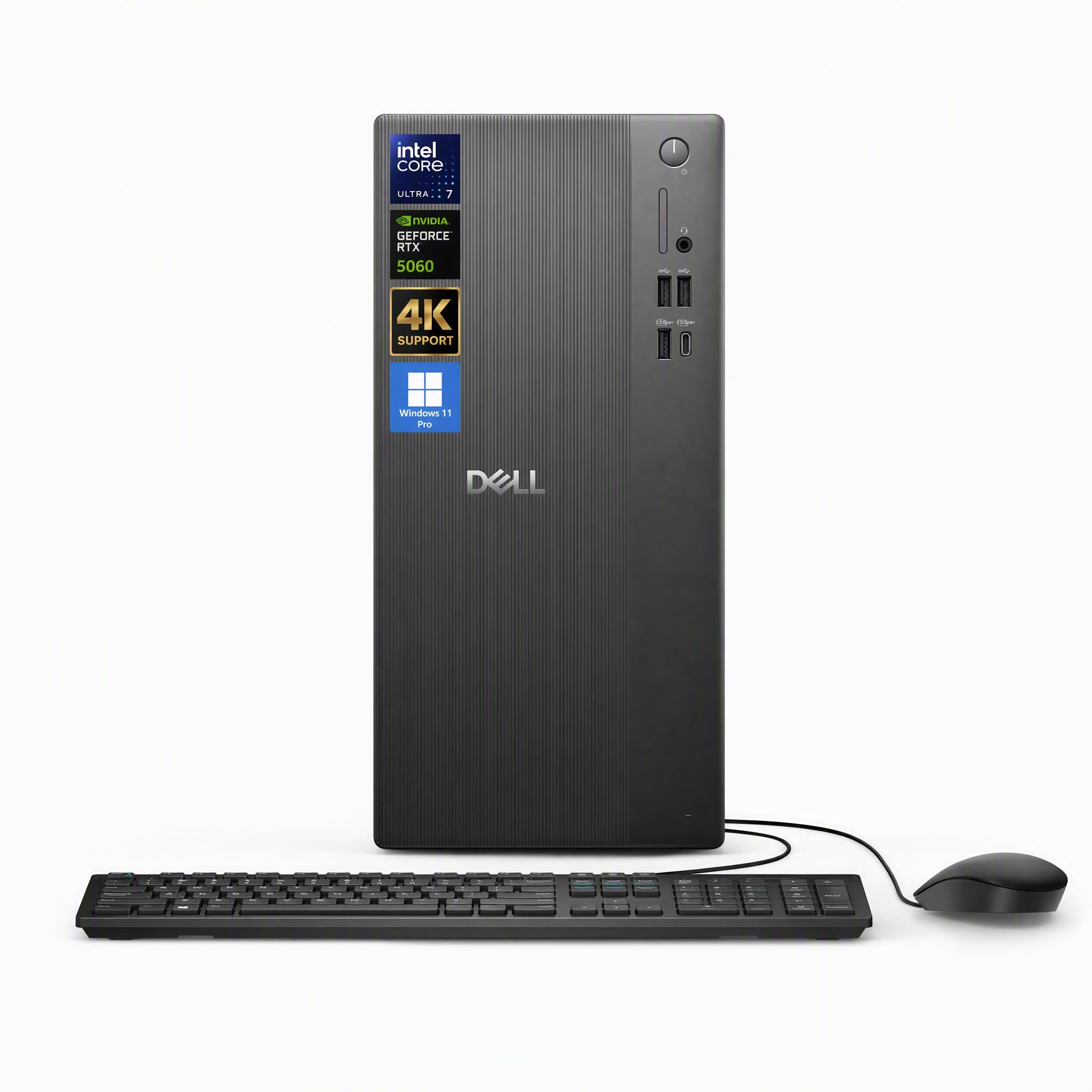
A workstation with a gaming card bolted on, running Windows 11 Pro.
Twenty cores is the figure that sets this tower apart from every gaming-first build here. The Intel Ultra 7 265F maxes out at 5.3GHz and is described as handling intensive multitasking, heavy applications, and complex rendering without thermal throttling — and it carries dedicated AI processing capability, which is the current generation’s answer for local AI workloads. Pair that with 32GB of high-speed DDR5 and 1TB of SSD storage and you have a machine that runs multiple virtual machines and design programs side by side.
The GeForce RTX 5060 with 8GB and GDDR7 memory handles the graphics half — ray tracing and AI-accelerated rendering, plus smooth real-time video editing in professional suites. Port selection is generous: one HDMI 2.1, two USB 2.0, three USB 3.0 and five USB ports in total, plus Wi-Fi and Bluetooth built in. Windows 11 Pro is pre-installed, which is the business tier rather than Home, and the Dell Pro 5 wired keyboard and mouse come in the box.
The display resolution maximum is listed at 3840×2160, so this tower is comfortable driving a 4K screen for productivity work even if gaming stays at 1440p. Honest caveat: the 8GB of VRAM is the same ceiling the other RTX 5060 builds here share, so treat 4K gaming as a stretched target and 1440p as the working balance. And unlike the heavily reviewed builds at the top of this list, this one is a newer listing with a much shorter track record — you’re buying on spec and Dell’s support rather than on a long crowd history.
Why it’s the odd one out: Windows 11 Pro, 20 cores, and 32GB of DDR5 make it a professional workstation that happens to game well, not a games machine with a keyboard thrown in.
The expectation to hold: 8GB of VRAM keeps 4K gaming modest — this tower’s real talents show up in editing, rendering, and running several heavy apps at once.
Ideal owner: a developer or creator who games after hours and wants Windows 11 Pro and a 20-core processor under the same roof.
Better elsewhere if: you want to buy on a long track record of owner experience rather than fresh specs.
10. Alienware Aurora Gaming Desktop, Ultra 7 265KF, RTX 5070

Twelve gigabytes of RTX 5070 and a 240mm heat exchanger for marathon sessions.
The graphics card is the leap here. The NVIDIA GeForce RTX 5070 carries 12GB of video memory on the Blackwell architecture, which is double the 6GB in the OMEN 45L and a genuine step over the 8GB cards from CyberPowerPC, Alienware’s own RTX 5060 Ti sibling, MSI, and Dell. For anyone who plays long sessions at 1440p with high textures, that memory pool is what keeps quality from being trimmed mid-round.
Feeding it is the Intel Core Ultra 7 265KF, boosting to 5.5GHz, and cooling arrives via a 240mm heat exchanger available with the optional CPU liquid cooling — the design goal being temperatures that stay consistently low over hours rather than creeping up. The chassis wears the same matte “basalt black” finish with AlienFX lighting zones and stadium lighting, and Alienware Command Center handles lighting, performance modes, and per-game profiles. A Dell wired keyboard and mouse are included, and there’s no display and no fingerprint reader in the box.
Quiet operation is a defining trait here, and speed gets consistent praise. Performance is the aspect that carries the most weight across the reviews, with descriptions landing on a machine that runs beautifully under load. The trade is the 12GB pool against the 32GB DDR5 and 2TB storage in the MSI Codex Z2 — this Aurora wins on the graphics card and the service, and gives ground on system memory and drive size. Dell’s 1-year onsite service is the safety net, with a technician dispatched to your location for covered hardware issues that remote support can’t resolve.
Great reasons to own it
- RTX 5070 with 12GB of VRAM on Blackwell architecture
- 240mm heat exchanger for sustained low temperatures
- Quiet operation during long sessions
- 1 year onsite service from Dell
Where it gives ground
- System memory and storage don’t match its price-tier siblings
- No display and no fingerprint reader included
- 8GB cards further up the list cost less if 1440p isn’t your target
Made for: the player who settles in for four-hour sessions and wants the GPU and
Pick it for: long evening sessions where quiet operation and sustained low temperatures matter as much as frame rate.
skip it if: you need 32GB of memory and 2TB of storage from the start — that’s the MSI Codex Z2’s territory.
11. MSI Codex Z2 Gaming Desktop, Ryzen 7 8700F, RTX 5070

An RTX 5070, 32GB of DDR5, and a 2TB drive in one tower — nothing left to add.
Two terabytes of SSD is the number that ends the upgrade conversation before it starts. Every other build here ships with 1TB or less, so this is the one tower where a large game library, a capture folder, and a work drive all fit without uninstalling anything. Behind it sits 32GB of DDR5 and an AMD Ryzen 7 8700F running 8 cores and 16 threads at up to 5.0GHz — a full gigahertz above the 4.1GHz version of the same chip in the CyberPowerPC build.
The graphics card is the other half of the pitch. The NVIDIA GeForce RTX 5070 carries 12GB of video memory on Blackwell architecture, matching the Aurora above and doubling the 6GB in either OMEN tower. For 1440p at high settings, that memory pool plus the 5.0GHz eight-core processor is a combination built to hold its line. Cooling comes from an ARGB fan air cooler plus four system fans — three intake at the front, one exhaust at the rear — and the built-in RGB cycles through lighting options from the MSI LED button on the case, with MSI Center software for finer control.
What owners describe is a tower that runs better than the listing suggests. Performance is what gets praised most, with gaming performance right behind it — titles running without a hitch and cooling that holds steady without overheating. The counterweight worth naming is reliability, which lands as a split verdict across the review pages, with some units needing attention after several months of use. That’s a reason to register the warranty on day one rather than a reason to look elsewhere. Windows 11 Home ships pre-installed and a keyboard and mouse come in the box.
The no-compromise read: 12GB of VRAM, 32GB of DDR5, and 2TB of storage in a single tower means the spec sheet has no obvious next purchase waiting for you.
The trade to accept: a 5.0GHz eight-core chip and four air fans rather than the higher clocks and liquid cooling you’d find in its own Codex R2 stablemate — and the reliability record here is mixed enough that the warranty is worth keeping current.
Reach for this if: you want the graphics card and the storage solved in one purchase and never want to open a spec sheet again.
Look to the Aurora instead when: onsite service and liquid-cooled quiet matter more than 32GB of memory and 2TB of drive space.
Know the Specs
Video Memory (VRAM) In Gigabytes
VRAM is the memory soldered onto the graphics card, and it holds the textures and geometry of whatever is on screen. When a scene needs more than the card has, detail gets quietly cut back — sharper textures are swapped for blurrier ones and you may see a brief freeze. The builds here range from 6GB to 12GB. A 6GB card such as the GTX 1660 SUPER is a comfortable 1080p partner. An 8GB card opens up 1440p at moderate texture settings. A 12GB card like the RTX 5070 or the Radeon RX 9070 GRE is the one to pick if 1440p high-detail play is the goal. The memory type matters too: GDDR7 is the newest generation and moves data faster than the GDDR6 sitting on older cards.
CPU Cores, Threads, And Boost Clock
Cores are the processor’s independent workers, and threads are the task queues each core juggles. A 6-core, 12-thread chip like the Ryzen 5 5500 handles a game and a browser comfortably. An 8-core chip like the Ryzen 7 5700X or 8700F keeps a stream or recording running without touching game performance. A 12-core, 20-thread chip like the i7-12700KF or a 20-core Ultra 7 is a rendering and virtual-machine machine first. Boost clock, measured in GHz, is the top speed a core reaches briefly under load — 4.2GHz is an entry figure, 5.0GHz and above is the current fast lane. Higher clocks help, but core count decides whether you can multitask without slowdown.
Common Questions
Is 8GB of VRAM enough for 1440p gaming?
How does DDR5 memory differ from DDR4 in a gaming desktop?
Do I need liquid cooling for a prebuilt gaming PC?
Will a 1TB SSD fill up quickly with modern games?
Is a Ryzen 9 or Core i7 overkill for gaming alone?
Can I upgrade the graphics card in a prebuilt tower later?
What is the difference between RTX 5060 and RTX 5060 Ti?
Do these gaming desktops come with a keyboard and mouse?
Is Wi-Fi built in or do I need an adapter?
How much RAM do I need for gaming and streaming at the same time?
The Bottom Line
For most people, the gaming desktops winner is the HP OMEN 40L because 32GB of DDR4 memory and a 1TB NVMe SSD give you years of headroom, and its tool-less chassis means a future graphics card swap is a five-minute job rather than a project. It’s the crowd favorite too — 4.5+ stars across 400+ owners.
If raw 1440p texture headroom is the goal, grab the iBUYPOWER Element — 12GB of Radeon VRAM and a 12-core Ryzen 9 9900X at 5.6GHz is the combination built to feed a high-refresh panel. And for a workstation that games after hours, the Dell Tower is the one to reach for, with 20 cores, 32GB of DDR5, and Windows 11 Pro pre-installed.
How we choose
We do not accept paid placement. Every pick is matched to a real buyer and a real use-case; we do not hands-on test units.
Sources
Specifications: manufacturer listings and product documentation. Review insights: verified customer reviews, as of November 2026. Pricing: not shown on this page (it changes often); check the current price via the retailer link.
As an Amazon Associate, Gamepad Test earns from qualifying purchases. This does not affect which products we feature.