
Specs are compiled from manufacturer listings and verified buyer reviews and can change over time — please confirm the key details on the product page before buying.
Your Switch, your PS5, and the streaming stick are all fighting for one or two HDMI sockets on the back of the TV. A splitter fixes that by giving you more ports and a button or remote to hop between them — but the wrong box will drop your 4K/120Hz signal, flicker black mid-boss-fight, or quietly refuse to auto-switch. Below are the nine that actually hold the signal, sorted so you can match one to your exact setup.
This guide is built by comparing the manufacturers’ published specifications and the patterns across verified customer reviews, so you get each pick’s real strengths and trade-offs instead of marketing spin.
Your console can only look as good as the box you run it through, and bandwidth decides that. A box rated for 48Gbps (the raw data pipe the HDMI 2.1 standard allows) lets a PS5 or Xbox Series X run full 8K@60Hz or 4K@120Hz through it, while an 18Gbps box caps you at 4K@60Hz. Get that one figure right and the ports, power, and switching questions fall into place, which is exactly what this nintendo switch hdmi splitter guide walks you through pick by pick.
Top Picks

How To Choose The Best Nintendo Switch HDMI Splitter
Most people buy the wrong box for one reason: they shop ports instead of bandwidth. Figure out what your console and TV actually output, then let the specs below narrow the field.
Start with bandwidth, not port count
Bandwidth is the size of the pipe carrying your picture and sound, measured in gigabits per second (Gbps). A 48Gbps box is built for HDMI 2.1 gear and handles 8K@60Hz or 4K@120Hz. An 18Gbps box is HDMI 2.0 territory and tops out at 4K@60Hz. Buying above your current gear’s output leaves headroom for a future console.
Know if you need a switch or a splitter
A switch takes several sources and picks one for your screen — that is what most gaming setups need. A true splitter sends one source to two screens at once. Many listings blur the two words, so read the mode description. If you want two monitors showing the same game, you need the mirroring kind; if you want five consoles feeding one TV, you need a switch.
Check the power source before you buy
Some boxes draw power straight from the HDMI cable and need no wall adapter. Others ship with a USB cable and demand external power for full performance. Powered boxes tend to hold a heavy 4K/120Hz signal more steadily; unpowered ones keep your cable mess smaller. Neither is wrong as long as you know which you are getting.
Decide how you want to switch
Automatic switching jumps to whichever device just woke up — handy, but a few units handle it unreliably. Manual switching via a top button or a remote is predictable and never guesses wrong. Many of the picks here give you both, so you can let auto do the daily work and grab the remote when it misfires.
Side-by-Side Comparison
| Model | Best For | Max Bandwidth | Ports | Top Resolution | Amazon |
|---|---|---|---|---|---|
| OREI 8K 3-Port HDMI 2.1 Switch★ Best Overall | All-round gaming hub | 48Gbps | 4 | 8K@60Hz / 4K@120Hz | Amazon |
| Fosmon 8K HDMI Switch 2.1Pocket Router | Compact bi-directional routing | 48Gbps | 3 | 8K@60Hz / 4K@120Hz | Amazon |
| [Upgrade] HDMI Switch 3 in 1 OutBudget Remote Pick | Budget couch switching | 18Gbps | 3 | 4K@60Hz | Amazon |
| BINZET 4K 120Hz HDMI Switch | Two-monitor bi-directional | 48Gbps | 3 | 8K@60Hz / 4K@120Hz | Amazon |
| ByteWave 5 in 1 Out HDMI Switch | Five devices, one screen | 18Gbps | 6 | 4K@60Hz | Amazon |
| Acer 5 in 1 Out HDMI Switch | Long-range IR control | 18Gbps | 6 | 4K@60Hz | Amazon |
| UGREEN HDMI 2.1 Switch 3 in 1 Out | High-refresh PC gaming | 40Gbps | 4 | 8K@60Hz / 4K@240Hz | Amazon |
| avedio links HDMI 2.1 Switch 3 in 1 | Plug-and-play simplicity | 48Gbps | 3 | 8K@60Hz / 4K@120Hz | Amazon |
| Weleecty 8K HDMI Splitter 5 in 1 Out | Full 8K five-source rig | 48Gbps | 7 | 8K@60Hz / 4K@120Hz | Amazon |
Detailed Reviews
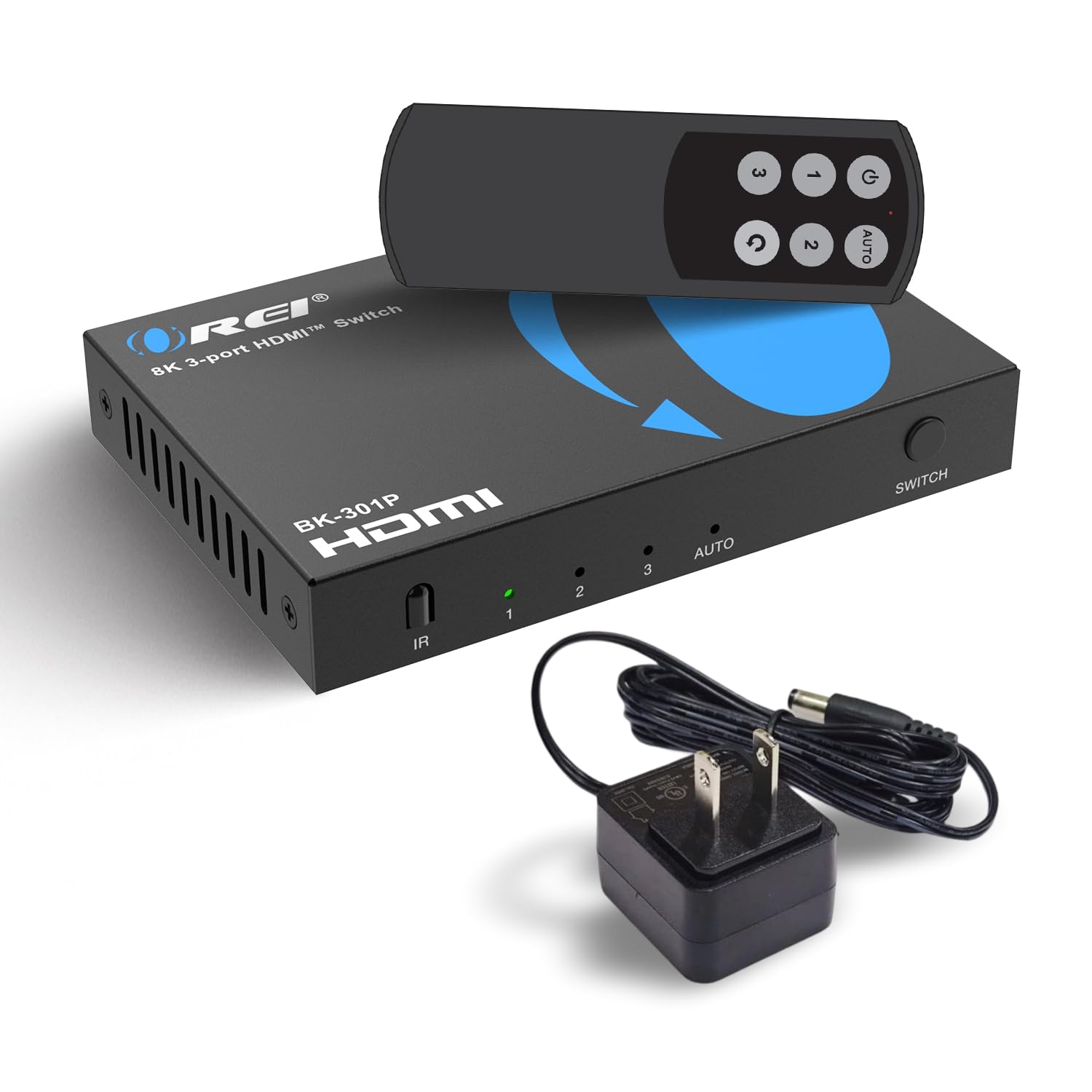
1. OREI 8K 3-Port HDMI 2.1 Switch, 3-in 1-Out
Our pick — 4.0+★ from 400+ verified ratings; the strongest balance of quality and price.
The 48Gbps box that keeps a PS5 and a Switch 2 happy on one screen.
Your most demanding console looks exactly as it would plugged straight into the TV, because this box carries 48Gbps — a bandwidth figure (the size of the data pipe) big enough for 8K@60Hz, 4K@120Hz, and 1080p@240Hz without squeezing the signal. It is HDMI 2.1 and HDCP 2.3 compliant, supports HDR10+, Dolby Vision, 3D, and CEC, and it brings gaming-specific extras: VRR (variable refresh rate, which syncs the screen to the console to stop tearing), ALLM (auto low-latency mode, which flips your TV into game mode for you), and QFT (quick frame transport).
Sound does not get left behind either. It passes LPCM, Dolby TrueHD, DTS-HD Master Audio, Dolby-AC3, and DTS 7.1 through to your speakers or receiver, so a surround setup stays intact. Setup is the easy part — plug your three sources into the three inputs, run one cable to the TV, and use the included remote or the auto mode to move between them. OREI notes that for runs past 10ft you should use fiber optic HDMI cables to hold the signal, and the whole thing is covered by a one-year warranty.
What wins people over is the raw functionality — the auto switching does what you expect and the 4K/120Hz picture stays clean. Quality is the other big theme in owner feedback, with the box described as exceeding expectations. The catch lives in the mixed compatibility notes: it happily drives office gear and gaming setups, but buyers report it does not play well with RCA-to-HDMI converters or audio passthrough in some chains. If your chain is all straight HDMI gaming hardware, that gap never touches you.
Where it pulls ahead
- Full 48Gbps pipe for 8K@60Hz and 4K@120Hz, so a high-refresh console is not throttled
- VRR, ALLM, and QFT built for next-gen gaming tear-free picture
- Auto and manual switching plus a remote — three ways to change input
- Dolby Vision, HDR10+, and 7.1 lossless audio pass through untouched
Where it asks for care
- RCA-to-HDMI converters and some audio passthrough chains do not cooperate
- Long cable runs past 10ft want fiber optic HDMI cables rather than standard ones
Reach for this if: you run a PS5 or Xbox Series X alongside a Switch and want one box that never compromises the picture.
Look elsewhere if: your signal has to pass through an older RCA-to-HDMI converter — that specific bridge is where owners hit friction.
2. Fosmon 8K HDMI Switch 2.1 Bi-Directional
An ounce of aluminum that runs two ways and never needs a wall plug.
Weighing 1 ounce, this is the box you toss in a bag and forget about until you need a second port. Its trick is bi-directional routing: it can take two sources into one display (2-in-1-out) or flip and feed one source into two screens (1-in-2-out), and you pick the mode to fit the room. Data travels at up to 48Gbps, so 8K@60Hz and 4K@120Hz stay in play, and it supports VRR, ALLM, Dynamic HDR, and Dolby Vision. It draws power from the HDMI connection itself — no adapter in the box, no outlet required.
The build is gold-plated connectors in an aluminum housing, which resists corrosion and spreads heat, and indicator lights show which port is live. On the port count, the specs list 3 against the OREI’s 4, though the flexible two-way routing is the trade you make for that smaller footprint. It lists the Switch among compatible devices alongside Xbox and PS5/PS4, so a Nintendo setup is squarely in its lane.
Here is the honest part: functionality is the most-discussed topic in owner feedback and it splits both ways. Plenty of owners mention it works exactly as intended and love that it kills the daily cable-swapping. Others describe units that fail to pass a signal through or stop working within minutes, and a few say 4K@120Hz is not fully supported on their run. Treat it as a compact, unpowered convenience switch for a secondary screen or 4K@60Hz duty, and accept that 4K@120Hz is the gamble.
The value read: For the footprint and the no-plug design, this is a tidy way to add a port. Compatibility and ease of use are what buyers like most — the thing just slots in and removes the unplug ritual.
The 120Hz question: Powered-by-HDMI convenience is exactly why a heavy 4K/120Hz signal can be less reliable here than on a box with its own USB power.
Best fit: a travel bag, a bedroom TV, or a 4K@60Hz office monitor where one extra port and zero cables is the whole goal.
Think twice if: full-throttle 4K@120Hz console gaming is your main use — that is the mode owners most often report faltering.
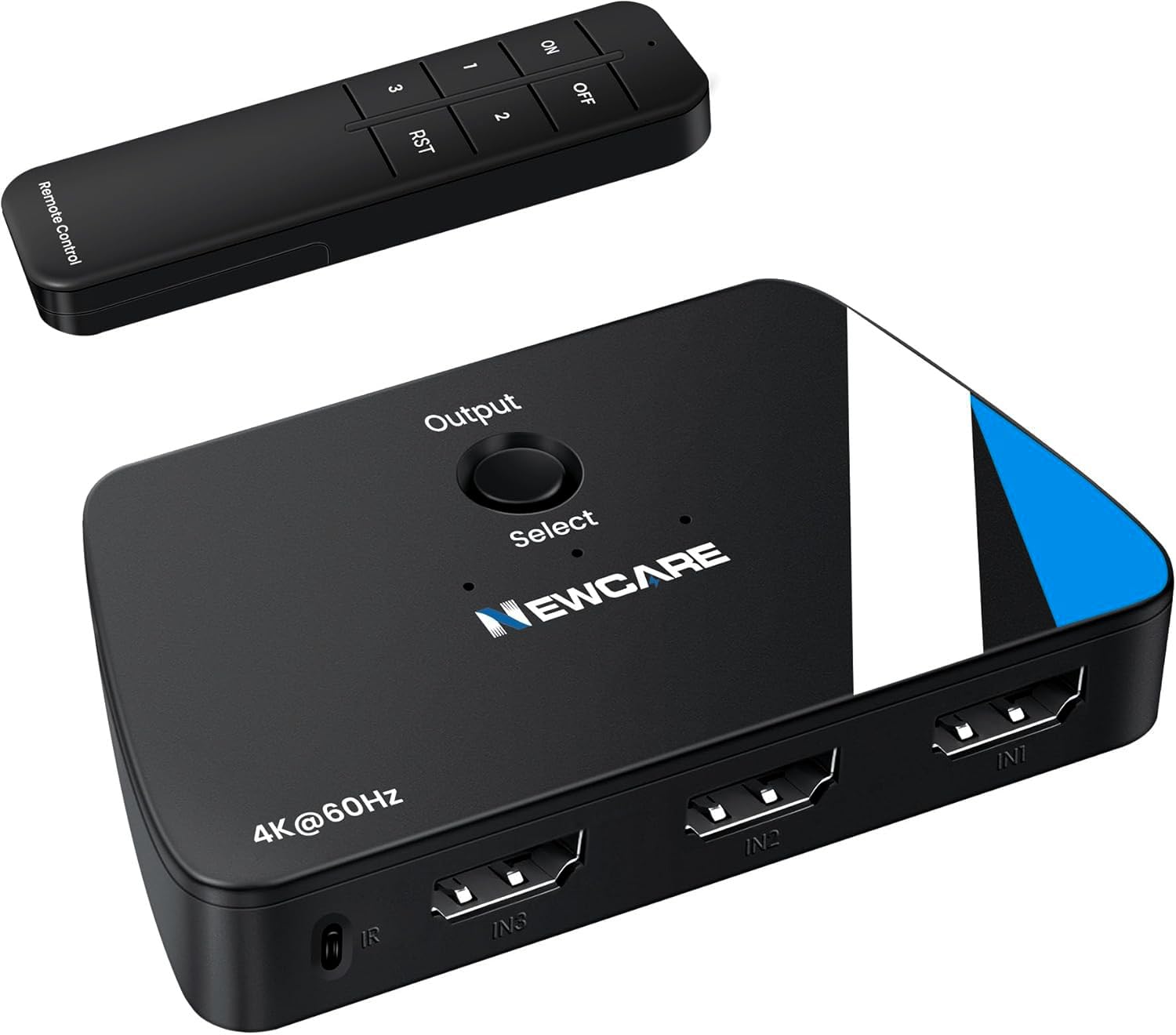
3. [Upgrade] HDMI Switch 3 in 1 Out, 4K@60Hz with Remote
Couch switching for a 4K/60Hz TV — as long as you keep your cables short.
You get three ways to switch three inputs into one display, and the remote is the reason this one earns its keep. The IR remote (which reaches 8 meters at a 45-degree angle, or 10 meters in a straight line) works from the couch, a button on top handles desktop use, and an automatic mode jumps to the last active source. Resolution tops out at 4K@60Hz, with 2K@120Hz and 1080p@240Hz also supported, on 18Gbps of bandwidth — a different class from the 48Gbps boxes above. If your TV is 4K@60Hz, that ceiling costs you nothing.
Older gear stays compatible because it is HDCP 2.2, and it carries HDR, 3D, and 3D surround sound. Two practical notes from the maker: the remote needs 2 AAA batteries that are not included, and the box has no power port at all — it runs off power drawn through the HDMI input, so the LED only lights when the source supplies enough. Best performance at 4K@60Hz also means keeping HDMI cables under 10 feet.
What buyers praise most is quality — they describe it as flawless and a great piece of kit — and value for money runs a close second, with repeat buys noted. The honest tension is the switching mechanism and long-term durability: some units quit after a short stretch or go black periodically. Read against how many of these have sold, most people are clearly satisfied, but a long HDMI run plus a heavy load is where this box is likeliest to stumble.
Why it sells: A remote for under-the-couch convenience, three sources, and HDR at 4K — the everyday feature set most living rooms actually use, minus the 2.1 price.
The trade: No power port means the box lives on whatever the HDMI line gives it; keep the cable run short and the source strong.
Pick it when: your TV is 4K@60Hz, you want to switch from the sofa, and a short cable run is easy to arrange.
Hold off if: you need HDMI 2.1 bandwidth for a 4K/120Hz or 8K source — this box cannot reach that tier.
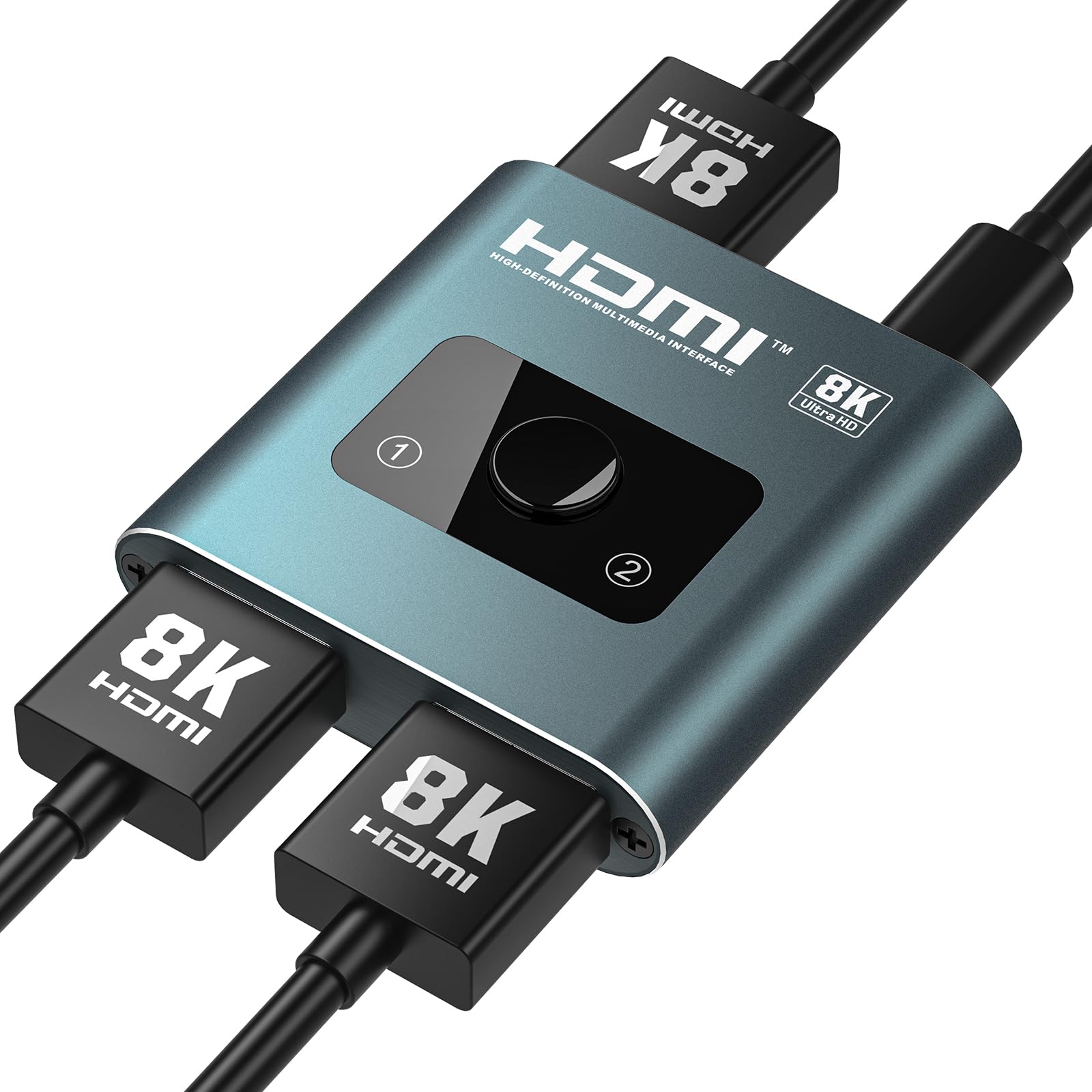
4. BINZET 4K 120Hz HDMI Switch, 8K 60Hz HDMI 2.1
Full 8K/4K120 bandwidth with a USB power option for heavy loads.
Where the 18Gbps boxes above cap at 4K@60Hz, this one carries 48Gbps and reaches 8K@60Hz and 4K@120Hz. That is a markedly bigger pipe, and it means a PS5 or Xbox Series X runs at full tilt through it. It handles HDR10+, Dolby Vision, and Dynamic HDR for color and contrast, and VRR plus ALLM to cut tearing and input lag. The mode is smart: it recognizes your wiring and switches itself between “2-in-1-out” and “1-in-2-out,” and a push-button flips sources with LED indicators showing the active port.
Power is a two-speed affair. For simple tasks it draws straight from the HDMI connection, and for steady 4K/8K output you plug in the included USB-A to C cable to feed it extra juice. Audio is passed through at LPCM 7.1, Dolby TrueHD, DTS-HD Master Audio, and Dolby Atmos for a home theater or soundbar. Cable choice matters here — the maker recommends 8K HDMI cables of 1 meter or less with 28AWG thickness for top performance, and standard cables are fine at 1080p. A 12-month warranty comes with it.
Customers note it works well with the Xbox Series X and with multiple 4K devices, and one setup ran two monitors off an Xbox. The button earns mixed marks — most like the simple press and tactile click, a few found it did not hold up. Automatic switching also splits: quick for most, but a handful found it did not auto-switch as hoped. The remote-free button design suits a desk; if you want a couch remote, look at the OREI instead.
Suits you if: you want 8K/4K120 headroom and two-way routing at a value-tier price, and you are happy to press a button.
Know this: there is no remote in the box — switching happens at the unit, and short high-spec cables keep the signal cleanest.
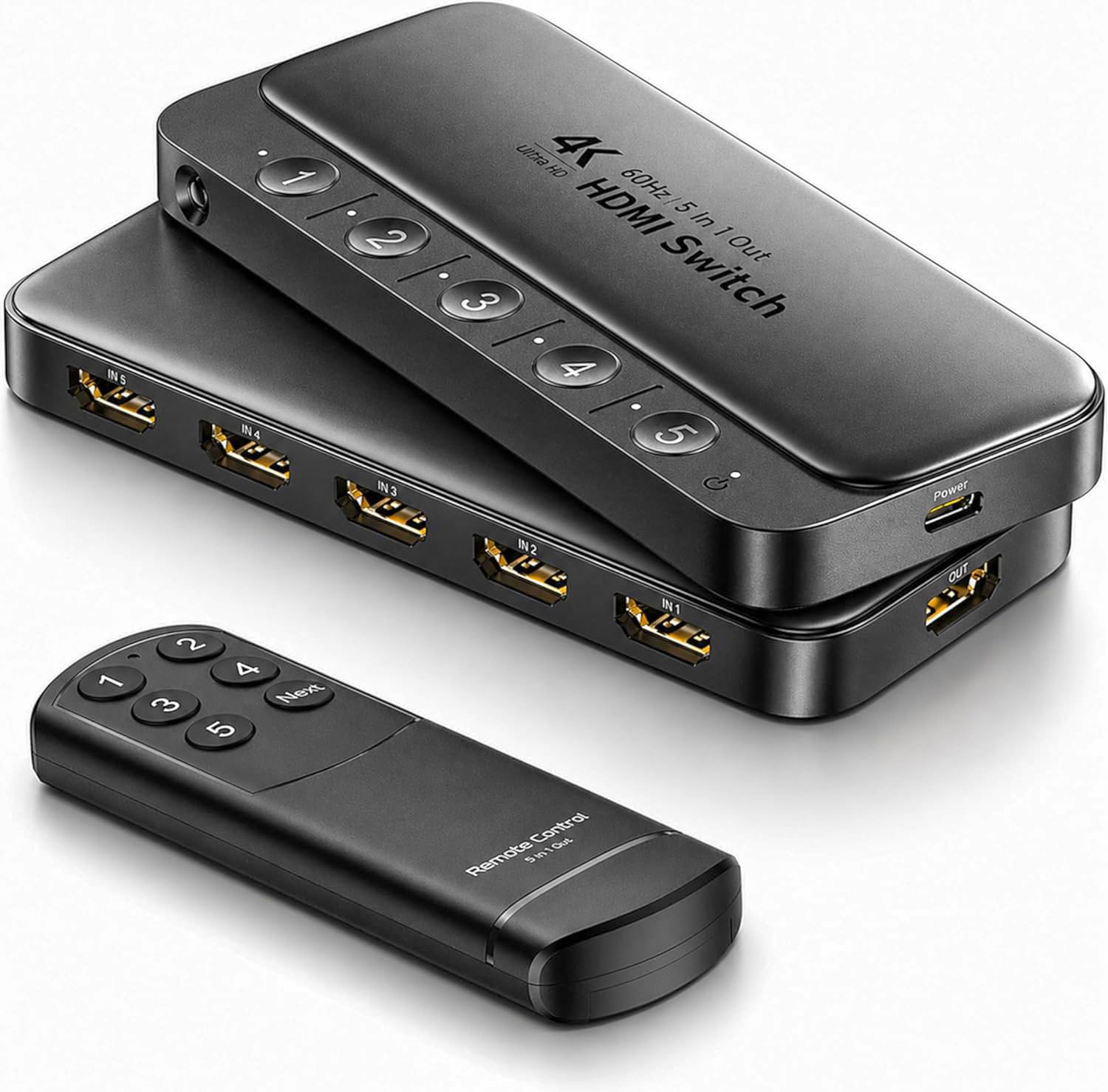
5. ByteWave 5 in 1 Out HDMI Switch with Remote
Five consoles into one TV, with a remote and gold-plated ports.
If your problem is a shortage of sockets, this box solves it by volume — five HDMI devices feed one display, all switchable from the remote or the on-unit buttons with five LED indicators showing which is live. Output is 4K@60Hz on 18Gbps of bandwidth, enough for a 4K TV but not the 4K/120Hz tier. It supports HDMI 2.0/1.4, HDCP 2.3/2.2/1.4, 3D, and HDR, and it passes LPCM, DTS, AC3, HBR, and Dolby Atmos. All ports are gold-plated to resist corrosion.
The remote reaches wider because of an innovative fisheye IR receiver, and the box stays cooler thanks to bottom vents for heat dissipation, all wrapped in a metal-like finish. Three cautions come straight from the maker — automatic switching is not supported, so you always switch by hand; total HDMI cable length should stay at 10 feet or less for full 4K@60Hz; and it must be connected to power to perform fully. The included USB cable needs a power adapter that is not in the box.
Functionality leads the praise, with buyers describing it as exactly what they needed, and quality draws near-unanimous approval. The recurring note is switching time — some report delays of up to 6 seconds between sources, which is worth planning around if you flip inputs constantly. For a five-source living room where you pick a device and settle in, that pause is easy to live with.
Ticks for a big rack
- Five inputs handle a whole console shelf without unplugging
- Remote plus physical buttons plus five LED indicators
- Dolby Atmos and gold-plated ports on an 18Gbps 4K@60Hz path
What to plan for
- No automatic switching — every change is a manual press
- Switching between sources can pause for several seconds
- Needs external power via the USB cable, and the adapter is not included
Best used for: a home theater with a stack of consoles and streaming sticks all wanting one TV port.
The one caveat: if you jump between devices every few minutes, the manual switching and its delay will feel like a step back.
6. Acer 5 in 1 Out HDMI Switch, New PCB Version
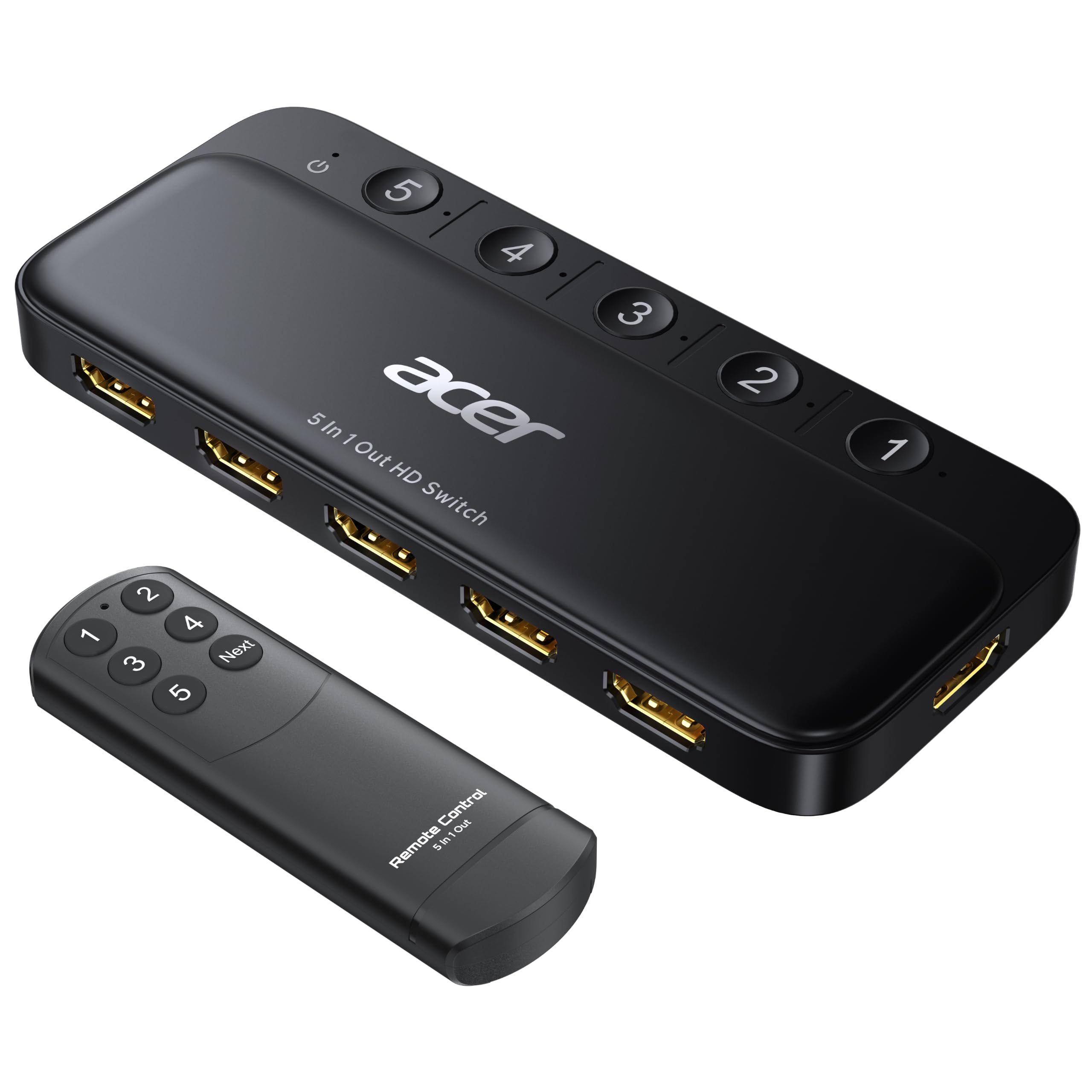
A revised circuit board and a remote that reaches across a whole room.
The headline spec here is the “New PCB Version” — an upgraded circuit board built for wider power compatibility and steady signal transmission. That matters because it adds built-in short-circuit protection and cuts interference, which is the kind of thing you want for long gaming sessions. You get five inputs into one display for one-click switching between consoles, laptops, Blu-ray players, and streaming sticks.
Visuals run 4K@60Hz at full 18Gbps, with HDR, 3D, and HDCP 2.3, plus Dolby Atmos and DTS multi-channel audio. The remote is the standout feature: an infrared control rated to hold its signal 50+ feet away, so you can switch from across a large room, and onboard buttons back it up. Five bright LEDs show the active port. The shell is deep-black aluminum with gold-plated HDMI connectors and bottom vents for heat. Two notes from Acer — automatic switching is not supported, and full 4K@60Hz output wants total HDMI cable length under 10 feet.
Feedback here is smaller in volume and lands mixed on reliability and quality — some units work exactly as expected, others report connection stability issues. The practical read: this is a strong long-range remote switch for a 4K@60Hz multi-console setup, best paired with an external power supply (not included) and kept to short cables. Buy it for the 50+ foot IR remote and the aluminum build, and pair it with the external power supply it requires.
The remote angle: A 50+ foot IR range is the reason to pick this over the tighter remotes in this list — great for a projector room where you sit far from the screen.
The stability note: Reliability is the most-discussed point in owner feedback and it runs both ways, so pair it with the required external power and short cables to give it its best shot.
A good match for: a large room, a projector, or a couch far from the rack, where remote reach matters more than anything.
Approach with care if: you have had flaky connection issues with prior switches — this model’s stability notes are its soft spot.
7. UGREEN HDMI 2.1 Switch 3 in 1 Out, 8K@60Hz with Remote
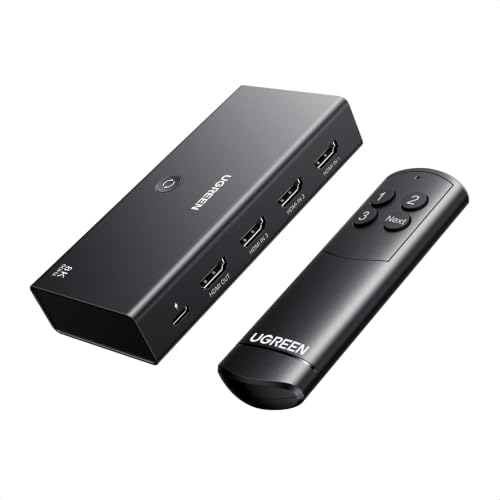
The high-refresh specialist that pairs with a gaming monitor, not a TV.
This is the pick for a fast monitor. It drives 8K@60Hz and, on the desktop side, a striking 4K@240Hz/144Hz/120Hz on 40Gbps of bandwidth. It also supports 1080p@240Hz, HDMI 2.0/1.4, 3D Dynamic HDR 10+, Dolby Atmos, and HDCP 2.3. For gaming the adds are VRR, G-Sync, and FreeSync — technologies that match the screen’s refresh to your console or GPU to remove tearing, stutter, and input lag. Three sources go into one display, and you can switch by remote or a single button, with three LEDs marking the active port.
One number separates it from the 48Gbps crowd: 40Gbps, versus the OREI’s 48Gbps. That gap leaves it a touch less headroom at the very top end, but it is still enough for the high-refresh territory it advertises. It ships with a USB-A to C power cable and a remote, and the maker is clear on the fine print — the 5V/1A power it draws comes from a power adapter that is not included, there is no automatic switching, and it does not support ARC/eARC (the audio return channel that sends TV sound back down the cable). It must stay plugged into power while in use, and 8K@60Hz wants HDMI 8K cables within 3m on both input and output.
Owners tend to report it works great, with build quality close behind and the remote a welcome extra. The friction sits in switching speed — some love the no-lag feel, others note the absence of auto-switching as a limitation. Treat it as a manual-switching box for a desk setup, and its 4K@240Hz VRR output is what a competitive console player needs.
Why it earns its spot: 4K@240Hz plus VRR and G-Sync on a 40Gbps pipe makes it the most monitor-minded option here.
Set the expectations: No auto-switching and no ARC/eARC means you drive this one by hand and run audio through a separate path if you need it.
Made for: a high-refresh gaming monitor and a desk setup where you want a console and a PC sharing one screen.
Not the one if: your living-room setup depends on auto-switching or ARC audio passthrough to a receiver.
8. avedio links HDMI 2.1 Switch 3 in 1 Out, Aluminum

The sold-by-the-thousands aluminum box that needs no power adapter.
Ease is this pick’s entire pitch: it is plug-and-play with no external power, drawing what it needs from the HDMI ports themselves. The maker’s condition is to keep two or three input sources powered on so the current keeps flowing — do that and it simply works. It is HDMI 2.1 with 48Gbps of bandwidth, reaching 8K@60Hz, 4K@120Hz, and 1080p@240Hz, backward compatible with older HDMI standards. The housing is aluminum alloy, and switching is a key-press button on the unit.
Three sources into one display, less cable mess, and a sturdy metal build are the draw. The catch is control — this is manual switching only, no auto mode — and it wants at least two powered sources to keep enough current, plus a short high-quality HDMI 2.1 cable (within 3m/9.8ft) for low-power devices like a Fire Stick. The reputation here is huge: many thousands of buyers have rated it, and reviewers point out the build and the simplicity of the hookup are what pull them in.
What people rave about is quality — the solid construction and sturdy ports come up again and again — and ease of use is close behind, described as true plug-and-play. The thing to weigh is signal stability: it is the most-discussed topic and it cuts both ways, with some units flickering or dropping connection. Given the volume behind it, most buyers are satisfied, but if a rock-solid continuous signal with zero hand-holding is non-negotiable, a powered box with its own adapter is the safer bet.
The draw
- No power adapter to lose — runs off the HDMI connection
- 48Gbps with 8K@60Hz and 4K@120Hz support
- Aluminum alloy build with sturdy HDMI ports
The caveats
- Manual key-press switching only, no auto mode
- Needs at least two powered sources and short cables for low-power devices
- Signal stability is the split topic owners debate most
Grab it for: a no-fuss three-source desk or TV where you are fine pressing a button and want zero power cables.
Pass if: your priority is a hands-off, always-on signal that never needs a manual nudge.
9. Weleecty 8K HDMI Splitter 5 in 1 Out
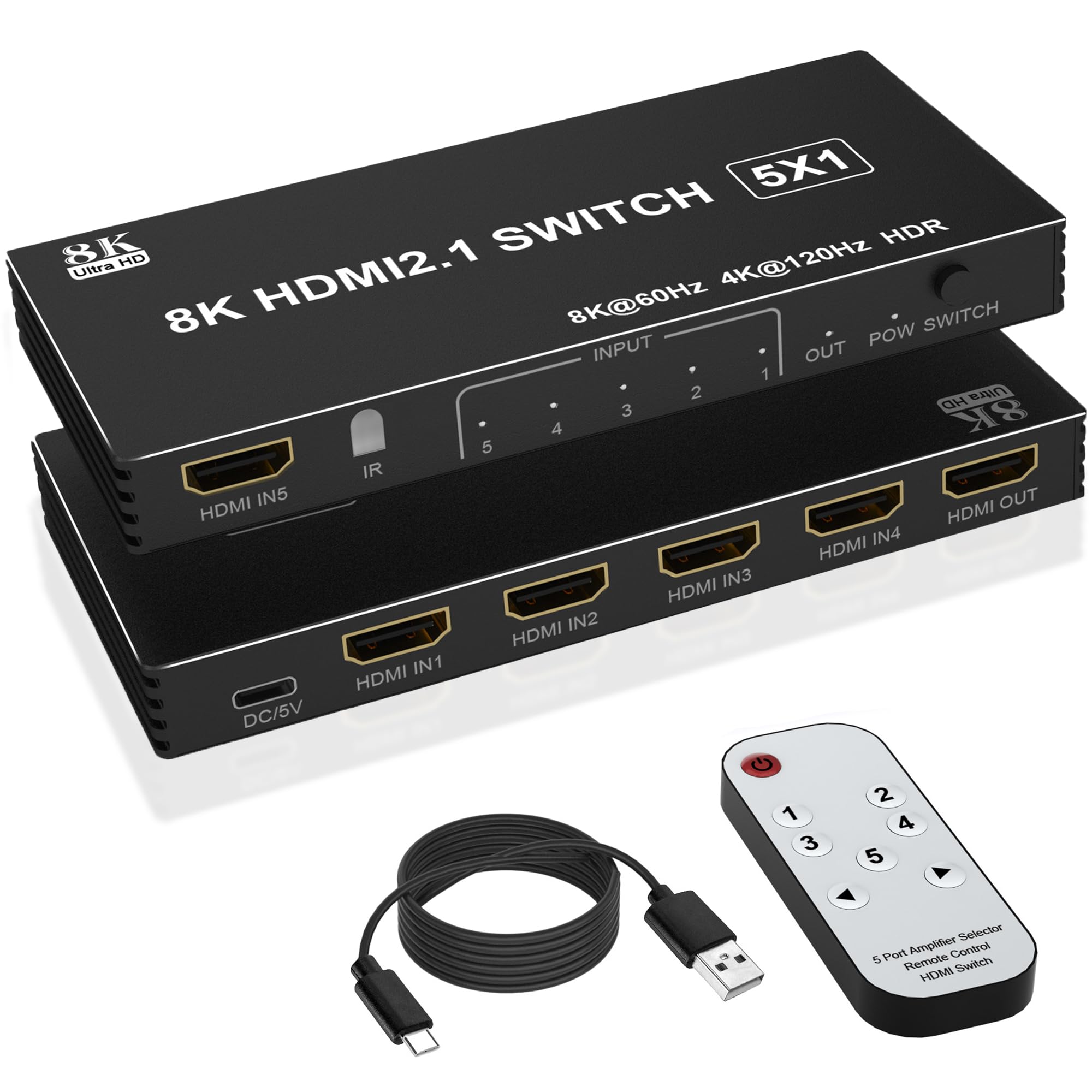
Five sources, full 48Gbps 8K, and a remote to run the whole shelf.
This is the largest, most premium option here, and it tries to be everything: five inputs into one display on 48Gbps of HDMI 2.1 bandwidth, hitting 8K@60Hz and 4K@120Hz. It passes HDR10, Dolby Vision, 3D, and VRR for the picture and Dolby Atmos and DTS:X for the sound. The maker describes lossless transmission of high-resolution video and multi-channel audio with no lag, flicker, or tearing, and it ships with a USB power cable to keep the signal steady during long gaming sessions.
Control comes two ways: an infrared remote rated to cycle inputs from up to 33 feet away, and a manual button on the unit for direct control. It is compatible with a wide range of hardware — PS5/4/3, Xbox Series X/S/One, Nintendo Switch, PCs, Blu-ray players, Roku, Apple TV, Fire Stick, monitors, and projectors — and it carries a 2-year warranty with lifetime technical support. The bundle includes the splitter, the IR remote, the USB power cable, and a user guide.
The reviews are few so far, and what’s there is positive: buyers find it works well for its purpose and rate the build as good. Because the sample is small, treat this as a promising newer entrant rather than a battle-tested veteran. If you need five full-bandwidth 8K sources feeding one screen and want a remote plus a manual fallback, this is the comprehensive one to beat.
The right call for: a serious multi-console home theater that wants five sources, 48Gbps, and remote control in one box.
Weigh this: it is the newest, least-reviewed pick of the bunch — great on paper and well-liked so far, but with a shorter track record than the veterans above.
Know the Specs
Bandwidth in Gbps
Bandwidth is the size of the pipe that carries picture and sound, measured in gigabits per second. A 48Gbps box is built for HDMI 2.1 and handles 8K@60Hz or 4K@120Hz — enough for a next-gen console at full tilt. An 18Gbps box is HDMI 2.0 and tops out at 4K@60Hz, which is fine for an everyday 4K TV. Higher bandwidth buys headroom for a future console; lower bandwidth keeps the cost down. Match the Gbps rating to what your console and TV actually output.
Switch Versus Splitter
A switch takes several sources and sends one to your screen — the usual need for a gaming shelf. A true splitter sends one source to two screens at once, for mirroring the same image. Many listings use the words interchangeably, so check the mode description. The bi-directional boxes here flip between “2-in-1-out” and “1-in-2-out” to do both. Check the mode description before you buy, because not every unit switches both ways.
Common Questions
Will your Switch HDMI splitter work with a Nintendo Switch and a PS5 on the same TV?
Do you need a splitter that supports HDMI 2.1 for a Switch?
Can an HDMI splitter send your game to two TVs at once?
Why does your picture go black for a second when you switch inputs?
Does an HDMI switch add input lag for gaming?
Do you need external power for these HDMI splitters?
Why won’t a 4K@120Hz console run at full speed through some splitters?
Does the length of your HDMI cable affect the signal through a splitter?
How do you choose between a 3-in-1-out switch and a 5-in-1-out switch?
Can multiple inputs stay powered on a plug-and-play HDMI switch?
The Bottom Line
For most Switch-and-console owners, the nintendo switch hdmi splitter winner is the OREI 8K 3-Port HDMI 2.1 Switch because its 48Gbps pipe keeps a PS5 or Series X at full 4K@120Hz while the auto and remote switching make daily use easy. If your setup lives on a fast monitor and you want 4K@240Hz with G-Sync, the UGREEN HDMI 2.1 Switch is the one to reach for. And for a five-source living room shelf on a 4K@60Hz screen, the ByteWave 5 in 1 Out gives you the most ports for the least fuss. The safe buy is the OREI — its 48Gbps pipe runs a PS5 or Series X at full 4K@120Hz without throttling.
How we choose
We do not accept paid placement. Every pick is matched to a real buyer and a real use-case; we do not hands-on test units.
Sources
Specifications: manufacturer listings and product documentation. Review insights: verified customer reviews, as of November 2026. Pricing: not shown on this page (it changes often); check the current price via the retailer link.
As an Amazon Associate, Gamepad Test earns from qualifying purchases. This does not affect which products we feature.