
Specs are compiled from manufacturer listings and verified buyer reviews and can change over time — please confirm the key details on the product page before buying.
You do not need a wall of gear to play well. You need one mouse that tracks cleanly, one keyboard that registers the press you meant, and a headset that lets you hear a footstep behind you. That is the whole job. The tricky part is that gaming listings bury the one spec that decides whether a piece feels fast or mushy under a pile of marketing words, and the cheap-looking option often carries a better sensor than the expensive one beside it.
This guide is built by comparing the manufacturers’ published specifications and the patterns across verified customer reviews, so you get each pick’s real strengths and trade-offs instead of marketing spin.
Below you will find nine pieces of gear sorted by what they actually do well, from a budget wireless mouse that punches far above its tier to a magnetic keyboard with a 0.02mm actuation floor. Every pick here is a real, current product, and every number is pulled straight from the maker’s own spec sheet — nothing guessed, nothing rounded up for drama. This breakdown of the of gaming essentials covers sensors, switches, drivers, and battery hours so you can match gear to your setup.
Top Picks


How To Choose The Best Of Gaming Gear
The mistake most players make is buying the piece with the longest feature list instead of the one whose core spec matches how they play. A tournament shooter player and a weekend role-player need completely different things from the same three devices. Start with the spec that limits you, not the one that sounds impressive.
Pick your mouse by sensor tracking first, shell second
Look for two numbers on the spec sheet: the maximum tracking speed in IPS (inches per second — how fast you can sweep the mouse before the sensor loses the surface) and the top DPI (dots per inch — how far the cursor travels per inch of physical movement). A sensor rated at 400 IPS handles a violent flick without the aim snapping to a stop. Any mouse in this guide will cover normal play, so the real tie-breaker is weight in grams and whether the shape suits your grip.
Judge a keyboard by actuation, not by how loud it sounds
Actuation distance is how far a key has to travel before the press registers, and it is the number that separates a fast board from a slow one. Optical and magnetic switches let you shorten that distance or reset the key the instant you lift your finger. If the listing never states an actuation figure in millimeters, treat the “gaming” badge as decoration.
Read the headset’s driver size and connection type together
Driver size in millimeters tells you how much air the headset can move, which is why larger drivers tend to produce fuller low end. Just as important is how it connects: a wired set with a 3.5mm plug works on everything, while wireless sets lean on a dongle and a battery rating in hours. Match the connection to your platforms before you fall for the styling.
Side-by-Side Comparison
| Model | Best For | Sensor / Switch | Weight | Connection | Amazon |
|---|---|---|---|---|---|
| Logitech G305 LIGHTSPEED★ Best Overall | First serious gaming mouse | HERO 12K, up to 12,000 DPI | 3.4 oz | LIGHTSPEED wireless (USB) | Amazon |
| AULA WIN68 HEBest Value | Magnetic switches on a budget | Hall Effect, 0.02mm–3.44mm actuation | 686 g | USB-C wired | Amazon |
| HyperX Cloud IITop Performer | Long sessions, wide platform support | 53mm dynamic drivers | — | Wired (USB / 3.5mm) | Amazon |
| Razer Huntsman Mini | Desk space and optical speed | Linear Optical, 1.0mm actuation | — | USB-C wired | Amazon |
| HyperX Cloud III | Comfort over marathon sessions | Angled 53mm dynamic drivers | — | Wired (3.5mm / USB-A / USB-C) | Amazon |
| SteelSeries Arctis Nova 3X | Multi-platform wireless | Neodymium magnetic drivers | 260 g | USB-C dongle, Bluetooth 5.3 | Amazon |
| Razer Viper V4 Pro | Competitive flick aim | Focus Pro 50K, up to 50,000 DPI | 49 g | 2.4GHz wireless / USB-C wired | Amazon |
| Logitech G PRO X2 SUPERSTRIKE | Customizable click feel | HERO 2, up to 44,000 DPI | — | LIGHTSPEED wireless | Amazon |
| SteelSeries Apex Pro TKL Gen 3 | Tournament keyboard tuning | OmniPoint 3, 0.1mm–4.0mm actuation | — | USB-C wired | Amazon |
Detailed Reviews
1. Logitech G305 LIGHTSPEED Wireless Gaming Mouse
Our pick — 4.5+★ from 40,500+ verified ratings; the strongest balance of quality and price.
The wireless mouse that made the argument about cord drag obsolete without asking for premium money.
If you are building your first real setup and the last thing you want is a cable snagging on the corner of your desk mid-flick, this is the mouse the crowd already settled on — 4.5+ stars across 40,000+ owners. It runs on a single AA battery rated for 250 hours of continuous play, and switching to Endurance mode through the Logitech G HUB software stretches that to a stated nine months. Read that plainly: two hundred and fifty hours of gameplay, then you swap a battery you probably have in a kitchen drawer.
The HERO 12K sensor is the part that matters. It tracks at 400 IPS (inches per second, the speed at which you can whip the mouse before the sensor loses the surface) and reaches up to 12,000 DPI. For a player who snaps 180 degrees to check a doorway, that headroom means the cursor goes exactly where your hand went. At 3.4 oz it is light enough to flick without wrist fatigue, and the nano receiver stores inside the shell so it survives a laptop bag.
What wins people over is the raw utility of it: quality is the theme the review pages circle back to most, and value follows close behind. As owners put it, it is the mouse you recommend to a friend who is not ready to spend big. The one honest wrinkle sits in the left-click — the switch can develop a double-click over time, a gripe common enough to show up across the listings for this model. Set your expectations to “great for a long run, not forever,” and you will be pleased.
Lightweight AA battery life
- 250-hour battery life on one AA cell, with Endurance mode extending it to a stated nine months
- 1 ms report rate keeps the response tight enough for competitive play
- 3.4 oz body that flicks without tiring your wrist
- Nano receiver hides inside the mouse for travel
No RGB lighting
- The left button can start double-clicking after heavy use
- 6 buttons only — no side-paddle array for macros
- AA battery means buying replacements rather than charging
Grab for fingertip aim: you want lag-free wireless aim and refuse to pay a premium for it.
Pass if RGB matters: you need a rechargeable cell or a bigger macro button count.
2. AULA WIN68 HE Mechanical Gaming Keyboard 60%
Magnetic switches and an 8,000Hz polling rate on an entry-level board — the spec sheet reads like a typo.
Hall Effect switches are magnetic rather than contact-based, and that lets you set the actuation point — the exact distance you press before a key registers — anywhere from 0.02mm to 3.44mm, tunable in 0.1mm steps per key. Compare that floor to the Razer Huntsman Mini’s fixed 1.0mm optical actuation and the difference in adjustability is enormous: the Huntsman gives you one well-chosen distance, while this gives you a dial. Pair it with an 8,000Hz polling rate (how many times per second the board reports to your PC) and a claimed 0.3ms latency, and you have tournament-flavored response in a budget shell.
The 60% layout cuts the footprint hard — the maker puts the space saving at up to 40% of your desktop — while keeping arrow keys and basic function keys reachable through FN combinations. Physically it is the largest board here by a wide margin: at 14 inches long and 6 inches wide it takes roughly 3.1 times the length and 2.4 times the width of the G305 mouse beside it, so clear real desk room before you commit to the compact claim. The 686 g weight keeps it planted. A detachable USB-C cable means a ruined cord is a cheap fix, and two spare magnetic switches ship in the box.
Hall effect rapid triggers: quality is the note that rings loudest across the feedback, and users describe the typing feel as silky smooth with no rattle or ticking. Sound is another quiet win — it does not clatter the way a cheap mechanical often does.
Tiny 60 percent layout: the build gets a split verdict, and there are reports of keys wearing out early and of inputs dropping when several keys are held at once. Update the firmware and keep the web driver handy, and treat it as a great first magnetic board rather than a decade-long companion.
Buy for fast switches: if adjustable actuation and a high polling rate are on your wish list but the premium price is not, this is the board that closes the gap.
Avoid if need arrows: the driver is Windows-only — Mac players should keep walking.
3. HyperX Cloud II Gaming Headset
Big 53mm drivers and memory foam that let you forget you are wearing anything at all.
The Cloud II has been the default recommendation for years because it gets the fundamentals right: 53mm dynamic drivers (the size of the speaker inside each cup — bigger moves more air, which is why the low end feels full) and hardware-driven virtual 7.1 surround that places a reload sound behind your left shoulder rather than vaguely “over there.” Surround works on PC and Mac; on PS4, Xbox One, Switch and mobile the set runs in stereo.
Comfort is where it genuinely shines. Memory foam ear cushions and a padded leatherette headband let marathon sessions pass without the clamp headache. The closed ear-cup design blocks outside noise passively, so a roommate’s TV does not leak into your callouts.
Sound quality is the thing the review pages praise hardest, and comfort is not far behind — this is a headset people keep recommending long after they bought it. The detachable mic is TeamSpeak and Discord certified, and the aluminum frame takes daily abuse. The fair caveat: durability stories are split, with some sets running for years and a few failing well before that, and the mic draws mixed notes on longevity. Buy it for the sound and the comfort, and treat the cable and mic as the wear parts.
Choose for long sessions: anything wired at this tier that skimps on ear-cup foam or driver size.
Skip for open sound: it is a wired set — there is no battery here, so the cable is your permanent tether.
4. Razer Huntsman Mini 60% Gaming Keyboard

A 61-key slab of aluminum that clears your mouse arm a full hand’s width of desk.
Razer’s linear optical switches register on a beam of light rather than a physical contact, and they do it at a 1.0mm actuation distance — the maker rates that 15-30% shorter than other linear switches, which is why the press feels instant. The board itself carries 61 keys versus the Logitech G305’s 6 buttons, a difference of 55 inputs and the whole reason a 60% layout exists: your mouse hand gets the space your number pad used to hog.
The top frame is matte aluminum, and the keycaps are doubleshot PBT (a two-layer plastic that resists the greasy shine cheaper caps develop). Razer Chroma handles the 16.8 million colors on individually lit keys, and Hypershift lets you remap every key into layered macros. Snap Tap, which prioritizes your latest input between two assigned keys, ships off by default and toggles in Razer Synapse 4.
Optical switch speed
- 1.0mm optical actuation registers presses almost the moment you move
- 61 keys in a footprint that frees room for wide mouse sweeps
- PBT keycaps hold up against long-term grime
- Aluminum top frame adds structural stiffness
Loud clicky keys
- No number pad or dedicated function row without layers
- Reliability notes split between flawless and dead within a week
- Optical switches are not hot-swappable for a swap later
Pick for twitch reflexes: a fast, tidy desk where every inch of mouse travel counts.
Reject if quiet wanted: you live in spreadsheets and need a number pad under your fingers.
5. HyperX Cloud III Wired Gaming Headset
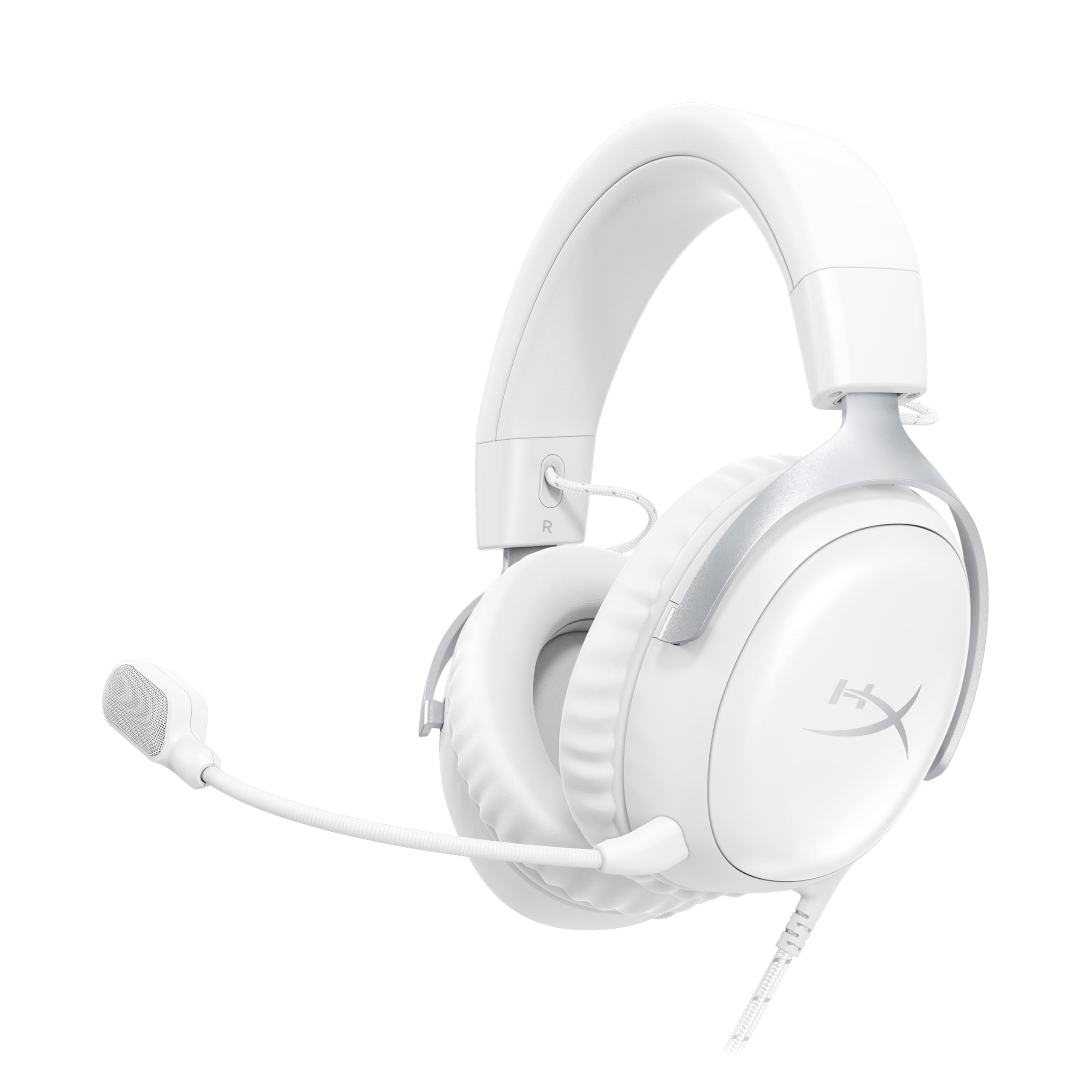
The Cloud II formula re-tuned with angled drivers and a mic that tells you when it is muted.
HyperX took the 53mm driver size that made the Cloud II a staple and angled it inside the cup, a change aimed at pushing the sound stage wider for positional cues. The frame is full metal this time, which matters if your headset lives in a backpack between sessions. Three connectors ship in the box — 3.5mm, USB-A and USB-C — so the same set works on PC, PS5, PS4, Xbox Series X|S, Xbox One, Switch, Mac and mobile without an adapter hunt.
Comfort is the headline. HyperX signature memory foam lines the headband and the ear cushions, both wrapped in soft leatherette, and comfort is the aspect that draws the warmest reaction in the feedback — no headaches over long stretches is the recurring theme. Volume and mute sit right on the earcup, so you never break your game to open a system menu.
The microphone upgrade is worth naming: a 10mm noise-cancelling unit with a built-in mesh filter and an LED mute indicator that shows at a glance whether you are live. The honest follow-up question is noise isolation — opinions split here, with some finding the blocking strong and others wanting more. If total silence from the room is your goal, a set built around active cancellation is the better tool.
Take for clear mics: a wired headset for players who sit for four hours and want their ears to forget about it.
Leave for loose fit: passive isolation only — the room will still bleed through.
6. SteelSeries Arctis Nova 3X Wireless Gaming Headset
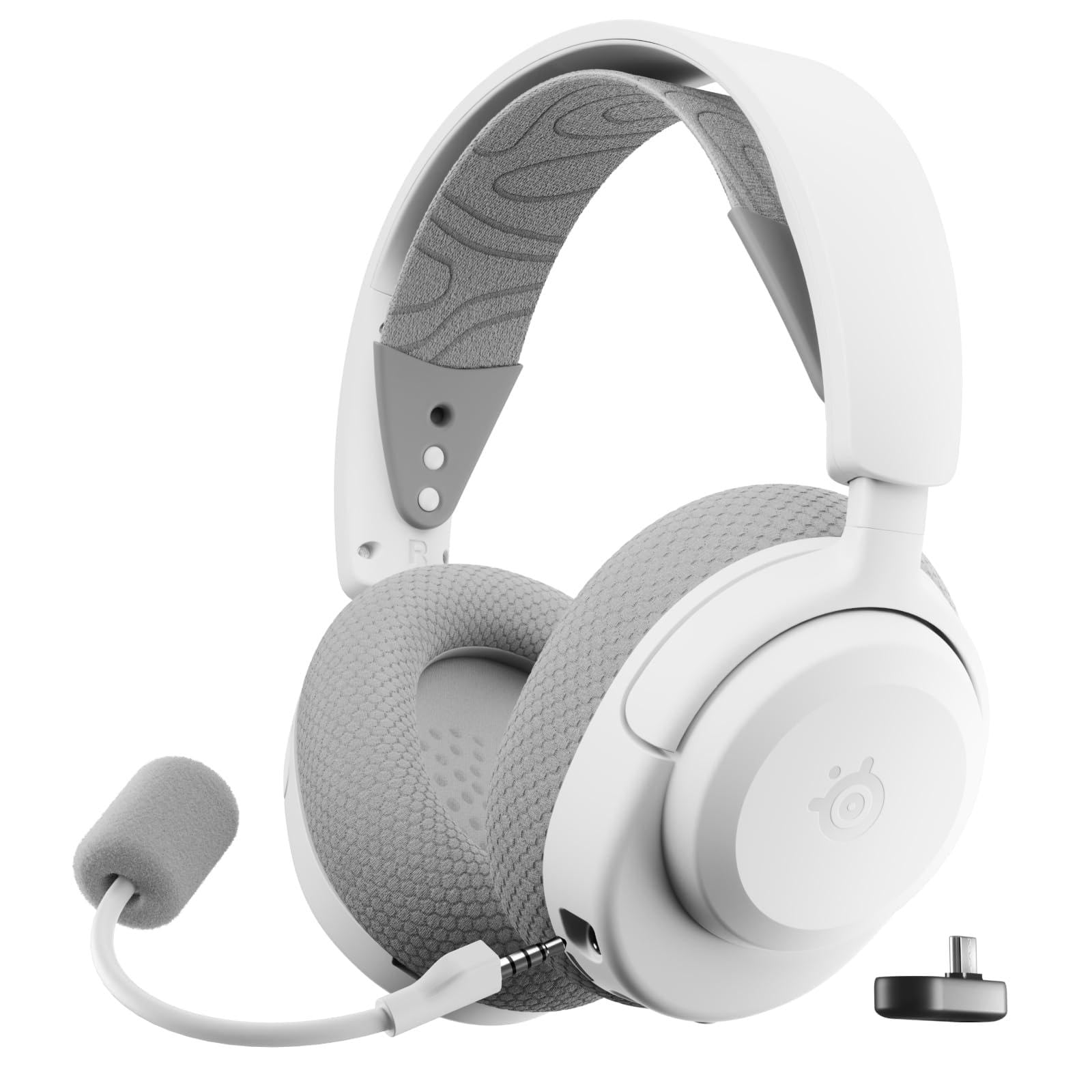
Fifteen minutes on the charger buys you nine hours of play — that is the whole pitch.
Wireless headsets live or die on the charge cycle, and this one states 15 minutes of fast charge for up to 9 hours of playback, with a full charge rated at up to 40 hours. At 260 g it sits light on the skull, and the stretchy headband plus multiple adjustment points are aimed squarely at headset headache. A dual-hinge design is there for durability when it gets tossed in a bag.
The 200+ game presets in the Arctis Companion app are the interesting layer — you pull up a tuning profile built for specific shooters, which is the sort of thing that usually costs more elsewhere. A multi-platform USB-C dongle swaps between Xbox, PC, PlayStation, Switch, handhelds and phones, and Bluetooth 5.3 is on board for the non-dongle devices.
Sound quality is the note that carries furthest across the feedback — the drivers are called among the best users have tried. Connectivity is where the split appears, with some reporting instant pairing and others unable to get the dongle to talk to an Xbox. Check the platform list carefully against your console before you buy, and the headset delivers everything else it promises.
Go for multi device: you bounce between a console and a PC and want one headset for both.
Hold if bass first: you are an Xbox-only player who wants zero setup friction.
7. Razer Viper V4 Pro Wireless Esports Gaming Mouse
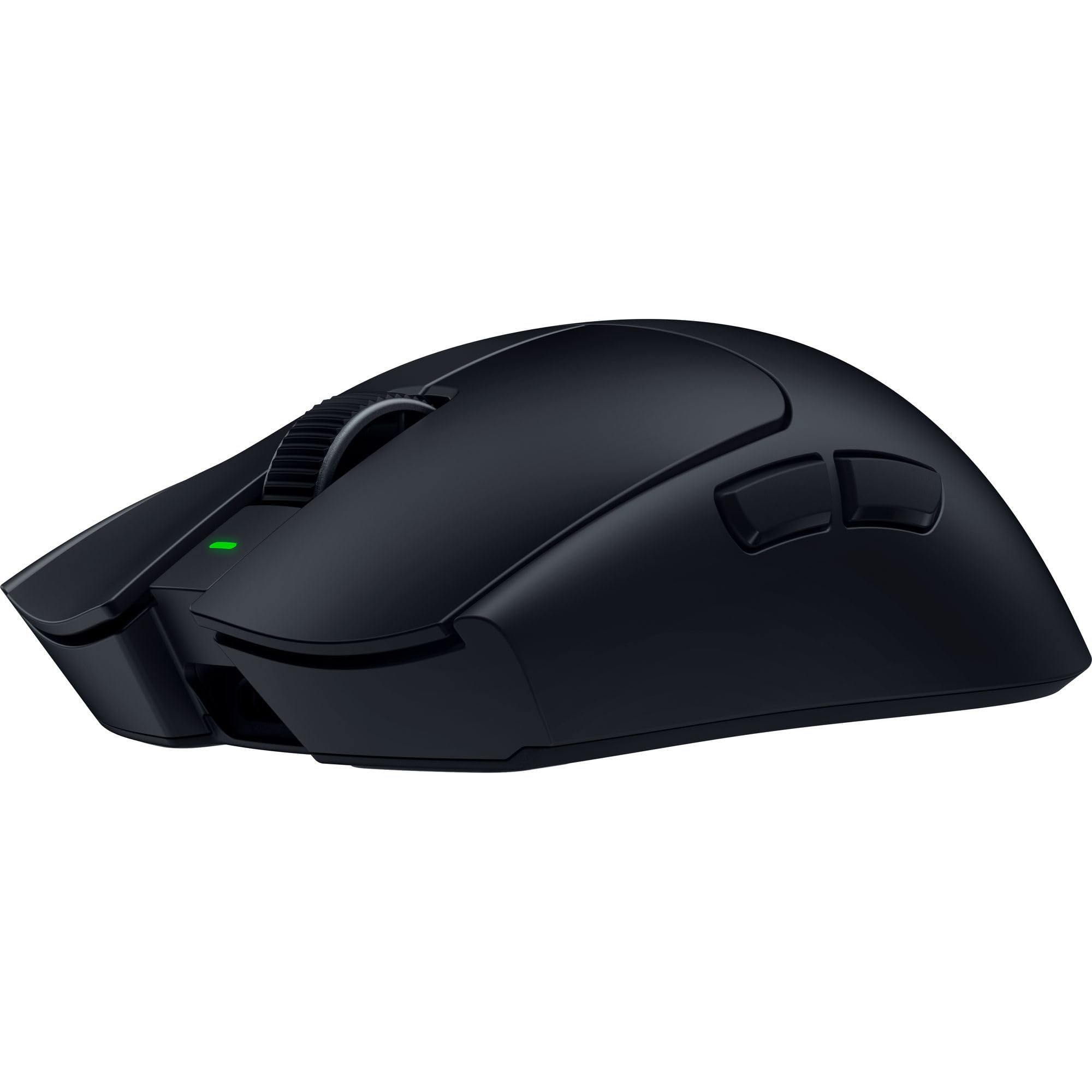
49 grams, a 50,000 DPI sensor, and a battery rated at 180 hours — three numbers that rarely share a shell.
Start with the sensor because that is where the money goes. The Focus Pro 50K Gen-3 tracks up to 930 IPS and 90 G of acceleration, which is a spec set built for players who swing the mouse hard enough to launch it. Frame Sync aligns sensor data with the PC to trim latency. Put next to the G305’s 400 IPS and 12,000 DPI ceiling, the Viper carries more than double the tracking speed and four times the DPI headroom — numbers that only matter if your aim already outruns a budget sensor.
At 49 g it is a genuine featherweight, and the maker notes it runs 9% lighter than the previous generation. HyperSpeed Wireless Gen-2 delivers a true 8,000Hz polling rate with a stated 55% lower latency. Battery life gives you a real choice: up to 180 hours at 1,000Hz polling or up to 45 hours at the full 8,000Hz. The optical scroll wheel and Gen-4 optical switches carry a 100-million-click rating.
Featherweight esports sensor: performance is the theme that defines this mouse, with weight balance and responsiveness right behind it — players describe the clicks as satisfying and the whole thing as exceptionally quick.
Pricey for casuals: the switches are loud enough that the click noise becomes its own talking point, and a minority report the unit giving out around three months. It is also a right-handed shape only, so left-hand players are out.
For ranked grinders: treats aim as a craft and wants the sensor ceiling to prove it.
Not for budget buyers: shares a room while gaming — the clicks carry.
8. Logitech G PRO X2 SUPERSTRIKE Wireless Gaming Mouse
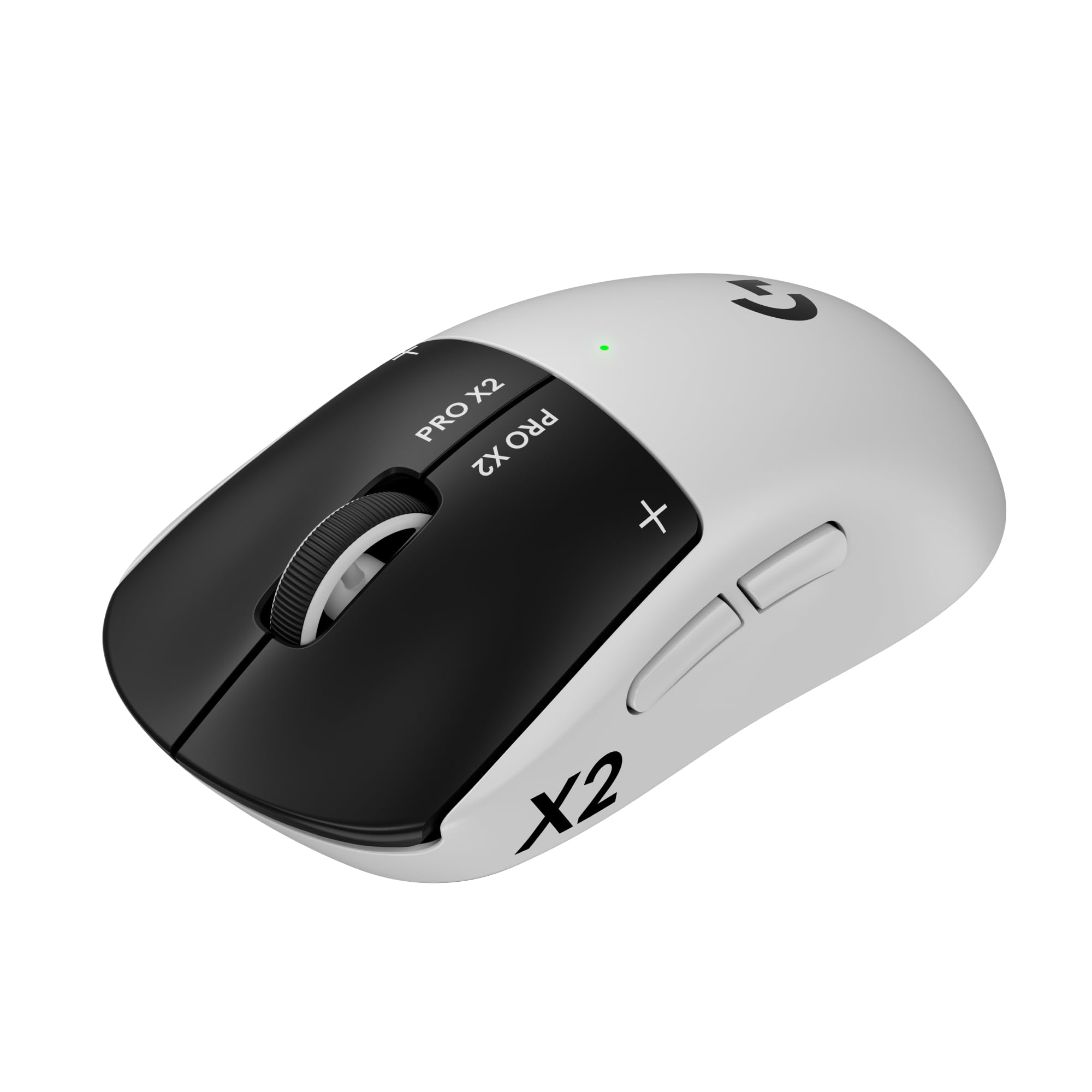
A mouse that lets you dial the click itself — ten actuation levels and five rapid-trigger steps.
The Haptic Inductive Trigger System is the unusual part: instead of a mechanical switch bottoming out, it gives you real-time haptic feedback on each press, and you set how far the click travels across 10-level actuation points with 5 levels of rapid-trigger reset. That is a level of click tuning nothing else on this list offers. The HERO 2 sensor backs it with tracking over 888 IPS, 88 g-force, and up to 44,000 DPI.
Battery runs 60-90 hours over LIGHTSPEED wireless at 8 kHz polling, and the maker puts the click speed 30 ms faster than the competition it was designed against. A 0.7mm thin-wall case keeps the weight down, and extra-large UHMWPE feet (a low-friction plastic) let the mouse glide with almost no resistance. POWERPLAY 2 support means endless wireless if you add that mat separately.
What buyers appreciate is the responsiveness — reaction times in shooters get measurably better in their telling — along with the adjustable actuation and the silent clicks. Battery gets called out for lasting around two weeks per charge with USB-C convenience. The one thing to weigh honestly is value: opinions split cleanly, with half the room saying worth it and half saying the price stings. That is the reality of a mouse with no direct competitor on click feel.
Worth it for pros: for the player who wants to tune the click itself, not just the DPI.
Skip for light wallets: if silent clicks and a standard feel are all you want.
9. SteelSeries Apex Pro TKL Gen 3 Gaming Keyboard

The board with a dial for how fast your keypresses count — and a mode that blocks the wrong ones.
OmniPoint 3 switches are magnetic Hall Effect units with 40 levels of adjustable actuation running from 0.1mm to 4.0mm and a 45 g bottom-out force. Where the AULA board offers a 0.02mm floor, this starts higher but goes all the way to 4.0mm, and it adds the three features that give it the edge for tournament play: Rapid Trigger resets the key the instant you lift your finger, Rapid Tap snaps to your latest press for faster strafing, and Protection Mode (patent pending) reduces accidental presses on neighboring keys. That last one is aimed at a very specific frustration — no more accidental ults from a fat-fingered neighbor key.
QuickSet auto-presets launch your saved config when a game loads, and the OLED smart display lets you change settings right on the board without alt-tabbing out. 84 keys in the TKL layout, USB-C wired, Windows only.
Keyboard feel is the aspect that collects the warmest words of any trait here, followed by the click sound and the appearance of the lighting. Functionality is where the split sits — a handful find function keys misbehaving, so confirm your firmware is current on arrival. Value is the other honest question: half the room calls it worth it, half calls it steep. You are paying for three software features no other board here carries.
Right for tuning fans: a competitive player who wants Rapid Trigger, Rapid Tap, and mistake protection in one unit.
Overkill for typists: a casual player who never touches actuation settings.
Know the Specs
DPI and IPS on a mouse sensor
DPI (dots per inch) is how far the cursor moves for each inch you slide the mouse, so a higher DPI lets you cover more screen with less hand travel — useful on a small desk. IPS (inches per second) is how fast the mouse can move before the sensor loses the surface, so a 400 IPS sensor stays locked during a violent flick while a lower-rated one can stutter. Serious buyers check IPS first, DPI second.
Actuation distance and polling rate on a keyboard
Actuation distance is the travel in millimeters before a press registers — a 1.0mm switch fires sooner than a 2.0mm one, which is the whole speed argument behind optical and magnetic switches. Polling rate in Hz is how many times per second the board reports key states to your PC; 8,000Hz reports far more often than the standard 1,000Hz, which trims the gap between press and on-screen action. Both only help if your PC and monitor can keep pace.
Driver size and connection type on a headset
Driver size in millimeters describes the speaker inside each ear cup — larger drivers move more air, which typically produces fuller bass and clearer positional cues. Connection type is the other half of the decision: a 3.5mm or USB wired set needs no charging and works on any platform with the right port, while a wireless set depends on a dongle and a battery rating in hours. Match the connection to your consoles first, then pick the driver size.
Battery hours on a wireless mouse
A mouse battery rating in hours is usually measured at a specific polling rate, and a high polling rate drains it faster — which is why the same mouse can list 180 hours at 1,000Hz and 45 hours at 8,000Hz. Decide which mode you actually play in, then read the matching number. For a set-and-forget mouse, look for a stated figure well past a hundred hours at normal polling.
Common Questions
Will a 60% keyboard still let me use arrow keys and function shortcuts?
What is the difference between optical and Hall Effect switches?
Does a higher polling rate actually make me faster in game?
How long does the Logitech G305 battery actually last?
Can I use a multi-platform headset on a console and a PC without unplugging?
What is Rapid Trigger on a gaming keyboard and do I need it?
Is a lighter mouse better for aiming?
Do I need a separate microphone if my headset has a detachable boom?
What does the OLED display on a keyboard actually do?
Will a USB-C keyboard work with an older laptop?
The Bottom Line
The honest answer for most players is that the Logitech G305 LIGHTSPEED does the job at the top of this list: 250 hours on one AA battery, a 400 IPS sensor, and 3.4 oz of weight you can flick without thinking. It is the crowd favorite for a reason — 4.5+ stars across 40,000+ owners — and nothing in the budget tier has outrun it yet. If you want to feel the difference a magnetic keyboard makes, the AULA WIN68 HE gives you adjustable actuation down to 0.02mm and an 8,000Hz polling rate at entry-level money. And for the player ready to tune the click itself, the Logitech G PRO X2 SUPERSTRIKE is the only mouse here that hands you 10-level actuation and haptic feedback on every press.
Buy the one piece that fixes the problem you actually have. A cleaner sensor beats a wall of extra features every time.
How we choose
We do not accept paid placement. Every pick is matched to a real buyer and a real use-case; we do not hands-on test units.
Sources
Specifications: manufacturer listings and product documentation. Review insights: verified customer reviews, as of November 2026. Pricing: not shown on this page (it changes often); check the current price via the retailer link.
As an Amazon Associate, Gamepad Test earns from qualifying purchases. This does not affect which products we feature.