
Specs are compiled from manufacturer listings and verified buyer reviews and can change over time — please confirm the key details on the product page before buying.
You do not want the most complicated mouse on the shelf. You want the one that stops costing you fights: a sensor that tracks cleanly, a shape that fits your hand, and a weight you can flick without your wrist fighting back. The nine mice below cover the two very different jobs people buy for — fast FPS aim and button-heavy MMO rotation — and each one is genuinely good at the job its makers aimed at.
This guide is built by comparing the manufacturers’ published specifications and the patterns across verified customer reviews, so you get each pick’s real strengths and trade-offs instead of marketing spin.
Narrow the field by matching grip style and main genre to the spec sheet before you compare DPI numbers. Below, every pick is broken down by what it actually does in play, so you can pick the right one for the way you hold a mouse with the best PC Gamer Mouse.
Top Picks

How To Choose The Best PC Gamer Mouse
Two buyers can sit at the same desk and need opposite mice. If you play shooters and win or lose on a fast 180-degree turn, a light body and a clean sensor matter far more than a bank of side keys. If you play MMO or MOBA titles and fire off a full bar of abilities, a wide row of thumb buttons saves you from a keyboard stretch you will never win. Start by naming your main genre — everything else follows.
Start With Your Grip And Hand Size
Where your palm and fingers sit on a mouse decides comfort more than any spec. A palm-on-top grip tends to suit a taller, wider body, while a fingertip grip lets you get away with a smaller, flatter shell. The Redragon M908 is a wide 3.62 inches across, while the Logitech G PRO X2 SUPERSTRIKE narrows to 2.5 inches — those two feel like different tools in the same hand.
Sensor DPI, Polling Rate And What They Actually Do
DPI (dots per inch) describes how far the cursor travels for each inch you physically move the mouse — higher is more sensitive, not automatically more accurate. Polling rate is how often the mouse reports its position to your PC, so a higher rate sends more updates per second. Both specs matter, but neither saves you if the shape fights your grip.
Wired Or Wireless: The Honest Trade-Off
A wired mouse never asks you to charge it, and a braided cable tends to survive more desk abuse. A wireless mouse frees your arm from cable drag, but it adds a charging habit — the Logitech here lists 60 hours of battery, while the Razer Cobra Pro offers up to 100 hours on HyperSpeed or 170 hours on Bluetooth. Neither is wrong — pick the charging habit or the cable drag you will actually live with.
How Many Buttons Belong On Your Mouse
Every extra button is one more click you never take off the keyboard, and one more thing to mis-hit. A three-to-five button mouse keeps the layout simple for shooters, while an 18-button body is built for players who bind a dozen skills. Count the skills you bind to your thumb before you shop, then match that number to the button count.
Side-by-Side Comparison
| Model | Best For | Sensor DPI | Buttons | Weight | Amazon |
|---|---|---|---|---|---|
| Logitech G PRO X2 SUPERSTRIKE★ Best Overall | Competitive FPS players who want the fastest clicks | 44,000 DPI | 5 | — | Amazon |
| Redragon M908Budget Button Monster | MMO players who want a bank of thumb keys | 12,400 DPI | 18 | 175 g | Amazon |
| GLORIOUS Model O EternalFeatherweight Value | Fast-swipe players on a tight budget | — | 6 | 55 g | Amazon |
| Redragon M921 | MMO players who want a fire button | 12,400 DPI | 18 | — | Amazon |
| Logitech G502 X | All-rounders who want a scroll wheel that free-spins | 25,600 DPI | 9 | 89 g | Amazon |
| Corsair M65 RGB Ultra | FPS players who want an aluminum frame | 26,000 DPI | 8 | — | Amazon |
| Corsair SCIMITAR RGB ELITE | MMO players who move the side panel to fit | 18,000 DPI | 17 | 4.32 oz | Amazon |
| Razer Basilisk V3 35K | One mouse for both work and long gaming nights | 35,000 DPI | 13 | — | Amazon |
| Razer Cobra Pro | Wireless players who rarely want to charge | 30,000 DPI | 10 | 2.72 oz | Amazon |
Detailed Reviews
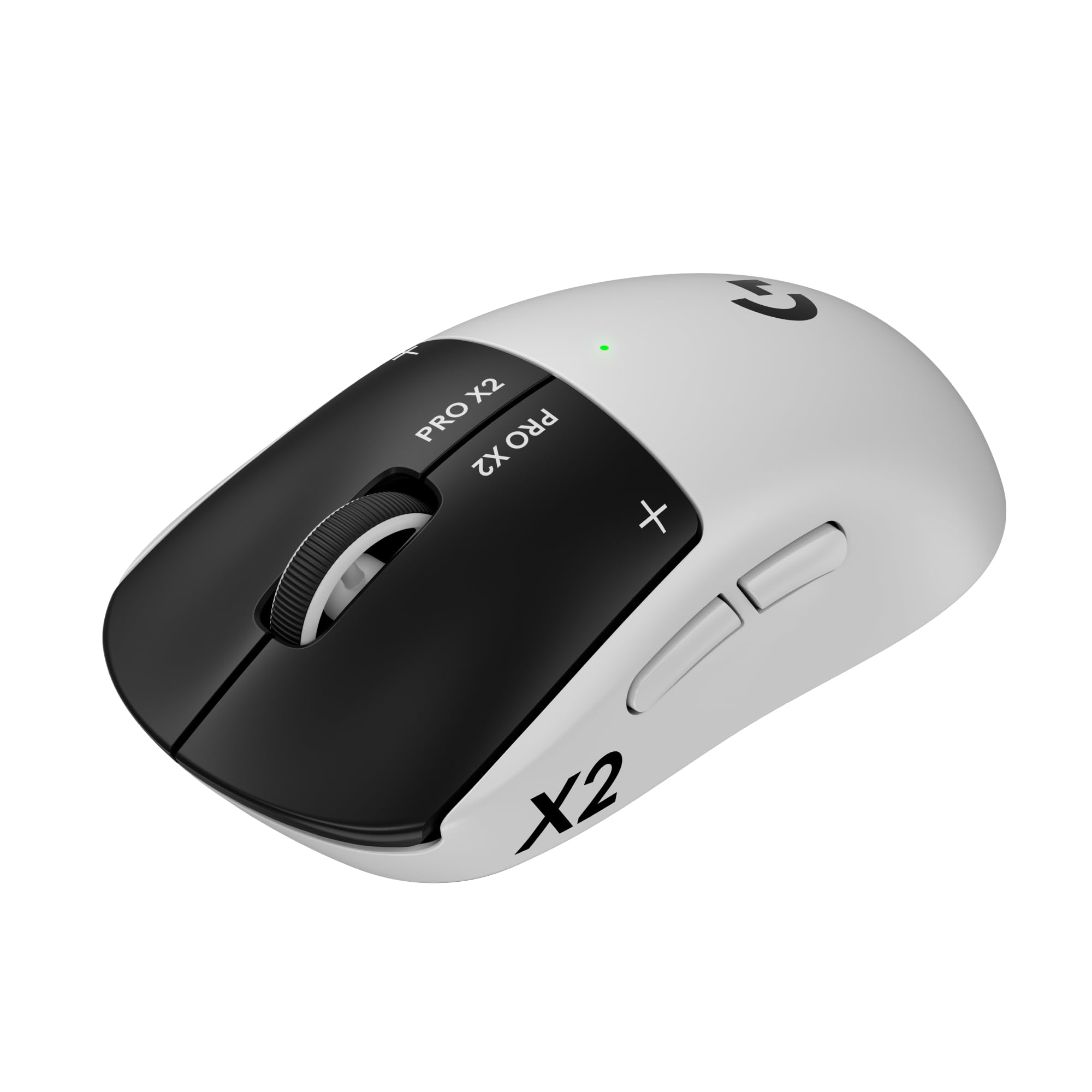
1. Logitech G PRO X2 SUPERSTRIKE Wireless Gaming Mouse
Our pick — 4.5+★ from 800+ verified ratings; the strongest balance of quality and price.
A wireless esports mouse that lets you tune how deep each click fires.
If your aim lives or dies on reaction time, this is the mouse built for that exact worry. The HERO 2 sensor (Logitech’s own tracking chip) reads at up to 44,000 DPI and tracks at over 888 IPS (inches per second), which is the speed at which the sensor still keeps up with your hand — so a hard flick across the pad does not turn into a spin-out. That figure sits far above the 12,400 DPI on the Redragon M908, and for shooters the headroom matters.
The real headline is the click. Logitech says this design fires 30 ms faster than a standard mouse click, and it adds 10-level actuation points plus a 5-level rapid trigger reset — meaning you choose how far the button travels before it registers, and how quickly it arms itself again. The haptic system feeds a small physical pulse back into your finger on each press, so a tap you barely feel still tells you it landed. You also get 60 hours of battery, LIGHTSPEED wireless, and 8 kHz polling (the mouse reports its position 8,000 times a second), so the cursor never feels like it is catching up to you.
Build quality is what owners praise most, with click responsiveness close behind. Light weight is easy to manage here, and the CORE software open up the deeper tuning. The catch is the cost side: this sits in premium territory, and value is the one point buyers split on. Even so, 4.5+ stars across 800+ owners puts it at the top of this list.
Why It Earns The Crown
- 44,000 DPI HERO 2 sensor with tracking over 888 IPS keeps fast swipes clean
- Adjustable 10-level actuation and 5-level rapid trigger let you dial in click depth
- 60 hours of battery over LIGHTSPEED wireless at 8 kHz polling
- Haptic feedback confirms each press, even on light taps
Where It Asks More Of You
- Priced at the premium end, and value is the point buyers most often debate
- Advanced features need the G HUB software installed
- POWERPLAY wireless charging is sold separately
Top of the shortlist for: competitive shooter players who want to tune exactly when and how hard a click fires.
Think twice if: you want dozens of macro keys on your thumb — this body carries 5 buttons.
2. Redragon M908 Wired MMO RGB Gaming Mouse
Twelve thumb buttons for skill-bar players, in a body you can weight to taste.
For an MMO rotation, the question is never sensor bragging rights — it is how many abilities you can fire without moving your left hand off movement keys. This body gives you 18 programmable buttons, 12 of them on the side panel, with five memory profiles each lighting up in its own color so you know which loadout is live. The Pixart PAW3327 sensor runs to 12,400 DPI with a 1,000 Hz polling rate and 30G acceleration, which is plenty for tab-target combat.
What you feel first is the size. At 175 g and 3.62 inches wide, it is a heavy, broad mouse — a full 120 g above the 55 g GLORIOUS Model O Eternal, and noticeably wider than the 2.5-inch Logitech G PRO X2 above. Redragon ships an 8-piece weight tuning set (2.4 g each) so you can shed some of that heft. The 6 ft braided-fiber cable with a gold-plated USB connector is built to survive a desk full of daily abuse.
Owners rate quality and value highest here — it costs like an accessory and behaves like a workhorse. The honest note is that button responsiveness and long-term durability get split feedback, so treat the side keys with a little care. Ergonomics also divide opinion depending on hand size, which is exactly why the weight kit and profile lights are there for you to tune.
Read on the shell: a wide, tall body gives palm-grip players real support and a steady platform for macro presses. If you grip with fingertips, the 3.62-inch width will feel like more mouse than your hand wants to steer.
Reach for this if: you play MMO or MOBA titles and want 12 side buttons without spending much.
Look elsewhere if: you play twitch shooters and want a light, narrow body.
3. GLORIOUS Model O Eternal Gaming Mouse (Black)
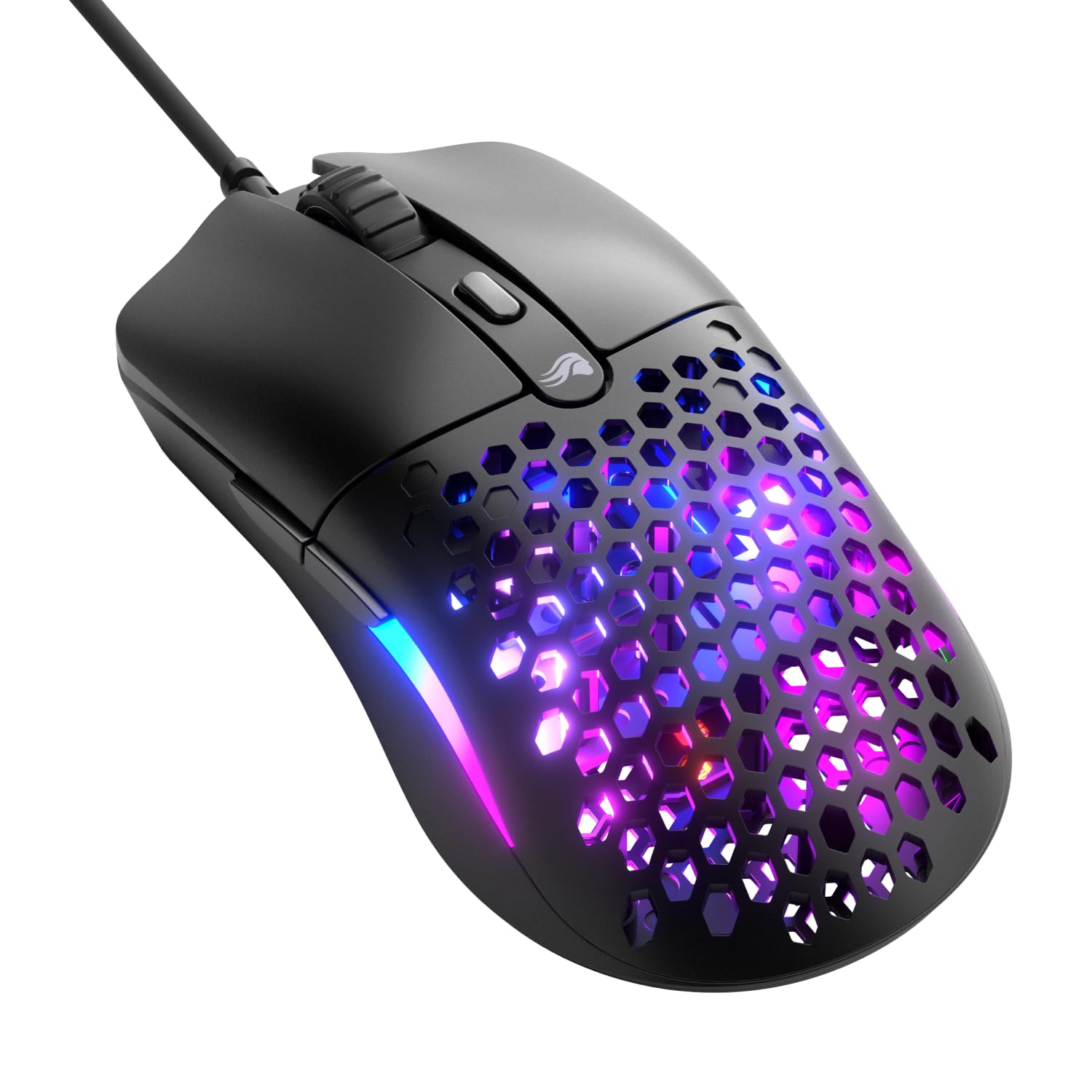
A 55 g shell with a honeycomb cutout, built for flicks that stop on a dime.
At 55 g, weight is the spec that defines this mouse. A light body means a fast swipe needs less force to start and less effort to arrest, which is what “precise stops” actually feels like in a fast fight.
The symmetrical shape means you can hold it however your hand lands, and it ships with 6 remappable buttons you can assign through Glorious CORE software. The 80-million-rated mechanical switches are the click units rated to survive that many presses, and Glorious frames that rating as the fix for double-clicking trouble. Dual RGB zones light the flared side panels rather than just the logo, and quick button shortcuts change them without opening the software.
Build quality is what buyers talk about most, with value right behind — for a mouse that undercuts the premium picks by a wide margin, that pairing is the appeal. The mixed signal is durability over the long haul, so this suits someone replacing a tired mouse rather than outfitting a tournament bag for years. It handles Windows 11 and Mac OS 14 Sonoma.
The spec that sells it: 55 g gives you a body that barely resists a flick, and that is the single biggest handling difference you can feel from one mouse to the next.
The honest limit: six buttons is enough for a shooter loadout but nowhere near an MMO rotation.
Suits you if: you want maximum swipe speed for the least money and only need a handful of binds.
Keep shopping if: your gameplay leans on macros — the button ceiling here is 6.
4. Redragon M921 Wired RGB MMO Gaming Mouse
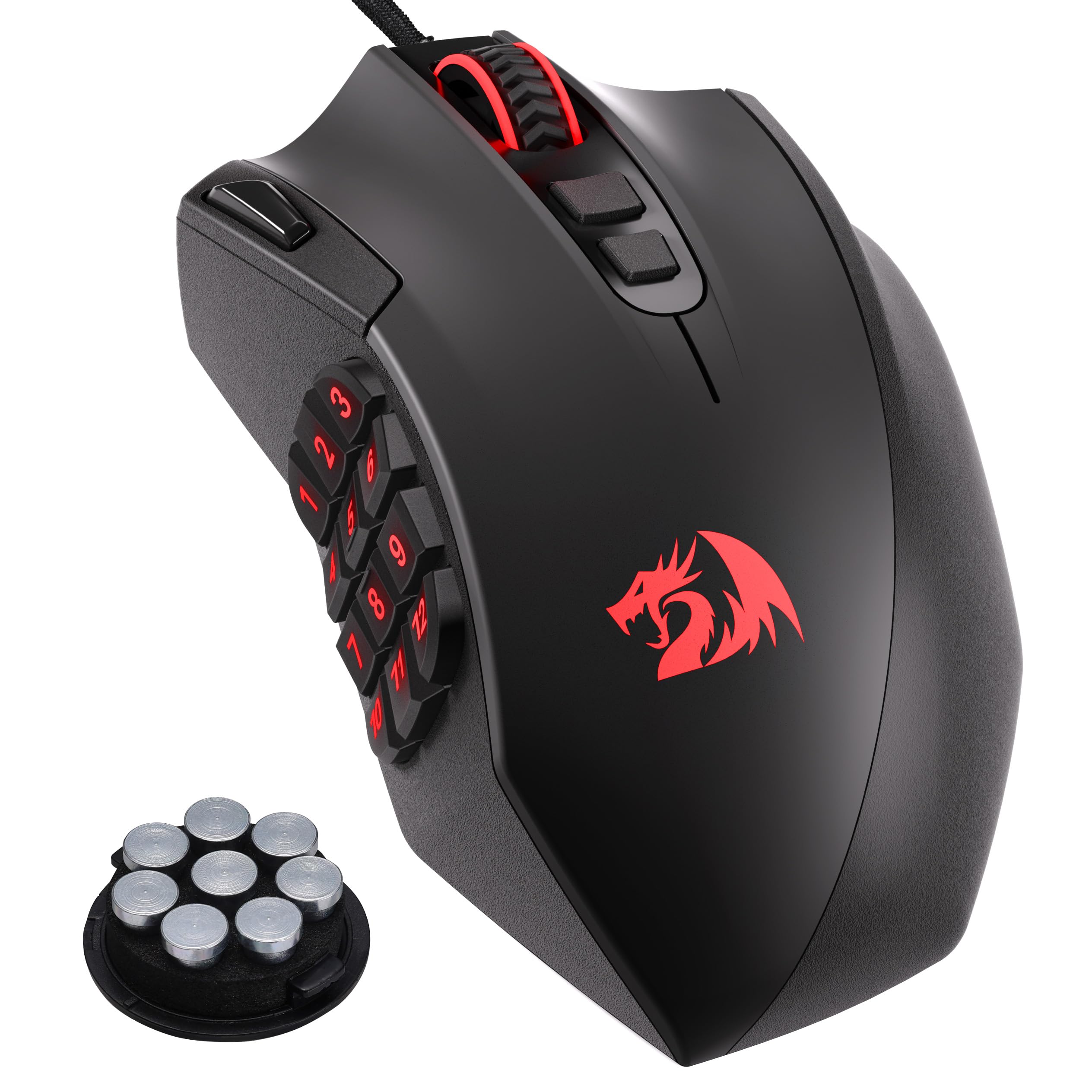
Eighteen editable buttons and a dedicated fire key, aimed at the skill-bar crowd.
Where the M908 gives you 12 side keys, this one adds a dedicated fire button alongside them — the thumb control shooter players like for rapid-fire binds. You get 18 programmable buttons in total, 12 of them on the side, and every binding is editable through Redragon’s software. Five DPI levels ship preset at 500, 1000, 2000, 3000 and 6200, while software lets you reach any point between 200 and 12,400.
The PAW3327 optical sensor (a widely used tracking chip) runs a maximum polling rate of 1,000 Hz with tracking speeds up to 200 IPS and acceleration up to 30g. The same eight-piece weight tuning set is included, so the body’s heaviness is adjustable. Five backlit modes across 16.8 million RGB colors give you the look, and the backlight can be turned off entirely if you prefer a stealth desk.
Owners rate quality and value highest on this one, which has earned a genuine budget-favorite reputation. The thing to watch is button reliability over time: mis-fires and left-click inconsistency are the fault lines owners run into, so buy it as a first MMO mouse rather than a decade-long one. RGB control also frustrates some, since the colors can refuse to change.
What it buys you: a full macro layout plus a fire key for very little, with software that handles hotkeys, media keys and DPI.
What to plan around: the driver support is where several buyers hit friction — set it up carefully on Windows 10, Mac OS 12 Monterey or Ubuntu 22.04.
Worth picking if: your rotation needs a dozen binds and a fast fire key without a big outlay.
Better to pass if: you want software that works flawlessly the first time on every rig.
5. Logitech G502 X Wired Gaming Mouse – White
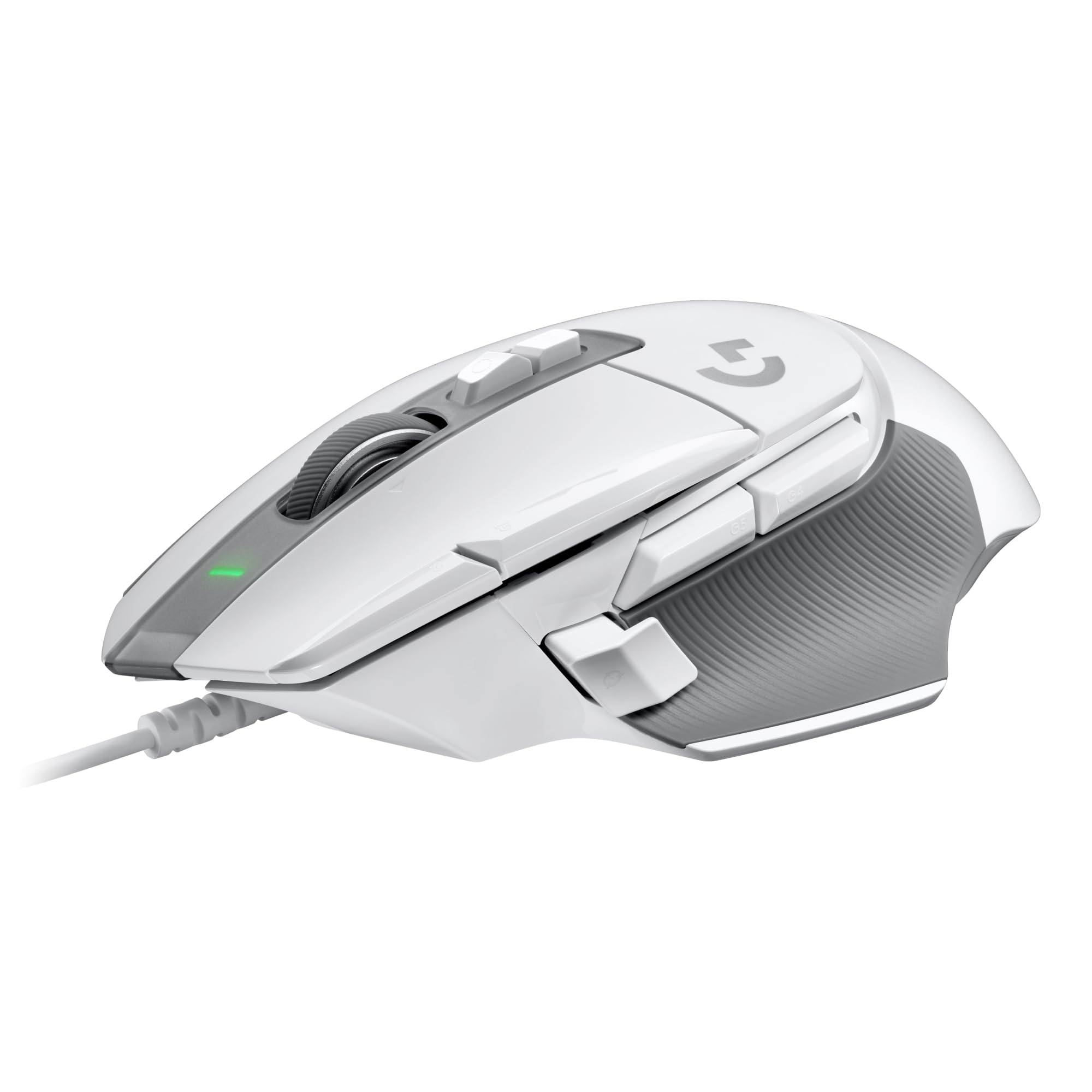
The all-rounder with a wheel that free-spins and clicks, and 89 g of heft.
Most gaming mice give you one scroll mode. This one switches between a fast free-spin and a precise ratcheting click, and it tilts left and right for two more controls — so inventory scrolling and web page crawling both get a fast lane. The HERO 25K sensor tracks to 25,600 DPI (well beyond the 12,400 the Redragon M921 tops out at) with no smoothing, filtering or acceleration added, which is why the aim stays predictable.
Its LIGHTFORCE switches are a hybrid of an optical switch and a mechanical one — optical for speed and mechanical for the crisp feel your finger expects — and the DPI-shift button is removable and reversible so it fits either grip. At 89 g, this is a middleweight: heavier than the 55 g GLORIOUS Model O Eternal, considerably lighter than the 175 g Redragon M908.
Customizability is what buyers like most — 9 buttons you can program your way. Quality, reliability and the scroll wheel itself all draw split opinions, and the wheel in particular is the thing people either love or fight with. Ergonomics and weight distribution split along the same lines, so if you want a featherweight, this is not it.
Why people stay with it: the free-spin wheel is genuinely useful outside games, which makes this a mouse you can leave on the desk all day.
The catch worth knowing: the wheel divides opinion — some find it finicky and imprecise, so try the ratchet mode before you commit.
Best for you if: you want one wired mouse for work and gaming with a genuinely unusual scroll wheel.
Not your mouse if: a light fingertip body is what your aim depends on.
6. Corsair M65 RGB Ultra Wired Gaming Mouse

An anodized aluminum frame with a sensor that reports 8,000 times a second.
The frame is the first thing you notice. Corsair builds the M65 RGB Ultra on an anodized aluminum chassis, which is why it feels like a different class of object from the plastic shells elsewhere on this list. The MARKSMAN sensor runs a native 26,000 DPI with 650 IPS tracking, so both the sensitivity ceiling and the speed it can follow sit high.
Two engineering details are worth your attention. Corsair AXON hyper-processing registers and transmits your movements and clicks up to 8x faster than conventional gaming mice, backed by a native 8,000 Hz polling rate — that is the report frequency, so the cursor updates more often. Sensor Fusion Control combines a six-axis gyro and accelerometer (motion sensors that read tilt and movement) to hold an ultra-low lift-off distance, so the tracking stops the moment you lift the mouse for a reposition. Optical left and right switches handle the clicks, and the body takes 8 buttons.
Ergonomics are the strength owners agree on — the buttons feel good under the hand. The honest counterpoint is durability and connectivity: several units are reported failing within four months, and USB pass-through is a known friction point. Weigh that against the aluminum build and the very low latency, and this is a mouse for someone who wants a solid-feeling FPS tool and will register the warranty.
The standout spec: 8,000 Hz polling paired with a 650 IPS sensor is a combination aimed squarely at competitive FPS play.
The caveat to size: button responsiveness draws mixed feedback, so test your unit’s clicks early.
Pick it when: you want metal in the frame and the lowest-latency wiring on this list.
Weigh it carefully if: you need a mouse you can trust for years without checking the returns window.
7. CORSAIR SCIMITAR RGB ELITE Wired Gaming Mouse

The MMO mouse that lets you slide its twelve side keys to fit your thumb.
Here is the idea no other mouse on this list has: the 12-button side panel slides forward and back on Corsair’s Key Slider system, so you can line the keys up with where your thumb actually rests instead of stretching to meet them. Total programmable buttons come to 17, and the PixArt PMW3391 optical sensor runs from 100 to 18,000 DPI adjustable in 1 DPI steps — finer granularity than the 12,400 ceiling on the Redragon M921.
The switches are rated for 50 million clicks, the cable is a braided 6 ft run, and the contoured shape adds a right-side finger rest for long sessions. Three onboard profiles store your macros in the mouse’s own memory with hardware playback, so your binds travel to another rig without the software. iCUE handles macro programming, sensitivity, surface calibration and four-zone RGB lighting.
This is a specialist tool and the feedback reflects that. Quality and reliability split sharply — some find it excellent, others hit a scroll wheel that binds after a month and a middle click that is hard to press. If your build lives on those 12 side keys, the adjustable panel is a real advantage; if you want a simple shooter mouse, the complexity works against you.
The defining feature: a repositionable 12-key thumb panel that no other pick here offers, backed by three onboard macro profiles.
The trade-off to expect: middle-click and scroll-wheel feel come in for criticism, so map your critical actions to the side keys instead.
Go for it if: your thumb naturally lands short of a fixed side panel and you want it to move to you.
Steer clear if: you want a light shooter mouse rather than a 17-button command center.
8. Razer Basilisk V3 35K Wired Ergonomic Gaming Mouse, Black

Thirteen controls and a scroll wheel that changes gear with your thumb speed.
The Focus Pro 35K Optical Sensor Gen-2 (Razer’s second-generation tracking chip) is rated to track on a wide range of surfaces including glass, with 1-DPI step adjustments so you can set sensitivity exactly, not just in preset jumps. Its speed ceiling of 35,000 DPI sits closest to the 44,000 on the Logitech G PRO X2 above and far past the 18,000 on the SCIMITAR.
The wheel is the piece you will use most. Razer’s HyperScroll Tilt Wheel offers tactile cycling, smooth free-spin, and a Smart-Reel mode that switches between them automatically based on how fast you scroll — so a quick whip down a document becomes free-spin, and a slow frame-by-frame scroll stays notched. Thirteen customizable controls cover 13 separate binds, and the multi-function trigger handles push-to-talk and pings. The Gen-3 optical switches are rated for a 90-million click lifecycle with 0.2 ms actuation, and 11 Chroma lighting zones react with over 200 Chroma-integrated games.
Performance is the thing that wins people over here — it works as a gamer and as a work mouse, which is why the ergonomics get such warm treatment too. The mixed signals land on the smart wheel getting stuck in fast-scroll mode, and on some features quitting after six months. Buy it for the daily-driver convenience and the glass-tracking sensor, and you will get a lot of mouse for a mid-range outlay.
What stands out: 13 controls and a speed-adaptive scroll wheel make this the most versatile everyday mouse in the group.
What to keep an eye on: the Smart-Reel behavior is the recurring gripe, so get comfortable with the manual toggle.
Right for: players who keep the same mouse running all day and want a broader button set than a shooter shell offers.
Consider a different path if: you want the absolute lightest body — weight is not the priority this one chases.
9. Razer Cobra Pro Wireless Gaming Mouse

Wireless with a battery that outlasts the competition and then some.
Wireless mice live or die on how often they ask for a cable. This one lists up to 100 hours on HyperSpeed wireless or 170 hours on Bluetooth, charged over USB Type C — and 170 hours is far beyond the 60 hours the Logitech G PRO X2 quotes. You also get three ways to connect: Razer HyperSpeed 2.4 GHz wireless, Bluetooth, and a wired Speedflex cable, so a dead battery never means a dead desk session.
Inside, the Focus Pro 30K optical sensor (a 30,000 DPI tracking chip) is meant to hold on surfaces including glass, and 10 customizable controls plus five onboard memory profiles mean your binds live in the mouse itself. The Gen-3 optical switches are rated to 90 million clicks with 0.2 ms actuation and no debounce delay — the delay where a fast double-tap gets swallowed. Eleven Chroma RGB zones light the body, and at 2.72 ounces it stays light enough to whip across the pad.
Ergonomics come out very well in owner impressions, and so does the weight — the mouse is not heavy in the hand. Clicks on the main buttons feel crisp, and the multicolor lighting is a favorite touch. The honest catch is size: it suits small hands far more than large ones, and battery stamina falls short for some who push it hard.
The endurance story: 170 hours on Bluetooth means charging is a rare chore, not a nightly one.
The sizing story: this is a compact shell — large-handed players should check the fit before committing.
Buy this one if: you want a light ambidextrous wireless mouse you can leave off the charger for weeks.
Not for you if: your hands run big — the compact body is the recurring complaint.
Know the Specs
DPI And Sensor Tracking
DPI is sensitivity — how far the cursor moves per inch of your hand travel — and it is the easiest number to overvalue. A higher ceiling means headroom for pairing with a high-resolution screen or a low in-game sensitivity setting, but 26,000 DPI on the Corsair M65 does not make it twice as accurate as a 12,400 DPI mouse. What matters more is the tracking figure, measured in IPS (inches per second): the speed at which the sensor still follows your hand without dropping. A high IPS rating means a fast swipe stays clean instead of spinning out.
Weight, Shell Design And Grip
Weight in grams is the spec you feel every single second. A 55 g shell like the GLORIOUS Model O Eternal starts a flick with less effort, while a 175 g body like the Redragon M908 plants your hand and stabilizes macro presses. The trade-off runs both ways: light is fast, heavy is steady. Shell shape matters just as much — width and length decide whether your palm is supported or cramped, so measure your hand and your grip before you shop, and pick a body whose dimensions match it.
Polling Rate And Click Latency
Polling rate is how often the mouse reports its position to the PC, measured in hertz. A 1,000 Hz mouse updates a thousand times a second; an 8,000 Hz mouse like the Corsair M65 or the Logitech G PRO X2 updates eight thousand times. Click latency is a separate measure: the Logitech design claims 30 ms faster clicks than standard and offers adjustable actuation depth, while the Corsair optical switches use 0.2 ms actuation. For competitive play, these differences are the ones you notice in a tight duel.
Connectivity: Wired Versus Wireless
A wired mouse never needs charging but puts a cable on your desk — the SCIMITAR uses a braided 6 ft cable, while the Corsair M65 and Razer Basilisk ship with flexible wired designs. A wireless mouse frees the movement but adds upkeep: the Logitech G PRO X2 lists 60 hours of battery, and the Razer Cobra Pro offers up to 100 hours on HyperSpeed or 170 on Bluetooth. Pick the charging routine or the cable drag you will actually tolerate over months, not the one that reads better on the box.
Common Questions
Will a wireless gaming mouse feel slower than a wired one?
How many buttons do I need for an MMO like World of Warcraft?
Does a lighter mouse actually improve aim?
Is 44,000 DPI better than 12,400 DPI?
How long will a gaming mouse last before the clicks fail?
Can I use these mice with a Mac?
What does polling rate actually change in a match?
Do I need software installed to use the extra buttons?
Will a heavy adjustable-weight mouse suit a fingertip grip?
Is a mouse with a free-spinning scroll wheel better for gaming?
The Bottom Line
The best PC Gamer Mouse for most people is the Logitech G PRO X2 SUPERSTRIKE because it pairs a 44,000 DPI HERO 2 sensor with adjustable actuation and haptic click feedback — a combination that lets you tune exactly how your click fires, which is the edge shooter players actually feel. If your gameplay lives on a bank of thumb keys, grab the Redragon M908 for its 18 buttons and weight tuning. And if you want one mouse for work and play with a speed-adaptive scroll wheel, the Razer Basilisk V3 35K is the one to reach for.
How we choose
We do not accept paid placement. Every pick is matched to a real buyer and a real use-case; we do not hands-on test units.
Sources
Specifications: manufacturer listings and product documentation. Review insights: verified customer reviews, as of November 2026. Pricing: not shown on this page (it changes often); check the current price via the retailer link.
As an Amazon Associate, Gamepad Test earns from qualifying purchases. This does not affect which products we feature.