
Heads up: This post contains affiliate links. As an Amazon Associate I earn from qualifying purchases, at no extra cost to you. Learn more
Specs are compiled from manufacturer listings and verified buyer reviews and can change over time — please confirm the key details on the product page before buying.
You lean sideways in your chair and the colors stay put — that’s what an IPS (In-Plane Switching) panel does for you. A 34-inch ultrawide gives you the width of two normal screens without the bezel seam down the middle. Pick one that fits your desk depth, your graphics card, and your daily workload, not the one with the biggest number on the box. Below are the 34-inch IPS picks that hold up in real rooms, with the honest catches spelled out.
This guide is built by comparing the manufacturers’ published specifications and the patterns across verified customer reviews, so you get each pick’s real strengths and trade-offs instead of marketing spin.
A 34-inch ultrawide is a big commitment of desk space, so the panel type, the resolution, and the ports you plug into matter more than any single headline figure. Below you’ll find the specs that actually change how a monitor feels day to day — resolution, refresh rate, and port wattage — plus the trade-offs worth knowing before you commit.
Top Picks


How To Choose The Best 34 Inch IPS Monitor
The first thing to settle is resolution — the number of pixels packed onto the screen. A 34-inch ultrawide comes in two common shapes: 2560 x 1080, which is the same sharpness as a standard 1080p screen stretched wider, and 3440 x 1440, which packs in noticeably more detail. If you read columns of text all day, the higher count is the one that keeps letters crisp instead of soft at the edges.
Resolution: does text stay crisp at arm’s length
A 3440 x 1440 screen gives you more vertical room too, so a full spreadsheet fits without constant scrolling. A 2560 x 1080 panel is easier on an older graphics card because it drives fewer pixels. The trade-off is that small text can look a little soft on the wider, lower-resolution screen, which is why reviewers sometimes split on picture quality on those models.
Refresh rate and response time for games
Refresh rate is how many times per second the screen redraws, measured in Hz. A 60Hz panel is fine for office work; 144Hz or 180Hz makes fast motion look smoother in games. Response time, in milliseconds, is how quickly a pixel changes color — lower means less blur behind a moving object. If you mostly type and browse, both numbers matter far less than color accuracy.
Ports, USB-C, and power delivery
A USB-C port that also delivers power lets one cable carry video and charge your laptop at the same time, which can clear a dock off your desk. Check the wattage if you plan to charge a laptop through the monitor — a low-wattage port charges slowly or not at all on a power-hungry machine. Built-in KVM switches are handy if you juggle two computers with one keyboard and mouse.
Side-by-Side Comparison
| Model | Best For | Resolution | Refresh Rate | Brightness | Amazon |
|---|---|---|---|---|---|
| LG 34WQ650-W★ Best Overall | Everyday multitasking | 2560 x 1080 | — | 400 cd | Amazon |
| INNOCN 34C1RGaming Value | Fast gaming on a budget | 3440 x 1440 | 180Hz | 400 cd/m² | Amazon |
| Sceptre E345B-QUN168WStandout Look | White desk builds | 3440 x 1440 | up to 144Hz | 350 cd/m² | Amazon |
| LG 34″ Curved UltraWide QHD | Color work and movies | 3440 x 1440 | — | 300 cd/m² | Amazon |
| LG 34WQ73A-B | Two-computer setups | 3440 x 1440 | — | 300 cd | Amazon |
| LG 34GP950G-B | High-end gaming | 3440 x 1440 | 144Hz (O.C 180Hz) | 400 cd/m² | Amazon |
| ASUS ProArt PA34VCNV | Mac-based creators | 3440 x 1440 | — | 300 cd/m² | Amazon |
| Deco Gear 40 Curved 5K2K | Maximum screen real estate | 5120 x 2160 | 120Hz | 250 cd/m² | Amazon |
| Dell UltraSharp U3425WE | Docked laptop productivity | 3440 x 1440 | — | 300 cd/m² | Amazon |
| Dell UltraSharp U3426WER | Color-critical creative work | 3440 x 1440 | — | 600 cd | Amazon |
Detailed Reviews
1. LG 34WQ650-W 34 Inch 21:9 UltraWide Full HD IPS Monitor
Our pick — 4.5+★ from 4,500+ verified ratings; the strongest balance of quality and price.
The safe middle ground — one USB-C cable, a 2560 x 1080 panel that runs on older graphics cards, and a screen that just behaves.
This is the pick most people land on for a first ultrawide. Text stays easy to read on nearly any graphics card, because the screen runs 2560 x 1080 on a 21:9 panel (the “ultrawide” shape that stretches 34 inches across instead of stacking it tall) — the lower of the two common 34-inch resolutions. It won’t be as razor-sharp at arm’s length as a 3440 x 1440 panel, though. For games, a 1ms MBR mode (moving picture response time, a blur-reduction setting) cuts smearing, and AMD FreeSync smooths motion on matching graphics cards.
What makes this the overall pick is how little fuss it asks for: USB-C video, built-in speakers, and a height-adjustable stand from the start. USB-C connectivity means one cable carries video, and the built-in stereo speakers with Maxx Audio save you from hunting down desk speakers. The 400 cd brightness level is one of the brighter 34-inch panels here — against the 300 cd of the LG Curved UltraWide QHD, this screen pushes harder in a sunlit room. Owners lean on it as a spreadsheet-and-multitasking machine, and it works right off HDMI without any setup drama.
The honest catch is the panel’s fundamental contrast: at 1000:1 it sits against the 10,000:1 claimed on the Sceptre below, so blacks look grey-black rather than deep. Reliability also gets a downvote in the review data — a share of units stopped powering on around the ten-month mark, which is a real risk to weigh before you commit. And a subset of owners find the stand leans forward and the tilt is stubborn.
What earns its place
- USB-C, dual built-in speakers, and a height-adjustable stand in one package.
- 400 cd brightness is a step above the 300 cd panels in this roundup.
- 2560 x 1080 runs happily on older graphics cards without feeling like a downgrade.
Where it gives ground
- 1000:1 contrast — noticeably grey blacks next to the deeper 10,000:1 Sceptre or 2000:1 IPS Black screens.
- Lower pixel count means softer small text than the 3440 x 1440 picks.
- A meaningful slice of owners hit power failures around ten months.
Go for it if: you want a do-everything ultrawide for work and light gaming with one USB-C cable.
Think twice if: deep blacks and long-term confidence are top of your list. The 10,000:1 Sceptre and the IPS Black Dells go darker, and this unit’s reliability is the one soft spot.
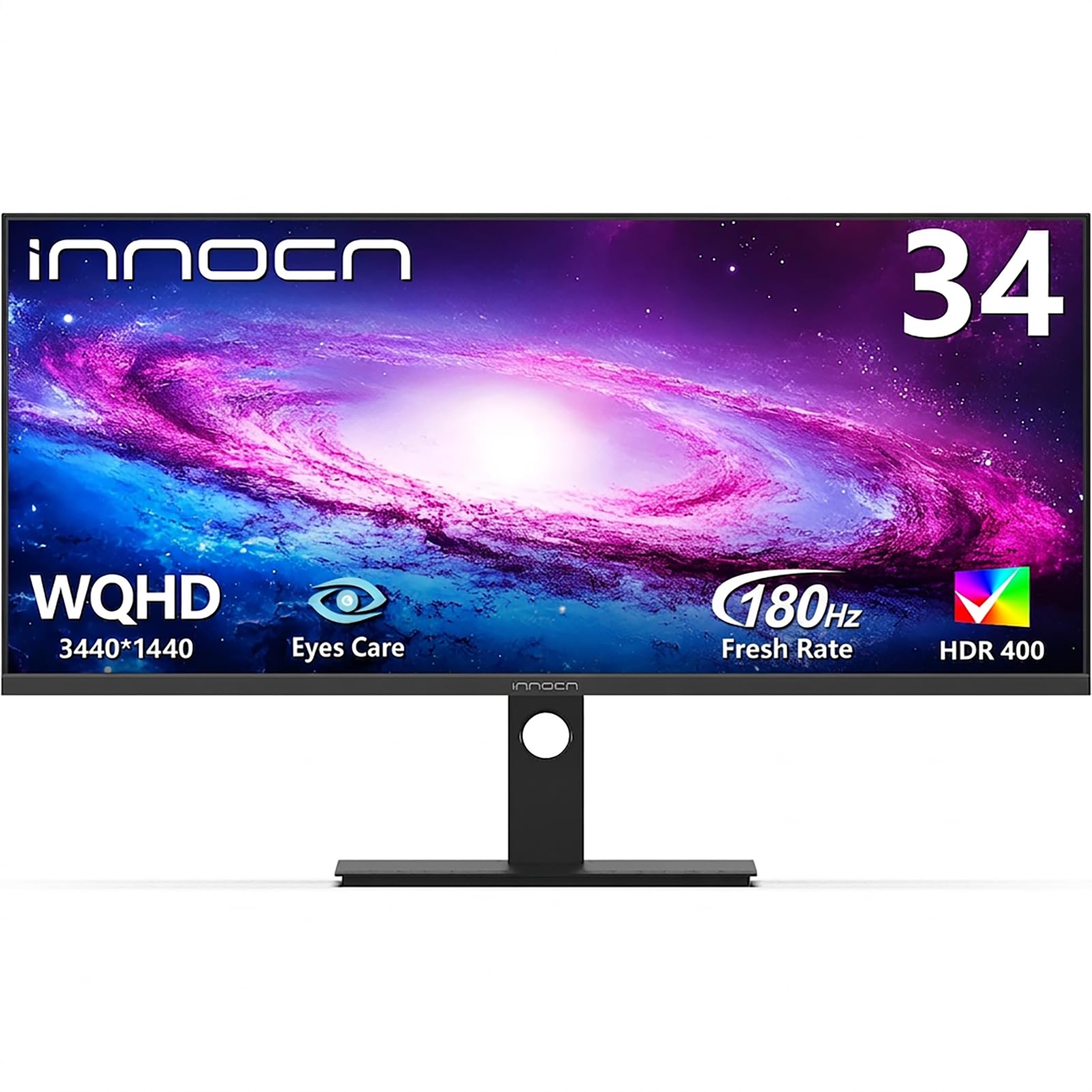
2. INNOCN 34″ Ultrawide Monitor WQHD 180Hz IPS 34C1R
A 180Hz 3440 x 1440 IPS ultrawide that undercuts the gaming premium without scrimping on panel type.
If you want smooth gaming without paying the flagship tax, this is where the value sits. The 180Hz refresh rate (how many times per second the picture redraws — higher means less stutter in fast action) leads the Sceptre’s 144Hz and matches the LG UltraGear’s overclocked top end. Paired with a 1ms MPRT response time and G-SYNC Compatible / Adaptive-Sync support, it’s built to keep frames looking clean in shooters and racing games.
You get denser pixels here than on the 1080p LG 34WQ650-W. This screen runs the full-fat 3440 x 1440, so against that monitor’s 2560 x 1080 it packs in far more horizontal detail for the same physical width. Brightness lands at 400 candela per square meter (nits, the standard brightness measure), and the IPS panel holds its color across a 178° viewing angle, so leaning to the side doesn’t shift the tint. 100% sRGB coverage and HDR400 support make editing photos reasonably predictable.
Two HDMI 2.0 ports and a DisplayPort 1.4 cover a PC and a console at once, and PIP/PBP (picture-in-picture and picture-by-picture) let you run both inputs on one screen. The stand adjusts 130mm in height and tilts -5° to 15°, which is more ergonomic range than several big-brand rivals. The trade-offs are real but narrow: some units fall short of full 180Hz on the refresh front, and a few owners got black screens or ghosting on grey backgrounds.
Where the money went: fast games look smoother here, because a 3440 x 1440 IPS panel refreshing at 180Hz puts it a step ahead of the slower 144Hz competition. A height-adjustable stand and dual-HDMI setup make it an easy daily driver.
The fair warning: 180Hz isn’t guaranteed on every unit, and the odd owner has run into flicker or a dead screen — enough that a no-questions return policy is worth checking.
Pick this one for: competitive gaming on a budget where fluidity matters more than brand badge.
Look elsewhere for: bulletproof long-term dependability — the higher-rated models here have the stronger track record.
3. Sceptre IPS 34″ White UltraWide E345B-QUN168W
The only white-framed ultrawide here, and it leans into contrast too.
Most 34-inch monitors come in black, so the white shell here is a genuine differentiator for a bright desk or a light-themed setup. Behind that finish is a 3440 x 1440 IPS panel running up to 144Hz with a 1ms MPRT mode, plus HDR400 and AMD FreeSync Premium for tear-free gaming on AMD cards.
The spec that stands out most, though, is the contrast figure. Sceptre lists a 10,000:1 dynamic contrast ratio, against the 1000:1 on the LG 34WQ650-W. That’s a dynamic figure rather than a native one, so treat it as a brightness-swing spec rather than deep-black science, but it does speak to a punchy picture. HDR400 support lets bright highlights push higher than standard dynamic range, so scenes carry more pop. Owners consistently single out the build quality as the best they’ve had.
Here’s the honest part: brightness tops out at 350 cd/m², below the 400 cd on the LG 34WQ650-W and INNOCN. Review data shows mixed feelings on pixel quality — some buyers report blurry text or dead pixels, and complaints about units randomly going black are enough to warrant a return window. None of this is universal, but it’s the trade-off on a distinctive-finish panel at this price band.
Best desk fit: a white or light-toned setup where a black slab would look out of place — this is the only one here that won’t clash.
What to keep an eye on: the pixel-quality reports and reliability grumbles mean buy with a plan to test it thoroughly in the first weeks.
Reach for this if: the white frame is the feature you actually care about, and 3440 x 1440 at 144Hz is your target.
Skip if: you need guaranteed brightness and spotless panels — the mixed feedback on pixels and durability makes the safer bet a different pick.
4. LG 34″ Curved UltraWide QHD IPS Monitor (3440×1440)
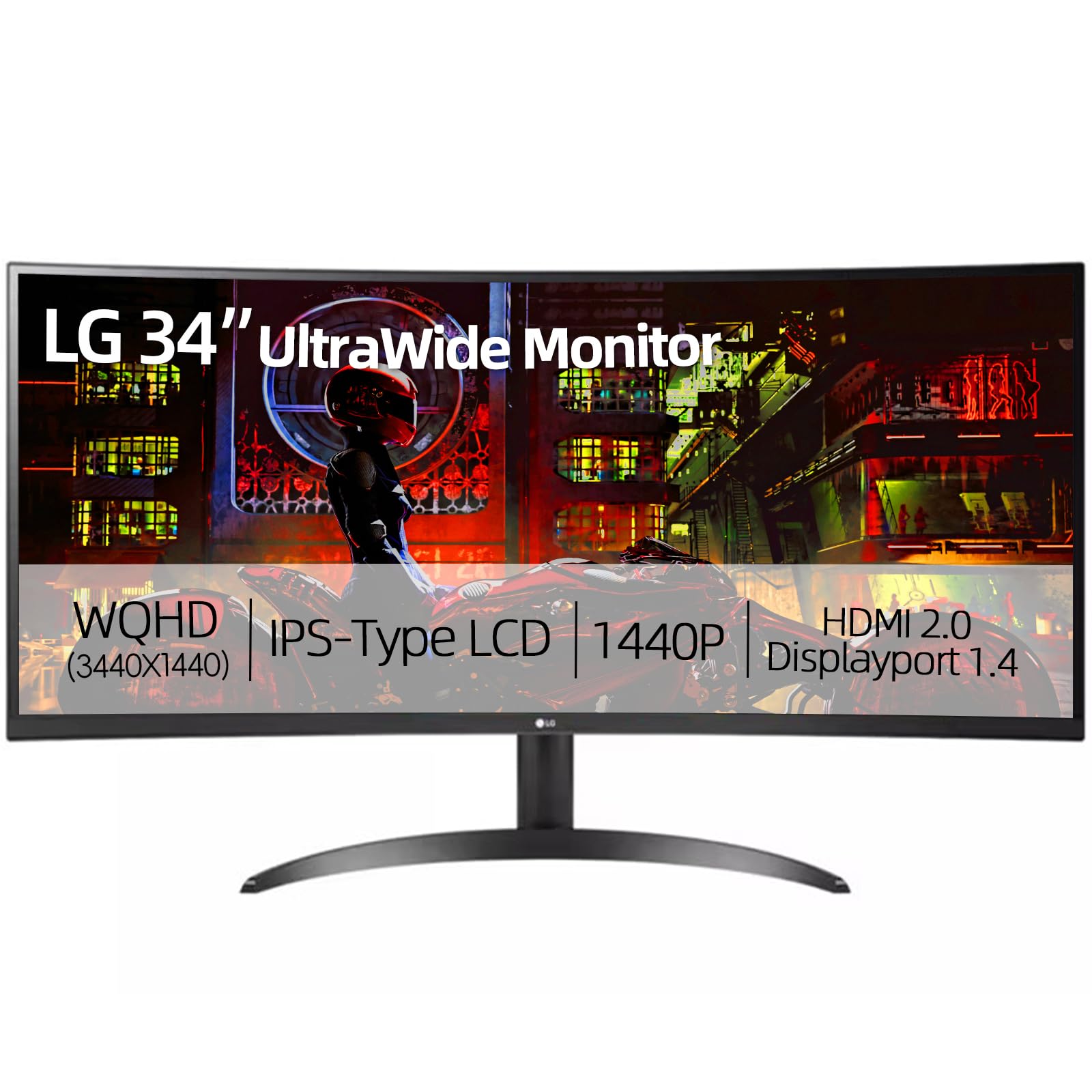
A curved QHD panel tuned for photo editing and movie nights rather than frame-rate bragging.
Photo editors and designers should start here. The 3440 x 1440 curved IPS panel covers 99% sRGB with HDR 10 support, and the 178° viewing angle keeps color consistent across the desk. It’s the sharpest match for the LG 34WQ650-W’s role, but at a much higher pixel count: 3440 x 1440 versus that monitor’s 2560 x 1080, so fine detail in a photo or a timeline reads far cleaner.
For work, LG’s Dual Controller and OnScreen Control software let you split the screen and drag windows between sources. The near-borderless design on three sides keeps a two-monitor pair looking smooth. Dynamic Action Sync trims input lag for casual gaming, and Black Stabilizer brightens dark corners of a game or a dark-graded video. It’s a creator’s monitor first, a gamer’s second.
Know the trade-offs going in: brightness sits at 300 candela per square meter, dimmer than the 400 cd panels here, and there’s no refresh-rate figure to brag about for competitive play. The stand is a fixed-height type with tilt rather than a fully adjustable one. If you run a bright room or chase 144Hz, this isn’t the one — but as a color-first workhorse, it holds its ground.
The creative case: 99% sRGB, HDR 10, and a 3440 x 1440 curve make accurate color and crisp detail easy to trust while you edit.
The caveat: 300 cd brightness and a tilt-only stand keep it out of sun-drenched rooms and out of the high-refresh gaming bracket.
This is your screen if: color accuracy and a roomy QHD curve matter more than hertz or nits.
Pass it by if: you need a bright panel or a fully adjustable stand for long ergonomic sessions.
5. LG UltraWide QHD 34-Inch Curved 34WQ73A-B with Built-In KVM

One screen, two computers, one keyboard — the ultrawide that wants to be your whole desk.
If you bounce between a work laptop and a personal machine, the built-in KVM (a switch that lets one keyboard and mouse control two computers) is the reason to look at this one. Pair it with the 90W USB-C power delivery and a single cable can carry video, run the hub, and charge a laptop — that’s real cable cleanup, not marketing talk.
The 3440 x 1440 curved IPS panel covers 99% sRGB and supports HDR 10, with Reader Mode for blue-light reduction and Flicker Safe to cut screen flicker during long shifts. Dynamic Action Sync and Black Stabilizer round out the gaming side for after-hours play. Owners repeatedly call it great for work and love the sheer amount of screen real estate.
Where it stumbles is connection reliability. The USB side of this monitor draws a cluster of complaints — non-working USB-C ports and all three USB ports failing after a while turn up repeatedly. Some units also refuse to power on after a few weeks. The display itself is praised, but if the KVM-and-hub story is what sells you, that’s the part to test hardest during the return window.
Desk-clearing strengths
- Built-in KVM plus 90W USB-C — one cable, two computers, one keyboard.
- 3440 x 1440 IPS with 99% sRGB and HDR 10 for solid color in a workday.
- Reader Mode and Flicker Safe help on all-day sessions.
Friction points
- USB-C and hub failures are a recurring theme across the reviews.
- More than a few units stop powering on within weeks.
- Image-quality and color feedback is mixed — check the panel on arrival.
The fit: a two-computer desk that wants one ultrawide, wired KVM, and USB-C charging.
The risk: the hub and USB ports are the weak link, so buy somewhere with an easy return.
6. LG 34GP950G-B UltraGear QHD Nano IPS Curved Gaming Monitor

A gaming flagship with local dimming, a 98% DCI-P3 palette, and a 180Hz overclock.
This is the monitor a serious player graduates to. The Nano IPS (LG’s enhanced IPS variant) panel runs a 1ms GtG response time and a 144Hz refresh that overclocks to 180Hz, matched by NVIDIA G-SYNC Ultimate for tear-free frames on GeForce cards. VESA DisplayHDR 600 with 56-zone local dimming gives real punch to bright highlights against dark scenes — a step up from the HDR400 sets here.
Color is professional-grade on paper: 98% DCI-P3 coverage means a wide, saturated palette, and the 400 cd/m² brightness keeps the 178° viewing angles bright with minimal light bleed. Owners describe it as excellent for gaming and the picture crisp. The 3-side borderless design and tilt/height-adjustable stand make it easy to integrate into a dual-screen setup.
The flip side is consistency. Image-quality feedback splits down the middle — some love the picture, others hit multiple dead or stuck pixels and severe banding in HDR. Color and reliability also come in mixed, with a handful of units failing within a year. It’s a superb panel when you get a clean one; buy from a seller who makes exchanges simple.
Why gamers look here: 144Hz to 180Hz, 1ms GtG, G-SYNC Ultimate, and 56-zone HDR 600 local dimming make it the most gaming-focused screen in this lineup.
The gamble: dead pixels and HDR banding show up often enough in the data that a generous return policy is part of the purchase.
Choose it when: you want flagship gaming motion and HDR brightness and can handle a panel lottery.
Don’t choose it for: risk-free quality control — the duller-but-steadier work monitors here are the safer buy.
7. ASUS ProArt PA34VCNV 34 Inch 1440p Ultrawide for Mac

Factory-calibrated color and a Mac-friendly USB-C hub — this is a designer’s tool first.
The ProArt line exists for people whose screen has to match a print proof or a brand color. Here that means 100% sRGB and 100% Rec. 709 gamut coverage, factory calibration with Calman verification, and a Delta E under 2 — shorthand for color accuracy tight enough that two neighboring shades shouldn’t look alike when they aren’t. The 34.1-inch 3800R curved panel (a gentle curve radius) keeps the corners in your peripheral vision.
One cable can charge a laptop and wire it into ethernet, thanks to the RJ45 LAN port — a boon for MacBook users on desks. The rest of the connectivity: DisplayPort over USB-C with 96W power delivery, DisplayPort daisy-chaining, HDMI, and a USB hub. Tilt, swivel, and height adjustment cover ergonomics, and a 5-year warranty (3 years plus 2 with online registration) adds confidence.
Two notes before you commit. Brightness is 300 cd/m², the dimmer end of this group. And while connectivity earns praise, display and picture-quality feedback splits — some find it excellent, others report images that aren’t crisp. The included 3-month Adobe Creative Cloud offer is a nice perk for editors, but the panel itself is the deciding factor.
Built for color work: 100% sRGB, 100% Rec. 709, and Delta E under 2 make it the most color-controlled option for print and brand work.
The trade-off: 300 cd brightness and mixed sharpness feedback mean check the panel before you rely on it for critical color.
Made for: Mac-based designers who need calibrated color and a single-cable ethernet dock.
Wrong choice for: brightness-chasers and anyone who needs a guaranteed crisp sample from the start.
8. Deco Gear 40 Curved 5K2K Nano IPS Monitor
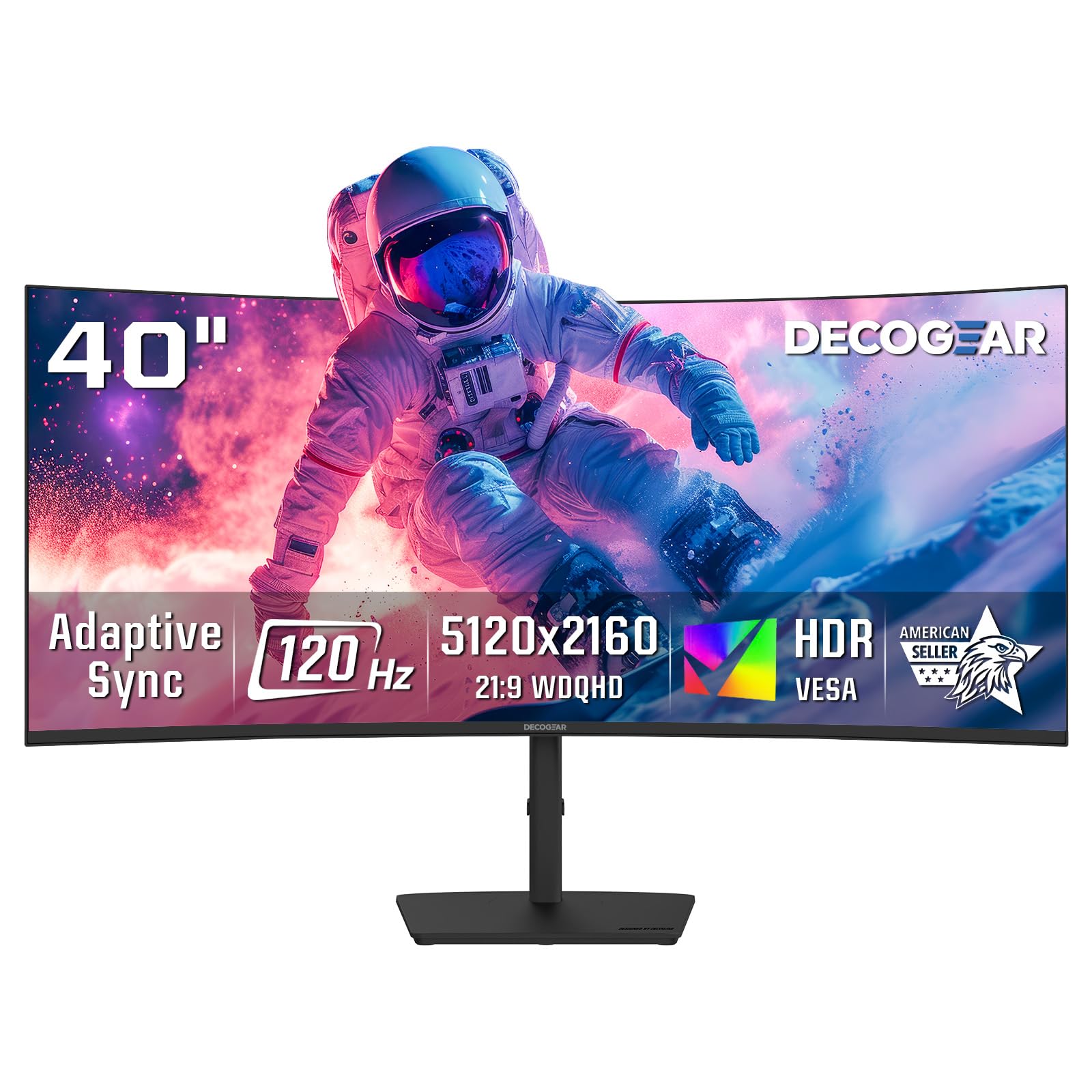
Strictly a size jump: 40 inches of 5K2K, for people who never want to alt-tab again.
You can line up four documents or a timeline and a preview without overlapping windows here. This one steps up to a 5120 x 2160 5K2K panel at 40 inches diagonal — a full step beyond the 3440 x 1440 resolution most of this lineup uses. The 21:9 Nano IPS screen with 99% DCI-P3 coverage and HDR support keeps colors rich, and 120Hz with Adaptive Sync and Overdrive keeps motion smooth. If “34 inches” feels like a starting point rather than a finish line, this is the one.
Good news for cable clutter: USB-C with 65W power delivery plus four USB-A ports means laptops and peripherals plug straight in. The 2500R curve wraps the view slightly, Low Blue Light Mode helps on long days, and the tilt/swivel stand adjusts. Owners describe it as outstanding and huge — a clear step-up for people moving off a smaller screen.
Two things give it away as a size-first buy. Brightness is 250 candela per square meter, the dimmest here, so a bright room will wash it out. And picture-quality feedback splits, with some finding the resolution too low for a screen this big — the pixels are spread further apart than on a 34-inch 3440 x 1440 panel. Reliability gripes about cracked screens and early failures run through the data, so treat shipping and testing seriously.
What you’re buying: the most pixels and the biggest diagonal in this roundup — 5120 x 2160 across 40 inches at 120Hz.
What it costs you: 250 cd brightness and a coarser pixel density that some find soft at this size.
Right for: users who prize maximum canvas over brightness and fine pixel density.
Avoid if: you work in a sunlit room or demand razor detail — the 34-inch 3440 panels give crisper text.
9. Dell UltraSharp 34 Monitor U3425WE, 5K QHD 1440p
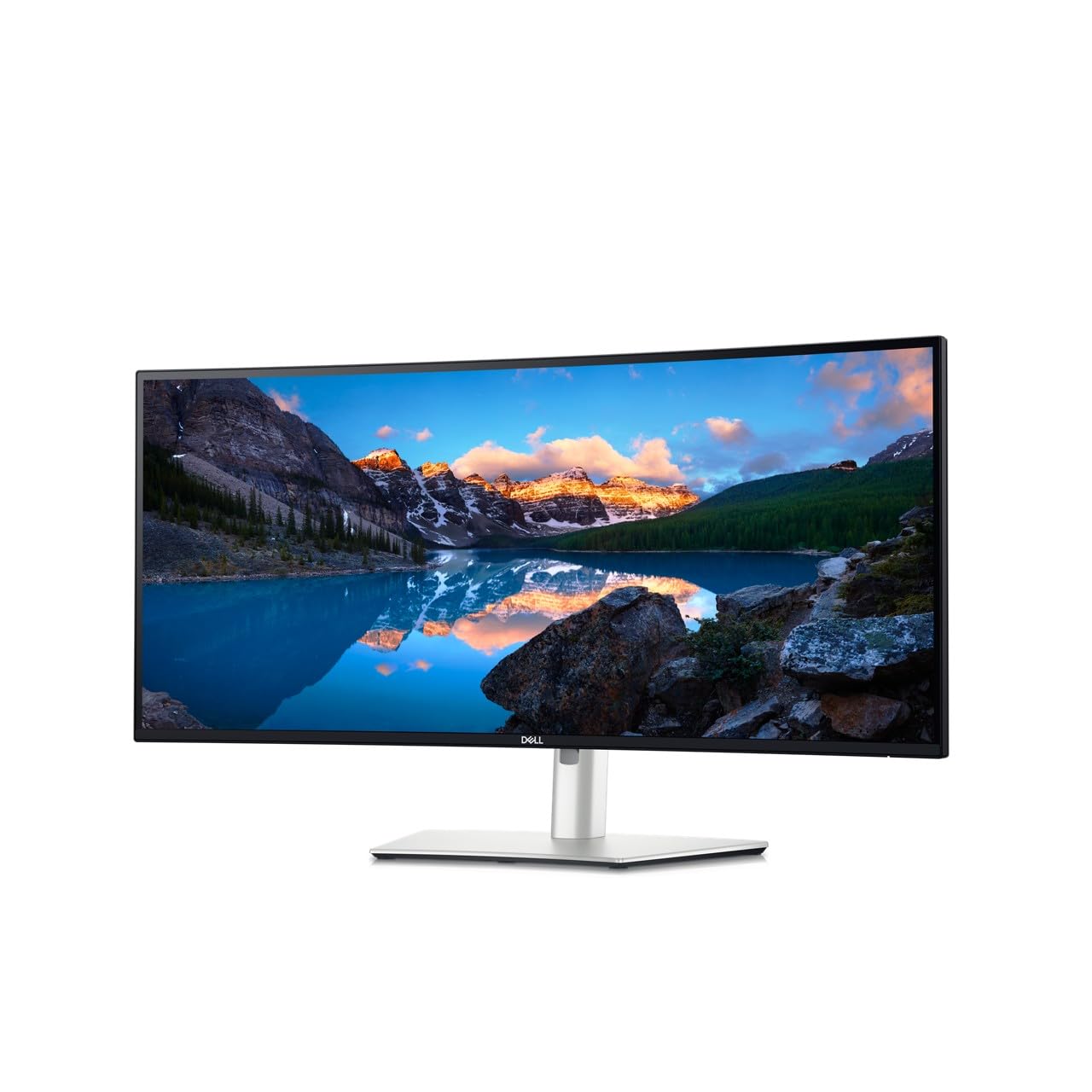
A productivity hub with deeper blacks, Ethernet, and Thunderbolt — for career desks.
This is the “replace your dock” pick. The 3440 x 1440 IPS panel lists a 2000:1 contrast ratio versus the 1000:1 of the standard LG panels here, so shadows sit darker and text has more presence. It includes a Thunderbolt 4 connection, Ethernet, DisplayPort, HDMI, USB Type-A and Type-C, plus picture-by-picture and a digital daisy chain for stacking a second screen. The anti-glare coating and ambient light sensor adjust brightness to the room for you.
For focused work, owners repeatedly call it perfect for multitasking — sharp resolution, accurate colors, and enough width to keep everything in view. The energy-efficient, flicker-free design and blue-light filter make long shifts easier. The locking stand keeps the panel steady on the base.
The nagging point is performance consistency: a share of owners mention reliability issues, so the mixed verdict on performance is worth noting. It’s still a strong productivity tool — just confirm your unit’s health in the first few weeks.
Productivity strengths: 2000:1 IPS Black contrast, Thunderbolt 4, Ethernet, and an ambient light sensor make this a genuine dock replacement.
The unknown: reliability feedback splits, so budget a return window and test every port.
Best for: docked-laptop workers who want one cable, one screen, and a wired network.
Look elsewhere if: you want the most consistent reliability record — a few units have let owners down.
10. Dell UltraSharp 34 Curved Thunderbolt Hub Monitor U3426WER
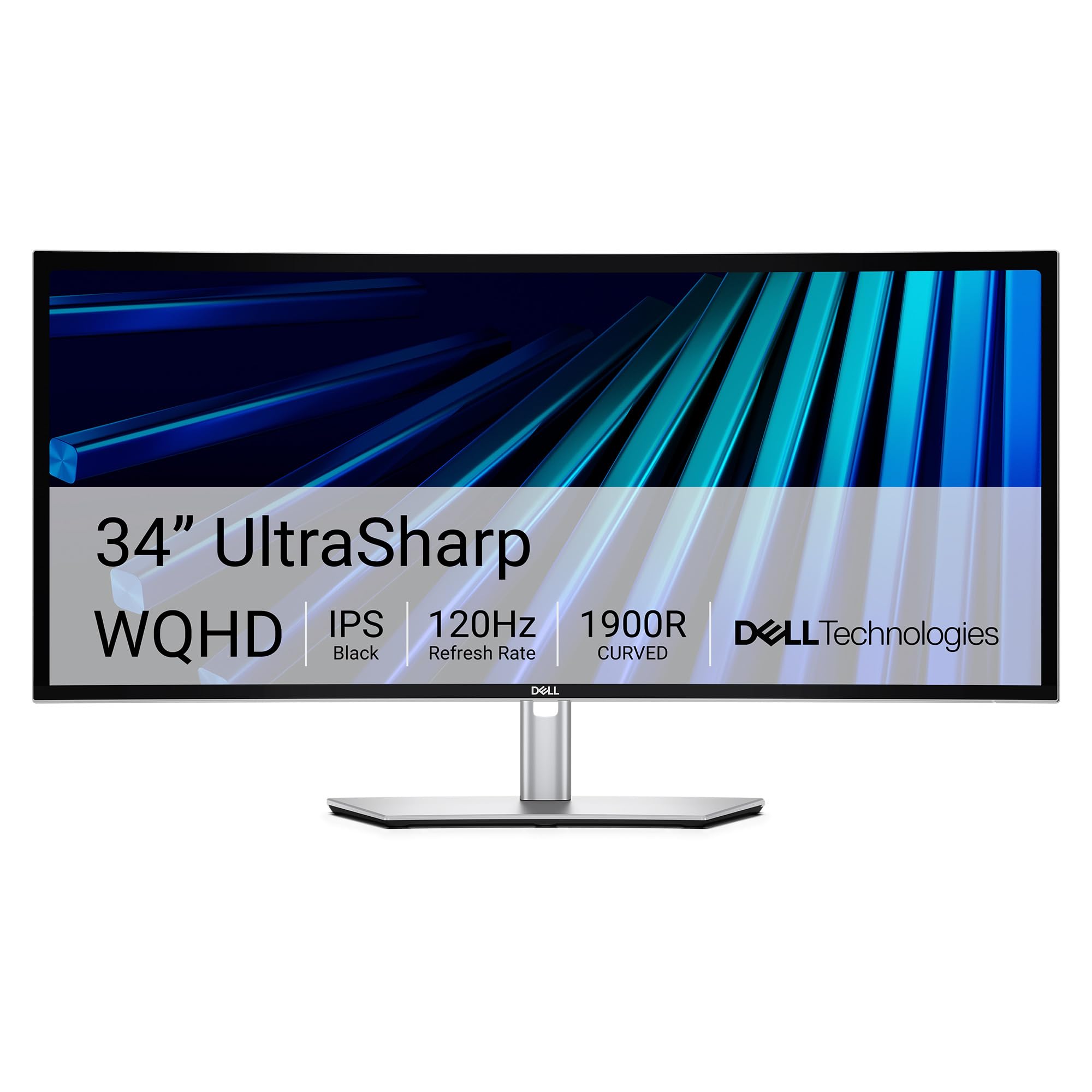
The top of the ladder — IPS Black, 98% Display P3, and 600 cd brightness in one curved hub.
It stays readable even in a bright studio, because brightness reaches 600 cd versus the 300 cd of most work panels here. The IPS Black panel (Dell’s contrast-boosting IPS variant) delivers a 2000:1 contrast ratio with deeper blacks. 98% Display P3 coverage with factory calibration at Delta E under 2 makes it a color grader’s tool. This is the flagship for people who will not compromise on color or connectivity.
The hub story is just as strong: Thunderbolt connectivity, Ethernet, and a built-in KVM let you run a personal laptop and a work machine off one keyboard and mouse across one continuous ultrawide. Owners describe it as perfect for work and multitasking, with colors they trust. The light ash finish and near-borderless curve give it a clean, premium look on a desk.
The honest caveat is that this is a premium-budget pick — the price reflects the brightness, the contrast, and the dock built in. If you just need a wide screen for spreadsheets, a mid-range model does the same job for less. If you need calibrated color, high brightness, and one-cable docking, this brings all three together.
The heavy-hitter: 600 cd brightness, 2000:1 contrast, 98% Display P3, and Thunderbolt KVM make it the most capable screen here.
The honest note: it asks a premium outlay — the extras are real, but only worth it if you actually use them.
The match: color-critical creators and two-computer desks that want one premium hub for everything.
Overkill if: a simple wide work screen is all you need — mid-range picks here cover that for much less.
Know the Specs
Resolution (3440 x 1440 versus 2560 x 1080)
Resolution is the number of pixels the screen draws, width by height. A 3440 x 1440 ultrawide packs more detail than a 2560 x 1080 panel of the same 34-inch size, so text and photo detail stay sharper at close range. The lower count is easier on an older graphics card. Pick the higher count for reading and editing, the lower for light use.
Contrast ratio (1000:1 versus 2000:1 versus 10,000:1)
Contrast ratio describes the range between the brightest white and darkest black. A higher number means deeper-looking blacks and more separation in dark scenes. IPS panels typically list around 1000:1, so a 2000:1 IPS Black or a dynamic 10,000:1 figure points to a punchier image. Compare native figures where possible — dynamic contrast numbers swing based on content.
Common Questions
Is a 34 inch ultrawide IPS monitor good for gaming?
Will a 3440 x 1440 monitor slow down my graphics card?
Do I need USB-C on a 34 inch monitor?
What is the difference between HDR400, HDR600, and plain HDR 10?
Is a curved or flat 34 inch IPS monitor better for spreadsheets?
How much desk depth do I need for a 34 inch ultrawide?
Will a 34 inch IPS monitor work with both a PC and a games console?
Does a higher refresh rate like 180Hz matter for office work?
What does a built-in KVM switch do on an ultrawide monitor?
Is a renewed or refurbished 34 inch IPS monitor a safe buy?
The Bottom Line
For most people, the 34 inch ips monitor winner is the LG 34WQ650-W because it balances a 400 cd IPS panel, USB-C convenience, and built-in speakers without asking you to solve a puzzle. If you want the most screen for the money and a 180Hz refresh, grab the INNOCN 34C1R. And for color-critical creative work with a premium hub, the Dell UltraSharp U3426WER is the one to reach for, with 600 cd brightness and 2000:1 contrast leading the pack. Whatever you choose, buy where returns are easy — a few minutes of testing in the first week is worth more than any spec sheet.
How we choose
We do not accept paid placement. Every pick is matched to a real buyer and a real use-case; we do not hands-on test units.
Sources
Specifications: manufacturer listings and product documentation. Review insights: verified customer reviews, as of November 2026. Pricing: not shown on this page (it changes often); check the current price via the retailer link.
As an Amazon Associate, Gamepad Test earns from qualifying purchases. This does not affect which products we feature.