
Heads up: This post contains affiliate links. As an Amazon Associate I earn from qualifying purchases, at no extra cost to you. Learn more
Specs are compiled from manufacturer listings and verified buyer reviews and can change over time — please confirm the key details on the product page before buying.
Stuff that fits on a turntable is easy. The hard part starts when you want a full car door, a motorcycle fairing, a piece of furniture, or an entire room — and that is exactly where most cheap scanners fall apart. The picks below are the ones that actually reach past the small-object stage, with capture volumes that run from a few millimetres all the way out to several metres in a single workload.
This guide is built by comparing the manufacturers’ published specifications and the patterns across verified customer reviews, so you get each pick’s real strengths and trade-offs instead of marketing spin.
Range is the real divide: a short-focal lens that nails a coin blurs on a door panel, so pick a scanner that either switches lenses or has a long enough working distance to keep tracking. Below you will find the honest, plain-English breakdown of the best 3D scanner for large objects.
Top Picks


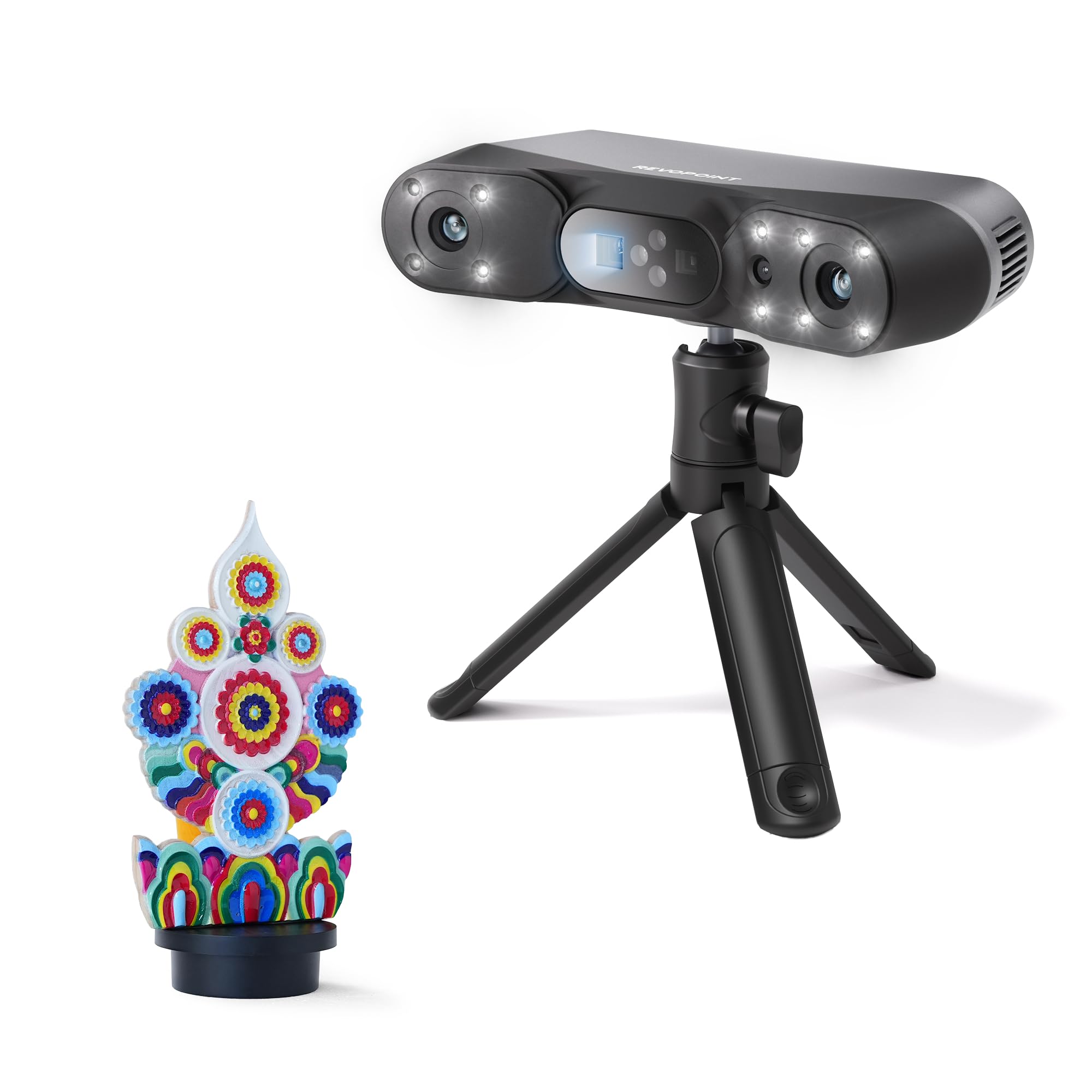
How To Choose A 3D Scanner For Large Objects
Big objects break scanners in two specific ways. First, the field of view is too narrow, so the unit cannot see enough surface at once to figure out where it is. Second, the tracking drifts, so the software stitches the same patch twice and you get a double image instead of a clean shell. Fix those two and the rest is detail work.
Capture volume is the number to check first
Every listing prints a range, usually something like 10 x 10 x 10 mm up to 2 x 2 x 2 m. The top end is the part that matters to you here. A scanner that tops out around 2 m will handle a car door and most furniture pieces, while a unit rated to 4 m reaches whole vehicles and larger industrial assemblies. If the listing only gives you a small-object figure, it is not built for this job.
Working distance and lens choice
Working distance is how far the scanner sits from the surface while it captures. Short-focal lenses give you fine detail on small parts; long-focal ones let you stand back and sweep a big panel in fewer passes. Dual-lens scanners switch between the two, which is why they can claim a coin-to-car range on one device.
Laser versus infrared — and why black objects matter
Blue laser lines reflect off dark and shiny surfaces that swallow infrared light, so they scan black plastic and bare metal without a spray coating. Infrared structured light is faster and often higher resolution but struggles on gloss. If your large objects are painted metal, car parts, or dark composites, favour a blue laser mode.
Marker tracking versus marker-free
Markers are small reference stickers placed around the object; the scanner uses them to stay oriented on featureless surfaces. On a big smooth panel, markers are often the only thing that keeps tracking locked. Marker-free laser modes save you setup time but want a surface with plenty of shape and texture to grip onto.
Do you need a computer on site?
Some units stream everything to a laptop, which means dragging a PC to the job. All-in-one models carry their own processor, memory, and screen, so you scan and review standing next to the object. That matters when the object is a building interior or a car in a customer’s driveway.
Side-by-Side Comparison
| Model | Best For | Max Capture Size | Top Speed | Resolution | Amazon |
|---|---|---|---|---|---|
| Revopoint POP3 Plus★ Best Overall | Balanced mid-range all-rounder | 2 x 2 x 2 m | 18 fps | 0.05 mm | Amazon |
| Creality CR-Scan Ferret ProBudget Entry | Budget wireless starter | 2000 mm | — | 0.1 mm | Amazon |
| Revopoint POP 4Top Performer | Fastest frame rate | 2 x 2 x 2 m | 105 fps | 0.03 mm | Amazon |
| Creality CR-Scan Otter | Dual-lens coin-to-car range | 2000 x 2000 x 2000 mm | 20 fps | 3600 dpi | Amazon |
| EINSTAR 2 | Wireless laser with battery | — | 90 fps | — | Amazon |
| EINSTAR Rockit | Marker-free laser scanning | — | 90 fps | — | Amazon |
| Matterport Pro3 | Whole rooms and buildings | 100 m range (E57) | Scan under 20 seconds | ±20 mm at 10 m | Amazon |
Detailed Reviews
1. Revopoint POP3 Plus 3D Scanner
Our pick — 4.0+★ from 70+ verified ratings; the strongest balance of quality and price.
The middle-ground scanner that reaches a two-metre cube without demanding a workstation.
If your large objects are really “large-ish” — a chair, a bumper, a sculpted prop — the POP3 Plus is the cleanest place to start. It captures a range that runs from 20 x 20 x 20 mm up to 2 x 2 x 2 m, so the same device handles the small bracket and the assembled piece around it. Carrying it to the object is easy too: the body weighs 0.19 kg, which is light enough to hold at arm’s length through a long sweep.
Colour is where this one earns its place. A full-color HD RGB camera paired with pixel mapping and a Flash LED lighting system builds lifelike models rather than grey point soup, and the class 1 infrared light is the eye-and-skin-safe type, so scanning a face or a hand is on the table. Export covers PLY, OBJ, STL, ASC, 3MF, GLTF, and FBX, which means the file drops straight into most CAD and slicer software.
The honest catch is speed and surface handling. It scans at up to 18 fps — steady for a careful hand, but the POP 4 in this list pushes 105 fps, so on a big panel the POP3 Plus asks for more patience and a slower pass. Glossy and dark surfaces still want prep, and the Revo Scan software only runs on x86_64 architecture, so a newer ARM-based laptop is out.
Where it holds up
- Captures 20 x 20 x 20 mm up to 2 x 2 x 2 m on one device
- 0.05 mm fused point distance with a 9-axis IMU that fights shake
- Full-color RGB capture with LED lighting for real textures
- Connects over Wi-Fi 6 or USB-C to iOS, Android, Windows, or macOS
Where it asks more of you
- 18 fps is slow next to the 105 fps POP 4 for wide sweeps
- Revo Scan needs x86_64 architecture, so some modern laptops are excluded
Go for it if: you want one balanced scanner for medium-to-large objects with real colour, and you value an included two-year warranty.
Pass it by if: you are scanning glossy or black industrial parts — the spray-free laser modes on the pricier picks suit that better.
2. Creality CR-Scan Ferret Pro
At 105 g it is the lightest thing here — and the most temperamental on big surfaces.
Start with the weight, because it changes how you work. The Ferret Pro tips the scales at 105 g, against 286 g for the Revopoint POP 4 — light enough that a long handheld pass around a large object does not tire your wrist. The whole kit travels well too, bundling a Wi-Fi box, tripod, power bank, phone holder, and carrying case so you can scan at a site rather than a bench.
Its stated working envelope runs from 50 mm to 2000 mm, which covers furniture and most car panels. Accuracy is listed at 0.1 mm, and the 24-bit full-color camera produces usable textures on top of the geometry. Creality rates it for outdoor light up to 30,000 lux, so an overcast yard is workable.
Now the part worth knowing before you buy. The recurring theme across the feedback is tracking: users report it losing its position on the object, and the scan sometimes takes longer to complete than expected. iPhone connectivity comes up repeatedly as a sore point, and the software is described as not intuitive by a share of owners. It is genuinely well liked as an entry point, but on a large, smooth object it demands more markers and more care than the pricier machines.
Light and approachable: for a first scanner and a moderate object, it is a low-risk way in — light, wireless, and carrying everything you need in one case.
The trade you accept: that 0.1 mm accuracy is the coarsest in this line-up, and losing tracking mid-scan is the most-discussed frustration. Keep the object textured and marker-heavy and it behaves far better.
Right for a first-timer: you want to learn scanning on a hobby budget and your subjects have plenty of shape and texture.
Not for phone-first workflows: if your plan relies on scanning straight to an iPhone, the compatibility complaints make a different pick safer.
3. Revopoint POP 4 3D Scanner
Five scanning modes and 105 frames a second — the one built to sweep a car panel.
Speed is the headline, and on large objects speed is everything. Multi-line laser mode hits 105 fps with NVIDIA GPU acceleration, while full-field structured light mode pushes up to 5,000,000 points per second. Compare that to the 18 fps POP3 Plus and the difference on a broad surface is plain: fewer missed patches, fewer rescans. It also opens small — a 10x10x10 mm minimum scan volume against 20 x 20 x 20 mm on the POP3 Plus — so one device covers the bolt and the bracket.
Across its five modes it flips between jobs. Blue laser lines (30-cross) take on high-reflectivity metals and dark objects without spray, and a single-line deep-hole mode reaches into narrow grooves. Outdoor scanning is rated to 50,000 lux in laser mode, and with the optional outdoor filter up to 100,000 lux.
Budget for the supporting kit. The 5500 mAh battery grip is sold separately, so untethered scanning is an added purchase, and Revo Design plus Revo Measure are paid Windows-only extras. The system requirements are also real: an Intel i7 13th Gen or Ryzen 7 5800 with 16 GB RAM and an RTX 3060-class GPU is the floor for the fast modes.
The large-object argument: 105 fps and 5,000,000 points per second mean you cover ground before tracking drifts, and the 30-cross blue laser handles dark metal with no spray.
Plan the extras: the battery grip and the design/measure software are separate purchases, and the GPU requirement is not a suggestion.
Pick it if: you have a capable workstation and want the fastest handheld capture here for industrial-scale parts.
Think twice if: you need untethered outdoor scanning from the start — the battery grip is not in the standard package.
4. Creality CR-Scan Otter

Ten lenses’ worth of hardware in one shell, covering a coin to a car.
The Otter is the range champion in the mid group. Long-focal and short-focal lenses sit side by side, so it captures from 10 x 10 x 10 mm up to 2000 x 2000 x 2000 mm — a coin at one end, a car at the other. Scanning distance spans 110 mm to 1200 mm, which lets you stand back and sweep a large panel while keeping fine detail on the short end.
Its hardware list is unusually dense: 8 infrared LEDs, 2 white LEDs, 4 stereo depth cameras, and 1 RGB camera, running at up to 20 fps. One-Shot 3D imaging handles the stabilisation and cuts tracking loss. The million-pixel full-color RGB camera with its colour-mapping algorithm holds up in low light, and the scanner works on black or metal parts like tires without spray. It takes outdoor light below 30,000 lux.
The one practical gap: it will not connect directly to Android phones, because the power and data draw is high enough that Creality flags phone safety and battery life. Wireless use on Android needs the Otter Scan Bridge accessory, bought separately.
The hardware case
- Dual lenses span 10 x 10 x 10 mm to 2000 x 2000 x 2000 mm
- 20 fps with One-Shot 3D imaging to reduce tracking loss
- Scans black and metal objects without spray
What to plan around
- No direct Android connection — the Scan Bridge is a separate accessory
- Windows and macOS are the native home; mobile is the add-on
Suits the mixed workload: you jump between small detailed parts and full-size panels and want one lens set that covers both.
Look elsewhere if: you scan entirely from an Android phone, since the bridge accessory is needed for that path.
5. EINSTAR 2 Wireless 3D Scanner
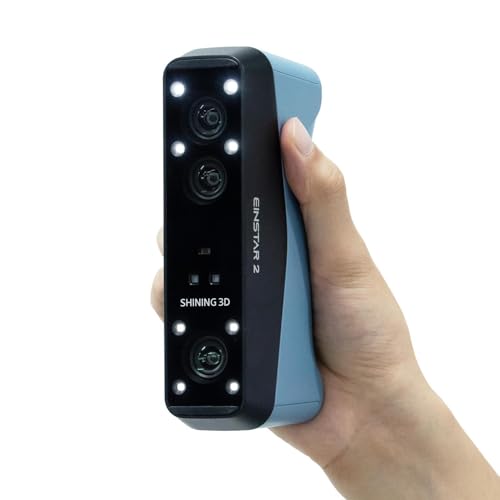
Three hours of battery and a 17-line laser array — take it to the object, not the other way round.
The EINSTAR 2 runs a swappable built-in battery for up to 3 hours of uninterrupted scanning, so you move around the object without dragging a cable. A cable connection is there as a fallback if Wi-Fi interference creeps in.
It runs two engines. A 17 parallel-line blue laser mode delivers high-resolution detail with up to 90 fps, handles reflective and metallic surfaces, and includes deep-hole capability. A VCSEL infrared mode is the one for big objects — higher-resolution cameras, better on black surfaces, and up to 20 fps. Lighting headroom is wide: laser HD mode works up to 110,000 lux and IR Rapid mode up to 70,000 lux.
What wins people over here is the scan quality itself. The recurring caveat is stability — a share of users hit crashes and freezes during operation, so keep the software current and your machine comfortably above spec rather than at the edge of it.
Built for the field: the swappable battery plus the 110,000 lux laser ceiling makes outdoor, around-the-object scanning realistic rather than theoretical.
Keep the PC honest: crashes during operation are the recurring gripe, and they usually trace back to a machine working too close to its limits.
Reach for it if: you scan out on site and want real cordless freedom plus a blue laser that ignores glossy metal.
Hold off if: you want a set-and-forget rig with zero software fuss — a few users find it needs babysitting.
6. Creality CR-Scan Raptor Pro

A scanner with its own computer inside — walk in, scan, walk out, no laptop bag.
The Vega removes the PC from the equation entirely. It carries an 8-core 2.4GHz CPU, 32GB RAM, and a 512GB SSD on board, plus a 6.4 inch 2K AMOLED display for reviewing on the spot. Data archives internally, so you can scan, save, and share without a tethered machine.
Two engines serve two sizes. Fast Mode uses VCSEL for long range with a 270-1500 mm working distance and up to 20 FPS for medium to large objects. HD Mode uses MEMS at 100-350 mm and up to 15 FPS for small to medium detail work. The infrared light source sidesteps sunlight’s effect for outdoor scanning and is eye safe, so people and dark hair scan directly. A 48MP RGB texture camera handles colour, and 12mm markers in Fast Mode cut down how many you need on a super-large object.
Where it can stumble: the HD mode and the limits of scanning certain materials like black or shiny objects come up as the friction points. Treat those as conditions to work around rather than reasons to walk away.
The no-PC win: onboard processing, onboard storage, and a 2K AMOLED screen mean the whole workflow lives in your hand.
The material caveat: dark and highly reflective surfaces still need handling, and HD mode is the one users find fussier.
Suits site work: you scan rooms, equipment, or people away from a desk and refuse to haul a computer along.
Not your pick if: you mostly scan dark or mirror-like objects — that is where its feedback gets rocky.
7. EINSTAR Rockit Wireless Laser 3D Scanner
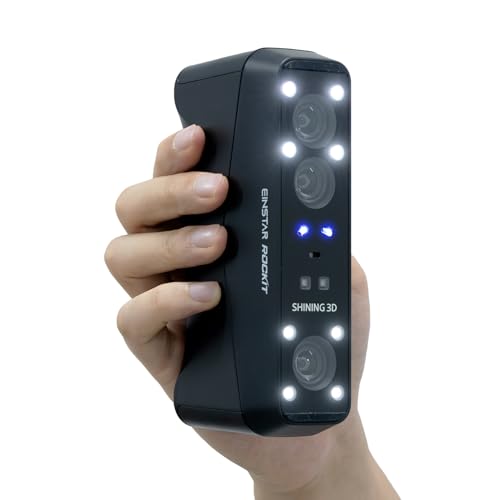
Skip the markers on textured objects — 38 laser lines do the tracking work instead.
Placing markers around a big object is the slowest part of the job, and the Rockit is built to cut it. Its marker-free laser mode scans feature-rich objects without stickers, so setup is faster and you get to results sooner. It carries 38 laser lines — 19 + 19 crossed for fast, large-area capture and 7 parallel for fine features — with the ability to switch between them mid-scan.
Blue laser covers the awkward materials: black and reflective surfaces scan without spray, and there is an optimised deep-hole capability for industrial parts like automotive components. A VCSEL infrared mode handles medium to large objects — face to feet in as little as 60 seconds — and performs well outdoors. Laser HD mode reaches 110,000 lux and IR Rapid mode 70,000 lux. Speed runs up to 90 fps with marker alignment, and a built-in swappable battery gives up to 3 hours, with a cable fallback if Wi-Fi gets noisy.
Two things to weigh. Marker-free mode wants memory, and the recommended system figure is 64 GB, so check your machine. And while it works well for most, a share of users find the workflow genuinely frustrating to learn — expect a learning curve before it clicks.
The setup saver: 38 blue laser lines and marker-free tracking on textured objects cut the stickering ritual that eats a big-object session.
Check two boxes first: 64 GB RAM on the recommended side, and the patience for a software learning curve.
Choose it when markers slow you down: your objects have enough natural features and you want to scan without taping a grid of stickers.
Look past it if: you are on a modest PC — the memory recommendation is steep.
8. Matterport Pro3 Basic Kit
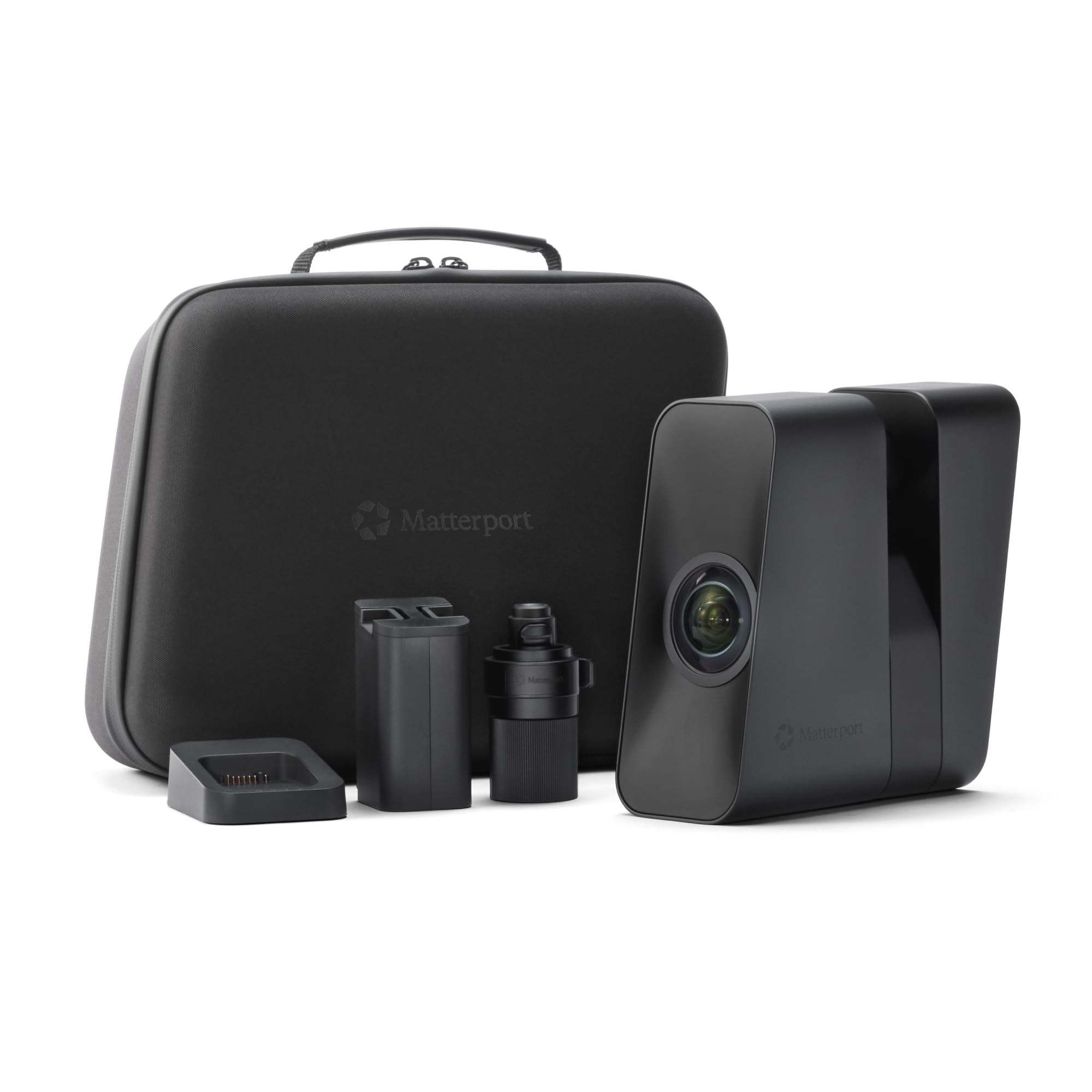
A different animal — it scans the whole building instead of one object in it.
Everything else here captures an object. The Pro3 captures a place. It uses LiDAR, which measures distance by bouncing light off surfaces rather than photographing them, and that gives it a range of up to 100 m in E57 files — enough to document large residential, commercial, and outdoor environments with fewer setups. Accuracy is ±20 mm at 10 m, with 100K points per second.
Speed is its party piece in a practical sense: a scan completes in under 20 seconds, so covering a big space does not mean a long day. It handles direct sunlight, low light, and mixed lighting, and swappable removable batteries keep it running across a job site. The Basic Kit includes the battery, a charging kit, and a quick-release tripod mount, though the tripod itself is sold separately.
Here is the catch that decides it for most people: the Pro3 is not compatible with Matterport’s Free or Starter plans, and the software is required to use the scanner at all. It works best with a Professional or Business subscription, so factor that ongoing commitment in before you commit.
Built to sweep a building
- Up to 100 m range in E57 files for whole-room and outdoor capture
- Full scan in under 20 seconds at ±20 mm accuracy at 10 m
- Removable batteries for extended job-site sessions
The subscription reality
- Not compatible with Free or Starter plans — Professional or Business is expected
- Tripod is sold separately from the Basic Kit
For property and build professionals: you are documenting interiors or sites at room scale and already run a suitable Matterport plan.
Not for object scanning: if your target is a single part on a bench, this is the wrong class of tool entirely.
Know the Specs
Capture Volume (the biggest object it can handle)
This is the range from the smallest thing a scanner can see to the largest it can track. A listing like 10 x 10 x 10 mm up to 2 x 2 x 2 m tells you it handles a small bolt and a furniture piece on the same device. When you are shopping for large objects, the top figure is the one that decides whether the scanner suits your subject at all.
Accuracy and Resolution (how fine the detail goes)
Accuracy is how close a measured point is to reality; resolution is how closely points sit together. A 0.02 mm figure is measurement-grade, while 0.1 mm is entry-level. For large objects with big flat panels, resolution often matters less than tracking stability — a fine mesh with drift is still a bad scan.
Frame Rate and Points Per Second
Frames per second (fps) is how many captures the scanner takes each second. Higher rates cover a broad surface faster before tracking wanders. A 105 fps laser mode versus an 18 fps mode is the difference between a single sweep and a slow, careful pass with rescans.
Lux Rating (outdoor light tolerance)
Lux measures ambient light brightness. A scanner rated to 30,000 lux handles overcast outdoor conditions; one reaching 100,000 lux works in harsh direct sunlight. If your large objects live outdoors, this is the number that keeps you from waiting for dusk.
Blue Laser vs Infrared
Blue laser light reflects well off dark and shiny surfaces, so black plastic and bare metal scan without a spray coating. Infrared structured light is often faster and finer on matte surfaces but struggles on gloss. Match the light source to your material: blue laser for black plastic and bare metal, infrared for matte surfaces.
Battery and Wireless
A built-in or swappable battery plus Wi-Fi means you scan without a tether around a large object. Runtime figures here range from about 2 hours to 3 hours depending on the model. A cable fallback matters when Wi-Fi interference shows up on site.
Common Questions
Can a handheld 3D scanner really capture a whole car?
Do I need to spray black or shiny objects before scanning?
How many markers do I need for a large object?
Can I scan outdoors in direct sunlight?
What computer do I need for large-object scanning?
Is blue laser better than infrared for big parts?
Can I scan a room instead of an object?
Do these scanners work with an iPhone or Android phone?
How long does a battery last on a wireless scanner?
Can I scan the same object with both small and large detail?
Do I need a subscription to use a 3D scanner?
The Bottom Line
For most people chasing the 3d scanner for large objects, the Revopoint POP3 Plus is the sensible centre of gravity — a two-metre cube of capture range, real colour, and a two-year warranty without demanding a workstation-class PC. If raw speed on wide panels is what you need, the Revopoint POP 4 leads the pack at 105 fps. And when your objects reach metres and include black, shiny, or glassy materials, the Creality CR-Scan Raptor Pro takes you out to 4000 mm.
Two final calls worth making deliberately. If you scan entire rooms rather than objects, the Matterport Pro3 is the only tool here built for that job — just budget for the subscription. And if you want zero cables and zero laptop on site, the Shining 3D Einstar Vega carries the whole computer in your hand.
How we choose
We do not accept paid placement. Every pick is matched to a real buyer and a real use-case; we do not hands-on test units.
Sources
Specifications: manufacturer listings and product documentation. Review insights: verified customer reviews, as of November 2026. Pricing: not shown on this page (it changes often); check the current price via the retailer link.
As an Amazon Associate, Gamepad Test earns from qualifying purchases. This does not affect which products we feature.