
Specs are compiled from manufacturer listings and verified buyer reviews and can change over time — please confirm the key details on the product page before buying.
If your Mac shipped without a disc slot, you already know the problem: an old family DVD, a software installer, or a ripped music CD sits there with no way in. An external USB optical drive fixes that in one cable, and the differences between them come down to a few things you can check in a minute — does it read and write, does the tray hold up, and will your specific Mac recognize it. The short answer: for most people the Alxum 8-in-1 is the safest buy, because it reads, burns and adds extra ports for a sensible mid-range outlay.
This guide is built by comparing the manufacturers’ published specifications and the patterns across verified customer reviews, so you get each pick’s real strengths and trade-offs instead of marketing spin.
Below you will find the drives that actually read and burn discs, ranked by how they hold up in daily use. What separates a keeper from a return is rarely the spec sheet — it is whether the tray still opens in month three, and this guide to the apple cd dvd drive tells you which ones quietly get that right.
Top Picks

How To Choose The Best Apple CD DVD Drive
The wrong assumption most buyers carry is that any external DVD drive works on any Mac. It does not. A drive connects over USB, and if your Mac only has USB-C ports, you either need a drive with a USB-C connector built in or an adapter that Apple itself says is required for the SuperDrive. Get that connection question settled first, then worry about speed.
Check the connector before anything else
USB-C (the small oval port on modern MacBooks and iMacs) and USB-A (the older rectangular port) are not the same socket. Several drives here ship a dual cable that handles both, which saves you hunting for an adapter. The Apple SuperDrive itself uses USB-A, so MacBook Pro models with Thunderbolt 3 ports need a separate USB-C to USB adapter.
Read speeds versus burn speeds
Most drives in this category top out around 8x for DVDs and 24x for CDs. That is the disc-writing speed, and it is plenty for burning a photo archive or ripping a music collection. What owners actually notice over months is not the speed — it is whether the tray still slides out cleanly and whether the drive gets recognized the second time you plug it in.
Powered by the cable, or by a second one
Some drives draw all their power from the USB port itself, which means one cable and nothing else. Others ship a second power cable that plugs into a charger or power bank, because some laptops cannot push enough current through a single port. If your Mac has ever ignored a bus-powered accessory, favor a drive that includes that extra cable.
Side-by-Side Comparison
| Model | Best For | Read/Burn Speed | Connector | Extra Ports | Amazon |
|---|---|---|---|---|---|
| Alxum 8-in-1 External CD DVD Drive★ Best Overall | Most Mac owners wanting a hub built in | 8x DVD / 24x CD | USB 3.0 Type-A and Type-C | 1x USB 3.0, 3x USB 2.0, SD/TF slots | Amazon |
| ORIGBELIE 6-in-1 USB 3.0 DriveBest Value | Light travel and everyday disc jobs | 8x DVD / 24x CD | USB 3.0 Type-A and Type-C | 1x USB-A 3.0, 1x USB-A 2.0, 2x USB-C, SD/TF | Amazon |
| BUNUD USB Burner SuperDrive for Mac | Scratched old family discs | 8x DVD / 24x CD | USB 3.0 Type-A and Type-C | 2x USB, SD/TF slots | Amazon |
| HP External Portable Slim CD/DVD RW | Windows-first desks that still burn discs | 8x DVD read / 24x CD | USB | — | Amazon |
| Samsung TSST SE-218GN/RSBD | M-Disc archival burning | 8x DVD | USB 2.0 (3.0 compatible) | — | Amazon |
| ASUS SDRW-08V1M-U | Encrypted backups on the move | 8x DVD | USB 3.0 Type-C | — | Amazon |
| Apple USB SuperDrive (Renewed) | Owning the official Apple match | — | USB 2.0 Type-A | — | Amazon |
Detailed Reviews
1. Alxum External CD DVD Drive
Our pick — 4.0+★ from 850+ verified ratings; the strongest balance of quality and price.
One drive that reads discs, burns them, and hands back four USB ports you thought you had lost.
This is the pick that solves the connector question for you. The Alxum ships with a cable that ends in both USB-A and USB-C, so it plugs straight into a modern MacBook or an older desktop without an adapter in the middle. The drive reads and burns DVDs at 8x and CDs at 24x, which is the standard ceiling for this category and fast enough for a full photo archive.
Where it earns its place is the hub side. Alongside the disc slot you get a separate SD and TF card slot, one USB 3.0 Type-A port and three USB 2.0 Type-A ports, so camera cards can dump straight to a drive without a second reader on your desk. Data moves at 5Gbps over USB 3.0, and the whole thing draws power from the USB port with no power brick to pack. An error-correction lens, anti-skid feet and quiet operation round out the practical side.
What wins people over is build quality — the drive feels better than the price suggests and setup is close to instant. The honest catch is pickiness: a handful of computers simply refuse to recognize the drive, and a few report Chromebooks are out entirely (the listing confirms Chromebooks are not supported). On a desktop, the bundled cable is short enough that Alxum itself suggests an extended USB hub, so plan a little slack at your tower.
Why this earns top spot
- Dual USB-A and USB-C cable clears the Mac adapter headache
- Four extra USB ports plus SD/TF slots save desk clutter
- 5Gbps transfer rate and 8x DVD / 24x CD burning
- Bus-powered — no separate adapter to lose
Where it can trip you up
- Some machines fail to detect it on first connection
- Chromebooks are explicitly not supported
- The bundled cable is short for desktop towers
Worth grabbing if: you want one cable to handle discs, camera cards and a couple of flash drives at once.
Think twice if: you run a Chromebook, which Alxum does not support.
2. ORIGBELIE External CD/DVD Drive
The entry-level one that behaves like a grown-up — plug it in, drop a disc, and the Mac icon appears.
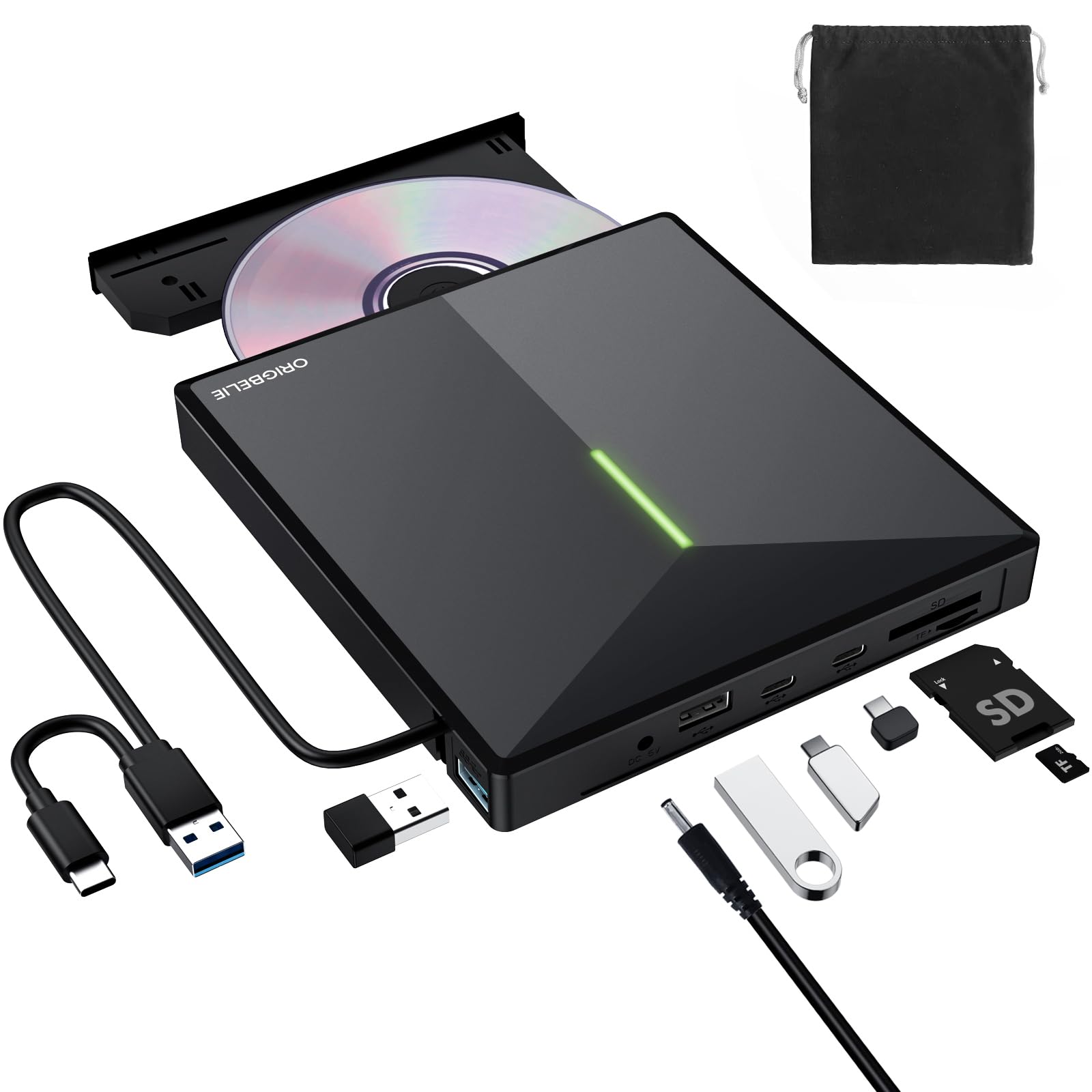
Compare this to the Alxum above and the trade is small: you get one USB-A 3.0 port, one USB-A 2.0 port and two USB-C ports instead of four USB-A ports, plus the same SD/TF card reader. Burning speeds match at 8x DVD and 24x CD, and the transfer ceiling is the same 5Gbps over USB 3.0. It comes with a storage bag, which the Alxum does not, and the data cable is built into the body so there is nothing to lose.
What makes it particularly useful on a Mac is the note ORIGBELIE puts front and center: the device icon only appears after a disc is inserted and read. If you plug it in and see nothing, that is normal rather than broken. A second power cable is included for laptops that cannot push enough current through one port — a real fix on battery-sipping ultrabooks. The RGB black finish and color-cycling LED indicator are cosmetic, but the compact 6 by 5.6 by 0.7 inch body slips into a laptop sleeve easily.
The trade-off is the MacBook Pro question. Compatibility is the one soft spot in the feedback, with some MacBook Pro and MacBook models simply not playing along. Windows 11 also needs a media player such as VLC plus a network connection, and the drive will not work with cars, TVs, tablets, iPads, PS4/5, Xbox, Switch, projectors, Chromebooks, partial Surface models, Ubuntu or Blu-ray discs. For a Mac user on a standard setup, it is still the value pick of the list.
What you actually pay for: the same 8x/24x burn speeds as drives that cost more, plus a hub, a card reader and a carry bag in one box.
The roll of the dice: compatibility with specific MacBook Pro models is the weak link, so buy where you can return it if your machine ignores it.
Pick this when: budget matters and you are on a standard MacBook or iMac.
Look elsewhere if: you are on a MacBook Pro that has already rejected bus-powered accessories.
3. BUNUD External CD/DVD Drive
Built for the shoebox of scratched wedding DVDs and legacy installers nobody can read anymore.
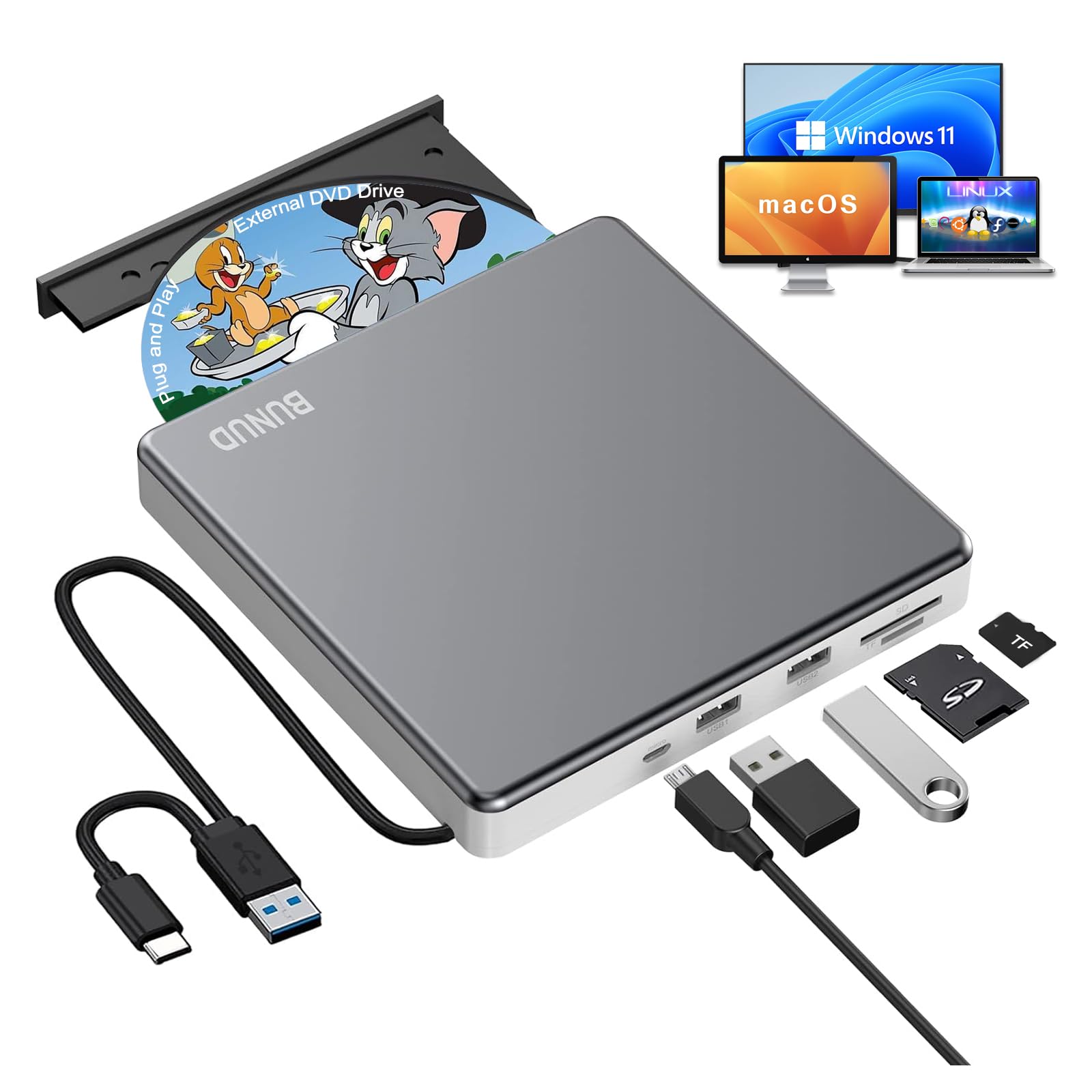
BUNUD leans hard into recovery, and that is the angle worth knowing. The drive uses an error-correction lens that the maker says recovers old family photo DVDs, vintage video collections and legacy software installers. It reads DVDs, CDs, VCDs and SVCDs and burns DVD+/-R/RW and CD-R/RW at 8x and 24x — the same speeds as the two drives above. A pop-up tray and a grey aluminum-and-ABS case give it a more grown-up look than the plastic competition.
Connection is the part Mac owners will appreciate. A dual USB 3.0 and Type-C data cable plugs into a MacBook, iMac or older USB-A machine without an adapter, and two extra USB ports cover a flash drive and a phone charge. The SD/TF card reader pulls footage off a camera, drone or dashcam straight to your laptop. No driver, no power adapter, 12-month warranty and 24/7 support round out the package.
The catch is durability, and the feedback is honest about it. A handful of units are reported to fail after one use, and the recurring gripe is the CD drawer not ejecting properly. Given how many people this drive serves well, treat that as the trade-off rather than the rule: this is a drive for occasional disc recovery, not a machine you stress daily. Chromebooks are also out.
What it does well
- Error-correction lens aimed at aged and scratched discs
- Dual USB-A and Type-C cable, no adapter needed
- Two extra USB ports plus SD/TF reader
- 12-month warranty and 24/7 support
The fair warning
- Some units have failed after a single use
- Tray eject issues show up in the feedback
- Not compatible with Chromebooks
Good match for: rescuing family photos off tired old discs, a job at a time.
Not the one for: heavy weekly burning, where tray wear will catch up with you.
4. HP External Portable Slim Design CD/DVD RW Drive
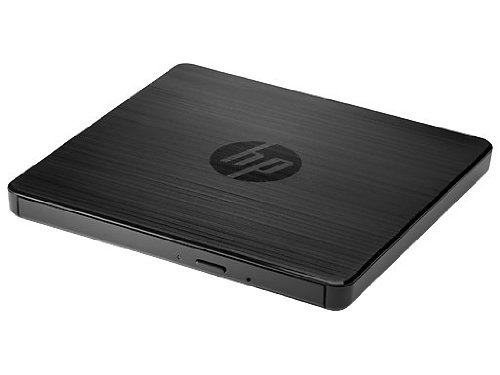
The familiar badge on a plain black drive that covers a long list of disc formats and both major operating systems.
HP’s slim drive is the widest format list on this page. It reads DVD-ROM, DVD-R, DVD-R DL, DVD-RW, DVD-RAM, DVD+R, DVD+R DL, DVD+RW, CD-ROM, CD-ROM XA, CD-DA, Super Audio CD, CD-R and CD-RW. It writes DVD-RW at 6x, DVD+RW at 8x and CD-RW at 24x, and reads DVDs at 8x. If you have a disc from the last two decades and you are not sure what it is, this drive has a strong chance of reading it. It also handles M-DISC — the long-life archival disc format — at 8x.
Operating system support runs from Windows XP up through Windows 10, plus Windows 2008 and 2003, plus Mac OS X. It draws power from USB and needs no adapters, and the slim plastic shell weighs in at just over half a pound, so it moves between desks without effort. For a Windows-first user who occasionally burns a backup, that is a genuinely clean package.
The widest disc compatibility: a format list that covers DVD-RAM, Super Audio CD and M-DISC gives you the best odds of opening an odd old disc.
The honest caveat: build quality is the split opinion here — some find it excellent, others feel it is cheap for what it is. Treat it as a light-duty drive that earns its keep on format coverage rather than metal.
Reach for this if: you have a mixed stack of old discs and a Windows PC to read them on.
Skip if: you need a drive that feels substantial in the hand — this one is plastic and light.
5. SAMSUNG TSST SE-218GN/RSBD DVD Rewriter

A 14mm-thin tray loader with M-Disc support for people who want their backups to outlive the laptop.
M-Disc is the reason to look here. This Samsung burns M-Disc alongside standard DVD and CD at 8x. The drive is 14mm tall — ultra-slim even by this category’s standards — with a tray loader and an eject button plus LED placed on the top surface, so it sits flat and reads cleanly on a crowded desk. Tilt Actuator Compensation and Buffer Under Run Free are Samsung’s names for the tech that keeps a burn steady when the disc wobbles or the data stream stutters.
Setup is about as quick as it gets, and the drive is widely reported to work on both PC and Mac — including the 2014 iMac — with the 14mm profile noted as thinner than earlier models. The interface is USB 2.0 but backwards-compatible with USB 3.0 ports, so it plugs into modern machines without drama. Inside there is a 0.75MB buffer and a 2MB cache keeping the burn flowing.
Two things deserve a straight answer. Speed is a split experience, with some finding it fast and others describing choppy DVD playback and slow read/write. Durability is the bigger question: the feedback includes drives that simply stopped working inside 18 months. If you need a drive to fire up once a month for an archival burn, this is a sensible choice — as a daily workhorse, look at the Alxum instead.
Why it appeals: M-Disc support plus a 14mm tray design make it a tidy fit for long-term backup duty.
The caveat worth knowing: long-term durability is the recurring complaint, so think of it as a specialist archiving tool rather than a permanent fixture.
Suits you if: M-Disc archival burns are on your to-do list.
Best avoided if: you want one drive to last years of steady use.
6. ASUS SDRW-08V1M-U External Ultraslim 8X DVD Writer

The one that locks your disc with a password and hides folders from anyone who finds it.
Disk encryption is the headline here, and it is the meaningful difference between this ASUS and everything above. You set a password and hidden folders, so a burned disc with financial records or family documents cannot be opened by a casual snoop. Drag and burn lets you create a disc in three steps via a simple interface, though that feature is Windows-only. Cross-platform support covers both Windows and MacOS, so the drive itself works on your Mac even if drag and burn does not.
The build details are quietly sensible. A 24cm connecting cable stores inside the body, so you never dig through a bag looking for it. At 14.6mm it is ultraslim, thin enough for a laptop sleeve, and it uses a USB 3.0 Type-C connector, which suits modern MacBooks without an adapter. M-DISC support means long-life archival discs are on the table, and the transfer rate is listed at 170 megabytes per second.
A word of caution worth flagging: this listing carries no gathered customer feedback, so you are buying on the manufacturer’s spec sheet rather than a body of real-world reports. For a buyer who values encryption and the ASUS badge, that is a reasonable bet — just confirm the return policy covers you if the drive and your Mac disagree on day one.
Where it leads
- Password protection and hidden folders on burned discs
- 24cm cable stores inside the body
- USB 3.0 Type-C — direct fit for modern MacBooks
- M-DISC support and 14.6mm ultraslim profile
What to weigh
- No customer reviews to draw on yet
- Drag and burn is Windows-only, not Mac
- Encryption setup asks a little more of you than a plain burner
For you if: the discs you burn hold something you would rather not share.
Consider another pick if: you want feedback from a long list of owners before you buy.
7. Apple USB Superdrive (MD564LL/A) (Renewed)

The drive Apple built for the job, refinished and backed by a 90-day supplier warranty.
Nobody else makes a disc drive that matches a Mac this closely. The SuperDrive is only slightly bigger than a CD case, it sits flush on a desk or tray table, and it plays and burns both CDs and DVDs without a separate power adapter — it works whether your Mac is plugged in or running on battery. This is a renewed unit, which means Amazon-qualified suppliers have inspected and tested it, replaced any defective parts and cleaned it, with packaging and accessories possibly generic.
The compatibility list is specific, so check your machine before ordering. It covers MacBook Pro with retina display, MacBook Air, iMac (late 2012) and later, Mac mini (late 2009) and later and Mac Pro (late 2013). MacBook Pro models with Thunderbolt 3 ports require a USB-C to USB adapter sold separately — that is the deal-breaker for a lot of newer buyers, and Apple says it outright. The connector is USB 2.0 Type-A with a listed 480 megabits per second transfer rate.
Owners consistently find it works and looks new, and the renewed condition reads as genuinely clean. The friction is compatibility: some report it does not work with Mac Studio, and regular USB to USB-C adapters are not the same as Apple’s own. A small number describe defective units. Buy this because you want the official Apple part with the silver finish, not because it is the most flexible drive on the list.
The Apple advantage: a footprint barely larger than a CD case, no power adapter, and a finish that matches your desk.
The adapter tax: a Thunderbolt 3 MacBook Pro needs Apple’s own USB-C to USB adapter, sold separately, or the drive will not connect.
Buy it for: the official Apple look and a plug-and-play experience on a supported Mac.
Not for you if: you run a Mac Studio or a USB-C-only MacBook Pro without Apple’s adapter.
Know the Specs
Read and burn speeds
The numbers like 8x DVD and 24x CD describe how fast the drive spins a disc while reading or writing. Each number is a multiple of the original disc speed, so higher means faster. For burning a photo archive or ripping music, 8x and 24x are the standard ceiling in this category and more than enough for a one-off job. Do not chase a faster number — chase a tray that still ejects in month three.
USB-C versus USB-A
USB-C is the small oval port on modern MacBooks and iMacs; USB-A is the older rectangular socket. A drive with a dual cable works on both. A USB-A-only drive, like the Apple SuperDrive, needs a USB-C to USB adapter on a Thunderbolt 3 MacBook Pro, and Apple specifies its own adapter for that job. Check this before anything else.
M-DISC support
M-DISC is an archival disc format built to hold data for years on a shelf. If a drive lists M-DISC support — the Samsung and the ASUS both do — it can burn that type of disc, which suits backups you want to leave on a shelf for years. It does not speed up everyday burning; it just widens the disc types you can use.
Bus power and extra power cables
Many drives pull their electricity from the USB port itself, so one cable does everything. Some laptops cannot supply enough current, which is why drives like the ORIGBELIE include a second USB-A to DC power cable that plugs into a charger or power bank. If your Mac has ever ignored a USB accessory, favor a drive that ships that cable.
Common Questions
Will an external DVD drive work with my MacBook Pro that has only USB-C ports?
Why does my Mac not show the drive icon after I plug it in?
Can these drives burn DVDs as well as read them?
Do I need a separate power adapter for an external CD DVD drive?
Will a Chromebook work with any of these drives?
What is M-DISC and do I need a drive that supports it?
Can I use these drives to read scratched discs from years ago?
Is a renewed Apple SuperDrive as good as a new one?
Do these drives play Blu-ray discs?
Will an external drive work on a desktop Mac as well as a laptop?
The Bottom Line
If you want the safest buy on this page, the Alxum 8-in-1 is the one — dual USB-A and USB-C cables, 8x DVD and 24x CD burning, and four extra ports so the drive earns a permanent spot on your desk. It holds 4.0+ stars across 800+ ratings, so the crowd favorite reputation is backed by volume.
Want the lightest spend for the same burn speeds? The ORIGBELIE matches the Alxum at 8x and 24x, adds a storage bag, and includes that second power cable for stubborn laptops. If scratched family discs are the whole reason you are here, the BUNUD brings an error-correction lens built for exactly that job.
And if the silver finish sitting beside your iMac matters as much as the burn speed, the Apple USB SuperDrive is the official part — just check your Mac’s port first, because a Thunderbolt 3 MacBook Pro needs Apple’s own adapter to connect it.
How we choose
We do not accept paid placement. Every pick is matched to a real buyer and a real use-case; we do not hands-on test units.
Sources
Specifications: manufacturer listings and product documentation. Review insights: verified customer reviews, as of November 2026. Pricing: not shown on this page (it changes often); check the current price via the retailer link.
As an Amazon Associate, Gamepad Test earns from qualifying purchases. This does not affect which products we feature.