
Heads up: This post contains affiliate links. As an Amazon Associate I earn from qualifying purchases, at no extra cost to you. Learn more
Specs are compiled from manufacturer listings and verified buyer reviews and can change over time — please confirm the key details on the product page before buying.
Your ROG Ally ships with one M.2 2230 slot, so the wrong drive isn’t a slow drive — it’s a drive that physically won’t go in. The 2230 number is the physical size, a 22mm by 30mm card roughly the size of a postage stamp. Every pick below fits that slot and is built on the PCIe Gen4 interface the Ally uses, so the only decisions left are speed and capacity.
This guide is built by comparing the manufacturers’ published specifications and the patterns across verified customer reviews, so you get each pick’s real strengths and trade-offs instead of marketing spin.
Start with the form factor, then let sequential read speed and capacity settle the rest. A quick look at the biggest internal upgrade you can make to your handheld: these are the best ASUS ROG Ally SSD choices for a faster, roomier machine.
Top Picks


How To Choose The Best ASUS ROG Ally SSD
You are upgrading one slot in a small plastic shell with almost no airflow. That single fact drives every sensible choice here, because a drive that runs hot in that space gets slower exactly when you are loading a big game. Buy a 2230 card, match the Gen4 interface, then pick the speed-and-capacity balance that matches how many games you keep installed.
Form factor first — 2230 or nothing
The Ally’s slot is built for an M.2 2230 card, a stubby 22mm by 30mm format. A standard 2280 drive is longer and will not seat, and a 2242 is the wrong length too. Check that the listing says M.2 2230 before you look at anything else, because no speed figure saves a drive that does not fit.
Sequential read speed and what it buys you
Sequential read is the headline number in megabytes per second (MB/s), and it mostly affects how quickly large game files move. A Gen4 drive rated around 5,000MB/s sits in the mainstream band for this format, while the fastest 2230 cards reach up to 7,000MB/s. You will feel the difference most when installing a 100GB game or loading a big open world.
How much capacity you actually need
Modern games routinely run past 50GB each, so 500GB fills faster than you expect once system files and a few titles land. 1TB is the comfortable middle for most Ally owners, and 2TB is for people who refuse to uninstall anything. Going from 500GB to 2TB mainly changes how often you uninstall a game to make room for the next one.
Heat, cache, and the small print
SLC cache is a fast staging area that absorbs big writes; once it fills, write speed drops. HMB (host memory buffer) lets the drive borrow a little system memory to stay quick without its own DRAM chip. And check the device note — some drives list which Surface and handheld models actually run at Gen4 speeds, because a Gen3 device caps the drive lower.
Side-by-Side Comparison
| Model | Best For | Capacity | Sequential Read | Form Factor | Amazon |
|---|---|---|---|---|---|
| Corsair MP600 MINI★ Best Overall | Fastest overall read speed | 1TB | Up to 7,000MB/s | M.2 2230 | Amazon |
| Kingston NV3Best Value | Low-power everyday storage | 500GB | Up to 5,000MB/s | M.2 2230 | Amazon |
| fanxiang S630Top Performer | Value 1TB with graphene cooling | 1TB | Up to 5,000MB/s | M.2 2230 | Amazon |
| Patriot Viper VP4000 Mini | Balanced 1TB Gen4 pick | 1TB | Up to 5,000MB/s | M.2 2230 | Amazon |
| TEAMGROUP MP44S 1TB | Simple, reliable 1TB upgrade | 1TB | Up to 5,000MB/s | M.2 2230 | Amazon |
| Acer MA200 | Fastest write speed of the 1TB set | 1TB | Up to 5,200MB/s | M.2 2230 | Amazon |
| TEAMGROUP MP44S 2TB | Maximum capacity on a budget | 2TB | Up to 5,000MB/s | M.2 2230 | Amazon |
| Addlink S91 | Fast 2TB with a 5-year warranty | 2TB | Up to 5,000MB/s | M.2 2230 | Amazon |
| WD Black SN770M | Gaming-brand 1TB with nCache | 1TB | Up to 5,150MB/s | M.2 2230 | Amazon |
Detailed Reviews
1. Corsair MP600 MINI 1TB M.2 2230 NVMe
Our pick — 4.5+★ from 650+ verified ratings; the strongest balance of quality and price.
The speed ceiling of this entire list, and it drops straight into the Ally’s slot.
The number that ends the argument is 7,000MB/s — that is the sequential read rating, meaning the drive can pull a large game file off the card at that peak rate. Nothing else here reaches it. The Kingston NV3 tops out at 5,000MB/s, so the MP600 MINI is rated 2,000MB/s higher on reads, and that headroom shows up when you install a big title or boot into Windows.
Under the hood is high-density 3D TLC NAND, a flash type built to hold its write speed as the drive fills rather than sagging early. Corsair lists sequential write at up to 6,200MB/s, which matters when you are copying a game library over rather than just reading it. It is a PCIe Gen4 x4 NVMe 1.4 drive, the exact interface generation the Ally expects, and the listing names the ROG Ally and Steam Deck outright so compatibility is not guesswork.
What wins people over is the 7,000MB/s read rating holding up after installation — big game installs and Windows boots stay quick. The recurring caveat is heat: a 7,000MB/s controller in a small shell runs warm, so give the vent area room to breathe and expect the drive to be the warm part of the machine after a long session.
Where it pulls ahead
- Up to 7,000MB/s sequential read — 2,000MB/s above the Kingston NV3’s 5,000MB/s rating
- 8TB-territory capacity in a 2230? No — but 1TB fits the slot without an adapter
- Named compatibility with ROG Ally and Steam Deck in the listing itself
- 3D TLC NAND holds write speed better as the drive fills
What you live with
- Heat is the recurring gripe — a fast controller in a tight handheld shell gets warm
- 7,000MB/s only pays off if you move big files often
Reach for this if: you want the highest read rating on this list and you install or transfer large games on a regular basis.
Think twice if: you mostly play a handful of older titles — a 5,000MB/s drive covers that without the extra heat.
2. Kingston NV3 500GB M.2 2230 NVMe
Low-power storage for the owner who keeps a tight, chosen handful of games installed.
Kingston pitched this one for high-speed, low-power storage, and that pairing is the whole point in a handheld. A drive that sips power leaves more battery for the actual game, which matters more on the Ally than raw benchmark bragging. The Gen 4×4 NVMe interface is the same generation the Ally runs, with sequential read up to 5,000MB/s.
Capacity is the catch. 500GB is the smallest here, and once Windows and the Ally’s own system files take their share, you are looking at room for a few big titles, not a whole library. The flip side is that this is the entry rung of the list, and Kingston also builds capacities up to 2TB in the same family if you decide you want more room from the same design.
What holds up: the drive runs well and stays compatible across handheld gaming devices and small-form-factor PCs, and the compact 2230 card fits the Ally slot without an adapter.
The honest limit: 500GB fills fast with modern installs — plan on uninstalling games you have finished.
Suits you if: you want a low-power 2230 drive and you are disciplined about what stays installed.
Look past it if: you want to stop managing storage — step up to a 1TB or 2TB card further down.
3. fanxiang S630 1TB M.2 2230 NVMe
A 1TB card that ships with its own heat answer already stuck on.
Powering on a game feels near-instant with this one, because the S630 is rated up to 5,000MB/s sequential read and up to 3,600MB/s sequential write on a PCIe 4.0 x4 interface. That write figure is the interesting part for handheld owners — copying over a game library is where a slow drive makes you wait, and 3,600MB/s keeps that chore short. It is backward compatible with PCIe 3.0, so it will not strand you if you move it to an older machine later.
There is a graphene heat dissipation sticker on the surface acting as an ultra-thin heat sink. In plain terms, that is a sheet that spreads heat across the card instead of letting one controller hotspot cook. In a shell as tight as the Ally’s, that is a real design choice rather than decoration, and it does not add thickness that would stop the card seating.
Read the Surface fine print before you buy for a tablet rather than the Ally. fanxiang is upfront that only the Surface Pro 9 (Intel version) supports PCIe 4.0, while Surface Pro 7+, 8, 9 (5G/ARM) and X are limited to PCIe 3.0 with maximum read speeds around 3,500MB/s. On the Ally you get the full Gen4 rate; on those older Surface models you do not. The 5-year or 320TBW coverage rounds out a card that is easy to recommend for the price bracket.
The case for it
- Up to 5,000MB/s read and 3,600MB/s write on PCIe 4.0 x4
- Graphene heat sticker spreads heat without adding seating thickness
- 5-year service or 320TBW coverage
- Backward compatible with PCIe 3.0 devices
Worth knowing first
- Surface Pro models other than the Intel Pro 9 are capped at PCIe 3.0 speeds near 3,500MB/s
- Faster cards on this list exist if you want the top read number
Pick it for: a 1TB Ally upgrade where cooling in a cramped shell is your main worry.
Not your card if: you are buying for a Gen3-limited Surface tablet and want rated Gen4 speed.
4. Patriot Viper VP4000 Mini 1TB M.2 2230

The steady middle of the pack — 1TB, Gen4, and nothing you have to work around.
Patriot keeps the spec sheet simple: 1TB of capacity, up to 5,000MB/s sequential read and up to 3,500MB/s sequential write, measured on CrystalDiskMark (CDM), a common storage benchmark. The PCIe Gen4 x4 controller and NVMe 1.4 compliance are the same generation the Ally runs, and Patriot names both the Steam Deck and ROG Ally as compatible devices. Patriot lists the ROG Ally as a compatible device, and the 2230 card seats in the slot without an adapter.
The Acer MA200 outruns it on paper, with 5,200MB/s read and 4,700MB/s write against this card’s 5,000MB/s read and 3,500MB/s write. That gap shows up mainly when you are writing a large file. For day-to-day loading of games you already have installed, the two are in the same neighbourhood. What the Viper does well is hold its 5,000MB/s read and 3,500MB/s write ratings steady once installed, with no throttling complaints in owner reports.
The read: a plain, well-matched 1TB Gen4 card for the Ally that handles installing games and general use without drama.
One thing to weigh: it gives away write speed to the Acer MA200, so heavy file-copying is the one job where you might notice the difference.
Go with it if: you want a fuss-free 1TB card that installs cleanly and runs steady.
Consider the Acer instead if: you move large game files often and want the higher write rating.
5. TEAMGROUP MP44S 1TB M.2 2230

Built specifically as a Steam Deck capacity upgrade — and the Ally slot takes it just as readily.
TEAMGROUP sells the MP44S as a drop-in for handhelds, and the specs back the pitch: a 22x30mm card, sequential read and write up to 5,000 / 3,500 MB/s, and SLC cache to keep short bursts of writing quick. The graphene label on top handles heat dissipation so the drive stays stable during a long session. It also runs Gen4 speeds on a PCIe Gen3 interface, so the card is not wasted if you later move it.
Buyers report the MP44S is detected on first boot in the Ally, with no re-seating or BIOS fiddling. That first-boot reliability is the appeal when you have the Ally’s back panel off and would rather not open it a second time. If you want the biggest possible library on the same design, the 2TB version of this exact card sits further down this list.
Choose it for: a straightforward 1TB swap where reliable first-time detection matters most.
Skip the half-step if: 1TB feels tight for your library — the 2TB MP44S covers the same job with twice the room.
6. Acer MA200 1TB M.2 2230 PCIe Gen 4

The 1TB card with the highest write rating here, aimed at gamers who move big files.
Write speed is where the MA200 separates itself. It is rated up to 5,200MB/s sequential read and up to 4,700MB/s sequential write, and that write number beats the Patriot Viper’s 3,500MB/s by a clear margin. In a handheld that means quicker library transfers and faster installs when you pull a game down over a fast connection. The controller is a PCIe Gen4 x4 part supporting NVMe 1.4, matched to the Ally’s interface.
Acer adds HMB plus SLC cache buffering — in plain words, the drive borrows a slice of system memory and keeps a fast staging area so short writes do not stall. A graphene heat spreader sits over the controller to pull heat away, which helps in a shell with barely any airflow. The card measures 22.0 x 30.0 mm and comes in 512GB and 1TB versions.
The honest note is reliability, which draws mixed feedback — most owners mention it works very well, while a few hit bad shutdowns. That is a small slice of the picture, and it reads more like an occasional unit than a pattern. Worth knowing before you commit if a drive failure would be a big hassle for you.
Why it earns a slot
- Up to 5,200MB/s read and 4,700MB/s write — the strongest write rating of the 1TB cards here
- HMB + SLC cache buffering keeps short writes from stalling
- Graphene heat spreader helps dissipation in a tight shell
The trade-off
- Reliability feedback is mixed — a few report bad shutdowns, most report smooth running
- Pricier bracket than several 1TB rivals on this list
Best match for: an Ally owner who copies big game files often and wants the fastest write rating in the 1TB group.
Go elsewhere if: you want the safest reliability read — the fanxiang or Patriot cards give you a quieter record.
7. TEAMGROUP MP44S 2TB M.2 2230

Double the room of its 1TB sibling, for owners who refuse to uninstall anything.
Capacity is the headline: 2TB in a 22x30mm card, sequential read and write up to 5,000 / 3,500 MB/s, and the same graphene heat label as the 1TB version. That is the number that changes daily use — a library of AAA games, plus your emulators and indie backlog, fits without a purge every few weeks. It is rated Gen4 and backward compatible with a PCIe Gen3 interface.
Reliability is what carries this 2TB card with owners: it is detected on first boot in a Steam Deck and keeps running without dropouts. Fit is not a concern either, and installation is described as easy. Two honest caveats come up in the experience of owners. Speed splits opinion — some see strong read and write numbers, others find it slow. And it can get hot during operation, with running temperatures reported somewhere between 46°C and 55°C. Neither is a reason to rule it out, but both mean you should not expect the fastest number here or the coolest card.
What you are buying: the most capacity per dollar on this list, in a card that fits the Ally and runs reliably once installed.
Where it gives ground: speed and temperature are the split opinions — it is not the fastest rated drive here and it runs warm.
Built for: the owner whose library is the point and who would rather not think about storage again.
Not the pick if: you chase the top read speed — the Corsair MP600 MINI is rated higher there.
8. Addlink S91 2TB M.2 2230 PCIe Gen4x4

2TB of room plus the longest warranty terms on the list.
The Addlink S91 pairs 2TB of capacity with sequential read and write up to 5,000 / 3,200 MB/s on a PCIe Gen4x4 interface, backward compatible with Gen3x4. It supports SLC caching and HMB host memory buffer, plus SMART, TRIM, thermal throttling and SmartECC — the housekeeping features that keep a drive healthy rather than the marketing ones. The M key card measures 30mm by 22mm by 2.15mm maximum height, so it sits flat in the Ally slot.
Both 2TB cards here are rated 5,000MB/s on reads, so neither wins that fight outright. Where Addlink separates is the warranty: a 5-year limited warranty, with EU spare-part availability listed at 5 years. Owners describe the 2TB capacity as enough to hold a full AAA library plus emulators, with installs that take minutes and read speeds that hold over months of use. Note the fine print: Addlink is clear that actual read and write speed depends on your device, interface and usage, so treat the rating as a ceiling rather than a promise.
If you want a 2TB Ally drive and you weight the warranty, this is the one to beat on that score.
Pick it for: a big 2TB library with the longest warranty coverage on this list.
Skip if: the 5,000MB/s read and 3,200MB/s write ratings are the deciding factor — the Corsair outruns it on reads.
9. WD Black SN770M 1TB M.2 2230
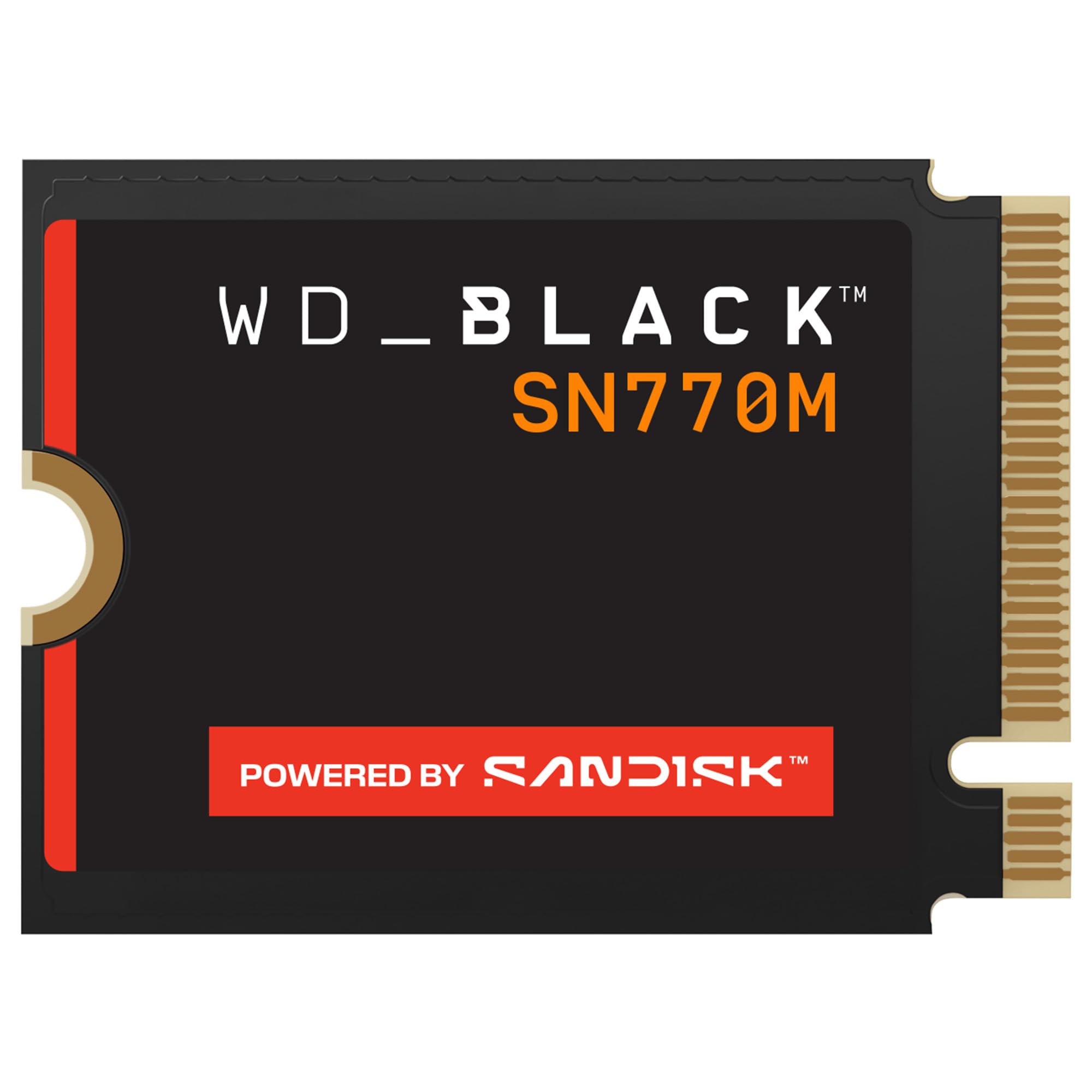
A gaming-brand 2230 card that names the ROG Ally in its own compatibility list.
Western Digital built the SN770M as its first M.2 2230 NVMe drive for gamers, and it names the ASUS ROG Ally and Valve Steam Deck in the compatibility list. Read speed is up to 5,150MB/s for the 1TB and 2TB models. It uses PCIe Gen 4.0, Western Digital’s nCache 4.0 technology and Microsoft DirectStorage support — DirectStorage being the Windows feature that lets the GPU pull game data straight off the drive. A 5-year limited warranty backs it, and the Western Digital Dashboard software (Windows only) keeps an eye on drive health.
Capacity is 1TB here, with the same drive available up to 2TB if you want more room. On pure read numbers it sits just under the Acer MA200’s 5,200MB/s and a long way under the Corsair’s 7,000MB/s — so buy this one for the software and warranty support rather than the benchmark crown.
The right call if: you want a gaming-focused 2230 card with named Ally compatibility and Western Digital’s dashboard behind it.
Would not choose it if: you are buying purely on read speed — several cards on this list rate higher.
Know the Specs
M.2 2230 form factor
The 2230 is a physical size: 22mm wide by 30mm long, roughly a postage stamp. The Ally’s slot is built for this stubby card, and a longer 2280 or 2242 drive will not seat. Always check the listing says M.2 2230 before anything else — fit is the one spec you cannot work around.
Sequential read and write (MB/s)
These are the headline speed numbers in megabytes per second. Read is how fast the drive hands data to the system, which shapes game loads and installs; write is how fast data goes onto the drive. Ratings are ceilings — the drive only hits them on a compatible Gen4 device with the right workload.
SLC cache and HMB
SLC cache is a fast staging area that absorbs big writes; once it fills, write speed falls. HMB (host memory buffer) lets a cheaper drive borrow some system memory instead of carrying its own DRAM chip. Together they keep a drive feeling quick without a big price jump.
Heat spreaders and throttling
Graphene labels and heat spreaders are thin sheets that spread heat across the card so one hotspot does not build up. In a handheld shell with barely any airflow, a hot controller slows itself down to stay safe — which is why the cooling design matters as much as the speed rating.
Common Questions
Will a standard M.2 2280 SSD fit in the ROG Ally?
How much faster is a 7,000MB/s drive than a 5,000MB/s one?
Do I need a heatsink on a 2230 SSD in a handheld?
Is 500GB enough for an Ally, or should I go 1TB?
Does the SSD need to be PCIe Gen4 to work in the Ally?
What is SLC cache and does it matter for gaming?
Why do some drives only hit rated speed on certain Surface models?
Does the drive come with the cloning software I need to move my games over?
Can a hot-running 2230 drive damage my handheld?
Is the WD Black SN770M actually made for the ROG Ally?
The Bottom Line
For most owners, the best asus rog ally ssd is the Corsair MP600 MINI because its 7,000MB/s sequential read rating is the highest here and it drops straight into the Ally’s 2230 slot. If you want maximum room and a long warranty, grab the Addlink S91 at 2TB with 5-year coverage. And for a 1TB upgrade with cooling built in, the fanxiang S630 is the one to reach for.
One last nudge: the Corsair earns the top spot on speed, so if you install and move large games often, that lead is the one worth paying for.
How we choose
We do not accept paid placement. Every pick is matched to a real buyer and a real use-case; we do not hands-on test units.
Sources
Specifications: manufacturer listings and product documentation. Review insights: verified customer reviews, as of November 2026. Pricing: not shown on this page (it changes often); check the current price via the retailer link.
As an Amazon Associate, Gamepad Test earns from qualifying purchases. This does not affect which products we feature.