
Heads up: This post contains affiliate links. As an Amazon Associate I earn from qualifying purchases, at no extra cost to you. Learn more
Specs are compiled from manufacturer listings and verified buyer reviews and can change over time — please confirm the key details on the product page before buying.
You want a gaming desktop that actually plays the games you own, without paying for hardware you will never use. The trick is checking the graphics card’s VRAM and model before the case lighting. Below are eleven prebuilt gaming desktops, sorted by what really matters — the graphics card’s dedicated memory (VRAM, the card’s own private pool of memory), the processor’s core count (its separate workers), and how much fast storage and RAM you get — so you can pick the build that gives you the most frames for your money.
This guide is built by comparing the manufacturers’ published specifications and the patterns across verified customer reviews, so you get each pick’s real strengths and trade-offs instead of marketing spin.
Many of these towers use older-generation processors paired with dedicated graphics cards, which is normal for entry-level gaming builds and keeps them budget-friendly. Below you will find the practical details that separate a smooth 1080p machine from one that stutters. My picks for the best bang for your buck gaming computer focus on dedicated graphics memory first and everything else second.
Top Picks

How To Choose The Best Bang for Your Buck Gaming Computer
A prebuilt gaming desktop is only a bargain if its graphics card can actually carry your games. Most of the towers on this list land in the mid-range or premium tier, and the ones that feel worth it are the ones where a dedicated graphics card sits at the center of the build. Here is what to check before you click buy.
Start with dedicated graphics, not the processor
A dedicated graphics card has its own video memory — measured in gigabytes and listed as VRAM — and that memory feeds your frame rate. The Radeon RX 580 and RX 590 cards here carry 8GB of dedicated memory, and the GeForce RTX 3050 variants carry either 8GB or 6GB. Those numbers matter because textures and modern game worlds are loaded into VRAM first. When someone lists “integrated graphics,” it means the processor shares system memory instead of having a card of its own, which is fine for browsing and schoolwork but a ceiling on gaming.
The processor needs enough cores for the whole desktop
Cores are the processor’s workers and threads are how many tasks it juggles at once. A 6-core, 12-thread chip like the Ryzen 5 keeps your game running while the browser, voice chat, and Discord all tick along underneath. The 8-core, 16-thread Ryzen 7 chips go a step further for streaming and editing. Older Intel Core i5 and i7 parts on these builds still handle everyday work, though they are the reason several towers stay at a budget-friendly tier.
Storage speed and RAM size shape the daily feel
A solid-state drive (SSD) stores your files with no moving parts, so Windows and your games open fast. A PCIe NVMe drive is the quickest common form and slots directly into the board rather than through a cable. For memory, 16GB of DDR4 is the practical floor for gaming with a browser open. Some builds here go to 32GB of RAM, which only pays off if you edit video or keep a lot of heavy tabs alive.
Side-by-Side Comparison
| Model | Best For | Graphics Card (VRAM) | Processor | RAM / Storage | Amazon |
|---|---|---|---|---|---|
| Olialia Ryzen 5 5600GT Prebuilt★ Best Overall | Everyday gaming and schoolwork with no dedicated card | Integrated Radeon (shared) | Ryzen 5 5600GT, up to 4.6 GHz | 16GB / 512GB SSD | Amazon |
| STGAubron Core i5 GTX 750 TiBudget Starter | Plug-and-play starter setup with accessories | GeForce GTX 750 Ti 4GB | Core i5, up to 3.6 GHz | 16GB / 512GB SSD | Amazon |
| Dell OptiPlex RGB Bundle (Renewed)Full Bundle | Kids and first-time gamers wanting a full bundle | GeForce GT 1030 2GB GDDR5 | Core i7 Quad Core, 3.40 GHz | 16GB / 512GB SSD | Amazon |
| ZER-LON Core i7 RX 590 | Beginners who want a mouse and keyboard included | AMD Radeon RX 590 8GB GDDR5 | Core i7-4770, up to 3.9 GHz | 16GB / SSD | Amazon |
| LXZ Ryzen 5 4500 RX 580 | Showcase build with visible internals and RGB | AMD Radeon RX 580 8GB | Ryzen 5 4500, up to 4.2 GHz | 16GB DDR4 / 512GB NVMe SSD | Amazon |
| Olialia Ryzen 5 5600GT High-Performance | Home office and light gaming without a graphics card | Integrated Radeon Graphics (shared) | Ryzen 5 5600GT, 3.6 GHz | 16GB DDR4 / 256GB PCIe SSD | Amazon |
| STGAubron Core i7 RX 590 32GB | Heavy multitaskers wanting maximum memory | AMD Radeon RX 590 8GB GDDR5 | Core i7, up to 3.9 GHz | 32GB / 1TB SSD | Amazon |
| LXZ Ryzen 7 4700LE RTX 3050 8GB | Ray tracing and 1080p at higher frame rates | GeForce RTX 3050 8GB GDDR6 | Ryzen 7 4700LE, up to 4.2 GHz | 16GB DDR4 3200MHz / 1TB NVMe SSD | Amazon |
| ZYNEEX Ryzen 5 5500 RTX 3050 6GB | Marathon sessions needing quiet, cool airflow | GeForce RTX 3050 6GB GDDR6 | Ryzen 5 5500, up to 4.2 GHz | 16GB DDR4 3200MHz / 1TB NVMe SSD | Amazon |
| HP OMEN Ryzen 7 5700X GTX 1660 Super | Streamers wanting a brand-name tower with RGB control | GeForce GTX 1660 SUPER 6GB GDDR6 | Ryzen 7 5700X, up to 4.60 GHz | 16GB DDR4 / 256GB PCIe NVMe SSD | Amazon |
Detailed Reviews
1. Prebuilt Gaming PC Ryzen 5 5600GT
Our pick — 4.5+★ from 250+ verified ratings; the strongest balance of quality and price.
The desktop that keeps a whole household running without asking you to build anything.
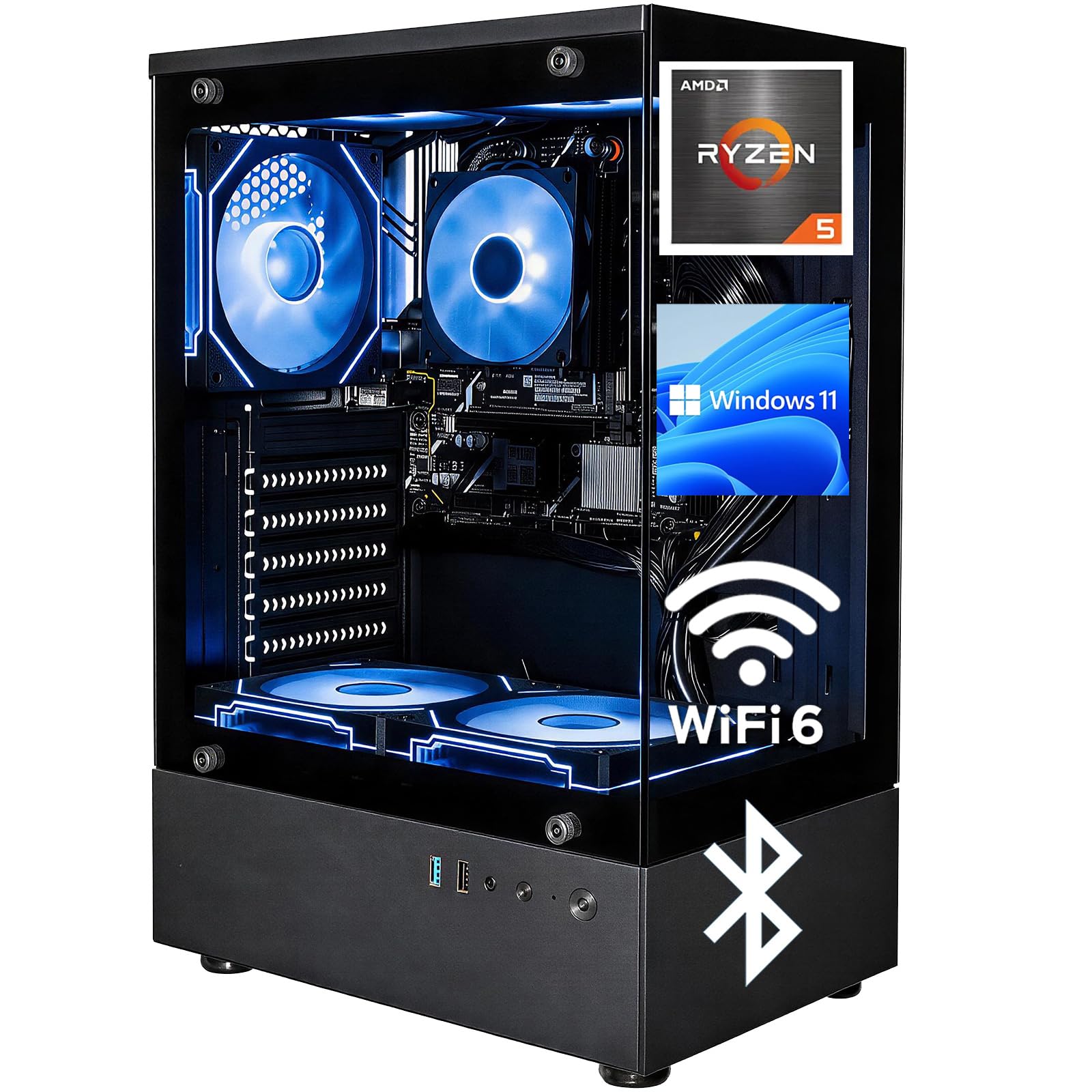
Here is the honest headline: this tower is a family machine with a gaming badge, not a graphics powerhouse. The Ryzen 5 5600GT is a 6-core, 12-thread processor (12 threads means it can juggle 12 tasks at once) that runs at 3.6 GHz and boosts up to 4.6 GHz — the many cores mean you can game, stream, and keep a browser open at once without the system crawling. What it does not have is a dedicated graphics card. It relies on integrated AMD Radeon Graphics, which shares system memory instead of owning its own VRAM (video memory).
That shared-memory setup is why this pick sits at the top for everyday value. It handles schoolwork, office apps, media playback, and the lighter esports titles that are tuned for integrated graphics. The 16GB of RAM keeps a browser and a document or two open along with your game, and the 512GB PCIe SSD (a fast drive that plugs directly into the board) means Windows boots quick and games load without a long wait. Intel Wi-Fi 6 (a newer, faster Wi-Fi standard) and Bluetooth cover your network and headset, and a 600W 80 PLUS Bronze power supply (a certified efficiency rating) feeds the whole build.
The catch is genuine, and you should know it before you buy: without a dedicated card, this is not the machine for demanding titles at high settings. The other picks here use dedicated cards with their own VRAM, so if your library leans toward heavier games, this one will hit a ceiling the dedicated-card builds will not. Buy it because you want one dependable desktop for gaming, learning, and work at a value price — not because you expect console-level graphics.
Where it earns the top spot
- 6-core, 12-thread Ryzen 5 boosts to 4.6 GHz for smooth everyday multitasking
- 16GB RAM and a 512GB PCIe SSD give quick boots and snappy app switching
- Wi-Fi 6 and Bluetooth 5 aboard, plus front USB and audio ports for easy access
- 600W 80 PLUS Bronze power supply with certified efficiency
The trade you accept
- Integrated Radeon Graphics shares system memory, so heavy titles stay out of reach
- No dedicated graphics card means no upgrade to a graphics performance wall
Worth picking if: you want one reliable desktop for schoolwork, streaming, and lighter games with a clean ARGB case and modern wireless built in.
Pass on it if: your game library is full of demanding AAA titles — you want one of the dedicated-card builds below.
2. STGAubron Gaming PC Desktop Core i5 GTX 750Ti
A complete plug-and-play starter desk, mouse and keyboard and all.
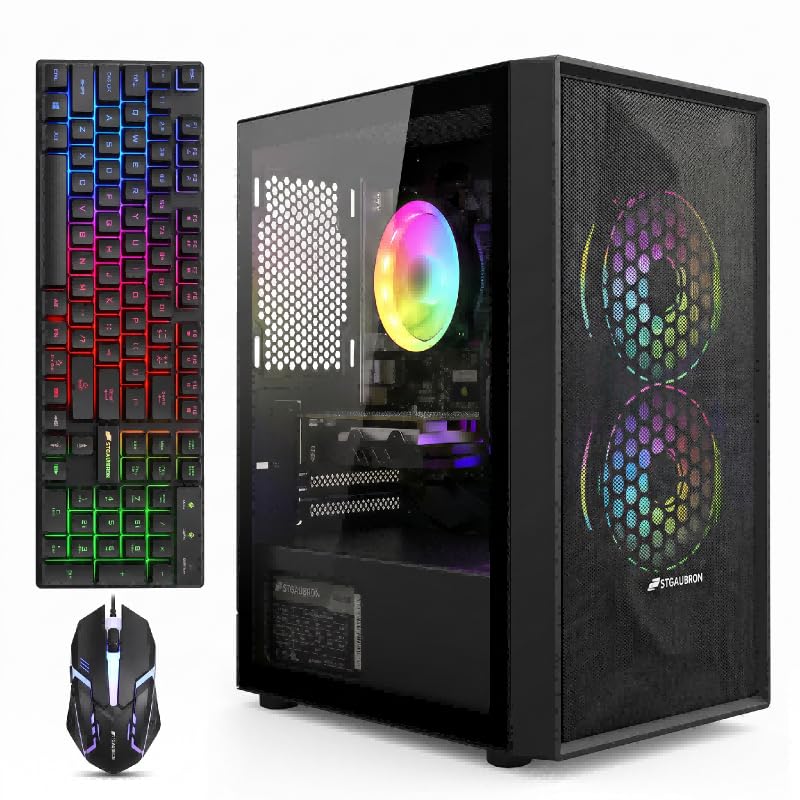
Say you have never put a PC together and just want to sit down and play. This box is built for exactly that: it ships with a dedicated GeForce GTX 750 Ti graphics card carrying 4GB of its own memory, so it hands off the visuals to a real card rather than dipping into system RAM. The Intel Core i5 runs up to 3.6 GHz, and there is 16GB of RAM plus a 512GB solid-state drive (a fast drive with no moving parts) for quick startup and file access. It also includes an RGB gaming mouse and keyboard, so there is nothing extra to buy.
The Core i5 here tops out at 3.6 GHz, which trails the 4.6 GHz Ryzen 5 in the top pick — a gap you will notice more in heavy multitasking than in the game itself. Still, 16GB of RAM and a dedicated card keep lighter titles and everyday work responsive. Buyers find it well suited to study, browsing, photo editing, and relaxed gaming, and it arrives with ARGB lighting on the case. What it is not is a modern high-end card — the GTX 750 Ti is an older-generation part, so expect it to handle the games it was built for at sensible settings rather than maxing out new releases.
The value read: the included keyboard and mouse matter more than the spec sheet suggests — a complete setup with no extra accessory spend is a real part of the appeal for a first-time buyer.
Keep in mind: this is the oldest GPU tier on the list, so it suits casual play and everyday use more than pushing demanding titles hard.
Reach for this if: you want one box that boots, plays, and types without buying peripherals separately.
Think twice if: you plan to run newer heavy games — a build with a newer graphics card further down this list fits better.
3. Dell Gaming OptiPlex Desktop Core i7 GT 1030
One flat-pack approach: monitor, keyboard, mouse, and a tower with RGB already wired in.
If you are setting up a kid’s first gaming corner with a single order, this bundle answers more of the checklist than any other pick here. It includes a 24-inch HDMI monitor, keyboard, mouse, and headset alongside the tower, so there is no spare-shopping after the box arrives. The GeForce GT 1030 has 2GB of dedicated GDDR5 memory, which is enough for lighter fare like CS:GO, DOTA 2, and GTA V at medium settings. The quad-core Intel Core i7 runs at 3.40 GHz with a 16GB RAM and 512GB SSD pairing that keeps boot times quick. The RGB front panel lights up and changes color through a remote controller.
This is a renewed unit — professionally inspected, tested, and repackaged, shipping with all relevant accessories and a minimum 90-day warranty. That matters because refurbished machines vary unit to unit. The 2GB of VRAM is the smallest dedicated buffer on this list, and it trails the 8GB cards further down by a wide margin on texture-heavy scenes. For a starter setup geared to young players, that is a reasonable fit; for someone angling at modern AAA games, it is a tighter ceiling than the rest of the line-up.
Who it lands with: parents and first-time gamers who want a monitor and peripherals in the same box rather than a tower on its own.
The honest limit: renewed stock and 2GB of video memory mean this is a starter machine first — check the unit’s condition and set expectations for lighter, older titles.
The right call if: a complete out-of-the-box setup for a younger gamer is the goal and the monitor saves you a separate purchase.
Look elsewhere if: you need the highest graphics memory for heavier games — the 8GB cards on this list suit that far better.
4. Gaming PC Desktop Computer Core I7 RX 590
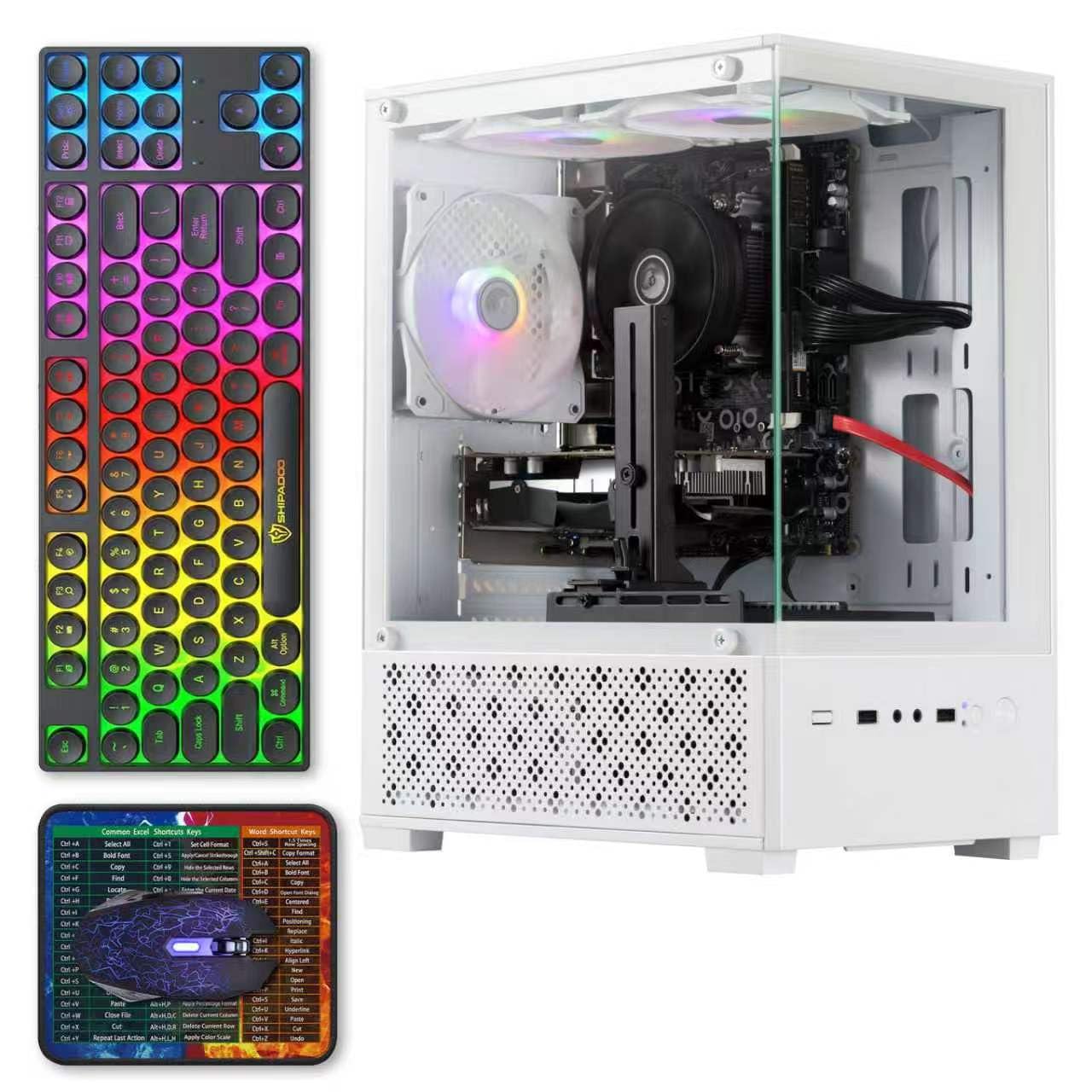
Three RGB fans, a gaming keyboard, and a real 8GB graphics card in one order.
Here is a build that hands you the whole setup and a dedicated card at once. The AMD Radeon RX 590 carries 8GB of GDDR5 dedicated video memory — matching the memory size of the top-tier LXZ card and leaving the 2GB card far behind for texture-heavy games. That buffer is why it handles popular esports titles like League of Legends, CS:GO, and Overwatch smoothly and light AAA games at medium-low settings. The Intel Core i7 reaches up to 3.9 GHz, and the package throws in 3x RGB fans, a gaming keyboard, a gaming mouse, a mouse pad, and a graphics card holder.
The thing that wins people over here is how little friction there is from the start. The review pages settle around a beginner-friendly label — it is called a great starter computer that is easy to set up, which lines up with the all-in-one accessory bundle. It is genuinely a one-order solution for someone who has nothing on the desk yet. There is no Bluetooth on this build though, so plan on wired peripherals or a separate adapter if you want wireless gear. The Core i7 4770 is an older-generation chip, so the 8GB Radeon is doing the heavy lifting when the game gets busy.
Why beginners keep it
- RX 590 with 8GB GDDR5 matches the largest buffer on this list
- Three RGB fans plus keyboard, mouse, and pad all included
- Easy setup and light AAA titles at medium-low settings
Plan around this
- No Bluetooth support, so wireless peripherals need a separate adapter
- Older Core i7-4770 chip holds the line on heavy multitasking
Best first desk: a complete RGB gaming setup for someone buying their first real gaming desktop.
Not the one for: wireless-only setups — the missing Bluetooth will force a workaround.
5. LXZ Gaming PC Desktop Ryzen 5 4500
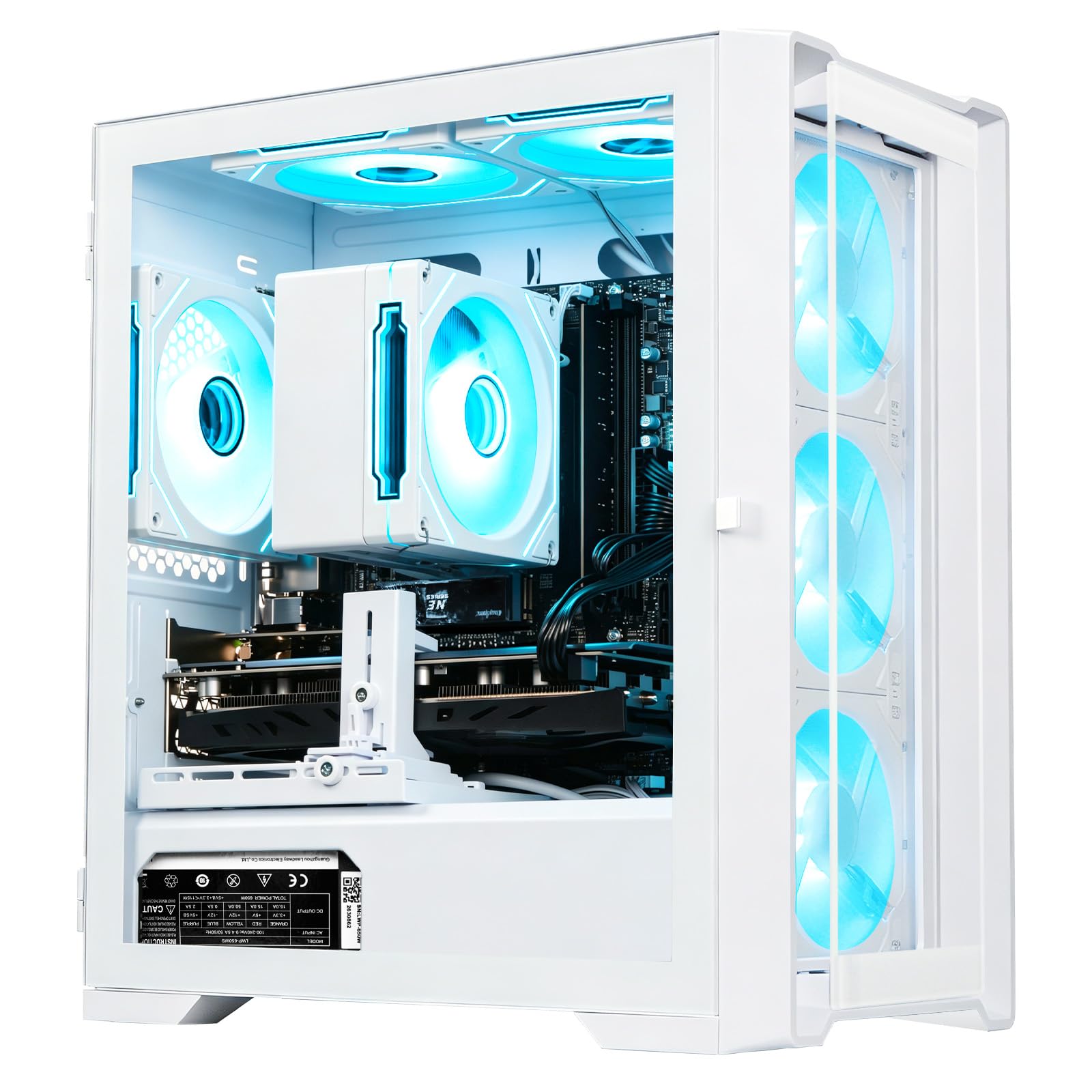
The white tower that wants to be looked at, with glass on three sides and five RGB fans.
If the tower sits on your desk as a display piece, this is the one that earns it. Three glass side panels let you see the internals and the lighting, and five RGB fans add the glow — the lights are adjustable to your taste. Underneath that case is the AMD Radeon RX 580 with 8GB of dedicated video memory, so the visuals land on a real card rather than shared system memory. The Ryzen 5 4500 is a 6-core, 12-thread chip that clocks up to 4.2 GHz and is built to keep streaming, voice chat, and browsing running alongside your game. 16GB of DDR4 RAM backs that up, with a 512GB NVMe SSD for quick boots.
Buyers praise its speed, which lines up with the 6-core Ryzen 5 4500 and the 8GB RX 580. That lines up with the 6-core processor and the 8GB card doing the game work. What you get for the money is a bit more divided: some see a real bargain, others less sure, so price the build against what its card and chip actually deliver before committing. It is a flashier case than the STGAubron Core i5 above, but both rest on the practical premise that an 8GB dedicated card is what carries a 1080p game.
The vibe argument: five RGB fans and three glass panels make this the most display-ready build on the list, which matters if the tower is part of your setup.
Worth noting: the value verdict divides buyers, so the case styling is doing real work in the buying decision — decide whether that is worth it to you.
Made for this buyer: someone who wants a white, glass-sided tower that shows off its hardware and lighting on the desk.
Consider another if: you care only about raw game performance and not at all about how the case looks.
6. Gaming PC, Ryzen 5 5600GT 6-Core High Performance Processor

A black tower tuned for study and work, with integrated graphics and a 256GB drive.
Read the spec sheet carefully on this one: it uses integrated AMD Radeon Graphics, not a dedicated card. The Ryzen 5 5600GT runs at 3.6 GHz with the same 6-core design as the top pick, and it carries 16GB of DDR4 RAM with Intel Wi-Fi 6 AX200 and Bluetooth for the network side. The difference that matters for a buyer is storage: 256GB of PCIe SSD, which is half the room of the 512GB drives on most builds here, so a big game library will fill it sooner. Windows 11 Home is installed, a 1-year manufacturer’s warranty backs it, and it arrives as a black tower with a 600W 80 PLUS Bronze ATX power supply.
This is a sensible second desktop for home, school, or office use — the sort of machine that handles browsing, online classes, media, and light gaming without fuss. It is not aimed at demanding titles, because the graphics are integrated and share system memory. The reduced 256GB drive is the practical catch: it is fine for documents, apps, and a couple of games, but heavier storage needs mean adding a drive or living with tighter room. If you want raw gaming muscle, the dedicated-card builds further down carry it; if you want a clean everyday tower with modern wireless, this fits.
The fit: a dependable black desktop for a home office or student desk where productivity and light gaming share the machine.
The caveat: 256GB is the smallest SSD here and graphics are integrated, so factor in an external drive or lower storage ambitions.
Right one for: a work-and-study tower with Wi-Fi 6, Bluetooth, and a certified power supply, where gaming is light.
Better off with another: if your storage or graphics demands run heavier than the 256GB SSD and shared memory can carry.
7. STGAubron Gaming PC Desktop Core I7 RX 590
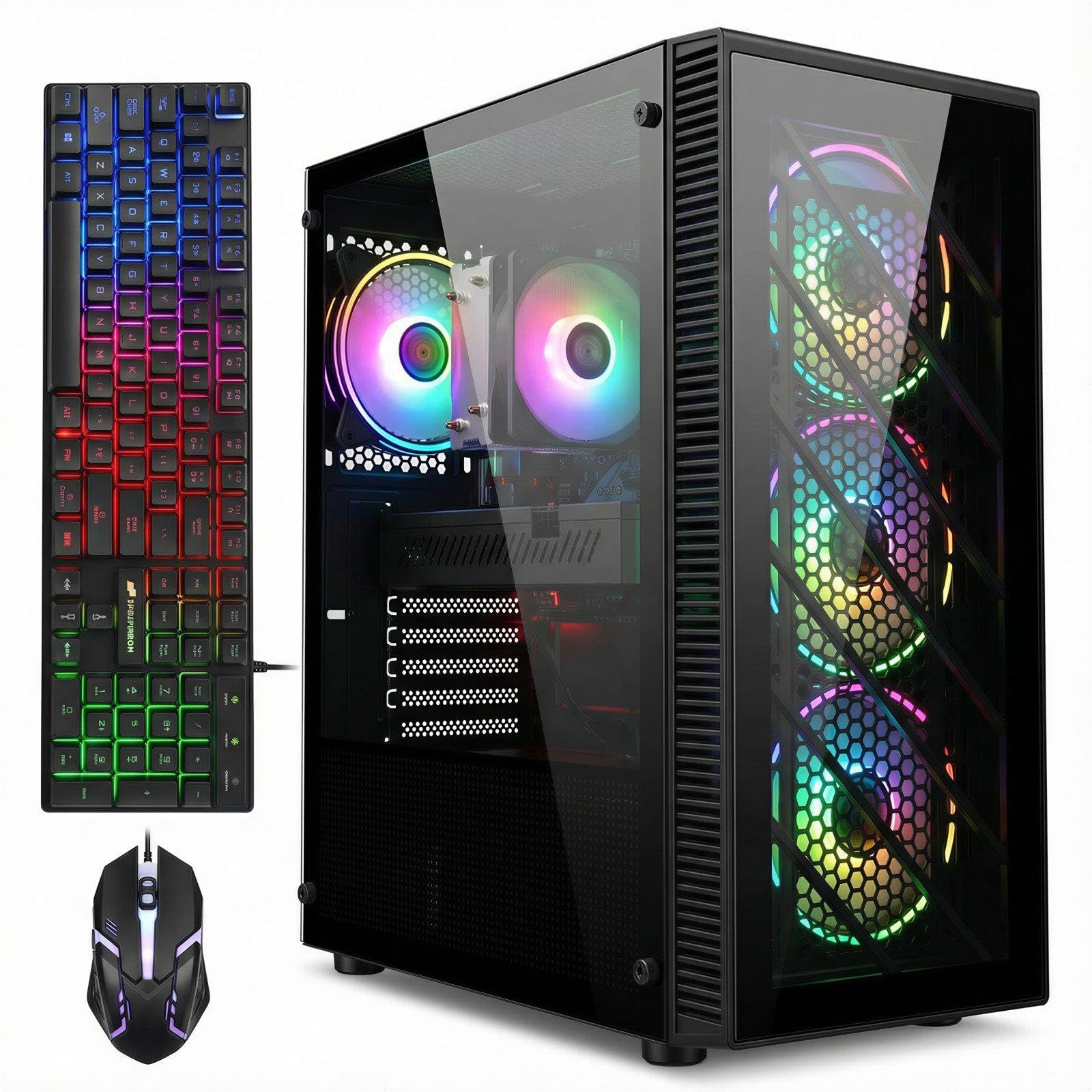
Double the memory and double the storage of its stablemate, for the multitasker who never closes a tab.
The headline here is memory: 32GB of RAM and a 1TB solid-state drive, which doubles both the RAM and the storage of the other STGAubron build on this list. The Radeon RX 590 with 8GB of GDDR5 handles the graphics, the Intel Core i7 clocks up to 3.9 GHz, and the build carries four RGB fans plus Wi-Fi 6 and Bluetooth 5.0. An included RGB keyboard and mouse round it out, alongside HDMI and DisplayPort outputs for the monitor. For anyone who edits photos or video, streams, or runs trading tools alongside a game, the extra RAM is the reason to look here.
Buyers call it a solid base-level gaming machine, and the 32GB of RAM and 1TB SSD are what the extra money buys. Gaming performance and speed draw praise too. The mixed reports cluster around long-term reliability and Wi-Fi, with the odd unit dropping its connection, so a wired ethernet lead is a smart companion if online play is central to you. It also uses the same 8GB Radeon card as the more affordable builds here, meaning the extra money is buying memory and storage rather than a faster frame rate.
The extra-room argument
- 32GB RAM and a 1TB SSD for heavy multitasking and a large library
- RX 590 8GB plus a Core i7 up to 3.9 GHz handles mainstream games
- Four RGB fans, Wi-Fi 6, Bluetooth 5.0, keyboard and mouse included
Keep an ethernet cable handy
- Wi-Fi can be intermittent on some units — wired is more dependable
- The graphics card matches cheaper builds, so frames-per-dollar is not the draw
Buy this when: RAM and storage are your bottleneck — heavy multitaskers and editors get the biggest lift here.
Skip the premium if: a faster frame rate is what you want, since the card matches the more affordable picks.
8. LXZ Gaming PC Desktop RTX 3050 Ryzen 7 4700LE
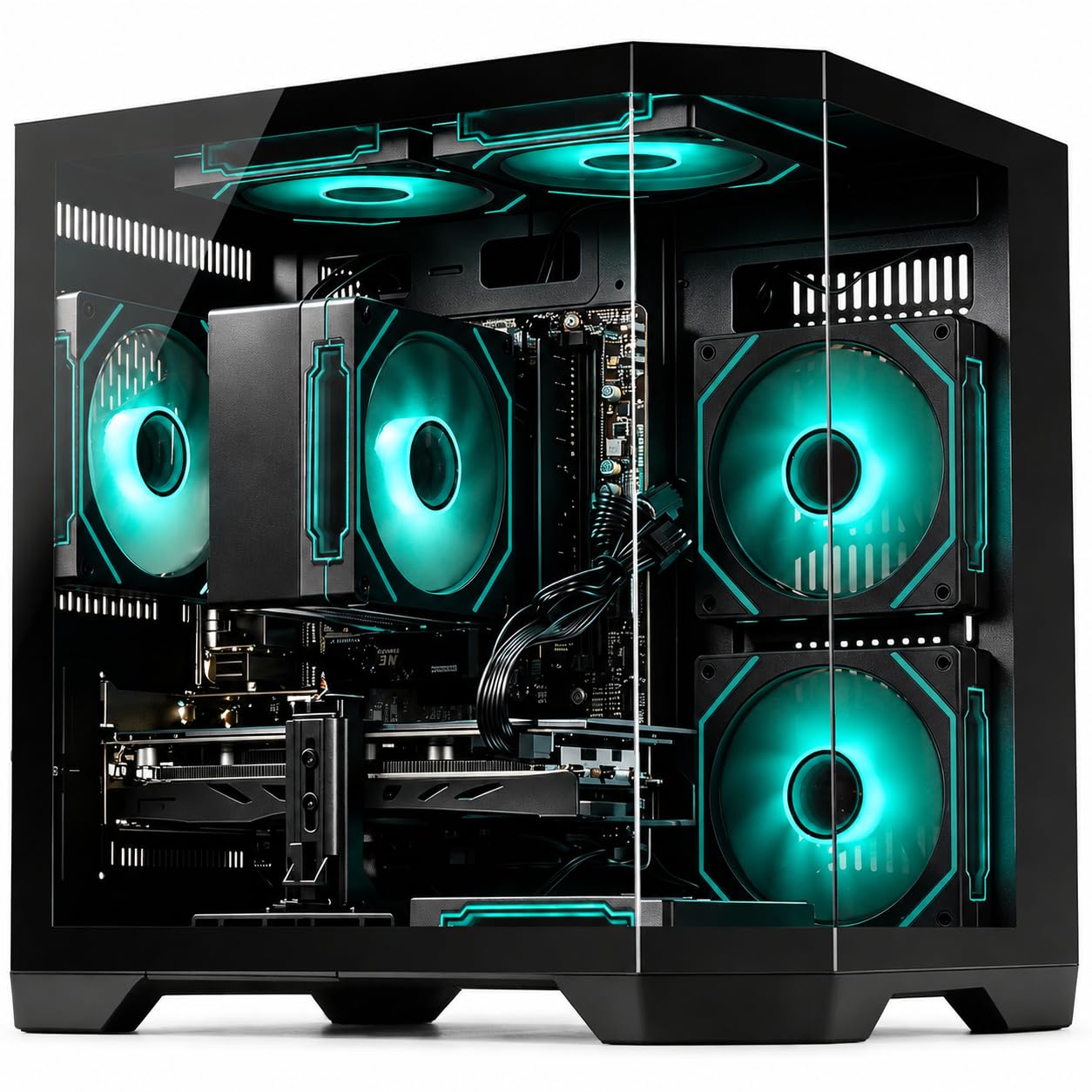
The first card here with real-time ray tracing and DLSS, and the 8GB version of it.
This is the build where the graphics card moves to a newer generation. The GeForce RTX 3050 carries 8GB of GDDR6 memory (a newer, faster type of video memory) — twice the 4GB of the STGAubron Core i5 and far beyond the 2GB Dell card — with support for real-time ray tracing (lifelike lighting and reflections) and DLSS (an upscaling feature that trades a little image sharpness for more frames). The maker lists it running AAA titles like Cyberpunk 2077 at 55-60 FPS (frames per second) and esports like Apex Legends at 90-100 FPS with DLSS enabled. The Ryzen 7 4700LE brings 8 cores and 16 threads boosting up to 4.2GHz, backed by 16GB of dual-channel DDR4 3200MHz RAM and a 1TB NVMe M.2 SSD (a fast drive that plugs straight into the board).
Wi-Fi 6 handles online play and streaming with lower latency, and the ready-built tower saves you assembling anything. Buyers describe it as running smoothly, including on games like Black Desert Online. It sits at the premium end of the list, and part of what you pay for is the newer-generation card and the ray tracing feature set. The 8GB buffer handles modern game textures more comfortably than the 6GB RTX 3050 build below, which is the whole reason to pick this over that one.
The forward-looking buy: a newer-generation RTX card with 8GB GDDR6 open up ray tracing and DLSS, features the RX 580 and RX 590 builds simply do not offer.
The premium trade: you pay more for the newer card and the ray tracing feature set, so confirm that is the priority for your library.
Choose it if: ray tracing, DLSS, and the larger 8GB buffer top your wish list and you want 8-core multitasking to match.
Reconsider if: the older Radeon cards’ price-to-performance fits your budget better than the newer RTX feature set.
9. Prebuilt Gaming Desktop PC Ryzen 5 5500 RTX 3050
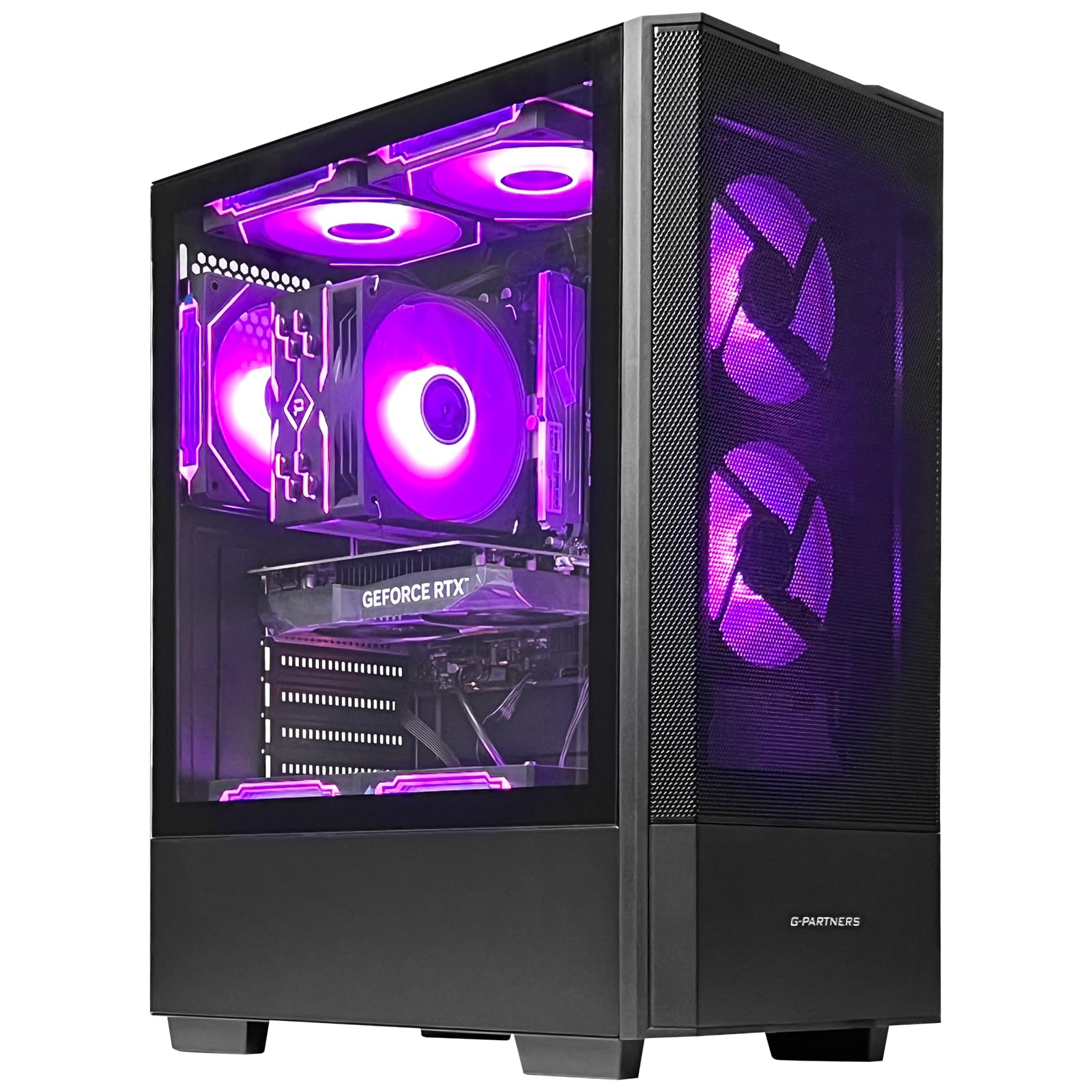
Cool and quiet for marathon sessions, with a 6GB RTX card and a full terabyte of NVMe storage.
The cooling is the story: an ARGB air-cooling system (addressable RGB, meaning the fan lights are individually controllable) with multiple fans keeps the hardware stable and the noise down across long sessions, which matters if you play for hours and do not want a whirring box under the desk. The GeForce RTX 3050 carries 6GB of GDDR6 and handles high-frame-rate 1080P gaming with ray tracing. The Ryzen 5 5500 is a 6-core, 12-thread chip running up to 4.2GHz, paired with 16GB of DDR4 3200MHz RAM and a 1TB NVMe SSD for rapid loads and lots of room. Built-in Wi-Fi, multiple USB ports, and HDMI and DisplayPort outputs (the two common video connectors) make monitor hookup simple.
Stepping back to the graphics comparison: this RTX 3050 has 6GB of video memory next to the 8GB in the LXZ RTX 3050 above, so heavier textures have less buffer to work with here. That is not a dealbreaker for the 1080P titles the card targets — it is the reason to weigh this one for its cooling, its 1TB drive, and its price-to-value read rather than for maximum VRAM. Customers describe it as easy to set up and a nice computer for the money, with smooth-operation comments that line up with the air-cooling focus.
Built for the long session
- ARGB air cooling with multiple fans keeps things cool and quiet
- 1TB NVMe SSD gives plenty of room for a full game library
- Easy setup with Wi-Fi and flexible HDMI and DisplayPort
Weigh the VRAM
- 6GB video memory is less than the 8GB RTX card above
- Higher-priced than several Radeon builds with equal or larger VRAM
A match for you if: quiet, cool operation and a full terabyte of NVMe storage matter as much as the RTX feature set.
Lean elsewhere if: the maximum 8GB VRAM buffer is your priority over cooling and storage capacity.
10. HP OMEN Gaming Desktop PC GTX 1660 Super

The brand-name tower with a tempered-glass panel and software-controlled lighting.
Two things set this one apart: the processor and the case. The Ryzen 7 5700X brings 8 cores and 16 threads with a max boost up to 4.60GHz — matching the 4.6 GHz of the top pick and the fastest boost speed on this list. The NVIDIA GeForce GTX 1660 SUPER carries 6GB of GDDR6 for the visuals. Inside, a tempered-glass side panel shows off customizable RGB controlled through OMEN Light Studio software, with ambient, wave, and interactive modes. The setup includes Windows 11 Home, an HP wired keyboard and mouse, a wireless USB WiFi adapter, front and rear fans, and 5.1 surround sound support across USB-C, HDMI 2.0, DisplayPort 1.4, and DVI ports.
The 16GB of DDR4 RAM is backed by only a 256GB PCIe NVMe M.2 SSD — a smaller drive than the 1TB builds here, so a large library will need added storage sooner. It is a premium-tier pick, and the extras you pay for are the brand-name build, the glass case, the software-controlled lighting, and a full set of peripherals. It is an informed choice for someone who values a recognized brand and controllable RGB over raw storage capacity. Ifyou want maximum storage or frame-rate value, the 1TB builds here give you more room for the money.
Where the money goes: a recognized brand, a tempered-glass case, and software-driven RGB lighting that the no-name builds do not offer.
The smaller drive: 256GB is the tightest SSD on this list, so plan for an added drive if your library grows.
Fits you if: you want a brand-name tower with 8-core boosting and lighting you can tune from software.
Consider the alternative if: more storage and a larger video memory buffer outweigh brand and controllable lighting.
Know the Specs
Dedicated VRAM versus integrated graphics
VRAM is the video memory that sits on a dedicated graphics card — a separate chip with its own gigabytes, like the 8GB on the Radeon RX 580 or the 8GB GDDR6 on the RTX 3050. Games load textures and world data into that memory first, so a bigger buffer generally means smoother scenes in heavy titles. Integrated graphics, by contrast, borrows from the system RAM with no card of its own. That is fine for browsing, schoolwork, and light games, but it caps how demanding a title you can push. On this list, the towers with dedicated cards (from 2GB up to 8GB) are the gaming-first builds; the integrated-graphics towers are the everyday ones.
Processor cores and boost clock
Cores are the processor’s separate workers, and threads are how many tasks it can juggle at once. A 6-core, 12-thread Ryzen 5 can run your game while a browser, voice chat, and Discord keep ticking underneath; an 8-core, 16-thread Ryzen 7 adds headroom for streaming and editing. Boost clock is the top speed a chip can hit for short bursts — the highest on this list is 4.60GHz on the HP OMEN’s Ryzen 7 5700X, matched by the 4.6 GHz Ryzen 5 in the top pick. A high boost helps responsiveness, but for gaming, the dedicated graphics card usually decides your frame rate more than the processor does.
Common Questions
Do I need a dedicated graphics card to play games on a prebuilt desktop?
What is the difference between 6GB and 8GB of video memory?
Will a 16GB RAM gaming PC be enough for streaming while I play?
Is a Ryzen 7 better than a Ryzen 5 for gaming?
How much storage do I need for a gaming PC library?
Is a renewed or refurbished gaming desktop worth buying?
Can I upgrade the RAM or graphics card later?
Do these gaming desktops include Wi-Fi and Bluetooth?
What do FPS and ray tracing actually mean for gameplay?
Is a 600W power supply enough for these prebuilt gaming PCs?
The Bottom Line
For most people, the bang for your buck gaming computer winner is the Olialia Ryzen 5 5600GT Prebuilt because it pairs a 6-core, 12-thread processor boosting to 4.6 GHz with 16GB of RAM and a 512GB SSD — a dependable everyday desktop at a value price, and the highest-rated build here at 4.5+ stars with a big pile of owner feedback behind it. If you want a dedicated graphics card for actual 1080p gaming, grab the ZER-LON Core i7 RX 590 — 8GB of dedicated video memory with a keyboard, mouse, and three RGB fans in the box. And for the most graphics headroom with ray tracing, the LXZ Ryzen 7 RTX 3050 is the one to reach for.
The wisest move: match the card’s VRAM to your library — 8GB for texture-heavy 1080p titles, 2GB to 4GB for esports and older games. An 8GB dedicated card like the RX 580 or RX 590 covers esports and mainstream 1080p well for less outlay, while the RTX 3050 builds add ray tracing and DLSS if that future-proofing matters to you. Decide if you need ray tracing or just 1080p frames, then pick the card that delivers it.
How we choose
We do not accept paid placement. Every pick is matched to a real buyer and a real use-case; we do not hands-on test units.
Sources
Specifications: manufacturer listings and product documentation. Review insights: verified customer reviews, as of November 2026. Pricing: not shown on this page (it changes often); check the current price via the retailer link.
As an Amazon Associate, Gamepad Test earns from qualifying purchases. This does not affect which products we feature.