
Specs are compiled from manufacturer listings and verified buyer reviews and can change over time — please confirm the key details on the product page before buying.
Flight simulators punish a weak computer more than any other game you can buy. A dense city below, live weather above, and a cockpit full of glass displays all hit your processor and graphics card at once, so the cheapest way to smooth frames is to start with the right tower. The one that wins here is the CyberPowerPC Gamer Xtreme VR with the RTX 4060 — the crowd favorite at 4.5+ stars across 700+ owners — because it balances a 6+4 core Intel chip, 16GB of DDR5 memory, and a 1TB Gen4 SSD at a mid-range price that leaves money for a decent yoke. Everything below is sorted by what actually matters when you are lining up a final approach rather than shooting at enemies.
This guide is built by comparing the manufacturers’ published specifications and the patterns across verified customer reviews, so you get each pick’s real strengths and trade-offs instead of marketing spin.
Below you will find the full breakdown of the flight sim gaming pc picks that hold smooth frames over heavy scenery without an upgrade bill in year one.
Top Picks


How To Choose The Best Flight Sim Gaming PC
A flight simulator draws an entire world beneath you while your processor runs avionics, air traffic, and live weather on the same tick. It draws a whole world under you at once, then asks your processor to run avionics logic, air traffic, and live weather on the same tick. That mix is why a tower built for fast shooters does not always cut it here. You want a chip with strong single-core clocks, a graphics card with enough VRAM (its own dedicated video memory) to hold detailed terrain, and cooling that stays quiet through a three-hour cruise.
Single-core speed beats core count in the cockpit
Most sim engines push their heaviest work through one or two threads, so a chip that boosts high on a single core keeps your frame pacing steady. A 5 GHz boost ceiling is the figure worth hunting for, and it shows up in the mid-range CyberPowerPC builds as well as the premium towers. Big core counts still help with streaming and background apps on a second monitor, just not as much as clock speed does for the sim itself.
Graphics memory decides whether heavy scenery stutters
VRAM is the card’s own fast memory, and running out of it is what causes that hitch when you pan across an airport. An 8GB card handles 1080p and 1440p comfortably, while a 12GB or 16GB card gives you headroom for 4K textures and multi-monitor views. The jump from 8GB to 16GB on the premium towers is the single biggest reason their frame rates hold up over dense cities.
Memory and storage for a full cockpit load
16GB of DDR5 is the practical floor for a sim with a browser and map tool open. 32GB gives you room to run add-on scenery, a flight planner, and voice chat without the system paging to disk. On storage, a 1TB NVMe SSD loads a full world fast, and 2TB buys you space for scenery packs that can each run into many gigabytes.
Side-by-Side Comparison
| Model | Best For | GPU / VRAM | CPU Boost | Memory | Amazon |
|---|---|---|---|---|---|
| CyberPowerPC Gamer Xtreme VR (RTX 4060)★ Best Overall | Best value sim starter | RTX 4060 / 8GB | 2.5 GHz base | 16GB DDR5 | Amazon |
| HP OMEN 45LMost Memory Headroom | Build quality and RAM headroom | GTX 1660 SUPER / 6GB | 5 GHz | 32GB | Amazon |
| CyberPowerPC Gamer Xtreme VR (RTX 5060)The Quiet Workhorse | Quiet everyday sim rig | RTX 5060 / 8GB | 2.5 GHz | 16GB DDR5 | Amazon |
| KOTIN Gaming PC Desktop | Fastest CPU clock mid-range | RTX 5060 Ti / 8GB | 5 GHz | 16GB DDR5 | Amazon |
| iBUYPOWER Element | Big-VRAM mid-tier pick | RTX 5070 / 12GB | 5.4 GHz | 32GB DDR5 | Amazon |
| STORMCRAFT Falcon AI | Sim-first AMD chip | RX 9070 XT / 16GB | 5 GHz | 32GB DDR5 | Amazon |
| msi Codex Z2 | Cool-running 12GB build | RTX 5070 / 12GB | 5 GHz | 32GB DDR5 | Amazon |
| The Horizon Autherium Dragon | Storage and RAM volume | RTX 5070 OC / 12GB | 5.3 GHz | 64GB | Amazon |
| GMKtec NEO-X1 PRO | Compact sim tower | RTX 5070 / 12GB | 5.4 GHz | 64GB DDR5 | Amazon |
| Skytech (Ryzen 7 9800X3D) | 1440p ultra sim rig | RTX 5070 Ti / 16GB | 5.2 GHz | 32GB DDR5 | Amazon |
| STORMCRAFT Skyhawk PRO | Liquid-cooled 16GB pick | RTX 5070 Ti / 16GB | 5.2 GHz | 32GB DDR5 | Amazon |
| Skytech (Ryzen 7 9850X3D) | 4K ultra sim rig | RTX 5080 / 16GB | 5.6 GHz | 32GB DDR5 | Amazon |
| CLX Set | Premium 4K flagship | RTX 5080 / 16GB | 5.2 GHz | 32GB DDR5 | Amazon |
Detailed Reviews
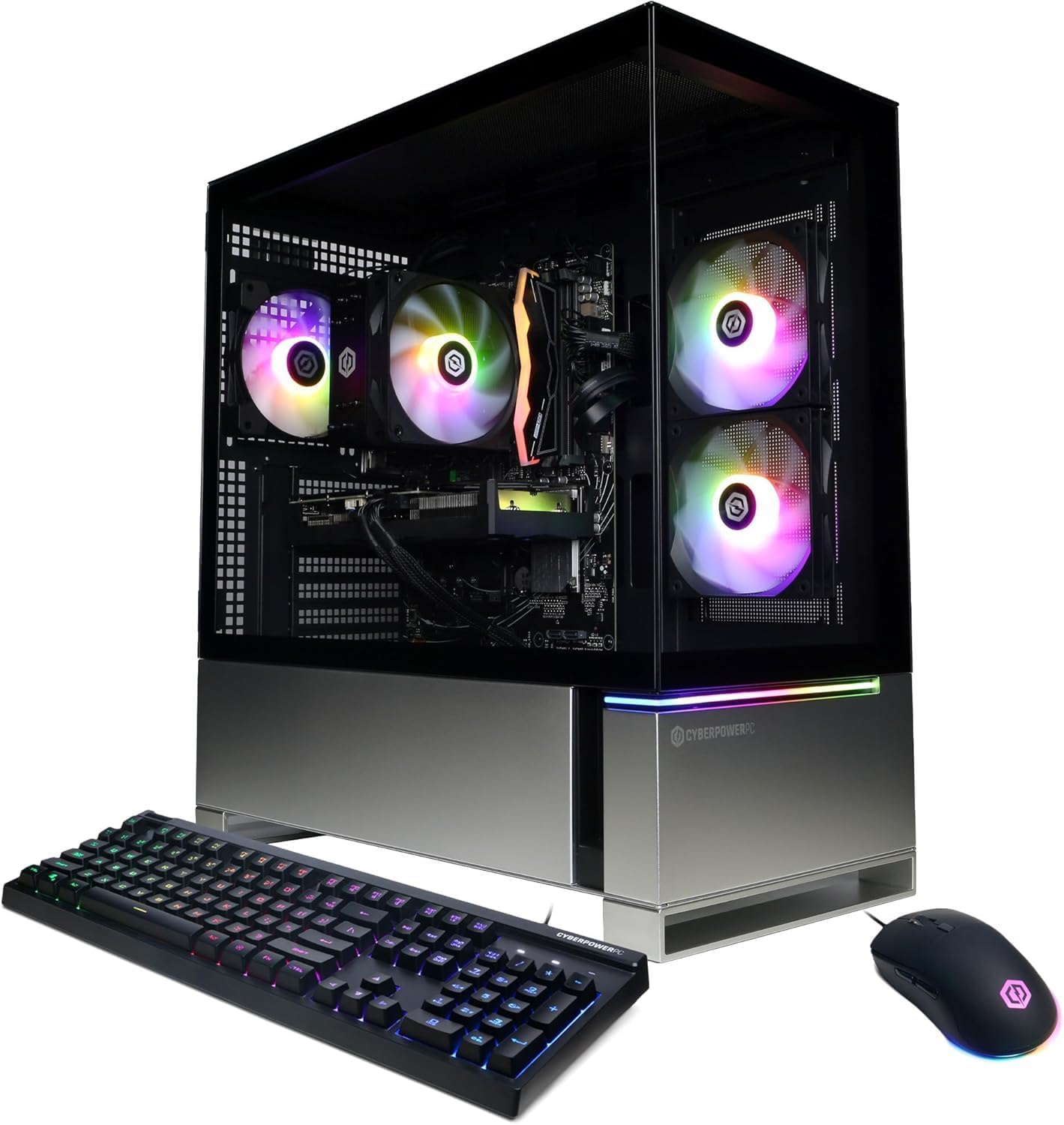
1. CyberPowerPC Gamer Xtreme VR (RTX 4060)
Our pick — 4.5+★ from 700+ verified ratings; the strongest balance of quality and price.
The mid-range tower that makes a first cockpit build feel easy and quiet.
If you want to fly before you want to tinker, this is the one to start with. It pairs a 6+4 core Intel Core i5-13400F at 2.5GHz with a GeForce RTX 4060 carrying 8GB of graphics memory, then backs it with 16GB of DDR5 and a 1TB PCIe Gen4 NVMe SSD. That means a full simulator world loads from disk fast, so your instruments stay live instead of freezing while textures stream in. The tower also includes a keyboard and mouse, so you can get airborne on day one.
Buyers report steady 120 fps in Fortnite, Roblox, and Minecraft at high settings, and smooth 4K 60 fps on titles that support it. That same headroom is what keeps a flight sim stable over a dense city instead of dropping frames on final approach. Setup is another strong point: clear instructions and a plug-and-play layout mean the first boot is quick. Buyers also describe it as quiet during operation, which matters across a multi-hour cruise.
Where It Earns Its Keep
- RTX 4060 with 8GB VRAM holds detailed scenery at 1080p and 1440p.
- 1TB Gen4 SSD gets a full simulator world loaded fast.
- 16GB DDR5 gives a sim plus a browser and map tool room to breathe.
- Runs quiet enough to keep beside you through a long flight.
The Honest Catch
- WiFi 5 and Bluetooth 4.2 are older wireless standards — fine for a wired sim setup, dated for wireless gear.
- Air cooling keeps it quiet at moderate load, though a few note louder fans under heavy pressure.
Reach for this if: you want a mid-range cockpit build that boots, runs, and stays quiet without a manual.
Think twice if: you plan a triple-monitor 4K setup, where the 8GB VRAM becomes the ceiling rather than the CPU.
2. HP OMEN 45L Gaming Desktop
A beefy memory kit and a gold-certified power supply for a sim loaded with add-ons.
The 45L wins the memory battle outright. Its 32GB matches the premium towers above it in capacity — that is twice the 16GB you get in the CyberPowerPC Gamer Xtreme VR and the KOTIN, so you can stack add-on scenery, a flight planner, and voice chat without the system paging to disk. The Core i7-12700KF is a 12-core chip with 20 threads and turbo speeds up to 4.90 GHz, which handles streaming alongside the sim without a complaint.
Where this build picks its trade-off is the graphics card. It runs a GeForce GTX 1660 SUPER with 6GB of VRAM, and that sits below the 8GB in the KOTIN and the CyberPowerPC RTX 5060 — the KOTIN review covers why 8GB holds heavy scenery better. For 1080p sim settings it keeps frames moving, and it runs Valorant at over 144 fps. Buyers describe the build quality as the thing they trust, and the tempered glass front cover plus the 800W 80 Plus Gold supply both point to a system meant to run long sessions.
Where the money goes: the 800W 80 Plus Gold supply delivers 90% efficiency and leaves headroom for a graphics card upgrade later — exactly the path you want if you plan to climb from 6GB to a 16GB card.
What to watch: the recurring note is that the graphics card is the weak link for heavier visuals, and some find the processor soldered and not upgradable. That makes this a strong starting box rather than a forever one for VRAM-hungry sims.
Suits: a sim pilot who runs lots of add-ons and wants RAM and power-supply headroom to grow into.
The trade-off to accept: you will be planning a GPU upgrade sooner than with the mid-tier 8GB builds.
3. CyberPowerPC Gamer Xtreme VR (RTX 5060)
Same reliable CyberPowerPC formula, now with a newer GPU and faster wireless inside.
This is the direct sequel to the top pick, swapping in a GeForce RTX 5060 with 8GB of VRAM and a 1TB PCIe 4.0 NVMe SSD. The chip is the same Intel Core i5-13400F at 2.5GHz across 10 cores, matched with 16GB of DDR5. The connectivity step is real: you get WiFi 6 and Bluetooth 5.3 where the RTX 4060 model relies on WiFi 5, so wireless peripherals pair with less lag. Owners mention smooth 300 fps in esports titles and lag-free indie games, and consistently praise how quietly it runs.
All that smooth gaming performance translates directly to a flight sim, where the same frame stability keeps your cockpit view steady when you scan the horizon. Setup is described as plug-and-play, and the whole box is well-built for its tier. The RTX 5060 and its 8GB are the sensible choice for 1080p and moderate 1440p flying — the premium towers step up to 16GB of VRAM only when you push into 4K or multi-monitor.
The clearest reason to pick it: newer wireless, a newer GPU generation, and the same easy setup the series is known for — a strong fit if you want the CyberPowerPC experience with more current parts.
A fair caveat: it shares the 8GB VRAM ceiling of its sibling, so a heavy multi-monitor 4K cockpit will want more.
Pick this one: if wireless gear and a newer GPU matter to you more than the cheapest entry into the series.
Look past it: if 4K ultrawide flying is the goal — that is a job for the 16GB cards further down.
4. KOTIN Gaming PC Desktop
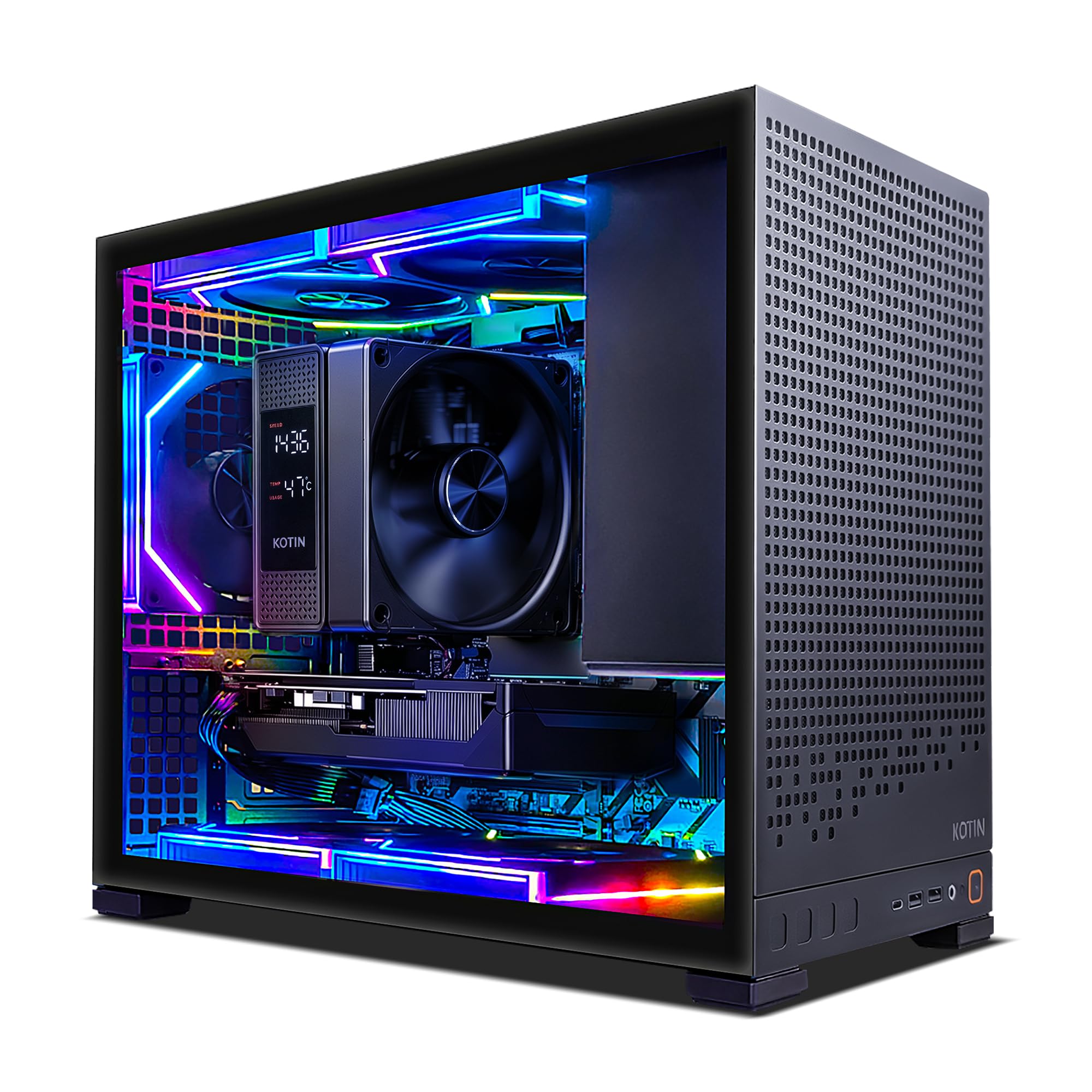
A 5 GHz Ryzen with an RTX 5060 Ti for when clock speed drives your sim.
Here is the mid-range build for a pilot who knows the sim cares about single-thread speed. The AMD Ryzen 7 8700F boosts up to 5 GHz — that is a 2.0x gap over the 2.5 GHz base of the Intel Core i5-13400F in the CyberPowerPC Gamer Xtreme VR, so you get more clock headroom for the sim’s main thread. It is paired with a GeForce RTX 5060 Ti carrying 8GB of GDDR7, and that 8GB is 33% more graphics memory than the 6GB in the HP OMEN 45L — the difference that keeps textured terrain from running dry.
The 16GB of DDR5 and 1TB Gen4 NVMe SSD keep load times short and multitasking smooth. Cooling is a CPU air cooler with 6 copper heat pipes and a digital temperature display, joined by five 120mm ARGB fans. A 650W 80 PLUS Gold supply, four DDR5 DIMM slots, and three M.2 SSD slots mean you can add memory and storage later rather than replace the box. Buyers are largely happy with the performance, easy setup, and value.
Setup tip worth knowing: plug your monitor into the graphics card ports on the lower back of the case, not the motherboard ports above. The maker warns you will get no display otherwise, and VGA or DVI monitors need an HDMI or DP adapter.
What keeps it mid-tier: the 650W supply is the lowest on this list — the HP OMEN 45L brings 800W — so a future graphics upgrade has less breathing room even though the DIMM and M.2 slots are open.
Best for: someone who wants a 5 GHz AMD chip and 8GB of GDDR7 without stepping into premium territory.
Less suited to: a pilot who already plans to drop in a bigger card later and wants power-supply slack.
5. iBUYPOWER Element Gaming PC
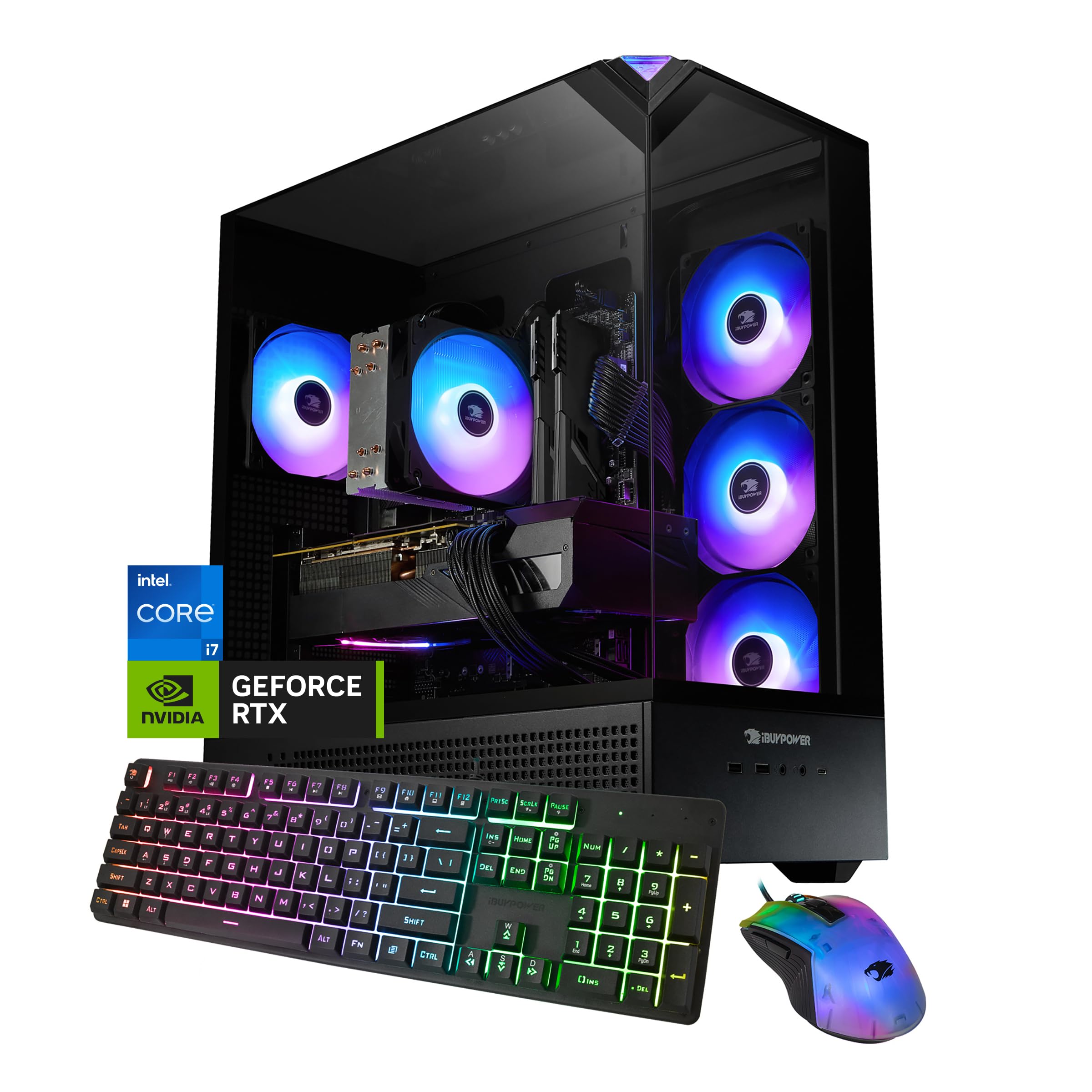
A 5.4 GHz Intel chip and 12GB of VRAM pushing past the 8GB builds.
The Element jumps you into 12GB of graphics memory with an NVIDIA GeForce RTX 5070, which is the first real step up from the 8GB cards in the value picks. Its 32GB of DDR5 RGB at 4800MHz doubles the 16GB in the KOTIN, giving you room for a sim, a flight planner, and add-on software at once. The Intel Core i7 14700F boosts up to 5.4 GHz, the second-highest clock on this list.
That combination of a fast clock and 12GB of VRAM is what smooths out dense airport scenery and live weather in the same frame. Customers note 100 fps or more in most games, and describe the setup as ready to use straight from the box. Storage leans on a 1TB NVMe SSD, and the box arrives with a free gaming keyboard and RGB mouse. On reliability, the feedback is mixed — many run it without issue through long sessions, while some report problems over time, so a careful first-week check after arrival is smart.
The Pitch In Its Favor
- 12GB of VRAM handles heavier sim textures than any 8GB card here.
- 5.4 GHz boost for the sim’s main thread.
- 32GB DDR5 gives add-on scenery and streaming apps room.
- Tempered glass case with 16-color RGB and free peripherals.
Why It’s Not My Top Pick
- The reliability feedback is mixed — a full first-week soak test is worth it.
- Storage capacity drew strong criticism on the smaller configuration, so confirm the 1TB drive on the model you buy.
Go for it: if 12GB of VRAM and a 5.4 GHz chip are the mix you want in the mid-tier.
Leave it: if you want the simplest, most predictable reliability story and can accept 8GB on a proven pick instead.
6. STORMCRAFT Falcon AI Gaming PC
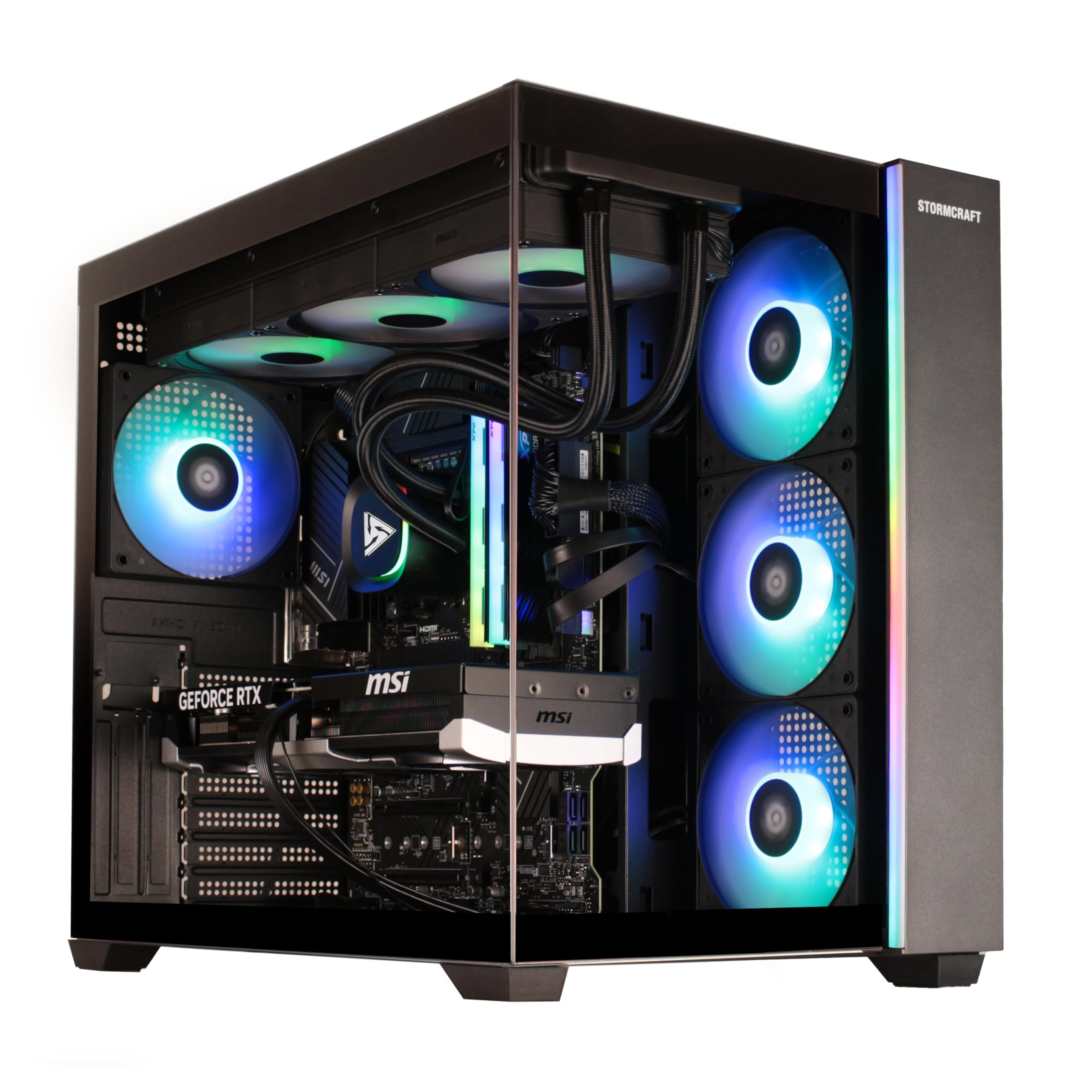
A big-cache 7800X3D and 16GB of VRAM aimed squarely at frame-hungry sims.
Flight sims love a large cache, and this build leans into that with an AMD Ryzen 7 7800X3D carrying 96MB of cache across 8 cores and 16 threads, boosting to 5.0GHz. The graphics side is an AMD Radeon RX 9070 XT with 16GB of VRAM, and this card also does ray-traced visuals through the same premium RTX approach the premium towers rely on. Combined, that is a setup built for smooth high-FPS flying at 1080P and 1440P, plus 4K gaming and VR.
Memory lands at 32GB of DDR5 at 6000MHz with RGB, matched to a 1TB NVMe SSD for quick boots. The tempered glass case with RGB internals gives the build a look, and connectivity includes USB-C, Wi-Fi 6E, and Bluetooth 5.2 — useful for VR headsets and wireless peripherals. The maker also includes a keyboard and mouse, and every unit is hand-built and stress-tested in California before shipping.
The spec that matters here: 16GB of VRAM puts this above every 8GB and 12GB card on the list, and the 96MB cache is the largest among the AMD picks — both are exactly what heavy scenery wants.
What to weigh: the RTX and DLSS mentions in the listing refer to the premium rendering features on the AMD card, so check that your add-on software is happy with an AMD graphics card rather than leaning on NVIDIA-specific features.
A genuine fit for: sim pilots who want maximum cache and 16GB of VRAM inside a mid-premium budget.
Check first: whether your add-on ecosystem plays nicely with AMD graphics, especially if you use NVIDIA-tied visual settings.
7. msi Codex Z2 Gaming Desktop

Four case fans and a 2TB drive keep long sim sessions cool and spacious.
A 2TB SSD is the quiet luxury here. That doubles the 1TB in the STORMCRAFT Falcon and the KOTIN, and it gives you real room for scenery packs that can each eat many gigabytes. The machine pairs an AMD Ryzen 7 8700F, boosting up to 5.0 GHz across 8 cores and 16 threads, with an NVIDIA GeForce RTX 5070 carrying 12GB of VRAM. That 12GB clears the 8GB cards and leaves the 16GB premium towers as the only step above.
Cooling is where it shines. Four system fans — three in front and one in the rear — pull cool air in and push heat out, and buyers describe it running cool without overheating issues. That is a real benefit for a sim that keeps your GPU hot for hours. Setup is easy, the appearance earns praise, and it runs Battlefield 6 and Civilization without complaint.
The cooling story: the 4-fan airflow design is the most deliberate cooling setup in the mid-tier, which matters when your graphics card is pinned through a long cruise.
The honest caveat: reliability feedback is mixed, with some units stopping after a few months. The structure is sound, so a careful first-week check is the pragmatic move.
Worth it for: pilots who value thermal headroom and a 2TB drive over the largest VRAM number.
Not for: someone who wants the simplest, most predictable long-term story — the mixed reliability note is your signal to buy carefully.
8. The Horizon Autherium Dragon RGB I9
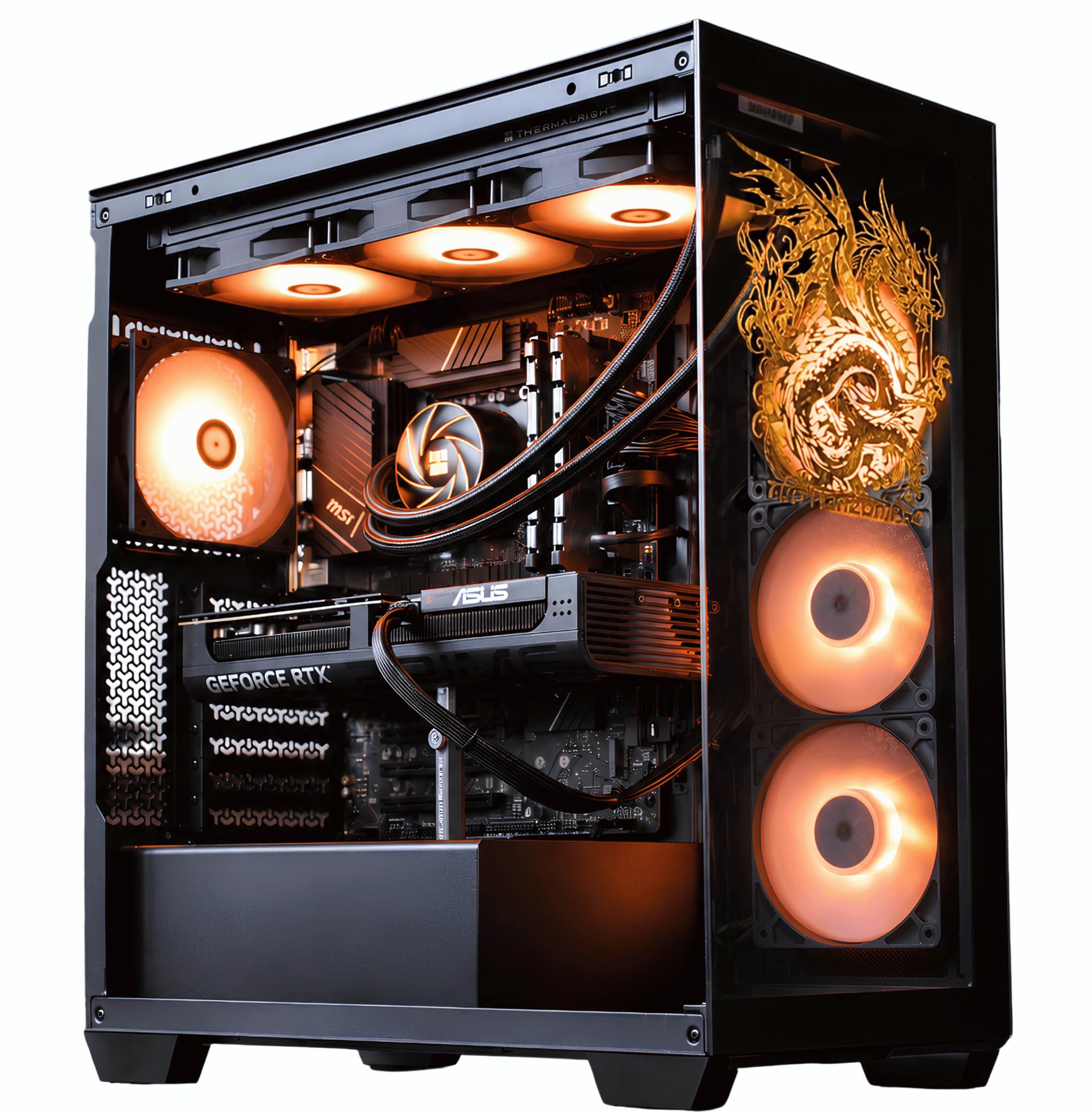
The build for a sim loaded with every scenery pack and add-on at once.
This is the answer to the cockpit that needs a second hard drive just for scenery. You get 4TB of storage total — a 1TB M.2 NVMe SSD rated up to 7000MB/s plus a 3TB 7200RPM HDD — and 64GB of RAM, which is twice the 32GB the premium towers around it carry. There are extra M.2 and HDD ports for growth. The graphics side is an NVIDIA GeForce RTX 5070 OC with 12GB, factory overclocked for steadier frame rates, and it supports DLSS 4.0 for smoother performance at higher resolutions.
The CPU is a Core i9 open up overclocking chip boosting up to 5.3 GHz, cooled by a 360mm liquid cooler driving 8 fans for temperature control across 11 total fans in the system. That quiet, dependable cooling is praised in the reviews, as is the 5-star support. A 850W 80+ Gold supply handles the load, and connectivity includes Wi-Fi up to 2.4GB/s and an Ethernet port up to 2.5GB/s. Windows 11 PRO comes preinstalled for advanced security and device control, and a 3-year parts and 5-year labor warranty backs it up.
Where the value lands: 64GB of RAM plus 4TB of total storage is the most capacity at this tier, and it means no cramming your scenery library before the next update.
Skew to weigh: the 12GB graphics card is one step below the 16GB cards, so this is the pick for a sim bleeding storage and memory, not the one chasing maximum VRAM.
Built for: the add-on collector who needs 64GB of RAM and 4TB of drive space more than a bigger graphics card.
Better elsewhere: if your bottleneck is VRAM in 4K, look at the 16GB picks below this one.
9. GMKtec NEO-X1 PRO
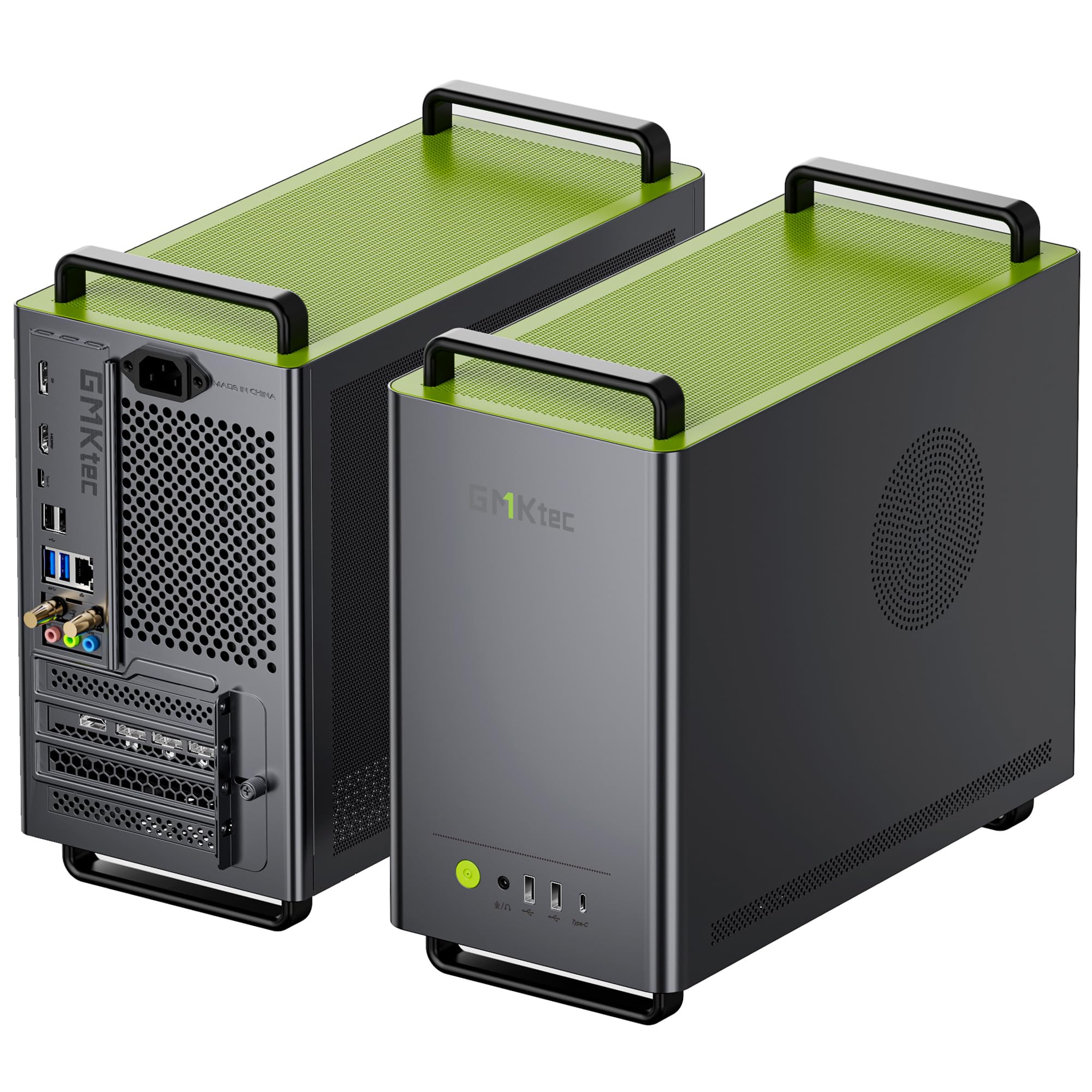
Desktop-class RTX 5070 power crammed into a 14.6-liter tower that fits anywhere.
If desk space is the deciding factor, this is the compact answer. The chassis measures just 14.6 liters, paired with a liquid-cooled Ryzen 9 9955HX3D carrying 128MB of 2nd Gen 3D V-Cache for up to 44% higher FPS than competing flagship mobile chips, running 16 cores and 32 threads at a 5.4GHz boost. A full desktop-class GeForce RTX 5070 with 12GB GDDR7 handles a full 1440p and 4K workload, and rear ports include HDMI 2.1, DisplayPort 1.4, and 2.5G Ethernet, plus quad-screen 8K support.
Memory is a generous 64GB of DDR5, matched with a 2TB SSD. That gives you a sim loaded with add-ons and a full record buffer at once. Three BIOS performance modes let you pick silent 54W running, balanced 85W, or performance 160W with a 170W peak, all cooled by a 3-fan liquid loop. Buyers praise the performance and speed, and many call the size a standout. Cooling and noise draw a mixed response, with some reporting thermal throttling in heavier use, so the silent mode is worth setting early.
The compact win: a liquid-cooled 14.6-liter box with 64GB of RAM and 12GB of VRAM is a rare combination, and it fits on a small desk.
What to know before flying: the GPU is soldered and its removal voids the warranty, so treat the graphics card as fixed — and settle the cooling settings before loading a heavy detailed scenery.
Choose it if: desk space and a compact footprint matter as much as raw performance.
Pass if: you plan to swap the graphics card later — that is off the table here.
10. Skytech Gaming PC (Ryzen 7 9800X3D, RTX 5070 Ti)
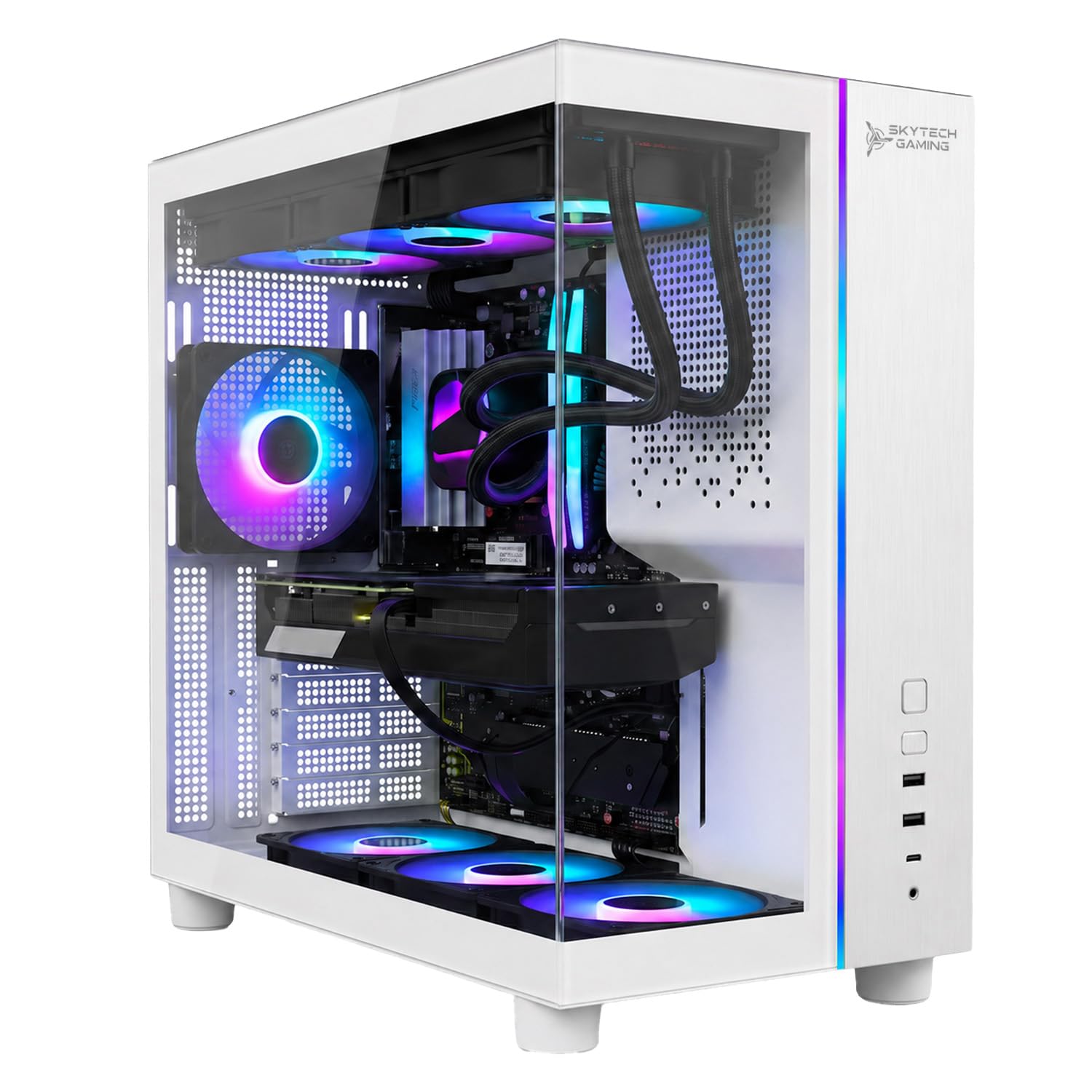
A 9800X3D and 16GB of GDDR7 aimed at smooth 1440p ultra flying.
This is the point where a sim build starts to feel easy. The AMD Ryzen 7 9800X3D at 4.7GHz, boosting to 5.2GHz, is paired with an NVIDIA GeForce RTX 5070 Ti carrying 16GB of GDDR7 — double the 8GB in the KOTIN and the CyberPowerPC cards. The 32GB of DDR5 at 6000MHz matches the premium tier, and a 2TB Gen4 NVMe SSD speeds up loads. A 360mm AIO liquid cooler with ARGB fans replaces the air coolers of the value picks, which keeps frames stable when a long scenery load starts to push temperatures.
The makers rate it for Cyberpunk 2077 and Baldur’s Gate 3 at Ultra settings in 1440p Quad HD at a smooth 60+ FPS. For flight sim specifically, the 16GB of VRAM is the part that holds dense terrain and glass cockpit displays without a hitch. The white Tempest case gives the build a clean look, and the 2.0, 3.0, and 3.2 Gen1 USB ports cover your peripherals. Buyers praise the performance.
Why it earns a step up: 16GB of VRAM leads the 12GB cards, and the 360mm liquid cooler is the kind of headroom a sim marathon needs — no thermal throttling once you are deep into the flight.
The fair note: Wi-Fi 5 is the wireless standard, one step behind the Wi-Fi 6E and Wi-Fi 7 on other picks. Use Ethernet for a critical online flight and you will not notice.
A clean match for: a sim pilot who wants 16GB of VRAM and liquid cooling at a 1440p ultra target.
One small mismatch: the older Wi-Fi 5 wireless standard — wired networking is the sim pilot’s answer here.
11. STORMCRAFT Skyhawk PRO

A quiet, liquid-cooled tower with the same sim-first 9800X3D and 5070 Ti.
The Skyhawk runs a Ryzen 7 9800X3D at 4.7GHz boosting to 5.2GHz across 8 cores and 16 threads, with 96MB of cache. Its RTX 5070 Ti carries 16GB of GDDR7 on a 256-bit interface, matched to 32GB of DDR5 at 6000MHz and a 2TB NVMe Gen4 SSD.
Buyers describe this machine as a beast that performs excellently, with fans described as very quiet. That quiet matters for flight sim, where long cruises make fan noise the one thing you hear over the sound of the sim. It is easy to set up and the appearance earns full marks. The 2-year parts and 3-year labor warranty is a step above the 1-year coverage on the mid-tier builds.
The quiet-cockpit argument: performance is the praised strength, with noise right behind it — a combination that suits a headset-free flight session.
Worth confirming: the listing names Bluetooth and Wi-Fi but not the exact wireless standard, so ask before you buy if that decides your setup.
Best if: you want a quiet, liquid-cooled 16GB tower with a longer warranty.
Double-check: the exact wireless standard if your sim rig depends on Wi-Fi rather than Ethernet.
12. Skytech Gaming PC (Ryzen 7 9850X3D, RTX 5080)
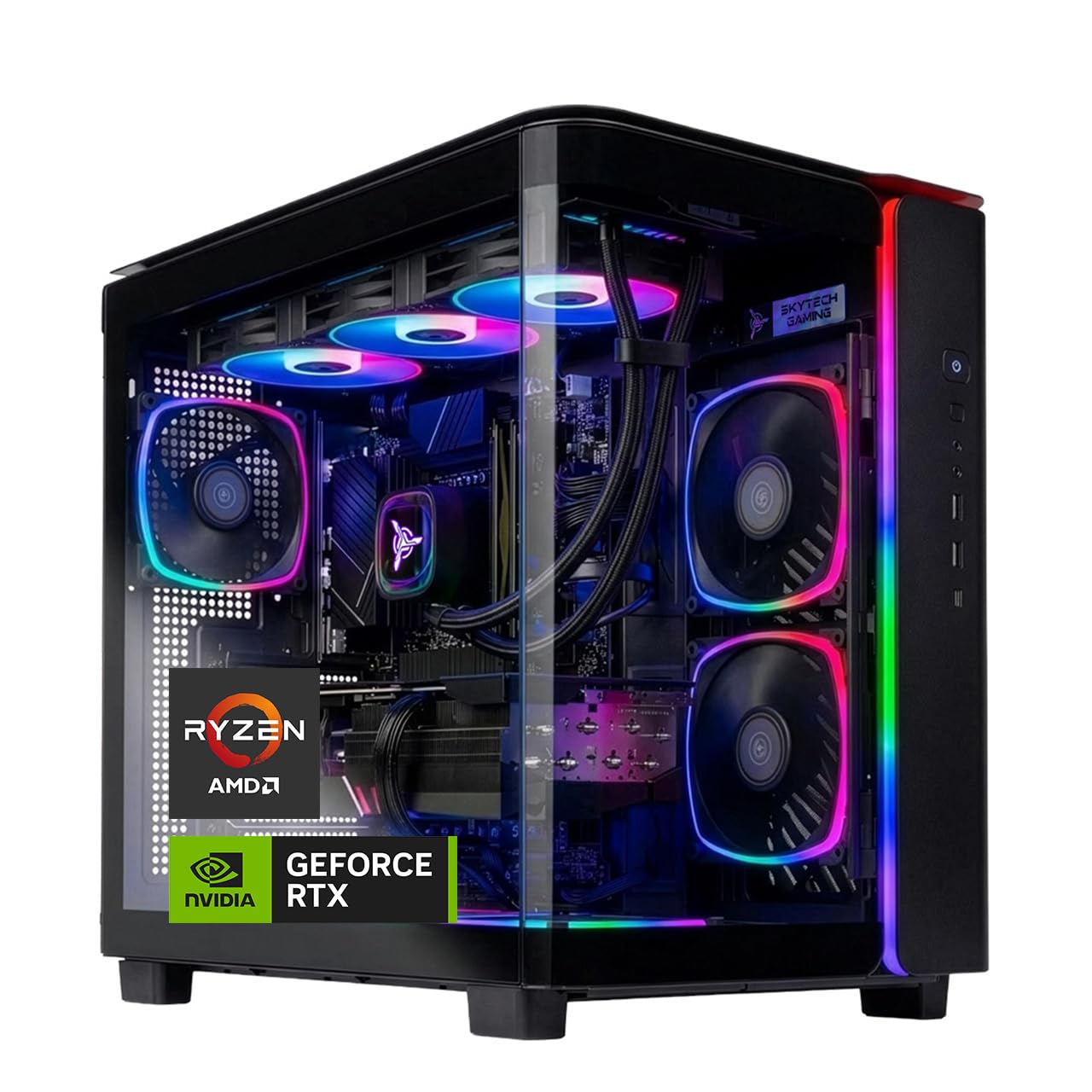
A 5.6 GHz Ryzen and RTX 5080 for flying cities at 4K Ultra.
The 9850X3D boosts all the way to 5.6GHz, the highest clock on this list, and that matters directly in a simulator’s tight main thread. Paired with an NVIDIA GeForce RTX 5080 carrying 16GB of GDDR7, it targets detailed 4K Ultra HD at a smooth 60+ FPS. The build also brings 32GB of DDR5 at 6000MHz with a heat spreader, a 2TB NVMe M.2 SSD, and a 360mm AIO cooler with ARGB fans.
Everything about this machine points at the 4K cockpit, from the 5080’s 16GB of VRAM to the liquid cooling that keeps throttling out of the picture. The King 95 black case houses it, the assemblers in the USA handle the build, and the box arrives with a free gaming keyboard and mouse. The 1-year parts and labor warranty matches the other premium Skytech.
The standout number: 5.6 GHz is the fastest boost ceiling in this lineup, and it is exactly what the sim engine’s heaviest thread wants.
An honest limit: Wi-Fi 5 is the wireless standard, so lean on the wired connection for a live-weather flight and you will avoid the weak spot.
<
Point it at 4K: the pick for pilots flying dense cities at Ultra resolution who want the fastest boost clock here.
Look elsewhere if: you fly over Wi-Fi rather than Ethernet — the older wireless standard is the one crack in an otherwise strong build.
13. CLX Set Gaming PC

The top-tier build that pairs an RTX 5080 with a 360mm AIO for marathon flights.
At the summit of this list sits the CLX Set, and it earns the spot on component choice alone. It runs an AMD Ryzen 7 9800X3D at 4.7GHz boosting to 5.2GHz, matched to a GeForce RTX 5080 with 16GB of VRAM. The rest of the spec sheet is the same premium recipe you see across the top picks — 32GB of DDR5 RGB memory, a 2TB NVMe M.2 SSD, and a 360mm AIO liquid cooling system to hold temperatures through extreme sessions.
The selling point for a simulator is the cooling-plus-graphics pairing. The 16GB of VRAM gives the detailed scenery room it needs, while the 360mm radiator keeps the chip cool enough to stay at its boost clock through a multi-hour cruise. Connectivity covers both wired and Wi-Fi networking, and Windows 11 Home comes preinstalled so you are on the desktop quickly. A keyboard and mouse are in the box. The maker rounds it out with what they describe as industry-leading support.
Why it sits on top: a 16GB RTX 5080 plus a 360mm AIO is the full premium package, and the 2TB drive leaves room for a scenery library without a second disk.
Worth noting: this is a premium-tier buy, and the 9800X3D’s 5.2GHz boost trails the 5.6GHz of the Skytech above it — a real gap you pay to trade for the RTX 5080.
The pick for: a sim pilot who wants the RTX 5080 and 360mm liquid cooling together and does not want to compromise on storage.
The trade to make: you give up the fastest boost clock in the lineup in exchange for the top-tier graphics card.
Know the Specs
VRAM and why 8GB is the sim floor
VRAM is the graphics card’s own fast memory, and it holds the textures that make up the ground below you. Run out of it and the system starts swapping, which shows up as a hitch when you pan across an airport. An 8GB card manages 1080p and moderate 1440p flying, while 12GB and 16GB cards keep detailed scenery smooth. The jump from 8GB to 16GB is the single clearest dividing line between the mid-tier and premium tiers in this list.
Boost clock and the sim’s main thread
A simulator sends most of its hardest work through one or two threads, so the highest boost clock a chip can reach keeps your frame pacing steady. A 5 GHz to 5.6 GHz ceiling is where the sim-friendly chips land, while a 2.5 GHz base describes the Intel Core i5-13400F in the two CyberPowerPC builds. Core count still helps with streaming and background apps, but clock speed is the number that governs a smooth cockpit.
DDR5 memory: 16GB versus 32GB versus 64GB
Memory is what lets a sim, a flight planner, and voice chat all run at once. 16GB is the practical floor, 32GB gives you comfortable room for add-ons, and 64GB is the collector’s tier seen in the Horizon Dragon and the GMKtec NEO-X1 PRO. Speed matters too — the premium picks run DDR5 at 6000MHz, which feeds the chip faster and keeps the sim responsive.
Liquid cooling versus air for long flights
A flight sim keeps the graphics card pinned for hours, so cooling decides whether performance fades. Air coolers handle moderate loads quietly, as the CyberPowerPC builds show. A 360mm AIO liquid cooler, like the ones in the Skytech, STORMCRAFT, and CLX premium towers, holds temperatures through long sessions so the card stays at its boost clock. A compact build like the GMKtec pairs a small liquid loop with a roomy chassis for the same reason.
Common Questions
How much VRAM do I need for a flight simulator at 1440p?
Does a flight sim use more CPU or GPU?
Will an 8GB graphics card run multiple monitors in a simulator?
Is 16GB of RAM enough for a flight simulator with add-ons?
What power supply do I need for a simulator PC?
Do I need liquid cooling for long simulator sessions?
Is an AMD Ryzen pick better than an Intel one for flight sim?
How long does a prebuilt gaming PC last before an upgrade?
Can these PCs drive VR headsets for flight simulation?
What ports do I need for a triple-monitor cockpit?
The Bottom Line
The strongest match for most sim pilots is the CyberPowerPC Gamer Xtreme VR with the RTX 4060, because it pairs a 6+4 core Intel chip, 16GB of DDR5, and a 1TB Gen4 SSD with quiet operation and easy setup — the whole cockpit build without a manual. If you want more graphics headroom for 1440p ultra flying, reach for the Skytech with the Ryzen 7 9800X3D and its 16GB of GDDR7. And for the pilot who needs to stretch a cockpit across a triple-monitor wall at 4K, the Skytech with the Ryzen 7 9850X3D and RTX 5080 is the one to stand up in your sim room.
How we choose
We do not accept paid placement. Every pick is matched to a real buyer and a real use-case; we do not hands-on test units.
Sources
Specifications: manufacturer listings and product documentation. Review insights: verified customer reviews, as of November 2026. Pricing: not shown on this page (it changes often); check the current price via the retailer link.
As an Amazon Associate, Gamepad Test earns from qualifying purchases. This does not affect which products we feature.