
Specs are compiled from manufacturer listings and verified buyer reviews and can change over time — please confirm the key details on the product page before buying.
If you just want one answer: the Meta Quest 3 with the Elite Strap is the safest pick for most people. It works on its own without a PC, so you can play right from the start. It has room for a big game library, and the included strap keeps it steady in longer sessions. Everything else on this list is a different answer to a different question. PC-only headsets suit people chasing detail, budget standalone sets suit casual play, and simulator specialists suit cockpit games.
This guide is built by comparing the manufacturers’ published specifications and the patterns across verified customer reviews, so you get each pick’s real strengths and trade-offs instead of marketing spin.
You have to decide what kind of player you are before you spend anything, and the specs below make that choice much clearer. What follows is a hands-off comparison of the best virtual reality game systems for every type of player.
Top Picks


How To Choose The Best Virtual Reality Game Systems
Start with the one question that eliminates half the list: does this headset need a computer to work? A standalone set has its own processor and battery inside, so you take it anywhere and play immediately. A wired set plugs into a VR-ready PC and uses that machine’s graphics card, which typically means more detail but also a cable and a decent computer sitting nearby.
Refresh rate and why it changes the feel
A headset’s refresh rate is how many times per second the screen redraws, measured in hertz (Hz). A 90Hz panel redraws 90 times a second, so a quick head turn feels smoother. Some cheaper panels run at 60Hz, and that difference shows up most in fast racing or flight games where you scan the horizon constantly.
Pixels per eye versus a headline resolution
Manufacturers love big resolution numbers, but what your two eyes actually see is the per-eye figure. A headset quoting 3840×3840 per eye puts that many pixels behind each lens; another may quote a single combined figure. Compare like with like, and treat “pixels per degree” — how many pixels land in each degree of your vision — as the genuine sharpness measure.
Field of view and comfort trade-offs
Field of view is the angle of the world you can see, in degrees. A wider number means less of a goggle-tunnel feel. But wide lenses and a big battery add weight, so the strap and the headset’s balance matter just as much as the number on the spec sheet, especially for sessions past the one-hour mark.
Side-by-Side Comparison
| Model | Best For | Display (per eye or combined) | Refresh Rate | Field of View | Amazon |
|---|---|---|---|---|---|
| Quest 3 512GB + Elite Strap★ Best Overall | Most players | 1920×1080 per eye | 90 Hz | 110 degrees | Amazon |
| Meta Quest 2 256GB (Renewed)Budget Entry | Tight-budget entry | 1832 x 1920 | 90 Hz | 90 degrees | Amazon |
| Acer (AH101-D8EY) Windows Mixed RealityPC Value Pick | Cheap PC VR | 2880 x 1440 | 90 Hz | 100 degrees | Amazon |
| Meta Quest 3S 256GB | Golf and casual play | 1832 x 1920 per eye | 60 Hz | — | Amazon |
| Meta Quest 3 512GB (GOLF+) | Sharp standalone play | 4128×2208 pixels maximum | 120 Hz | — | Amazon |
| Marvel’s Iron Man VR Bundle | Console owners | 1920 × 1080 | 60 Hz | 90 degrees | Amazon |
| HTC Vive XR Elite with Deluxe Pack | PC and standalone mix | 3840 x 1920 combined | 90 Hz | Up to 110 degrees | Amazon |
| HTC VIVE Pro 2 | Sim enthusiasts | 4896 x 2448 combined | 120 Hz | 120 degrees | Amazon |
| Pimax Crystal Super | Flight and racing sims | 3840×3840 per eye | Up to 90 Hz | 140 degrees | Amazon |
Detailed Reviews
1. Quest 3 512GB + Elite Strap
Our pick — 4.5+★ from 100+ verified ratings; the strongest balance of quality and price.
The 512GB bundle that ends the delete-a-game-to-install-a-game routine.
The number that decides this pick is 512GB of storage — room for a large game library so you are not deleting titles every time something new launches. It is a standalone headset, so there is no PC to plug into and no cable to trip over. The 110-degree field of view gives you a broader slice of the world than the Meta Quest 2’s 90 degrees, which means less of that goggle-tunnel feeling when you look sideways.
The included Elite Strap is the reason this bundle beats the bare headset. A stock cloth band lets the weight of a headset drift forward during an hour-long session; this strap is built for enhanced comfort and stability, and it is the reason this bundle beats picking up the bare headset. You also get an adjustable headband and an IPD adjustment dial — the IPD dial sets the lens spacing to the distance between your pupils, so the image stays sharp instead of double-edged.
What wins people over is the all-in-one setup: it runs its own apps, charges over USB Type-C, and pairs with motion-sensing controllers with no extra gear. The catch is weight over very long sessions — the strap keeps it stable, but a bigger battery and bigger lenses still sit on your face. Given 4.5+ stars across 100+ ratings, that trade-off has clearly not scared buyers off.
The case for the 512GB bundle
- 512GB of storage holds a big library without constant deleting
- 110-degree field of view, 20 degrees wider than the Quest 2’s 90
- Elite Strap adds stability for long sessions from the start
- Standalone design means no PC and no cable
- IPD adjustment dial keeps the image aligned to your eyes
What to weigh first
- Still a heavy lump on your face for marathon sessions
- You pay for the strap and storage together, not separately
Go for it if: you want a do-everything headset you can use without a computer and you plan to own a lot of games.
Hold off if: you only play one or two titles and would rather put the money toward a wired PC setup.
2. Meta Quest 2 256 GB
Half the storage of the top pick, and the cheapest way into real VR.
Here is the honest scale of it: this carries 256GB against the Quest 3 bundle’s 512GB, so it holds half the library. That is fine for a handful of big games, but tight if you hoard everything. The 1832 x 1920 per-eye display is a high-resolution panel that seasoned owners describe as smooth and rich. The 90Hz refresh rate (how many times per second the screen updates) matches the top pick. The 90-degree field of view (how wide the picture looks) is narrower than the 110-degree Quest 3 strap set, so you notice the difference at the edges.
What comes in the box is what makes this a sensible first set: the headset, controllers, and knuckle straps. Those knuckle straps let your hands relax without dropping the controllers, and the silicone anti-slip grip covers keep sweat and scratches off the controllers — a small thing that matters after a sweaty session. It weighs 1.8 pounds, and it connects over Bluetooth.
It is a renewed unit, so you are buying someone else’s returned headset refreshed rather than a new one. The quality and gameplay draw the praise; functionality and value are the split opinions, which mostly reads as standard renewed-unit roulette — check the seller’s condition notes before you commit. For a first headset on a strict budget, it is the lowest-risk leap into the category.
Renewed reality: you get the same 90Hz panel and per-eye resolution class as more expensive sets, at the entry tier of this list.
Worth knowing: the strap and controllers are included, so there is no hidden accessory spend to get playing.
Reach for this if: you want to test whether VR sticks before spending on a new unit.
Look elsewhere if: you want the widest view and the biggest library without worrying about a refurbished history.
3. Acer AH101-D8EY Headset
A wired PC headset whose 1440 x 1440 per-eye panel beats the Quest 2 on raw pixel count.
Read the resolution line twice: 2880 x 1440 combined, or 1440 x 1440 per eye, which is more total pixels than the Meta Quest 2’s 1832 x 1920 panel. The 90Hz refresh rate also matches the Quest 2 and sits well above the 60Hz on the Quest 3S. That is a lot of screen for a plain plastic Windows headset, and it is why this stays on the list despite the lower star figure.
Setup is genuinely quick — the review pages describe people up and running within 5 minutes of plugging in. You need a PC with HDMI and USB, and the cable itself runs 13 feet, which is enough slack to stand back from your desk. The inside-out tracking camera means no external base stations to mount around the room. Quality and value carry it; reliability and display quality are the split opinions, with blurry screens showing up in some reports.
The tracking is the area to go in eyes-open about: the gyroscope, accelerometer, and magnetometer inside handle head movement, but some buyers report controllers losing track when their hands leave the camera’s view. Keep your hands inside the 100-degree field and it behaves. If you want PC VR cheaply and can live with a wired tether, it is a strong value play.
The resolution argument: 1440 x 1440 per eye beats the Quest 2’s per-eye panel on raw pixel count, at the budget end of the PC-wired class.
Fit note: controller tracking drops when your hands leave the 100-degree camera view, so motion games that swing wide need a rethink.
Best matched to: a desktop PC owner who wants a cheap second-screen VR setup for seated games.
Think again if: your play space is small and your games involve big arm swings.
4. Meta Quest 3S 256GB
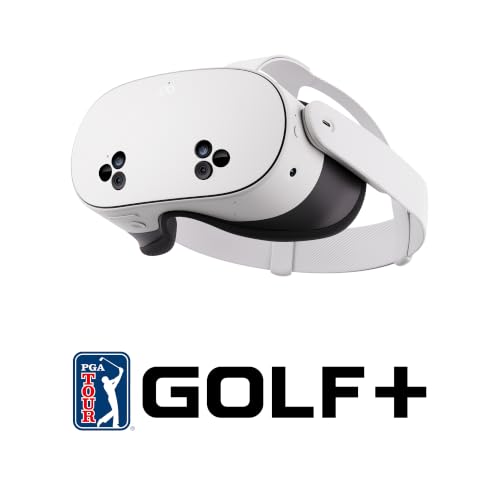
A full round of golf at TPC Sawgrass, no tee time required.
The bundled GOLF+ is the hook here — you get the game plus 1,800 in-game credits, so the headset arrives with something to play rather than a store to browse. It runs on the Snapdragon XR2 Gen 2 processor, which the listing describes as 2x graphical processing power for faster loads, and a 3-month trial opens access to 100+ games. The 1832 x 1920 per-eye display is the same class as the Quest 2’s panel.
There is no cable, so you swing freely, and two RGB color cameras blend your real room into the view — useful when you are standing on a virtual tee and want to know where the sofa is. Memory is 8GB of RAM, which the listing puts at 33% more memory than the prior generation. Battery is rated 2 hours, so a round needs a plan if you like long sessions.
Its 60Hz refresh rate is the spec that separates it from the smoother Quest 3 sets at 120Hz and 90Hz, and that shows up in fast head turns more than in a steady golf swing. The performance and fun draw the strongest praise; lens fogging is the recurring gripe, and reliability splits. A quick lens wipe before a round handles the fog.
Where it wins
- GOLF+ and 1,800 in-game credits come bundled
- Full-color passthrough from two RGB cameras
- 8GB of RAM and the Snapdragon XR2 Gen 2 chip
- Untethered play, no PC needed
Where it gives ground
- 60Hz panel is the slowest refresh here
- Lenses fog up in some sessions
- 2-hour battery limits marathon play
Suits you if: golf, casual play, and family gaming are the plan and you want a game in the box.
Pass if: fast racing or flight games are your thing — the 60Hz panel will feel behind the others.
5. Newest Playtation VR Marvel’s Iron Man VR Bundle

The bundle that turns a PlayStation 4 you already own into a VR rig.
If there is already a PlayStation 4 under your television, this is the cheapest way onto this list because the console does the heavy lifting. You get the VR headset, a camera, two Move motion controllers, a Marvel’s Iron Man VR digital code, a Batman: Arkham VR disc, and a Demo 3.0 code. The headset’s 5.7-inch OLED display runs at Full HD with 1920 × 1080 resolution, and the three-axis accelerometer and gyroscope handle motion tracking.
The Iron Man pairing is the clever bit. The Move controllers work with the camera to track both fast and subtle movements, so the repulsor jet gestures in the game map to your real hands. A Hubxcel fast charging dock is thrown in, described as a 2-hour fast wireless charger, so the controllers are topped up between sessions.
Set your expectations on the panel: a 60Hz refresh rate and 90-degree field of view put it behind the PC headsets here, and the camera-based tracking needs a properly lit room or the controllers drift. It is a curated bundle from a third-party seller rather than a first-party box, so confirm every code is included before you count on it. At 4.0+ stars across 60+ ratings, buyers are broadly satisfied with the package.
The console advantage: no PC required, and the game, controllers, and charging dock all arrive together.
The trade-off: 60Hz and a 90-degree view are the oldest-feeling specs here, and the camera tracking wants good lighting.
Worth grabbing if: you own a PlayStation 4 and want the Iron Man experience without buying a PC.
Better to wait if: you are starting from scratch — a standalone headset gets you more games for similar effort.
6. Meta Quest 3 512GB | VR Headset — GOLF+ Included
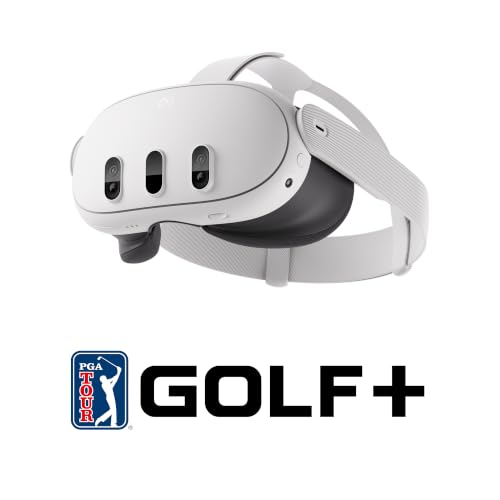
The standalone set whose 4128×2208 panel at 120Hz makes small text in VR readable.
Two specs make this the screen king of the untethered class. The display runs 4128×2208 pixels and refreshes at 120Hz — double the 60Hz of the Quest 3S above, which you feel as smoother motion when you whip your head around a corner. The listing also frames the panel as a nearly 30% leap in resolution, and the 8GB of RAM carries a 33% memory bump over the prior generation.
Like the 3S, it ships with GOLF+ and 1,800 in-game credits plus a 3-month trial of 100+ games, and it uses the same Snapdragon XR2 Gen 2 processor. Battery is rated 2.2 hours — a touch longer than the 3S’s 2 hours — and dual RGB color cameras bring your room into the frame in full color. The graphics win the most praise, and the resolution holds up whether you are gaming or watching video on a virtual screen.
The recurring gripe is battery life: the enjoyment is real, but the charge does not stretch far, so plan around shorter bursts or a battery pack. Comfort splits opinions, which is why the Elite Strap bundle sits at position one if you care about long sessions. Buy this one for the picture, not for the endless playtime.
Why the picture wins: 4128×2208 pixels at 120Hz is the sharpest, fastest standalone display here, and it beats the 3S’s 60Hz panel outright.
Battery reality: 2.2 hours is what the rating says, and it is the honest ceiling on a long gaming night.
Buy it for: the best visuals in a headset that needs no PC, especially if you will watch video too.
skip it if: you play for hours straight — a battery pack or the strap bundle makes more sense.
7. HTC Vive XR Elite with Deluxe Pack

The rare headset that runs standalone on the couch, then plugs into a PC for low-latency VR.
The standout number is 3840 x 1920 combined resolution at 19 pixels per degree, up to 110 degrees of field of view and a 90Hz refresh rate. That resolution is higher than the Quest 3 512GB strap bundle’s 1920×1080 per eye, and it comes in a compact body. The Deluxe Pack adds a face gasket, a deluxe strap, temple clips, and an MR gasket so you can wear it without glasses digging in.
Its real trick is the dual life. Run it standalone with no base stations, or connect a VR-ready PC for low-latency PC VR games. The swappable battery is rated up to 2 hours, and it is hot-swappable, so you swap a flat cell for a fresh one without ending the session. Stepless IPD and diopter dials mean you can tune focus yourself rather than hunting for a glasses spacer.
Be honest about the trade-offs: PC VR quality and tracking draw the praise, while picture quality and value split, and the setup can feel complicated if you are not used to diopter and IPD tuning. It tracks hands well, but hand-tracking features depend on the game. This is a headset for someone who wants both worlds in one box.
Reasons it earns a spot
- Works standalone and wired to a PC
- Hot-swappable battery rated up to 2 hours
- Stepless IPD and diopter adjustment
- Full-color passthrough with a depth sensor
- No base stations to mount
What to expect
- Picture quality views split both ways
- Setup and tuning can feel fussy
- Hand tracking is game-dependent
For the dual-purpose buyer: you want one headset for standalone play and PC games without buying two devices.
Not for you if: you want a plug-in-and-play experience with zero tuning.
8. HTC VIVE Pro 2 Virtual Reality System

5K combined resolution and a 120-degree window on a SteamVR machine.
On paper the numbers are the biggest of the PC class: 4896 x 2448 combined resolution, a 120-degree field of view, and a 120Hz refresh rate. That field of view is 30 degrees wider than the Quest 2’s 90-degree view, and the refresh rate doubles the 60Hz you get on the Quest 3S and Iron Man bundles. SteamVR compatibility and the included Base Station 2.0 sensors and wireless controllers mean full-room tracking from the ground up.
Comfort is a genuine design point, with balanced construction and adjustability for long sessions, plus an IPD adjustment dial to fine-tune lens spacing and ease eye strain. Integrated Hi-Res headphones handle the 3D spatial sound. You will need DisplayPort as well as USB, so a laptop with only HDMI is a non-starter.
Here is the part that matters most: reliability, value, and connectivity are where the review pages turn negative, with technical errors and devices not connecting to PCs showing up. Picture quality splits too — clear to some eyes, disappointing to others. Buy this as a dedicated sim rig where you can troubleshoot and where the 120Hz and wide view genuinely pay off.
The spec ceiling: 4896 x 2448 combined, 120 degrees, 120Hz — the most generous three numbers on any PC-wired set here.
The honest catch: connection trouble with PCs is a common thread, so budget time for setup and driver wrangling.
Right for the tinkerer: a sim enthusiast with a DisplayPort PC and the patience to configure a full SteamVR rig.
Wrong for the casual player: plug-and-play it is not, and the setup friction is real.
9. Pimax Crystal Super VR Headset
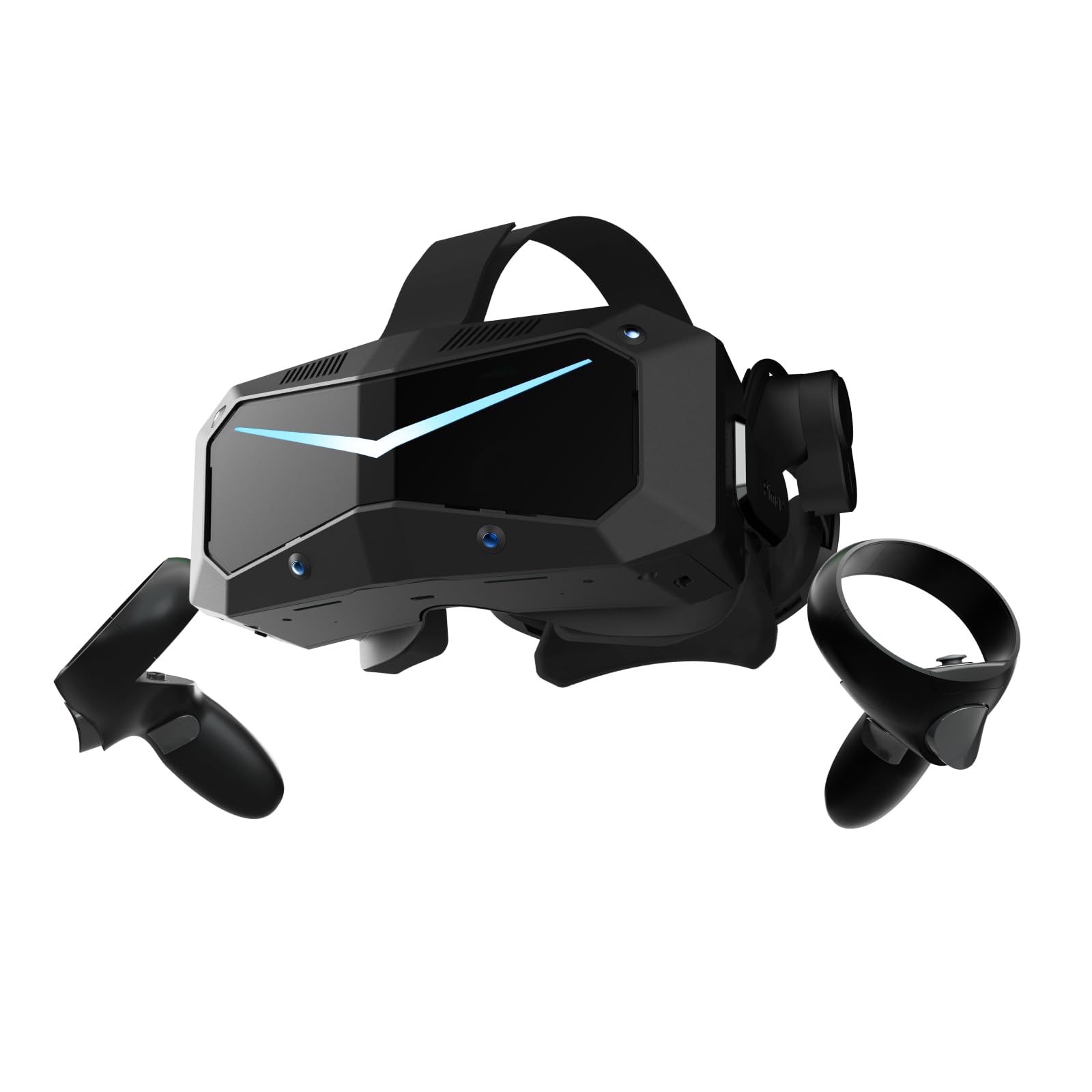
Built for cockpit games, where 50 pixels per degree keeps a tiny dial legible at speed.
The headline is 3840×3840 per eye through aspherical lenses at 50 pixels per degree, which is the number that kills the screen-door effect — the faint grid you see between pixels on lower-density panels. It pairs a QLED panel with Mini-LED local dimming, so blacks stay deep while brightness holds up. A 140-degree field of view is the widest here, 20 degrees beyond the VIVE Pro 2’s 120, and it keeps your peripheral vision in play during tight corners.
Eye tracking and inside-out tracking keep motion capture responsive, the refresh tops out at 90Hz, and dynamic FOV adjustment balances resolution and frame rate against your graphics card. Integrated 3D spatial audio and a noise-canceling mic cover comms. Replaceable facial interfaces and balanced weight distribution are aimed at marathon sessions in a racing seat.
This is a wired DisplayPort headset, so a strong PC is a hard requirement, and it is the specialist tool of this group — not a family living-room set. At 3.5+ stars across a small pool of ratings, it is the least-proven option here, so buy it knowing you are paying for pixel density and field of view, not plug-and-play polish.
The density argument: 3840×3840 per eye at 50 pixels per degree is the sharpest per-eye figure on this list, and 140 degrees is the widest view.
Specialist warning: DisplayPort only, PC required, and the smallest review base of any pick here.
Choose this if: you race or fly sims on a serious PC and want the crispest cockpit view available.
Leave it if: you want a headset the whole family can pick up and play.
Know the Specs
Resolution and pixels per eye
Resolution is how many pixels the screen holds, and pixels per eye is what each of your eyes actually sees — the figure that matters because each lens gets its own half of the panel. A higher per-eye count makes small text and distant objects readable, which is why sim racers chase it. Some listings quote a combined figure instead, so read carefully before comparing two headsets side by side.
Refresh rate in Hz
Refresh rate is how many times per second the screen redraws, measured in hertz. A 120Hz panel redraws 120 times a second, so a fast head turn feels fluid; a 60Hz panel can smear movement in racing and flight games. Higher is better for motion, but it also drains battery faster on a standalone set.
Field of view in degrees
Field of view is the angle of the world you can see through the lenses. A 140-degree view wraps further into your peripheral vision than a 90-degree one, so you get less of the goggle-tunnel feeling. Wider views usually mean larger lenses and a heavier headset, so balance it against comfort.
Tracking and controllers
Tracking is how the headset knows where your head and hands are. Inside-out tracking uses cameras on the headset itself, so there are no base stations to mount. Base-station systems use external sensors for room-scale accuracy. Motion-sensing controllers translate your hand movement into the game, and knuckle straps let your hands relax without dropping them.
Common Questions
Do I need a gaming PC to use a virtual reality game system?
What is the difference between 60Hz and 120Hz on a VR headset?
Is a wider field of view actually better in VR?
How long does a standalone VR headset battery last?
Can I wear glasses inside a VR headset?
What does IPD adjustment do on a VR headset?
Why do VR lenses fog up and what helps?
Is a renewed VR headset worth considering?
What ports does a PC VR headset need?
Do VR headsets require base stations for tracking?
The Bottom Line
For most players, the winner among these virtual reality game systems is the Quest 3 512GB + Elite Strap. It gives you a big library, a broad 110-degree view, and the stability of an included strap without needing a computer. If you want the sharpest picture without a PC, grab the Meta Quest 3 512GB with GOLF+ and its 4128×2208 panel at 120Hz. And for cockpit sims where a tiny dial must stay legible, the Pimax Crystal Super is the specialist to reach for, provided you have a DisplayPort PC to drive it.
How we choose
We do not accept paid placement. Every pick is matched to a real buyer and a real use-case; we do not hands-on test units.
Sources
Specifications: manufacturer listings and product documentation. Review insights: verified customer reviews, as of November 2026. Pricing: not shown on this page (it changes often); check the current price via the retailer link.
As an Amazon Associate, Gamepad Test earns from qualifying purchases. This does not affect which products we feature.