
Heads up: This post contains affiliate links. As an Amazon Associate I earn from qualifying purchases, at no extra cost to you. Learn more
Specs are compiled from manufacturer listings and verified buyer reviews and can change over time — please confirm the key details on the product page before buying.
You want smooth frame rates without flagship money, and the Acer Nitro V with the Intel Core i5-13420H and RTX 4050 delivers that. It pairs a 165Hz screen (the display redraws 165 times a second) with a real dedicated graphics chip, and it holds the strongest balance of price and performance in this whole roundup. Below you’ll find eleven gaming laptops that actually carry a discrete GPU (a separate graphics chip), so you are not stuck with integrated graphics that make cheap machines stutter through boss fights.
This guide is built by comparing the manufacturers’ published specifications and the patterns across verified customer reviews, so you get each pick’s real strengths and trade-offs instead of marketing spin.
You will learn why refresh rate, GPU model, and RAM matter far more than bright case lighting when you are hunting for good priced laptops for gaming.
Top Picks


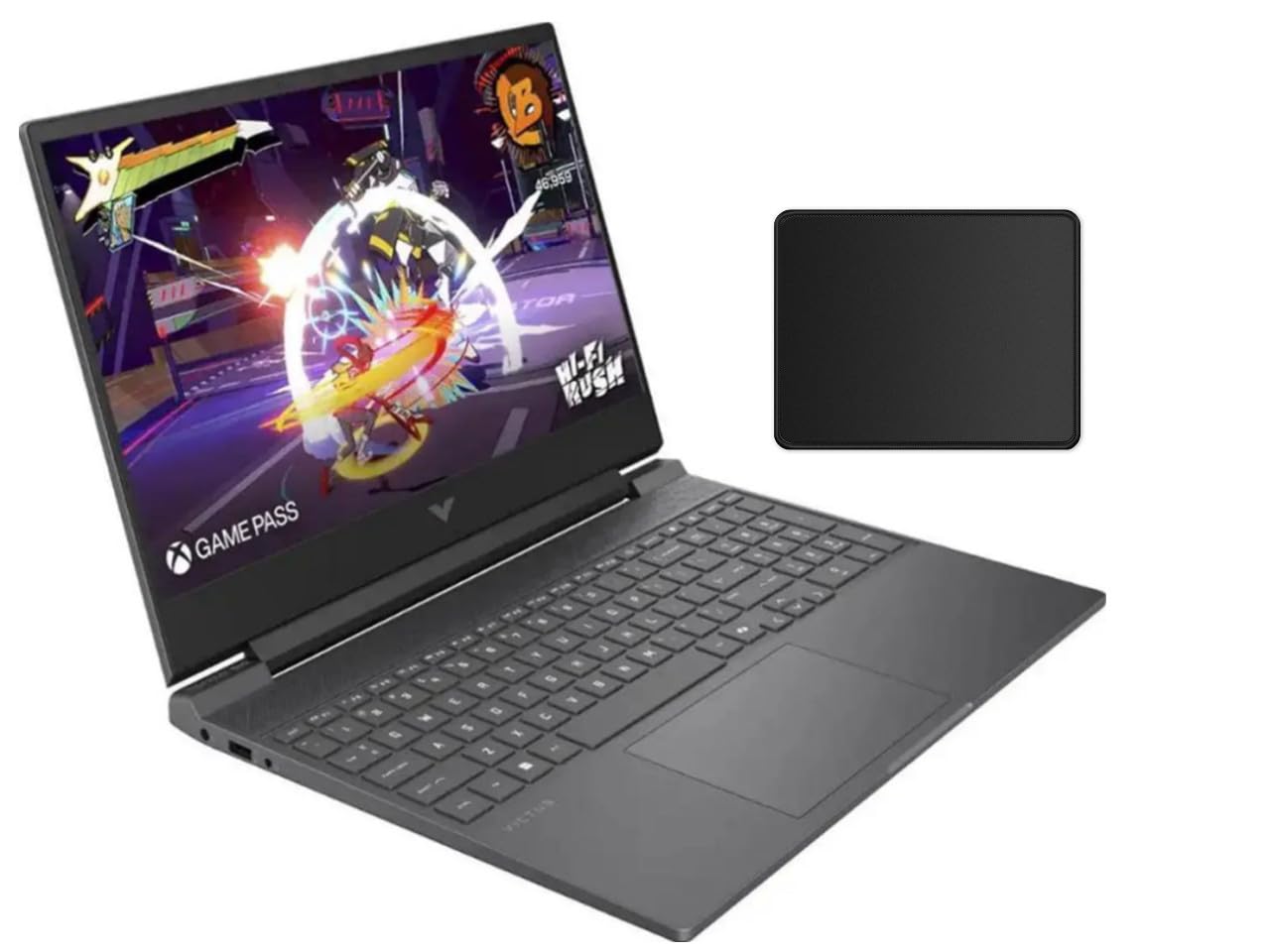
How To Choose The Best Good Priced Laptops for Gaming
The biggest mistake first-time buyers make is chasing a high clock speed or a fancy screen without checking the graphics chip. A gaming laptop lives or dies by its dedicated GPU — that separate graphics processor (the chip that draws every frame) is what renders your game at a playable frame rate. Everything else supports it.
Start with the graphics chip, not the badge
A GPU like the NVIDIA GeForce RTX 4050, RTX 4070, or the newer RTX 5050 and RTX 5060 is built to run games on its own dedicated memory. An integrated GPU shares system memory and will struggle with modern titles. In this list every machine carries a discrete chip so you are comparing real gaming hardware.
Refresh rate is the smoothness dial
The screen’s refresh rate in hertz (how many times per second the display redraws) decides how fluid motion looks. A 144Hz panel redraws 144 times a second, which is noticeably smoother than a standard office screen. Step up to 165Hz and fast turns in shooters feel crisper still.
Memory and storage you can live with
DDR5 memory (the faster generation of laptop RAM) keeps the machine responsive when a game loads assets in the background. 8GB is workable for light play, while 16GB gives more headroom for streaming or editing. For storage, a 512GB SSD fills quickly once a few big games are installed, so a 1TB drive saves you from uninstalling to make room.
Side-by-Side Comparison
| Model | Best For | Refresh Rate | Memory | GPU | Amazon |
|---|---|---|---|---|---|
| Acer Nitro V (i5-13420H)★ Best Overall | Best all-round value | 165Hz | 8GB DDR5 | RTX 4050 | Amazon |
| HP Victus 15.6 (i5 / RTX 4050)Budget Starter | Budget entry point | 144Hz | 16GB DDR4 | RTX 4050 6GB | Amazon |
| HP Victus 15.6 (Ryzen 7)Beginner Pick | Beginner-friendly pick | 144Hz | 16GB DDR5 | RTX 4050 | Amazon |
| ASUS TUF Gaming F16 | Rugged build fans | 165Hz | 16GB DDR5 | RTX 5050 | Amazon |
| Acer Nitro V (i7-13620H) | Storage and speed | 165Hz | 16GB DDR5 | RTX 4050 | Amazon |
| ASUS ROG Strix G16 | High-refresh flagship | 165Hz | 16GB DDR5 | RTX 5060 | Amazon |
| MSI Katana 15 | QHD screen seekers | 165Hz | 16GB DDR5 | RTX 4070 | Amazon |
| Dell G16 7630 | Fastest refresh rate | 240Hz | 16GB DDR5 | RTX 4070 8GB | Amazon |
| GIGABYTE Gaming A16 | Slim chassis fans | — | 16GB DDR5 | RTX 5070 | Amazon |
| MSI Cyborg 17 | Big-screen portability | 144Hz | 16GB DDR5 | RTX 5060 | Amazon |
| Lenovo LOQ | AI-tuned performance | 144Hz | 16GB | RTX 5050 | Amazon |
Detailed Reviews
1. Acer Nitro V Gaming Laptop (Intel Core i5-13420H)
Our pick — 4.5+★ from 400+ verified ratings; the strongest balance of quality and price.
The 165Hz screen that keeps fast pans crisp without flagship pricing
Raw pace is what wins people over here. This Nitro V runs a 15.6-inch Full HD screen (1920 x 1080 pixels) at a 165Hz refresh rate, so each second the display redraws 165 times — fast turns in shooters stay sharp instead of smearing into a blur. Driving those frames is an NVIDIA GeForce RTX 4050 with 194 AI TOPS (a measure of AI processing power), a dedicated graphics chip that renders games on its own rather than leaning on system memory.
Under the hood sits an Intel Core i5-13420H processor (13th-gen Raptor Lake) that tops out at 4.6 GHz. That is the same Intel Core i5-13420H the HP Victus 15.6 below uses, so the two are level on processor speed. Add 8GB of DDR5 memory across 2 slots (expandable to 32GB) and a 512GB PCIe Gen 4 SSD, and the whole loadout boots and loads quickly. If you plan to stream, you will want to add RAM later.
What buyers rave about is the performance itself — it runs games smoothly and handles video, music, and photo editing without complaint. The recurring gripe is the cooling. Some buyers report the fans ramp up and others say the chassis runs hot after a stretch of play, so give it breathing room on a hard surface. A 135W adapter and a bundled protective sleeve round out the package.
Where The Money Goes
- 165Hz FHD panel keeps fast action smooth
- RTX 4050 with 194 AI TOPS handles modern titles
- Two DDR5 slots let you expand past the 8GB installed
The Honest Caveats
- 8GB memory means you may want a RAM upgrade for streaming
- Fans get loud and the body runs warm under load
Reach for this if: you want the smoothest-refresh screen and real dedicated graphics without stretching your budget.
Look elsewhere if: you need plenty of RAM and a large drive right from the start — the i7 Nitro V below has 16GB of memory.
2. HP Victus 15.6 inch Gaming Laptop
A 144Hz workhorse that trades top speed for a friendlier entry point
Here is the honest trade-off up front: this Victus runs the same Intel Core i5-13420H as the Acer Nitro V above, so the two are level on processor speed. What you get in exchange is 16GB of DDR4 memory versus the Nitro V’s 8GB, plus a 6GB RTX 4050, so today’s games have plenty of room to breathe.
The 15.6-inch Full HD panel runs at 144Hz versus the 165Hz Nitro V. In practice both feel smooth; the difference only shows in the fastest shooters. The anti-glare, micro-edge IPS finish helps when you are gaming near a window, and Work and games run without a hitch for most owners, who single out convenience and value.
The catch is durability perception. Several owners mention disappointment with the overall quality, and battery life draws criticism for dropping fast when unplugged. The 8.5-hour rating only holds for light tasks; gaming drains it fast, so keep the AC adapter close.
Who it fits: buyers who want more RAM and a 6GB graphics chip at the entry end and do not mind a slower processor clock.
The trade: chassis quality feels budget and the battery drains quickly under gaming load.
Worth it for: first-time gaming-laptop owners who want memory headroom over top clock speed.
Consider the Ryzen model instead if: you want DDR5 memory and a notebook that buyers describe as a great beginner machine.
3. HP Victus 15.6″ 144Hz Gaming Laptop (AMD Ryzen 7 7445HS)
DDR5 memory and a 4.5 GHz Ryzen chip aimed at people just getting started
For newcomers who want a machine that will not fight them, this Victus is a smart fit. It pairs an AMD Ryzen 7 7445HS (Zen 4 architecture, up to 4.5 GHz) with 16GB of DDR5 — the newer memory generation that keeps a system snappy when games pull data in the background. The 144Hz Full HD IPS panel uses AMD FreeSync Premium to cut lag and image ghosting, so play stays smooth even when frame rates dip.
The whole package is tuned for beginners. Owners describe it as a great entry gaming machine with solid materials and build quality. Buyers praise the hardware most. On raw price-to-performance, plenty of people call it a worthwhile buy for the money.
One quirk worth knowing: the listing advertises a bundled mouse pad, and multiple customers note it is not in the box. That is an annoying pack-in issue, not a knock on the laptop itself — plan on picking up a pad separately if you need one.
Easy Wins
- Ryzen 7 7445HS reaches 4.5 GHz for responsive play
- 16GB DDR5 gives room for games and multitasking
- FreeSync Premium smooths out frame dips and ghosting
Pack-In Reality Check
- Bundled mouse pad often missing from the box
- Bluetooth and Wi-Fi only — no wired Ethernet listed
Best for: a first gaming laptop where DDR5 memory and smooth FreeSync play matter more than bragging rights.
Think twice if: a wired Ethernet port is essential — this model lists Bluetooth and Wi-Fi only.
4. ASUS TUF Gaming F16
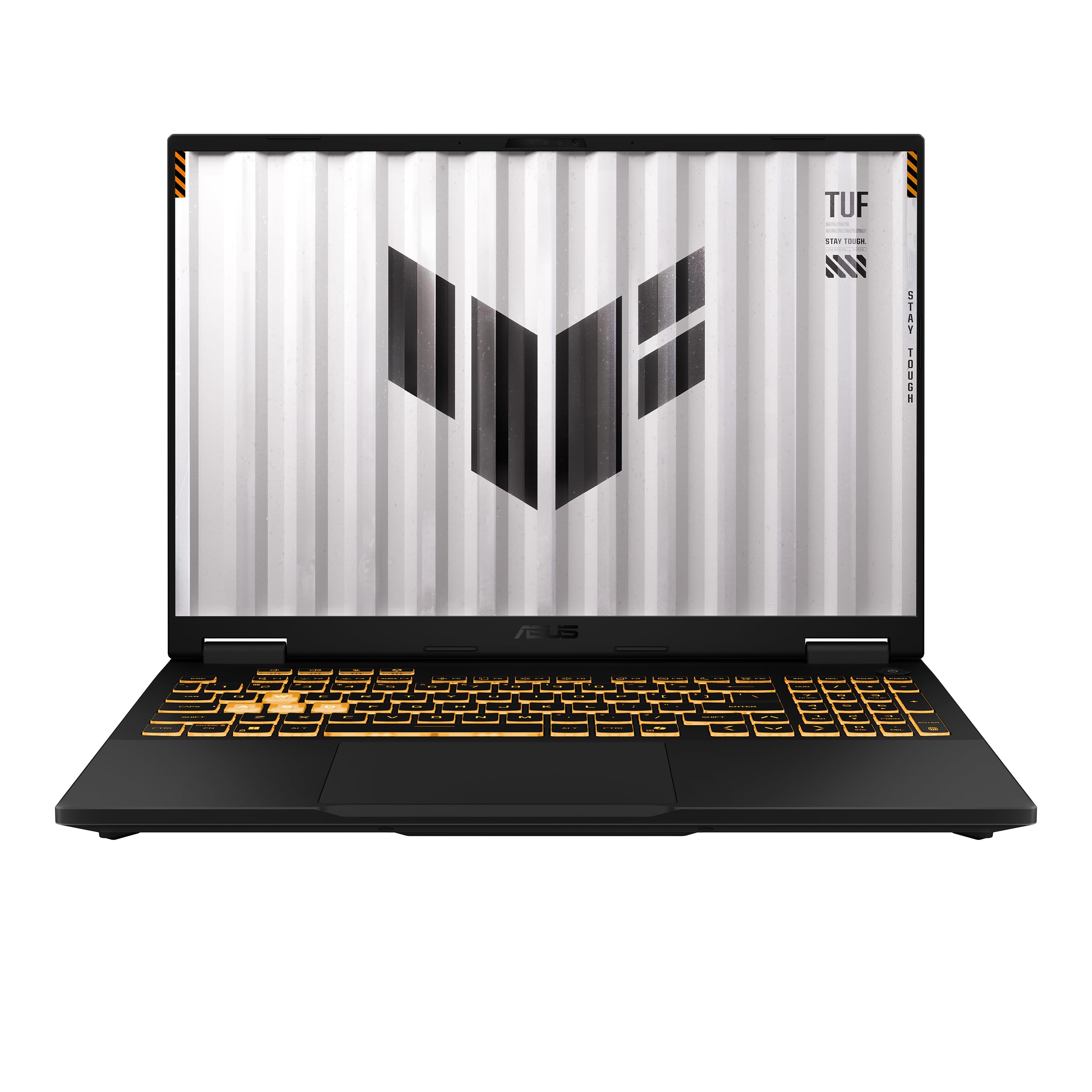
A 16:10 screen and military-tested shell for gamers who toss the bag around
What stands out first is the build. This TUF carries MIL-STD-810H testing (a military durability standard for surviving harsh conditions), so the chassis is built to take knocks the average gaming laptop would not. The 16-inch FHD+ panel runs at 165Hz with 100% sRGB color and Adaptive-Sync, which means richer colors and less tearing during fast play.
Powering it is an NVIDIA GeForce RTX 5050 with a 115W Max TGP (total graphics power — how much wattage the GPU can draw, which drives performance) plus NVIDIA Advanced Optimus to switch between graphics modes automatically. The Intel Core i5-13450HX handles gaming and multitasking, backed by 16GB of DDR5 and a 512GB Gen 4 SSD. The 2nd Gen Arc Flow fans and full-width heatsink aim to keep things cool without extra noise.
Buyers love how it looks and how solid it feels, and many say it is well worth the money. Reliability is where reviews split — some machines hum along while a few report system crashes, and the battery life gets a mixed read. As a laptop meant to travel and take abuse, this is a genuine road companion.
Toughness first: the MIL-STD-810H rating and embossed TUF cover signal a machine meant for bags and dorm rooms.
A fair caveat: battery life and long-term reliability draw mixed feedback, so it suits plugged-in gaming more than all-day untethered use.
Choose this if: a durable 16:10 display and a shell tested to take punishment matter more than a featherweight carry.
Pass if: you need dependable all-day battery — the mixed reports suggest keeping it near an outlet.
5. Acer Nitro V Gaming Laptop (Intel Core i7-13620H)
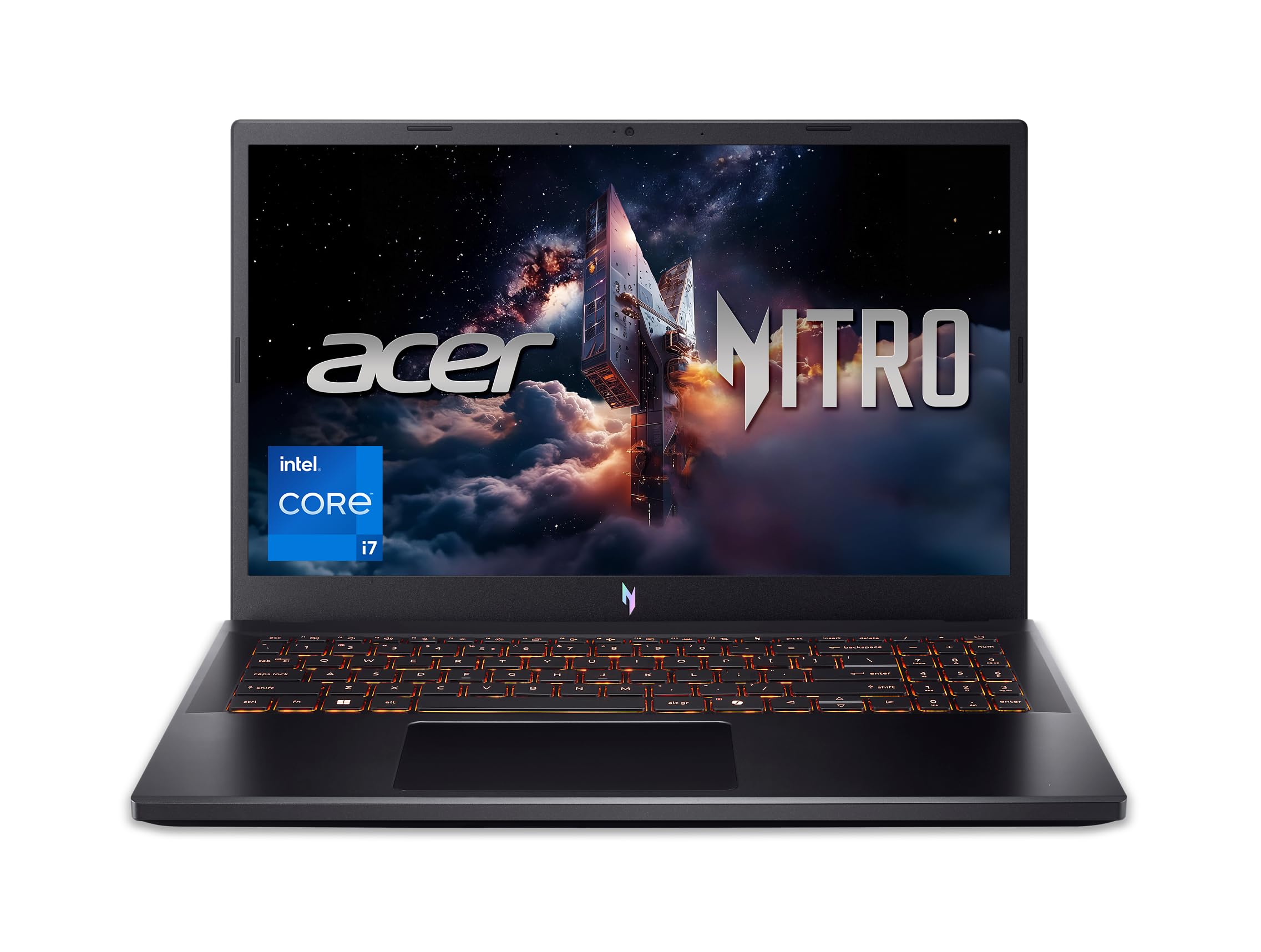
The step-up Nitro with 16GB of memory and 1TB of storage
Where the i5 Nitro V above gives you 8GB of memory, this i7 version packs 16GB of DDR5 versus 8GB in the i5 model, and a 1TB PCIe Gen 4 SSD instead of 512GB. That extra drive space means your whole library fits without uninstalling. The Intel Core i7-13620H processor runs up to 4.9 GHz, and the same RTX 4050 with 194 AI TOPS and 165Hz Full HD screen handles the visuals.
Owners single out the speed — no lag or stuttering is the recurring phrase, and gaming runs smoothly across a range of titles. The display gets strong praise for its clarity. This is a machine that feels quick in everything from menu navigation to fast matchmaking.
The honest downside is heat and noise. The battery drains fast under load — one pattern has it dropping from full to nearly empty in under two hours of play — and the fans are loud enough to notice. Two DDR5 slots still allow expansion to 32GB if you ever want more. Thunderbolt 4, Killer Ethernet, and Wi-Fi 6 keep you connected.
What Earns The Upgrade
- 16GB DDR5 versus 8GB in the base Nitro V
- 1TB SSD fits a full game library
- i7-13620H climbs to 4.9 GHz
Plan Around These
- Battery drains quickly in gaming sessions
- Fans run loud under pressure
Ideal for: players who refuse to juggle drive space and want more memory from the start.
Weigh against: a quieter machine if fan noise bothers you during late-night matches.
6. ASUS ROG Strix G16
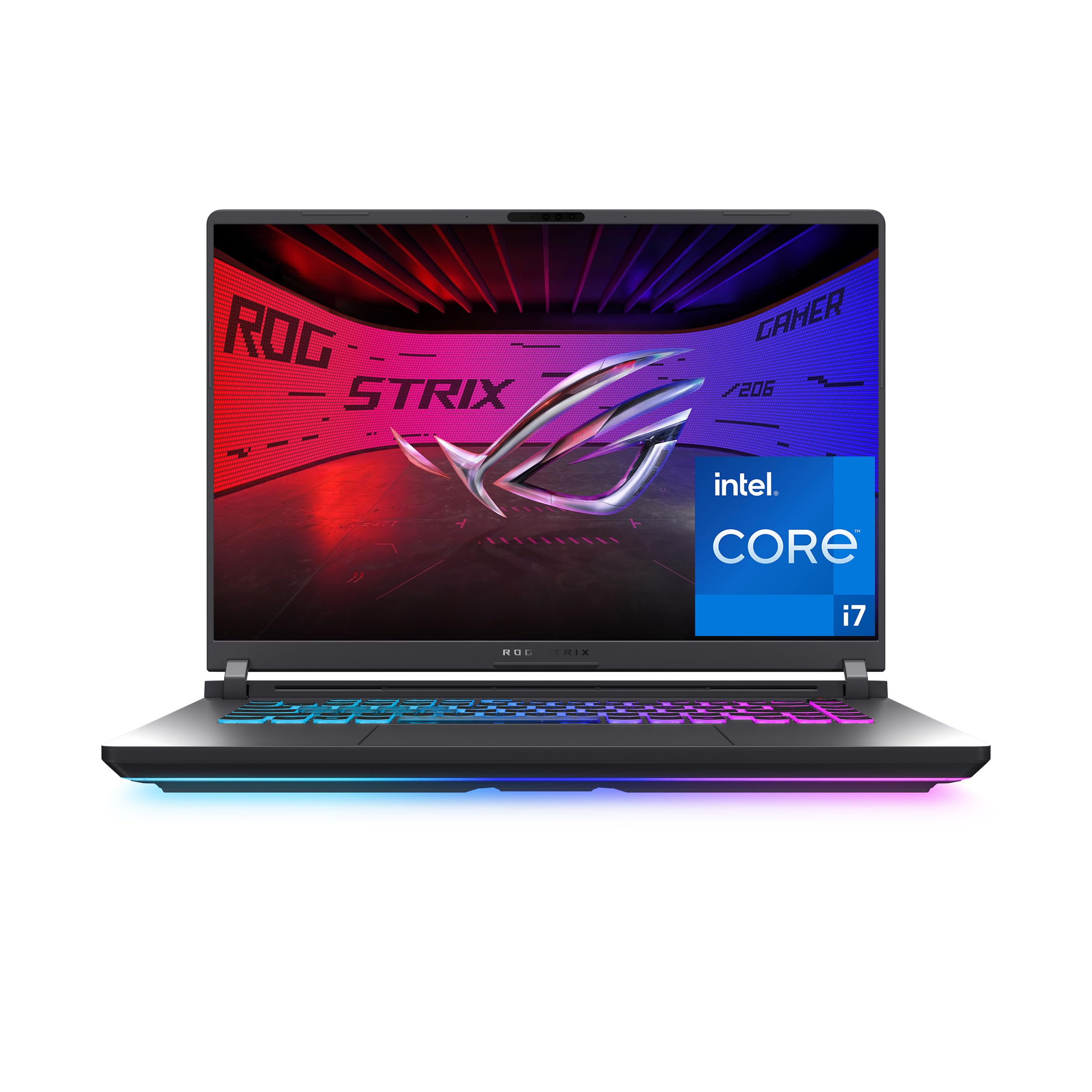
Blackwell graphics and Wi-Fi 7 for players who want new-generation silicon
This Strix brings newer parts to the table. The RTX 5060 Laptop GPU is built on NVIDIA Blackwell architecture with DLSS 4 (an AI upscaling feature that boosts frame rates), and the Intel Core i7-14650HX runs up to 5.2 GHz. A 165Hz FHD+ screen with an ACR film cuts glare while lifting contrast. For networking, Wi-Fi 7 is the latest standard for faster, lower-latency online play.
Storage is generous at 1TB via PCIe Gen 4 SSD, and 16GB of DDR5-5600MHz memory keeps multitasking fluid. ROG’s cooling — an end-to-end vapor chamber, tri-fan setup, and Conductonaut Extreme liquid metal on the chipset — is designed to hold performance under sustained load. There is also a 360° RGB light bar with a Stealth Mode for turning off the glow.
One technical note: the specs list both a 2-hour battery figure and a 50-hour standby figure. Treat those as standby versus active-use measurements and plan to game plugged in. Wi-Fi 7 is a networking standard that also depends on your router supporting it to see the benefit.
Newest silicon: Blackwell graphics with DLSS 4 and Wi-Fi 7 put this ahead of older-generation picks on networking and upscaling features.
Read the fine print: the battery listings are standby-oriented, so this is a desk-and-outlet machine more than an all-day one.
Right for: gamers who want the latest RTX 50-series graphics and Wi-Fi 7 for future-proofed online play.
Skip if: you expect long unplugged sessions — the listed battery figures point to outlet-dependent gaming.
7. MSI Katana 15

A QHD panel and RTX 4070 aimed squarely at visual quality over raw reliability
If pixel density is your priority, this Katana answers. Its 15.6-inch QHD display runs at 165Hz — QHD packs more pixels than Full HD, so textures and distant detail look sharper. Behind it sits an NVIDIA GeForce RTX 4070 on the Ada architecture, built for real-time ray tracing (light that simulates how it behaves in the real world). The Intel Core i7-13620H reaches 4.9 GHz, backed by 16GB of DDR5 and a 1TB NVMe SSD.
The screen quality is what buyers notice and enjoy, along with solid gaming performance. Cooler Boost 5 handles thermal dissipation to keep frames steady. The 10-hour lithium-polymer rating covers light tasks only; expect far less unplugged gaming time.
Reliability is the honest watch-point. Experiences split — some machines run flawlessly, others report crashes — so consider a protective care plan for confidence. It is a fine fit for buyers who prize that crisper QHD screen above all else.
Screen And Graphics Pull
- 165Hz QHD screen delivers sharper textures and detail
- RTX 4070 supports real-time ray tracing
- 1TB NVMe SSD holds a large library
What To Keep In Mind
- Reliability reports are split across owners
- Battery life in real gaming draws criticism
Pick this for: the sharper QHD screen and RTX 4070 if visual detail is what you care about most.
Look at a sturdier pick if: consistent long-term reliability is your top concern.
8. Dell G16 7630 Gaming Laptop

The 240Hz panel and i9-13900HX at 5.4 GHz chase pure speed above all
No screen here refreshes faster than this one. The Dell G16 runs a 16-inch QHD+ display at 240Hz with 3ms response — the display redraws 240 times a second, so motion looks buttery in competitive shooters. Riding under the hood is an Intel Core i9-13900HX climbing to 5.4 GHz, paired with an RTX 4070 8GB, 16GB of DDR5, and a 1TB SSD. That is genuine flagship-level silicon.
Building on that speed, buyers praise the powerful processor and the nice display. The Alienware-inspired thermal design — four heat pipes, two fans with ultra-thin blades, and a vapor chamber — is designed to keep things stable during chaotic in-game moments, and a 330W adapter supplies plentiful power.
The flip side is heat. The CPU can hit temperatures over 90°C while gaming, and reviewers point out it runs hot without turbo mode engaged. Build quality and value draw mixed feedback, so this is a pick for someone chasing the fastest refresh rate and top processor rather than the safest all-rounder.
Speed ceiling: a 240Hz QHD+ panel plus an i9-13900HX at 5.4 GHz is the highest-performance combo on this list on paper.
Heat is the tax: the CPU runs hot and needs turbo mode to shine, so cooling airflow on your desk matters.
For you if: competitive shooters and the fastest possible refresh rate top your list.
Better to reconsider if: you want a cool-running, low-drama machine over peak speed.
9. GIGABYTE Gaming A16
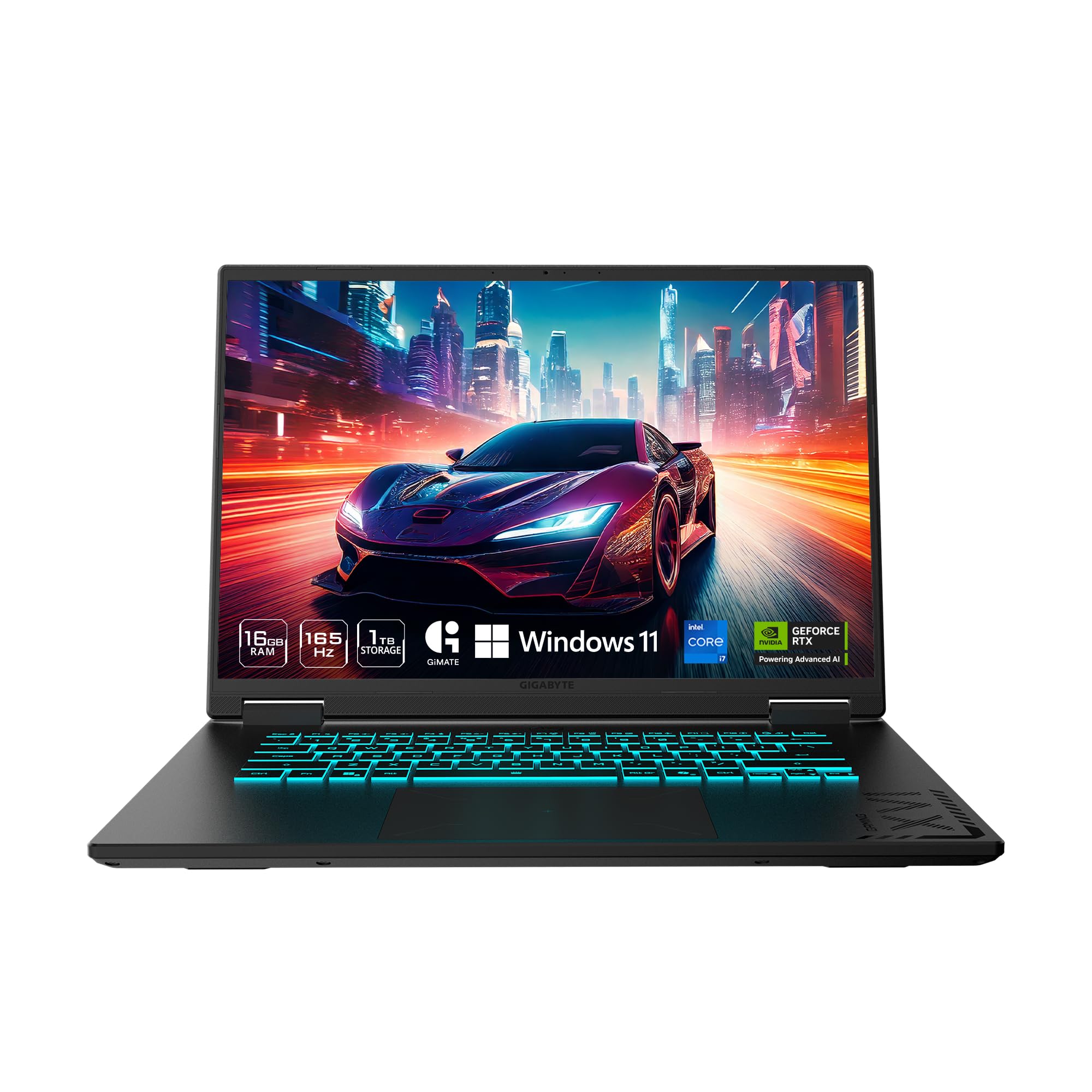
RTX 5070 power in a 19.45mm chassis with a lay-flat hinge
Here is a lot of graphics muscle in a surprisingly thin body. The GIGABYTE Gaming A16 packs an NVIDIA GeForce RTX 5070 Laptop GPU on Blackwell architecture with DLSS 4, and an Intel Core i7-13620H running up to 4.9 GHz. The chassis is 19.45 millimeters (0.76 inches) slim with a 180-degree hinge that lays completely flat — handy for sharing a screen or setting it on a desk edge.
16GB of DDR5 memory and Windows 11 Home round out the internals. Buyers consistently report it runs their games very well and delivers strong value for the money. A built-in GiMATE AI interface is designed to make control more intuitive.
Two honest notes. Sound quality gets mixed feedback — several find it not loud at all, so headphones help. And thermals split: the vapor chamber (a sealed cooling plate that spreads heat) keeps some units under 85°C while others note the keyboard feels warm. The 2x 2W speakers are quiet, so budget for a headset.
Why It Draws Eyes
- RTX 5070 with DLSS 4 in a slim 19.45mm shell
- 180-degree lay-flat hinge for flexible setups
- Gamers report it runs their titles very well
Sound And Heat
- Speakers are not loud — headphones recommended
- Keyboard can feel warm under load
Made for: gamers who want a slim, RTX 5070-driven machine that can lay flat on a desk.
Be ready to: plug in headphones, since the 2x 2W speakers are quiet.
10. MSI Cyborg 17
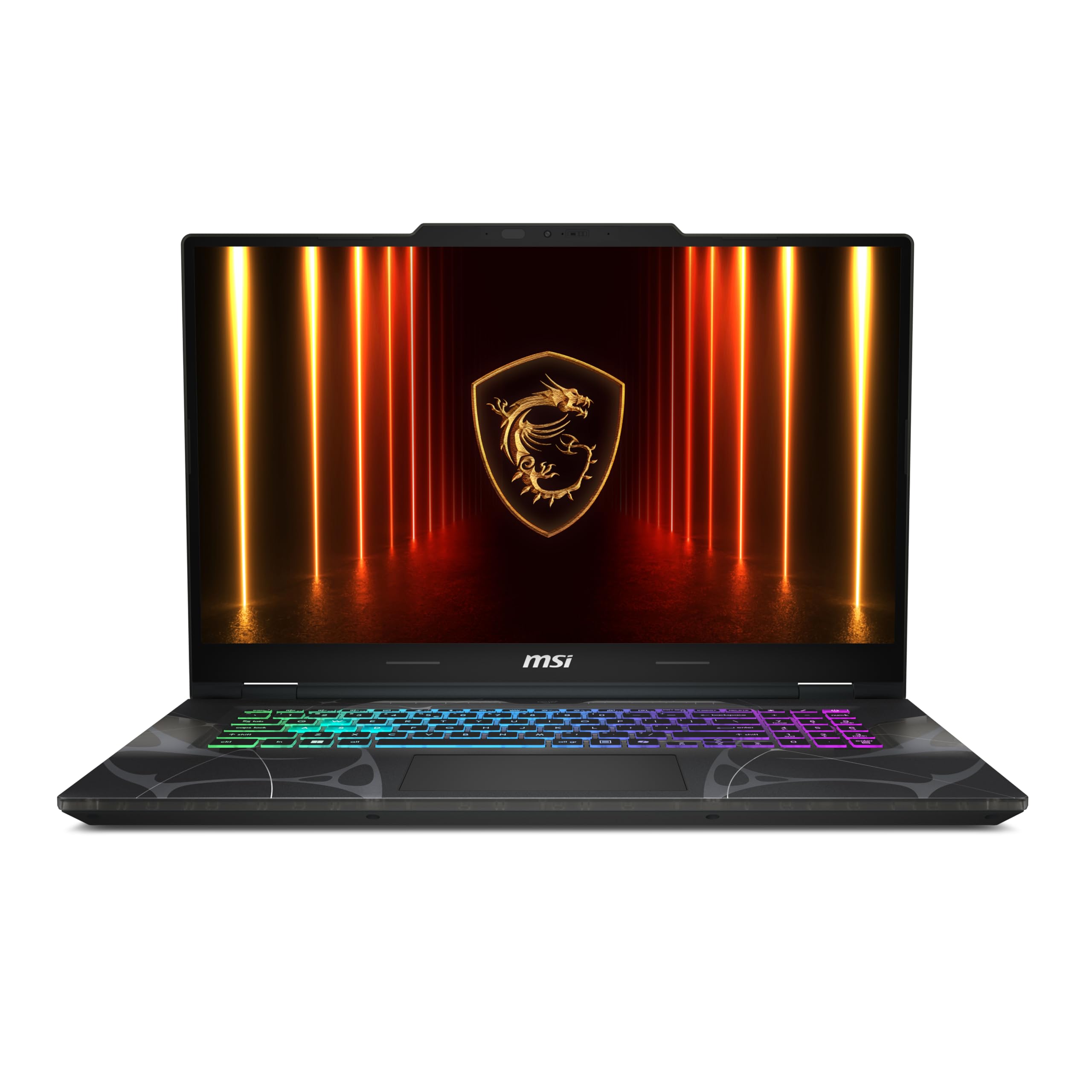
A 17.3-inch 144Hz screen you can still carry — just 0.83 in thin
If you want immersion without a desktop, this is the roomy option. The 17.3-inch Full HD display runs at 144Hz, so big-screen play feels smooth, and the whole machine stays portable at 0.83 inches thin and 5.5 lbs. Inside runs an Intel Core 7-240H (up to 5.2 GHz) and an NVIDIA GeForce RTX 5060 with real-time ray tracing and DLSS 4, backed by 16GB DDR5 and a 1TB NVMe SSD.
MSI’s Cooler Boost shared-pipe thermal design keeps sessions cool and quiet, and the port selection — USB-C, USB-A, HDMI, RJ45, and Wi-Fi 6E — covers wired headsets and fast online play. Owners call it a reliable workhorse for games and schoolwork alike, and many find the design gorgeous.
The trade-off: the 144Hz panel is fine but not the fastest here, and some owners note performance strain when running graphics settings maxed out. Functionality gets a mixed read. For a large screen that travels, though, it is a balanced choice.
Screen you can move: a 17.3-inch 144Hz display in a 5.5 lb, 0.83-inch-thin body is a rare combo for a big-screen gamer.
Honest limit: maxed-out graphics can tax it, so expect to dial a setting or two back on the heaviest titles.
Best for: gamers who want a large 17.3-inch screen but still pack it in a backpack.
Consider lighter if: you need top frame rates on ultra settings rather than big-screen portability.
11. Lenovo LOQ AI-Powered Gaming Laptop
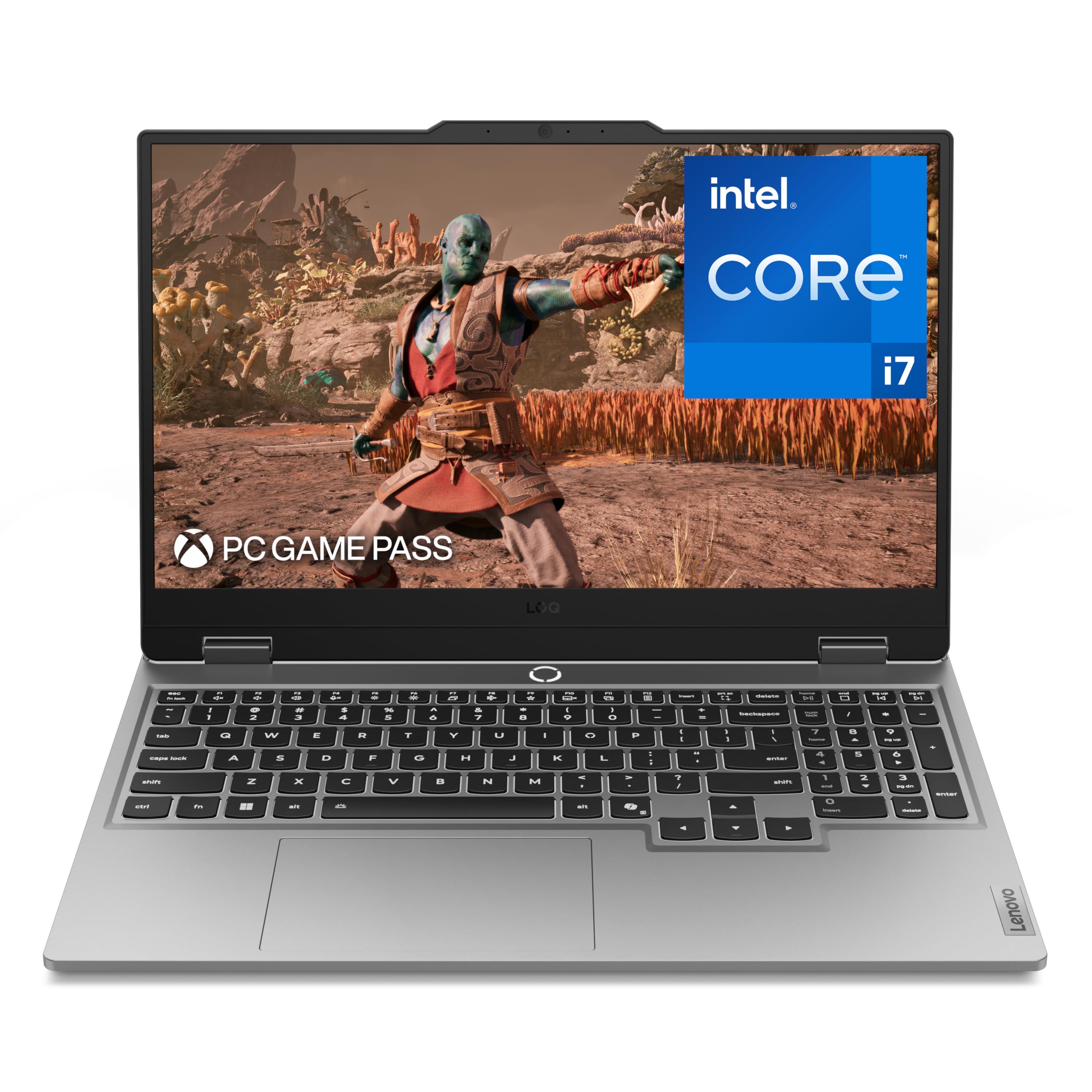
Lenovo’s AI Engine+ tunes the chip and graphics automatically while you play
The headline here is automatic tuning. Lenovo’s AI Engine+ adjusts the CPU, GPU, and system settings on the fly for smoother gameplay, and the Intel Core i7-13650HX reaches 5.1 GHz to back it up. The 15.6-inch FHD IPS display runs at 144Hz with NVIDIA G-Sync, which removes screen tearing and input lag. An RTX 5050 handles the graphics, with 16GB of memory and 1TB of storage.
Cooling comes from Hyperchamber Cooling — turbo fans and copper heat pipes — while the aerospace-grade aluminum cover keeps it light but tough. Rapid Charge Pro refills to 70% in under 30 minutes, handy between gaming sessions. Owners rate it a great gaming machine and a great buy, praising both design and speed.
The weak spots are battery and sound. The battery life draws criticism, and the speakers are low with fans that can out-volume them. Heat management splits between manageable and very hot. Plan on headphones and an outlet for long stretches.
Smart Tuning Angle
- AI Engine+ tunes performance automatically
- G-Sync on a 144Hz panel removes tearing and lag
- Rapid Charge Pro reaches 70% in under 30 minutes
Where It Strains
- Battery life is a weak point in reviews
- Speakers are low and fans can drown them out
Choose this for: hands-off performance tuning and G-Sync smoothness on a 144Hz screen.
Not for you if: you need strong battery life and full-bodied built-in audio.
Know the Specs
Graphics Processing Unit (GPU)
The GPU is the chip that draws every frame of your game, and a dedicated model like the RTX 4050 renders on its own rather than borrowing system memory. Higher-tier chips such as the RTX 4070, RTX 5060, and RTX 5070 tend to push more detail at high settings. Look at the wattage a chip can draw — like the 115W Max TGP on the ASUS TUF — because more power headroom often means steadier frame rates.
Refresh Rate in Hertz
Refresh rate is how many times per second the screen redraws, so a 144Hz panel updates 144 times a second and looks smoother than a standard office display. A 165Hz screen nudges that higher, and the 240Hz panel on the Dell G16 redraws even faster. Higher hertz helps most in fast shooters, but you only feel the benefit if the GPU can actually push frames that quickly.
Memory (RAM) and DDR5
RAM is short-term workspace the laptop uses to keep games and apps responsive. DDR5 is the newer, faster memory generation. 8GB is workable for light gaming, while 16GB gives more headroom for streaming or multitasking. Two slots, as on the Acer Nitro V, let you expand later instead of buying a new machine.
SSD Storage
An SSD stores your games and boots the system fast. The Gen 4 label marks a newer, quicker generation of the connection standard. A 512GB drive fills after a few big installs, while 1TB gives you room for a full library. That storage difference is the main upgrade you gain by stepping up between the two Nitro V models.
Common Questions
Do I really need a dedicated GPU for gaming?
Is 144Hz good enough, or should I get 165Hz or 240Hz?
Will 8GB of RAM be enough for gaming laptops?
How many games can a 512GB SSD hold?
Why do gaming laptops get so hot and loud?
Is RTX 4070 better than RTX 4050 in these laptops?
Can I upgrade the RAM or storage later?
Does Wi-Fi 7 make a real difference over WiFi 6?
Do these gaming laptops come with Windows 11?
Will a gaming laptop this size fit in a backpack?
The Bottom Line
One machine nails the basics — a 165Hz screen, a real RTX 4050, and a fair balance of price and performance — and that is the Acer Nitro V with the Intel Core i5-13420H, the pick to start with. It earns the top spot on the strength of its performance, which is the thing owners praise most. For a bigger 1TB drive and 16GB of memory from the start, step up to the Acer Nitro V with the i7-13620H. And if a large 17.3-inch screen you can still carry is what you are after, the MSI Cyborg 17 answers that call. Whichever you choose, judge each one on its graphics chip and screen first — that is where your money goes furthest.
How we choose
We do not accept paid placement. Every pick is matched to a real buyer and a real use-case; we do not hands-on test units.
Sources
Specifications: manufacturer listings and product documentation. Review insights: verified customer reviews, as of November 2026. Pricing: not shown on this page (it changes often); check the current price via the retailer link.
As an Amazon Associate, Gamepad Test earns from qualifying purchases. This does not affect which products we feature.