
Specs are compiled from manufacturer listings and verified buyer reviews and can change over time — please confirm the key details on the product page before buying.
If you want the short answer: the headset worth buying first is the Quest 3 512GB bundled with the Elite Strap, because 512GB of storage means you stop deleting games to make room for the next one. Everything below is about matching a headset to how you actually play — sitting at a desk, standing in a living room, or sharing with family.
This guide is built by comparing the manufacturers’ published specifications and the patterns across verified customer reviews, so you get each pick’s real strengths and trade-offs instead of marketing spin.
VR buyers obsess over resolution and ignore storage, refresh rate and head strap comfort until the returns window has closed. This breakdown sorts eight headsets by the specs that actually shape your sessions, and it covers the whole field of oculus vr hardware without a single spec you cannot verify on the listing.
Top Picks

How To Choose The Best Oculus VR Headset
The first decision is standalone versus PC-tethered, and most people are better served by standalone. An all-in-one headset packs the screen, sensors and battery into the unit itself, so you put it on and play — no tower, no cables across the floor. Of the eight headsets here, the ones that connect to a computer via USB Type-C or Oculus Link give you the option of a bigger library later, but they work on their own first.
Storage is the spec you will regret ignoring
A 64GB headset and a 512GB headset run the same games, but only one of them lets you keep a library installed. VR titles are large, and every install competes for the same space. If you plan to own more than a handful of games, aim for 256GB or higher. The smaller-capacity models here are the ones that force you into a delete-something-first routine.
Refresh rate and field of view decide how real it feels
Refresh rate, measured in Hertz, is how many times per second the screen redraws. A 90 Hz panel updates the image 90 times a second, which keeps fast head turns from smearing. A 120 Hz panel goes further. Field of view, in degrees, is the width of the world you can see at once — a 110-degree view feels wider and less like peering through a tube than a 90-degree one. Neither number makes a headset bad on its own, but both shape comfort over a long session.
The strap matters as much as the screen
A headset is a weight strapped to your face, and the strap decides where that weight lands. A soft fabric strap pulls down at the front; a rigid strap with a rear cradle spreads the load across the back of your skull. If you plan on hour-long sessions, the bundled strap is worth checking before anything else. Adjustable headbands and an IPD dial (the slider that matches the lenses to the distance between your eyes) both reduce the headache factor.
Side-by-Side Comparison
| Model | Best For | Storage | Refresh Rate | Field of View | Amazon |
|---|---|---|---|---|---|
| Quest 3 512GB + Elite Strap★ Best Overall | Owning a big library | 512 GB | 90 Hz | 110 degrees | Amazon |
| Oculus Quest All-in-one 64GB (UK Import)Best Value | Collectors and import buyers | 64 GB | — | 95 degrees | Amazon |
| Oculus Quest All-in-one 128GBFamily Favorite | Family-friendly VR | 128 GB | 90 Hz | 360 | Amazon |
| Meta Quest 3 512GB | Sharpest everyday visuals | 512 GB | 120 Hz | — | Amazon |
| Meta Quest Pro | Work and collaboration | 256 GB | — | 106 degrees | Amazon |
Detailed Reviews
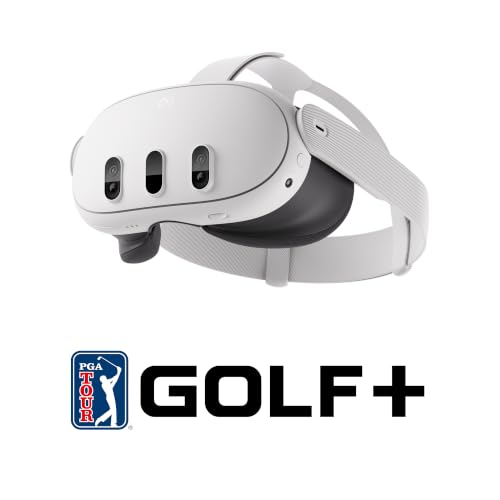
1. Quest 3 512GB + Elite Strap
Our pick — 4.5+★ from 100+ verified ratings; the strongest balance of quality and price.
Half a terabyte of room for your library, plus the strap most people end up buying anyway.
Storage is the number that makes this bundle easy to recommend: 512 GB, the largest on this list. For comparison, the Oculus Quest All-in-one 64GB carries 64 GB — the same shelf, eight times the room. In practice you install what you want and leave it installed, instead of uninstalling a game to fit the next one.
The screen itself is a 110-degree field of view on an LCD panel running at 90 Hz (90 redraws per second), at 1920×1080 per eye. That 110 degrees is the same width the Oculus Quest 2 256GB offers and wider than the Meta Quest 2’s 90 degrees — a meaningfully less tube-like view when you look to the edges. The Elite Strap is the other half of the value: a rigid rear cradle that takes the squeeze off your cheekbones, which is exactly what a long session needs.
The bundled strap is adjustable, and there is an IPD dial (a slider that sets lens spacing to your eye distance) for a sharper image. One honest limit: this is the older display generation in this lineup, and the Quest 3 512GB without the strap bundle runs a 120 Hz refresh rate against this model’s 90 Hz. Fast-motion games look smoother on that one. What you trade for is the strap, which most buyers add anyway.
Why this sits at the top
- 512 GB of storage — the biggest library space in the group, so installs stay put.
- Elite Strap in the box spreads weight across the back of your head instead of your cheeks.
- 110-degree field of view plus 1920×1080 per eye keeps text and edges readable.
- USB Type-C charging and data in one port, so one cable covers both jobs.
- 90 Hz, not the 120 Hz the Quest 3 512GB single-unit listing runs.
- LCD panel, so blacks are grey rather than true black.
Reach for this if: you want to buy once, install freely, and skip the aftermarket strap hunt.
Look elsewhere if: the smoothest possible motion matters more to you than storage and comfort.
2. Meta Quest 2 256 GB

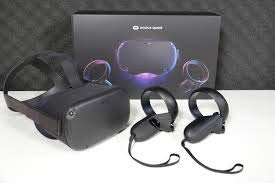
The original all-in-one Quest, now a UK import with 64GB of storage and Oculus Touch controllers.
The draw here is the software heritage: it ships alongside Vader Immortal: A Star Wars VR Series, and the Oculus Touch controllers recreate your hands and gestures so slashes and throws land where you aim them. The Oculus Insight tracking system follows your movement without external sensors, which means no tripods in the corners of the room.
It plays standing or sitting, in spaces big or small — that flexibility is the original Quest’s whole pitch. But 64 GB is the tightest storage on this list, and the gap to the Best Overall is enormous: that one holds 512 GB, this one 64 GB. You will be managing installs almost from day one. The display runs 1440 x 1600 with a 95-degree field of view, so the view is wider than the Meta Quest 2’s 90 but narrower than the 110-degree leaders.
The electronics are the older generation, and the honest limits are battery and picture. Session length tends to run short before a charge, and the look is softer than newer panels. Setup is the bright spot — it is consistently described as quick and painless, which makes this a decent first taste of VR rather than a long-term daily driver.
The genuine strengths
- Oculus Insight tracking needs no external sensors — play anywhere.
- Touch controllers map gestures precisely for real-feeling interaction.
- Setup is quick and intuitive by consensus.
The honest limits
- 64 GB fills fast — the smallest library space in the group.
- Battery and picture quality are the recurring gripes in this generation.
Go for it if: you want a cheap intro to untethered VR and can live with tight storage.
Leave it if: you plan on owning a big library or long sessions.
3. Oculus Quest All-in-one VR Gaming Headset – 128GB
The 128GB model doubles the 64GB sibling’s storage, which is the whole reason to pick this version.
Storage doubles to 128 GB over its 64GB sibling, which is the whole reason to pick this version: room for a real library without the constant delete-and-reinstall loop. It works standing or sitting in spaces big or small, and the Oculus Guardian system draws a virtual boundary so you do not walk into the coffee table mid-game.
The display runs 1440 x 1600 at 90 Hz, and it is an OLED panel where most of the field uses LCD — a deeper black and punchier contrast. Its field of view is listed at 360 degrees, an all-round figure rather than the 90-to-110 range the other headsets quote, so do not compare it head-to-head. Setup is straightforward and the interface is intuitive enough that a first-timer can be in-game fast.
Review pages call it the crowd favorite for family play — kids love it, and it is a popular gift. The comfort side is the split: some settle in for long sessions, others feel pressure from the head strap and soreness in the cheeks after an hour. Picture quality divides people too, with some praising the visuals and others finding images soft. Snug the strap properly and take breaks and most of that fades.
The case for it: an OLED panel, 128 GB of room and 90 Hz, at a price that makes sharing across a household painless.
The catch: the stock head strap is the weak link — expect to adjust it often, and consider an upgrade if sessions run long.
Made for: households where multiple people take turns, especially with kids.
Skip the upgrade if: you want the newest passthrough tech — this is older-gen hardware.
4. Meta Quest 3 512GB
The fastest panel here at 120 Hz, paired with a Snapdragon XR2 Gen 2 and 8GB of RAM.
Refresh rate is where this model separates itself: 120 Hz, against the 60 Hz the Quest 3S runs. Motion that smears on a slower panel stays crisp here, and fast head turns feel immediate. The maker’s 4K+ Infinite Display is listed at 4128×2208 pixels, with dual RGB color cameras for full-color passthrough.
The bundle mirrors the Quest 3S: GOLF+ with TPC Sawgrass, 1,800 in-game credits, and a 3-month Meta Horizon+ trial, so you start with games loaded. It pairs over Bluetooth and charges by USB Type-C, and it works with a game console, a computer, a phone, a tablet or a television.
Owners call it the best headset they have used, with the 4128×2208 display drawing the loudest praise for resolution and clarity. It is also a hit when friends and family share a session. The catch that follows the Quest line is battery life, which drains fast once unplugged, and comfort that some find fine and others find hard going. Budget for a strap upgrade if you plan on long sittings.
Where it wins and where it stings
- 120 Hz refresh rate — the smoothest panel in this comparison.
- 512 GB of storage keeps a large library installed.
- Snapdragon XR2 Gen 2 with 8GB RAM powers sharp graphics and fast loads.
- Full-color passthrough puts your room inside the game.
- Battery life is the most-complained-about trait — it drains quickly off the charger.
- Comfort is split; the stock strap suits some and not others.
Buy it if: you want the sharpest, smoothest everyday VR and a library that fits without pruning.
Pause if: long unplugged sessions are the plan — you will want a charger nearby.
5. Meta Quest Pro
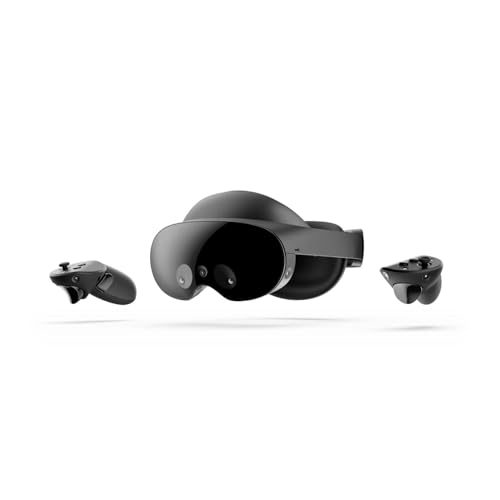
Built for a desk, not a couch — multiple resizable screens and a face that emotes.
The Quest Pro is a different animal from the rest of this list: it is a work and collaboration headset. Multiple resizable screens let you organize tasks, sketch ideas, or message friends inside VR. Meta Avatars translate your facial expressions in real time, so meetings feel less like talking to a mask. If your reason for VR is productivity and calls, this is aimed squarely at you. If you only want games, the Quest 3 512GB + Elite Strap gives you more storage for less desk-bound fuss.
The optics are the highlight. Pancake lenses (a folded lens design that keeps the unit slimmer) combine with local dimming and quantum dot technology for striking clarity in games, reading and multitasking. Pixel density is higher than the gaming-first models here. It carries 256 GB of storage and 12GB of RAM — the largest memory figure in this group — plus 10 advanced VR/MR sensors and spatial audio. The field of view is 106 degrees, and the counter-balanced design aims for premium comfort over long wear.
Full-color passthrough lets you see and work with your physical surroundings while virtual screens float in front of you. The Touch Pro Controllers use self-tracking cameras and multi-point haptics to put finger detail into interactions. The honest trade is that this is specialized hardware, and its strengths are wasted if you just want to play games — you are paying for optics and sensors a gamer will not fully use. The 879 g weight is also substantial on the head.
The standout: pancake lenses, local dimming and face tracking make it the clearest headset for reading text and taking calls in VR.
The real limit: comfort and connection reliability divide people — some wear it for hours with ease, others feel the weight and fight pairing issues.
For the worker: you want virtual monitors, face-tracked meetings and the sharpest optics money buys.
Wrong tool if: your main goal is gaming — the gaming-first picks above give you more frame rate for less.
Know the Specs
Storage capacity in GB
Storage is how much internal memory the headset has for installing games, apps and media. A 64GB headset holds far fewer titles than a 512GB one before you must delete something to make room. Every game you own lives on that drive, so if you collect titles, higher capacity saves you constant housekeeping. Think of it as shelf space, not speed — it does not make anything run faster, it just decides how much can stay.
Refresh rate in Hertz
Refresh rate is how many times per second the screen redraws the image. At 60 Hz that is 60 updates a second; at 90 Hz it is 90; at 120 Hz it is 120. Higher numbers keep fast head turns and quick motion from smearing, which matters most in action games. It is separate from resolution — a high-resolution panel with a low refresh rate can still look choppy in movement.
Field of view in degrees
Field of view is the width of the world you can see at once through the lenses. A wider figure like 110 degrees feels more open and closer to natural vision, while a narrower one like 90 degrees can feel like peering through a tunnel. It shapes the sense of immersion more than raw pixel count does for many people.
Pancake lenses and passthrough
Pancake lenses fold light inside the lens to keep the headset slimmer and often sharper than older lens designs. Passthrough is the camera feed that lets you see your real room through the headset — full-color passthrough uses RGB cameras so the outside world appears in color rather than grey. Both matter most for mixed-reality use, where virtual screens or objects sit inside your actual space.
Common Questions
Do I need a gaming PC to use any of these headsets?
Is 64GB enough storage for VR games?
How long does the battery last on a session?
What is the difference between 60 Hz and 120 Hz refresh rate?
Do I need controllers, or does hand tracking work?
Can I wear glasses in these headsets?
What does field of view actually change in use?
Is the Meta Quest Pro good for gaming or only for work?
How do I set up a Guardian boundary so I do not hit furniture?
Are renewed VR headsets a safe way to save?
The Bottom Line
For most people the oculus vr headset to buy is the Quest 3 512GB + Elite Strap. Its 512 GB of storage and the comfort strap in one box solve the two problems owners hit first: full drives and sore cheeks. If you want the sharpest, fastest image, reach for the Meta Quest 3 512GB and its 120 Hz panel (120 screen refreshes per second, so fast motion stays crisp). And if you want to work in VR with virtual monitors and face-tracked meetings, the Meta Quest Pro is built for exactly that. Whatever you pick, check storage and refresh rate against how you actually play. Those two numbers, more than any screen spec, decide whether a headset feels right for years.
How we choose
We do not accept paid placement. Every pick is matched to a real buyer and a real use-case; we do not hands-on test units.
Sources
Specifications: manufacturer listings and product documentation. Review insights: verified customer reviews, as of November 2026. Pricing: not shown on this page (it changes often); check the current price via the retailer link.
As an Amazon Associate, Gamepad Test earns from qualifying purchases. This does not affect which products we feature.