
Specs are compiled from manufacturer listings and verified buyer reviews and can change over time — please confirm the key details on the product page before buying.
You do not need more skill to stop deleting games. You need more space — and on an Xbox, that space has to come from a drive that knows the rules. Pre-formatted drives boot the moment you plug them into a rear USB port. Generic PC drives often need reformatting first. And every external drive on this list will run Xbox One titles directly, while Series X|S titles can only be stored on it and must be copied back to the console’s internal SSD to play. That one rule is where most buyers get burned.
This guide is built by comparing the manufacturers’ published specifications and the patterns across verified customer reviews, so you get each pick’s real strengths and trade-offs instead of marketing spin.
This list walks through the drives worth trusting for a growing Xbox library, how to read the capacity and USB figures without the marketing noise, and which ones quietly slow down once they fill up. Whether you are archiving old favorites or adding a vault for Game Pass downloads, here is the Best Upgrade Xbox Hard Drive for your setup.
Top Picks


How To Choose The Best Upgrade Xbox Hard Drive
The hardest part of buying an Xbox drive is not picking a brand. It is understanding that an external hard drive is a parking lot, not a second engine bay. Your console’s internal SSD is where Series X|S games must run. The external drive is where you keep everything else so you are not re-downloading a 90GB title overnight.
Internal SSD versus external USB drive — the rule that matters
Xbox Series X|S games have to play from the internal SSD. On an external USB drive, you can store those next-gen titles as a buffer, then copy them back to the console to play. Xbox One and older games run straight off the external drive. That means a big external drive is perfect for your back catalog and next-gen archive — not for skipping the internal SSD entirely.
Pre-formatted versus plug-and-play on PC
A pre-formatted Xbox drive appears on your console right after you connect the USB cable, with no setup screen. A drive built for PC and Mac may need a reformat before the Xbox reads it. If you plan to share the drive between a laptop and your console, check the format it ships in first, because reformatting wipes whatever is already on it.
Capacity: your real bottleneck
Game installs keep growing, so a 1TB drive fills faster than the label suggests. Toshiba estimates a 2TB drive can store up to 50 games at roughly 36GB per game — a useful rule of thumb when you are sizing your library. A 4TB or 5TB drive buys you room for dozens more, which is why owners who archive heavily lean toward the bigger drives.
Transfer speed and the copy-back routine
The copy-back step is where speed shows up. A drive rated at 600 MB/s (megabytes per second — a measure of how much data moves each second) moves a big game back to the internal SSD in noticeably less time than a slow one. A 5Gbps USB 3.0 connection is plenty for Xbox use. The limit is almost always the mechanical disk inside, not the cable.
Durability and warranty: read the fine print
Mechanical drives have spinning platters, so they are happiest sitting still on a shelf. Longer warranties matter here, and several picks include multi-year coverage. Seagate’s Game Drive bundles Rescue Data Recovery Services alongside its warranty. WD’s P10 carries a 3-year limited warranty. Match the coverage to how much of your library you are willing to lose.
Side-by-Side Comparison
| Model | Best For | Capacity | Transfer Rate | Form Factor | Amazon |
|---|---|---|---|---|---|
| WD_BLACK 5TB P10 Game Drive★ Best Overall | Big-library all-rounder | 5 TB | 130 MB/s | 2.5-inch | Amazon |
| 1 TB External Hard Drives (Kosbees)Budget Starter | First-time budget expander | 1 TB | 110 MB/s | 2.5-inch | Amazon |
| Avolusion HD250U3-WH 1TBPre-Formatted Pick | Xbox-pre-formatted simplicity | 1 TB | 5 Gbps | 2.5-inch | Amazon |
| GAZELLE Ultra Slim 1TB | Sharing across devices | 1 TB | 120 MB/s | 2.5-inch | Amazon |
| 1TB USB 3.0 Gaming Drive (Avoluxion) | Older Xbox One consoles | 1 TB | 5 Gbps | 2.5-inch | Amazon |
| Avolusion 2TB Xbox Drive | Plug-and-play Xbox One storage | 2000 GB | 5 Gbps | 2.5-inch | Amazon |
| Toshiba Canvio Gaming 2TB | Reliable daily driver | 2 TB | 5 Gbps | 2.5-inch | Amazon |
| WD 5TB My Passport | Games plus personal backups | 5 TB | USB 3.0 | 2.5-inch | Amazon |
| Seagate Game Drive for Xbox 4TB | Xbox-certified vault | 4 TB | 600 MB/s | 3.5-inch | Amazon |
Detailed Reviews
1. WD_BLACK 5TB P10 Game Drive
Our pick — 4.5+★ from 25,000+ verified ratings; the strongest balance of quality and price.
5TB of external storage that keeps a full back catalog installed alongside new releases.
Five terabytes is the headline here. That is the kind of space that lets you keep old favorites installed and still have room for new releases, and it is why this one takes the top spot. The 5 TB capacity holds roughly five times what the 1TB Kosbees drive does, so if your library has been punishing you for months, this is the fix.
It runs at 130 MB/s, with a sleek metal top that makes it look like it belongs beside the console rather than hidden behind it. It is compatible with Xbox Series X|S for storing and playing Xbox One games, and for archiving Series X|S games — the standard rule that applies to every drive on this list. It also works with PlayStation 5 for PS4 games, so it is a shared-household drive rather than an Xbox-only purchase.
You get smooth transfers — buyers report the drive does the job without drama. The honest caveat is reliability: some of the most-discussed feedback mentions drives that stop responding after a period of use, which is the lottery of any spinning disk (a drive with moving platters inside). Treat it as a parking lot, not the only copy of anything precious, and lean on the 3-year limited warranty for confidence.
What earns the top slot
- 5 TB holds a genuinely huge back catalog without constant deleting
- 130 MB/s transfers keep archive sweeps quick
- Metal top feels solid and looks right next to the console
- Works with Xbox Series X|S and PlayStation 5
Where it needs care
- Reliability feedback is genuinely split, as with any mechanical drive
- Series X|S games only archive here, never play directly
Worth grabbing for: anyone with a library that keeps outgrowing the internal SSD and wants the biggest single one-time lift.
Look elsewhere if: you want a smaller, cheaper first step — the 1TB drives lower on this list cover that.
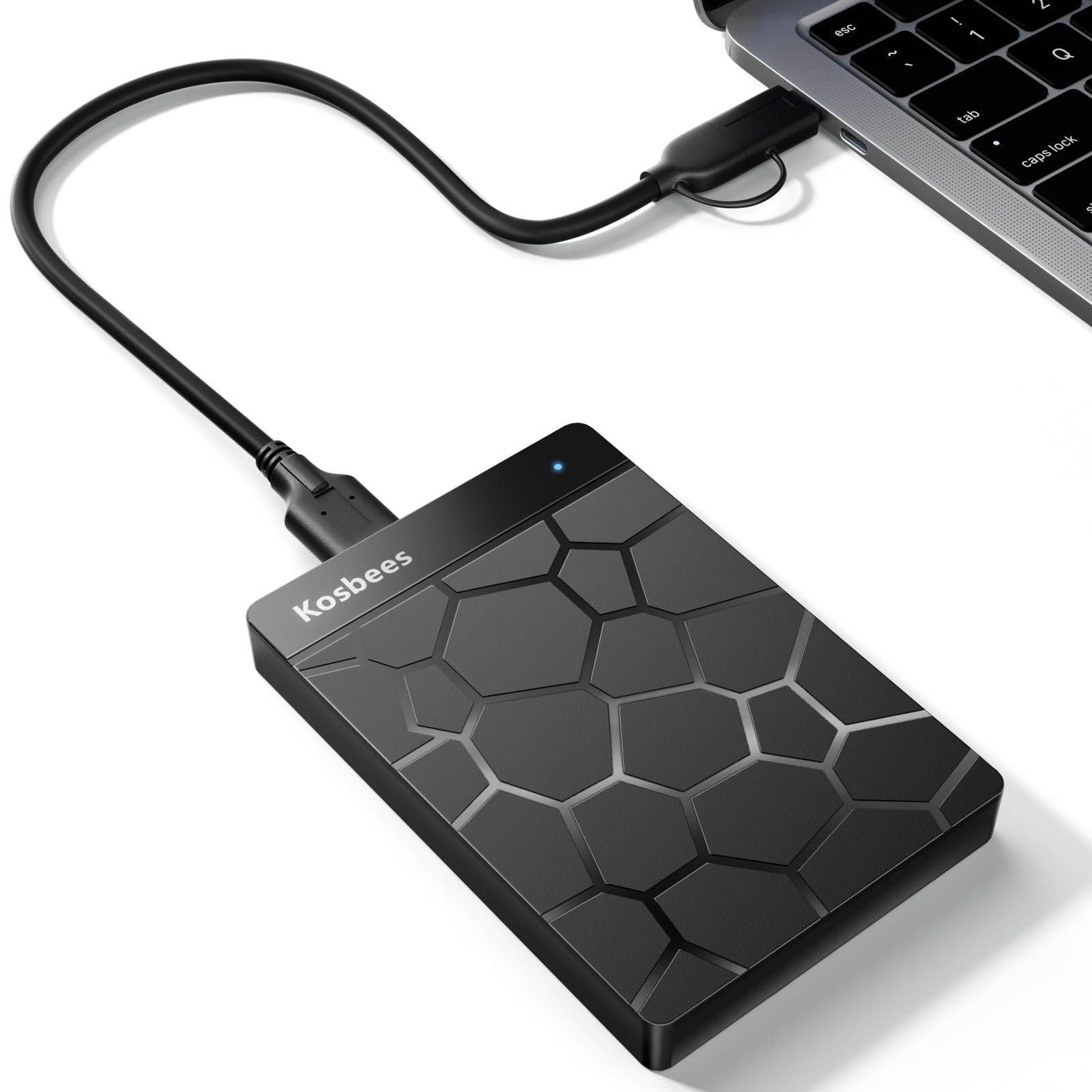
2. 1 TB External Hard Drives (Kosbees, Ultra Slim)
A 0.6-pound 1TB drive that plugs in with no software to install.
The 0.6-pound weight is the detail that sets this one apart. It slips into a bag or an empty console shelf without you noticing it is there, and the plastic enclosure keeps it light enough for travel. It offers 1TB of capacity, which is enough to park a healthy batch of last-gen games and free up breathing room on your internal storage.
Setup is the strong suit. It is plug-and-play with no software to install, and it worked from the start for most owners. On the read side, it is rated at 110 MB/s over USB 3.0. That is a touch slower than the GAZELLE drive’s 120 MB/s, though both sit in the same practical range for moving files back and forth. For a console, the USB 3.0 connection is the important bit — it is the current baseline for external game storage.
The honest catch is compatibility. The listings and feedback note a mixed picture here, with some units not being picked up by an Xbox One from the start. The functionality feedback is the most-discussed topic on this drive and it is genuinely split. If you want a set-and-forget Xbox drive, pay the small premium for a pre-formatted model. If you want a cheap, light secondary drive for backups and older games, this one earns its spot.
The tiny-drive payoff: 1TB in 0.6 lbs makes this the easiest drive to carry between a console and a laptop.
The split verdict: functionality feedback is mixed, so buy this for convenience and backups rather than as a guaranteed Xbox-first drive.
Choose it for: the lightest, most portable 1TB on the list and a budget-friendly entry point.
Think twice if: you want a pre-formatted Xbox drive that just works on first plug-in.
3. Avolusion HD250U3-WH 1TB (for Xbox Series X|S)
Pre-formatted for Xbox, so the console reads it the moment the USB cable connects.
This one is pre-formatted for Xbox, which is the reason to put it first for anyone who wants zero setup. Connect the USB cable and the console sees it. The 1TB capacity holds a decent batch of Xbox One titles, and the aluminum chassis gives it a sturdier feel than a plastic shell. USB bus power means no wall adapter to hunt for, which keeps your shelf tidy.
The console compatibility list is broad — Xbox One, One S, One X, Series S, and Series X. The 5Gbps connection is the standard speed tier for external console drives, so you are not giving up anything versus other USB 3.0 picks. Where owners tend to get tripped up is the expectation that Series X|S games will run from it. They will not — those titles are stored here and copied back to the internal SSD to play. Xbox One games, meanwhile, run straight off the drive.
The catch worth knowing up front is reliability. This is the most-discussed topic on the drive and the feedback is split, with some units holding up and others stopping after a few months. That is a fair risk on a mechanical disk at this price tier, and the 2-year warranty card in the box covers you for the early window. If you value a pre-formatted, plug-in-and-forget setup, this white Avolusion is the cleanest fit.
Setup without a menu screen: pre-formatted for Xbox means you connect the cable and you are done — no reformat step.
What the box cannot change: Series X|S titles still need the copy-back to internal SSD, so this is archive space, not a shortcut.
Right for: an Xbox-first buyer who wants the drive to just work on the first plug-in.
Wrong for: someone expecting Series X|S games to launch straight off the drive.
4. GAZELLE High-Speed 1TB Ultra Slim
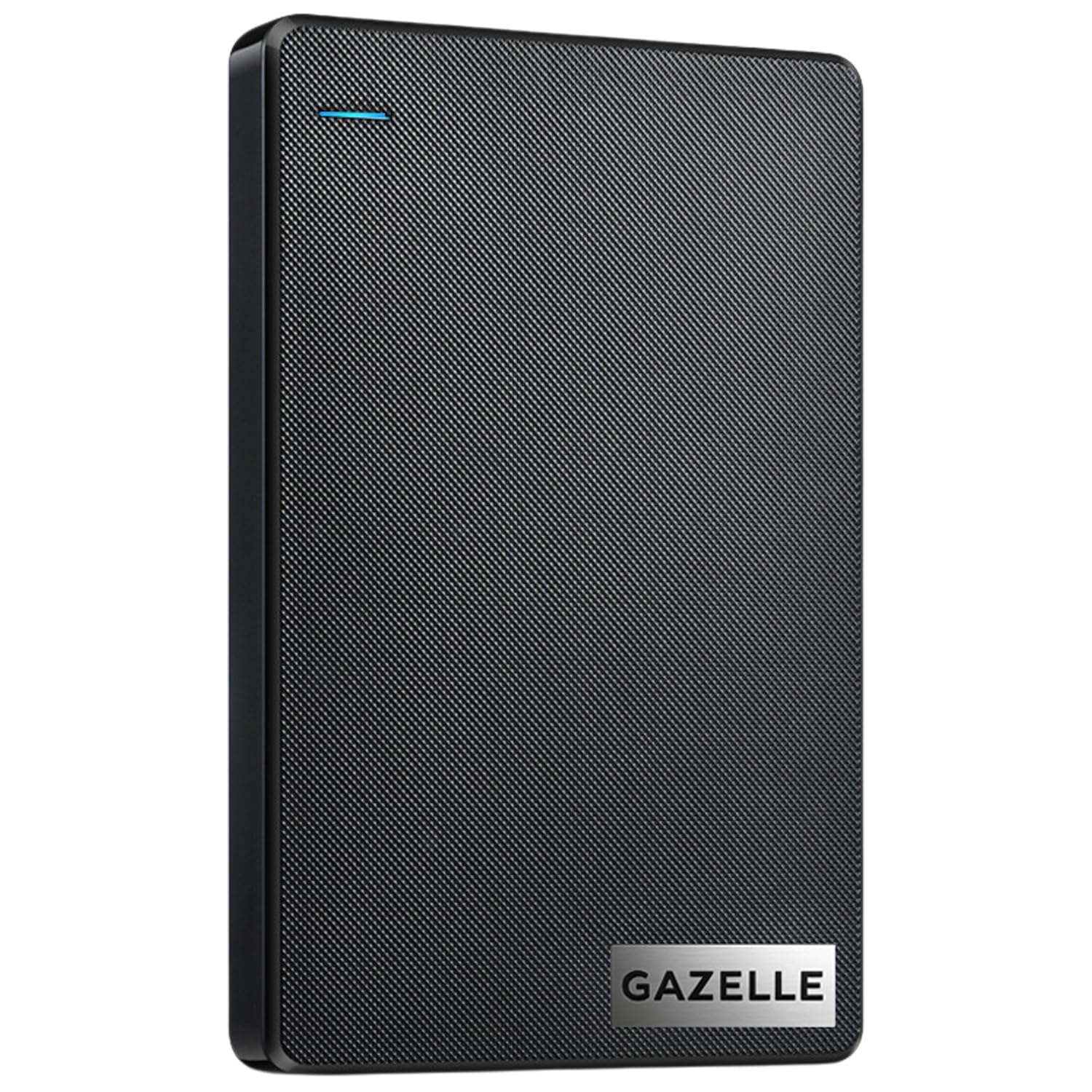
Ships with a USB 3.0 cable and a Type-C adapter for console-to-laptop swaps.
The dual-interface design is the reason to consider this one. It comes with a USB 3.0 cable plus a Type-C adapter, so it works with a console on one end of the room and a USB-C laptop on the other without an extra dongle. The readable spec is 120 MB/s — faster than the Kosbees drive’s 110 MB/s on paper, though both are capped by the mechanical disk inside.
At roughly 150 grams and with a compact profile, it lives in a laptop bag easily. It also lists wider device support than most here: Windows, macOS, Linux, Android, plus TV, tablet, and iPad. That makes it a useful second-life drive if you upgrade your console setup later. The LED indicator light is a small but practical touch — you can see at a glance whether it is connected and active.
The catch is compatibility. It is certified-level listed for Xbox Series S and Series X, but the feedback on console and iPad connections is genuinely mixed, with some buyers not getting it recognized. Treat the dual-connector convenience as its selling point and verify the Xbox connection setup carefully on arrival. The ease-of-use praise is consistent, and the one-year warranty is a fair safety net for the price.
The connector flexibility: USB 3.0 plus Type-C in one package means it travels between console, laptop, and tablet without adapters flying around.
The compatibility caveat: feedback on Xbox and iPad connections is split, so confirm it registers on your console before trusting it with a full library.
Pick it if: you share one drive between an Xbox and a USB-C laptop and want the connector hassle solved from the start.
Skip the upgrade if: console-only use is your plan — a pre-formatted Xbox drive takes less setup risk.
5. 1TB USB 3.0 Portable External Gaming Hard Drive (Avoluxion)

1TB pre-formatted for Xbox One, One S, and One X, with no reformat step.
Build-in 1TB capacity and pre-formatted for the console — that combination makes this a straightforward expansion for an Xbox One S or original Xbox One. You plug it in, the console registers it, and you can move a batch of games over. The 5Gbps USB connection is the standard tier, and the slim, lightweight body suits a media shelf.
Where this drive gets honest is in the feedback. The reliability topic is the most-discussed on the drive and it is split — some report perfect operation, others find it does not work with the newer Xbox consoles. The listed compatibility focuses on Xbox One X, S, and the original first-generation console, so treat it as an Xbox One era drive rather than a Series X|S companion.
The 2-year warranty card in the box is welcome insurance on a mechanical drive. If your setup is an older Xbox One that needs a bigger shelf for last-gen games, this one does the job without ceremony. If you have a Series X|S and expect a plug-and-play experience there, look at the pre-formatted Avolusion white drive instead — it lists those consoles directly.
Best matched to: an Xbox One, One S, or One X owner who wants a low-cost 1TB expansion with no reformat step.
Not the one for: a Series X|S owner — the reliability feedback here points to newer-console compatibility gaps.
6. Avolusion 2TB USB 3.0 Portable Xbox One External Hard Drive

2TB pre-formatted for Xbox One, double the capacity of the 1TB drives here.
2TB is the figure that matters here. That is double what the 1TB Avolusion HD250U3-WH holds, and it means moving a whole library of Xbox One titles over without playing storage Tetris every other week. It is pre-formatted for Xbox One, so the setup is plug-in and go, and it carries a 2-year warranty.
The compatibility list is specific: Xbox One, One S, and One X. It does not list Series X|S as a target, so buy this with an Xbox One setup in mind. The 5Gbps USB 3.0 connection is standard, and the 2.5-inch portable form factor keeps it shelf-friendly. It is lightweight enough to travel with the console if you move between rooms.
The caveat is reliability. That topic carries the most feedback on this drive and it is split, with some units working perfectly and others arriving dead. The 2-year warranty card in the box is the buffer you want on a mechanical drive at this price. For a plain, roomy Xbox One expansion, it delivers the capacity without fuss.
The case for 2TB in this shell
- Double the capacity of the 1TB drives here for a library that keeps growing
- Pre-formatted for Xbox One — plug in and go
- 2-year warranty card included
- Portable 2.5-inch body that travels with the console
The honest downside
- Reliability feedback is split — some units fail early
- Xbox One only; Series X|S is not the target here
Made for: an Xbox One owner who wants a roomy, pre-formatted 2TB drive without paying premium-tier money.
Not for: a Series X|S household looking for a modern-console archive drive.
7. Toshiba Canvio Gaming 2TB

A 2TB drive whose reliability feedback is the most positive on this list.
What wins people over here is reliability — the topic that gets mentioned most on this drive, and the rare one where the positives outnumber the negatives by a clear margin. That is the opposite texture from the cheaper drives on this list, where the reliability thread is split.
The 2TB capacity stores up to 50 games at an estimated 36GB per game, which is a useful mental picture of how much shelf space you are buying. It features a firmware-customized “Always-On” mode for a more responsive gaming feel. The connection is USB 3.0 at 5Gbps, the standard tier, and the aluminum and glass enclosure gives it a more considered look on a media shelf than a plain plastic box.
The honest limit is the Series X|S rule shared by every drive here: it stores those titles but cannot play them directly. Compatibility feedback reflects that, with buyers noting it does not run PS5 or next-gen titles directly. A 2-year manufacturer’s warranty backs it. If you want one drive you stop thinking about, this is the pick.
The reliability angle: the most-discussed topic on this drive lands mostly positive, which separates it from the cheaper drives on this list.
Set the expectation: Series X|S games are stored, not run, here — a rule that applies to every external drive on this page.
The smart pick for: anyone who wants a daily-driver 2TB archive drive and values reliability above all else.
Don’t expect: next-gen titles to launch from it — that is an internal-SSD-only job.
8. WD 5TB My Passport

5TB like the P10, plus backup software, ransomware defense, and hardware encryption.
This holds the same 5 TB capacity as the WD_BLACK P10 at the top of the list, but it is tuned for a different job. It ships with device management software for backups, ransomware defense, and password protection with hardware encryption. That is a meaningful extra if you also keep photos, documents, and captures on the same drive. One drive for the game archive and your backup, rather than two.
It is a slim, durable design, USB 3.1 and USB 3.0 compatible, with a 3-year limited warranty. The compatibility line here lists Xbox One as the console target, so treat it as a last-gen-friendly drive. Storage capacity is the standout strength: the topic that gets mentioned most and lands strongly positive, with buyers praising the space for movies and games.
The catch is a split reliability record. The reliability thread is the most-discussed on this drive and runs close to even, with some drives running fine and others failing in under four months. If you want the most dependable archive drive in this list, the Toshiba is the stronger bet. If you want double duty — game space plus a protected backup drive — the My Passport’s software layer is the reason to accept that trade.
The two-jobs-in-one angle: 5TB plus backup software, password protection, and hardware encryption serve your games and your personal files on one drive.
The honest trade: reliability feedback is split here, so keep anything irreplaceable in a second location.
Reach for this if: you want 5TB that doubles as a protected backup drive alongside your game archive.
Look at the Toshiba instead if: pure reliability for an always-on console drive is your priority.
9. Seagate Game Drive for Xbox 4TB

Xbox-certified, green-lit, and priced like a permanent fixture on your shelf.
The 600 MB/s transfer figure is far above the 130 MB/s the WD_BLACK P10 quotes, and it is the number to point to if moving large game files back to the internal SSD bugs you. 4 TB of capacity is the other headline: plenty of room for a full game vault plus a cushion for the next wave of releases. It is Xbox-certified for Series X, Series S, and all generations of Xbox One.
The design is deliberately Xbox-flavored, with a built-in LED bar that glows green to match the console. It ships with 3-year Rescue Data Recovery Services and a 1-year limited warranty, which is a generous safety net for a mechanical drive. The 3.5-inch form factor is the catch in the spec sheet — it is a desktop-sized drive, so plan a spot for it rather than a pocket.
Where buyers push back is the Series X|S rule again, and the compatibility topic here is the most-discussed and it lands negative — with the core issue being that next-gen titles will not run straight from the drive. That is a console limit, not a defect in the drive, but it needs to be understood before you buy. If you want a large, certified, long-warranty archive vault, it earns its place at the top of the premium tier.
What this vault gives you
- 4TB capacity for a genuinely large game library
- 600 MB/s transfer rating leads this list
- Xbox-certified across Series X, Series S, and every Xbox One
- 3-year Rescue Data Recovery Services included
What to know before buying
- 3.5-inch form factor is desktop-sized, not pocketable
- Compatibility feedback is the most-discussed and negative — Series X|S games cannot run from it directly
Suits: a premium-tier buyer who wants the fastest-rated drive here, 4TB of space, and recovery services included.
Not suited to: anyone expecting Series X|S titles to launch from the external drive, or anyone short on shelf space.
Know the Specs
Capacity and how many games it holds
Capacity is the number that decides whether you stop deleting games. A 1TB drive is a reasonable first expansion, a 2TB drive roughly doubles that space, and a 4TB or 5TB drive becomes a proper vault. Toshiba estimates a 2TB drive can store up to 50 games at about 36GB each, so scale that rule of thumb for your own target.
USB version and real-world speed
USB 3.0 and USB 3.2 Gen 1 both carry a 5Gbps connection, which is plenty for external game storage. The speed you actually feel is the copy-back to the internal SSD, where a drive rated at 600 MB/s will move large games faster than one rated at 130 MB/s or 110 MB/s. A number in megabytes per second tells you how much data moves each second.
Pre-formatted versus PC-ready drives
A pre-formatted Xbox drive appears on your console without any setup step. A drive built for Windows or Mac may need a reformat, which means every file on it is erased. If you plan to share a drive between a laptop and a console, check its format before you move important files onto it.
The Series X|S archive rule
Xbox Series X|S games must play from the internal SSD. An external USB drive stores those titles as a buffer, then you copy them back to the console to play. Xbox One and older games run straight off the external drive. That rule applies to every drive on this list, regardless of brand.
Common Questions
Can I play Xbox Series X|S games directly from an external hard drive?
Do I need a pre-formatted drive for Xbox One?
How many games does a 1TB Xbox hard drive hold?
Does the USB cable version matter for an Xbox hard drive?
Can I use one external drive on both Xbox and PlayStation?
How long should an Xbox external hard drive last?
Is a 2.5-inch or 3.5-inch drive better for an Xbox?
Do I need a separate power adapter for an Xbox hard drive?
Can I use an external drive to free up internal Xbox storage?
Does a bigger hard drive make games load faster on Xbox?
The Bottom Line
One purchase ends the storage scramble: the WD_BLACK 5TB P10 Game Drive holds 5 TB (terabytes — about 5,000 gigabytes) and moves data at 130 MB/s (megabytes per second), so a big game install copies over in minutes rather than hours. Its metal top sits neatly beside the console, and it carries a 4.5+ star score across a massive pool of owners. That rating and the size of its owner base make it the safest default on the list.
Want a drive you never have to think about? The Toshiba Canvio Gaming 2TB is the one — its reliability feedback is the calmest here, and its “Always-On” mode is built for a console that stays connected. If speed and coverage matter more than portability, the Seagate Game Drive 4TB leads the list at 600 MB/s with Xbox certification and 3-year recovery services.
And if you just need more room on an Xbox One without spending premium money, the Avolusion 2TB is pre-formatted and ready on arrival. Whatever you pick, remember the rule that applies to all of them: Series X|S games are archived on the external drive, not played from it — so a bigger drive is about breathing room, not faster loads.
How we choose
We do not accept paid placement. Every pick is matched to a real buyer and a real use-case; we do not hands-on test units.
Sources
Specifications: manufacturer listings and product documentation. Review insights: verified customer reviews, as of November 2026. Pricing: not shown on this page (it changes often); check the current price via the retailer link.
As an Amazon Associate, Gamepad Test earns from qualifying purchases. This does not affect which products we feature.