
Heads up: This post contains affiliate links. As an Amazon Associate I earn from qualifying purchases, at no extra cost to you. Learn more
Specs are compiled from manufacturer listings and verified buyer reviews and can change over time — please confirm the key details on the product page before buying.
Every 5070 Ti 16 GB card runs the same graphics chip, so the chip is not why you pick one over another. What separates these cards is the cooler bolted on top, the factory clock it ships with, and how many slots it eats inside your case. Pick the wrong one and you get a card that whines under load or simply will not fit. Pick right and you get 16 GB of GDDR7 video memory (the card’s fast scratchpad for textures) that keeps frames smooth when your favourite game loads huge open worlds.
This guide is built by comparing the manufacturers’ published specifications and the patterns across verified customer reviews, so you get each pick’s real strengths and trade-offs instead of marketing spin.
A graphics card’s worth shows up in frame rates and load temperatures, not in the logo on its shroud. This guide shows how each of these 16 GB boards behaves and which one fits your build. It also covers the small details the box specs skip, like how many slots the card takes on your motherboard and which power supply connector your case needs.
Top Picks

How To Choose The Best 5070 Ti 16 GB Card
Every card here uses the same GPU and the same 16 GB of GDDR7 memory (the card’s fast working space for game textures and effects). That 16 GB holds high-resolution textures without swapping to slower system memory mid-scene, so games stay smooth. Because the memory is identical on every card, your choice depends on cooling, clock speed, and physical fit.
Cooler design decides the noise floor
A triple-fan cooler with a large heatsink and a vapor chamber moves more heat away, so the fans can spin slower for the same temperature. Lower fan speed means less whine in your room. Cards here range from three axial fans on the PNY boards up to the 3.2-slot fin stack on the ASUS ROG Strix. Thicker coolers run quieter but take up more motherboard slots.
Factory clock speed versus real gains
Boost clock is the top speed the GPU can hit when thermals allow, measured in megahertz (MHz). The cards here start at 2295 MHz on the PNY boards and climb to 2610 MHz on the ASUS TUF OC. A higher starting clock means the card can hold that frequency longer under load, so performance stays steadier in the heat of a long session.
Measure before you buy
Card length and slot thickness are the two numbers that will stop an order cold. Check the clearance in your case against the card’s listed length. Then count how many slots your motherboard and case can spare. A 3.125-slot card like the ASUS TUF needs a lot of room below it for air to reach the bottom fan.
Side-by-Side Comparison
| Model | Best For | Boost Clock | Memory | Slot/Cooler | Amazon |
|---|---|---|---|---|---|
| ASUS TUF Gaming GeForce RTX 5070 Ti 16GB GDDR7 OC Edition★ Best Overall | All-round flagship build | 2610 MHz | 16 GB GDDR7 | 3.125-slot, triple axial fans | Amazon |
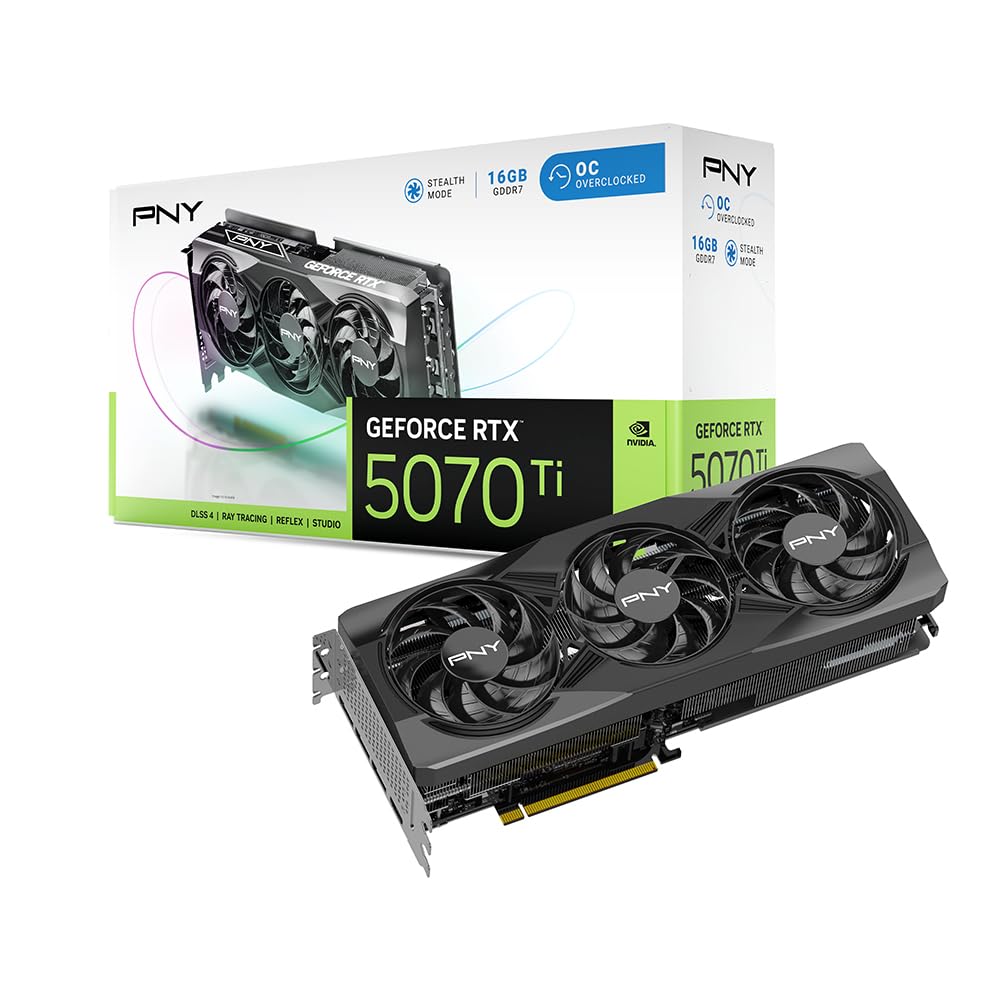
| PNY NVIDIA GeForce RTX 5070 Ti OC Triple-FanBest Value | Quiet value | 2295 MHz | 16 GB GDDR7 | Triple 90mm fans, vapor chamber | Amazon |
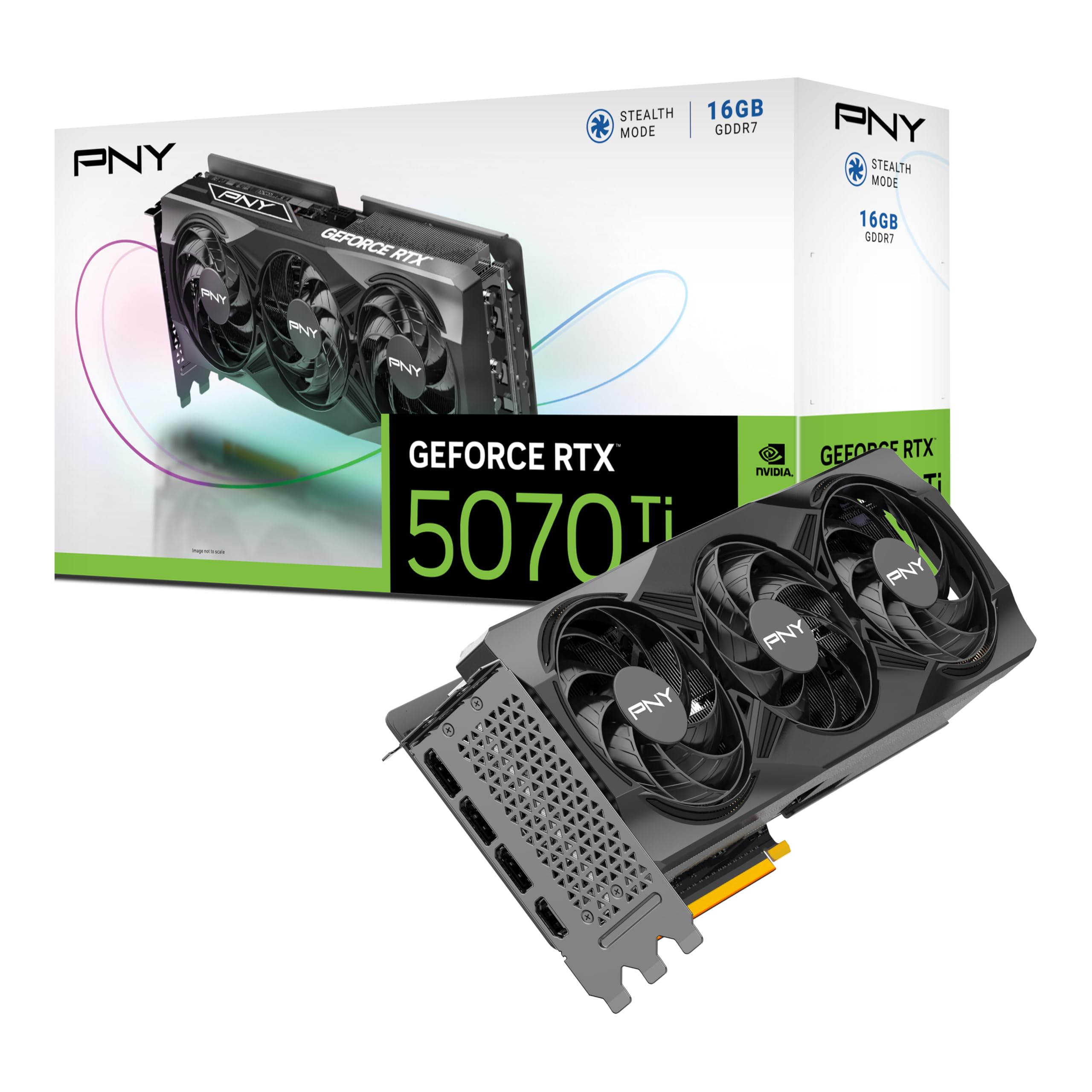
| PNY GEFORCE RTX 5070 Ti 16GB Triple Fan DLSS4Entry Point | Entry-tier value | 2295 MHz | 16 GB GDDR7 | Triple fan | Amazon |
| Gigabyte GeForce RTX 5070 Ti Eagle OC ICE SFF 16G | White SFF builds | 2542 MHz | 16 GB GDDR7 | SFF-ready, dual BIOS | Amazon |
| GIGABYTE GeForce RTX 5070 Ti AERO OC 16G | Creator and show builds | 2588 MHz | 16 GB GDDR7 | WINDFORCE cooling | Amazon |
| MSI GeForce RTX 5070 Ti 16G Ventus 3X OC | Triple-fan value | 2482 MHz | 16 GB GDDR7 | Triple TORX Fan 5.0 | Amazon |
| ZOTAC Gaming GeForce RTX 5070 Ti Solid SFF OC | Compact power | 2482 MHz | 16 GB GDDR7 | SFF, IceStorm 2.0 | Amazon |
| ASUS Prime GeForce RTX 5070 Ti 16GB GDDR7 OC Edition | SFF with a full cooler | 2497 MHz | 16 GB GDDR7 | SFF-ready, 2.5-slot | Amazon |
| GeForce RTX 5070 Ti 16G Gaming Trio OC | Max in-game clock | 2572 MHz | 16 GB GDDR7 | Triple-fan Trio | Amazon |
Detailed Reviews
1. ASUS TUF Gaming GeForce RTX 5070 Ti 16GB GDDR7 OC Edition
Our pick — 4.5+★ from 500+ verified ratings; the strongest balance of quality and price.
The frame-rate specialist: the highest clock here with a cooler thick enough to hold it.
A card only runs as fast as its cooler lets it sustain. This TUF runs 2610 MHz in OC mode and 2588 MHz in default mode, putting it at the top of the whole lineup. Its thick 3.125-slot fin array, three Axial-tech fans, and phase-change thermal pad are built to keep the GPU at that speed rather than throttling back. Owners gaming in 4K report load temperatures below 70°C, which is what keeps the 2610 MHz clock from throttling.
Beyond raw speed, the build quality is the second story. Military-grade components, a protective PCB coating that shields against moisture and dust, and Auto-Extreme automated manufacturing all point to a card meant to live in a hot case for years. GPU Tweak III software lets you nudge clocks, set thermal targets, and monitor temperature live, so the tuning stays in your hands. Equipped with 16 GB of GDDR7 on a PCIe 5.0 interface and HDMI/DP 2.1 outputs, this card is also ready for a 7680×4320 display.
What earns it first place
- 2610 MHz OC mode — the highest factory clock in this group
- Keeps load temperatures below 70°C in 4K gaming
- Phase-change thermal pad protects longevity under heavy use
- PCB coating shields against moisture, dust, and debris
Where you should weigh it
- 3.125-slot thickness needs room below for airflow
- Minimum 850W PSU with a 12V-2×6 connector required
- Top-tier pricing puts it out of reach for budget builds
Reach for this if: you want the highest clock and the smoothest frame rates from a card that will not falter over a five-hour session.
Look elsewhere if: your case cannot spare three-plus slots or your power supply tops out below 850W.
2. PNY NVIDIA GeForce RTX™ 5070 Ti OC Triple-Fan Graphics Card
Keeps its cool with a vapor chamber, and it does not ask you to pay for the brand badge.
The quiet is what buyers notice. Three 90mm axial fans with counter-rotation to cut turbulence and dual-ball bearings, plus a Stealth Mode that shuts the fans down entirely at low temperatures. Under a light load — a browser, a strategy game — the card makes no fan noise at all. The vapor chamber and dense heatsink pull heat off the GPU quickly, and the open aluminum backplate lets air escape instead of trapping it.
What you actually get here is more frames per dollar than the flagship tier. At 2295 MHz it runs 14% behind the ASUS TUF’s 2610 MHz clock, a gap you can feel most in demanding ray-traced scenes. In return you get a card that lands far below the flagship tier on cost while keeping the same 16 GB of GDDR7 memory and PCIe x16 interface. VelocityX software gives you core and memory tuning with five saved profiles. If 4K extreme settings are your goal, want more headroom; if you play at 1440p, you will rarely notice the clock gap.
NVIDIA Blackwell architecture with 5th-Gen Tensor cores and 4th-Gen Ray Tracing cores sit underneath, so DLSS 4 and ray tracing work exactly as on pricier boards. The 16-pin to three 8-pin power cable is included in the box.
The honest trade-off: the 2295 MHz clock is the lowest base speed here, so it falls behind the top TUF card under peak ray-tracing loads (heavy lighting effects). That is the cost of the lower tier, not a weakness in the cooler.
The smart-money call: builders who want silent operation and full 16 GB performance without paying for the name on the shroud.
3. PNY GEFORCE RTX™ 5070 Ti 16GB Triple Fan Graphics Card DLSS4
All 8960 cores and the full 256-bit memory bus, with nothing spent on fancy trim.
This is the same GPU core count as the cards above — 8960 CUDA processing cores (the parallel math units that draw every frame) partnered with a 256-bit bus and up to 896GB/sec of memory bandwidth. That bandwidth is what feeds high-resolution textures to the GPU, so at 4K it means the 16 GB of GDDR7 does not sit idle. Clock speeds run 2295 MHz core and 2452 MHz boost, right in line with the other PNY board. You get PCIe 5.0 plus DisplayPort and HDMI outputs for a multi-monitor setup.
What it does not offer is a vapor chamber or the Stealth Mode fan stop of its PNY stablemate. The triple-fan cooler is straightforward, with no separate cooling hardware called out in the spec sheet. If your room runs cool and your case has good airflow, that limit rarely shows. In a cramped case during summer, the fans will work harder than they would on a card with a vapor chamber inside.
Who this suits: a first-time 5070 Ti buyer who wants every core and the full 16 GB, with a cooler that is honest rather than decorated.
Skip the upgrade temptation if: you plan to game at 4K max settings in a small case — spend up for a vapor-chamber cooler instead.
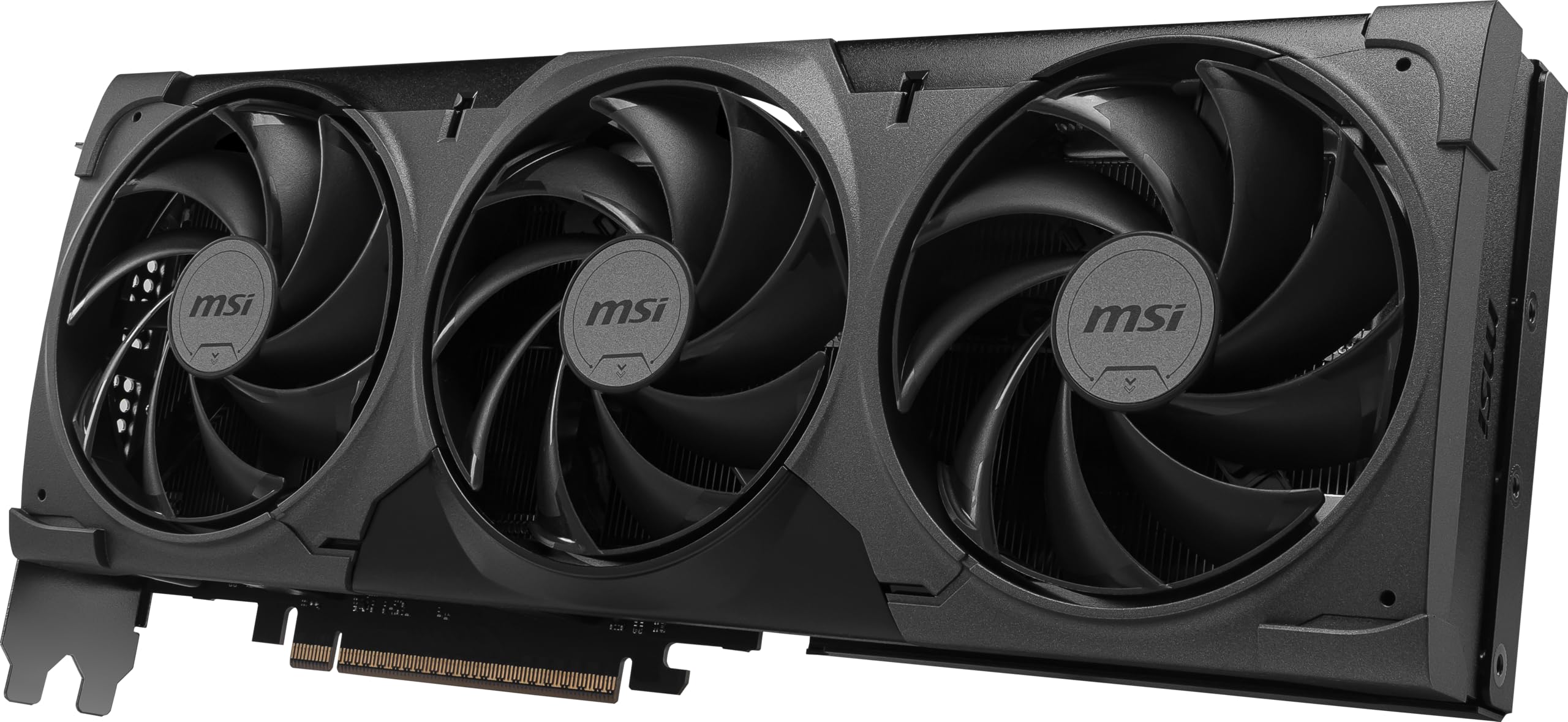
4. MSI Gaming RTX 5070 Ti 16G Ventus 3X OC Black
The Shadow series delivers solid gaming frames without the flagship sticker shock.
MSI markets the Shadow as a performance-first card for new builds and upgrades. It packs 16 GB of GDDR7 on the latest NVIDIA Blackwell architecture (the chip design behind the RTX 50 series), a 2482 MHz clock, and DLSS 4 neural rendering (AI upscaling that the maker says raises frame rates and cuts input lag). The listed length is 39.13 inches versus the ASUS TUF’s 13 inches, which looks like a measurement mix-up in the source listing. Tape-measure your own case bay before you order rather than trusting either number.
The GPU itself is the same 5070 Ti silicon used by every card here, so the performance ceiling is shared. What shifts between these boards is the cooler, and owners who have installed this one describe the performance as exceptional for the tier. You need a power supply of at least 750W and the latest drivers to install it, the same requirement the Ventus family states.
Bottom line: a middle-of-the-road card at a middle-of-the-road tier, with the full Blackwell feature set and no surprises beyond the size listing to double-check.
The right buyer: someone building fresh who wants the Shadow’s clean look and a 750W-compatible card, not the highest clock on the shelf.
5. Gigabyte GeForce RTX 5070 Ti Eagle OC ICE SFF 16G

A white small-form-factor card with a performance/silent switch built in.
Two BIOS modes on one card is the practical detail here. Flip to Performance when you want the 2542 MHz core clock pushed hard, or switch to Silent for a quieter fan profile during late-night sessions. The WINDFORCE cooling system does the thermal work, and the ICE treatment in the name means a white shroud for a build with a light-coloured theme. 16 GB of GDDR7 over a 256-bit interface and PCIe 5.0 keep it matched to every other 5070 Ti here.
Gigabyte also bundles a reinforced structure and a versatile VGA holder to fight GPU sag in a tall case, and the card is NVIDIA SFF-ready for compact builds. RGB lighting is on the shroud if you want an accent. Note the slightly lower 4.5+ rating compared with the class-leading TUF and Prime cards, which likely reflects its niche appeal to SFF builders rather than a real performance gap — the silicon is identical.
The dual-mode advantage: the Performance/Silent BIOS switch means you can tune fan noise and speed without installing any software, which is a genuinely rare feature in this lineup.
Look here if: your build leans white, your case is tight, and you want hardware-level control over noise.
6. GIGABYTE GeForce RTX 5070 Ti AERO OC 16G

Gigabyte’s AERO pushes 2588 MHz — nearly the top of this entire group.
The AERO OC sits one notch below the fastest card on the page in clock speed. At 2588 MHz it is within a rounding error of the ASUS TUF’s 2588 MHz default mode. Compared against the PNY boards at 2295 MHz, that is a higher boost ceiling for long ray-tracing sessions. The WINDFORCE cooling system handles the heat, and the 256-bit GDDR7 memory interface carries the 16 GB that every 5070 Ti is built around.
Gigabyte lists four years of EU spare-part availability on this model, which is a meaningful signal if you care about being able to source replacements down the line. It also supports 7680×4320 output through PCIe 5.0. Review data is sparse here, so the main reference point is the spec sheet rather than owner impressions.
The long-game angle: a 2588 MHz clock plus a stated spare-part window makes this a card to buy once and keep, rather than one to swap out every two years.
Worth shortlisting if: you want near-top clock speed and a documented support window, and you are comfortable buying from a newer listing.
7. MSI GeForce RTX 5070 Ti 16G Ventus 3X OC

Three fans, a huge heatsink, and 8K output for a desk that needs every pixel.
Three TORX Fan 5.0 units with ring-linked blades push steady high-pressure air through a large heatsink, and a nickel-plated copper baseplate pulls heat from both the GPU and the memory. Core Pipes use a square profile to contact more of the GPU baseplate, and the dual DisplayPort 2.1b plus HDMI 2.1b setup feeds a multi-display array. The 2482 MHz clock is the same as the SFF-ready Ventus above, but this card runs the larger triple-fan chassis.
You can drive an 8K screen at 7680×4320 if you own one. MSI says you need at least a 750W power supply (the box that feeds power to your whole PC), which matches the other MSI cards here. Ignore one data-sheet slip: the listing mentions 16GB GDDR5X at 1750 MHz in one line, but the GPU is an RTX 5070 Ti, so the GDDR7 16 GB figures elsewhere on the same listing are the correct ones.
The practical read: a conventional triple-fan card with 8K headroom and standard MSI thermal engineering, priced in the middle of the pack.
Pick it when: you want a full-size triple-fan cooler and 8K connectivity, and you do not need the SFF footprint of the Ventus above.
8. ZOTAC Gaming GeForce RTX 5070 Ti Solid SFF OC

A compact card buyers describe as the best bang for buck in this range.
At 12 inches, it is genuinely short for a triple-fan 5070 Ti, and SFF buyers cite the fit as the selling point. IceStorm 2.0 cooling runs three 90mm BladeLink fans with composite heatpipes and a pass-through airflow design, so heat escapes the card rather than swirling inside it. FREEZE Fan Stop shuts the fans off at low load, and Active Fan Control manages the curve on its own.
Card quality is the theme in the feedback: a metal backplate, white LED lighting, a bundled GPU support stand, and a SPECTRA Link cable round out the package. The 2482 MHz boost clock and 256-bit 28 Gbps GDDR7 memory match the spec on the other mid-tier boards here. Owners praise it for staying relatively quiet and not getting too warm during long sessions.
The catch is fit. The card’s size drew mixed feelings in owner feedback, so measure your case bay and count the slots before you commit. ZOTAC includes the support stand for a reason — the card is a substantial piece of hardware.
Where it wins: compact builds that need quiet operation and a metal backplate, with a support stand thrown in to fight sag in a tall case.
Best match for: SFF and smaller ATX builders who want proven cooling in a sub-13-inch card.
9. ASUS Prime GeForce RTX 5070 Ti 16GB GDDR7 OC Edition

Small case, big cooler — the Prime packs SFF dimensions with full-size airflow.
ASUS built the Prime for cramped builds first. A 2.5-slot design keeps it compatible with a wider range of cases while its axial-tech fans use a smaller hub so each blade runs longer, with a locking ring that raises air pressure. A phase-change GPU thermal pad drops temperatures for steadier performance, and the 2497 MHz clock sits just above the mid-tier boards. 16 GB of GDDR7 over PCIe x16 keeps it spec-matched to the group.
The 4.5+ rating on this card ties it with the TUF in class leadership, making it the natural pick for SFF builders who refuse to trade performance. It runs 3840×2160 output and reads as an enthusiast card that knows how to fit in small spaces.
The smart play: 2.5-slot thickness and a 2497 MHz clock turn a space-limited build into a full-performance build, no compromise required.
Reach for it if: your case is measured in slots and you want ASUS build quality at the higher end of the mid range.
10. GeForce RTX 5070 Ti 16G Gaming Trio OC
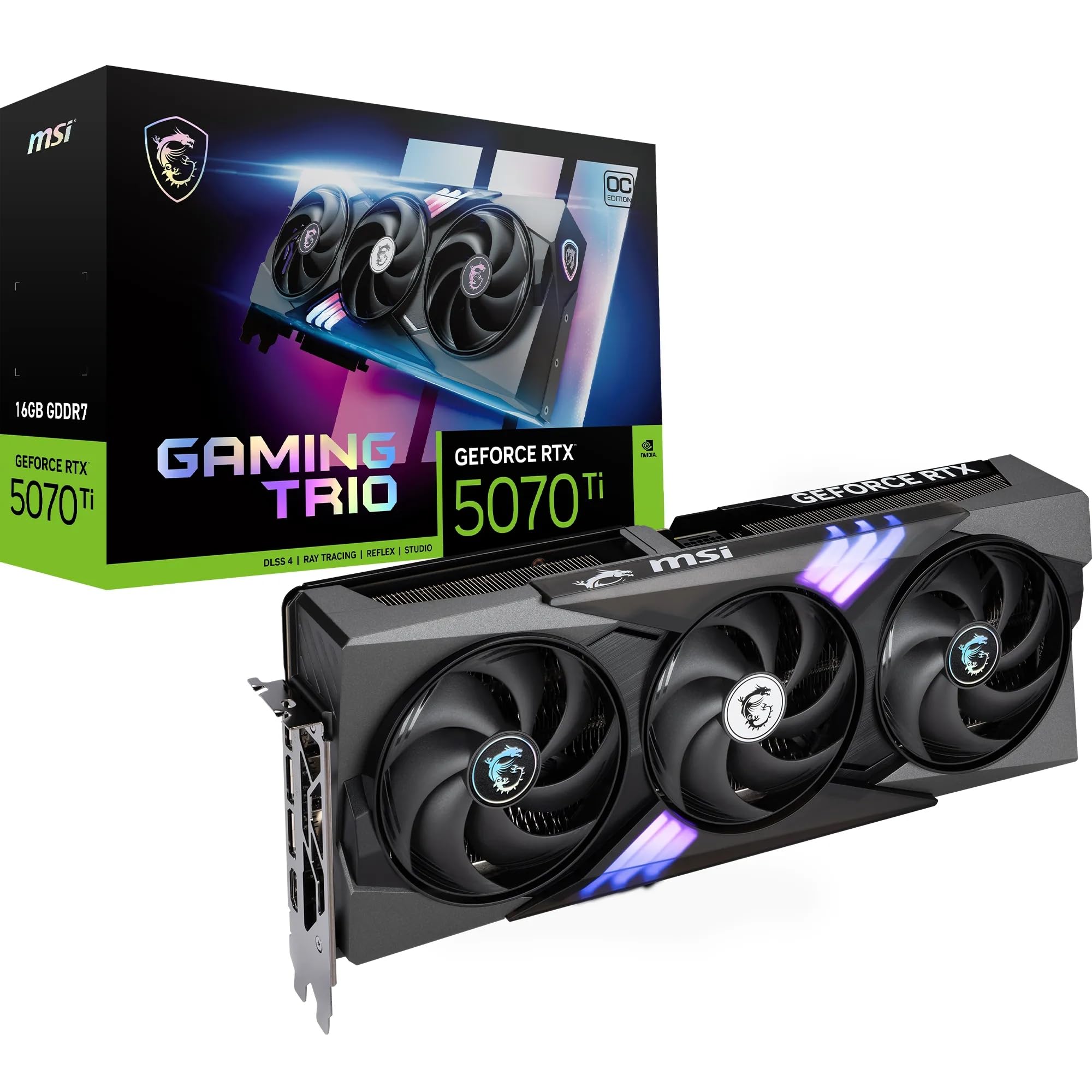
The Trio carries the highest boost clock on this page, at 2572 MHz.
Boost clock is a promise, not a guarantee — the card can hit that frequency only when the cooler keeps up. MSI’s Gaming Trio uses a 2572 MHz boost clock paired with 16 GB of GDDR7 on a 28 Gbps 256-bit memory bus. That gives you one of the fastest clocks here, just behind the 2602 MHz ASUS ROG Strix and ahead of the 2482 MHz Ventus boards. It runs PCIe 5.0 and offers HDMI 2.1b and DisplayPort 2.1b outputs at 7680×4320.
The listing itself is thin, with little cooler detail beyond the “Trio” name and a 750W power supply requirement. What you can count on is the same Blackwell GPU and 16 GB GDDR7 memory as every other card here, plus a 4.5+ rating. If you want the near-top clock speed and do not need the ASUS cooling engineering, this is a sensible target.
The framing: the Trio’s edge is its boost clock, but a thinner spec sheet means you are taking more on trust than on documented cooler detail.
Suits you when: boost clock is your priority and the Trio’s specs meet your power budget of at least 750W.
11. Asus TUF Gaming RTX5070 Ti OC
Common Questions
Will a 5070 Ti 16 GB fit in my ATX mid-tower case?
Does the 5070 Ti 16 GB need a special power supply?
Is the 16 GB of GDDR7 memory the same on every 5070 Ti card?
Does a higher boost clock actually give more frames per second?
Can a 5070 Ti 16 GB run 4K gaming at high settings?
What is the difference between an SFF-ready card and a full-size 5070 Ti?
Do I need PCIe 5.0 on my motherboard for this card?
How do I stop a heavy 5070 Ti from sagging in my case?
Is a triple-fan 5070 Ti louder than a dual-fan card?
Does a 5070 Ti 16 GB work for AI and creative work as well as gaming?
The Bottom Line
For most builders, the 5070 ti 16 gb winner is the ASUS TUF Gaming OC Edition. It pairs the highest 2610 MHz OC-mode clock on this list with a 3.125-slot cooler (it takes just over three expansion slots on your motherboard) that keeps load temperatures below 70°C so the 2610 MHz clock holds. If you want quiet value, the PNY Triple-Fan gives you a vapor chamber (a sealed cooling plate that spreads heat) and a fan-stop mode (fans turn off at low load) for a far lower tier of spend. And for a compact build that refuses to give up performance, the ASUS Prime fits a 2.5-slot bay with a 2497 MHz clock.
If you have the room and want the coolest, thickest cooler in the group, the ROG Strix is the one to reach for — its vapor chamber and 1492 AI TOPS make it the heavyweight pick. Every card here carries the same 16 GB of GDDR7 memory, so the decision really is about your case, your power supply, and how much you value a quiet fan curve.
How we choose
We do not accept paid placement. Every pick is matched to a real buyer and a real use-case; we do not hands-on test units.
Sources
Specifications: manufacturer listings and product documentation. Review insights: verified customer reviews, as of November 2026. Pricing: not shown on this page (it changes often); check the current price via the retailer link.
As an Amazon Associate, Gamepad Test earns from qualifying purchases. This does not affect which products we feature.