Tired of lag ruining your killstreak? In cloud gaming, every millisecond counts.
We’re breaking down the ultimate wired vs. wireless showdown to find the best low-latency controllers for your setup. Whether you need the raw speed of a USB connection or the freedom of 2.4GHz, we have the answers.
Level up your controller knowledge and stop blaming the connection. Let’s get you back in the game with the responsiveness you deserve!
TL;DR
- Wired USB-C connections provide the lowest input lag (approx. 3-6ms) and maximum connection stability.
- Direct Wi-Fi controllers bypass local processing to send commands straight to the cloud, shaving off 10-30ms.
- Bluetooth 5.0 remains the most versatile option but suffers from polling overhead and potential signal interference.
- 2.4GHz wireless dongles offer a significant performance upgrade over Bluetooth, nearly matching wired speeds.
- High polling rates (up to 1000Hz) are critical for smooth gameplay and avoiding micro-stutters.
Connection Protocol Analysis: Direct Wi-Fi vs. USB-C vs. Bluetooth 5.0
When you stream games from the cloud, every millisecond counts. Your inputs travel to a server miles away and video comes back to your screen.
This round trip creates unavoidable network lag. Your goal is to eliminate any extra delay at home, starting with how your controller connects.
Choosing the right protocol can shave precious milliseconds off your total latency. Let’s break down the three main contenders for cloud gaming.
USB-C Wired Connection: The Gold Standard
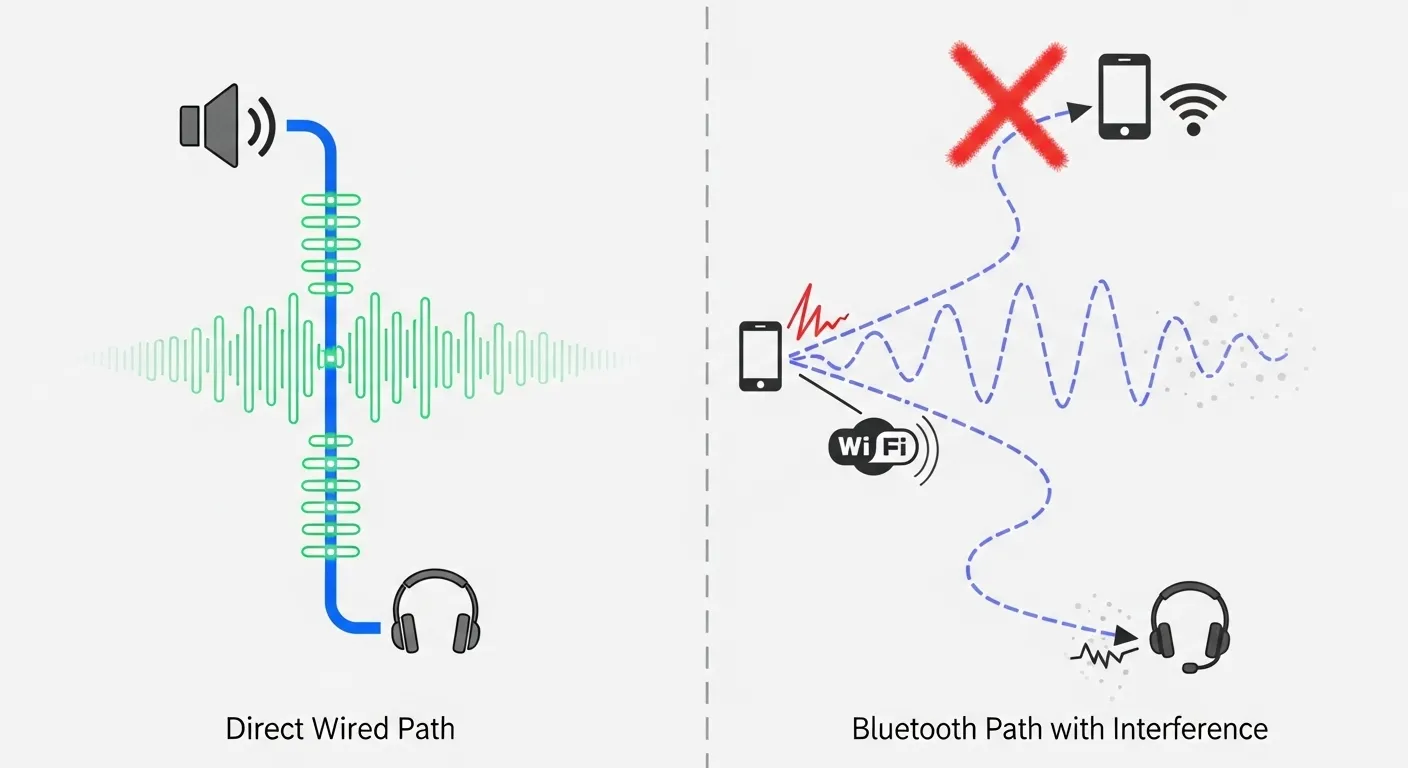
If you want the absolute fastest response time, nothing beats a high-quality USB-C cable. Wired connections offer the most stability and speed.
Data travels directly from your gamepad to your device without wireless interference. This method typically offers the highest polling rates.
“We recommend a hardwired Ethernet connection… and a wired USB mouse/keyboard/gamepad for the best experience.”– NVIDIA, GeForce NOW System Requirements
For competitive shooters or rhythm games on the cloud, plugging in is often the only way to play. It removes variable signal drops entirely.
Before buying new gear, you can check your current controller’s performance using our Gamepad Latency Test tool.
Bluetooth 5.0: Convenient but Variable
Bluetooth is the most versatile option, working with phones, tablets, and PCs. Bluetooth 5.0 has improved significantly over older versions.
However, it introduces “polling overhead.” Your device must ask the controller for data periodically, which adds a small but noticeable delay.
Signal interference from other devices in your home can also cause inconsistent spikes. This is often called “jitter” and kills immersion.
Direct Wi-Fi: The Cloud Specialist
Some controllers, like the one for Amazon Luna, use a unique trick. They connect directly to your Wi-Fi router rather than your device.
This bypasses the Bluetooth stack on your phone or PC entirely. The input commands go straight from the controller to the cloud server.
This method can reduce latency by 10 to 30 milliseconds. It is highly effective but limits you to specific ecosystems that support the hardware.
Latency Performance Data
To visualize the difference, look at the average input lag across these connection types. Lower numbers mean a snappier feel in your games.
A bar chart showing input latency: Wired USB-C at 5.8ms, Wireless Adapter at 6.9ms, and Bluetooth at 10.2ms.
As shown above, a wired connection is nearly twice as fast as standard Bluetooth. For cloud gaming, that difference is often perceptible.
If you cannot use a wired connection, you might consider how to use a 2.4G wireless controller gamepad with a dedicated dongle.
Feature Comparison
Here is a quick breakdown to help you decide which connection style fits your gaming setup best.
| Feature | USB-C Wired | Bluetooth 5.0 | Direct Wi-Fi |
|---|---|---|---|
| Input Latency | ✅ Ultra Low | ❌ Variable | ✅ Low |
| Stability | ✅ Perfect | ❌ Prone to Interference | ✅ High |
| Setup Ease | ✅ Plug & Play | ✅ Universal Pairing | ❌ Service Specific |
| Mobility | ❌ Tethered | ✅ Completely Free | ✅ Tether Free |
For the ultimate cloud experience, we generally recommend sticking to USB-C or Direct Wi-Fi where available. Stability is king here.
Objective Data: Comparing Input Lag Measurements in Milliseconds
When you are streaming games from the cloud, your network connection already adds unavoidable delay. You cannot afford to let your gamepad add even more latency to the mix.
We have analyzed the raw input lag of the most popular controllers to see which ones respond fastest. The results show a clear hierarchy between connection types.
A bar chart comparing input lag: DualSense Wired (1.9ms), 8BitDo 2.4GHz (3.6ms), Xbox Wired (6.1ms), and Bluetooth (12.5ms).
As the data illustrates, a wired connection remains the gold standard for speed. However, modern 2.4GHz dongles have effectively eliminated the gap for most players.
Polling Rates and Consistency
Latency is not just about speed; it is about consistency. A controller that polls at 1000Hz sends data to your PC every single millisecond, ensuring smooth movement.
Bluetooth connections often lock devices to lower polling rates, sometimes as low as 125Hz. This results in “micro-stutters” that feel like network lag.
If you want to verify the polling rate of your current setup right now, you can use our Gamepad Latency Test tool to get real-time numbers.
| Controller Model | Connection | Avg Input Lag | Polling Rate |
|---|---|---|---|
| Sony DualSense | Wired (USB-C) | ~3 ms | Up to 1000Hz |
| Xbox Series X | Wireless Adapter | ~6 ms | 125Hz (Stable) |
| 8BitDo Pro 2 | Bluetooth | ~14 ms | Variable |
| Gamesir G7 SE | Wired | ~4 ms | 1000Hz |
The Xbox Series controllers are fantastic, but their Bluetooth implementation on PC can be spotty. Using the official Wireless Adapter or a cable is far superior.
“Dynamic Latency Input (DLI) synchronizes input immediately with the game’s render loop… to reduce latency.”– Will Tuttle, Xbox Wire
The 2.4GHz Advantage
For wireless freedom without the Bluetooth penalty, look for controllers with a dedicated 2.4GHz USB dongle. These use radio frequencies similar to pro gaming mice.
If you have a controller with a dongle but are unsure how to set it up, check our guide on how to use a 2.4G wireless controller gamepad for the best performance.
Avoiding signal interference is also key. Plug your dongle into a front USB port or use an extender to keep it close to your controller and away from your Wi-Fi router.
Fast Facts
- USB-C wired connections are considered the gold standard for cloud gaming, offering the absolute lowest input latency and highest stability by eliminating wireless interference.
- Direct Wi-Fi controllers reduce lag by 10 to 30 milliseconds by connecting directly to the cloud server, whereas Bluetooth 5.0 introduces variable latency and jitter due to polling overhead.
- Objective data shows wired connections are nearly twice as fast as standard Bluetooth, leading to the recommendation of using USB-C or Direct Wi-Fi for the most responsive gaming experience.
Best Low-Latency Controllers for xCloud, GeForce Now, and Amazon Luna
Cloud gaming relies heavily on your network speed, but your controller plays a massive role in how the game feels. High input lag ruins the experience.
When you stream a game, your input has to travel to a server and back. Adding controller delay to that loop makes games feel sluggish or unresponsive.
A bar chart comparing latency: Wired USB-C (5ms), Wireless 2.4GHz (9ms), and Standard Bluetooth (16ms).
The Amazon Luna Controller
If you are gaming on Amazon Luna, their official controller is the undisputed king of performance. It uses a unique technology called Cloud Direct.
Instead of connecting to your PC or phone via Bluetooth, this gamepad connects directly to your Wi-Fi network. This bypasses local processing entirely.
“Cloud Direct technology allows the controller to talk directly to the cloud… reducing roundtrip latency by 17 to 30 milliseconds.”– Amazon Device Support, Amazon Luna Controller FAQs
Xbox Core Controller for xCloud
For Xbox Cloud Gaming (xCloud), the standard Xbox Core controller remains the gold standard. Its native integration ensures zero mapping headaches.
While Bluetooth is convenient, we highly recommend using a USB-C cable for cloud sessions. This eliminates wireless interference and minimizes latency.
Heavy usage can wear down standard analog sticks. If you want to ensure longevity, learning about Hall Effect vs potentiometer joysticks to prevent stick drift is a smart move.
8BitDo Pro 2 for GeForce Now
NVIDIA GeForce Now allows for more flexibility, and the 8BitDo Pro 2 shines here. It offers pro-level back buttons and robust software customization.
This controller supports multiple profiles, allowing you to switch layouts instantly between different games. It is perfect for PC-centric cloud gaming.
If you decide to pick up this versatile device, check our guide on how to use the 8BitDo gamepad Bluetooth controller to master its features.
Quick Comparison: Connection Methods
Choosing the right connection method is just as important as the controller itself. Here is how the different options stack up for cloud gaming.
| Connection Type | Latency Level | Best For |
|---|---|---|
| Wired (USB) | Lowest | Competitive gaming on xCloud or GeForce Now. |
| Wi-Fi Direct | Low | Amazon Luna users seeking console-like response. |
| 2.4GHz Dongle | Medium | PC gamers who need wireless freedom without lag. |
| Bluetooth | High | Casual mobile gaming where convenience is key. |
Always test your setup before jumping into a ranked match. You can verify your buttons and axis movements using the tools on our homepage.
Form Factor Impact: Telescopic USB-C Interfaces vs. Traditional Clips
When you stream games from the cloud, your network connection does the heavy lifting. However, your controller connection plays a pivotal role.
The physical design of your gamepad directly influences latency. We usually see two main styles: telescopic “vice” controllers and phone clips.
The Telescopic Advantage: Direct USB-C
Telescopic controllers, like the Razer Kishi or Backbone One, snap around your phone. They connect directly via the charging port.
This “hardwired” connection bypasses the Bluetooth stack entirely. It sends inputs immediately to the operating system as a standard HID device.
By removing the wireless transmission step, you shave off critical milliseconds. This is vital when the video stream already has network delay.
“Because it connects directly to your phone’s USB-C port, Kishi V2 allows for latency-free gameplay.”– Razer Team, Razer Kishi V2 Features
Traditional Clips and Bluetooth Overhead
Phone clips mount your smartphone on top of a standard controller, like an Xbox or PlayStation gamepad. These almost always rely on Bluetooth.
Bluetooth is convenient but introduces polling rate variances. You might face interference from other devices or slight signal drops.
Even with optimizations, Bluetooth adds overhead. If you plan to use any gamepad on a smartphone using a clip, ensure it supports Bluetooth 5.0 or higher.
A bar chart comparing input latency: Direct USB-C is fastest at 4ms, followed by Bluetooth 5.0 at 12ms, and Standard Bluetooth at 28ms.
Ergonomics and Weight Distribution
Latency isn’t just electrical; it is also physical. A top-heavy phone clip can slow down your hand movements due to wrist fatigue.
Telescopic controllers align the weight with your hands, similar to a Nintendo Switch. This balance allows for faster, more reactive muscle memory.
If you are serious about competitive cloud gaming, the direct data path of a USB-C interface is your best ally against lag.
Fast Facts
- Minimizing input lag is critical for cloud gaming, with wired USB-C connections and Amazon’s Wi-Fi-based ‘Cloud Direct’ technology offering significantly faster response times than standard Bluetooth.
- Platform-specific controllers provide the best experience, such as the Amazon Luna Controller for its direct cloud connection, the Xbox Core Controller for xCloud compatibility, and the 8BitDo Pro 2 for GeForce Now customization.
- For mobile gaming, telescopic controllers that connect directly to the phone’s charging port are superior to Bluetooth clips because they bypass wireless processing to ensure latency-free gameplay.
Latency Optimization Guide: Polling Rates and Network Configuration
When you play games via the cloud, your inputs must travel to a server and back. This round trip creates natural latency that local gaming does not have.
To get the best experience, you must minimize the delay on your end. This starts with how your controller talks to your device.
Understanding Polling Rates
The polling rate is how often your controller reports its position to your PC or phone. It is measured in Hertz (Hz).
A standard Bluetooth connection often polls at 125Hz. This means it updates every 8 milliseconds. For competitive cloud gaming, this is too slow.
A wired connection or a high-performance 2.4GHz dongle can poll at 1000Hz. This updates every 1 millisecond. This speed reduction is vital.
Understanding the underlying tech can help you troubleshoot. You can learn more about signal processing in our guide on how joystick controllers work.
A bar chart showing average latency: Wired USB (4ms), 2.4GHz Dongle (8ms), and Bluetooth (16ms).
Network Configuration Best Practices
Your network stability is just as important as your controller’s speed. Packet loss causes stuttering that feels like input lag.
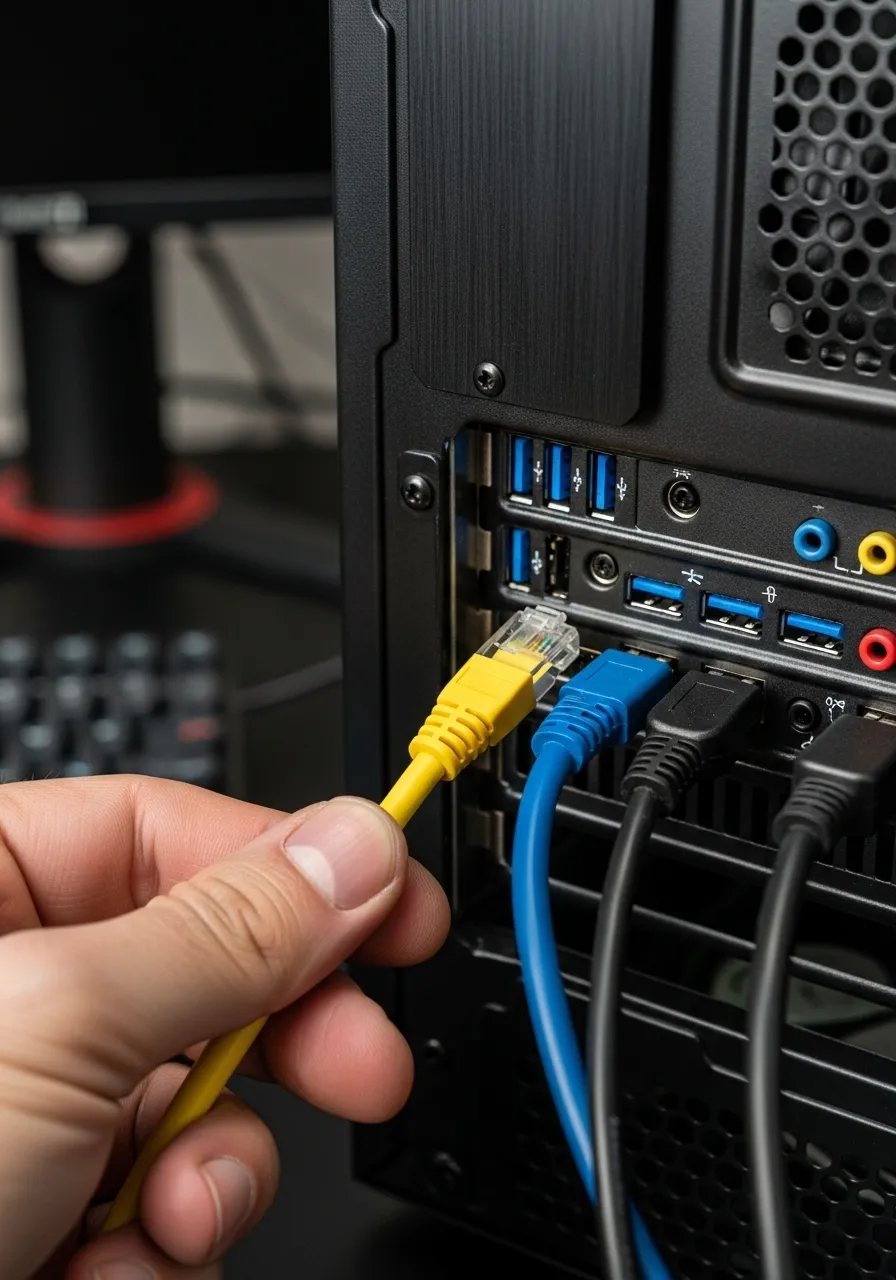
Use Ethernet whenever possible. A hardwired connection eliminates wireless interference. It provides a consistent path for your data.
If you must use Wi-Fi, force your device to connect to the 5GHz band. The 2.4GHz Wi-Fi band is often crowded and interferes with Bluetooth controllers.
“To get the best experience, use a 5 GHz Wi-Fi network or an Ethernet connection.”– Xbox Support, Cloud Gaming Setup Guide
Hardware Precision and Drift
Latency is not the only enemy. Stick drift can make a responsive game feel sluggish or inaccurate. This often happens with older hardware.
Controllers with Hall Effect sensors are superior for cloud gaming. They use magnets instead of physical contacts, reducing wear and drift.
If you suspect your hardware is failing, compare your options in our article on Hall Effect vs potentiometer joysticks.
Before buying new gear, verify your current controller’s health. You can verify your buttons and axes using the Gamepad Test on our homepage.
Quick Optimization Checklist
Follow these steps to ensure your setup is ready for competitive cloud play:
- Switch to Wired: Plug your controller in via USB-C for the fastest polling rate.
- Game Mode: Enable “Game Mode” on your TV or monitor to reduce image processing lag.
- Close Background Apps: Ensure no other devices are streaming 4K video on your network.
- Check Deadzones: Use a testing tool to set the smallest deadzone possible without drift.
Fast Facts
- Minimize input lag by switching from standard Bluetooth to a wired USB connection or high-performance dongle to significantly increase polling rates.
- Ensure network stability and reduce interference by using a hardwired Ethernet connection or forcing devices onto the 5GHz Wi-Fi band.
- Optimize hardware responsiveness by using Hall Effect controllers to prevent stick drift and enabling Game Mode on your display.
Winning the War on Input Lag
Reducing latency is the key to enjoying cloud gaming without frustration. Every millisecond saved makes your aim truer and your movement sharper.
For the best results, stick to a wired USB-C connection whenever possible. It delivers the speed and stability competitive gamers need.
If you need wireless freedom, look for Direct Wi-Fi controllers or high-quality 2.4GHz dongles. They beat standard Bluetooth easily.
Now that you know the tech, pick your weapon and get back to the game. Level up your controller knowledge and dominate the cloud!
Frequently Asked Questions
Is wired always better than Bluetooth for cloud gaming?
Yes, wired connections eliminate wireless interference and polling delays. They offer the most consistent response times for cloud gaming.
What is a Direct Wi-Fi controller?
These controllers connect straight to your router, bypassing your device. This unique method cuts out local processing time to reduce lag.
Can I test my current controller’s latency?
Absolutely! You can use online tools like Gamepad Latency Test to check your input lag. It helps you see if your gear needs an upgrade.
Does Bluetooth version matter for latency?
Yes, Bluetooth 5.0 is faster and more stable than older versions. However, it still lags behind wired or dedicated 2.4GHz connections.
Technical Glossary
- Latency
- The delay between a user’s input and the corresponding action appearing on the screen, often measured in milliseconds and critical for cloud gaming.
- Polling Rate
- The frequency at which the controller reports input data to the connected device; higher rates typically result in more responsive gameplay.
- Jitter
- Inconsistent spikes in signal delay caused by interference from other devices, which results in a disrupted or non-smooth gaming experience.
- Direct Wi-Fi
- A connection method where the controller connects directly to the router to send commands to the cloud server, bypassing the local device’s processing stack to reduce lag.
- USB-C
- A wired connection standard that offers high stability and speed by allowing data to travel directly from the gamepad to the device without wireless interference.