
Heads up: This post contains affiliate links. As an Amazon Associate I earn from qualifying purchases, at no extra cost to you. Learn more
Specs are compiled from manufacturer listings and verified buyer reviews and can change over time — please confirm the key details on the product page before buying.
You want a laptop that actually holds a frame rate in a real match, and you don’t want to get burned by the number printed biggest on the box. Most sub-$1200 gaming laptops live or die on one question: does the graphics card have a current generation, and is there enough RAM to keep it fed? Get the GPU generation wrong and the CPU badge on the box won’t save your frame rate. The picks below are ordered so the strongest all-rounder sits first — the HP Victus 15 with the RTX 3050, which the crowd has backed at 4.0+ stars across 300+ ratings — and every pick after it is a deliberate answer to a different budget and a different habit.
This guide is built by comparing the manufacturers’ published specifications and the patterns across verified customer reviews, so you get each pick’s real strengths and trade-offs instead of marketing spin.
Frames per second is the number that decides whether your reflexes land, and the GPU generation behind them is what keeps those frames coming in quiet moments and loud ones. Below are the gaming laptop under $1200 picks that actually deliver them.
Top Picks


How To Choose The Best Gaming Laptop Under $1200
The single most common buying mistake at this tier is paying for a fast processor and a big pile of RAM while the graphics card quietly stays a generation behind. A laptop is a system, and the GPU is the part that renders your game. Everything else either feeds it or gets out of its way.
Start with the graphics card, not the CPU badge
The RTX 3050 and the RTX 4050 are the two dedicated chips that dominate this bracket. Both are real gaming GPUs with their own video memory, which is the whole point — an integrated chip shares system memory and folds under a modern title. The RTX 4050 is the newer architecture, and it shows up alongside DDR5 memory on several picks here. If your library leans toward recent big-budget releases, that newer chip is the safer bet. If you mostly play competitive shooters and older titles, the RTX 3050 still renders them cleanly.
Match the refresh rate to how you play
A 144Hz screen redraws the picture 144 times a second, and 165Hz goes a little further. That matters most in fast-turning shooters, where a 60Hz panel smears a flick across the screen and costs you the split-second read on an opponent. Every pick here clears 120Hz, so nobody is stuck on a slow panel. The difference between 144Hz and 165Hz is small but real, and it only pays off if the GPU can push frames that fast.
RAM and storage: the quiet deal-breakers
8GB of RAM runs a game and not much else. Alt-tab to a browser and a voice chat at the same time and you start feeling it, which is why the 8GB machines here are best treated as a starting point rather than a finished setup. 16GB keeps a game, a stream, and a dozen tabs comfortable. On storage, 512GB fills fast once you install a handful of modern titles, so a 1TB drive is genuine breathing room rather than a luxury.
Accept the battery reality
Under load, a gaming laptop draws far more power than its battery can sustain, so plan on playing plugged in. Look at battery figures as “how long can I browse and stream away from the wall” rather than “how long can I raid.” Several picks here list long unplugged runtimes, and those are your travel-and-lecture-hall numbers, not your frame-rate numbers.
Side-by-Side Comparison
| Model | Best For | Graphics Card | Memory | Display | Amazon |
|---|---|---|---|---|---|
| HP Victus 15 (RTX 3050)★ Best Overall | First gaming laptop | NVIDIA GeForce RTX 3050 | 8 GB RAM / 512 GB SSD | 15.6″ FHD IPS | Amazon |
| MSI Thin 15 (i5 / RTX 3050)Best Value | Smooth-budget balance | NVIDIA GeForce RTX 3050 (4GB GDDR6) | 16 GB DDR4 / 512 GB NVMe | 15.6″ FHD 144Hz | Amazon |
| ASUS ROG Strix G15Best Display | High-refresh IPS panel | NVIDIA GeForce RTX 3050 (4GB GDDR6) | 8 GB DDR4 / 512 GB PCIe | 15.6″ FHD 144Hz IPS | Amazon |
| Acer Nitro V (i5 / RTX 4050) | Newest GPU on a budget | NVIDIA GeForce RTX 4050 | 8 GB DDR5 / 512 GB Gen 4 | 15.6″ FHD 165Hz | Amazon |
| Lenovo LOQ-E 15 | Long unplugged runtime | NVIDIA GeForce RTX 4050 | 16 GB DDR5 / 512 GB SSD | 15.6″ FHD 144Hz | Amazon |
| HP Victus 15 (Ryzen 7 7445HS) | Big cache, DDR5 | NVIDIA GeForce RTX 4050 (6GB) | 16 GB DDR5 / 512 GB SSD | 15.6″ FHD 144Hz | Amazon |
| HP Victus 15 (i5-13420H) | Balanced mid-range | NVIDIA GeForce RTX 4050 (6GB GDDR6) | 16 GB DDR4 / 512 GB Gen 4 | 15.6″ FHD 144Hz IPS | Amazon |
| Acer Nitro V (i7 / 1TB) | Storage headroom | NVIDIA GeForce RTX 4050 | 16 GB DDR5 / 1 TB Gen 4 | 15.6″ FHD 165Hz | Amazon |
| ASUS TUF Gaming F15 | Fan-cooled stamina | NVIDIA GeForce RTX 3050 (95W Max TGP) | 16 GB DDR4-3200 / 512 GB PCIe 3.0 | 15.6″ FHD 144Hz Adaptive-Sync | Amazon |
| HP Victus 15 (32GB / 1TB) | Heavy multitasking | NVIDIA GeForce RTX 3050 (4GB GDDR6) | 32 GB RAM / 1 TB NVMe | 15.6″ FHD 144Hz IPS | Amazon |
| Lenovo IdeaPad Gaming 3 | All-day battery figure | NVIDIA GeForce RTX 4050 | 16 GB RAM / 512 GB SSD | 15.6″ FHD 120Hz | Amazon |
| MSI Thin 15 (i7 / RTX 4050) | Build quality and portability | NVIDIA GeForce RTX 4050 | 16 GB DDR4 / 512 GB NVMe | 15.6″ FHD 144Hz | Amazon |
| Alienware 16 Aurora | Big high-resolution screen | NVIDIA GeForce RTX 5050 | — | 16″ WQXGA 120Hz | Amazon |
Detailed Reviews
1. HP Victus 15 Gaming Laptop (RTX 3050)
The proven first step into real gaming graphics, at the friendliest tier of the bracket.
Here is the pick for the buyer who has never owned a gaming laptop and refuses to overpay on the first one. The 12th Gen Intel Core i5-12500H runs at 4.5 GHz max speed, and its 12MB L3 cache holds recently used data close to the processor so switching between a game and your desktop feels quick. Behind it sits an NVIDIA GeForce RTX 3050, a dedicated graphics chip with its own memory rather than a shared integrated one. That is the line between a laptop that plays games and one that merely opens them.
The 15.6″ FHD screen is an IPS panel, which means the colours stay true even when you are leaning off to one side, at 178-degree viewing angles. Its 1920 x 1080 resolution is the resolution most games target anyway. You also get a fingerprint reader for fast sign-in, Bluetooth 5.2 for wireless headsets, and Windows 11 Home already installed. The 8GB of RAM and 512GB SSD are the honest minimum for modern gaming, so treat the memory as the first thing you upgrade later if your library grows heavy.
What wins people over is raw performance for everyday gaming — the thing owners praise most — and it starts up and loads fast enough that it never feels like a chore. The recurring gripe is battery life: this machine wants the charger close by, and unplugged play drains fast. Reliability also draws a split verdict across the review pages, with most users running everything smoothly and a minority hitting hardware trouble early. That is the trade you make at the entry tier, and it is why this is best treated as a machine with a warranty rather than a rugged travel rig.
What sells it
- Dedicated RTX 3050 graphics instead of a shared integrated chip
- 12MB L3 cache with a 4.5 GHz i5-12500H for snappy everyday switching
- IPS panel with 178-degree viewing angles for off-axis clarity
- Fingerprint reader and Bluetooth 5.2 built in
What you give up
- 8GB RAM is a starting point, not a finished setup
- Battery life is the most-discussed weakness here
- Reliability draws a split read across owners
Buy this if: you want your first gaming laptop to have real dedicated graphics and a good screen without stretching the budget.
Look elsewhere if: you need long unplugged sessions — this one lives near a wall outlet.
2. MSI Thin Gaming Laptop (15.6″ FHD 144Hz)
The one that fixes the RAM problem before you even open the box.
Where the Victus above asks you to plan an upgrade later, this MSI Thin arrives with 16GB of DDR4 already installed — enough to keep a game, a voice call, and a browser open without the system crawling. Its 512GB NVMe SSD is the fast PCI-e type, so levels load quickly and the machine boots in seconds rather than minutes. The graphics card is the same NVIDIA GeForce RTX 3050 with 4GB of dedicated GDDR6 memory, backed by an Intel i5-13420H running at 4.6 GHz.
The display is a 15.6″ FHD panel at 144Hz, which redraws the picture 144 times a second so fast turns stay legible instead of smearing. That panel is where this machine earns its keep for esports fans who want motion clarity without paying flagship money. It is also a smaller footprint machine than most of the field here, so it slips into a backpack without feeling like a brick in your bag.
Owners describe it as an excellent entry-level gaming device that runs everything well and performs flawlessly — build and gameplay quality lead the conversation. The recurring honest note is that the 512GB drive, while fast, fills quickly once you install a couple of big titles. A machine this balanced with a 4.0+ star reputation behind it, on a modest number of reviews, is a smart play for a student who wants performance without upgrading anything at all. It leads on RAM from the start; the Victus above leads on price reach. Pick your priority and both are safe.
Where the budget went: into 16GB of memory and a fast NVMe drive rather than flashy extras — the parts that keep a gaming session smooth.
One caution: that 512GB of storage is quick but shallow, so plan on an external drive or an upgrade if you collect large titles.
Reach for this if: you want a fully equipped machine that needs nothing added on day one.
Pass if: you already own a large drive to plug in — its storage is the only real limit.
3. ASUS ROG Strix G15 (2021)
The one that turns up the colour on a 144Hz IPS panel and cools itself with liquid metal.
Owners praise performance most on this machine, and here is why: the AMD Ryzen 7 4800H pushes up to 4.2 GHz and its 8M cache keeps the CPU fed between frames. The NVIDIA GeForce RTX 3050 handles graphics with a ROG Boost up to 1840MHz at 80W, which is a healthy figure for this bracket. What really differentiates it is the 15.6″ Full HD 1920×1080 IPS-Type panel at 144Hz — a colour-strong display that also keeps fast motion readable. That combination of panel quality and cooling is rare at this spot in the list.
Inside, ROG’s Intelligent Cooling runs Thermal Grizzly Liquid Metal Thermal Compound between the processor and its heatsink, which handles heat more efficiently than standard paste and helps the machine sustain performance during long sessions. You get Dolby Atmos speakers for positional audio, Bluetooth and Wi-Fi connectivity, and a 512GB PCIe SSD. The 8GB of DDR4-3200MHz RAM is the one component that leaves the ship under-fuelled, so budget for more memory later if you run demanding games.
Reliability draws a split read across the review pages, and battery life is not a strength — this is a desktop replacement that expects a socket. The panel and cooling, though, are genuinely strong, and that is what makes it the display pick for a buyer who cares more about how the game looks and stays cool than about lofting it to a café. Where the MSI Thin wins on out-of-the-box memory, this G15 wins on screen and thermal build.
Panel and paste: a 144Hz IPS screen paired with liquid metal cooling makes sustained sessions look good and run stably.
The honest limit: 8GB of RAM undercuts the rest of the build, and reliability draws a split verdict across owners.
Choose it if: the quality of the picture and steady cooling matter more to you than lofting the machine around.
Think twice if: you need to game unplugged for hours — this one wants its charger.
4. Acer Nitro V (i5-13420H / RTX 4050)

The 165Hz panel and a newer RTX 4050 make this the sharpest mover on the budget side.
The panel here runs at 165Hz, a 15% faster refresh than the 144Hz panels on the MSI Thin and the ROG Strix above — that extra redraw speed is pure competitive edge in fast games. The Intel Core i5-13420H hits 4.6 GHz and pairs with the NVIDIA GeForce RTX 4050, a newer-generation graphics chip that brings DLSS 3.5 and its AI-upscaling to this bracket. In plain terms, the card can render a game at a lower internal resolution and reconstruct the image, so frames come faster and look nearly identical. It’s the newest GPU you’ll find at this price tier.
8GB of DDR5 is faster memory than the older DDR4 on several picks here, and the chassis holds two DDR5 slots with a maximum of 32GB, so upgrading later is easier than most. Storage is a 512GB Gen 4 SSD — the fastest SSD type — and the body also packs Wi-Fi 6 and a Thunderbolt 4 port that handles power, data, and video in one connector. Owners describe it as a laptop that performs well and runs great, with performance the thing they praise most, though cooling and fan noise draw a divided read. It does get hot and loud under a heavy session, so give it a solid surface and you’ll get the frames it’s built to deliver.
Why it’s the panel pick: 165Hz beats the 144Hz field on raw redraw speed, matched with the newest-generation RTX 4050.
What to expect: it runs warm and the fans get loud under load — normal for a thin machine pushing strong frames.
Fit for: competitive players chasing fast motion and the newest graphics architecture at this tier.
Not for: anyone who needs a silent laptop in a quiet room — the fans work hard.
5. Lenovo LOQ-E 15.6″ FHD 144Hz
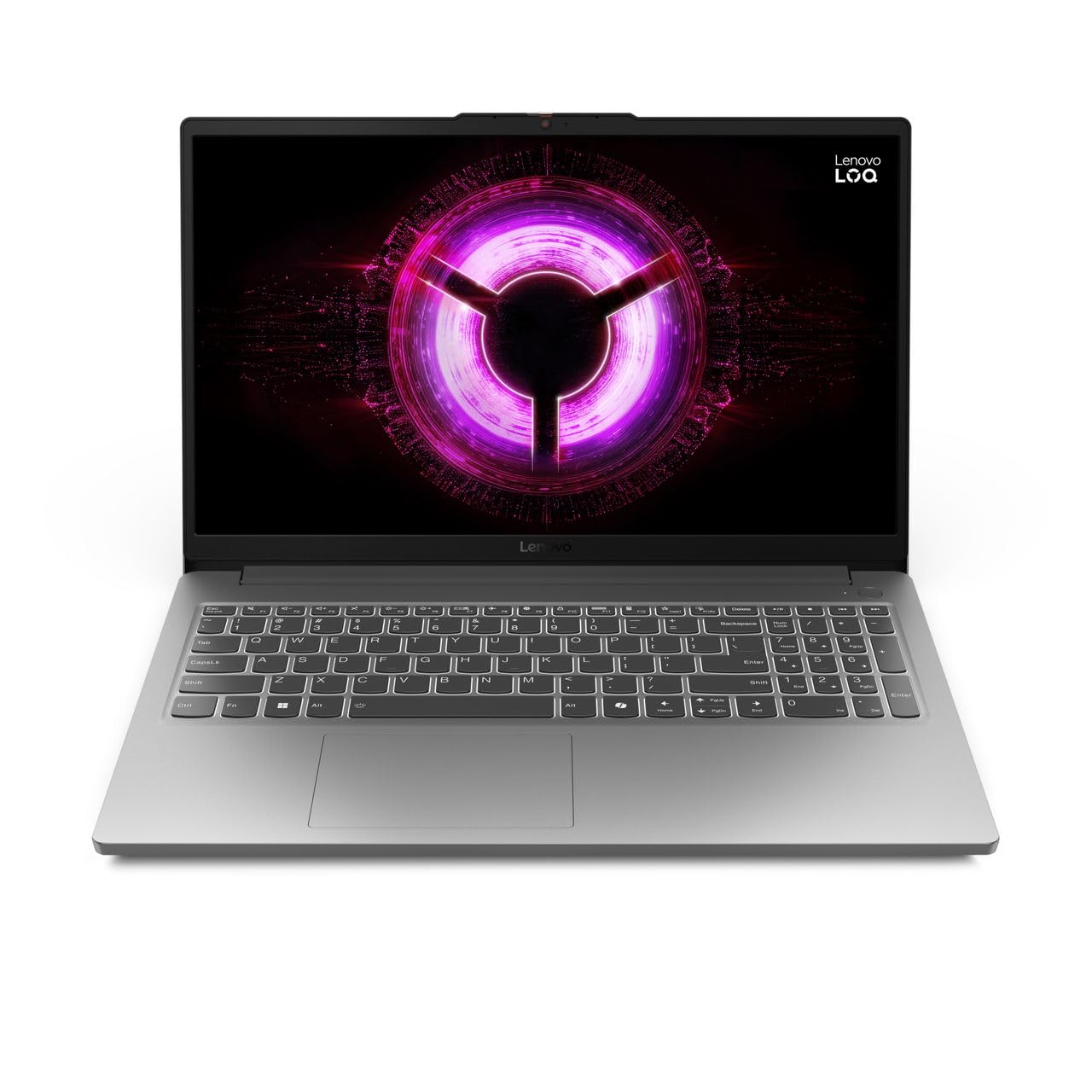
A 12-hour runtime figure and a 16MB cache make this the travel-session specialist.
The chip also tops out at 4.75 GHz, a 13% higher ceiling than the 4.2 GHz Ryzen 7 4800H in the ROG Strix above. Coupled with 16GB of DDR5 and an NVIDIA GeForce RTX 4050, this is a well-fed machine for the tier.
Then there’s the 12-hour battery figure, which is far and away the longest unplugged runtime in this roundup and makes it the pick for someone who games in the library by day and plugs in by night. Nahimic audio and 2 x 2 Watt speakers handle sound, Bluetooth 5.2 covers headsets, and a 135W slim charger tops it up. The 15.6″ FHD panel at 144Hz keeps your motion crisp, and the Ryzen 7-7735HS with the RTX 4050 handles modern titles well.
This pick is the newest arrival in the list with the fewest reviews in the field, so it has less of a track record behind it than the Victus 15 or the two Nitros. What the specs guarantee is a bigger cache, faster memory, and unplugged stamina the others can’t match. If you want a machine that does double duty as a class laptop and a game machine, the runtime alone is the argument.
Headline number: a 12-hour battery figure that no other pick here touches, plus a 16MB L3 cache on the 4.75 GHz Ryzen 7 7735HS.
Fair caveat: smaller body of owner experience to lean on than the veteran picks — good specs, newer machine.
Made for: buyers who study, work, and game on the same laptop and need it to survive unplugged.
Skip if: you want a long-proven track record; the veteran machines here have more history behind them.
6. HP Victus 15 (Ryzen 7 7445HS / RTX 4050)
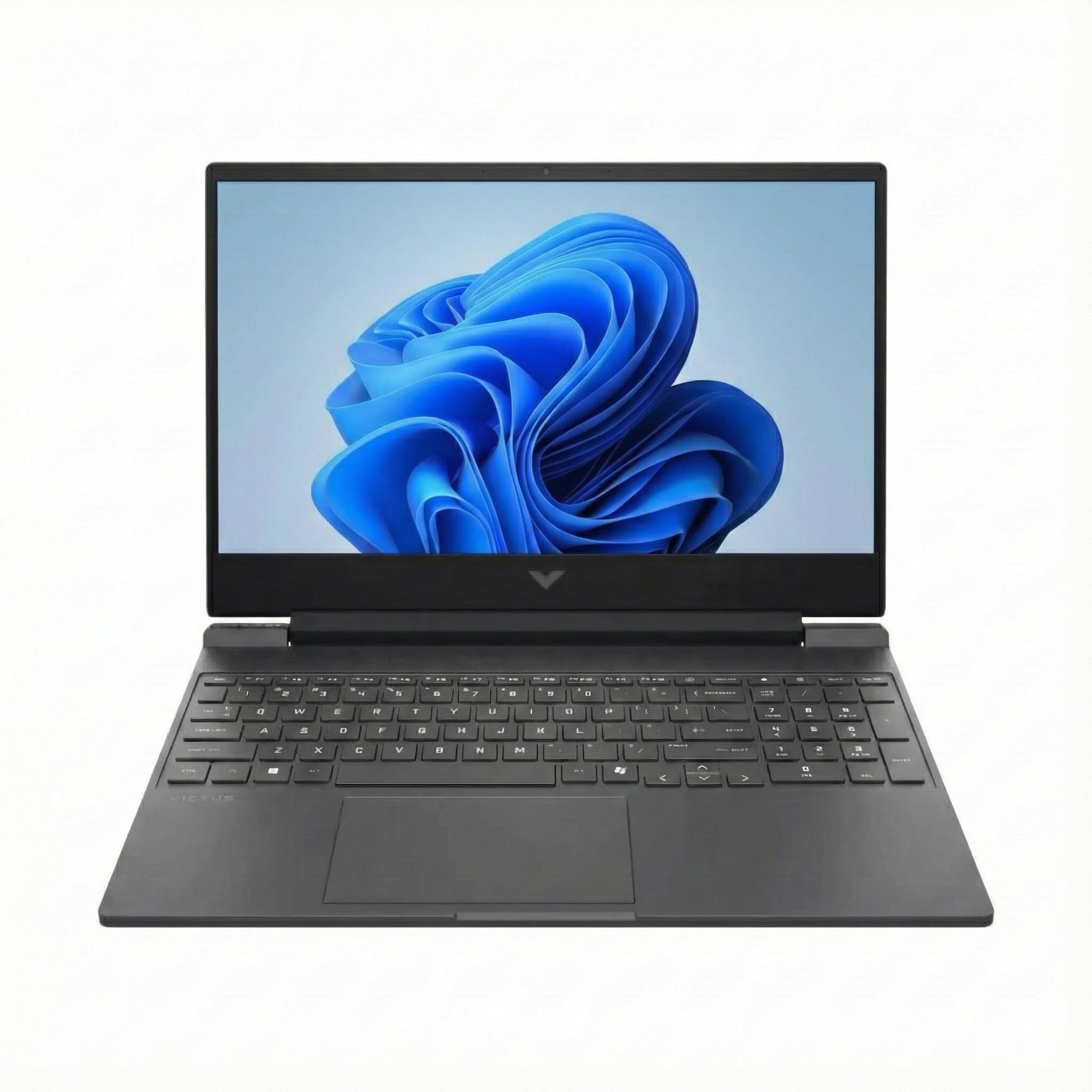
A 24MB L3 cache and a 6GB RTX 4050 make this the quiet horsepower of the Victus line.
The AMD Ryzen 7 7445HS here runs at 4.7 GHz and carries a 24MB L3 cache — double the 12MB you get on the cheaper Victus 15. That bigger cache means less back-and-forth to main memory, so tough scenes render more steadily. It’s paired with the NVIDIA GeForce RTX 4050 Laptop GPU with 6GB of its own GDDR6 video memory, which is more dedicated graphics memory than the 4GB on the RTX 3050 machines, leaving room for larger texture packs. 16GB of DDR5 RAM rounds out the core hardware.
The 15.6″ FHD panel at 144Hz has micro-edge bezels, 300-nit brightness, and an anti-glare finish, which means it stays readable with a light source behind you. You can run up to two external monitors through HDMI or USB Type-C, and the USB Type-C, dual USB Type-A, Ethernet, and HDMI 2.1 ports give you room to plug in a whole desk. Wi-Fi 6 and Bluetooth 5.4 cover wireless, and a 720p webcam with temporal noise reduction — a process that smooths grain in low light — keeps video calls legible. It ships with a 120W adapter and Windows 11 Home.
One thing worth understanding before you buy: the upgraded memory and storage were fitted by the reseller, who backs those parts with their own warranty while the manufacturer covers the rest. That’s not a problem, just a reason to keep the paperwork together. It’s a strong fit for anyone who wants 6GB of video memory and a big cache without moving into premium territory.
Raw muscle per tier: 24MB L3 cache plus a 6GB RTX 4050 delivers serious rendering headroom for this bracket.
Worth knowing: the memory and SSD upgrade come from the seller, so the warranty is split between reseller and manufacturer.
Matches you if: you want a big cache and more video memory on a current-gen card without premium pricing.
Prefer the other Victus if: you want everything sealed from a single source — this one’s parts come from two hands.
7. HP Victus 15 (i5-13420H / RTX 4050)

The tidy all-rounder that pairs a sixth-generation-geared RTX 4050 with a bright IPS panel.
That’s space for texture detail in the newest titles. The 13th Gen Intel Core i5-13420H sits behind it with a 12MB cache, and the whole machine ships with 16GB of DDR4 RAM and a 512GB PCIe Gen4 NVMe M.2 SSD that boots fast and loads levels quickly.
Owners say work and games both run smoothly without issue, and they call it a great choice for the money. Speed and the screen quality earn praise as well, with the graphics getting particular attention. The machine lists an 8.5-hour battery figure — not the longest here, but enough to cross a campus between classes. Windows 11 Home comes preinstalled, and Bluetooth 5.3 handles your wireless headset.
Where this one stumbles is body feel and runtime — a portion of buyers find the build disappointing and the battery drains quickly under heavy use. Neither sinks the machine, and given its performance reputation the trade-off is real but fair. It’s the safest all-round pick if you want modern graphics, 16GB of RAM, and a bright screen without hunting for a bargain.
Spec that carries it: 6GB of dedicated GDDR6 on the RTX 4050 plus 16GB RAM makes it handle current titles cleanly.
Honest note: some buyers find the body feel underwhelming and the battery drains fast under load.
A good call for: buyers who want modern graphics and 16GB of memory with no compromises on the core hardware.
Weigh it against: the 32GB HP later in this list if you multitask hard, or the LOQ-E if you need long runtime.
8. Acer Nitro V (i7-13620H / 1TB)
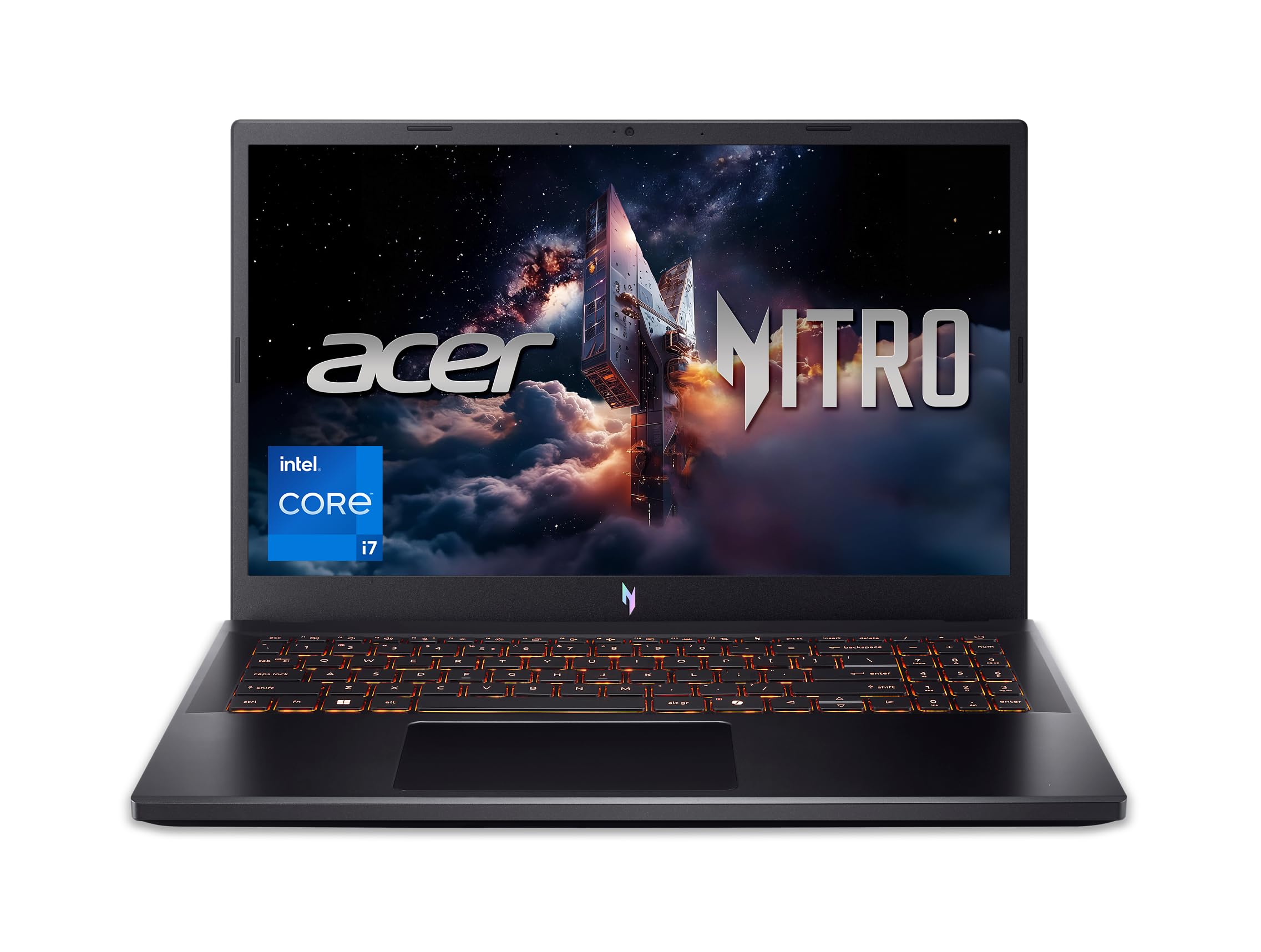
Double the storage for anyone whose library has already stopped fitting.
Most picks here ship with 512GB, and once you install a few modern titles that fills up fast. This Nitro V doubles it with a 1TB PCIe Gen 4 SSD, so the “which game do I delete” conversation doesn’t start in week one. The processor is the step up, an Intel Core i7-13620H hitting 4.9 GHz with the same NVIDIA GeForce RTX 4050 behind it. Its 165Hz panel matches the other Nitro — 165Hz versus the 144Hz on the MSI Thin and ROG Strix above, matching the faster refresh rate across the field.
16GB of DDR5 memory sits in two slots with a maximum of 32GB, and the screen-to-body ratio is 82.64%, so the screen fills most of the lid. The Intel i7-13620H also brings the higher clock speed you want for streaming while you play.
The trade-off to know going in is noise. Fans run loud under load, and the machine weighs in at 5 hours of listed battery life — fine for a desk, not for a long haul. Owners praise performance most by a wide margin — it runs without lag or stutter — and value for money follows behind. If you plan to actually fill a big games library with new releases, that 1TB drive is the reason to pick this over its 512GB sibling.
Why it earns the spot
- 1TB Gen 4 SSD doubles the 512GB field standard
- i7-13620H at 4.9 GHz handles streaming alongside gameplay
- 165Hz panel and 16GB DDR5 in two upgradeable slots
- Owners praise performance most, and value follows close
What to weigh
- Fans are loud under load
- 5-hour battery figure favors desk life over travel
Best matched to: players whose games no longer fit on half a terabyte and who stream as they play.
Skip if: a silent machine matters more than storage — the fans make themselves known.
9. ASUS TUF Gaming F15 (2022)

Two 84-blade fans and a MUX switch make this the machine that keeps its head under long sieges.
The cooling story leads here. This F15 runs a pair of 84-blade Arc Flow Fans, engineered to move more air quietly across the heat pipes, which keeps the CPU from throttling during extended play. A MUX Switch routes frames directly from the graphics card to the screen, and per ASUS that raises gaming performance by 5-10% by cutting out the detour through integrated graphics. The NVIDIA GeForce RTX 3050 runs at 95W Max TGP — a measure of how much power the card is allowed to draw — paired with a 12th Gen Intel Core i5-12500H at 4.5 GHz.
The 15.6″ FHD display runs at 144Hz and uses Adaptive-Sync, which synchronizes the screen with the graphics card’s output to prevent tearing and stutter. There’s an extra SSD slot so storage can grow later, and the 512GB PCIe 3.0 drive is the starting point. Its 16GB of DDR4-3200MHz RAM keeps a game and a few tabs comfortable.
Owners are clear that when it runs, it runs well — the graphics and screen quality both draw praise. The mixed read is on reliability and durability, where the majority run flawlessly and a minority encounter early failures, so a warranty registration on day one is smart. Battery life is the weakest chapter in its story, and this is not a machine built to travel unplugged. What it is: a sturdy, cool-running performer for the player who parks it on a desk and keeps it there.
Thermal build: double 84-blade Arc Flow Fans and a MUX switch keep frames flowing under sustained load.
Trade-off: reliability draws a split verdict across owners, and unplugged play will drain it fast.
Good match for: marathon desktop sessions where steady cooling beats portability.
Reconsider if: durability track record matters deeply to you — treat it as a machine to register and protect.
10. HP Victus 15.6 (32GB / 1TB)

Thirty-two gigabytes and a terabyte of storage, in a chassis built for extreme multitasking.
Nobody else in the field matches the 32GB of RAM here. That means a game, a stream, a browser with a dozen tabs, and a video editor can all sit open at once without the system slowing. Add the 1TB PCIe NVMe M.2 SSD and the machine has room for a large library, and it boots in seconds. The graphics are the trusty NVIDIA GeForce RTX 3050 with 4GB of GDDR6, and the chip behind it is an Intel Core i5-12450H at 4.4 GHz with a 12MB L3 cache.
The display is a 15.6″ 144Hz FHD panel with an IPS, micro-edge build and an anti-glare finish. Its ports tell a useful story: HDMI 2.1, two USB Type-A, a USB Type-C, Ethernet, a multi-format SD card reader, and a headphone/mic combo. For a student who also edits video or carries a projector around, the SD slot and the port variety are genuinely helpful. Wi-Fi 6 keeps the wireless side modern, and Windows 11 Home ships installed.
The honest trade: some owners describe the screen as dull rather than punchy, and the gaming performance is a step behind the RTX 4050 machines — it’s a four-gigabyte card. It’s also the heaviest loadout of RAM in the group, so it’s best suited to heavy multitaskers over pure framerate chasers. If your workload leans streaming, editing, and dozens of tabs, that 32GB is the thing that keeps you from hitting a wall.
Memory ceiling: 32GB of RAM plus 1TB of SSD make it the multitasking champion of the group.
Caveat: a four-gigabyte RTX 3050 keeps it a step behind the RTX 4050 pick on pure frames.
Built for: players who stream, edit, and keep twenty tabs open at once — memory is its superpower.
Skip if: maximum frame rate in new titles is the only goal; that RTX 4050 pick does frames better.
11. Lenovo IdeaPad Gaming 3 15ARH7

A 13.1-hour runtime figure that lets this laptop leave its charger behind.
A figure of 13.1 hours is the most eye-catching number in this whole roundup, and it changes how you use a gaming laptop — you can browse, stream, and work all day without hunting for a socket. It’s powered by an AMD Ryzen 7-7735HS and the NVIDIA GeForce RTX 4050, with 16GB of RAM and a 512GB SSD. Sound comes through headphones or the onboard speakers, Wi-Fi and USB handle connectivity, and Windows 11 ships installed.
The display is a 15.6″ FHD panel at 120Hz. That’s slower than the 144Hz and 165Hz panels elsewhere in the list, but it’s still a high refresh screen that keeps motion clean in the fast moments. The LED panel sits under the chassis in a slim notebook form that fits a backpack. The processor work, streaming, and school tasks all stay smooth thanks to the Ryzen 7 and that memory loadout.
The honest caveat here is familiarity: this listing offers less detail about its full specifications than some others, so you’ll want to confirm details like the exact cooling setup before committing. The trade-off between 120Hz and 165Hz is small in day-to-day play, and the battery figure is big enough to matter across an entire workday. For the buyer who needs the machine to be a laptop first and a gaming rig second, this is the one.
The number that sells it: a 13.1-hour runtime means it works away from the wall for a full day.
Compare before buying: 120Hz is the lowestrefresh in this roundup, though it is still a high refresh screen. Its listing gives less detail than some rivals, so confirm the finer spec points first.
Reach for it if: the laptop needs to serve as a study and work machine that games on the side, away from outlets.
Think twice if: you want the highest refresh rate or the richest spec listing in the group.
12. MSI Thin 15 (i7-13620H / RTX 4050)

The chassis earns the compliments here — a slim body with an i7 and an RTX 4050 inside.
Build quality is the headliner on this MSI Thin, and it’s easy to see why: the chassis is slim enough to slip into a backpack for class or a café, yet packs an Intel Core i7-13620H at 4.9 GHz and the NVIDIA GeForce RTX 4050 into the same body. The 15.6″ FHD panel at 144Hz serves crisp, fluid motion in esports and action titles, and 16GB of DDR4 with a 512GB NVMe SSD keeps games and apps responsive between sessions. Wi-Fi 6E adds a newer, less congested wireless band alongside Bluetooth 5.3 for headsets.
MSI’s Cooler Boost thermal design is designed to hold performance steady across long sessions rather than letting the card throttle after the first half hour. That matters if you raid or scrim for hours at a stretch. The system also has Ethernet for a wired connection at a desk, plus the usual HDMI and USB ports for peripherals and displays.
Here’s the catch: the listed battery life is 4 hours, the shortest figure in this roundup, and overheating shows up as a repeated grumble among owners. It’s a machine that belongs on a desk near a charger, not in a lecture hall for a full day. In exchange you get one of the better-built shells at this tier, with its chassis quality getting the most notice from owners. Best for the player who values how the machine feels in hand — just keep the adapter nearby.
Where it shines
- Build quality leads the praise — feels solid in a slim body
- i7-13620H at 4.9 GHz paired with RTX 4050
- Wi-Fi 6E on a newer wireless band plus Bluetooth 5.3
- Cooler Boost thermals aim to hold steady over long sessions
Where it asks patience
- 4-hour battery figure is shortest here
- Overheating is a recurring gripe among owners
Your match if: a well-built, portable shell and a strong processor matter more than running unplugged all day.
Look past it if: you need long battery life — four hours won’t carry a full day.
13. Alienware 16 Aurora Gaming Laptop
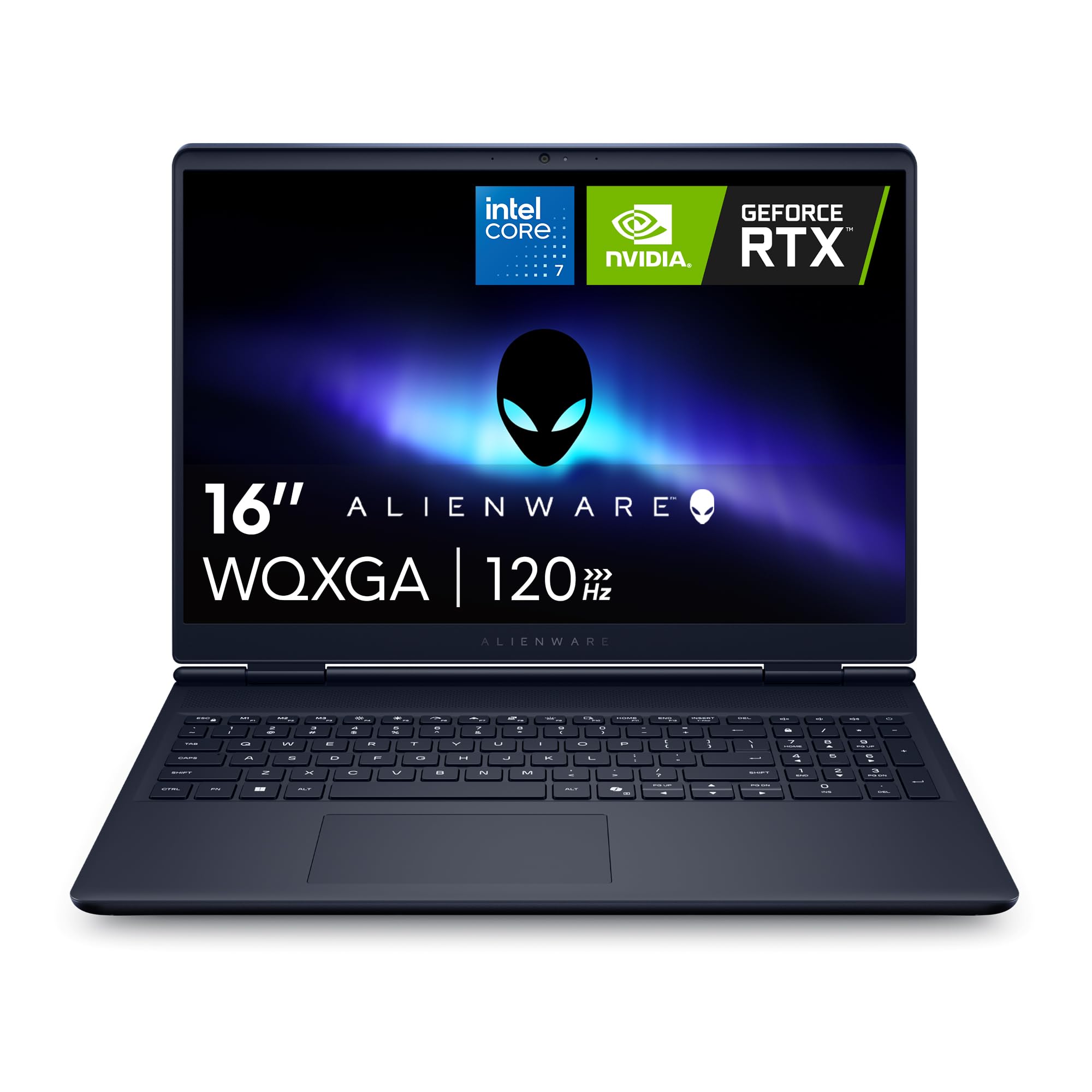
A 16-inch high-resolution screen and a next-gen RTX 5050 in the sharpest chassis here.
Nobody else in this list offers the display this one does: a 16″ WQXGA panel at 2560×1600 pixels, sharper than the 1920×1080 screens across the field, running at 120Hz with 300 nits of brightness. The 16:10 aspect ratio gives you slightly more vertical room for a menu or a document. Behind it sits the NVIDIA GeForce RTX 5050, powered by NVIDIA Blackwell — the newest architecture in this roundup — and an Intel Core 7 240H reaching up to 5.2 GHz. That combination is a big-screen, high-pixel play for someone who wants detail over motion speed.
The cooling side is worth an explanation: a Cryo-Chamber structure channels airflow toward the core components, which is where heat is most costly, and the design skips the rear thermal shelf for a cleaner, more compact shell. A 180W adapter feeds it, and the machine supports an optional onsite service through Dell so help can come to you. Bluetooth and Wi-Fi cover wireless, while the backlit keyboard and numeric keypad make typing in a dark room easier.
The trade-offs are worth naming plainly: 120Hz is the lowest refresh rate on the big screen here, so it trades motion speed for resolution, and warm running and louder fans come up as an honest gripe of the model’s chassis. Reliability draws a split read across the pages, with the majority working fine and some early failures among the stories. It’s the call for someone chasing the biggest, sharpest picture — provided you don’t need the fastest refresh or silent fans.
Why it’s the outer tier pick: a 2560×1600 WQXGA panel and the newest RTX 5050 give you detail no 1080p rival matches.
The honest caveat: 120Hz trails the 144Hz and 165Hz field on motion speed, and the fans get loud.
Made for: gamers who prize a big, high-resolution 16:10 picture and modern graphics architecture above all.
Pass if: you need the highest refresh rate or near-silent cooling.
Know the Specs
GPU generation (RTX 3050 vs RTX 4050)
A dedicated graphics card is what makes a gaming laptop capable of playing modern titles. The RTX 3050 and RTX 4050 are both dedicated chips with their own video memory — 4GB on the 3050 models, up to 6GB on some 4050 models — so they don’t borrow system memory the way integrated graphics do. The 4050 is the newer architecture, and it pairs with DLSS 3.5, a process that renders a frame at lower internal resolution and uses AI to reconstruct the detail. That spreads the load farther and keeps more frames coming. For new big-budget games, the 4050 is the safer bet; for competitive esports, the 3050 still renders cleanly.
Refresh rate and screen resolution
Refresh rate is how many times per second the screen redraws — 144Hz and 165Hz redraw many more times than a standard panel, which is why fast turns stay legible instead of smearing. A 165Hz panel redraws more often than a 144Hz one, so it holds the smallest edge in motion clarity. Resolution is a separate question: 1920×1080 is what most games target, while a higher-resolution panel like 2560×1600 shows more detail but asks the graphics card to work harder. Both matter, but the GPU has to be able to keep pace or the extra refresh buys you nothing.
RAM and SSD capacity
System memory holds everything running at once. 8GB runs a game and not much else; 16GB keeps a game, a chat, and a browser open; 32GB covers streaming and editing alongside play. The SSD is your storage, and its interface type matters — PCIe Gen 4 and NVMe drives load games in seconds where older drives take noticeably longer. Storage fills fast once you install a few modern titles, which is why a 1TB drive genuinely outclasses the 512GB standard for a heavy library.
Thermals, battery, and the MUX switch
Heat is the enemy of sustained frames. Machines here use approaches like dual high-blade fans, a liquid-metal thermal compound, and a Cryo-Chamber airflow design to move warmth off the core parts. A MUX switch, where present, sends frames directly from the dedicated GPU to the screen and can lift performance by cutting out the detour through integrated graphics. Battery figures on gaming laptops describe mix-and-browse time rather than frame-rate time: under a heavy game, expect to be plugged in, and read longer listed durations as lecture-hall and travel numbers.
Common Questions
Is an RTX 4050 laptop better than an RTX 3050 one?
Do I really need 16GB of RAM for gaming?
What does 144Hz actually change during a game?
Can a gaming laptop run games on battery?
Is 512GB of SSD storage enough for a game library?
What is a MUX switch and do I need one?
Will a 15.6-inch gaming laptop fit in a normal backpack?
Why do gaming laptop fans get so loud?
Should I pick DDR4 or DDR5 memory?
Is a 16-inch 2560×1600 screen worth it on a gaming laptop?
The Bottom Line
For most buyers shopping for a gaming laptop under $1200, the HP Victus 15 with the RTX 3050 is the smart starting point. It puts real dedicated graphics, a good IPS screen, and a fingerprint reader into a first gaming laptop, and its 4.0+ star reputation across a large body of ratings backs it up. Where others in the breed ask you to plan upgrades before you even game, this one gets you playing on day one.
If what matters most is future-proof graphics and a faster panel, the HP Victus 15 (RTX 4050) or the Acer Nitro V with the RTX 4050 both deliver the newer GPU and a 144Hz or 165Hz screen. And if you need a machine that skirts the wall socket for a full day, the Lenovo LOQ-E and its 12-hour runtime figure is the pick that actually lets you leave the charger behind.
If your goal is simply the toughest, most reliable first gaming laptop without overspending, the Victus 15 is a safe bet — it is the most-reviewed pick here, and the crowd has rewarded it. Buy on the GPU model and refresh rate that fit your games, not on the biggest number printed on the box.
How we choose
We do not accept paid placement. Every pick is matched to a real buyer and a real use-case; we do not hands-on test units.
Sources
Specifications: manufacturer listings and product documentation. Review insights: verified customer reviews, as of November 2026. Pricing: not shown on this page (it changes often); check the current price via the retailer link.
As an Amazon Associate, Gamepad Test earns from qualifying purchases. This does not affect which products we feature.