
Heads up: This post contains affiliate links. As an Amazon Associate I earn from qualifying purchases, at no extra cost to you. Learn more
Specs are compiled from manufacturer listings and verified buyer reviews and can change over time — please confirm the key details on the product page before buying.
You are standing in front of two very different roads to the same hobby. One road is a laptop you can fold shut and carry to a friend’s place. The other is a desktop tower that stays planted on your desk. This guide covers laptops only, because that is where most buyers actually end up when they want a machine they can move. Below you get thirteen real machines, sorted by what they actually do well, so you can match one to the way you play rather than to a spec sheet you cannot read.
This guide is built by comparing the manufacturers’ published specifications and the patterns across verified customer reviews, so you get each pick’s real strengths and trade-offs instead of marketing spin.
The first thing to settle is refresh rate, the number of times per second the screen redraws an image. Higher is smoother, and 144Hz is the floor most competitive players now expect. Everything else follows from there. The short version of the gaming laptop vs pc question: a laptop wins on portability, and a 144Hz-or-faster panel closes most of the gap that matters.
Top Picks

How To Choose The Best Gaming Laptop vs PC
The laptop-versus-desktop decision depends on one question: does the machine ever leave your desk? If the machine has to travel, a laptop is the only option that works, and the picks below are sorted by how well each one carries. Once you commit to a laptop, the buying decisions get much narrower, and they are all about the screen, the graphics chip, and how the whole thing sheds heat.
Screen refresh rate is the first number to check
Refresh rate is how many times per second your display redraws — 144Hz means 144 redraws, and 240Hz means 240. In a fast shooter, a higher number means less trailing smear behind a moving target. Do not pay extra for a 240Hz panel if you mostly play slower strategy games; you will not feel it. Do pay attention to the number if you play anything competitive.
The graphics chip decides which settings you can run
A dedicated graphics card is a separate processor just for rendering images, and it carries its own video memory measured in GB. More video memory generally means you can push texture detail higher without stutter. An RTX 4050 with 8GB dedicated in the HP OMEN is a different animal from a card sharing system memory. Read the GPU name and the GB figure together, never the GPU name alone.
Cooling and battery are a pair, not a solo act
A thin chassis and a quiet fan are pulling against each other, and every manufacturer picks a side. Expect the fans to spin up under load, and expect battery life to shrink to a couple of hours when you are actually gaming. Plug in for sessions; treat the battery as a bridge for moving between rooms.
Side-by-Side Comparison
| Model | Best For | Display | GPU | Memory | Amazon |
|---|---|---|---|---|---|
| HP Victus 15.6″ 144Hz★ Best Overall | First gaming rig | 15.6″ FHD 144Hz | RTX 4050 | 16GB DDR5 / 512GB SSD | Amazon |
| HP Victus 15 (RTX 3050)Budget Entry | Budget entry | 15.6″ FHD IPS | RTX 3050 | 8GB RAM / 512GB SSD | Amazon |
| HP HyperX OMEN 15Sharpest Screen | Sharp 2K screen | 15″ 2K 165Hz anti-glare | RTX 5050 8GB | 16GB DDR5 / 1TB SSD | Amazon |
| ASUS ROG Strix G16 (2025) | Fast CPU value | 16″ FHD+ 165Hz | RTX 5060 | 16GB DDR5 / 1TB SSD | Amazon |
| GIGABYTE Gaming A16 | Slim chassis | 16″ panel | RTX 5070 | 16″ frame / 512GB-class | Amazon |
| Alienware 16 Aurora | High-res display | 16″ WQXGA 300 nits | RTX 5060 | 16:10 panel | Amazon |
| msi Cyborg 17 | Big-screen portability | 17.3″ FHD 144Hz | RTX 5060 | 16GB DDR5 / 1TB SSD | Amazon |
| Acer Nitro V 16S AI | Memory per dollar | 16″ WUXGA 180Hz | RTX 5060 | 32GB DDR5 / 1TB SSD | Amazon |
| msi Katana 15 HX | CPU brute force | 15.6″ QHD+ 165Hz | RTX 5070 | 32GB DDR5 / 1TB SSD | Amazon |
| Lenovo Legion Pro 5 | Storage and peripherals | 16″ WQXGA 240Hz | RTX 5070 Ti 12GB | 32GB DDR5 / 5TB total | Amazon |
| ASUS ROG Strix G16 (2026) | No-compromise flagship | 16″ Nebula HDR 2.5K 300Hz | RTX 5080 | 32GB DDR5 / 1TB SSD | Amazon |
Detailed Reviews
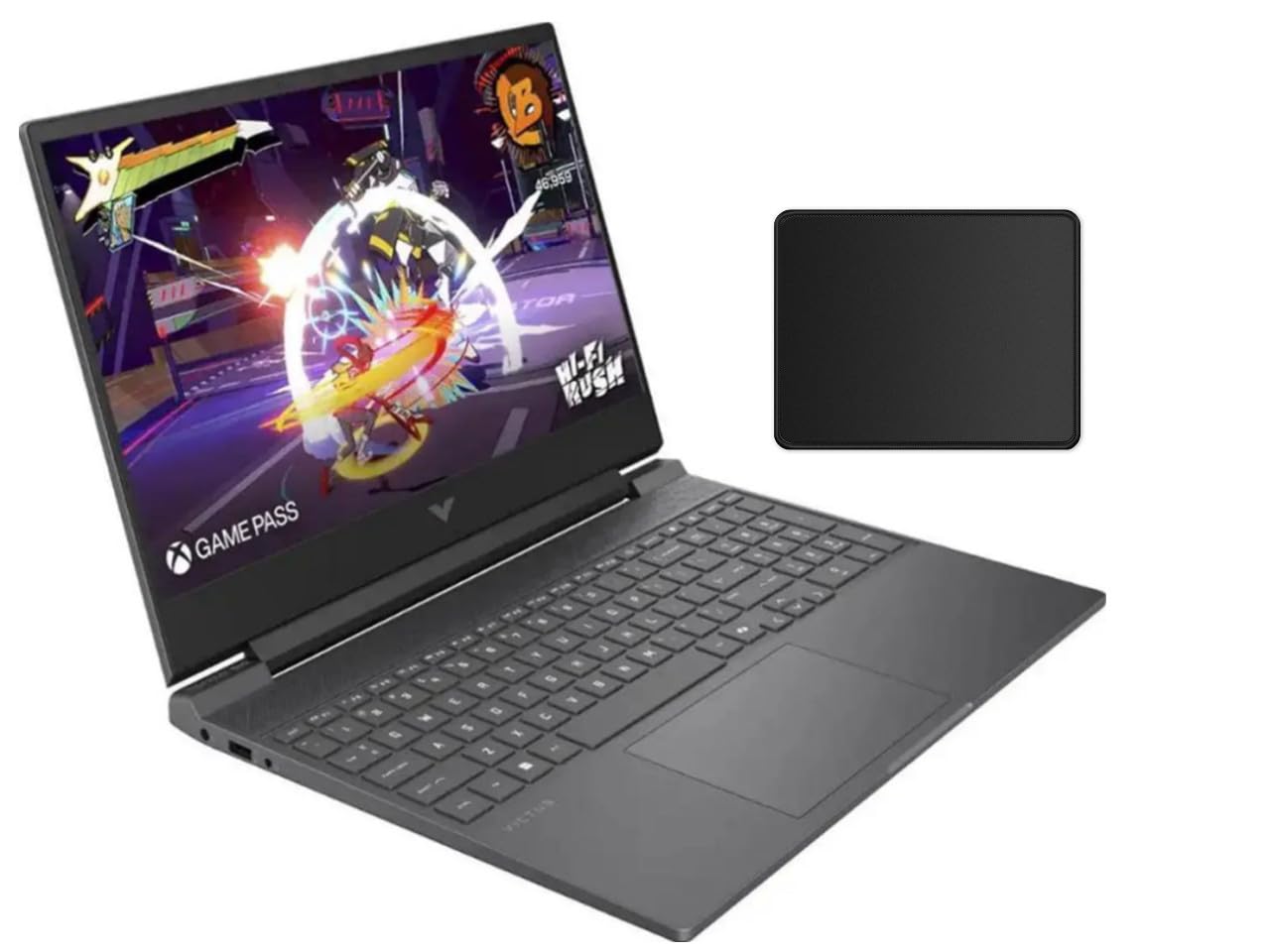
1. HP Victus 15.6″ 144Hz Full HD Gaming Laptop
Our pick — 4.5+★ from 100+ verified ratings; the strongest balance of quality and price.
The starter rig that does not feel like a starter rig
For a first gaming laptop, the thing you want is a screen that does not smear when you swing the camera. This Victus gives you a 15.6-inch panel at 1920 x 1080 resolution with a 144Hz refresh rate — 144 redraws every second, which is the point where fast pans stop looking soupy. AMD FreeSync Premium is on board too, which is a technology that syncs the screen to the graphics card’s output to cut tearing and stutter.
The internals are what keep buyers happy here. An NVIDIA GeForce RTX 4050 handles the rendering, paired with 16GB of DDR5 RAM (the newer, faster generation of system memory) and a 512GB SSD. Build quality and materials come up again and again as the reason people stay pleased — this is a machine that feels solid in the hands rather than hollow. As owners put it, it earns its keep as a genuine gaming machine and it is especially good for beginners finding their footing.
The honest trade-off is the bundled extras. The listing promises a mouse pad, and a handful of buyers never found one in the box. Treat the pad as a maybe, not a reason to buy. Also plan for the reality of every machine in this class: a lithium-ion battery that drains fast under load, so keep the charger within reach.
What holds up under scrutiny
- 144Hz refresh rate on a 1920 x 1080 IPS panel keeps motion readable in fast games
- 16GB DDR5 RAM and a 512GB SSD give you room to have a game open plus a browser full of tabs
- FreeSync Premium compensation smooths out framerate dips below the refresh ceiling
- Build materials draw the strongest praise of anything on this machine
Where the deal thins out
- The advertised mouse pad is not reliably in the box
- Battery life under load is short, as with every gaming laptop here
- A 512GB drive fills up quickly once modern titles install
Buy this one if: you are building a first setup and want a proven 144Hz 1080p machine with modern DDR5 memory.
Hold off if: you need a big library installed locally — the 512GB SSD will be your first upgrade.
2. HP Victus 15 Gaming Laptop, RTX 3050
The entry ticket that leaves room in the budget for games
Here is the cheapest way onto this list, and it buys you an RTX 3050 graphics card plus a 12th Gen Intel Core i5-12500H that tops out at 4.5 GHz. The 1920 x 1080 IPS screen uses in-plane switching panels, which means a 178-degree viewing angle so the picture does not wash out when you lean back. Half the RAM of the Victus above, at 8 GB, and the same 512GB SSD for storage.
Where this one earns its place is general-purpose speed. It handles a game and a pile of browser tabs without complaint, and it doubles as a school or work machine between sessions. There is a fingerprint reader for logging in without typing a password. Compare its 4.5 GHz CPU ceiling with the ASUS ROG Strix G16 lower down at 5.2 GHz — the ROG is the faster chip, but this one costs a fraction as much for everyday play.
The real limits are the 8 GB of RAM and the older RTX 3050 generation. Some buyers hit memory pressure with heavier titles, and the battery drains quickly enough that you should plan on wall power for anything long. If your budget is the hard constraint and you play at 1080p on modest settings, those limits are livable.
What you gain: a capable everyday machine with a 4.5 GHz processor and a fingerprint reader, at the lowest entry point on this list.
What you give up: 8 GB of RAM and an older GPU generation — fine at 1080p with settings dialed in, tight with heavier modern titles.
Reach for this if: the budget is fixed and you need one machine for gaming plus coursework.
Look elsewhere if: you want headroom for the next few years of releases — the 8 GB ceiling will be what you bump into first.
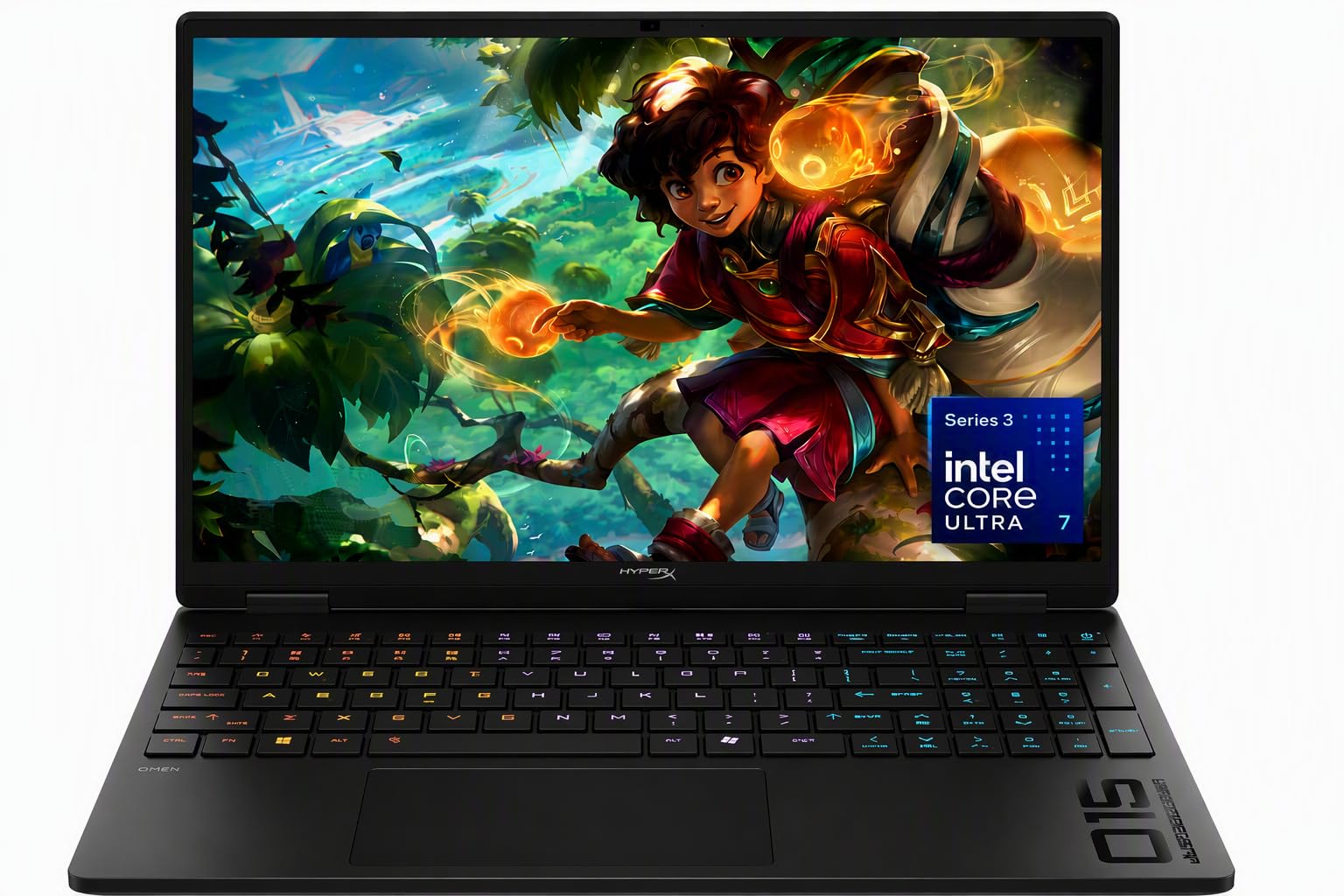
3. HP HyperX OMEN 15 inch Gaming Laptop
A 2K anti-glare panel aimed at people who hate reflections
The panel is the headline. It is an anti-glare IPS display at 1920 x 1200 with a 165Hz refresh rate, and the anti-glare coating is the detail that matters if your desk faces a window. Reflection-free glass at 165Hz is a different experience from a glossy 144Hz screen. You also get 178-degree wide viewing angles, so the picture holds up from a couch across the room.
Underneath sits an Intel Core Ultra 7 356H with a maximum speed of 5 GHz and 18 MB of cache memory (a fast on-chip holding area for the data the processor needs next). That 18 MB cache is three times the 6 MB in the Victus 15 below on this list, and cache depth is one of the quiet reasons a chip feels snappy rather than merely fast on paper. A 1TB PCIe Gen4 NVMe SSD stores far more games than the 512GB drives elsewhere here.
Networking is future-proofed with a Wi-Fi 7 card and Bluetooth 6.0, the newest versions of both standards in this lineup. The RTX 5050 with 8GB dedicated handles 1080p-and-up rendering comfortably. The catch is simply that this is a newer line with a much smaller owner base than the Victus models, so long-term reliability is less charted water. The 4-zone RGB keyboard and OMEN AI settings tuning round it out.
The screen argument: anti-glare at 165Hz and 1920 x 1200 is the most comfortable panel to actually sit in front of for hours.
The unknown: a short track record compared with the Victus line — new tech, less of a crowd to read.
Suits you if: glare has ever ruined a session at your desk and you want Wi-Fi 7 plus a 1TB drive from the start.
Think twice if: you prefer buying a model with years of owner history behind it rather than a fresh release.
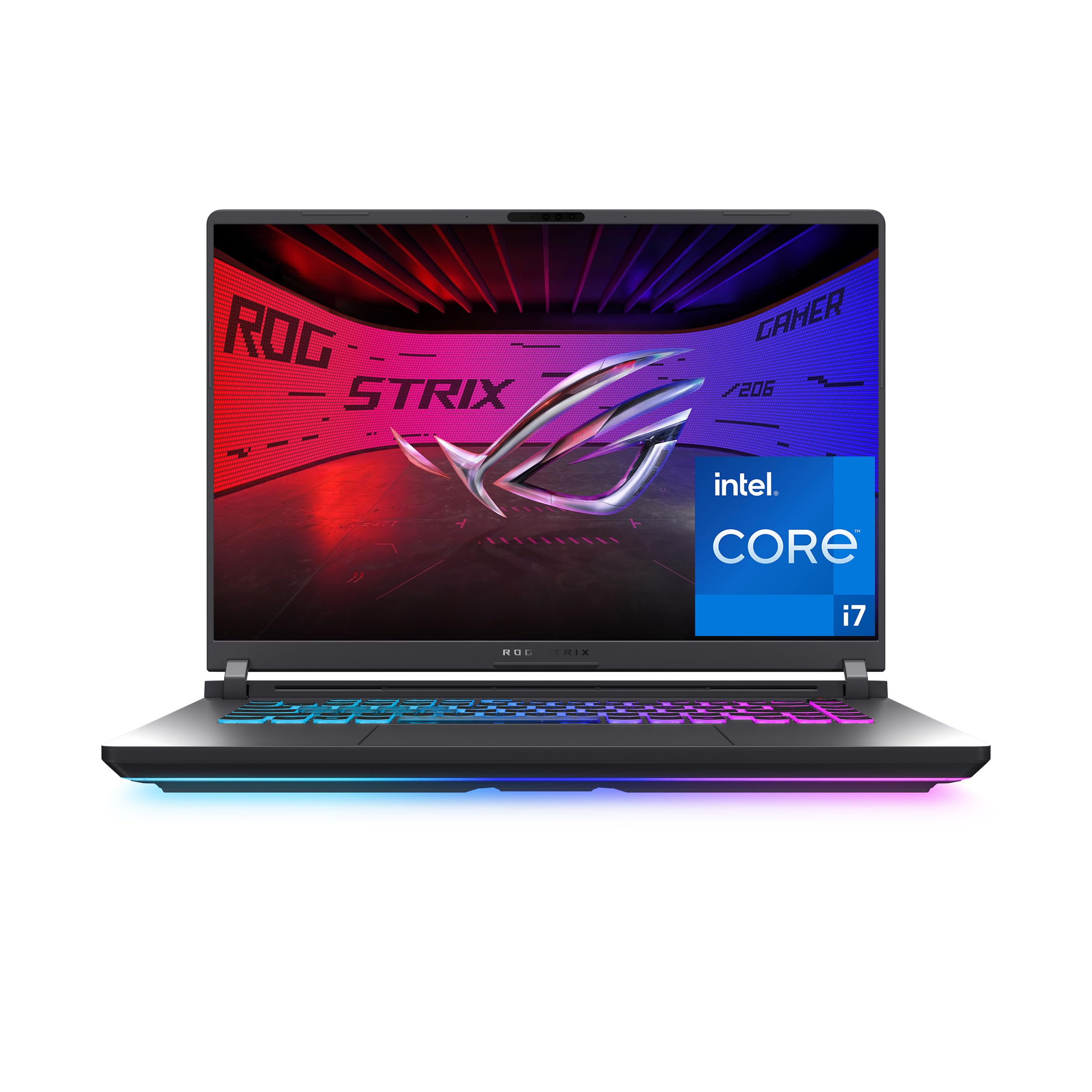
4. ASUS ROG Strix G16 (2025) Gaming Laptop
The one that pairs a 5.2 GHz chip with genuine cooling hardware
A 16-inch screen at 1920 x 1200 with a 165Hz refresh rate and a 3ms response time — that last figure is how fast a pixel changes colour, and a lower number means less ghosting. This is 21Hz above the 144Hz panels that anchor the cheaper picks, and it is aimed squarely at people who notice the difference. The panel also carries an ACR film that lifts contrast and knocks down glare.
The processor here is the surprising part: an Intel Core i7-14650HX running up to 5.2 GHz, against the 4.5 GHz ceiling on the HP Victus 15 further up this list. That is a real gap in outright compute headroom, and it is why this machine feels quick in everything from game loading to video exports. An RTX 5060 handles the graphics, with 16GB of DDR5-5600MHz memory and a 1TB PCIe Gen 4 SSD.
Cooling is where ASUS clearly spent money: an end-to-end vapor chamber, three fans, and liquid metal compound applied to the chipset. In plain terms, a vapor chamber spreads heat across a wider area than a heat pipe, so the machine can hold its speed longer before throttling. The trade-off is that the battery figure sits at 2 hours of real use, so this is a desk-and-socket machine for serious sessions.
Reasons it earns the spot
- 5.2 GHz Core i7-14650HX is the fastest chip among the value picks here
- 165Hz at 3ms response time with an anti-glare ACR film
- Vapor chamber plus tri-fan cooling holds performance during long sessions
- 1TB Gen 4 SSD and 16GB DDR5-5600MHz memory as standard
What you should know first
- 2 hours of battery life means wall power for any real session
- The 360-degree RGB light bar is a taste call, though Stealth Mode kills it entirely
The smart buy here: you want desktop-class CPU speed in a 16-inch body without paying flagship prices.
The deal-breaker for some: unplug it and you have roughly two hours before the fans stop and the lights go out.
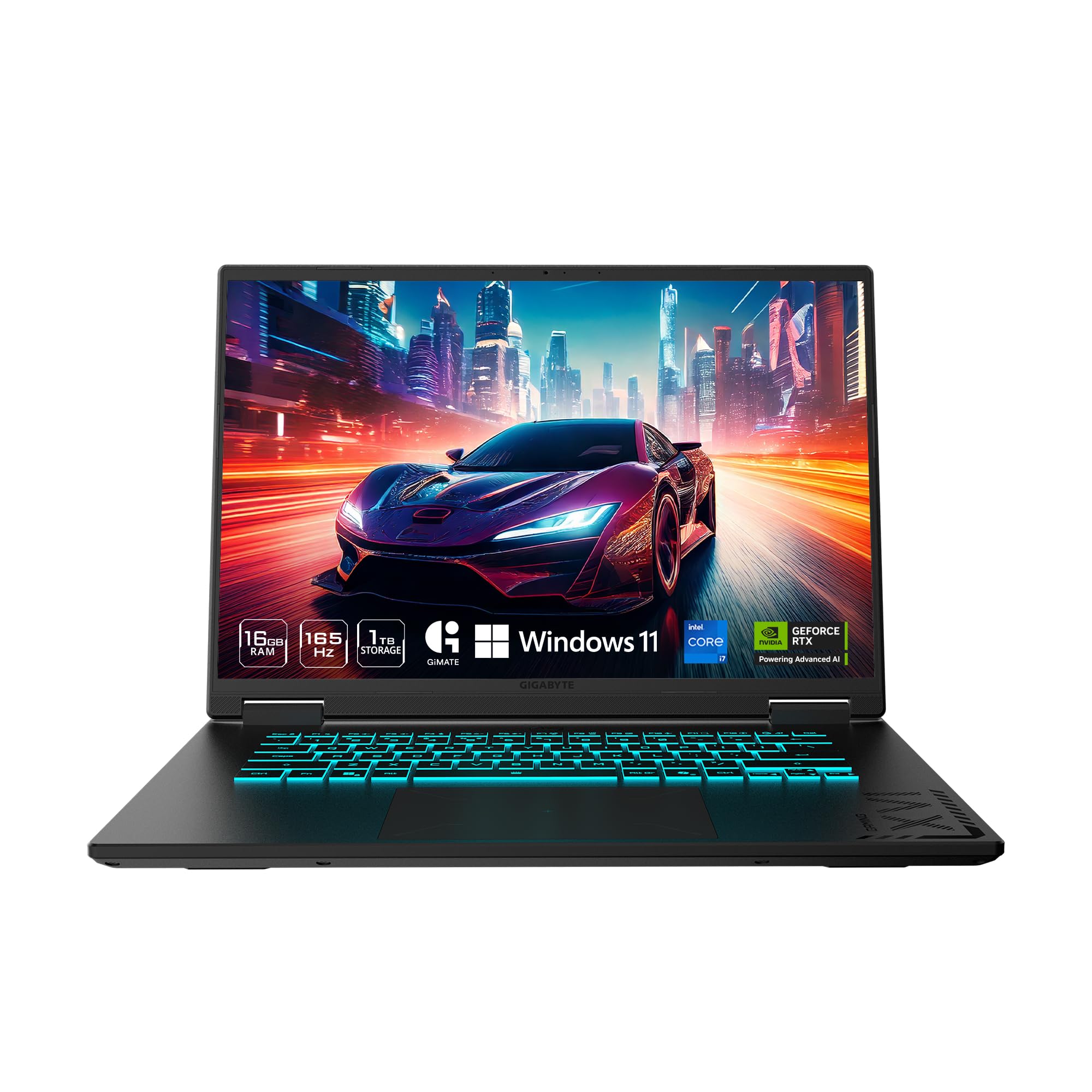
5. msi Vector 16 HX AI Gaming Laptop
A 180-degree hinge on a surprisingly thin 16-inch body
The chassis is 19.45 millimetres thick, and the hinge folds the screen all the way flat to 180 degrees. That flat-fold design is genuinely useful if you game from a couch or angle the lid back on a low table. An RTX 5070 handles the rendering, paired with an Intel Core i7-13620H that reaches 4.9 GHz.
Performance is exactly what buyers talk about most with this machine — games run smoothly on it, and it does so without asking flagship money. The vapor chamber cooling keeps temperatures under control in normal sessions, though the keyboard area does warm up under long load. Storage and daily responsiveness land right where you want them for a machine in this tier.
Two honest notes. The speakers are 2x 2W units, and quiet output is the recurring mention — you will want a headset for anything where audio matters. Battery drains quickly under load, which is the shared trait of every dedicated-GPU laptop on this page. Neither one undercuts the value; they just set expectations.
Standout: a flat-folding 180-degree hinge and a 19.45mm frame make this the most adaptable body here for odd seating setups.
Worth knowing: 2W speakers run quiet, and the battery drains fast when the GPU is working.
Choose it for: a slim 16-inch laptop that folds flat and still runs an RTX 5070.
Skip it for: couch speakers-only play — plug in a headset and the sound concern disappears.
6. Alienware 16 Aurora Gaming Laptop
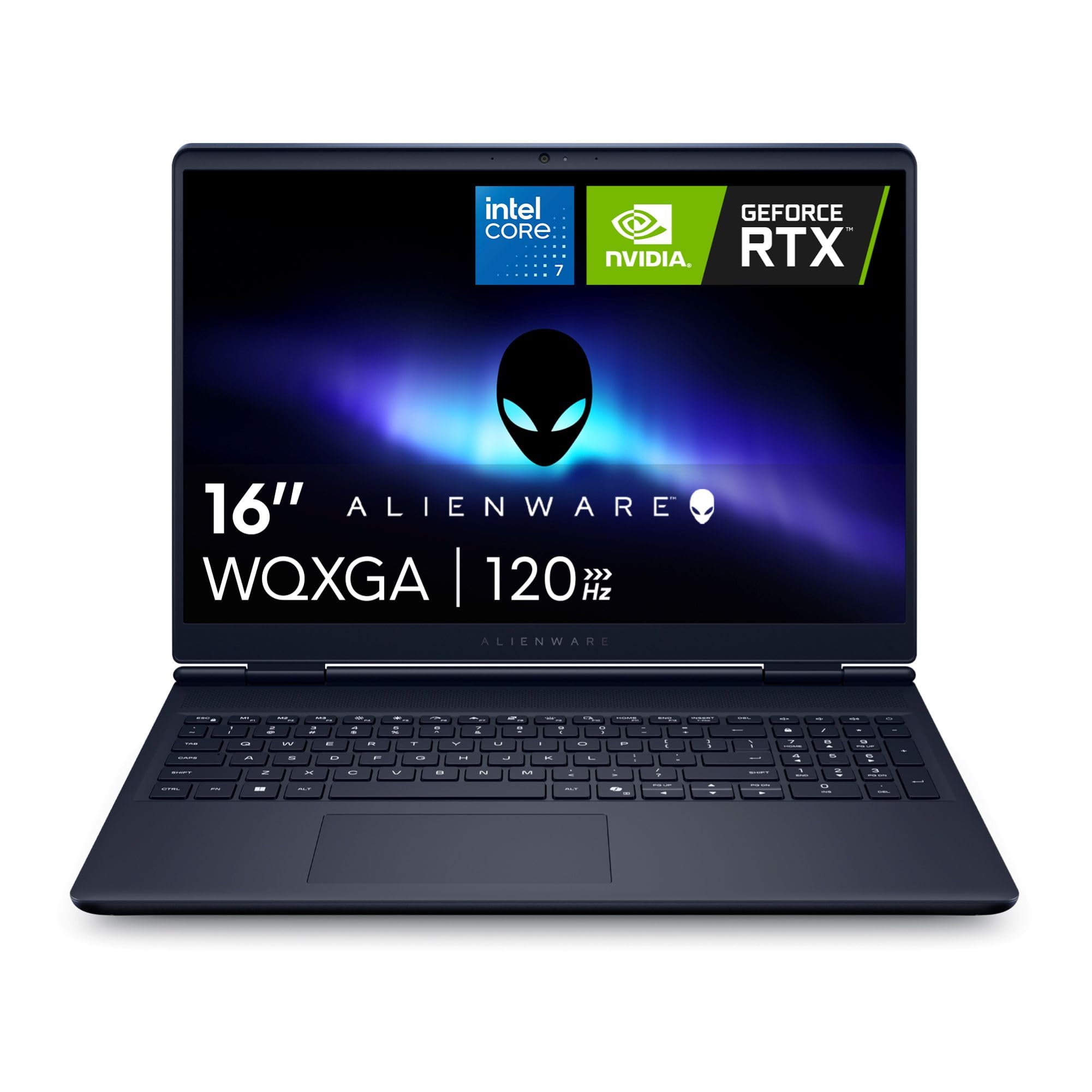
The screen-first pick, with a resolution that flatters everything
A 16-inch 16:10 display at 2560 x 1600 and 300 nits of brightness is the reason to shortlist this one. Nits measure brightness, and 300 is comfortable for a lit room without washing out. The 16:10 aspect gives you vertical space, which matters for strategy games and for anything with a HUD stacking up the sides. An RTX 5060 and an Intel Core 7 240H reaching 5.2 GHz drive it.
Dell’s service terms are part of the value here: a year of onsite support where a technician comes to you if a covered hardware fault cannot be fixed remotely. That is a real convenience for a high-ticket machine. The Cryo-Chamber cooling structure routes airflow to the core components, and the design skips a rear thermal shelf, so the footprint stays compact.
The caveats are real and worth stating plainly. Heat is a recurring note in owner feedback, and a portion of buyers ran into units that failed. This is a smaller-owner-base machine with a genuinely mixed reliability record, so consider the onsite service as your safety net rather than an afterthought. The value read depends on whether a 2560 x 1600 panel is worth paying RTX 5060 money for.
What makes it worth a look
- 2560 x 1600 on a 16:10 panel at 300 nits is the crispest resolution-first screen in this group
- One year of Dell onsite service covers you where you are
- Cryo-Chamber airflow without a rear shelf keeps the desk footprint tight
What to weigh honestly
- Heat under sustained load is a shared experience with owners
- A mixed reliability record means the onsite service does real work here
- Spending this much for a 5060 means the panel is doing a lot of the persuading
Worth it when: resolution and a professional build matter more to you than raw frame ceilings.
Pass on it when: you want the longest track record of trouble-free ownership — the warranty is the hedge, not the guarantee.
7. msi Cyborg 17 Gaming Laptop
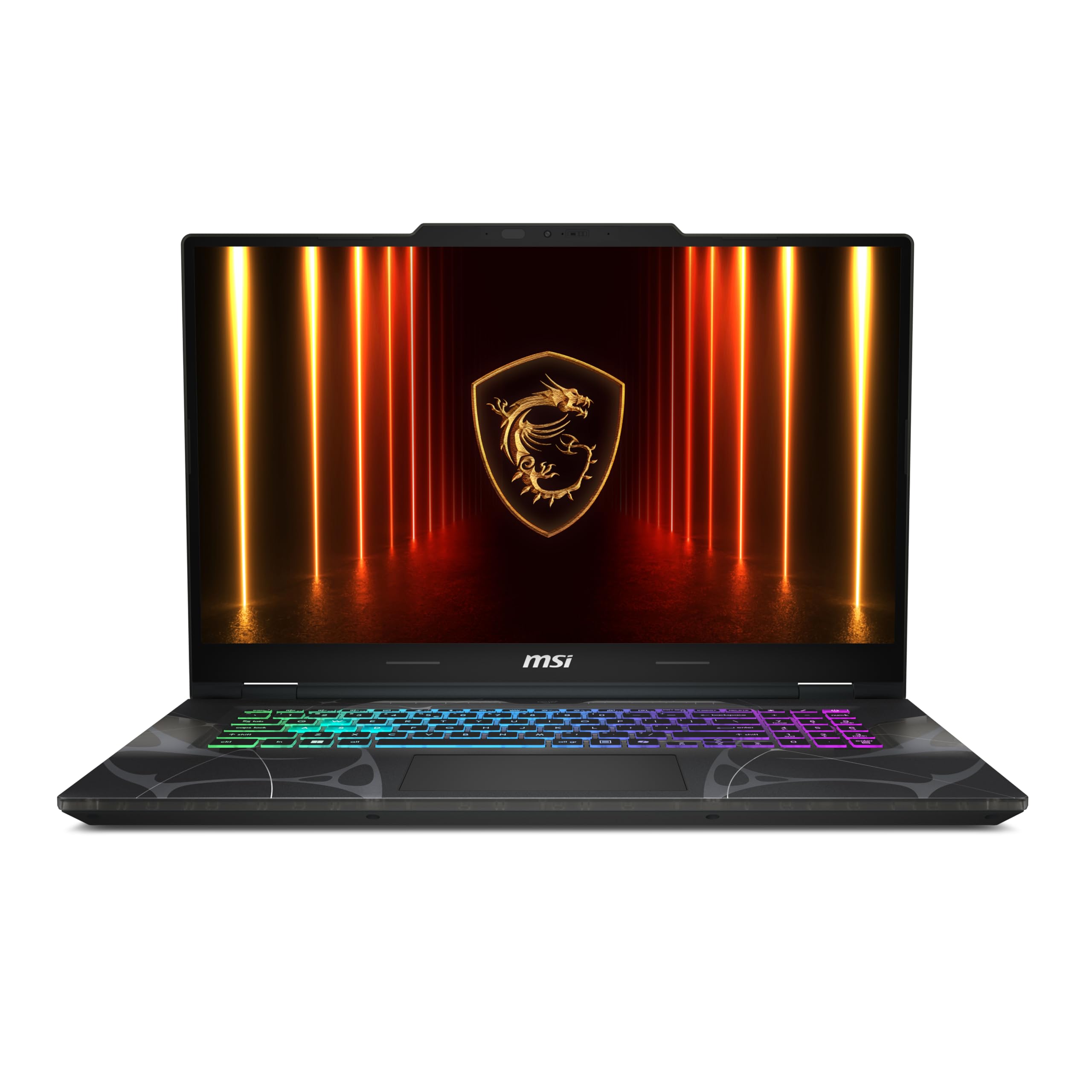
The 17.3-inch screen you can actually carry to a friend’s place
Most 17-inch machines are desk-bound bricks. This one measures 0.83 inches thin and weighs 5.5 lbs, with a 17.3-inch FHD panel at 144Hz. That combination is unusual, and it is the whole reason this pick exists: big-screen immersion that still fits in a backpack. An RTX 5060 with DLSS 4 support and an Intel Core 7-240H reaching 5.2 GHz run the show.
Storage and memory are generous for the tier at 16GB DDR5 and a 1TB NVMe SSD, so your library fits without an immediate upgrade. Cooling uses MSI’s shared-pipe Cooler Boost design to keep sessions quieter and steadier. Ports cover USB-C, USB-A, HDMI, RJ45, and Wi-Fi 6E, which means a wired controller, an external monitor, and a network cable can all be plugged in at once.
The mixed note is the display in practice: the 144Hz panel looks great in motion, but a few buyers report strain when pushing maxed graphics settings on heavier titles. That is a GPU-demand conversation, not a screen failure. Design and everyday smoothness draw warm words, and it handles schoolwork and gaming without changing personality.
Why it earns its place: a 17.3-inch 144Hz panel in a 0.83-inch, 5.5 lb body is a rare combination.
The fine print: maxing every setting on heavy titles can strain the 5060 — ease off shadows and it holds up.
Made for: players who want a big screen and still move between rooms with it.
Not made for: maximum-settings purism — this is a smart-settings machine.
8. Acer Nitro V 16S AI Gaming Laptop
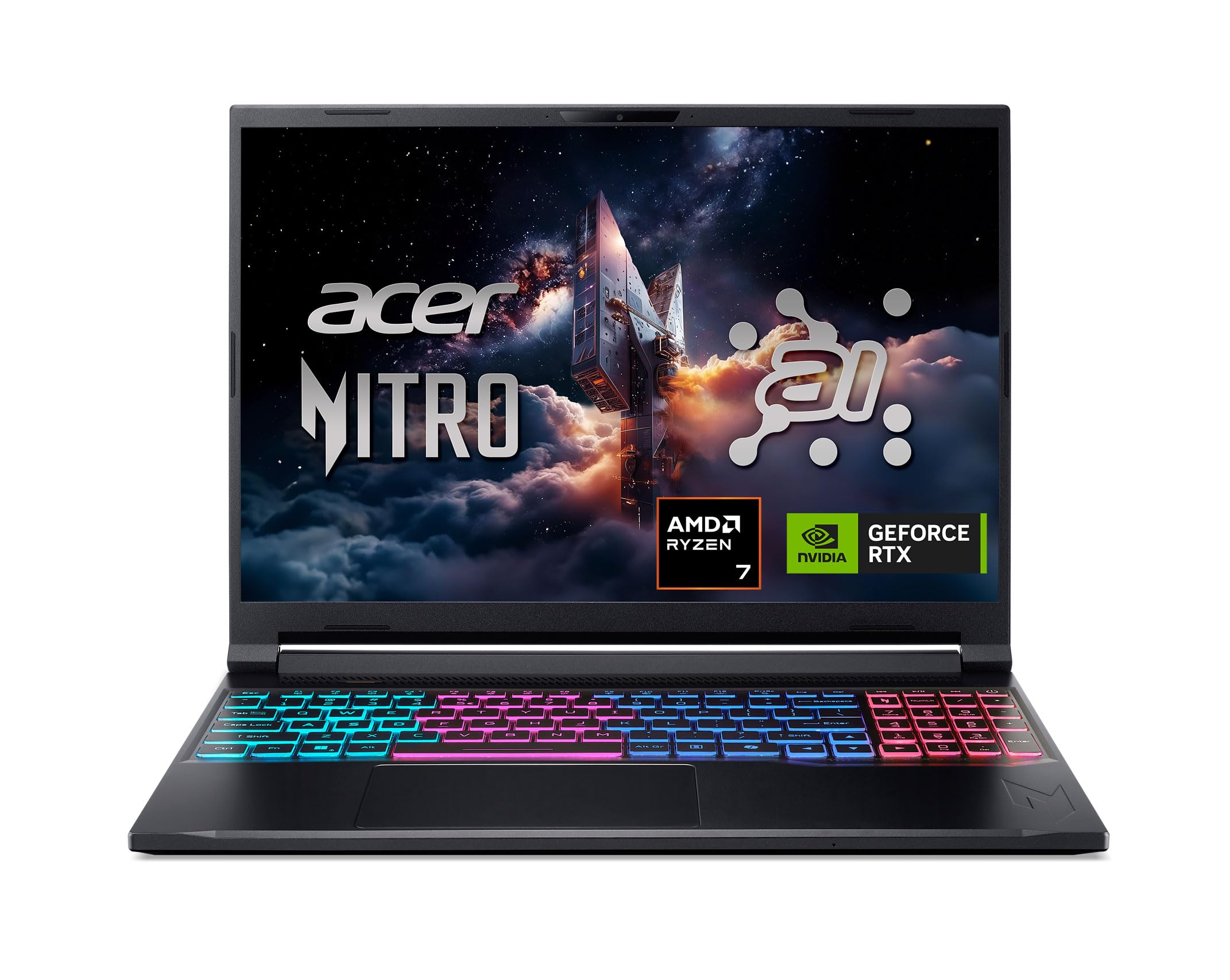
Thirty-two gigs of memory and 180Hz, aimed at people who multitask hard
This is the machine for the person who games with a stream, a chat client, and a browser all running. The 32GB of DDR5-5600MHz memory is double what the Victus and Strix machines above carry, and the 1TB Gen 4 SSD leaves a second M.2 slot open for later. An RTX 5060 with NVIDIA’s 572 AI TOPS figure (a measure of AI processing throughput) powers the rendering.
The 16-inch WUXGA display runs at 1920 x 1200 with a 180Hz refresh rate and full 100% sRGB colour coverage, so it is accurate enough for editing as well as play. The AMD Ryzen 7 260 processor reaches 5.1 GHz. Owner feedback centers on how reliably it runs the games people actually play, alongside solid build quality and a screen that draws steady praise.
Two shared limits. Battery life is mixed — some get past six or seven hours on light use, others see it drain fast under load. Heat builds during long sessions, which is the standing cost of a 5060 in a 16-inch frame. Fans are audible at full tilt, so a headset helps.
The number that sells it: 32GB DDR5-5600MHz and 1TB Gen 4 storage, with a second M.2 slot still open.
The number that does not: battery life under load — light use gets you past six hours, gaming does not.
Pick this for: heavy multitasking and content work on a 100% sRGB 180Hz panel.
Skip this for: all-day unplugged use — it wants a socket for anything serious.
9. msi Katana 15 HX Gaming Laptop

A 5.8 GHz processor for people who want the fastest number on paper
The CPU is the draw: an Intel Core i9-14900HX with a 24-core hybrid layout and a 5.8 GHz maximum speed, the highest CPU clock in this entire lineup. That is the top figure against the 5.2 GHz chips elsewhere here, and it matters for render work and heavy multitasking as much as gaming. An RTX 5070, 32GB DDR5, and a 1TB NVMe SSD complete the core build.
The screen is a QHD+ panel at 165Hz with full 100% DCI-P3 coverage, a colour space wide enough for professional video and design work. Graphics and picture quality both draw warm words, and gameplay runs smoothly on demanding titles. The 4-zone RGB keyboard highlights the WASD keys and includes USB-C Gen 2 and HDMI that drives up to 8K.
Here is where you need to be realistic. Noise levels are a genuine split — the fans can be loud, and the chassis struggles to shed heat under prolonged load. Some units have had games crash. Read that as a machine that rewards airflow: put it on a stand, keep vents clear, and let the 5-heat-pipe Cooler Boost 5 system work. Battery life sits at 2 hours, which is a desk machine by design.
The case for it
- 5.8 GHz i9-14900HX with 24 cores is the highest CPU ceiling in this article
- QHD+ 165Hz at 100% DCI-P3 for accurate colour work
- 32GB DDR5 and 1TB storage handle heavy multitasking
- Cooler Boost 5 with dual fans and five heat pipes
The honest read
- Fan noise is a real split point — this is not a quiet machine
- Chassis heat build-up over long sessions needs airflow management
- 2 hours of battery means it lives on a desk
Fits you if: CPU horsepower is the thing you are chasing and you have a stand and a socket ready.
Misfits you if: you need a silent machine for late-night play in a shared room.
10. Lenovo Legion Pro 5 16″ WQXGA 240Hz

Five terabytes of storage and a graphics card with 12GB of video memory
The storage figure is the outlier here: 4TB of PCIe SSD inside the machine, plus a bundled 7-in-1 docking station that carries its own 1TB of storage. That is a total of 5TB before you buy a single external drive, and it is the kind of headroom that means never uninstalling a game to make room. The RTX 5070 Ti with 12GB of GDDR7 video memory is the second-largest GPU allocation on this page behind the flagship below.
The panel is a 16-inch WQXGA 240Hz display at 2560 x 1600, and an Intel Core Ultra 9 275HX reaching 5.5 GHz runs the workload. Three USB-A, two USB-C, HDMI 2.1, and RJ45 cover a full desk setup. The 24-zone RGB keyboard is backlit for low-light play, and there is an electronic e-shutter switch on the camera, which is a physical block for the lens when you are not in a call.
The bundle is unusually complete: the docking station, a 32GB MicroSD card with adapter, a Type-C data cable, a 3-in-1 charging cable, and a suede cleaning cloth all come in the box. At 5.34 lbs and 1.02 inches thick, it stays carryable despite the hardware loadout.
The honest trade-off is that the dock, cables, and card reader are baked into the price if you need them or not. If you already own a dock and a card reader, you are subsidizing accessories you will not use. Set that against the 12GB video memory and 240Hz panel, and the value call is genuinely yours to make.
The argument for it: You get 5TB of storage in total, split between the internal 4TB SSD (solid-state drive, fast flash storage with no moving parts) and the bundled dock (a desktop hub that adds ports and storage). That is the most storage on this list. The 12GB of GDDR7 video memory (the graphics card’s own fast memory, which holds textures) means you can keep high-resolution textures switched on in future games.
The argument against: you are paying for a docking bundle whether or not you need one.
Buy it if: you want a full desk ecosystem — storage, dock, and 240Hz 2560 x 1600 — in one purchase.
Reconsider if: you already own a dock and would rather put the money into the GPU tier.
11. ASUS ROG Strix G16 (2026) Gaming Laptop

The 300Hz panel that turns a laptop into a competitive display
Three hundred hertz. Dolby Vision HDR is supported, and the picture holds its colour even off-axis. Compare that to the 144Hz floor on the budget picks above and the gap is the entire reason this machine exists.
An NVIDIA GeForce RTX 5080 pairs with an Intel Core Ultra 9 290HX Plus reaching 5.5 GHz, backed by 32GB of DDR5-5600MHz and a 1TB PCIe Gen 4 SSD. Cooling is the same end-to-end vapor chamber and tri-fan setup with liquid metal on the chipset that the 2025 Strix uses, so sustained performance holds through long sessions. A MUX switch routes frames directly from the dedicated GPU, which the maker rates at a 5-10% gaming gain, and Advanced Optimus swaps between integrated and dedicated graphics automatically to stretch battery.
Tool-free access is the detail that seasoned buyers notice: a latch on the underside lets you swap RAM, SSD, and fans without a screwdriver. Wi-Fi 7 and Bluetooth 5.4 cover the newest wireless standards, and three months of Game Pass come included. This is the priciest machine here, so the honest question is whether 300Hz and an RTX 5080 are worth it to you over the RTX 5070 Ti machine above. For competitive players who live in fast shooters, the panel alone answers that.
What makes it the top of the stack
- 300Hz at 2560 x 1600 with Dolby Vision HDR and an anti-glare AGLR film
- RTX 5080 with 32GB DDR5-5600MHz and MUX switch routing for direct GPU frames
- Tool-free access to RAM, SSD, and fans via a single latch
- Wi-Fi 7 and Bluetooth 5.4 round out the newest wireless standards
Where the case wobbles
- Flagship pricing makes the 300Hz panel the deciding factor, not a nice-to-have
- A 1TB drive is modest at this tier given the rest of the hardware
- Advanced Optimus switching exists to save battery, but this class still lives near a socket
The mic drop: 300Hz, an RTX 5080, and a tool-free chassis make this the fastest package on the list.
The single caveat: if you do not compete at high frame rates, the RTX 5070 Ti pick above delivers more of what you will actually feel.
Know the Specs
Refresh Rate and Response Time
Refresh rate is how many times per second the panel redraws, measured in hertz — 144Hz is 144 redraws. Response time is how fast a single pixel switches colour, measured in milliseconds. A 165Hz panel paired with a 3ms response gives you smoother motion and less trailing smear than a 144Hz panel. If you play shooters or racing games, both numbers matter together; a fast refresh rate with slow pixel response still looks blurry. Strategy players can comfortably buy the lower-tier panel and spend the difference elsewhere.
GPU Video Memory in GB
A dedicated graphics card is a separate chip just for drawing frames, and it carries its own video memory — that is the GB figure attached to the card name. More video memory lets you push texture detail higher without stutter. The RTX 5070 Ti in the Lenovo carries 12GB of GDDR7, while an RTX 5050 in the HP OMEN carries 8GB dedicated. Match the GB figure to how high you plan to set textures, not to the card’s marketing number.
DDR5 Memory and SSD Storage
DDR5 is the current generation of system memory, and its speed is measured in MHz — 5600MHz means it can shift data that many times per second. More GB of it means more browser tabs and background apps alongside your game. An NVMe SSD is a storage drive that plugs directly into the motherboard, and PCIe Gen 4 describes its data lane generation. Bigger SSD numbers simply mean more games installed at once without uninstalling anything.
Cooling Systems Explained
A vapor chamber is a sealed plate that spreads heat across a wider area than a traditional heat pipe, so a laptop can hold its speed longer before throttling down. A shared-pipe design splits the same pipes between CPU and GPU. Fans and heat pipes decide whether a machine stays quiet or audibly loud under load. Every manufacturer trades thickness against cooling, which is why a thin chassis will always run warmer than a thick one with the same chip.
Common Questions
Is a gaming laptop better than a desktop PC for the same money?
How much refresh rate do I actually need for gaming?
Can I upgrade the RAM or SSD on these laptops later?
Why is battery life so short on gaming laptops?
What does the GB number on a graphics card actually mean?
Do I need Wi-Fi 7 or is Wi-Fi 6E enough for online gaming?
Is a 512GB SSD enough for a gaming laptop?
Will these laptops run hot enough to throttle during long sessions?
What is a MUX switch and does it matter?
Can I plug an external monitor into these gaming laptops?
The Bottom Line
For most players, the gaming laptop vs pc answer lands on the HP Victus 15.6″ 144Hz. It gives you a 144Hz 1080p screen (it refreshes 144 times a second, so fast motion stays smooth), an RTX 4050 graphics card, and 16GB of DDR5 memory (the newer, faster generation of RAM). You skip the 240Hz panels and 32GB memory kits that cost more without changing a 1080p session. If you want the fastest CPU in the lineup, the ASUS ROG Strix G16 (2025) runs at 5.2 GHz (5.2 billion cycles per second) and backs it with real vapor chamber cooling (a sealed metal chamber that spreads heat across the whole chip). That makes it the upgrade worth paying for if CPU-heavy games and exports are your bottleneck.
And for competitive players who compete at high frame rates, the ASUS ROG Strix G16 (2026) with its 300Hz Nebula HDR panel and RTX 5080 is the machine to reach for. If storage is your bottleneck instead, the Lenovo Legion Pro 5 brings 5TB across the internal drive and bundled dock. Every pick here clears a 144Hz panel and a dedicated GPU, so the deciding factor is if you need a 300Hz flagship, 5TB of storage, or a 5.5 lb 17-inch body.
How we choose
We do not accept paid placement. Every pick is matched to a real buyer and a real use-case; we do not hands-on test units.
Sources
Specifications: manufacturer listings and product documentation. Review insights: verified customer reviews, as of November 2026. Pricing: not shown on this page (it changes often); check the current price via the retailer link.
As an Amazon Associate, Gamepad Test earns from qualifying purchases. This does not affect which products we feature.