
Heads up: This post contains affiliate links. As an Amazon Associate I earn from qualifying purchases, at no extra cost to you. Learn more
Specs are compiled from manufacturer listings and verified buyer reviews and can change over time — please confirm the key details on the product page before buying.
If your game stutters while the rest of the house streams, the weakest link is usually the box blinking at the wall, not your console. A good modem for gaming is one that is on your provider’s approved list, has an Ethernet port fast enough for your plan, and hands off a clean signal to your router. Everything else is noise.
This guide is built by comparing the manufacturers’ published specifications and the patterns across verified customer reviews, so you get each pick’s real strengths and trade-offs instead of marketing spin.
Below you’ll find nine cable modems ranked by what actually matters — channel bonding, port speed, and provider approval — with an honest note on who each one fits. The result is a shortlist built around one question: which good modem for gaming gets you a stable, low-lag connection without paying for speed your plan cannot deliver.
Top Picks

How To Choose The Best Good Modem for Gaming
Start with the boring part: your provider. A modem only helps you if the company that sends you a bill has certified that exact model for your plan. A multi-gig modem on a fiber line does nothing at all — these boxes speak cable, not fiber.
Check the certification list before the spec sheet
Every pick here names the providers it is approved for, and each one excludes fiber, DSL, and satellite. If you are on Xfinity, Spectrum, or Cox, you are in the right aisle. If you are on Verizon FiOS or AT&T Fiber, you are not, and no amount of channel bonding will change that.
Match the port to your actual plan
Your modem’s Ethernet port is the doorway to everything downstream, including your router and your console. A 2.5 Gbps port (2,500 megabits per second) leaves headroom for plans above a gigabit. A 1 Gbps port is the right call if you sit on a gigabit plan and have no plans to move up soon.
Latency beats headline speed for gaming
Your ping is decided by how quickly the modem and the network respond, not by how large the pipe is. DOCSIS 3.1 brings extra downstream and upstream channels plus better traffic handling, and that is what keeps a fast-moving game feeling tight when the house is busy.
Buy the modem, keep the router
Every pick on this list is a modem only — a box that turns your coax cable into a single Ethernet feed. You connect your own Wi-Fi router to it. That is a feature, not a limitation: it means you can upgrade your router later without touching the modem.
Side-by-Side Comparison
| Model | Best For | Max Download | Max Upload | Ethernet Ports | Amazon |
|---|---|---|---|---|---|
| Hitron CODA56★ Best Overall | Fastest gaming throughput | 2500 Mbps | 700 Mbps | 2.5 Gbps | Amazon |
| Motorola B12Smartest Latency Tech | Low-lag tech in a small box | 2500 Mbps | 2.5 Gbps | 2.5 Gbps | Amazon |
| Hitron CODA (Renewed)Best Budget Entry | Gigabit plans on a budget | 1000 Mbps | 350 Mbps | 1 Gbps | Amazon |
| ARRIS SB8200 | Tried-and-tested stability | 2000 Mbps | — | Two 1 Gbps | Amazon |
| NETGEAR CM1000 | Gigabit plans, zero fuss | 1029 Mbps | — | 1 Gbps | Amazon |
| Arris S34 | Next-gen upload tiers | 2500 Mbps | 444 Mbps | 2.5 Gbps + 1 Gbps | Amazon |
Detailed Reviews
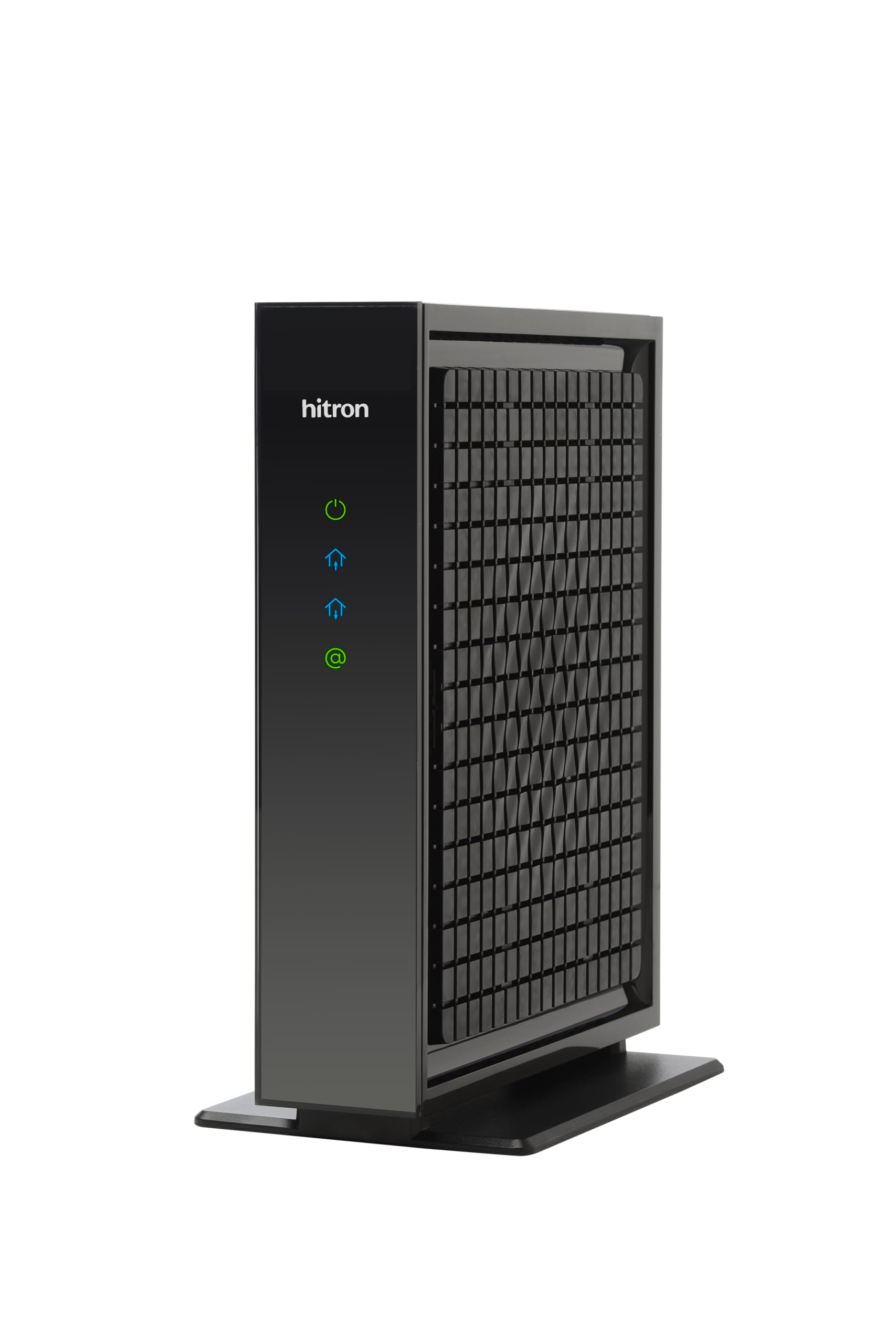
1. Hitron CODA56 Cable Internet Modem
Our pick — 4.5+★ from 350+ verified ratings; the strongest balance of quality and price.
The one that turns a gigabit-plus line into a game library you barely wait on
The CODA56 is the pick for the player who already pays for a fast cable plan and wants the whole of it. Its downstream ceiling sits at 2,500 megabits per second — the doorway your router and console share — and its upstream tops out at 700 megabits per second. Put that next to the renewed Hitron CODA further down, which caps at 1,000 Mbps down and 350 Mbps up, and the difference on a fast plan is real headroom rather than a paper figure.
Owners consistently report that it activates cleanly through the app and holds a stable connection. Owners describe plugging it in, activating through the app, and having everything come up without a fight. Speed is the second story — the review pages carry plenty of talk about full advertised speeds and downloads that finish before you have sorted your loadout. There is a reason this one carries the crowd’s confidence at 4.5+ stars across 350+ ratings.
Be clear about what it is not. This is a modem only. It creates exactly one wired internet feed, so you need your own router to get Wi-Fi and to hang more than one device off it. Hitron also asks you to buy a router with a 2.5 Gbps port if you want the full speed, which is worth checking before you pair it with an older box. And it speaks cable only — no fiber, no DSL.
Where it earns the top slot
- 2,500 Mbps down and 700 Mbps up — comfortable room above a gigabit plan
- 2.5 Gbps Ethernet port so the modem never becomes the narrow point
- DOCSIS 3.1 with low latency tuned for 4K streaming and gaming
- Backward compatible with DOCSIS 3.0 networks, so it survives a provider move
- Certified across Xfinity (up to 2.33 Gbps), Spectrum (1 Gbps), and Cox (2 Gbps)
What to weigh before you click
- No Wi-Fi inside — a separate router is mandatory, not optional
- Full speed needs a router with a 2.5 Gbps port on your side
- Cable internet only; it will not work on fiber, DSL, or satellite
Reach for this if: you are on Xfinity, Spectrum, or Cox with a gigabit-or-faster plan and already own a decent router.
Look elsewhere if: you want one box that also broadcasts Wi-Fi — the Arris G36 combo later on covers that job.
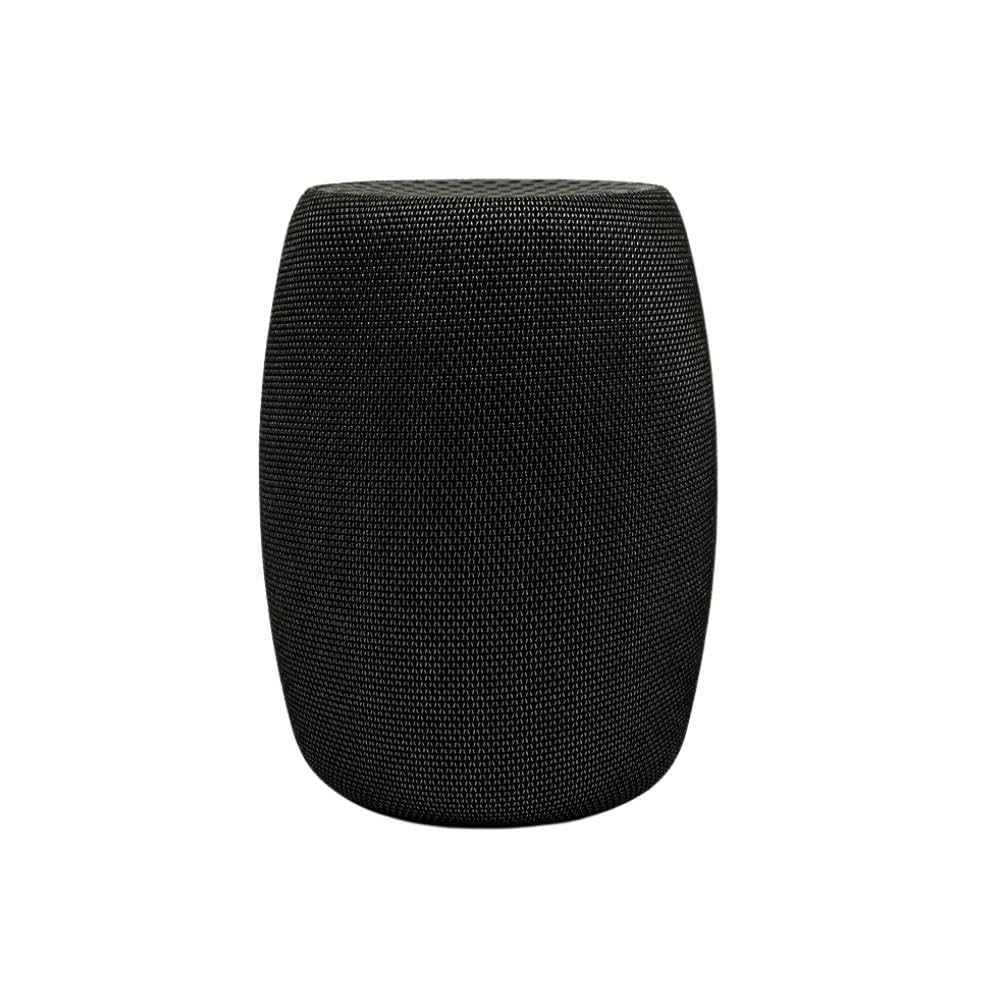
2. Motorola B12 Advanced Compact Cable Modem
A tiny box with a queue manager that protects your ping when the house is busy
Motorola built this one around latency rather than raw pipe size. It applies Active Queue Management — software that keeps traffic moving in an orderly line instead of letting one big download shove your game packets to the back. That is exactly the problem that shows up as a lag spike when someone starts a 4K stream mid-match. The 32 x 8 channel bonding (32 downstream lanes, 8 upstream) gives it room to schedule that traffic cleanly.
This modem matches the Hitron CODA56 on paper with 2,500 Mbps downstream across a 2.5 Gbps port. But real-world connectivity is mixed, so the real question is whether it fits your provider, not whether the specs are good. It is certified for Comcast Xfinity, Cox, Spectrum, RCN, and Astound, and it is not a safe bet outside that list. If your provider is on that list, setup is genuinely simple.
Its 3.5 by 3.5 by 5.5-inch body is the quiet win, tucking onto a shelf far more easily than the 7-inch-long, 8.13-inch-tall Hitron CODA56. At 3.5 by 3.5 by 5.5 inches it tucks onto a shelf or behind a monitor far more easily than the Hitron CODA56, which measures 7 inches long and 8.13 inches tall. The catch worth naming up front is Spectrum — this model is not supported there, and that mismatch is the most common reason it disappoints. Buy it for a provider it names, not one it doesn’t.
Why gamers should look twice: Active Queue Management is the single most game-relevant feature in this lineup — it targets the congestion that causes lag spikes rather than the size of the pipe.
The honest caveat: its connectivity record is uneven and its provider list is narrower than the Hitron’s. Confirm certification first; the compact size and low-latency tuning are the rewards if you match.
The match to make: an Xfinity, Cox, or Astound customer with limited shelf space who wants smoother traffic handling.
The mismatch to avoid: Spectrum subscribers, since this model is not on that provider’s supported list.
3. Hitron CODA DOCSIS 3.1 Modem (Renewed)
A gigabit plan’s sensible companion, at the entry end of the shelf
If your plan tops out at a gigabit, pouring money into a multi-gig modem gets you nothing. This renewed CODA is built for exactly that ceiling: 1,000 Mbps downstream, 350 Mbps upstream, and a single 1 Gbps Ethernet port. Compare it to the CODA56 at the top of this list — 350 Mbps up against 700 Mbps up — and the gap tells you who each box is for. On a gigabit plan with a modest upload tier, this one is the honest choice.
Reviewers repeatedly praise its steady connection and drama-free operation. The modem holds a steady connection and does what it promises without drama. Setup is a three-step affair — coax to the wall, power, Ethernet to your router — and it runs on DOCSIS 3.1 or DOCSIS 3.0 networks, so an older provider setup will still take it. The 2 downstream and 2 upstream OFDM channels are what reduce latency on a 3.1 network.
Compatibility is the thing to check before you buy. Hitron lists Comcast Xfinity, Charter Spectrum, Cox Gigablast, CableOne Sparklight, Cogeco Breezeline, and Zito Media, plus Astound, Grande, RCN, and Wave. It explicitly does not work with AT&T, Verizon, CenturyLink, Optimum, StarLink, or any bundled voice service. One more consideration: this is a renewed unit, so you are buying refurbished hardware with the same spec sheet.
The value read: a 1 Gbps port and DOCSIS 3.1 channel handling for a gigabit plan, which is where most gaming households actually sit.
The fit note: renewed stock and a fixed 350 Mbps upstream ceiling — fine for a gigabit line, tight if your provider is pushing next-gen upload speeds.
Suits you if: you are on a gigabit cable plan and want DOCSIS 3.1 latency handling without overspending on ports you cannot use.
Think twice if: you need next-gen upload throughput or you are not on one of the listed providers.
4. Arris S33 Multi-Gigabit Cable Modem (Renewed)

The veteran that thousands of cable gamers already trust on their shelf
This model keeps showing up in gaming setups because it has been around, it is CableLabs certified (an industry stamp that it meets cable standards), and it delivers. The SB8200 supports cable plans up to 2 Gbps, with two 1 Gigabit Ethernet ports that combine to feed up to 2 Gbps wired aggregate — one port for your router, the other for a wired device or a second router feed. It is a modem only, so you still need your own Wi-Fi router.
Here is where the numbers get interesting. This is the most-reviewed pick in the lineup at 4.0+ stars across 20,000+ ratings, and the speed stories back that up — owners routinely talk about speeds well above what their old gateway managed. Setup is a straight line: cable, power, activate with your provider, Ethernet to the router. Two 1 Gbps ports also mean you are not locked into a single downstream device.
The trade-off is a 1 Gbps port ceiling against a 2,000 Mbps downstream spec. To actually reach that downstream figure you need the two ports aggregated, which most home setups do not do. For a gigabit plan, that is a non-issue, and the reliability is solid enough that most owners never think about it. Some notes on compatibility with very high-tier Xfinity plans are the ones to read before you buy if you are on one.
Because it just works: two 1 Gbps ports, CableLabs certification, and a track record longer than anything else here.
Because nothing is perfect: the 1 Gbps port ceiling means the 2,000 Mbps downstream figure needs aggregation most homes will not set up.
Your pick if: you want a proven, certified box for a gigabit plan from Cox, Xfinity, or Spectrum and value a track record over headline specs.
Not your pick if: you need a 2.5 Gbps port for a fast multi-gig plan — the CODA56 or S34 handle that.
5. NETGEAR Nighthawk CM1000 DOCSIS 3.1 Modem

Nothing to configure, nothing to fiddle with — the set-and-play gigabit box
The CM1000 is the pick for someone who wants zero setup homework. Plug in the coax, activate through a browser or a call to your provider, and connect your router with the Ethernet cable. There is no config screen to navigate, and Xfinity customers can self-activate online without booking a service visit. That guided path is the whole pitch, and it holds up.
Under the hood it is a 1 Gbps modem — a gigabit Ethernet port and a 1,029 Mbps downstream ceiling — built around DOCSIS 3.1 OFDM and OFDMA (the lane types that keep response times steady when the whole household is online). That is the gaming-relevant part: not more speed, but steadier speed. It is approved for Xfinity up to 800 Mbps, Spectrum up to 1 Gbps, and Cox up to 1 Gbps.
The 1 Gbps Ethernet port is the spec to weigh before buying. At 1 Gbps it is a natural fit for a gigabit plan, and it works fine on DOCSIS 3.0 networks too, so a provider move will not orphan it. But if you are eyeing a multi-gig plan, this is the wrong doorway. Read the provider tiers carefully — the Xfinity approval tops out at 800 Mbps on this model, which is below what the port itself can do.
What it gets right
- 1,029 Mbps downstream from a 1 Gbps port, with OFDM and OFDMA handling stability
- Guided online setup — Xfinity customers can self-activate without a service call
- Works with DOCSIS 3.0 and 3.1 networks, so it survives a plan change
- FCC certified for US use, with free expert help included
What it will cost you in flexibility
- Xfinity approval tops out at 800 Mbps, under the port’s own rating
- No value in a multi-gig plan — a 1 Gbps doorway is the hard ceiling
- No Wi-Fi; your router does all the broadcasting
Go here if: you are on a gigabit plan with Xfinity, Spectrum, or Cox and want the least-fiddly setup on this list.
Avoid if: you are sizing for a multi-gig upgrade — this one is capped at a gigabit port.
6. Arris Surfboard S34 DOCSIS 3.1 Modem

Built for the upload tiers your provider has not sold you yet
The S34’s reason to exist is upstream. Cable providers have been raising upload speeds, and this modem is certified for the next generation of those tiers. Its spec sheet shows 2,500 Mbps downstream with a 444 Mbps upstream ceiling, plus a 2.5 Gbps port for your router and a 1 Gbps port for an extra wired device or backup handoff. Compare that to the Motorola B12’s 2.5 Gbps upstream figure — the B12’s number is the port, not a provider-granted tier, and the S34 is the one Arris positions for the coming upload plans.
Owners mention download speeds up to 1.4 Gbps and support for Xfinity Next Gen upload speeds, with quick setup and a compact body. Quality is the aspect people come back to — this box is described as running flawlessly in normal use. CableLabs certification covers Cox, Xfinity, and Spectrum, and it handles DOCSIS 3.1 plans up to 2.5 Gbps.
The real drawback is heat: the S34 runs warm with little dissipation, and the coax connector gets warm to the touch. The S34 runs warm, and it has little in the way of heat dissipation, so the metal connector on your coax gets noticeably warm to the touch. Give it open air rather than a stack. It is also a modem only, so the router remains your job — and it will not touch fiber, DSL, or satellite service.
Where the S34 leads
- Ready for next-gen cable upload tiers — the one spec that ages well
- 2,500 Mbps down with a 444 Mbps upstream ceiling and dual Ethernet ports
- Compact body and quick activation; CableLabs certified for Xfinity, Cox, Spectrum
- Customers note downloads of up to 1.4 Gbps and Xfinity Next Gen upload support
Where it asks you to work
- Runs hot with no real heat dissipation — needs open air
- The coax connector gets warm to the touch
- Router required; no built-in Wi-Fi
Buy it for: a multi-gig Xfinity, Cox, or Spectrum plan where upload speed will rise and you want to be ready.
Skip it for: a closed cabinet or a plan that never leaves gigabit territory — the extra upstream money is wasted there.
Know the Specs
DOCSIS 3.1 and channel bonding
DOCSIS is the standard that cable internet runs on, and 3.1 is the newer version most providers now deploy. The numbers like “32 x 8” describe channel bonding — how many downstream and upstream lanes the modem can use at once. More lanes mean the modem can spread your traffic out instead of cramming it through one path, which is what tends to keep latency steadier under load. Every pick here is DOCSIS 3.1 and backward compatible with 3.0 networks.
Ethernet port speed
The Ethernet port is the doorway between your modem and your router. A 1 Gbps port caps what can pass through at a gigabit, whatever the modem’s chip can theoretically handle. A 2.5 Gbps port leaves room above that. This is why a modem with a 2,000 Mbps downstream spec can still feel limited — if the port is 1 Gbps, that is the doorway your router sees. Match the door to your plan before you worry about the ceiling behind it.
Active Queue Management
Queue management is about the order traffic leaves the modem. Without it, one large download can push your game packets to the back of the line, and you feel it as a lag spike. Active Queue Management schedules traffic so latency stays lower when several devices are busy — the scenario every gaming household knows.
Upstream versus downstream
Downstream is the data flowing to you — game downloads, updates, streams. Upstream is what you send — your inputs, voice chat, uploads. Gaming leans on upstream responsiveness more than raw size, and cable providers have historically kept upstream tiers lower than downstream. That is why upstream ceilings differ so widely across this list, from 350 Mbps to 700 Mbps and up.
Common Questions
Will a DOCSIS 3.1 modem actually lower my gaming ping?
Do I need a router if I buy one of these modems?
Can I use a cable modem with fiber internet?
Why does a modem with a 2,000 Mbps spec only show 1 Gbps on my speed test?
Is a 2.5 Gbps port useful if my internet plan is only a gigabit?
How do I know if my provider supports a specific modem?
Should I buy a renewed modem to save on the upfront cost?
Does a modem with no Wi-Fi still work with a mesh system?
Is a modem-router combo better for gaming than separate boxes?
Why does my modem run warm, and does it matter?
The Bottom Line
For most gaming households, the good modem for gaming winner is the Hitron CODA56, because its 2.5 Gbps port and 2,500 Mbps downstream keep the modem from being the bottleneck on a fast cable plan. If you want the smarts that target lag spikes directly, grab the Motorola B12 with its Active Queue Management. And for a gigabit plan that never needs multi-gig headroom, the NETGEAR CM1000 is the one to reach for.
One last check before you order: confirm your provider and plan speed first, thenmatch the port to it. And if multi-gig upload is in your future, the Arris S34 is the box already waiting for that tier.
How we choose
We do not accept paid placement. Every pick is matched to a real buyer and a real use-case; we do not hands-on test units.
Sources
Specifications: manufacturer listings and product documentation. Review insights: verified customer reviews, as of June 2026. Pricing: not shown on this page (it changes often); check the current price via the retailer link.
As an Amazon Associate, Gamepad Test earns from qualifying purchases. This does not affect which products we feature.