
Specs are compiled from manufacturer listings and verified buyer reviews and can change over time — please confirm the key details on the product page before buying.
A Switch 2 arcade stick only earns its desk space if it does two things: it plugs in and works, and the joystick and buttons feel like a real cabinet when your hand lands on them. Plain-lever sticks and leverless all-button pads are both here, but they suit different games and different hands. If you want the safest all-round buy, the MAYFLASH F500 is the one most owners end up recommending — the crowd favorite at 4.5+ stars across thousands of ratings — because it plays nice with the widest spread of consoles and is easy to open up and modify later.
This guide is built by comparing the manufacturers’ published specifications and the patterns across verified customer reviews, so you get each pick’s real strengths and trade-offs instead of marketing spin.
Fighting-game purists chase Sanwa parts and sub-millisecond input, while living-room players want eight buttons that still register cleanly after a long session. Both are covered here, and this switch 2 arcade stick guide sorts them by hand feel, lag, and how easy each is to open up and mod.
Top Picks
How To Choose The Best Switch 2 Arcade Stick
Start with your hands, not the spec sheet. A traditional joystick with eight face buttons rewards quarter-circle motions and charge inputs. A leverless pad replaces the stick with buttons, so you press directions instead of throwing a lever — a very different muscle memory that takes some players a while to trust.
Lever stick or leverless pad
Lever sticks feel instantly familiar if you grew up in arcades; the joystick throw and the click of the buttons are the whole appeal. Leverless controllers cut the travel time on directional inputs, but they demand relearning your inputs. The Haute42 C16 and the MAYFLASH F500 FLAT both go leverless, while the F500, F300, F300 Elite, F700 and the 8BitDo all give you a physical joystick to throw.
Button and joystick quality
The parts under your fingers decide the feel. Sanwa Denshi is the arcade-standard brand, and sticks that ship with Sanwa buttons and a Sanwa joystick — the F300 Elite and the F700 among them — give you that crisp, springy click straight from the box. Cheaper stock parts can feel looser, which is why so many buyers plan a button swap from day one.
Connection and input lag
Wired USB is the safest route for tournament play because there is no wireless handshake to add delay. If you want couch freedom, look for a stick that also offers Bluetooth or a 2.4G receiver, like the 8BitDo and the MAYFLASH F700. Just confirm the wireless mode is updated for Switch 2 before you commit.
How moddable is it
The best long-term buy is one you can open up. Universal joystick mounting plates, swappable 30mm and 24mm buttons, and removable top plates all mean you can change the feel years later instead of replacing the whole stick. Several picks here are explicitly built for that kind of tinkering.
Side-by-Side Comparison
| Model | Best For | Buttons | Connection | Weight | Amazon |
|---|---|---|---|---|---|
| MAYFLASH F500 | All-round console coverage | 12 | USB | — | Amazon |
| APTGAME Switch Arcade Stick Cabinet | Retro cabinet feel on a desk | 8 | USB | 2.9 lb | Amazon |
| Retro Arcade Stick with Screenshot Button | Big-screen party play | 8 | USB | 2.9 lb | Amazon |
| MAYFLASH F300 | Budget entry into fight sticks | 4 | USB | 2 kg | Amazon |
| Haute42 C16 | Leverless with RGB and hot swap | — | USB Type-C | 1.09 kg | Amazon |
| 8BitDo Retro Wireless Arcade Fight Stick | Wireless freedom and macros | 12 | Bluetooth, 2.4G, USB-C | 2.44 kg | Amazon |
Detailed Reviews
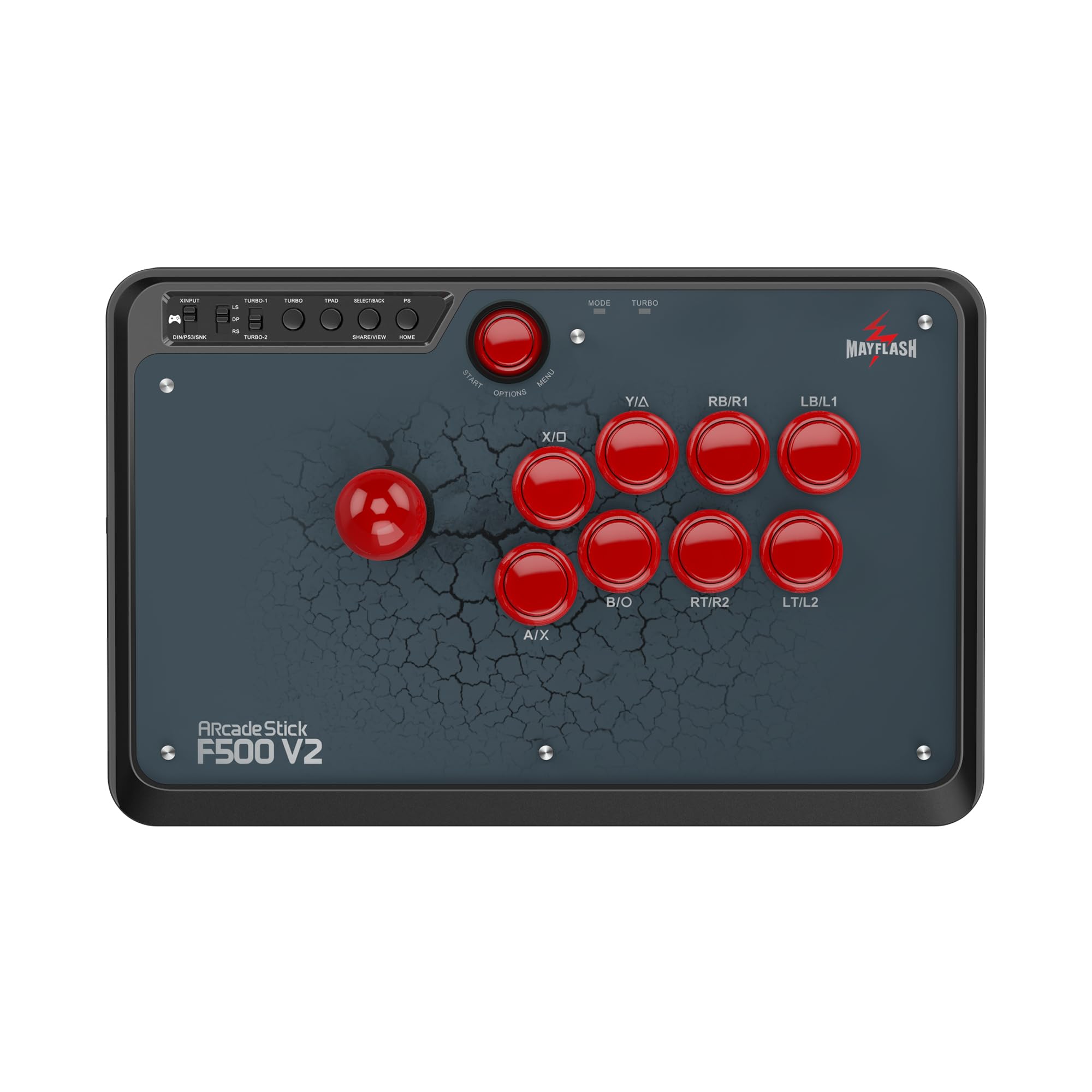
1. MAYFLASH Universal Arcade Fighting Stick F500
A plug-and-play fight stick that just works on almost every console you own.
This one sits on top because it works on more systems than anything else here. The F500 lists Switch, Switch 2, Xbox Series X/S, Xbox One, Xbox 360, PS4, PS3, Windows, macOS, Android, Raspberry Pi, Steam Deck, PS Classic and NEOGEO mini on its compatibility sheet — a spread no other stick on this list matches. You get 12 buttons plus a Turbo mode with adjustable speed settings (a rapid-fire function that repeats a press while you hold it), so mashing-heavy shooters and shmups stay comfortable.
Owners single out the stock joystick and buttons for landing clean in real hands. The stock joystick and buttons land clean, and the case feels heavy and solid rather than hollow under a hard tap. It is built to take Sanwa Denshi buttons and a Sanwa joystick, so the modding door is open the moment the stock parts stop feeling fresh.
The catch is worth knowing before you buy. Compatibility is the most-discussed weak spot, since some setups need a firmware update or a specific controller plugged in to handshake correctly. The stick plays through USB only, so there is no wireless freedom here.
Why this earns the top slot
- 12 buttons and Turbo with adjustable speed settings for spam-heavy genres
- Runs on Switch, Switch 2, Xbox, PS4, PC, Steam Deck and more from one stick
- Accepts Sanwa Denshi buttons and joystick for later customization
- Heavy, solid case that stays put during aggressive play
Worth knowing first
- Setup can require a firmware tweak on some consoles
- USB only — no Bluetooth or 2.4G option
- Needs an extra adapter for PS5
Go for it if: you bounce between multiple consoles and want one stick that covers them all while leaving room to mod.
Hold off if: you need wireless play or PS5 support straight from the start.
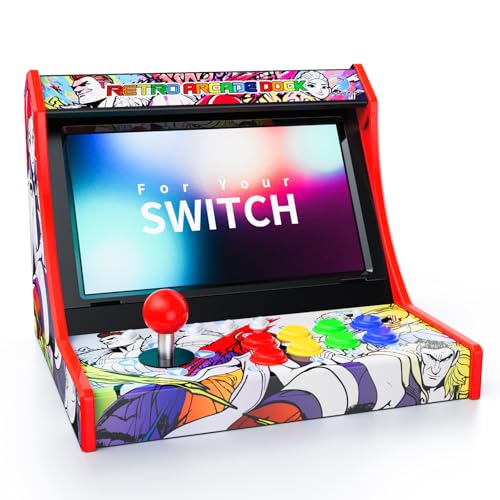
2. APTGAME Switch Arcade Stick Cabinet
Docks your Switch into a mini cabinet so the screen sits right above your controls.
This is a different shape of product from the flat fight sticks. You slide your Switch or Switch OLED into the cabinet body, and the console screen becomes the monitor on top of the stick — no separate TV needed. Eight programmable buttons with LED indicators sit under your fingers, and an arcade-style joystick toggles between Left Stick, D-pad and Right Stick modes.
The wired connection is the headline for competitive play. APTGAME claims 0 input lag, provided you enable “Pro Controller Wired Connection” in the system settings. It measures 8.66″ x 7.48″ x 6.81″ and weighs 2.9 pounds, so it is stable enough for a session on the couch but light enough to carry. There are also 12 game slots built in, and a Turbo function is there for the rapid-fire crowd. What owners talk about most is the build — the cabinet feel and how well-designed it sits on a desk.
The trade-off is scope. It exists to hold a Switch, so it is not a console-agnostic stick, and the screen is not included. The cabinet fit depends on taking your Switch out of a case for a proper dock connection.
Cabinet convenience: docking the console into the stick turns any flat surface into a mini arcade, which is a draw the flat sticks here cannot match.
Who it fits: Switch-only players who want the retro cabinet vibe without buying a separate monitor.
Made for the docked solo player: you want your Switch screen built into the stick and no extra screen to buy.
Not the multi-console pick: if you also play on PS5 or PC, this one cannot follow you there.
3. Retro Arcade Stick
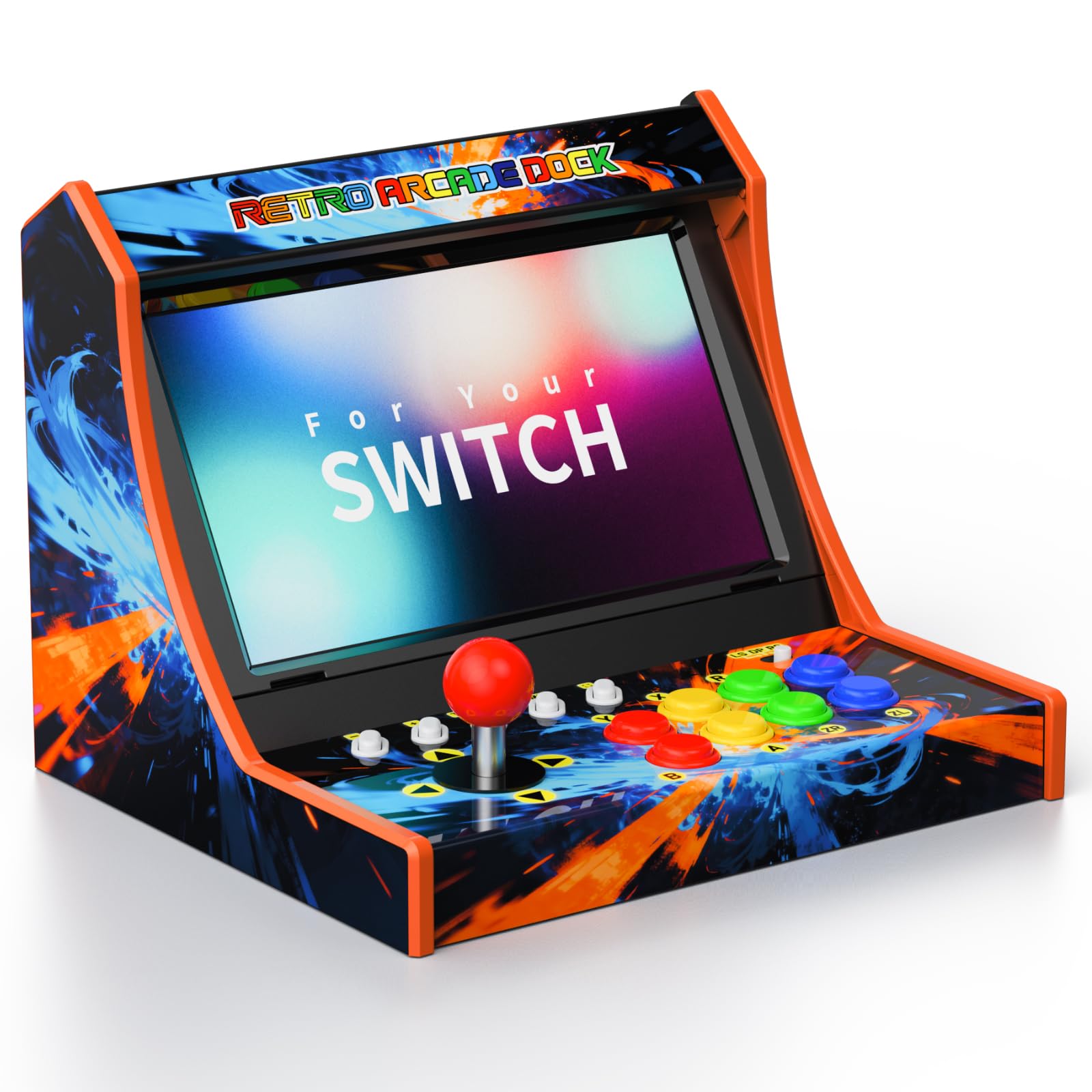
A snap-together cabinet that plugs into your TV and packs flat for parties.
Here is the one for the living room. The included cable connects to your TV for big-screen play, and you can also play unplugged while the Switch holds charge. The features that set it apart are the dedicated Screenshot icon button for grabbing highlights and 12 built-in game card and TF card slots for keeping your collection together. The blue LED stays lit while a console is connected; the red LED flashes to confirm Turbo settings.
Controls are a classic joystick plus 8 responsive buttons with Turbo rapid-fire, and you can swap between stick and D-pad modes for fighting games or shooters. The detachable cabinet snaps apart so it packs away when the match is done. At 2.9 pounds and roughly the same footprint as the APTGAME cabinet, it is easy enough to move between rooms. What buyers value most is that it simply does its job, with the build quality reading as a welcome bonus.
One honest limit: it leans on a wall of connection settings, and the built-in reset button exists for a reason — connection hiccups can happen and need clearing. It is also Switch-only by design.
Highlight-ready: the Screenshot button makes grabbing a combo clip one press instead of a system menu detour.
Real caveat: take a moment to learn the LED and reset routine so a dropped connection does not stall your session.
Built for the TV setup: you want an arcade cabinet that snaps onto the big screen for fight nights with friends.
Consider skipping it if: you plan to travel with a stick and need something that stays assembled and locked tight.
4. MAYFLASH F300 Arcade Fight Stick Joystick
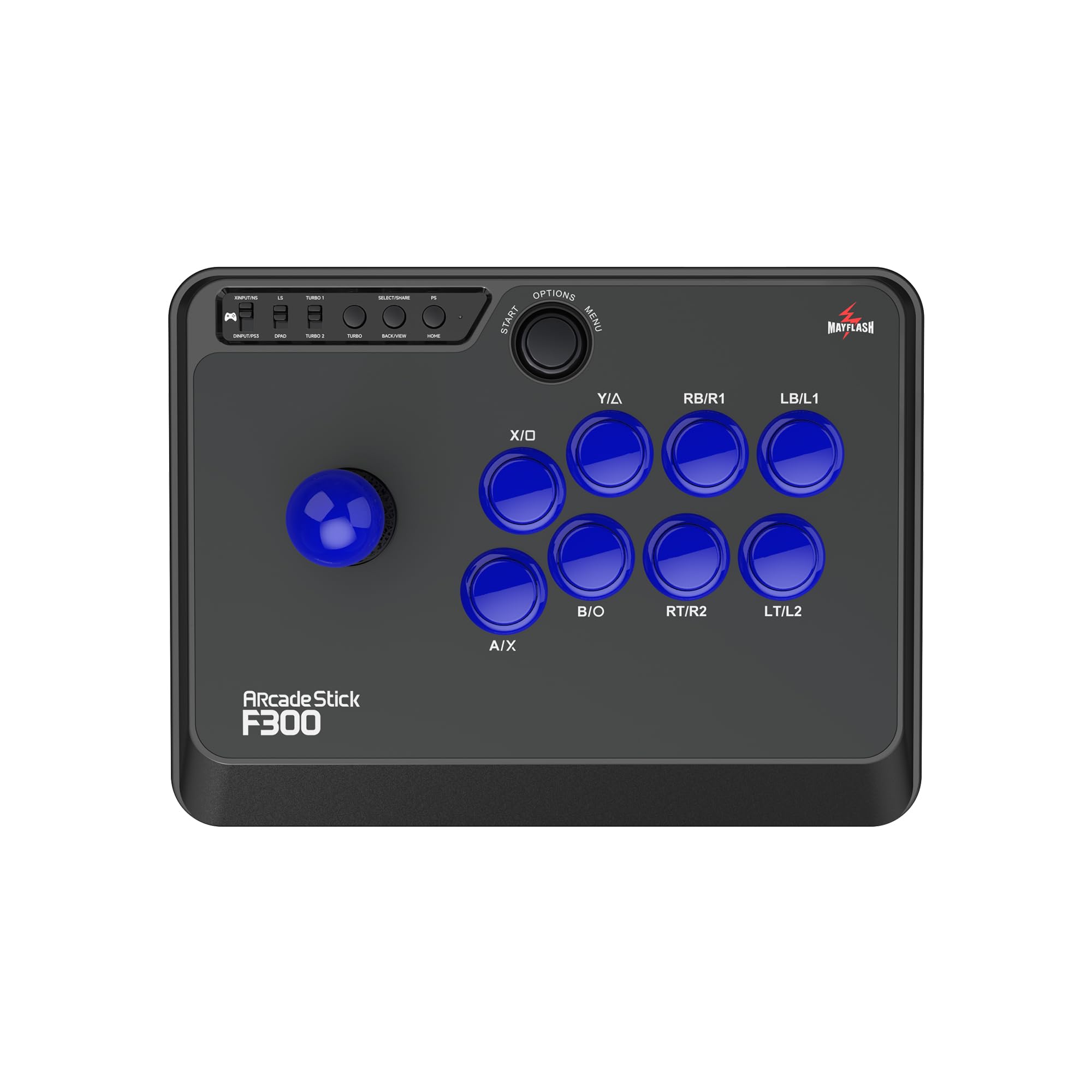
The cheapest ticket into a real fight stick that spans nearly every console you own.
The F300 is the entry point, and it punches well above its place in the lineup. Quality is what wins people over, and it has the most ownership history on this list. It runs on Switch, Switch 2, PS4, PS3, Xbox Series S/X, Xbox One, Xbox 360, Windows, macOS, Steam Deck and Android from one USB stick, with Turbo speed settings and both XInput and DInput support on PC.
Where it pulls ahead of its brother is the mod bay: it accepts Sanwa Denshi buttons and a Sanwa joystick, so it is a genuine starter platform rather than a sealed box. The 4-button face layout keeps it simple, and the flat top sits comfortably under the wrist.
Set expectations honestly. The F300 is a compact 22 x 13 x 11 inches footprint and weighs 2 kg, so it is sturdy. Functionality and button responsiveness are the areas buyers are split on, with some reporting buttons that stop registering and others finding the stock parts fine. It also needs the MAYFLASH Magic-S Ultimate adapter or MagicBoots-S5 Converter for PS5.
What it gets right
- Widest console support at the entry level, including Switch 2 and Steam Deck
- Accepts Sanwa Denshi parts for a future upgrade
- Turbo plus XInput and DInput on PC
- 2 kg case that stays put during heavy inputs
What to plan around
- Stock buttons can feel sloppy to some hands
- PS5 play needs a separate adapter
- Only 4 face buttons on the deck
Prime for beginners: this is the least expensive way to try a real fight stick without committing to Sanwa pricing.
Think twice if: you already know you want premium buttons and do not want to mod a stick to get them.
5. Haute42 C16 Leverless Controller
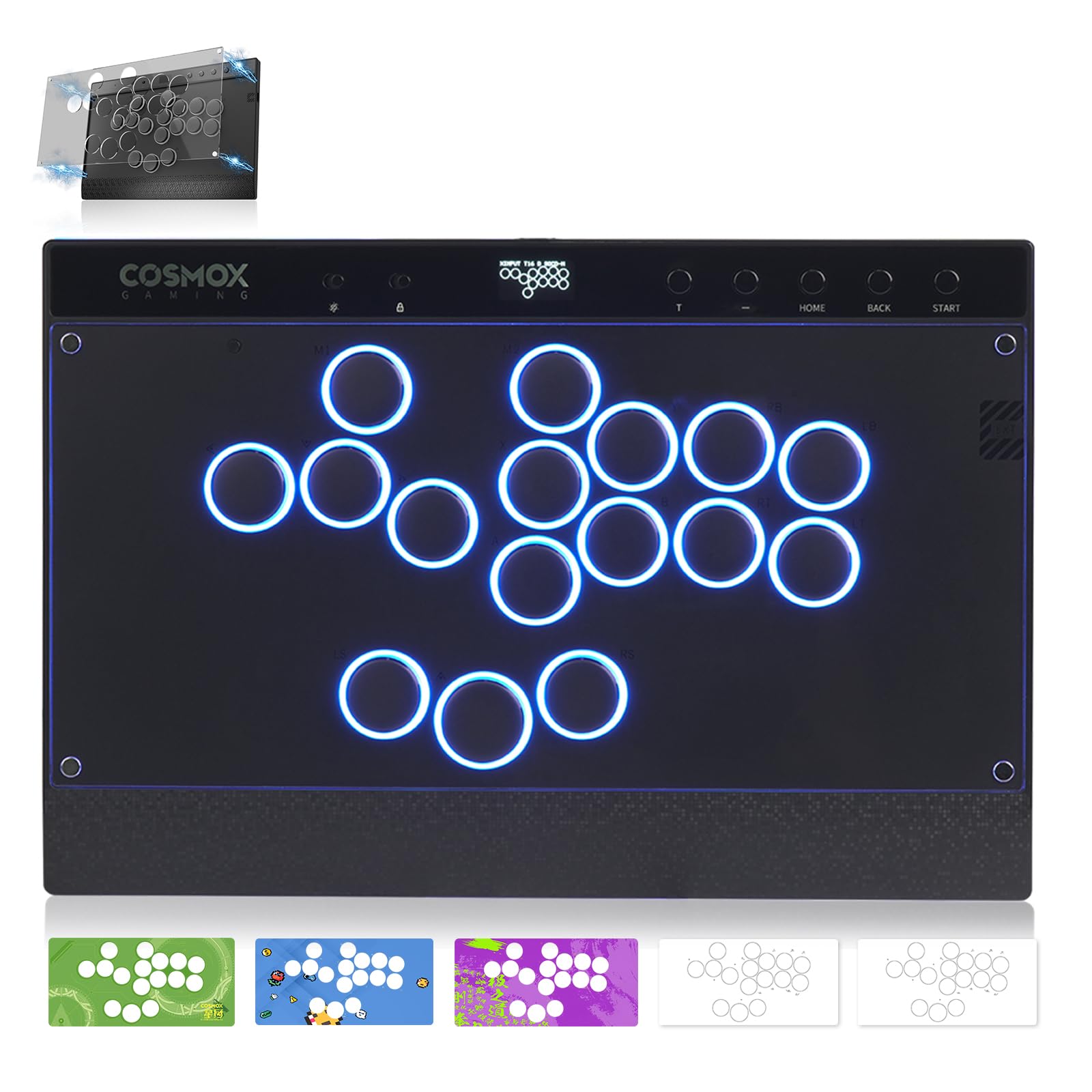
A magnetic-shell leverless pad with RGB rims and tournament-grade internals.
No joystick here — you press directions with buttons. The C16 runs on a Raspberry Pi RP2024 controller chip with GP2040-CE firmware, and Haute42 claims under 1ms latency, shorter than a single screen refresh. You can also update the firmware over the network by opening 192.168.7.1 in a browser while plugged into a PC.
The magnetic top panel is the clever bit: press the back button and it pops open so you can drop in your own artwork without screws. RGB rings around each button and a built-in ergonomic wrist rest round out the feel. There is also a tournament lock switch that disables extra buttons so you do not accidentally fire one mid-match, and the whole thing sits in an acrylic, aluminum and plastic shell at 1.09 kg. Buyers highlight build quality most, and it keeps coming up as strong value for a leverless pad.
The honest catch is the learning curve — pressing buttons for directions is not the muscle memory most players start with, and some take a while to feel at home. Getting it into SWITCH mode on Switch 2 also needs a specific button hold sequence at plug-in.
Tournament tool: the tournament lock switch and sub-millisecond chip suit players who want every frame clean.
Worth noting: art panels ship frosted or transparent at random, so the look you get can vary.
For the input-tinkerer: you want a leverless pad with hot-swap buttons, RGB, and firmware you can configure yourself.
Look elsewhere if: you want a physical joystick to throw or you are not ready to relearn directional inputs.
6. MAYFLASH F500 FLAT All Button Arcade Controller
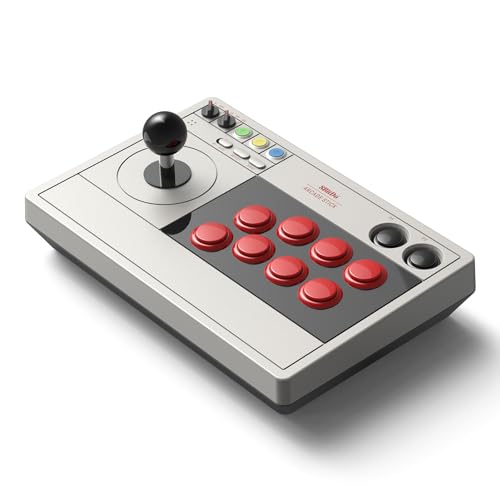
Cut the cable and keep the macro buttons within reach on 2.4G or Bluetooth.
This is the pick if a cable across the room bothers you. The 8BitDo connects three ways — Bluetooth, 2.4G with a bundled receiver, and wired USB-C — and it runs on Switch and PC Windows. The 2.4G receiver even has a hidden compartment to store it so it does not go missing. Battery life is 40 hours on 2.4G and 30 hours on Bluetooth, with a 4-hour charge time.
The 8BitDo Ultimate Software lets you remap buttons and build macros, and there are 2 dedicated macro buttons (P1/P2) for repeatable inputs. The dynamic button layout flips its visual layout when you switch between Switch and PC X-Input mode. It is ultra-moddable too: swap 30mm and 24mm arcade buttons, and the universal joystick mounting plate accepts sticks like the Sanwa JLF, so this body can host a fresh joystick later.
Here is the trade-off. Wireless is convenient, but it is the only stick here that trades a cable for a battery, so a charged spare or USB-C fallback matters on long nights. A small share of owners also hit the occasional button or responsiveness hiccup. It is a Switch and PC stick only — no PS5.
Cable-free couch play: 40 hours on 2.4G gives you weeks of sessions between charges.
Macro-ready: two dedicated P1/P2 macro buttons let you fire off repeatable inputs without a workaround.
Reach for this if: you play from a couch or arm’s length and want wireless freedom plus macro buttons.
Stay with a wired pick if: you never want to think about charging a controller mid-match.
7. MAYFLASH F300 Elite with Sanwa Buttons and Joysticks
Sanwa Parts
Sanwa Denshi buttons and joysticks are the arcade-cabinet standard. Sticks that include them — the F300 Elite and F700 — give that crisp, springy click and precise throw from the start. Sticks that are only “Sanwa-compatible” ship with stock parts but let you swap in Sanwa later.
Input Lag and Connection
Wired USB avoids the wireless handshake and is the safest bet for tournament inputs. Bluetooth and 2.4G add convenience for couch play; the 8BitDo and F700 both offer these alongside USB. The Haute42 C16 maker claims under 1ms latency over its wired connection.
Button Count and Turbo
More buttons mean more assignable inputs, from 4 on the F300 up to 14 on the F500 FLAT. Turbo is a rapid-fire function that repeats a press while you hold it, useful for shooters and mash-heavy attacks. LED indicators and tournament lock switches help you confirm settings and avoid accidental presses mid-match.
Common Questions
Will a fight stick made for Switch work on the Switch 2?
Is a leverless arcade stick better than a joystick for fighting games?
Do I need an adapter to use these fight sticks on PS5?
Can I swap the buttons and joystick myself?
What does the Turbo function actually do?
Is a wired or wireless fight stick better for tournament play?
Which pick is best if I play on Xbox and Switch 2?
How much desk space does a full-size arcade stick take?
Can I use these arcade sticks for non-fighting Switch 2 games?
Do the retro cabinet sticks include the Switch screen?
The Bottom Line
For most players, the switch 2 arcade stick winner is the MAYFLASH F500, because it covers more consoles than any other stick here, takes Sanwa parts for a future upgrade, and plays solidly on the stock controls. If you want genuine Sanwa parts installed before it ships, the MAYFLASH F300 Elite is the one to grab. And for cable-free couch play with macro buttons on tap, the 8BitDo Retro Wireless Arcade Fight Stick is the one to reach for.
How we choose
We do not accept paid placement. Every pick is matched to a real buyer and a real use-case; we do not hands-on test units.
Sources
Specifications: manufacturer listings and product documentation. Review insights: verified customer reviews, as of November 2026. Pricing: not shown on this page (it changes often); check the current price via the retailer link.
As an Amazon Associate, Gamepad Test earns from qualifying purchases. This does not affect which products we feature.