
Heads up: This post contains affiliate links. As an Amazon Associate I earn from qualifying purchases, at no extra cost to you. Learn more
Specs are compiled from manufacturer listings and verified buyer reviews and can change over time — please confirm the key details on the product page before buying.
You want smooth 1080p gaming without paying for a graphics card you will never fully use, and a used-but-solid GTX 1070 tower is the honest answer. The two machines below are the same brand, the same 8GB GDDR5 video card, and the same 16GB of memory — the real difference is storage, processor speed, and which one holds up better over time. Here is which one deserves your desk.
This guide is built by comparing the manufacturers’ published specifications and the patterns across verified customer reviews, so you get each pick’s real strengths and trade-offs instead of marketing spin.
Both machines run the same card, so the decision lives in storage and clock speed. This breakdown shows you which prebuilt tower makes the most sense as a gtx 1070 gaming pc.
Quick Picks
- STGAubron Gaming PC Desktop — Best Overall
- STGAubron Gaming PC Desktop — Room To Grow
How To Choose The Best GTX 1070 Gaming PC
A GTX 1070 tower is a specific buy: you are getting a card that targets 1080p play at 60 frames per second or better, paired with an older but still capable Intel processor. The trap most first-time buyers fall into is treating “GTX 1070” as the whole story and ignoring the drive and the processor sitting next to it. Those two parts decide how fast the machine feels on a Tuesday night, not the card alone.
Start with the video card, then look past it
The card here is the NVIDIA GeForce GTX 1070 with 8GB of GDDR5 memory. That 8GB is the number that keeps textures sharp in open-world games instead of turning muddy when you drive fast through a city. GDDR5 is the older memory type the card uses, and it is separate from the 16GB of DDR4 system memory that runs Windows and your background apps.
Storage decides how the machine feels day to day
Both towers use a solid state drive, which is flash storage with no spinning parts, so the desktop appears and games load in seconds rather than minutes. The capacity split matters: 512GB holds Windows plus a modest game library, while 1TB gives you room for more large titles before you start deleting things. Neither drive changes frame rate in-game — only how long you stare at a loading screen.
Processor speed versus core count
Turbo Boost is the automatic burst speed a processor hits when a game needs one thread to move fast. One tower tops out at 4.1GHz, the other at 4.6GHz, and both run 6 cores with 12 threads on the Core i7 8th machine. More cores help with streaming and video editing; higher clock speed helps with the game itself. Pick based on whether you record your play or just play.
Side-by-Side Comparison
Detailed Reviews
1. STGAubron Gaming PC Desktop Core i7 8th 512G SSD
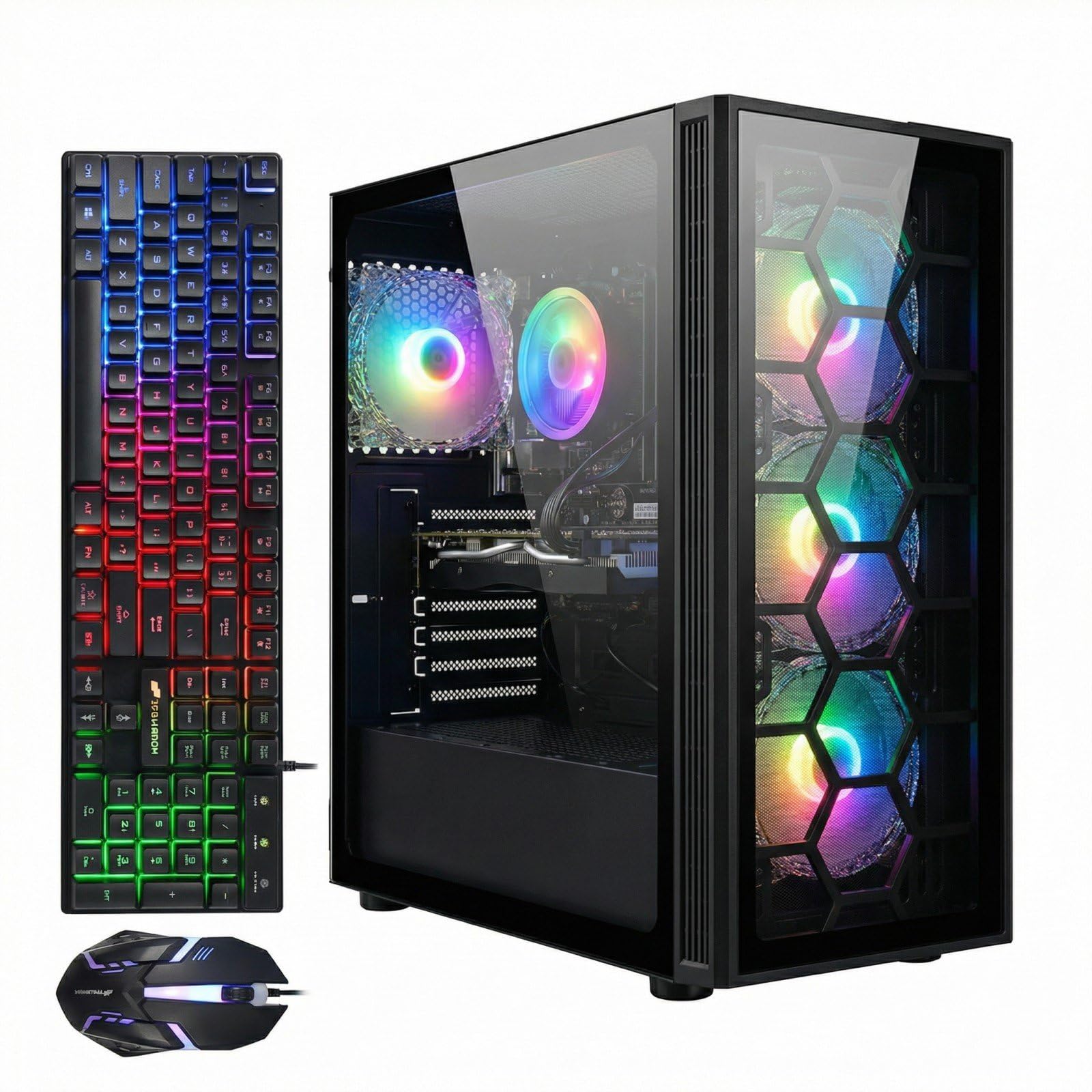
A 6-core tower with the 8GB card, built to drop straight onto a desk and play.
You get Fortnite, Valorant, Apex Legends or GTA V running smoothly on a 1920×1080 monitor (full HD) without building anything yourself. The parts list works like a complete starter kit: an Intel Core i7 8th generation chip with a Turbo Boost ceiling of 4.1GHz (the top speed it can briefly hit) across 6 cores and 12 threads, 16GB of DDR4 memory, a 512GB solid state drive (SSD, storage with no moving parts), and Genuine Windows 11 Home 64-bit already installed. The RGB keyboard and mouse come in the box, so setup time is close to nothing.
The build itself is what wins people over. Buyers praise the chassis work and daily-use durability more than anything else — over three times as many owners mention it as mention gaming performance. It feels like a well-assembled base-level gaming machine rather than a pile of parts, and that is what makes it the safer of the two buys. The 8GB of GDDR5 video memory (the graphics card’s own fast memory) does real work too: it keeps textures loaded in big open-world maps instead of stuttering when the scene gets busy.
The honest catch is the network card. Wi-Fi 6 (the newer, faster Wi-Fi standard) and Bluetooth 5.2 are on board, and the dual-band radio is fine, but connectivity reports skew the other way — dropping a connection mid-match is a recurring theme, so plan on a wired RJ-45 cable run if your router is in the same room. Reliability is mixed here, with a share of owners reporting the machine shutting down unexpectedly. That is why this stays a base-level recommendation rather than a long-haul workstation. Pair the 6-core chip with the 1080p ceiling and it does what it promises for studying, streaming, photo editing, or a day-trading desk on the side.
What earns the top slot
- NVIDIA GeForce GTX 1070 with 8GB GDDR5 — enough video memory to hold high-resolution textures at 1920×1080
- Intel Core i7 8th gen, 6 cores and 12 threads, Turbo Boost to 4.1GHz — handles the game plus a browser and a stream
- 16GB DDR4 plus a 512GB SSD and Windows 11 Home preinstalled — boots in seconds, no setup marathon
- RGB keyboard and mouse included, with 1 year parts and labor and free lifetime tech support behind it
- Four RGB fans and ARGB lighting, so the tower looks the part on a desk
Where it asks you to compromise
- 512GB fills fast once you install a couple of modern 100GB-plus titles
- Wi-Fi 6 connectivity is the weak link — a wired connection is the smarter setup
- Against the 1T model, this one has 9MB of cache versus 8MB but a lower 4.1GHz ceiling versus 4.6GHz
- Reliability is uneven across the owner base — buy it as a starter machine, not a decade-long anchor
Reach for this one if: your screen is 1080p, your library is a handful of shooters and battle royales, and you want a working PC today.
Look past it if: you keep a dozen large games installed at once — 512GB will force you into uninstall decisions.
2. STGAubron Gaming PC Desktop Core i7-8700 1T SSD
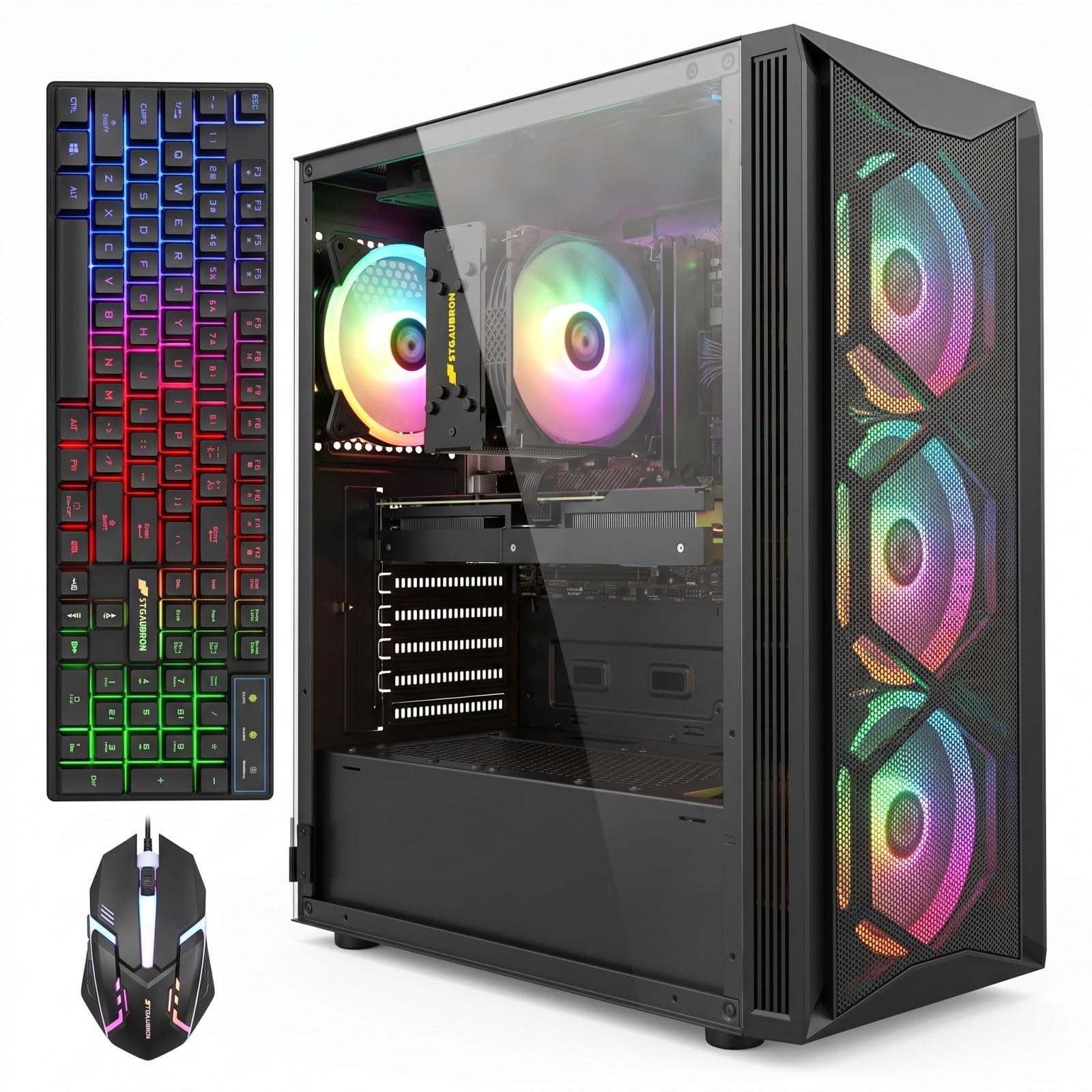
Double the drive and a higher clock ceiling — the tower you buy if storage headaches annoy you.
You get twice the room to keep games installed: 1TB of solid state storage, double the 512GB in the pick above. That is roughly the difference between deleting a game to install another and not thinking about it at all. The processor is the same Core i7-8700 family but reaches up to 4.6GHz, which is 0.5GHz higher than the 4.1GHz ceiling on the model above — a small edge that shows up when a game leans hard on one thread. The rest is familiar: 16GB DDR4, 8GB GDDR5 on the GeForce GTX 1070 8G, Windows 11 Home 64-bit, and the RGB keyboard and mouse in the box.
Get this one for the setup experience as much as the parts. Buyers describe it as genuinely easy to get running, and the noise level never turns into the thing you notice while playing — both quieter points than you might expect from four RGB fans. The most-praised trait, though, is straight performance: it lands as a solid starter system that plays the games it claims, from CSGO and Rocket League up through Elden Ring and Hogwarts Legacy. One head-to-head worth knowing: this 8MB cache is smaller than the 9MB on the model above, so the 4.6GHz clock is the cleaner reason to pick this one, not the cache.
Know this trade-off before you buy. Reliability feedback is genuinely split — many owners get months of smooth play, while some report the machine quitting within the first few months. That is a recurring pattern, not a fluke, so the 1 year parts and labor coverage plus free lifetime tech support matter more on this unit than on a machine with a calmer track record. The 1TB drive is the practical insurance you can buy for yourself today: more games installed, less re-downloading, and less reason to touch the hardware at all.
The case for the bigger drive: 1TB of SSD against 512GB means a modern library of large titles fits without constant housekeeping, and 4.6GHz Turbo Boost gives single-threaded game logic a little more headroom than the 4.1GHz sibling.
The thing to accept: Reliability is the most-discussed topic on this tower, and only about 60% of that feedback is positive — it performs, but it is not the pick to bet a decade on.
Suits you when: your library keeps growing and you would rather pay once for the 1TB drive than manage space every month.
Think twice when: you want the calmest long-term ownership record — the other tower’s build quality reads more settled, even with the smaller drive.
Know the Specs
Video memory (8GB GDDR5) versus system memory (16GB DDR4)
These are two different pools and buyers mix them up constantly. The 8GB on the GeForce GTX 1070 is GDDR5, memory soldered to the graphics card for textures and frame buffers — so a detailed city street or a dense forest loads once and stays crisp. The 16GB of DDR4 is for Windows, your browser tabs, Discord, and the game’s own logic. When the card runs short of its 8GB, textures drop to a blurry version mid-scene; when system memory runs short, the whole desktop hitches. Both towers here give you 8GB on the card and 16GB in the case, which is the right pairing for 1920×1080 play.
Turbo Boost frequency and core count
Turbo Boost is the speed a processor ramps to on its own when a task needs it, above its base clock. A 4.1GHz ceiling and a 4.6GHz ceiling are both bursts, not sustained speeds — you will not sit at either number all evening. Cores matter differently: 6 cores and 12 threads let the machine run the game and a recording or a stream at the same time without choking. For pure play, the higher ceiling helps; for streaming and editing, the thread count is what earns its keep. Neither number tells you about build quality, which is why owner reports about how the tower holds up are worth reading alongside the spec sheet.
SSD capacity and real game libraries
Windows and games load in seconds and the case stays quiet, because solid state storage has no moving parts. Capacity is the only thing that changes between 512GB and 1TB — not load speed. A 512GB drive divides up fast once Windows 11 Home and its updates take their share, leaving room for a modest set of titles. A 1TB drive is the same speed with twice the shelf space, so the only question is if you want to manage installs or forget about them.
Connectivity: ports, Wi-Fi 6, and Bluetooth 5.2
Both towers carry Wi-Fi 6 (the newer wireless standard that handles crowded home networks better than older Wi-Fi) and Bluetooth 5.2 for a wireless headset or controller. The port list is where they diverge. One offers HDMI, DisplayPort, and DVI, so nearly any older or newer monitor plugs in directly. The other lists HDMI and DisplayPort plus a serial port, which suits a dedicated display but leaves a DVI-only monitor needing an adapter. If wired networking is an option in your room, the RJ-45 jack on both is the most reliable way to play online.
Common Questions
Will a GTX 1070 tower hold 60 frames per second at 1080p?
Is 8GB of video memory still enough for modern games?
How many games fit on a 512GB SSD versus a 1TB SSD?
What does Turbo Boost to 4.1GHz or 4.6GHz actually mean for gaming?
Do these towers come with Windows and peripherals included?
Can I use my existing monitor with a GTX 1070 prebuilt?
Is the Wi-Fi on these gaming PCs good enough for online play?
What does the 1 year parts and labor coverage include?
Can I upgrade the storage or memory later?
Is a GTX 1070 tower a good choice for streaming and video editing too?
The Bottom Line
For most people, the gtx 1070 gaming pc to buy is the STGAubron Core i7 8th with the 512GB SSD, because build quality is what owners praise most and that is what you live with every day. If your library outgrows a 512GB drive before the machine does, the STGAubron Core i7-8700 with the 1TB SSD buys you double the storage and a 4.6GHz ceiling instead of 4.1GHz. Either way, run a cable to the router — the wireless radio is the one part of both towers that keeps letting people down.
One last nudge: The top pick is the crowd favorite of the two on owner feedback, and its build quality is why it earns the slot over the bigger drive.
How we choose
We do not accept paid placement. Every pick is matched to a real buyer and a real use-case; we do not hands-on test units.
Sources
Specifications: manufacturer listings and product documentation. Review insights: verified customer reviews, as of November 2026. Pricing: not shown on this page (it changes often); check the current price via the retailer link.
As an Amazon Associate, Gamepad Test earns from qualifying purchases. This does not affect which products we feature.