
Heads up: This post contains affiliate links. As an Amazon Associate I earn from qualifying purchases, at no extra cost to you. Learn more
Specs are compiled from manufacturer listings and verified buyer reviews and can change over time — please confirm the key details on the product page before buying.
Here is the short answer: for a desktop gaming PC, you want a TV that shows a true 4K image and refreshes its screen at least 120 times a second — anything slower will feel like a handbrake on your graphics card. The sets below all clear that bar. A quick honesty note before you scroll: this list uses flexible matching, so not every pick lands on the exact screen size or panel you may have typed into the search box. A 42-inch and a 77-inch set can serve the same PC-gaming job depending on how close you sit, and the nearest same-type model does the same work.
This guide is built by comparing the manufacturers’ published specifications and the patterns across verified customer reviews, so you get each pick’s real strengths and trade-offs instead of marketing spin.
We separate the sets that genuinely keep up with a graphics card from the ones that merely accept the signal. Below you will find the specs that matter, the glare and burn-in trade-offs, and a clear read on the best 4K PC gaming TV for your desk, your den, or your wall.
Top Picks
How To Choose The Best 4K PC Gaming TV
Buying a TV for a gaming PC is a different job from buying one for the living room. Your graphics card pushes frames at a rate a movie never does, so the panel has to keep up or you have wasted the hardware. Start with the four checks below and you will avoid the expensive mistakes.
Refresh rate in Hz — the real number, not the marketing one
A refresh rate is how many times per second the screen redraws the picture, measured in hertz (Hz). A 144Hz panel redraws 144 times a second, which is what makes fast mouse turns feel continuous instead of stepped. Ignore “motion rate” figures like 480 or 660 — those are processing labels, not the panel’s true speed. Look for the word “native” in front of the Hz number.
Variable Refresh Rate and why it stops the stutter
Variable Refresh Rate (VRR) lets the screen match its redraw speed to the frames your GPU is sending, so a dip from 140 frames to 90 frames does not produce a visible tear. AMD FreeSync and NVIDIA G-SYNC are the two brand names for this, and most sets here support one or both. For a PC, this feature matters as much as raw Hz.
HDMI 2.1 ports — how many you actually need
HDMI 2.1 is the cable standard that carries a full 4K image at high refresh rates. Older HDMI 2.0 caps you at a lower refresh when running 4K, which defeats the point. Count your devices: a gaming PC, a console, and maybe a soundbar. Sets with four HDMI 2.1 ports let you leave everything plugged in.
Mini-LED versus OLED for a desk setup
Mini-LED screens light the picture with thousands of tiny LEDs behind the panel, which lets them hit very high brightness. OLED panels light each pixel on its own, giving true black and near-instant pixel response. Bright rooms favor Mini-LED; dark rooms and fast motion favor OLED.
Side-by-Side Comparison
| Model | Best For | Native Refresh | Panel Type | Screen Size | Amazon |
|---|---|---|---|---|---|
| Samsung 42-Inch S90H OLED★ Best Overall | Desk-side PC gaming | 165Hz | OLED | 42″ | Amazon |
| iFFALCON 55″ 55U85 MiniLEDPort Hub Pick | Console-plus-PC hub | 144Hz | Mini-LED | 55″ | Amazon |
| Amazon Ember 55″ Mini-LEDBrightest Value | Bright-room gaming | 144Hz | Mini-LED QLED | 55″ | Amazon |
| TCL 65″ T7 (65T7) | Big-screen value | 144Hz | QLED | 65″ | Amazon |
| Toshiba 65″ Z670R | Living-room Fire TV | 144Hz | Mini-LED | 65″ | Amazon |
| Hisense 55″ U7 (55U7SG) | Serious PC + console | 165Hz | Mini-LED | 55″ | Amazon |
| LG 42″ OLED evo C6 | Fastest-feeling OLED | 165Hz | OLED | 42″ | Amazon |
| Hisense 65″ U8 (65U8QG) | Brute brightness | 165Hz | Mini-LED | 65″ | Amazon |
| TCL 65″ QM8L | Dimming-zone depth | 144Hz | SQD-Mini LED | 65″ | Amazon |
| LG 77″ OLED evo G5 | Wall-mounted showcase | 120Hz | OLED | 77″ | Amazon |
Detailed Reviews
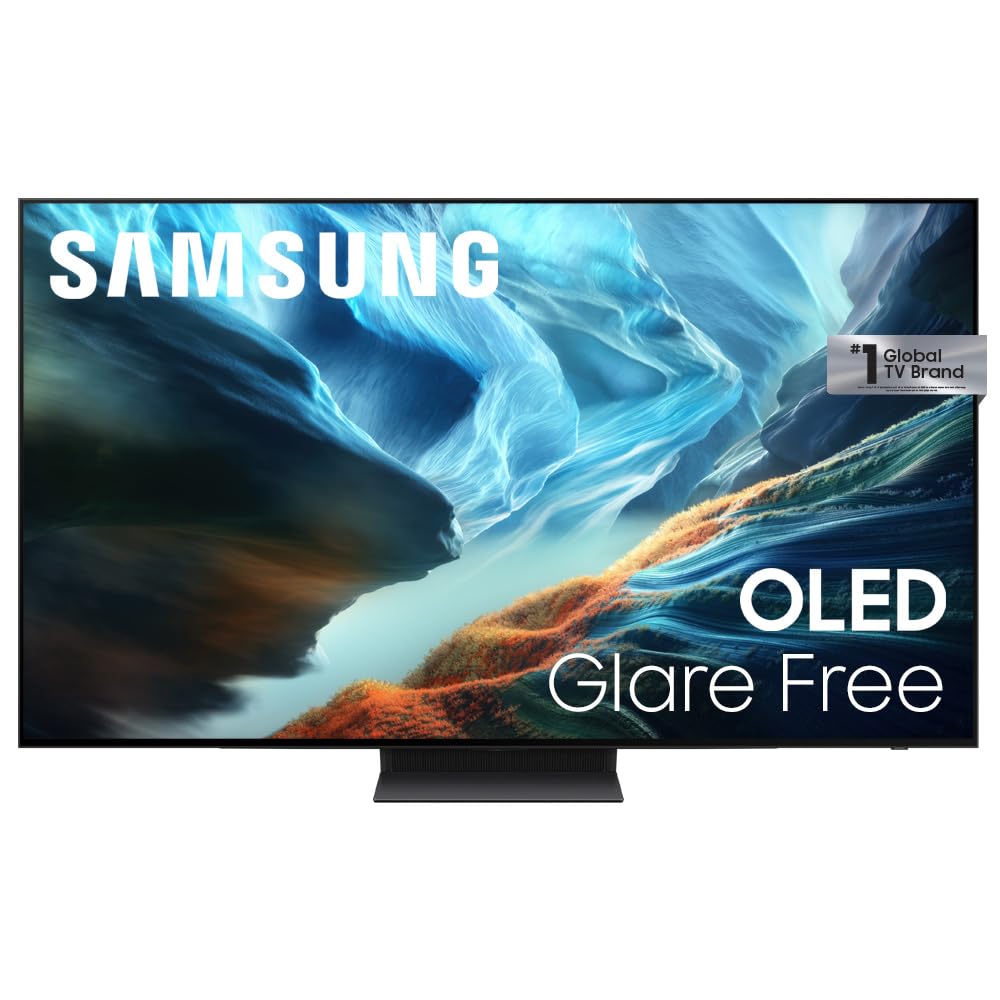
1. Samsung 42-Inch Class S90H Series OLED 4K Smart TV
Our pick — 4.5+★ from 300+ verified ratings; the strongest balance of quality and price.
A 42-inch OLED that runs at 165Hz — the closest thing here to a gaming monitor that happens to be a TV.
A 42-inch screen is the size that actually fits on or beside a desk, and that alone makes this the most natural fit for a gaming PC in this list. It runs Motion Xcelerator at 165Hz, meaning the panel redraws the image 165 times a second — 21 more times per second than the 144Hz iFFALCON and Hisense sets below. Samsung pairs that with NVIDIA G-SYNC and AMD FreeSync Premium Pro support, so whether your card is green or red, the screen matches its frame output and you stop seeing tears in a fast mouse sweep.
What wins people over is the picture. An OLED panel lights each of its pixels individually, so black is genuinely black, and Samsung’s Glare Free treatment kills the window reflection that ruins a daytime desk session. Owners describe the display as crisp with outstanding resolution, and the anti-glare layer draws a steady stream of praise — the kind of thing you only notice when it is missing. Setup is quick and the built-in speakers hold their own for casual play.
The catch is honest and specific: a small share of buyers report a unit that quit within a week, which is worth knowing before you commit. At 4.5+ stars across 300+ ratings, the crowd clearly likes it, but a short return window is your friend here. It is also a premium-tier buy — you are paying for the OLED panel and the 165Hz speed, not for screen acreage.
What earns it the top spot
- 165Hz panel with G-SYNC and FreeSync Premium Pro support
- 42-inch size that fits a desk without dominating the room
- Glare Free coating for daytime sessions
- NQ4 AI Gen3 processor upscales everything to 4K
Where it asks you to compromise
- Premium-tier spending for a 42-inch screen
- A few reports of early failure — buy with a return window
Made for: the desk gamer who wants OLED black levels and the fastest refresh here without hanging a 65-inch panel on the wall.
Think twice if: you need four big HDMI 2.1 inputs for a console stack, which the 55-inch sets below handle more comfortably.
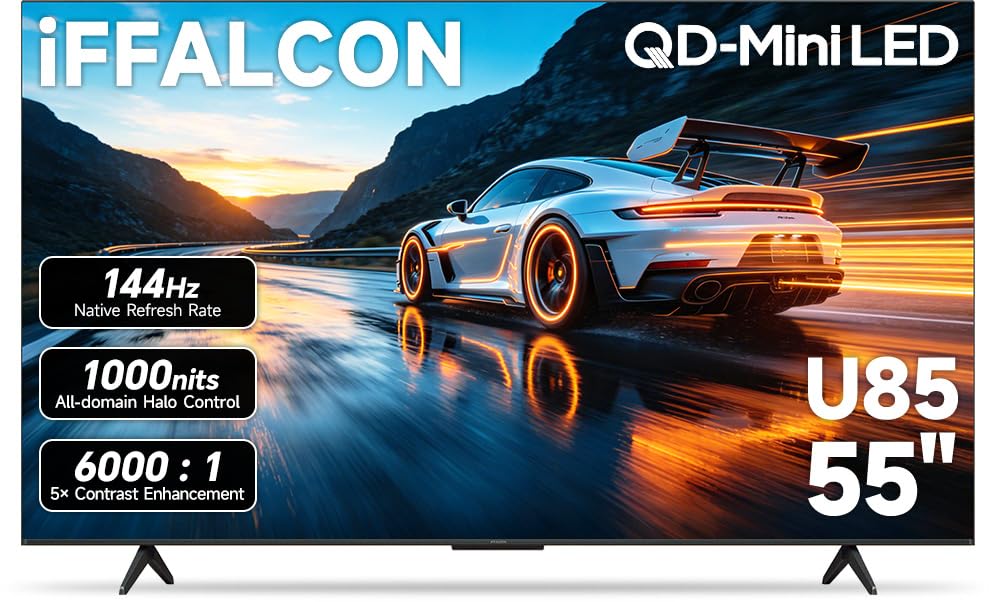
2. iFFALCON 55″ 4K MiniLED Smart TV (55U85)
Four HDMI 2.1 sockets and a Mini-LED panel that hits 1,000 nits — a PC and console hub in one screen.
If your desk has a gaming PC, a PS5, an Xbox, and a soundbar all waiting for a socket, this is the set built for you. It carries four HDMI 2.1 inputs: two run a full 4K image at 144Hz for a PC or current console, and two more handle 4K at 60Hz for streaming boxes and disc players. Auto Low Latency Mode flips the screen into game mode the moment a console wakes, so you never dig through a menu mid-session.
The 144Hz native panel brings Variable Refresh Rate between 48Hz and 144Hz, with FreeSync Premium Pro doing the work to keep fast motion tear-free. Dolby Vision Gaming switches on automatically for consoles, and Dolby Atmos passthrough feeds a 50W 2.1 speaker system.
There is a genuine oddity here: it also ships with hotel mode, an IR blaster, and IP control, which is why it turns up in Airbnb rentals and waiting rooms. For a home setup that is harmless extra. The quality side of the ledger is what carries it with buyers — the panel is described as meeting every expectation, and sound gets unbroken praise. It is a workhorse for a multi-device setup, not a wall showpiece.
Best reason to buy: the four HDMI 2.1 ports mean no switcher box, no cable swapping, and no compromise between your PC and your console.
The honest limit: 1,000 nits is bright but not the brightest Mini-LED here, so a sun-drenched room will want the Amazon Ember or a Hisense U-series instead.
Pick this one if: you want one screen to host a PC, a console, and a soundbar with zero fuss.
Look elsewhere if: you are chasing maximum peak brightness or a purpose-built home-cinema aesthetic.
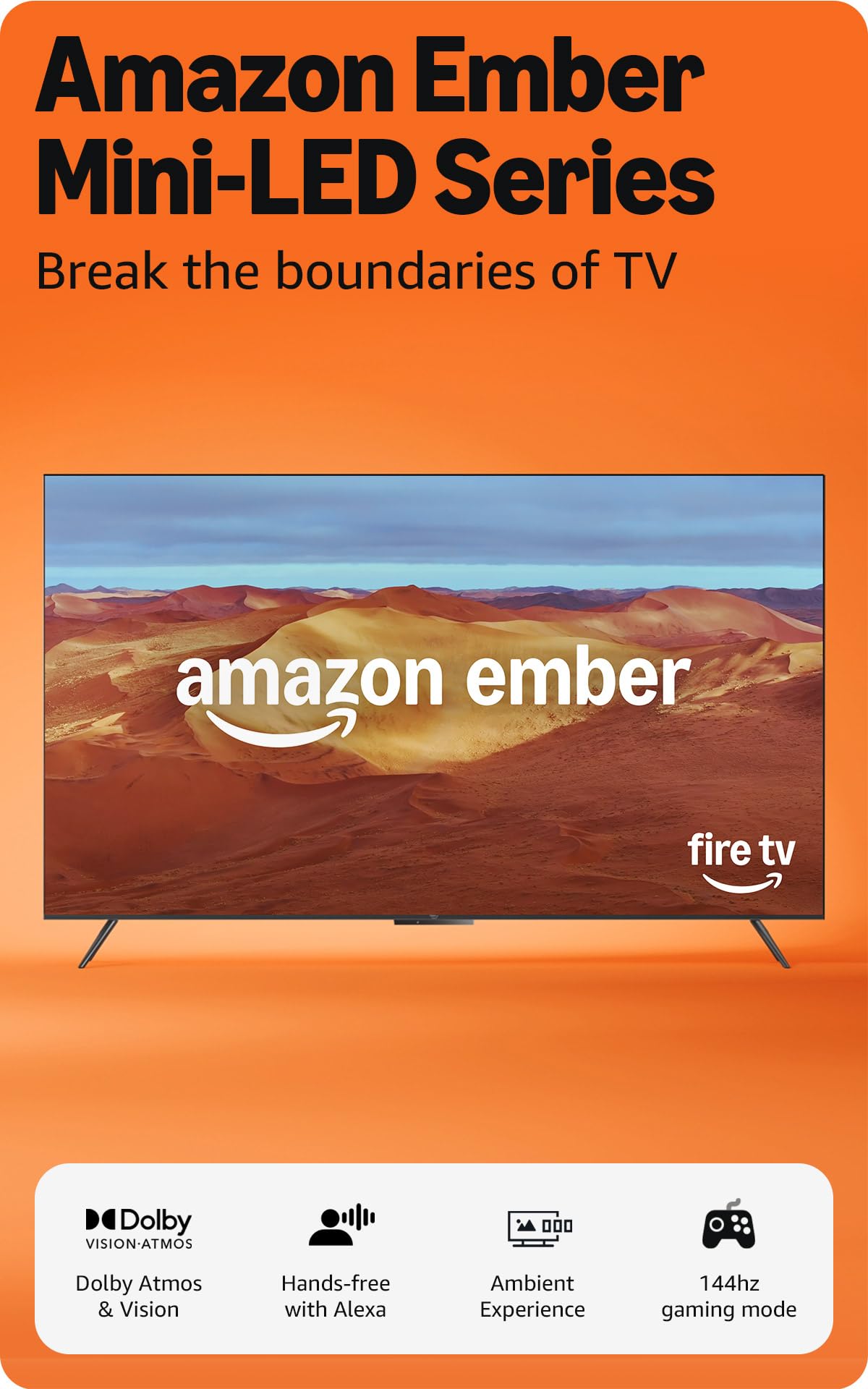
3. Amazon Ember 55″ Mini-LED Series with Fire TV
512 dimming zones and 1,400 nits of peak brightness — this one wins the daylight fight.
Mini-LED screens divide the backlight into zones that can brighten or dim independently. This set splits its screen into 512 of them, which is a denser grid than most rivals, and that density is what keeps detail visible in the small bright patches of a dark scene. Its peak brightness hits 1,400 nits, about 400 nits above the iFFALCON’s 1,000 — a real difference when your desk faces a window and you are playing at noon.
Gaming gets 144Hz certified for AMD FreeSync Premium Pro, which smooths frame dips without tearing. Fire TV’s Intelligent Picture processor adjusts the image scene by scene and reads the room’s light, so a lamp switched on does not wash the picture out. Audio is 2.1 Dolby Atmos, and the remote lets you ask Alexa to launch a game or reschedule a timer hands-free.
Here is the trade-off a careful buyer should weigh. Picture quality is what owners talk about most, and setup is widely called intuitive — but responsiveness draws the harshest feedback in the set, with menus and some apps described as slow and laggy. Reliability and value land mixed too. Menu lag barely touches gameplay, but it is the honest weak spot.
The daylight advantage: 1,400 nits and 512 zones make this the most forgiving pick for a bright, window-filled room.
What to go in knowing: the Fire TV interface can feel sluggish, so treat the smart menus as a bonus rather than the reason to buy.
Worth it for: daytime gamers and bright-room setups where peak brightness beats interface polish.
skip it if: a snappy menu system is non-negotiable for you.
4. Hisense 55″ U6 Pro Series Mini-LED ULED (55U6SF Pro)
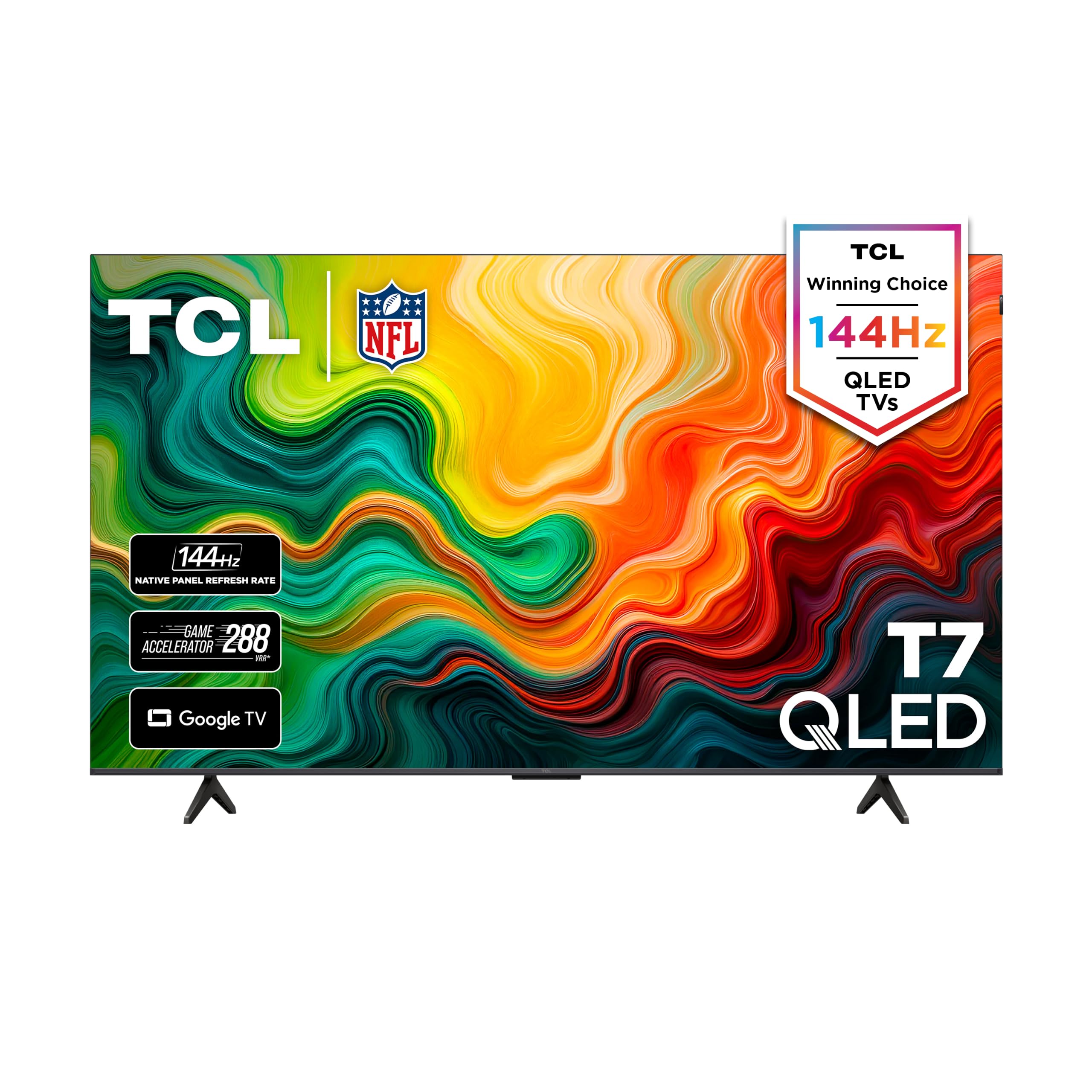
A 65-inch 144Hz QLED for the room where you sit back — big canvas, smooth motion.
Screen size changes the maths of PC gaming. The panel is 4K — four times the detail of a 1080p screen — and runs a native 144Hz refresh with a variable gaming mode rated to 288Hz, so quick pans in a racing game stay legible instead of smearing.
QLED quantum-dot color covers nearly the full DCI-P3 color space, the industry range that decides how rich reds and greens look. The TCL AIPQ Pro processor tunes color, contrast, and clarity on the fly, and HDR Pro+ supports Dolby Vision, HDR10+, HDR10, and HLG. Four HDMI inputs, one with eARC for a soundbar, cover a PC plus both consoles. Wi-Fi 5 handles streaming, and the width-adjustable feet fit a soundbar underneath.
Owners describe the display as high quality with a stunning picture and vivid highlights, and the 144Hz gaming capability gets called out specifically as the reason it feels worth the money. The honest caveat is reliability: most report no trouble, but a minority describe a unit that stopped working entirely. Test it thoroughly inside the return window.
The size case: 65 inches of native 144Hz 4K is the balance for a living-room PC or console setup, not a desk.
What to weigh: a small minority of units have failed, so test everything in the first weeks.
Reach for this if: you want a big 144Hz canvas without moving into the top price tier.
Pass if: your setup is a desk — 65 inches will overwhelm it.
5. Toshiba 65″ Class Z670R Series Mini-LED 4K Smart Fire TV
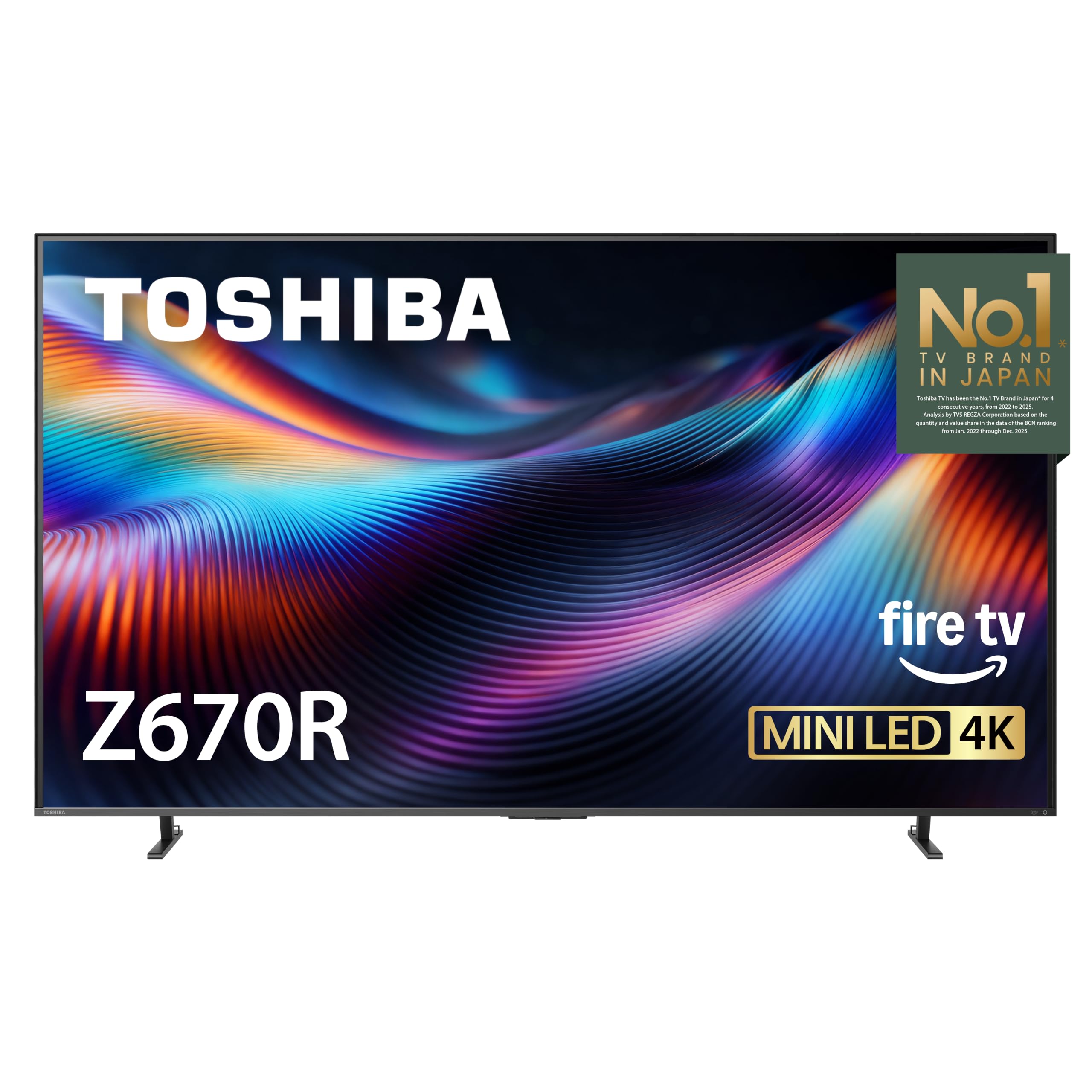
Japanese-tuned Mini-LED with full array dimming and a bass woofer to match the 65-inch canvas.
Full Array Local Dimming means the LEDs behind the screen dim in sections, so a night scene keeps its detail instead of going grey. Toshiba pairs that with its REGZA Engine ZRi Gen3 processor, tuned by its engineers in Japan, which adjusts clarity and contrast scene by scene. The result is a picture owners describe as showing deep blacks and good depth across a 65-inch screen.
For gaming, a native 144Hz refresh rate pairs with AMD FreeSync Premium, VRR at 144Hz, and Auto Low Latency Mode — the last of which is simply the TV switching itself into game mode when a console boots, so you never lose the first second of a match. QLED color delivers the wide palette, and Total HDR Solution Pro covers Dolby Vision IQ and HDR10+ Adaptive. Audio comes from REGZA Power Audio Pro with a dedicated bass woofer and dual clear direct speakers for dialogue.
Streaming apps run without lag according to the consensus of buyers, and setup is quick. The one watch-out: reliability sits at mixed, with a small number of reports of a unit failing inside a month. That is a minority, but it is why the return window matters on this one.
Why it fits a lounge: full array dimming, a bass woofer, and 144Hz FreeSync make this a well-rounded family set that also games well.
The caveat to size: a minority report early failure — not the norm, but worth a return window.
Right for: a living-room TV that doubles as a console display with real bass built in.
Elsewhere if: you need the maximum dimming-zone count the TCL QM8L delivers.
6. Hisense 55″ U7 Mini-LED ULED 4K Smart Google TV (55U7SG)
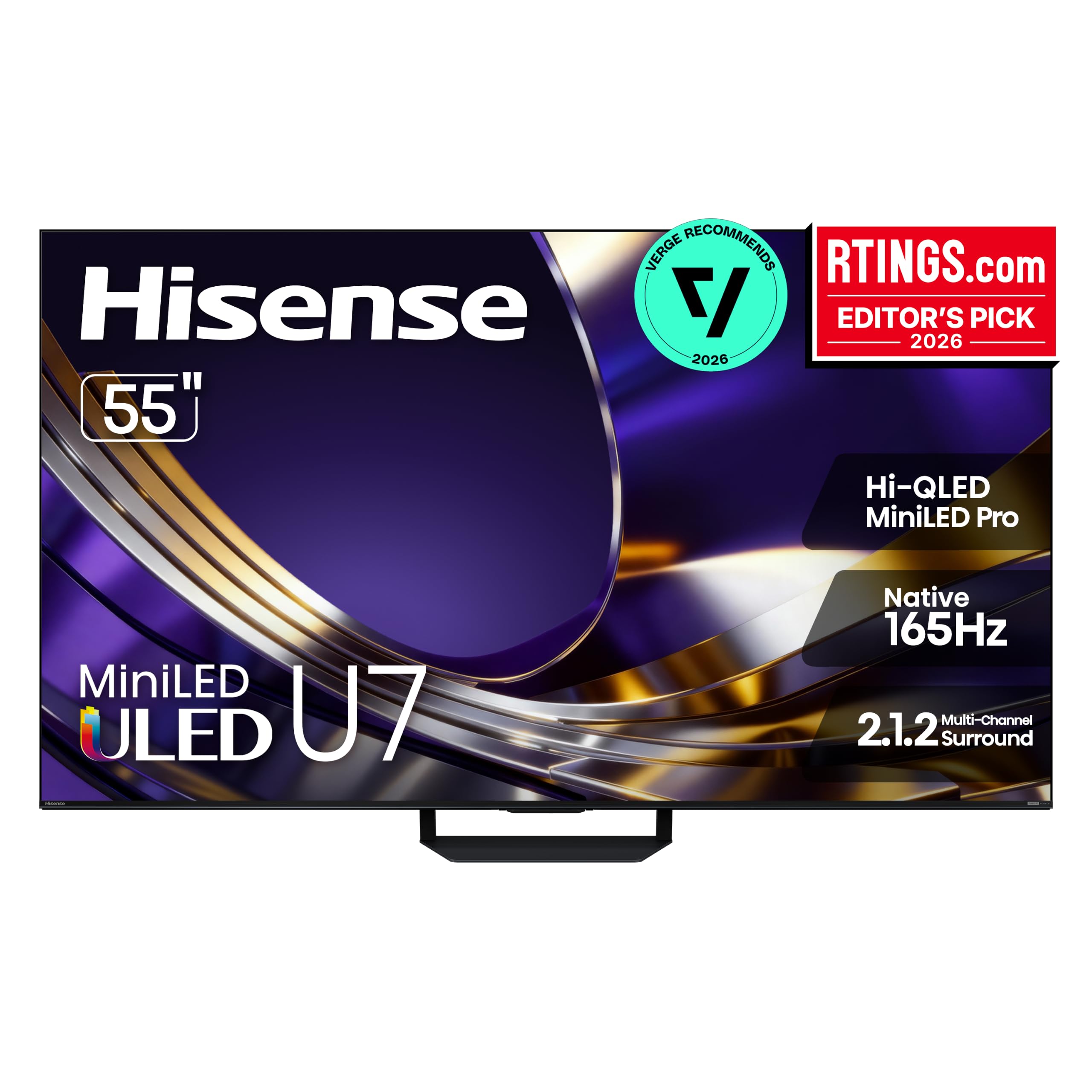
A 165Hz native panel with Game Booster 330 — the speed demon of the 55-inch group.
This is the pick for a PC gamer who wants the frame counter to stay high. The panel refreshes natively at 165Hz, and Game Booster 330 pushes variable refresh up to 330Hz for smoother motion and lower input lag. Compare that with the 144Hz panels elsewhere in this group — 21 more redraws a second does not sound huge, but in a fast shooter it is the gap between a smooth turn and a slightly syrupy one. A Game Bar lets you watch frames per second, VRR, and HDR settings on screen without leaving the game.
Brightness is the other weapon. Up to 3,000 local dimming zones and up to 3,000 nits of peak brightness let highlights punch through in a lit room while dark scenes stay deep. Hi-QLED color is Pantone validated, and anti-reflection treatment with a dual-layer screen coating fights glare from windows and ceiling lights. Audio runs through a 2.1.2 multi-channel system tuned by Devialet, and Google TV with Gemini brings conversational search.
Owners love it — the picture is called a beast that surpasses expectations, with speakers loud enough that a soundbar feels optional. Reliability sits at mixed, though, with a minority reporting the set stopped working. If you buy it, test every input and app in the first week.
The speed and the light
- Native 165Hz with Game Booster 330 VRR
- Up to 3,000 dimming zones and 3,000 nits peak
- Dual-layer anti-reflection coating
- 2.1.2 Devialet-tuned audio
The fine print
- Reliability feedback is mixed, with a minority of failures
- Google TV Gemini features can be more than a gamer needs
Built for: competitive PC gamers who value 165Hz and low lag above all else.
Look past it if: you want the simplest interface and the widest port count instead.
7. LG 42 inch Class OLED evo AI C6 4K Smart TV
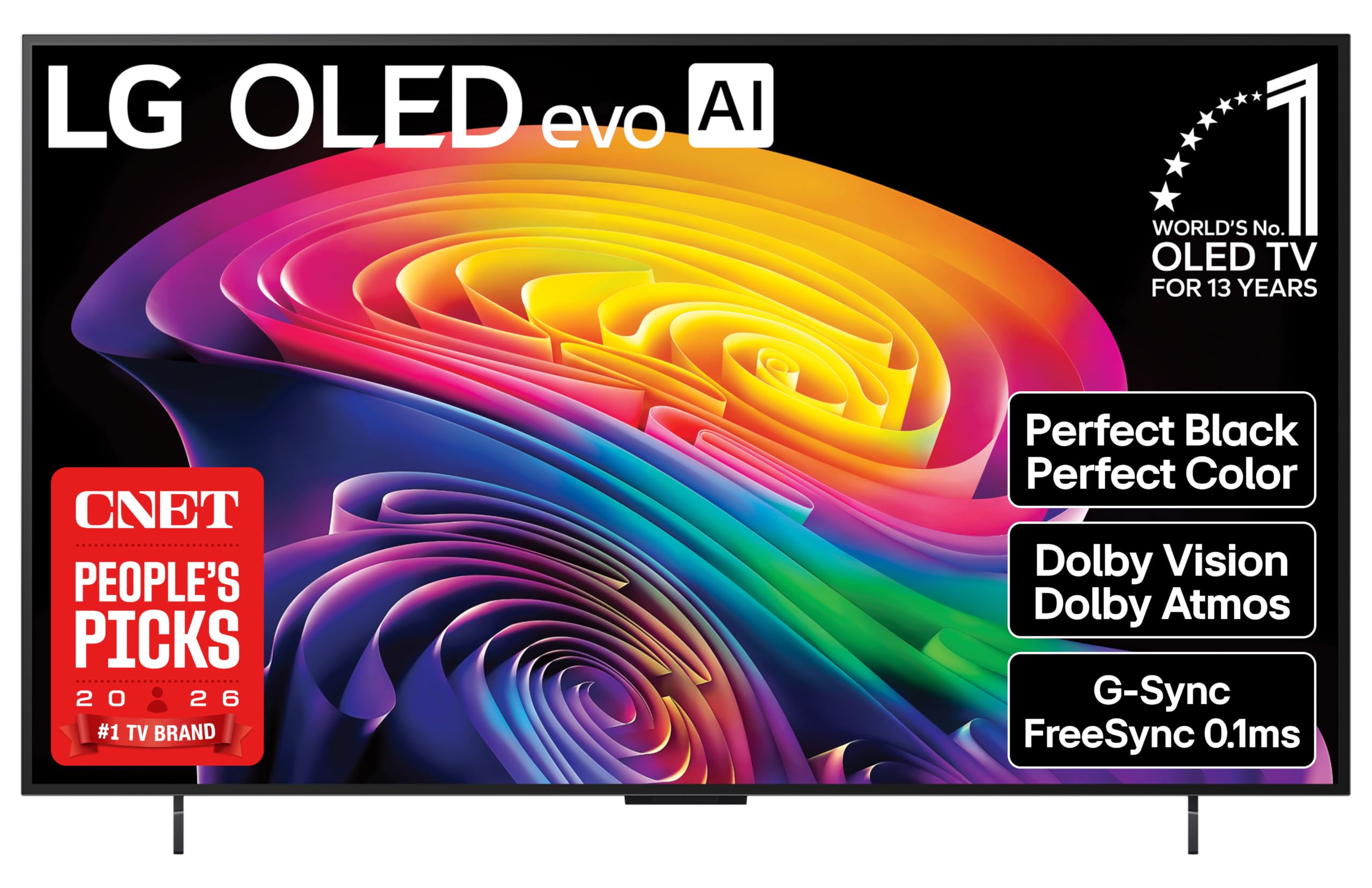
A 0.1ms response time on an OLED that fits a desk — pixel speed no LCD here can touch.
Response time is how long a pixel takes to change color, and 0.1ms is effectively instant. An OLED lights each pixel itself rather than shining a backlight through a layer, so there is no smearing on a fast mouse flick. LG combines that with up to a 165Hz refresh rate over Variable Refresh Rate, plus NVIDIA G-Sync and AMD FreeSync Premium — the same dual standard support as the Samsung S90H, but here at 42 inches with an A11 AI processor that LG claims delivers 5.6x greater AI neural processing than its prior a9 chip.
Picture is the star. Over 8.3 million self-lit pixels create Perfect Black and Perfect Color, and owners describe the image as beautiful with rich, vibrant color and deep blacks. Dolby Vision and Dolby Atmos cover the movie side, and FILMMAKER MODE with Ambient Light Technology keeps films as the director cut them. The webOS platform adds Google Gemini and over 400 free LG Channels.
The honest weak spot lives outside the picture. The remote is described as terrible and the interface as unresponsive by a share of buyers, and reliability gets some complaints about apps crashing or the set cutting out and reconnecting. If you game from a PC, you will barely touch the smart interface — but know webOS is the short leg.
Where it wins outright
- 0.1ms pixel response — fastest here
- Up to 165Hz with G-Sync and FreeSync
- Over 8.3 million self-lit pixels for true black
- 42-inch size that suits a desk
Where it falls short
- Remote and interface draw criticism
- Some reports of app crashes and dropouts
The gamer’s screen: if instant pixel response and OLED black matter more than smart menus, this is your set.
Not for you if: you plan to lean on the smart TV apps and want a slick remote.
8. Hisense 65″ U8 Series ULED Mini-LED 4K Smart Google TV
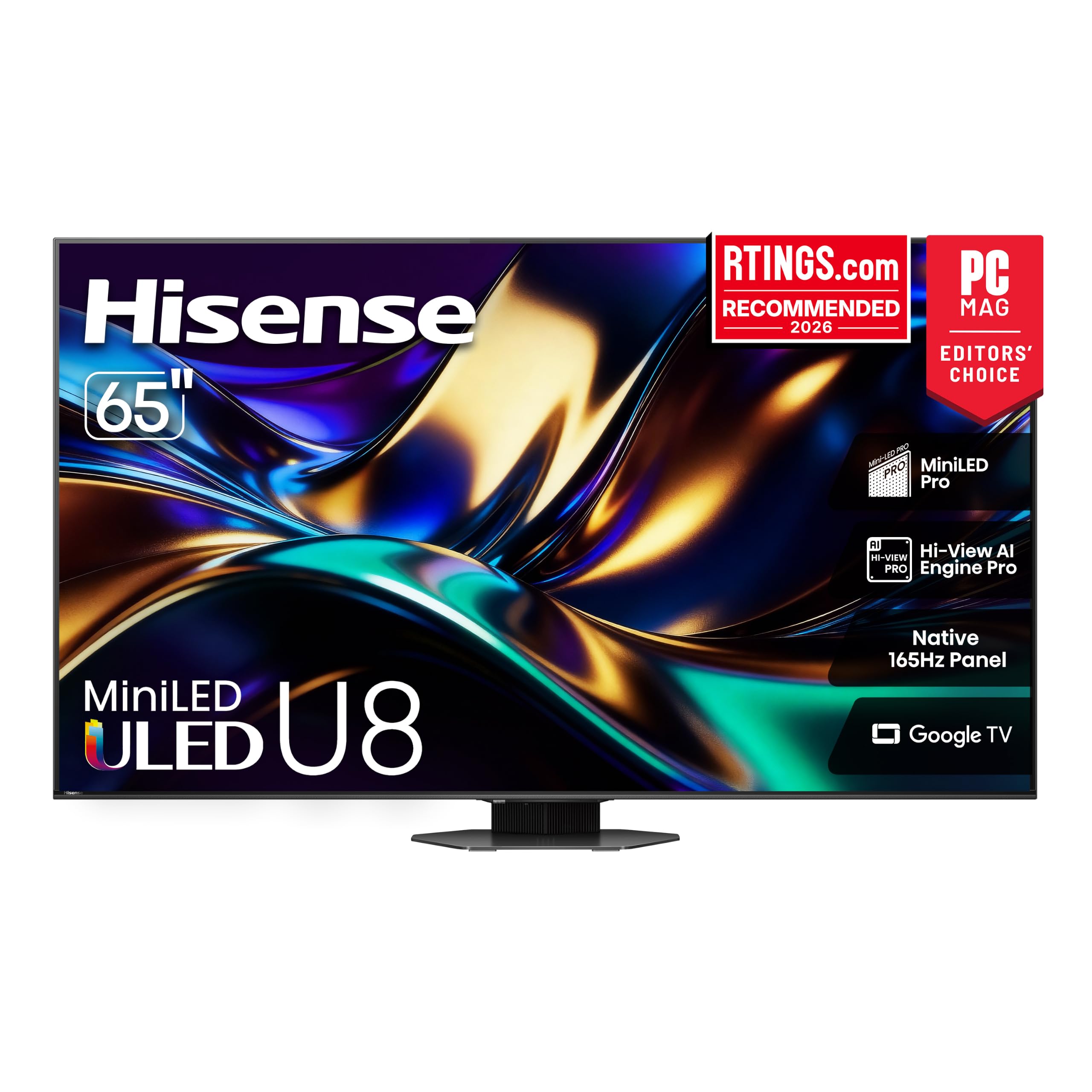
Up to 5,000 nits and 5,600 dimming zones — the brightest 65-inch panel in this lineup.
If a bright room has been your enemy, this is the answer. Up to 5,000 nits of peak brightness and up to 5,600 local dimming zones put it well beyond the Amazon Ember’s 1,400 nits — roughly three and a half times the light output on paper. In real terms, a sunlit living room no longer washes out the highlights. Anti-Reflection Pro bakes a coating into the liquid crystal layer to cut glare, and QLED color is Pantone validated.
Gaming matches the brightness. A native 165Hz panel with a Variable Refresh Rate from 48Hz to 165Hz pairs with AMD FreeSync Premium Pro, Auto Low Latency Mode, and Low Latency MEMC — the last of which reduces the smearing that frame interpolation usually causes. An Enhanced Game Bar lets you adjust settings from the remote mid-match. Audio is a 4.1.2 channel Dolby Atmos array with a built-in subwoofer and two up-firing speakers for overhead sound.
Owners call it the best among Hisense models, with a clear, bright picture and blacks described as comparable to OLED. The one honest caveat is performance: a minority report the set periodically quitting or refusing to switch on, so buy with a return window and test it thoroughly.
The brightness argument: 5,000 nits and 5,600 zones make this the go-to for a room that cannot be darkened.
What to guard against: performance feedback is mixed, so run it hard during the return period.
For the bright-room gamer: 65 inches, 165Hz, and more light output than anything else here.
Consider the U7 instead if: you want similar speed at 55 inches and a shorter reach to the wall.
9. TCL 65 Inch QM8L Series SQD-Mini LED QLED 4K Smart TV
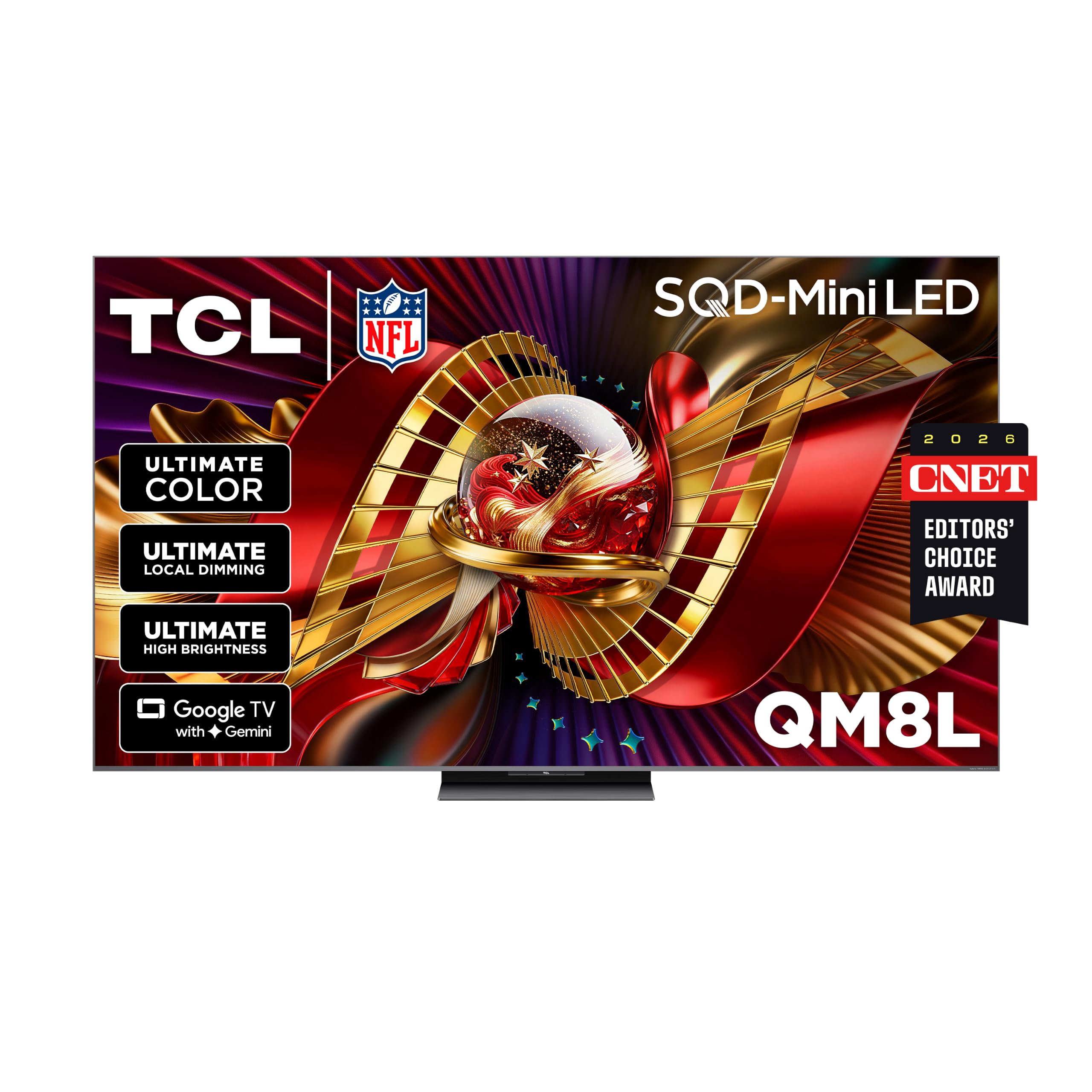
Up to 4,000+ dimming zones at 6,000 nits — the most granular light control on a 65-inch panel here.
Dimming zones are the small patches of backlight that brighten or darken independently. This set carries up to 4,000+ of them alongside up to 6,000 peak nits and a 7,000:1 static contrast ratio — the highest zone count in this entire list. The practical result is that a bright object in a dark room glows crisply without a hazy halo bleeding around it. The SQD-Mini LED engine and Halo Control System work together to keep those edges clean.
For PC gaming, the 144Hz panel brings the TCL Game Pack — Game Accelerator 288 VRR, a Game Bar overlay, and AMD FreeSync Premium Pro. The AI-powered suite handles color, contrast, clarity, motion, upscaling, and sound, and Dolby Vision IQ adapts HDR to the light in your room. Audio is by Bang & Olufsen with room for a wireless subwoofer.
Owners call it spectacular in every way, praising the sharp contrast, impressive brightness, and premium appearance. Setup is described as simple, and the sound earns unbroken approval. This is the premium-tier 65-inch TCL, so the expectation is high — and the owner feedback so far meets it.
The depth case
- Up to 4,000+ dimming zones and 6,000 peak nits
- 7,000:1 static contrast ratio
- 144Hz with Game Accelerator 288 VRR
- Bang & Olufsen audio
The trade-offs
- Premium-tier price for a 65-inch panel
- A smaller review base than the giants here
Choose it for: a dim or dark room where fine dimming and deep contrast beat raw brightness.
Go for the U8 instead if: you want maximum nits and a bigger feedback base.
10. LG 77-Inch OLED evo AI 4K G5 Series Smart TV

A 77-inch OLED with four HDMI 2.1 ports and a 0.1ms response — the wall-mounted endgame.
This is the set for someone building a room around the screen. At 77 inches it needs a wall, not a desk, and the One Wall Design leaves virtually no gap when hung — the set looks like a framed picture when it is not showing a game. Over 8.3 million self-lit pixels create Perfect Black, and Brightness Booster Max raises the output of each pixel for a brighter OLED than the technology’s reputation suggests.
Gaming stays fast at this size. A 0.1ms response time and up to a 120Hz refresh rate are backed by NVIDIA G-Sync, AMD FreeSync Premium, and VRR, with four HDMI 2.1 inputs for a PC plus both consoles and a fourth device. The LG Game Dashboard and Game Optimizer put the settings in one place. The Alpha 11 AI Processor Gen2 adds AI Picture Pro and AI Super Upscaling, and webOS gives access to over 350free LG Channels plus up to 5 years of software updates through webOS Re:New.
The honest catch is practical. This set is the priciest pick here, it is 77 inches so it demands a proper wall, and while buyers rave about the picture, brightness, and appearance, a share of them point out that no stand is included — you will need to supply your own mounting or furniture. That is not a picture flaw; it is a setup-planning detail to sort before the delivery arrives.
The case for going big: 77 inches of Perfect Black OLED with four HDMI 2.1 ports is a genuine endgame wall setup for a serious PC-plus-console room.
What to plan first: no stand ships in the box, so budget for mounting or a separate stand before it lands.
The wall pick: for anyone designing a room around a big OLED and happy to hang it.
Not for a desk: at 77 inches this belongs on a wall, and it is the top of the price range.
Know the Specs
Native Refresh Rate (Hz)
A panel’s native refresh rate is how many times per second it redraws, and it decides whether high frame rates from your GPU actually reach your eyes. A 144Hz panel redraws 144 times a second; a 165Hz panel redraws 165 times. The word “native” is the key — it means the panel itself runs at that speed, not a processing mode that inserts extra frames. Look for the native figure and ignore the motion-rate label, which is a separate smoothing number. Higher native Hz produces smoother fast turns and less blur during a quick camera sweep.
Local Dimming Zones and Peak Nits
A local dimming zone is a small patch of backlight that can brighten or darken on its own, and more zones means finer control over the light. Peak nits measures the brightest white the screen can hit, and it decides whether the picture survives a sunlit room. A set with more zones keeps a bright object from bleeding a halo into the dark around it. Higher nits makes HDR highlights punch harder in bright conditions. Both numbers belong together: zones shape contrast and nits shape brightness.
HDMI 2.1 and Input Lag
HDMI 2.1 is the port standard that carries a full 4K image at high refresh rates, so your PC can send both resolution and speed down one cable. Older HDMI 2.0 ports cap the refresh when running 4K. Input lag is the delay between a button press and the on-screen result, measured in milliseconds, and game modes and Auto Low Latency Mode exist to shrink it. More HDMI 2.1 ports means more devices stay plugged in — a PC, both consoles, and a soundbar without a switcher.
OLED vs Mini-LED Panels
An OLED panel lights each pixel individually, which gives true black, near-instant response, and thin panels — the trade-off is a panel that can be more reflective. A Mini-LED panel uses thousands of tiny LEDs behind the screen in zones, which allows very high brightness and sometimes thousands of dimming zones for contrast. For a dark room and fast aiming, OLED leads on black and pixel speed. For a bright room and HDR punch, Mini-LED leads on nits and light control.
Common Questions
Does a 4K PC gaming TV actually work with a computer?
Is a 144Hz TV as good as a 144Hz monitor for PC gaming?
How many HDMI 2.1 ports do I need for a PC plus two consoles?
What is Variable Refresh Rate and why does it matter for a gaming PC?
Should I pick a Mini-LED or an OLED set for a bright room?
Does a Mini-LED TV have worse black levels than OLED?
What screen size makes sense for a PC gaming TV at a desk?
Is screen burn-in a risk on an OLED gaming TV with a static PC desktop?
Will my graphics card drive 4K at 144Hz on one of these TVs?
Do these TVs include a stand, or do I need to mount them?
The Bottom Line
For most people building a PC gaming setup, the 4k pc gaming tv winner is the Samsung 42-Inch S90H OLED because its 165Hz panel, G-SYNC and FreeSync support, and Glare Free coating make it the fastest and most desk-friendly set here — the crowd favorite at 4.5+ stars across 300+ ratings. If you need four HDMI 2.1 ports to host a PC and both consoles at once, grab the iFFALCON 55U85. And for a bright room that fights glare all day, the Hisense 65U8QG and its up to 5,000 nits are the one to reach for. If you are hanging a showpiece on the wall, the LG 77-Inch G5 closes the list. One honest nudge: pick the size and panel type that fit your room, then buy with confidence.
How we choose
We do not accept paid placement. Every pick is matched to a real buyer and a real use-case; we do not hands-on test units.
Sources
Specifications: manufacturer listings and product documentation. Review insights: verified customer reviews, as of November 2026. Pricing: not shown on this page (it changes often); check the current price via the retailer link.
As an Amazon Associate, Gamepad Test earns from qualifying purchases. This does not affect which products we feature.